

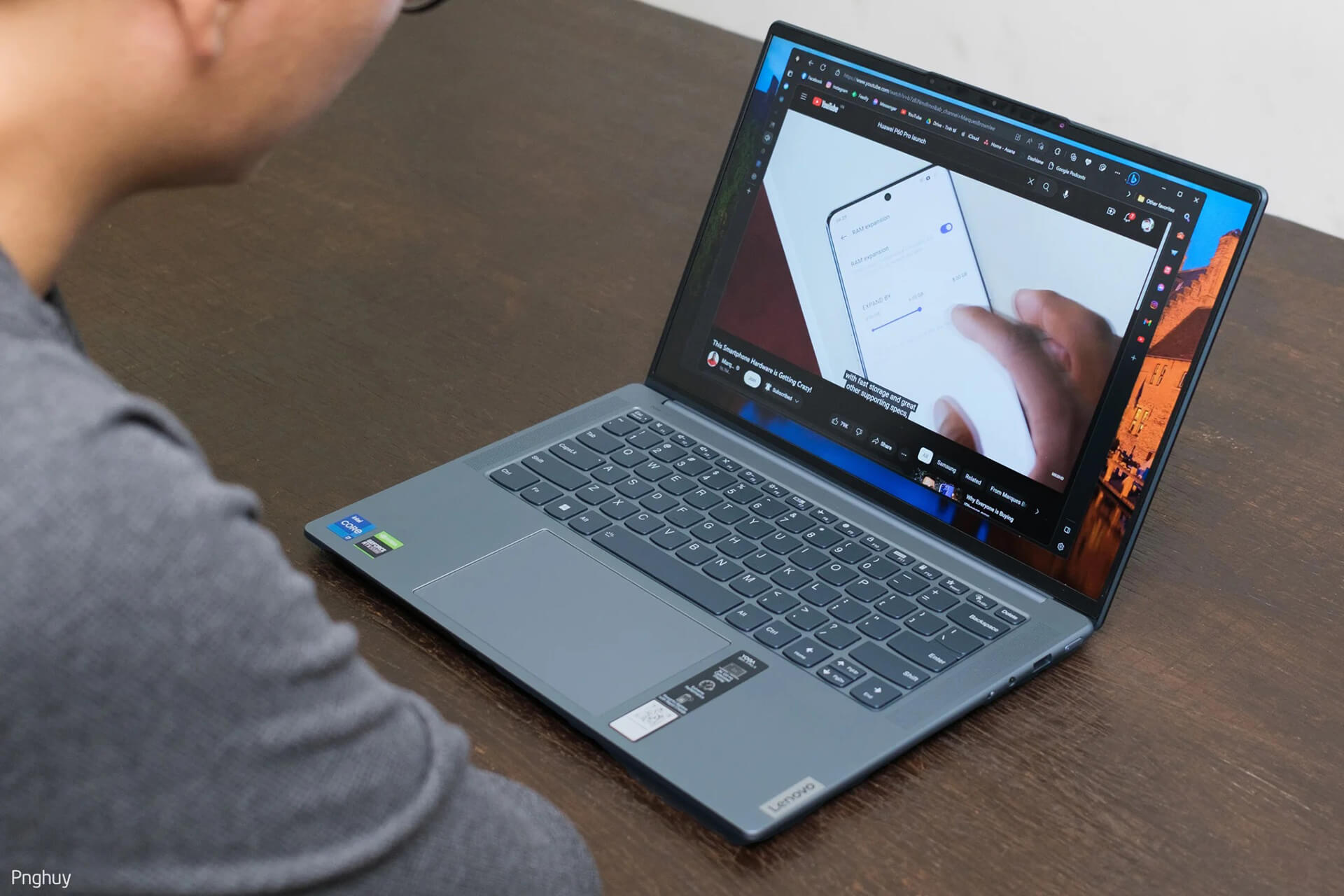
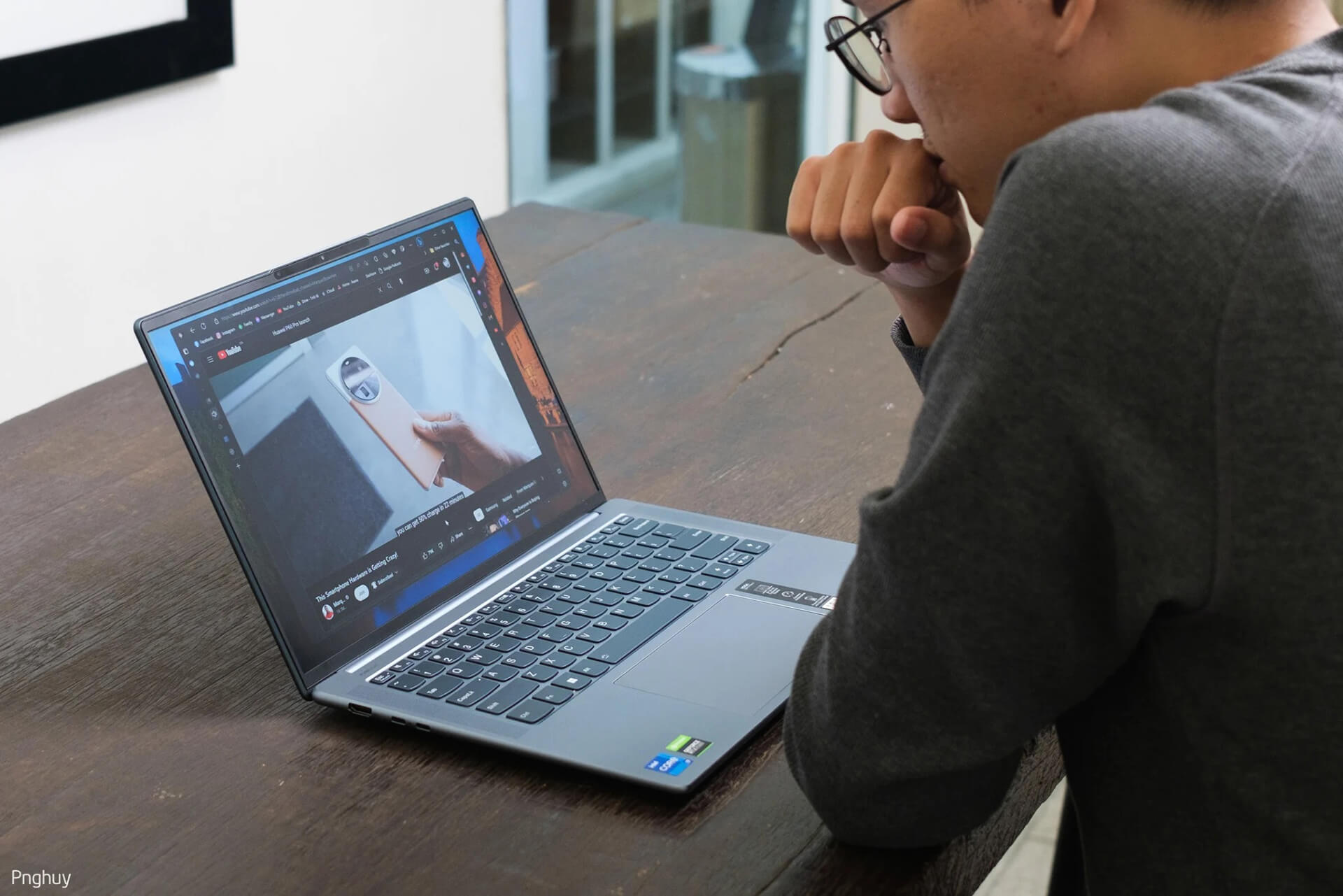
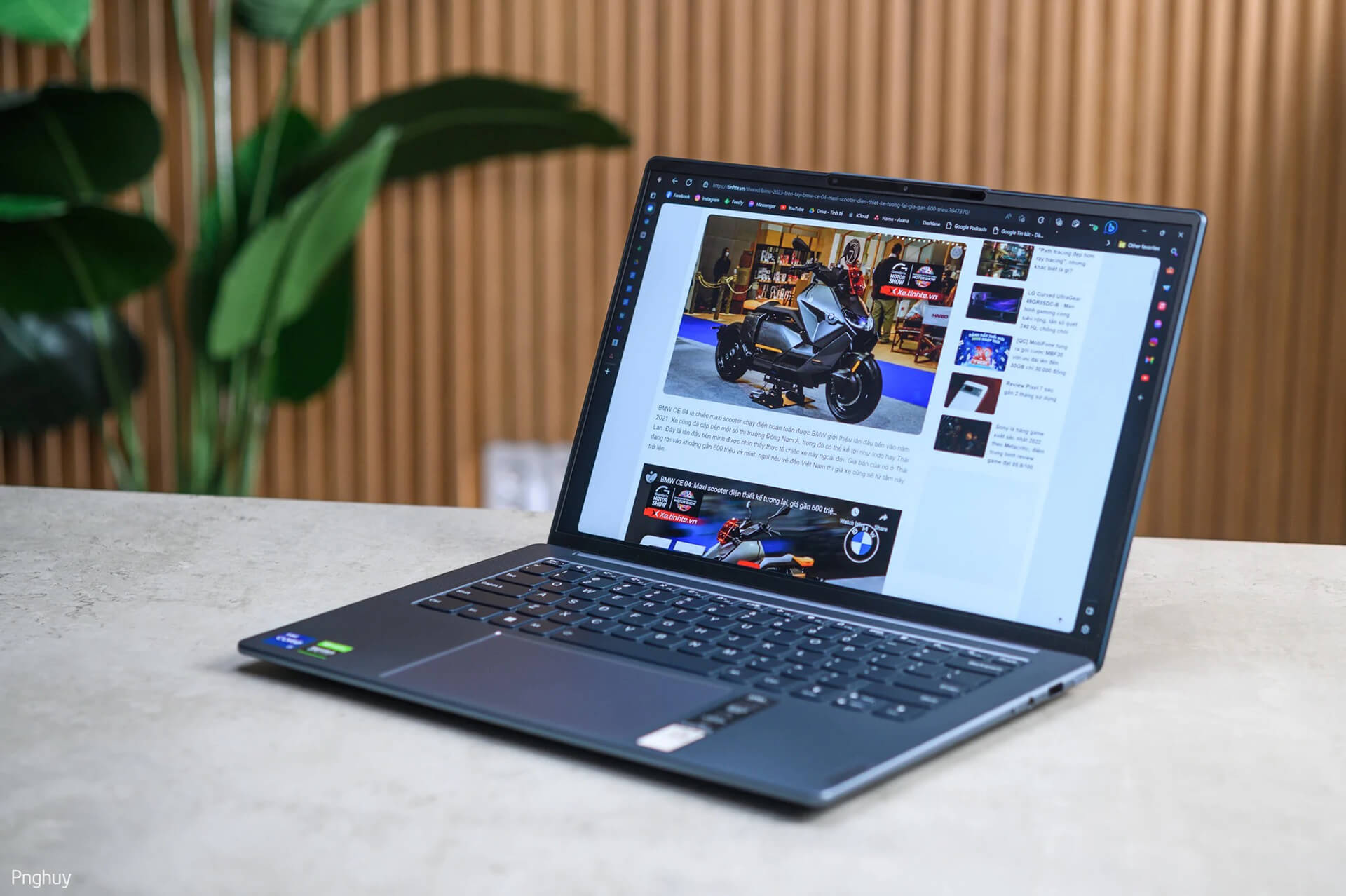
Yoga Slim 7i ProX is a thin and light laptop with high performance compared to other laptops of the same size. At first glance, you wouldn't guess that it houses a quite powerful configuration, equivalent to a mid-range gaming laptop, including: Core i7-12700H, RTX 3050 graphics card, 16GB RAM, and a 1TB SSD.
Despite this, the Yoga Slim 7i ProX weighs only 1.45kg and is just 15.9mm thick. This laptop looks no different from an ultrabook equipped with a P-series CPU; in fact, many manufacturers equip Alder Lake P CPUs or equivalent series in laptops like this one. With this high-performance configuration, Lenovo certainly aims to meet as many needs as possible, making this laptop versatile: it's great for work, gaming, and creative tasks.
Beautiful design, beautiful color, and sturdy build
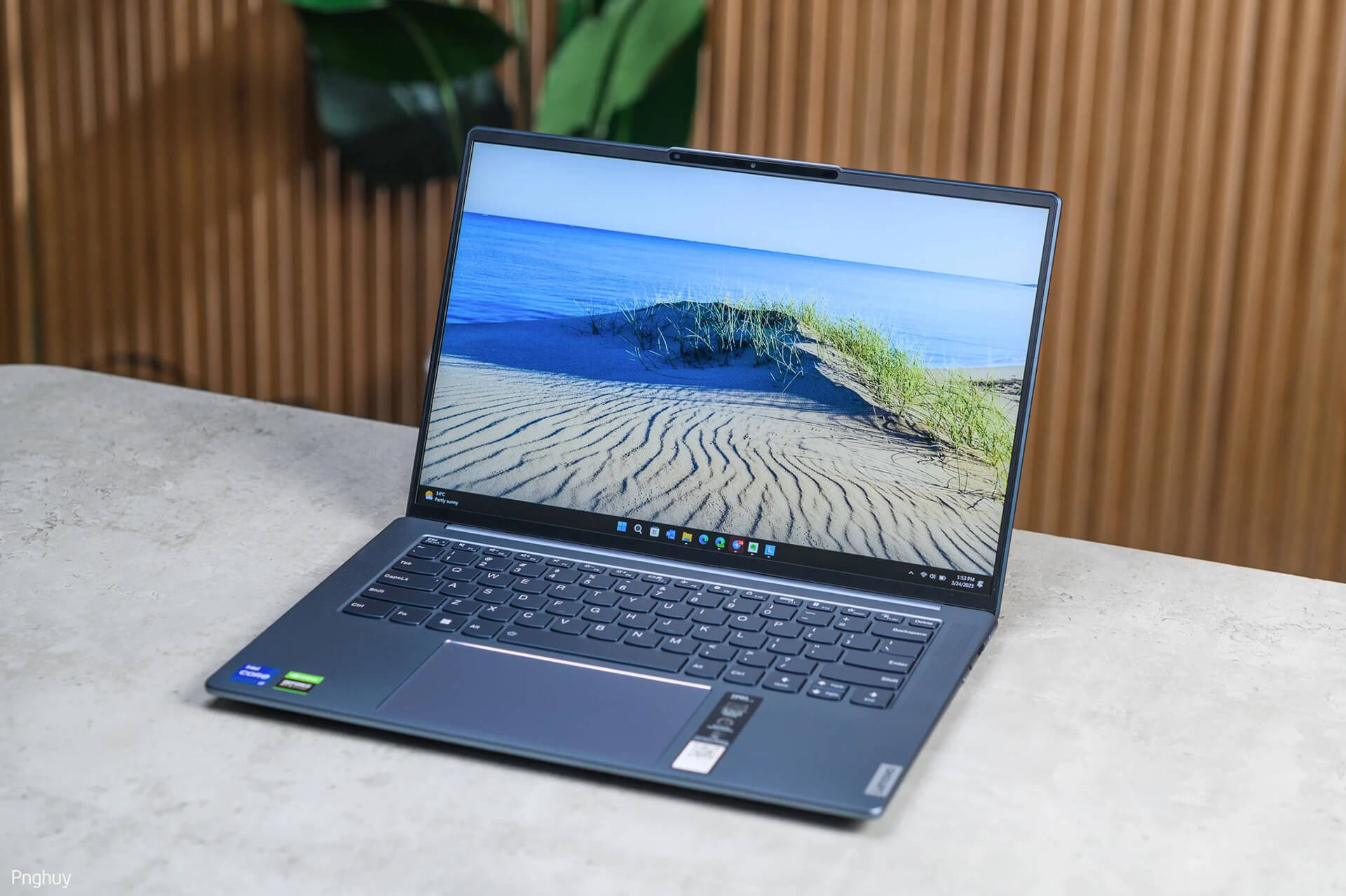
First, let's talk about the design. In my opinion, this laptop has a beautiful design that carries the signature language of the Yoga series: simplicity and smoothness. If you don't count the many stickers Lenovo has placed on the machine, it is truly a simple laptop.
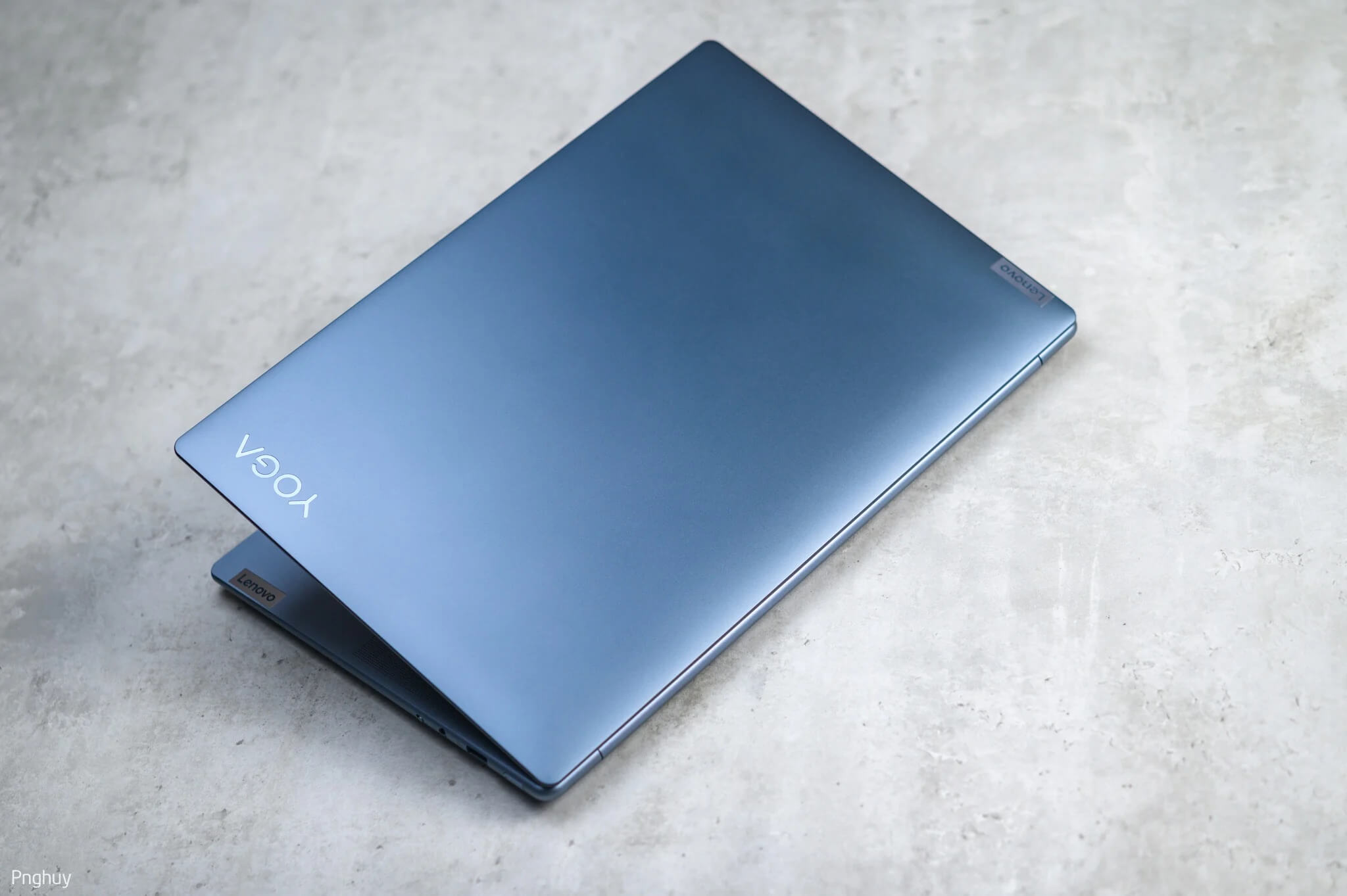
The color is simply beautiful. It's not a boring black or gray; the blue on this machine creates a sense of freshness and excitement for me personally. It's not a dark blue; specifically, Lenovo calls it Dark Teal, but to me, it looks like the color of a blue stone used in construction-beautiful yet powerful and cool-looking.
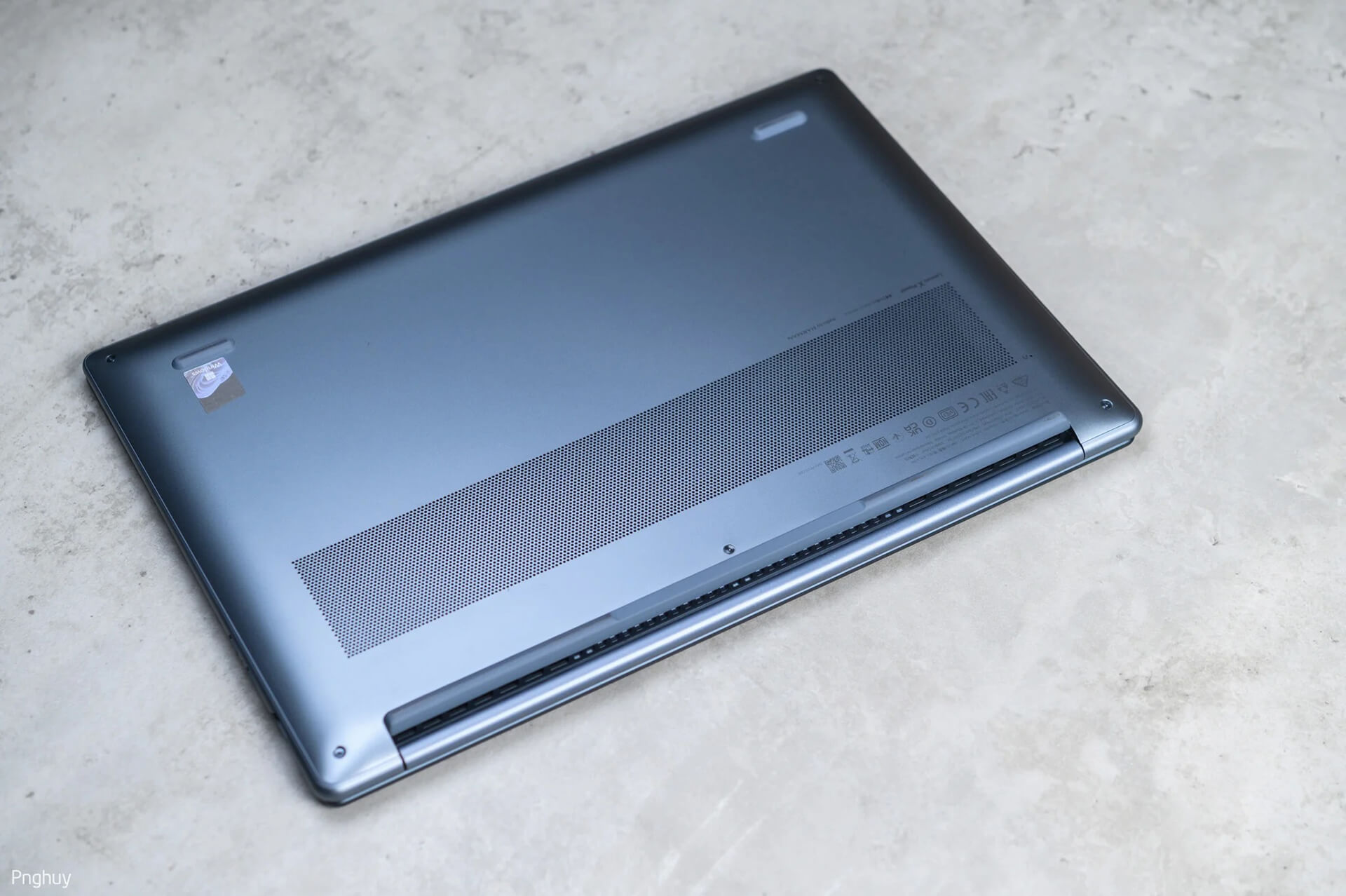
The machine is finished in metal, fully aluminum with a CNC-machined A-cover and an aluminum-stamped D-cover featuring ventilation holes for cooling. Lenovo has finished this laptop well; it is sturdy and solid. The A and C covers show almost no flex, but the D cover seems to use slightly thinner aluminum compared to the A and C covers.
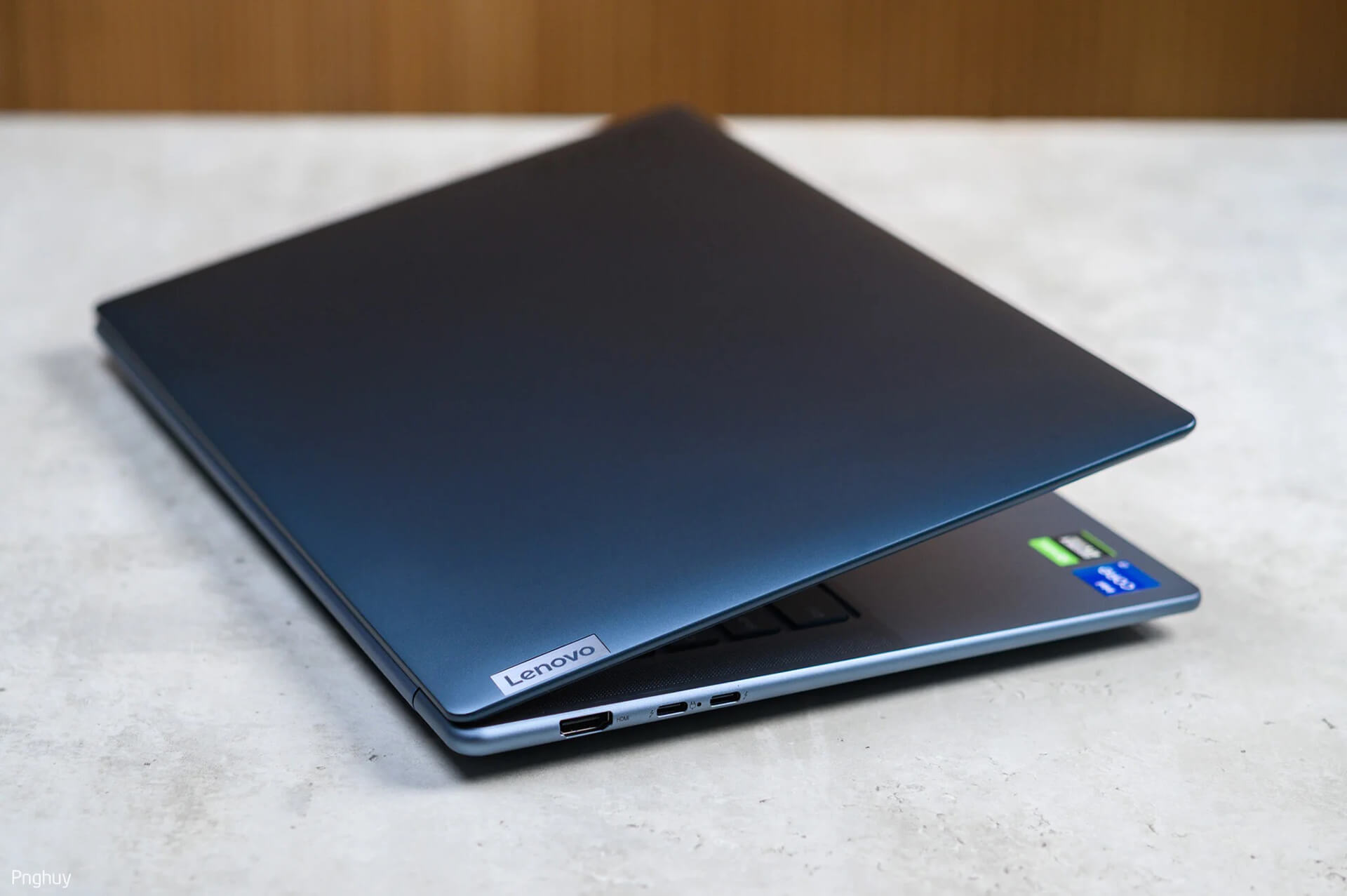
The edges of the machine are rounded and have a matte finish, similar to how smartphone manufacturers design them. Rounded edges are a signature design of Lenovo; currently, not many laptop manufacturers pursue this style, as most prefer sharp or square edges. Lenovo also uses a center hinge for this laptop, which is quite sturdy, allowing for comfortable one-handed opening. Lenovo has clearly paid attention to this detail for easy opening.
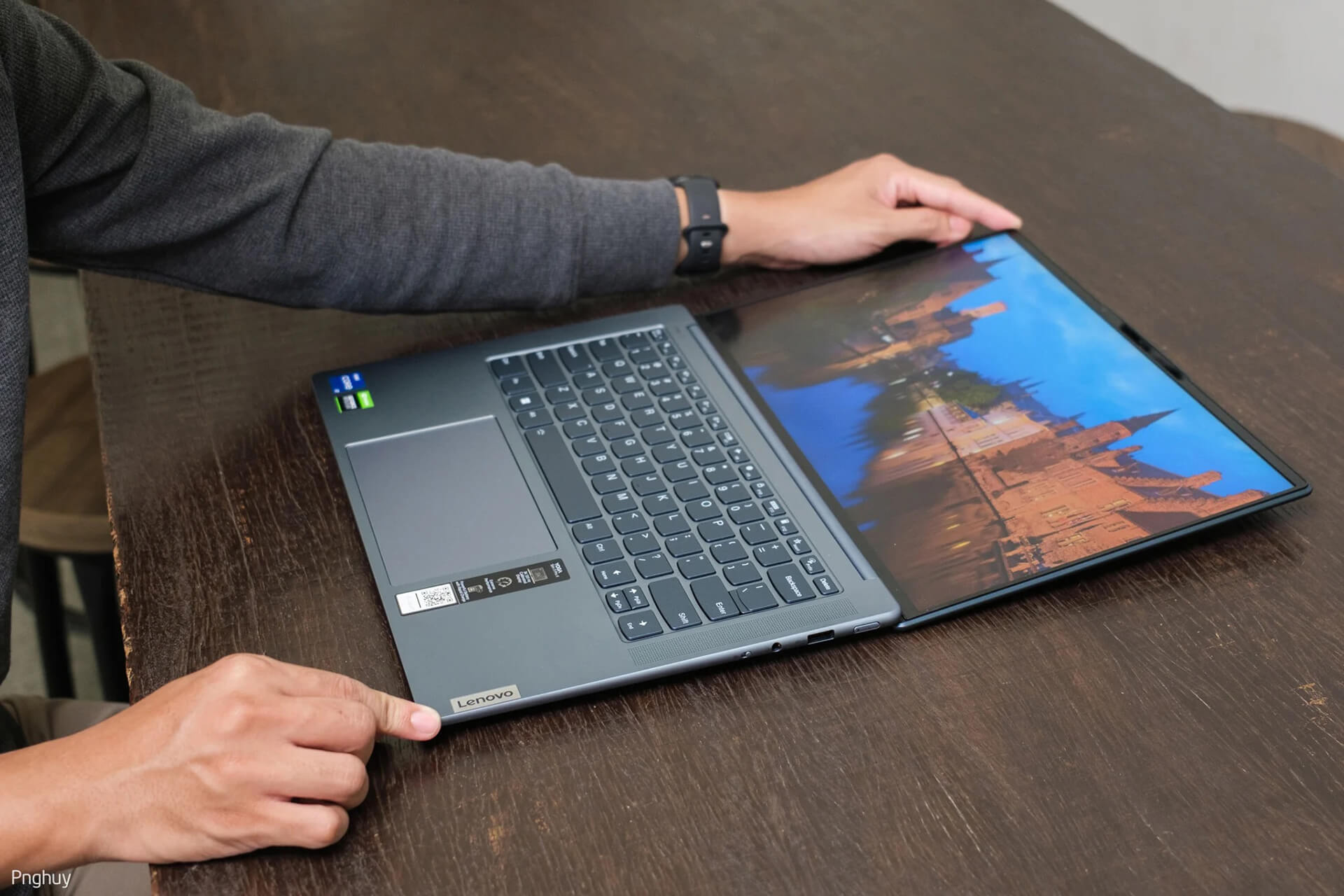
The hinge allows the laptop to open up to a 180-degree angle, which is convenient for certain meeting scenarios.
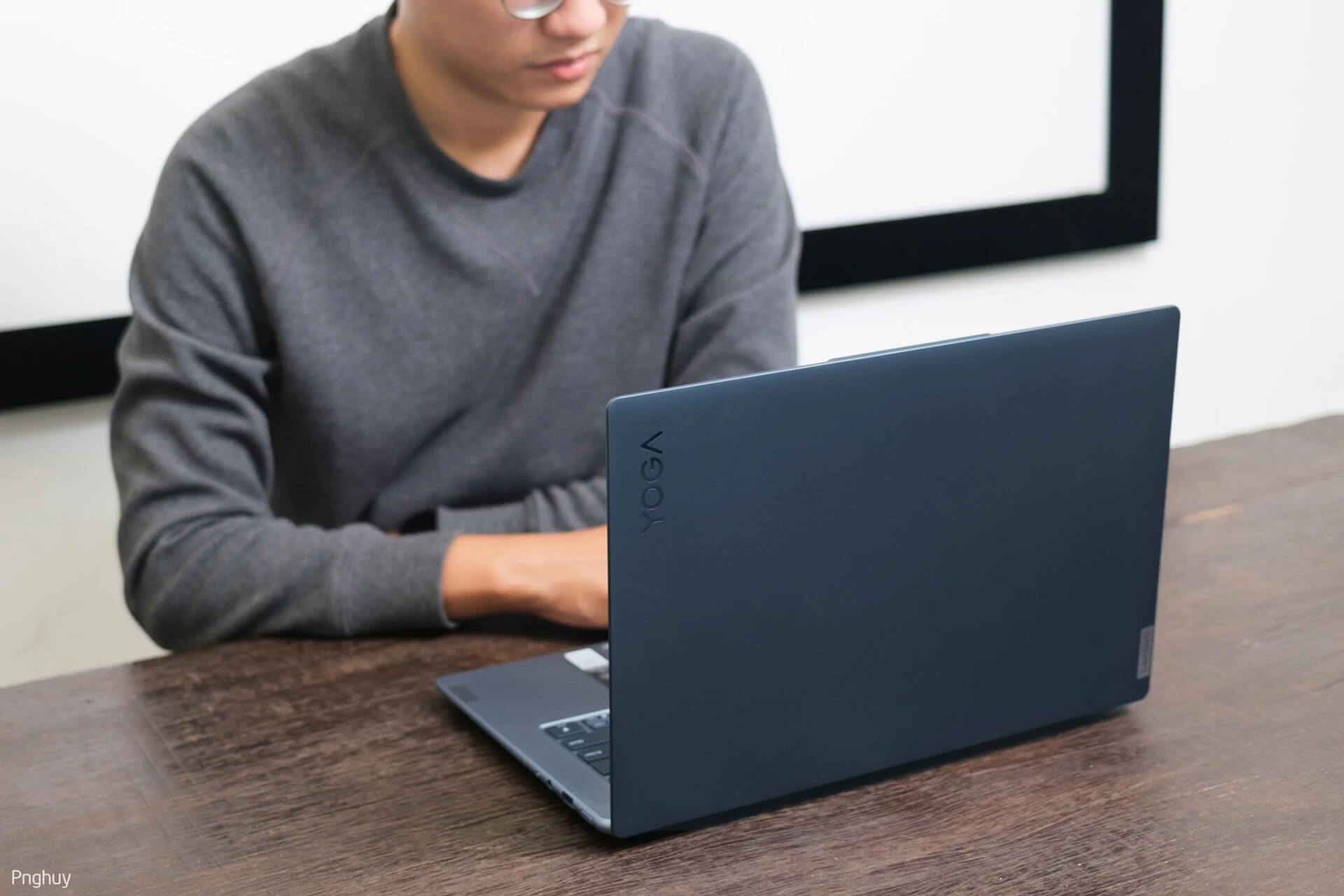
If you are someone who sweats on your hands, you might not like this design much because it picks up fingerprints easily. Personally, since I don't have sweaty hands, I find it a beautiful design, but for others, it might be different 😁.
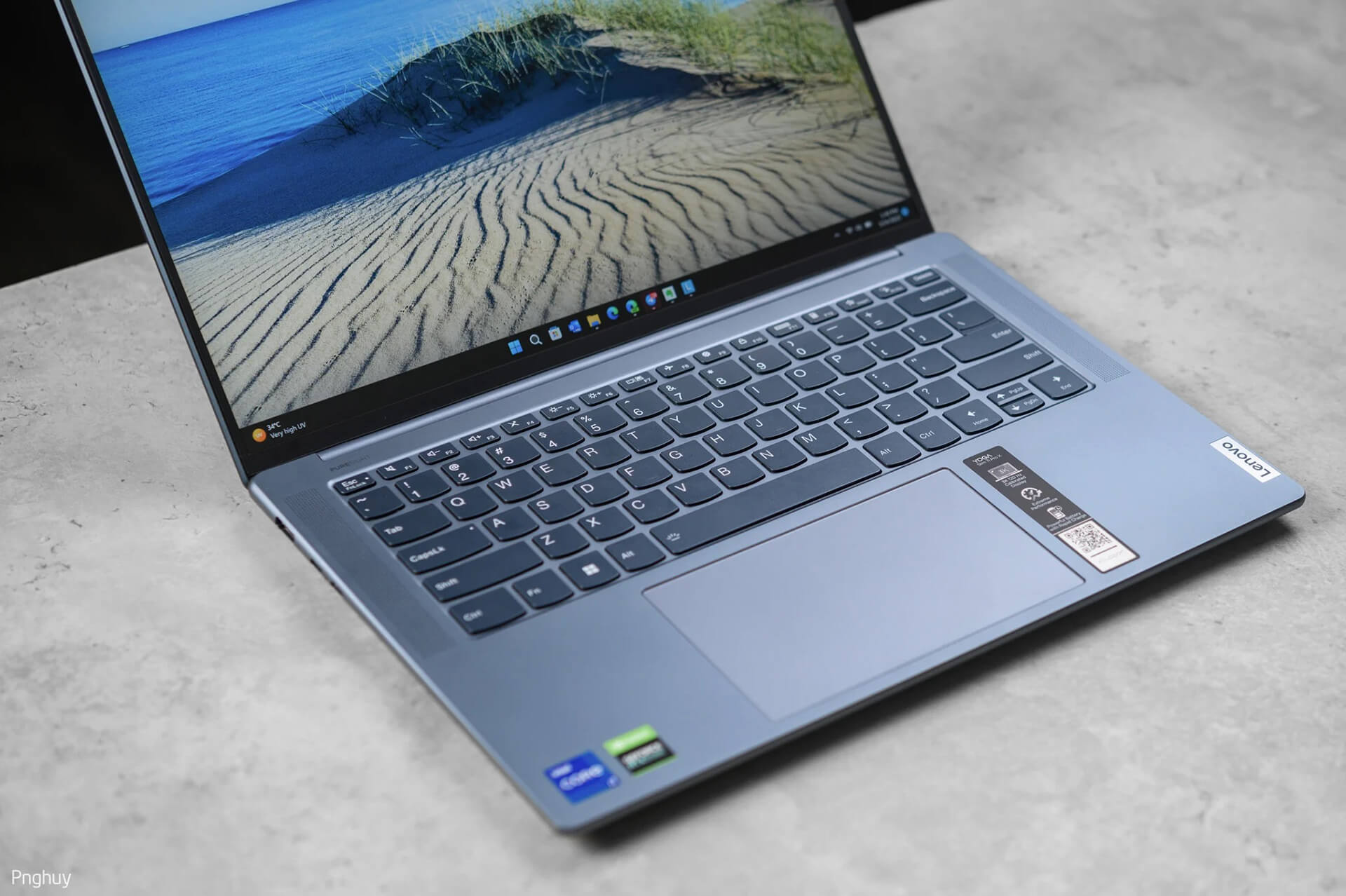
Moving to the keyboard and touchpad area, this is a familiar layout without a numeric keypad. I like this layout, and the typing feel of the Yoga Slim 7i ProX is quite good; the keys are tactile and responsive with reasonable spacing. However, the keycaps are flat rather than slightly concave like other Lenovo laptop lines. As I mentioned, the C-cover is well-reinforced by Lenovo, so there is no flex at all when typing, making it very comfortable and confident to use. Another special feature of this keyboard is the backlight system, which has an option to automatically adjust on/off based on the webcam at the top.
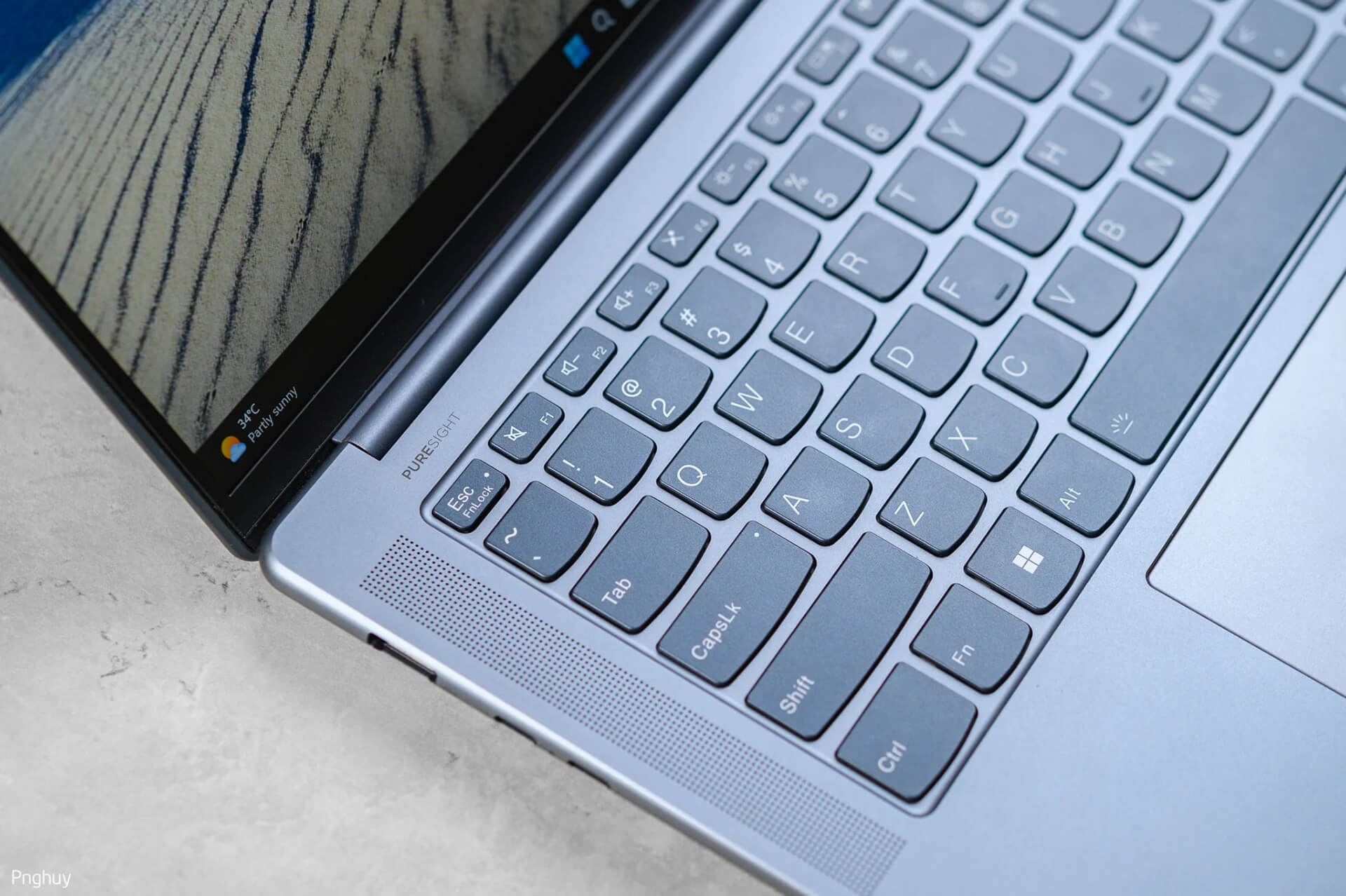
The areas on both sides of the keyboard are where Lenovo places its speakers, with a total output of 4W, tuned by Harman/Kardon and supporting Dolby Atmos. The speaker quality is decent-not outstanding, but not bad either; however, compared to the Yoga 9, it doesn't quite match 😀.
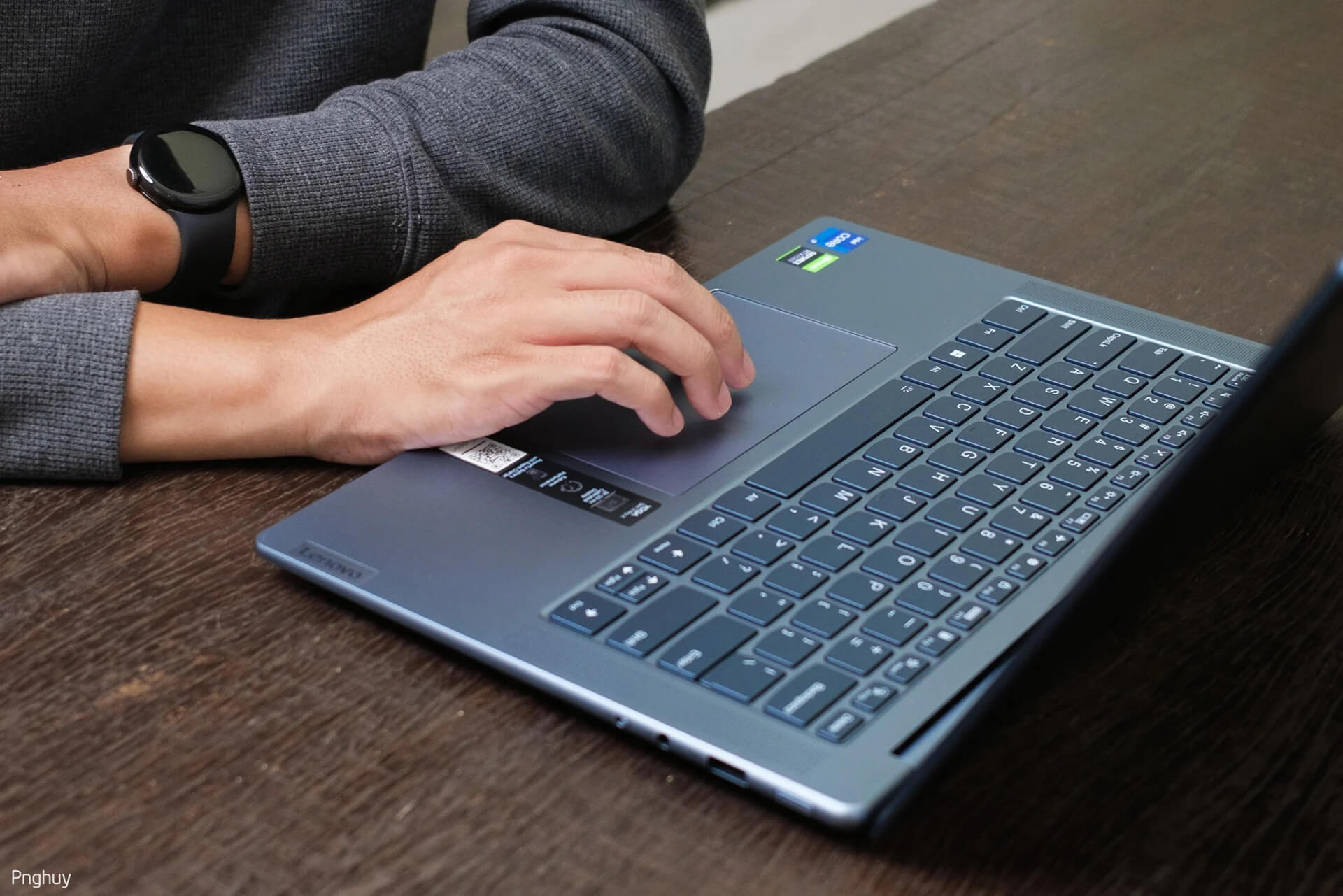
The touchpad below is quite large (80 x 135 mm) and glass-covered, supporting Precision Touchpad drivers, multi-touch gestures, and very accurate tracking.
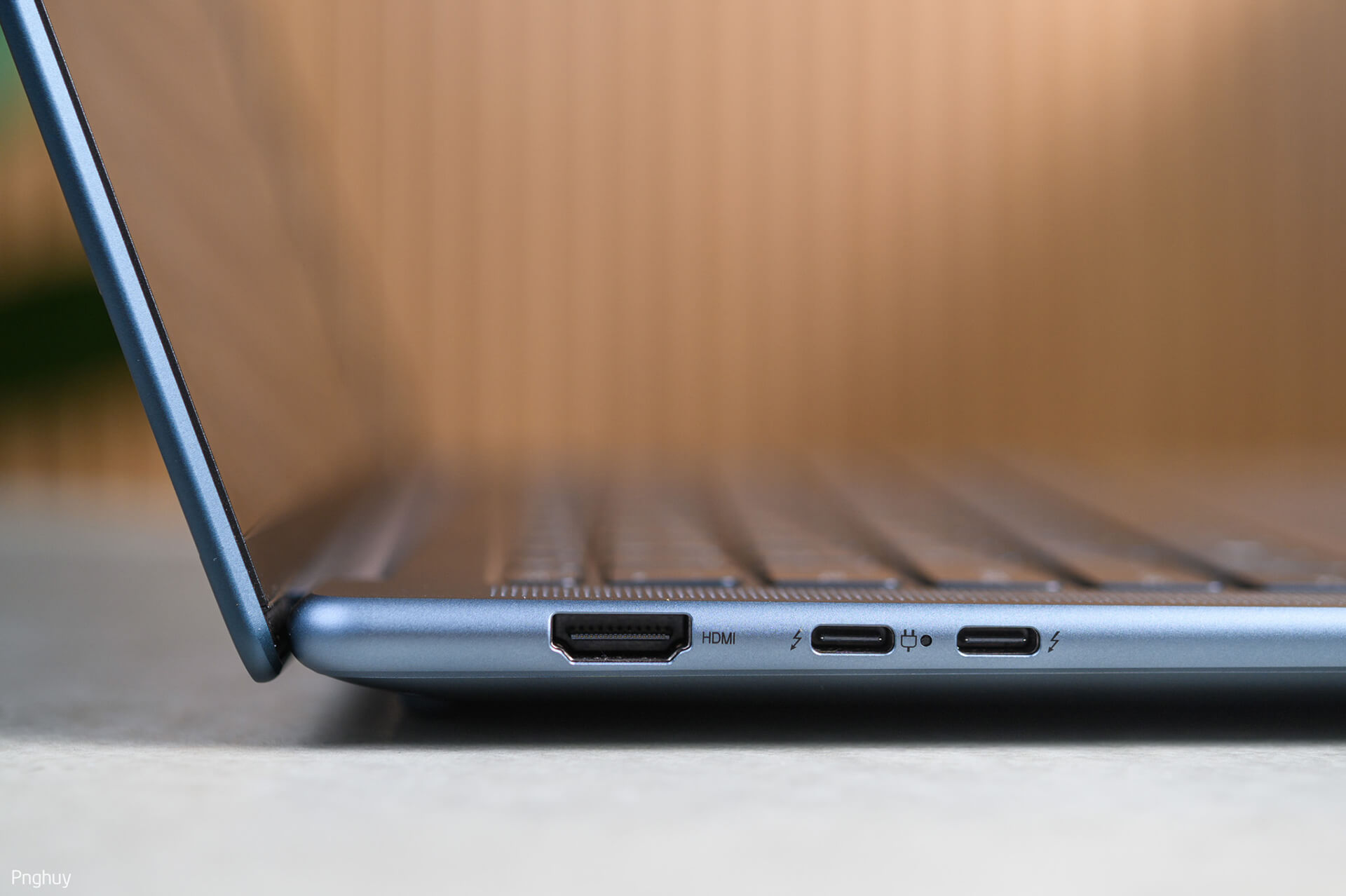
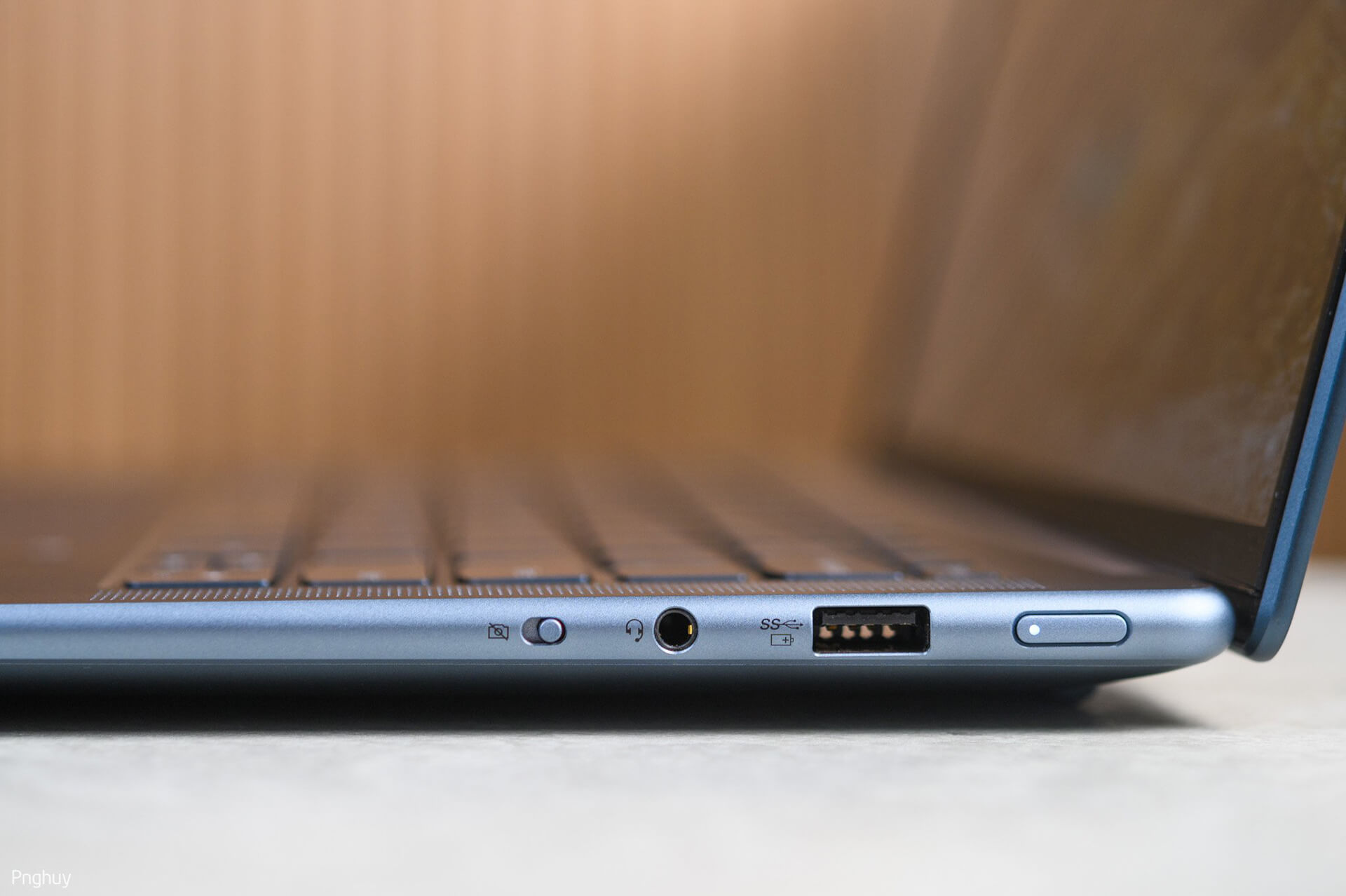
The connectivity on the Yoga Slim 7i ProX is quite sufficient for office needs: USB-C Thunderbolt4 (Power Delivery 3.0, DisplayPort™️ 1.4, data transfer), 1 HDMI 2.0 port, 1 USB-A 3.2 Gen 1 port (with Always-on charging for phones, headphones, etc.), a 3.5mm jack, and a webcam privacy shutter.
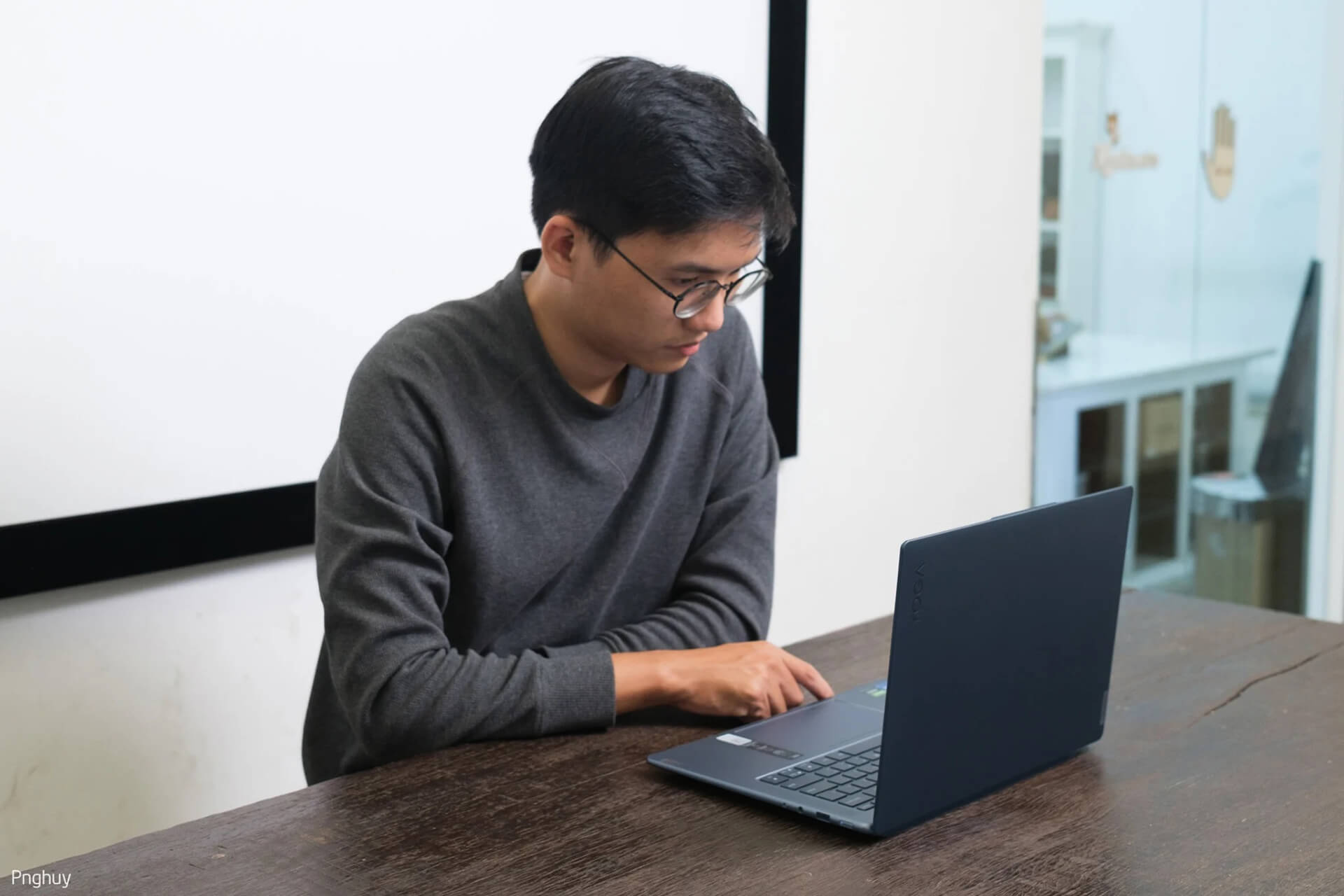
Overall, regarding the design, I like this laptop; it is simple, and the blue color is my favorite, so I like this machine even more. Although it is slightly heavier than other 14” laptops and has higher performance, which is understandable since Lenovo needs to provide a suitable cooling system for the configuration.
Beautiful Display
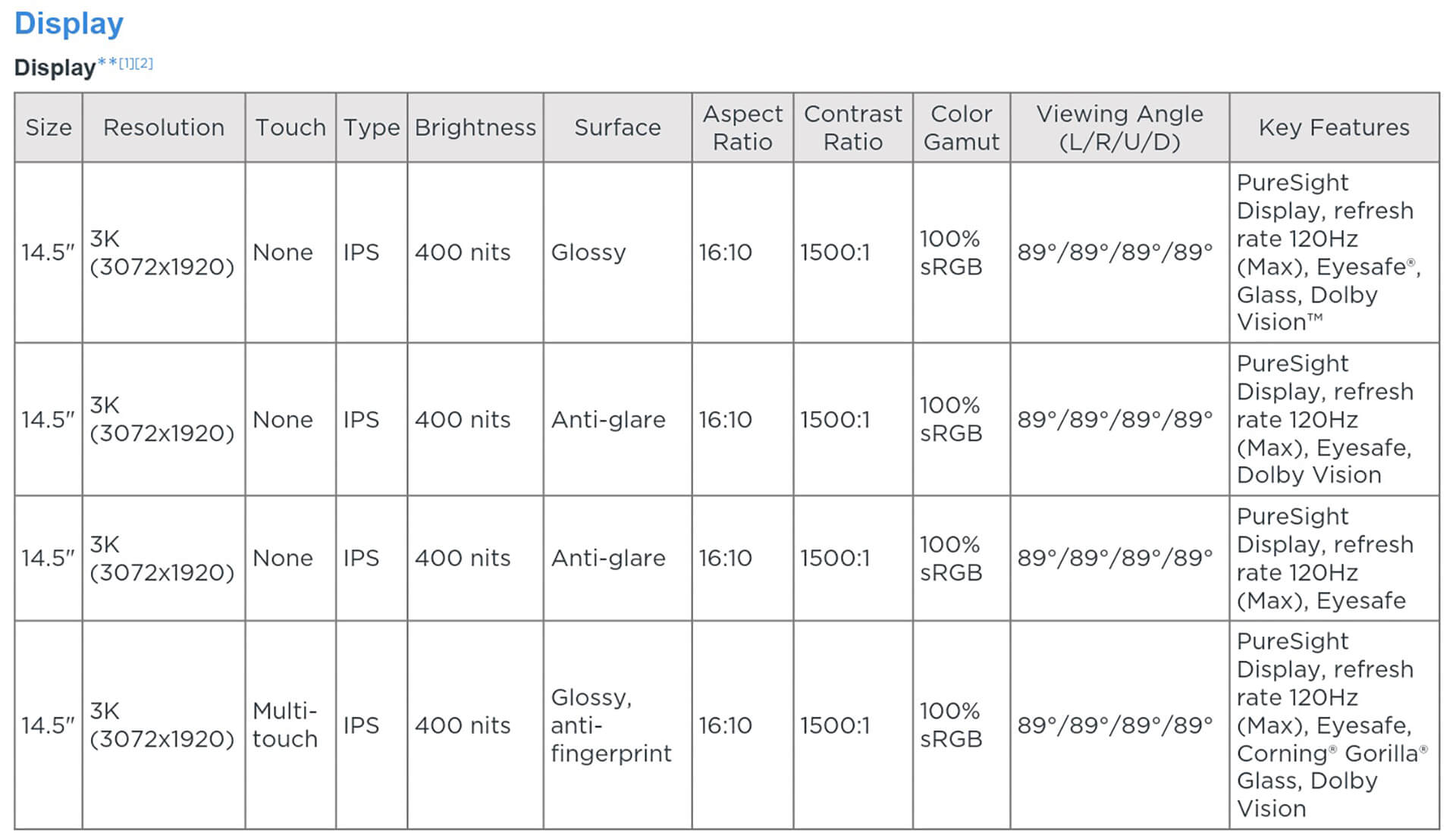
The screen of the Yoga Slim 7i ProX has a high 3K resolution (3072 x 1920) PureSight, using an IPS panel with a 1500:1 contrast ratio, 89-degree wide viewing angles (left/right, up/down), a 16:10 aspect ratio, and 100% sRGB color gamut (67% Adobe RGB and 65% P3).
The display specifications of this Yoga Slim 7i ProX are very attractive to users, not to mention the 400 nits brightness, factory color calibration, and Dolby Vision support, with a 120Hz refresh rate (it's Dynamic, meaning it varies from 60-120Hz). Lenovo offers many display options, but the default resolution is 3K; there are no Full HD or 4K options. However, you should note one detail regarding Dolby Vision: Lenovo has two display options with identical specs and matte anti-glare coatings, but one version includes Dolby Vision and the other does not. You can see the difference in the image below.
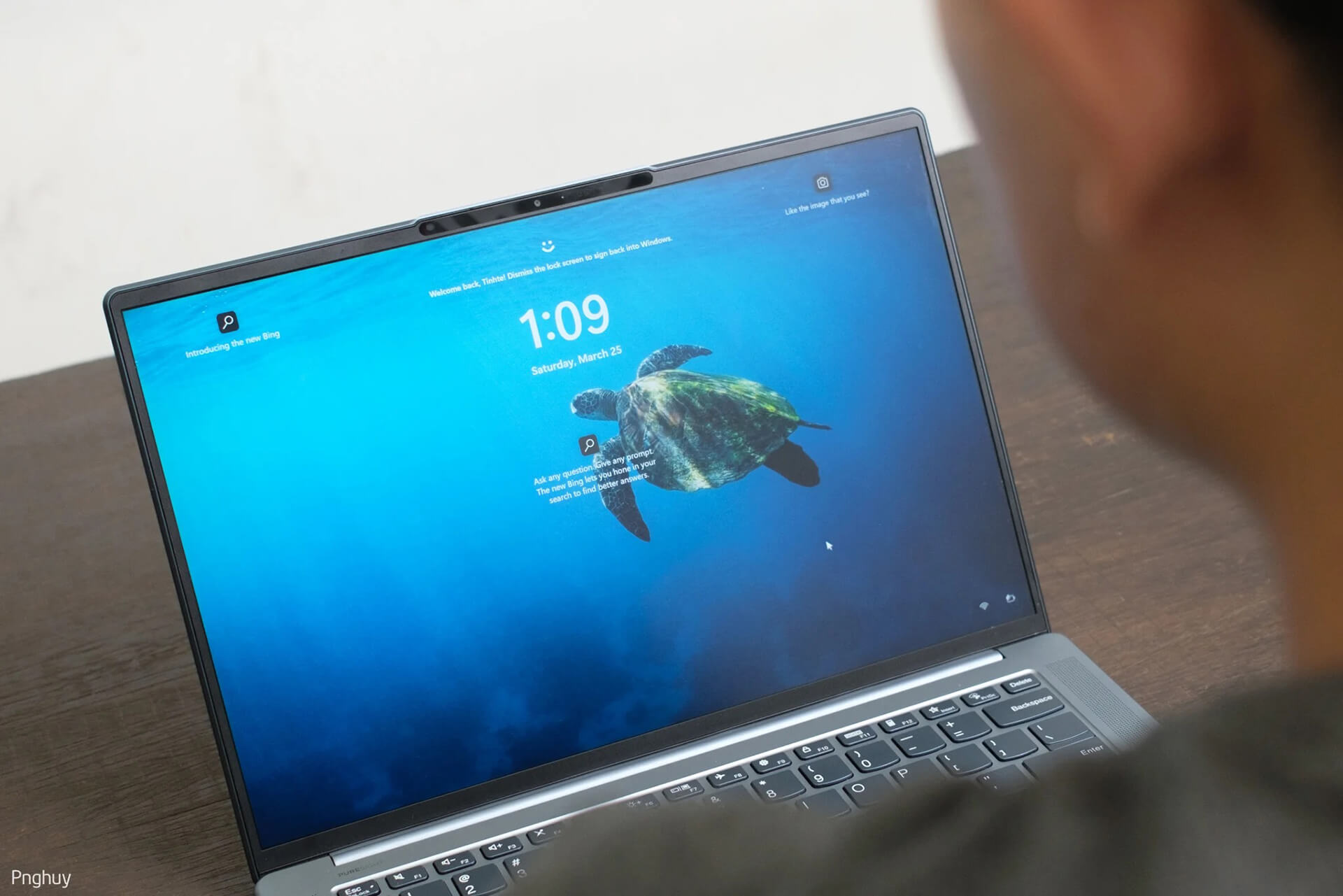
Also related to the display is the webcam assembly that supports IR facial recognition via Windows Hello (2.1MP FHD resolution). It has several features I find very useful, such as detecting when a user is present so the screen doesn't turn off, or automatically dimming the brightness if the user is sitting in front of the computer but not using it. It also automatically adjusts brightness based on the open window (if the window is black, it dims the screen to save power; if it's white, it increases brightness) and automatically adjusts the color temperature based on ambient light conditions. Some features are built into Windows, while others are added by Lenovo to enhance the user experience.
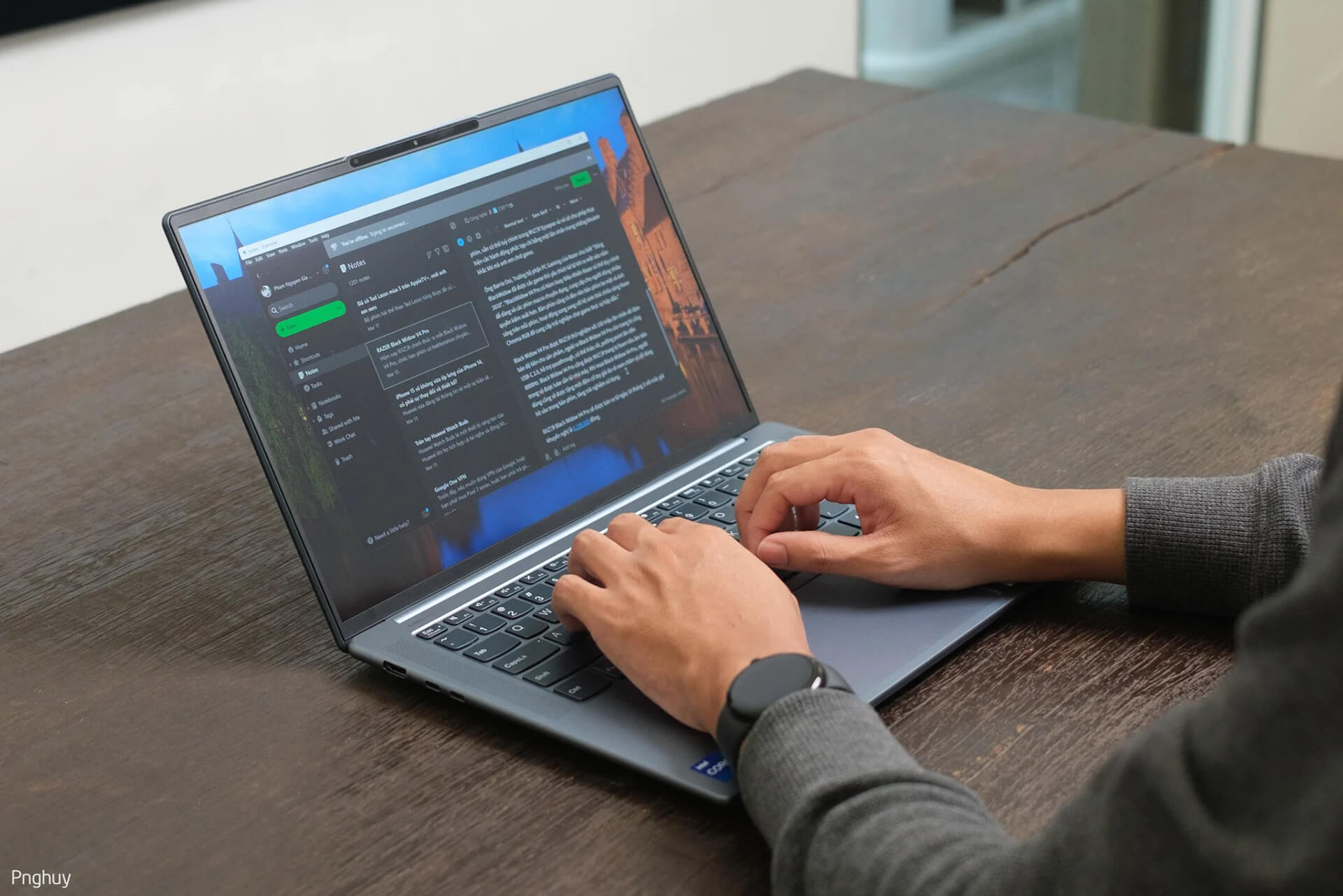
With this screen size, 3K resolution, and a default 200% scaling, I find it quite usable and capable of displaying plenty of information. If you want more space, you can scale down to 175% or 150%, but the text may lose its smoothness and appear pixelated. The bezels of the Yoga Slim 7i ProX are not exceptionally thin like the Dell XPS, but they are acceptable. However, these bezels are still plastic; for a laptop priced around 40 million VND, I would have hoped for a better finish, such as glass extending to the bezels.
The factory color calibration and various display options suggest that Lenovo wants users to be able to customize the screen for many different needs. In my opinion, Lenovo is targeting creative users-those involved in imagery, video, and text processing, but not necessarily professionals-such as YouTubers or TikTokers.
Versatile Configuration
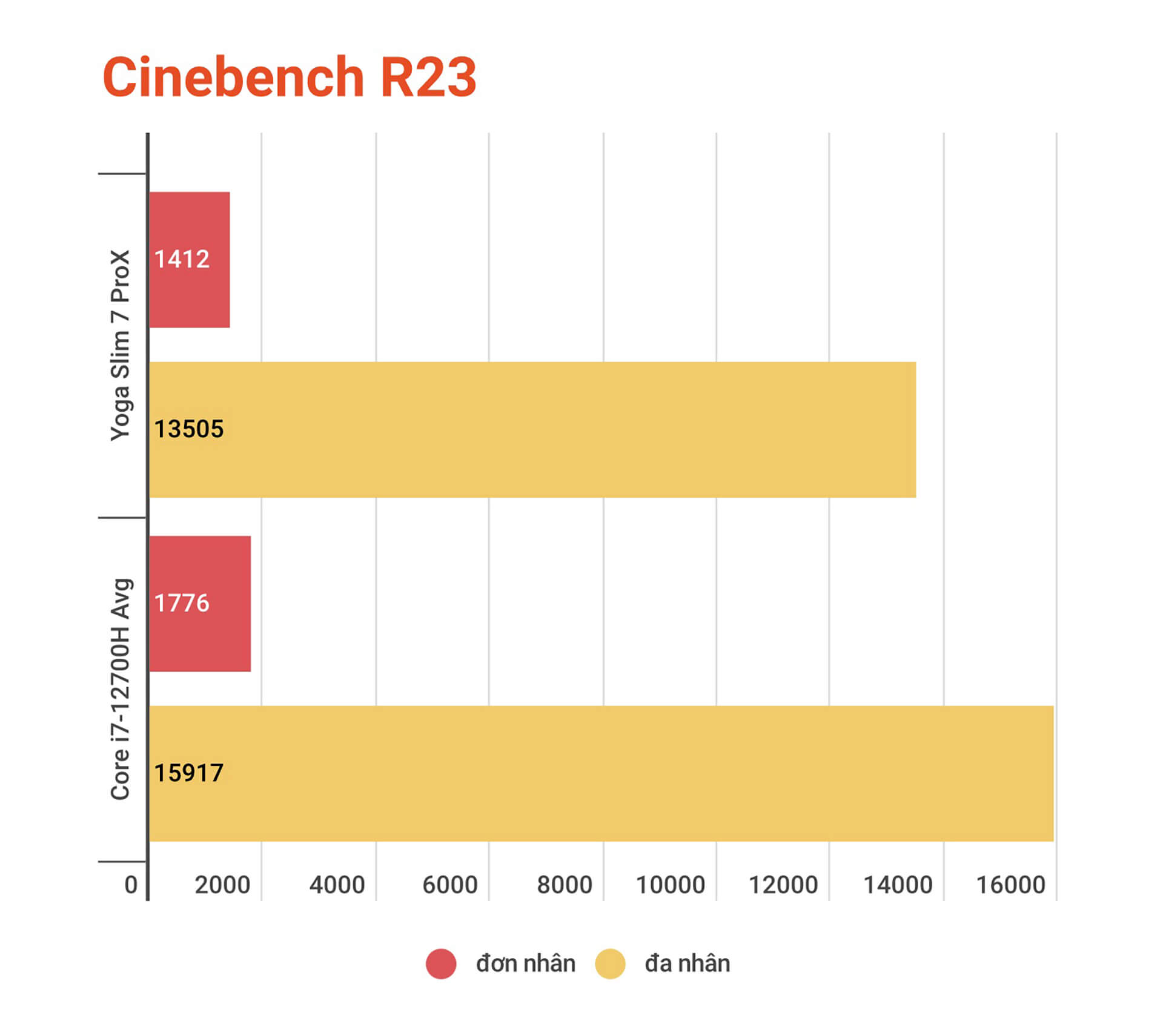
As I mentioned earlier, the Core i7-12700H and RTX 3050 are more than enough for office tasks, computational work, or for data analysts working with Excel, SQL, and non-complex data retrieval. For gaming, this configuration is certainly enough to play Esports games like CS:GO, Overwatch, Valorant, LoL... without any trouble. However, a highly versatile configuration is not always perfect in every single aspect.
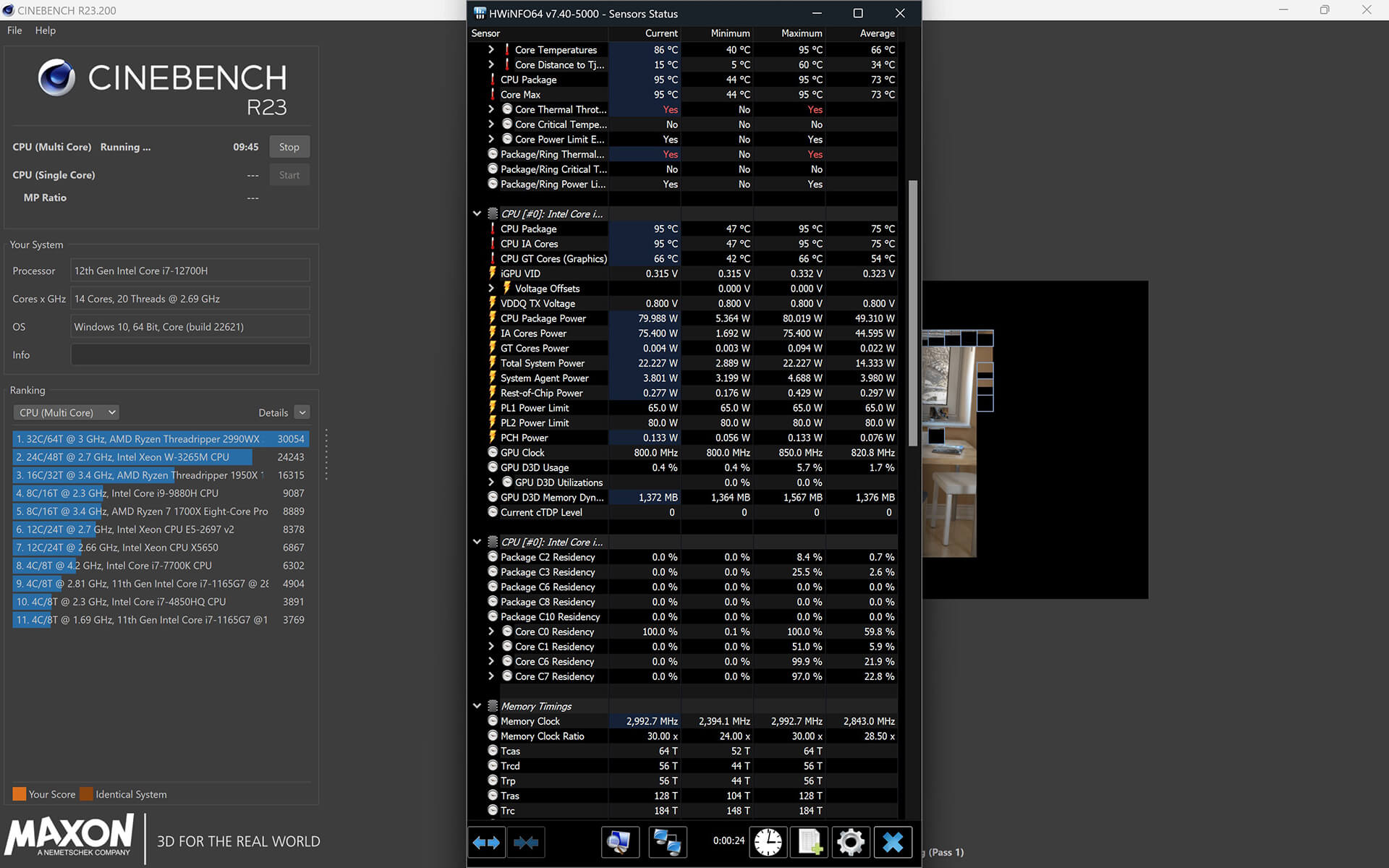
What I mean is, this configuration is overkill for office work, but for gaming, it's quite a challenge to play AAA games at the native resolution of this Yoga Slim 7i ProX or even at QHD. Both the Core i7-12700H and RTX 3050 in this laptop are not the most powerful versions of themselves. Lenovo provides a 100W charger, which indicates that both the CPU and GPU will be somewhat limited in performance due to power consumption constraints. Although the PL2 limit is set to 80W instead of the manufacturer's designed 115W, the Core i7-12700H on the Yoga Slim 7i ProX still maintains a stable 55W, peaking at 80W, but temperatures reach 96°C; at that point, the machine will throttle power consumption back to the previous level to bring the temperature down to 87°C. P-core clock speeds will be around 2.8GHz and E-Core around 2.4GHz. This was during a multi-core CPU stress test, where the machine was at maximum performance.
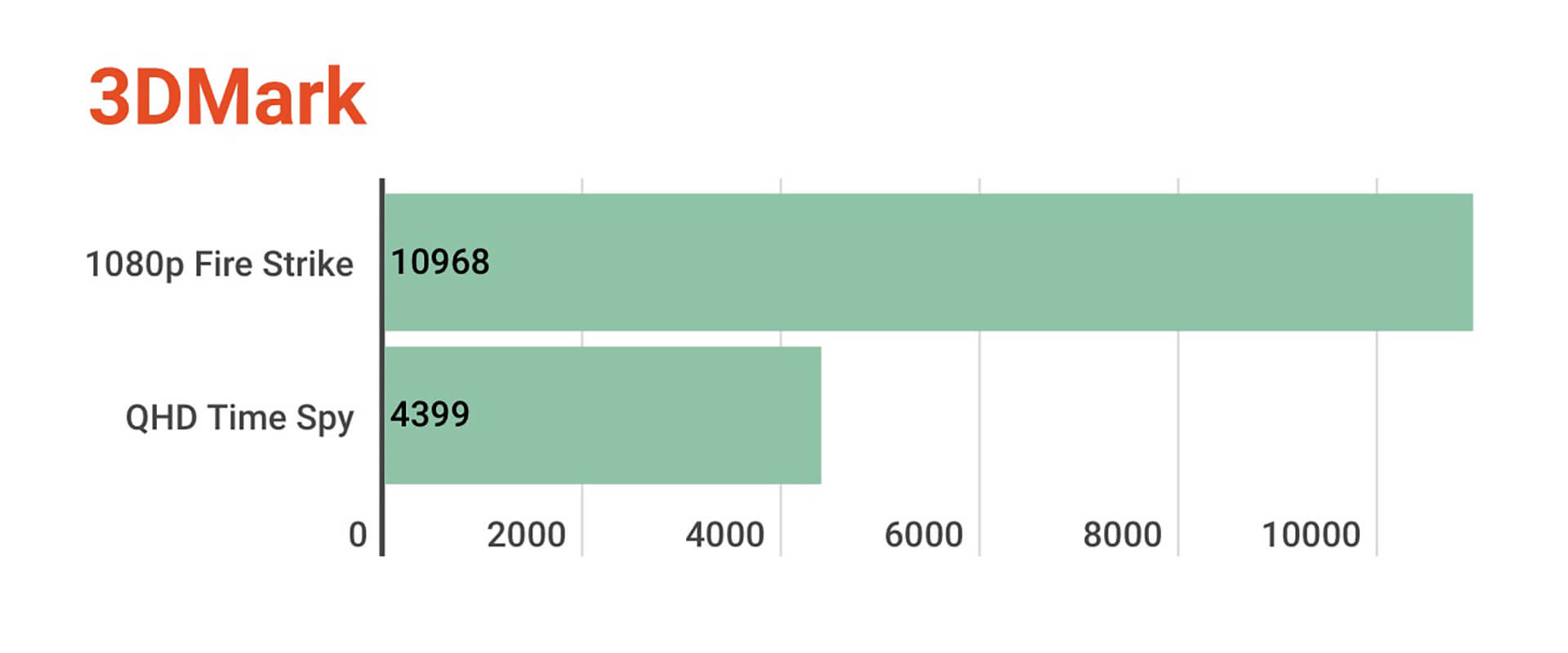
Furthermore, the default GPU driver installed on this laptop is the Studio driver, which shows that Lenovo is targeting creative work like photo and video editing and design more than gaming. I tested FurMark with the RTX 3050, and the GPU consumed 55W, with an average of 45 FPS and a temperature of 80°C. During a 10-minute FurMark run, the machine only throttled once. Testing with Clipchamp with a nearly 5-minute 1080p video (not many complex layers, just simple cutting and adding text), the machine handled it well. Clipchamp is a quite interesting video editing software; it's sufficient for basic use, and I will share more about it later 😀.
The Yoga Slim 7i ProX also offers users three performance modes: Intelligent Cooling (default), Extreme Performance, and Battery Saving.
Regarding the cooling system, Lenovo equips 2 fans and 2 copper heat pipes, which is quite basic. During my testing, the machine's temperature frequently reached 95-96°C for the CPU, at which point the machine automatically throttles the clock speed and power to bring the temperature down to the 80s. This temperature level is acceptable for normal usage.
The upgradeability of this laptop is limited to the SSD, with a single M.2 NVMe slot supporting up to 1TB. Since the machine already comes with a 1TB SSD, there is essentially no room for further upgrades 😀. The RAM has two options: 16GB or 32GB LPDDR5, so you should consider your needs when choosing.
Battery & Wireless Connectivity
The Yoga Slim 7i ProX features a 70Wh battery, and according to Lenovo, it can last up to 11 hours for video playback. In my actual usage, it lasted about 5 hours for my daily tasks, including web browsing, listening to music, typing, and photo editing in Lightroom, all under default settings.
For wireless connectivity, the Yoga Slim 7i ProX features Wi-Fi 6E and Bluetooth 5.1. For those worried about the Wi-Fi card on this line, rest assured that the version I am using (model 14IAH7) uses an Intel card, not MediaTek.
Equipped with many useful software utilities
Regarding Lenovo laptops, I find that the manufacturer provides many useful software utilities, most of which are actually helpful. For instance, there is a special function key called Smart Key, which allows you to choose to open Lenovo Vantage, Lenovo Smart Appearance, or Lenovo Voice.
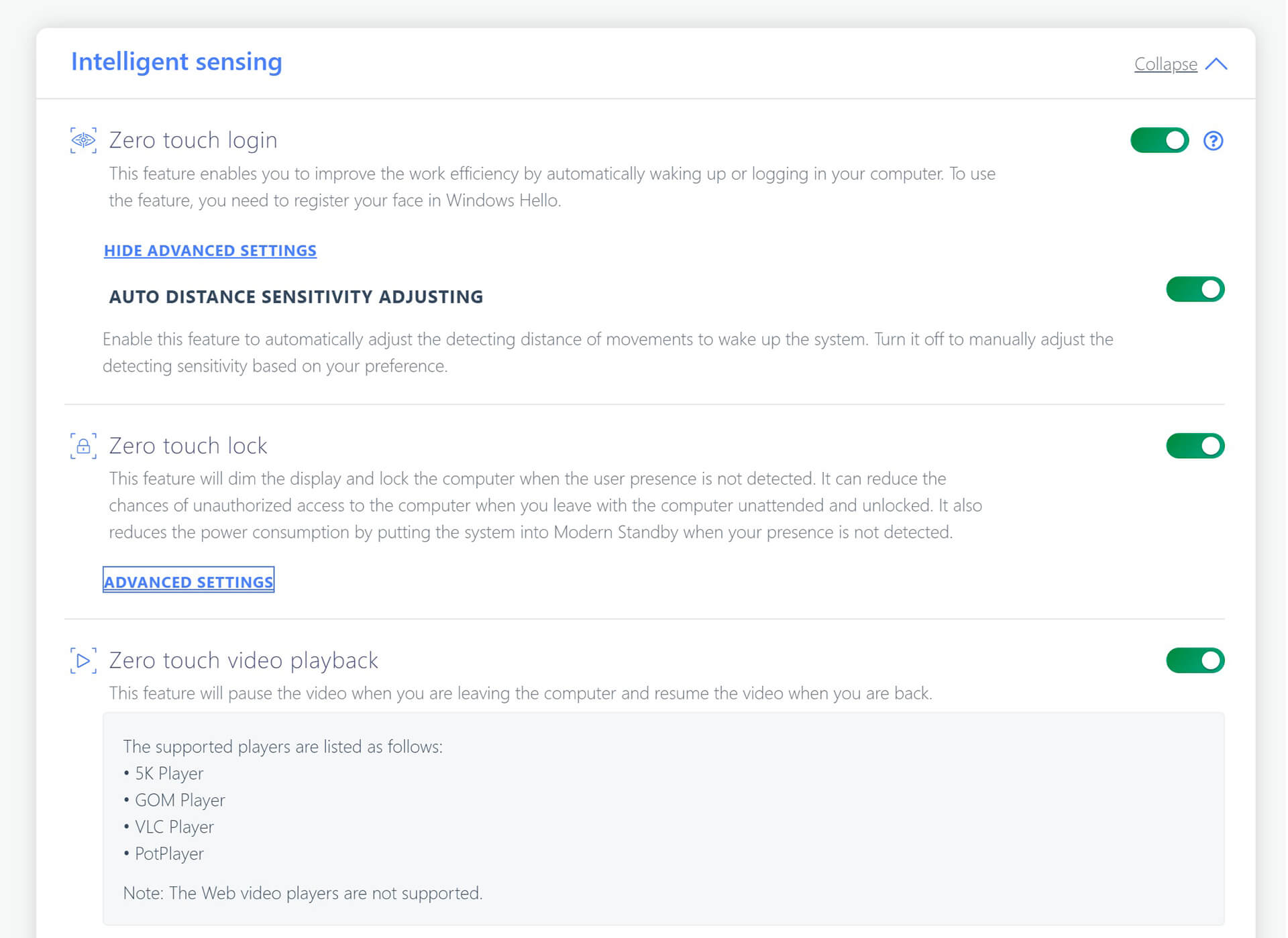
The Zero touch login with Zero touch lock is very useful; the machine automatically locks when I walk away from it, which is very convenient if I forget to lock it manually.
Lenovo Vantage is a familiar tool for Lenovo laptop users; it helps you manage performance, camera, microphone, battery, etc., acting as a comprehensive management software for the laptop. The Lenovo Vantage on this Yoga Slim 7i ProX also includes many smart features, such as Zero Login (automatically logs in via Windows Hello when you approach), Zero Lock (automatically locks the screen when you walk away), or X Power (overclocks the GPU for better performance in graphics software). Air Gestures allow you to scroll or play/pause videos in full-screen mode, though in my experience, it's not as convenient as using the keyboard unless your hands are too dirty to touch the screen.
Lenovo Voice allows users to use voice commands to perform tasks like opening File Explorer or adjusting volume, which is quite fun to experiment with.
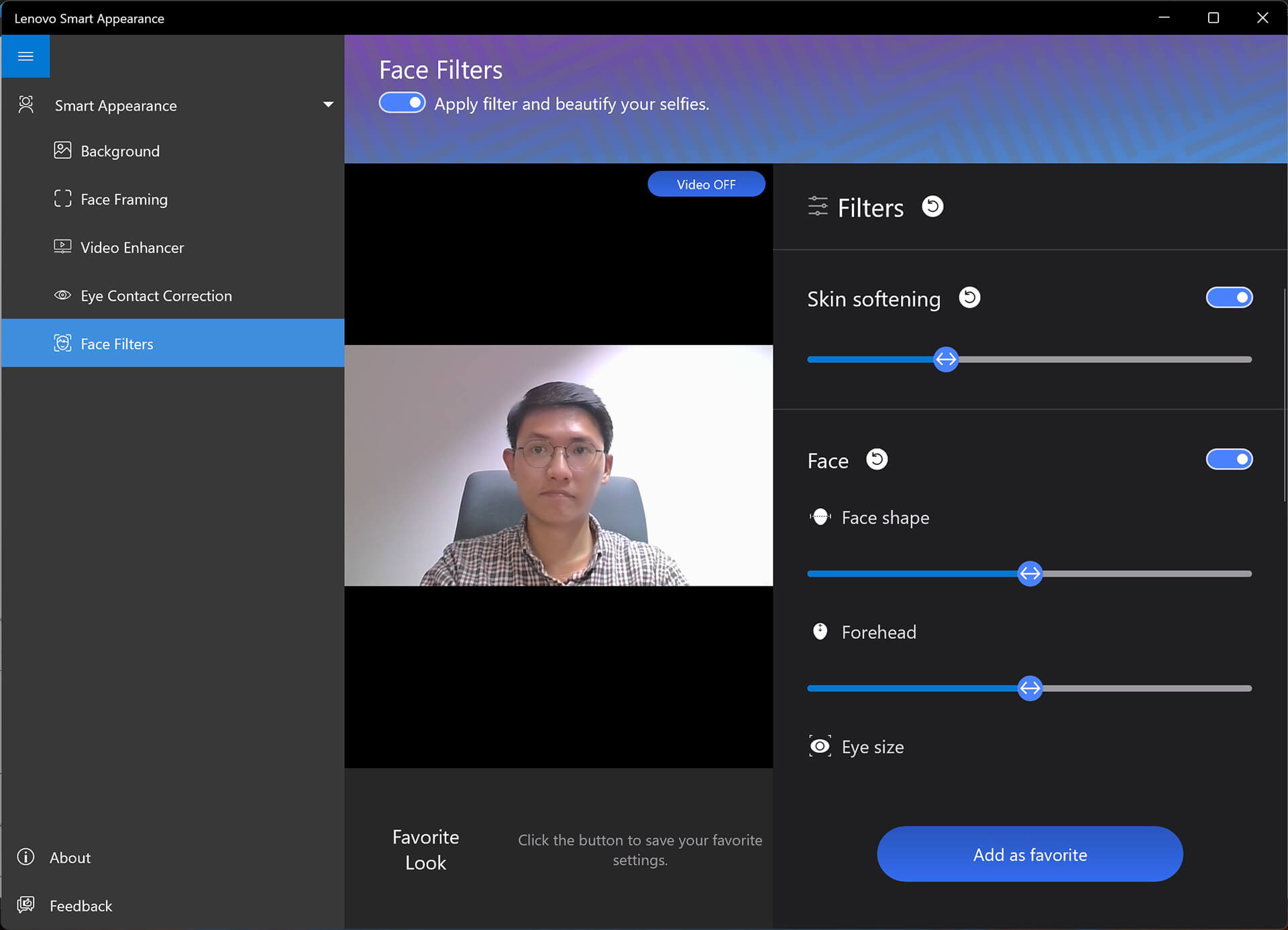
Finally, Lenovo Smart Appearance is software for adjusting the webcam with effects like background blur, face tracking, and even facial retouching similar to smartphone selfie cameras.
Having used many Lenovo laptops, I feel that these software and features are an indispensable part of the brand's identity. Nowadays, manufacturers are focusing heavily on adding smart features to laptops, which not only provides convenience for users but also increases competitiveness with other brands.
As mentioned, the Lenovo Yoga Slim 7i ProX is a versatile laptop for almost any need. Although it has the form of an ultrabook-not bulky, not heavy, and without flashy RGB LEDs-its configuration and display specs can satisfy users for everything from Esports to AAA games at moderate settings.
Reference: Tinhte.vn











