

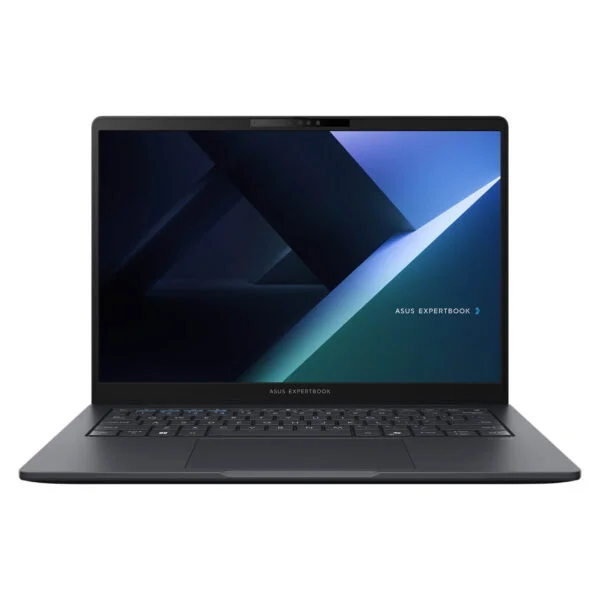
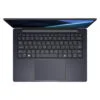
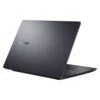
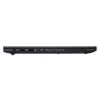
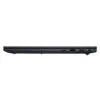
Asus ExpertBook B3 B3405CCA (2025)
- CPU: Intel Core Ultra 5 225H Up To 4.9GHz (14 Cores, 14 Threads, 18MB Cache - 13 TOPS NPU)
- RAM: DDR5 16GB 5600MHz (1 x 16GB, 1 slot free, up to 64GB)
- SSD: 512GB PCIe Gen4 M.2 SSD
- VGA: Intel® Arc™ 130T Graphics
- DISPLAY: 14" WUXGA (1920*1200) IPS 60Hz, Anti-glare, 45% NTSC, 300 nits
- OS: Windows 11 Home
- CONDITION: New 100% Full Box
- WARRANTY: 24-month official warranty
- Asus ExpertBook B3 B3405CCA Design: Gentle Grey Finish, 180-Degree Hinge, and MIL-STD-810H Durability
- Asus ExpertBook B3 B3405CCA Display: 14-Inch 16:10 WUXGA, Anti-Glare
- ExpertBook B3 B3405CCA Performance with Intel Core Ultra 5 225H and Core Ultra 7 255H
- Spill-Resistant Keyboard, Fingerprint Reader, FHD Webcam with Privacy Shutter, and Dirac Speakers on the Asus ExpertBook B3 B3405CCA
- Asus ExpertBook B3 B3405CCA Ports and Battery: RJ45 LAN, HDMI 2.1, Dual USB-C with 65W Charging
- Overview and Verdict: Asus ExpertBook B3 B3405CCA (2025)
- FAQ - Frequently Asked Questions About the Asus ExpertBook B3 B3405CCA (2025)
- Where to Buy the Genuine Asus ExpertBook B3 B3405CCA (2025) at a Great Price?
The Asus ExpertBook B3 B3405CCA (2025) is a 14-inch business laptop powered by an H-series Intel Core Ultra Series 2 processor, built for office workers, accountants, sales professionals, and companies looking for durable, easily serviceable machines at a sensible price. Compared to the previous-generation ExpertBook B3405, it retains the familiar chassis while upgrading to faster Arrow Lake processors, keeping a full selection of LAN, HDMI, and USB-A ports, alongside a fingerprint reader, a webcam privacy shutter, and military-grade durability. This article walks through its design, display, real-world benchmark performance, RAM and SSD upgradability, and how to choose between the Core Ultra 5 and Core Ultra 7 configurations.
Asus ExpertBook B3 B3405CCA Design: Gentle Grey Finish, 180-Degree Hinge, and MIL-STD-810H Durability
The Asus ExpertBook B3 B3405CCA measures 315.1 x 226.8 x 18.9-19 mm with a starting weight of 1.42 kg according to ASUS, making it easy to slip into standard 14-inch backpacks or bags. It comes in a single Gentle Grey colorway with a matte finish; the lid, palm rest, and base are made with recyclable materials, including over 25% post-consumer recycled (PCR) plastic. Its 180-degree lay-flat hinge lets you open the screen completely flat, making it convenient to share documents with colleagues or clients across the table during meetings.
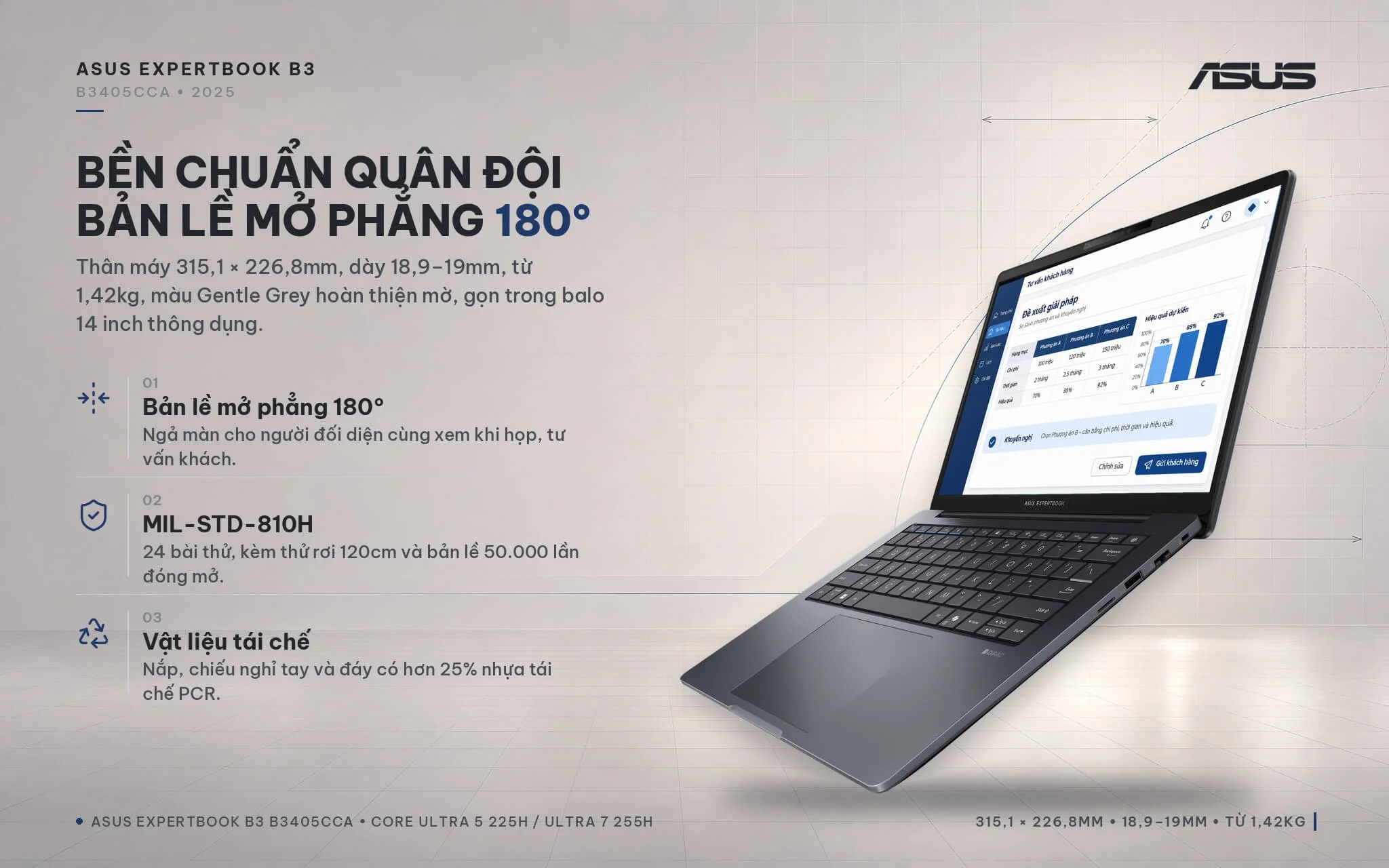
Beyond meeting MIL-STD-810H standards across 24 test procedures including thermal shock, vibration, dust, humidity, and altitude, ASUS subjects the machine to its own rigorous durability testing: 50,000 hinge open-and-close cycles, a 120 cm drop test onto the base, and 50 kg of compressive force on the lid and bottom cover. The ExpertCool cooling system exhausts warm air out the back, keeping heat away from your right hand when using a mouse. The bottom panel opens with six screws, and the tool-free battery design allows IT teams to handle maintenance and battery replacements quickly. If you need a durable, easy-to-service Asus laptop for long-term office use, the ExpertBook B3 series is a solid contender.
Asus ExpertBook B3 B3405CCA Display: 14-Inch 16:10 WUXGA, Anti-Glare
The Asus ExpertBook B3 B3405CCA (2025) features a 14-inch WUXGA (1920 x 1200) display with a 16:10 aspect ratio, a wide-view IPS display panel, a 60 Hz refresh rate, 300 nits of brightness, and 45% NTSC color gamut coverage. Compared to a standard 16:9 Full HD screen, it delivers about 11% more vertical pixels, reducing scrolling when reading Excel spreadsheets, contracts, or lengthy email threads. Slim two-sided NanoEdge bezels give it an 84% screen-to-body ratio.
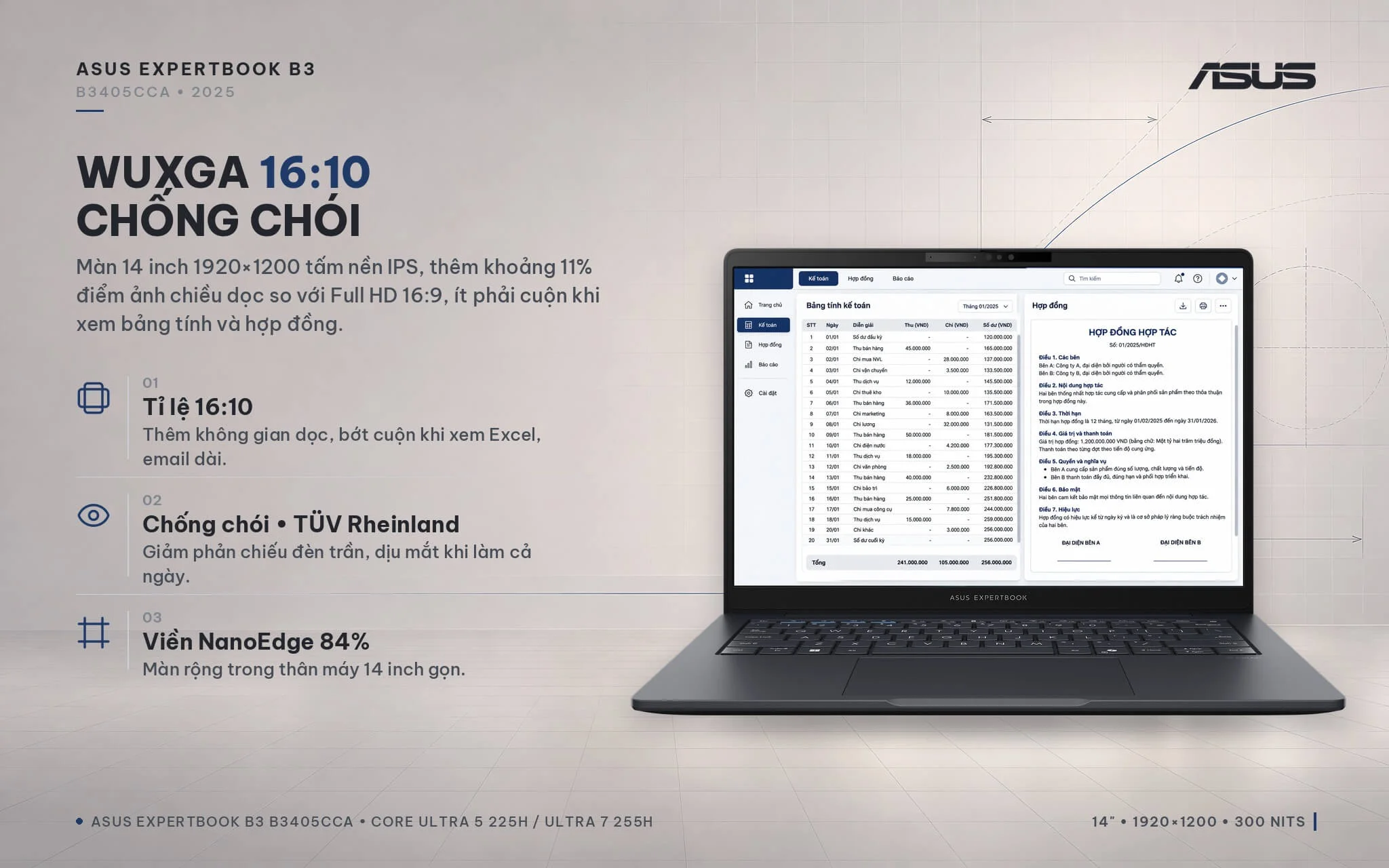
An anti-glare coating reduces reflections from overhead office lighting, and TÜV Rheinland eye-care certification makes it well suited for all-day viewing. The trade-off is that 45% NTSC color gamut coverage and 300 nits of brightness remain basic: entirely adequate for indoor office work, study, and video calls, though colors can look slightly washed out and viewing becomes tougher next to bright, sunlit windows. For photo editing or print design where color accuracy matters, connecting an external monitor with 100% sRGB coverage via HDMI or USB-C is recommended.
ExpertBook B3 B3405CCA Performance with Intel Core Ultra 5 225H and Core Ultra 7 255H
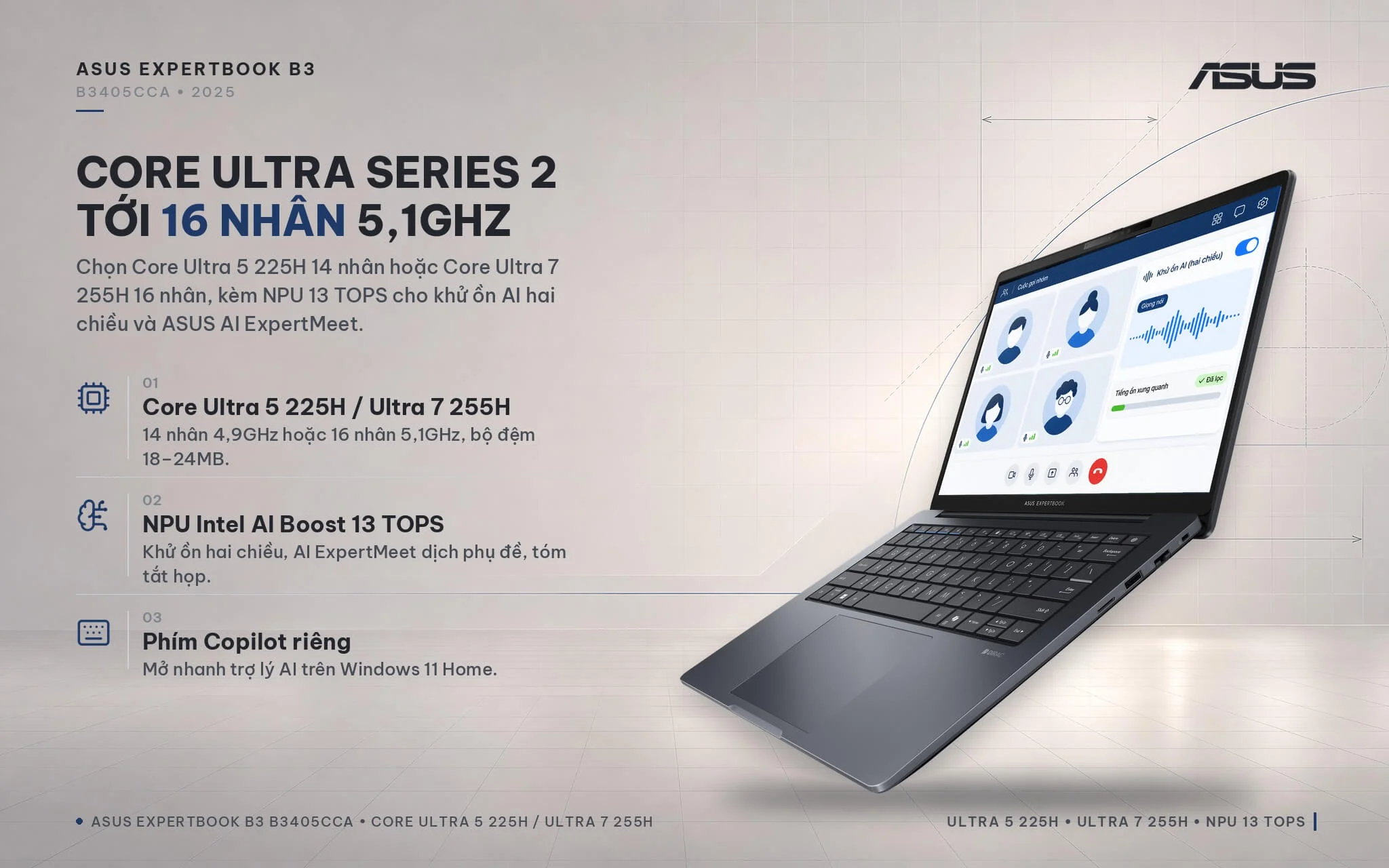
The Asus ExpertBook B3 B3405CCA comes with two processor choices. The B3405CCA-LY0077W model features the 14-core, 14-thread Intel Core Ultra 5 225H (4 performance cores, 8 efficiency cores, 2 low-power efficiency cores) with a max clock of 4.9GHz and an 18MB cache. The B3405CCA-LY0080W configuration steps up to the 16-core, 16-thread Intel Core Ultra 7 255H (6 performance cores) boosting up to 5.1GHz with a 24MB cache. Both feature a 13 TOPS Intel AI Boost NPU to power AI features such as two-way noise cancellation during video calls and the ASUS AI ExpertMeet application (live subtitles and meeting summaries), along with a dedicated Copilot key and preinstalled Windows 11 Home.
| CPU | Cinebench 2024 Single / Multi-Core | Geekbench 6 Single / Multi-Core |
|---|---|---|
| Intel Core Ultra 7 255H (LY0080W model) | 124 / 1,053 | 2,867 / 15,223 |
| Intel Core Ultra 5 225H (LY0077W model) | 119 / 720 | 2,733 / 12,099 |
| Intel Core Ultra 7 155H (previous-generation ExpertBook B3405) | 102 / 789 | 2,409 / 12,385 |
| Intel Core Ultra 5 125H (previous-generation ExpertBook B3405) | 100 / 616 | 2,279 / 11,268 |
| AMD Ryzen AI 7 350 (reference) | 116 / 901 | 2,853 / 12,835 |
Source: Notebookcheck, average scores tested on laptops with the same processors (there are no standalone tests for the ExpertBook B3405CCA yet). Because the Core Ultra 5 225H has few test samples so far, these figures serve as a reference.
In Cinebench 2024 multi-core, the Core Ultra 7 255H is about 33% faster than the previous-generation ExpertBook B3405's Core Ultra 7 155H and roughly 46% faster than the Core Ultra 5 225H; the 225H model is also about 17% faster in multi-core and around 19% faster in single-core than the previous-generation Core Ultra 5 125H. For Word, Excel, multi-tab web browsing, accounting software, and Teams or Zoom calls, both versions perform smoothly, with differences that are difficult to notice. The 255H version is more worth the money if you regularly handle large Excel files, run macros, export reports, program, or run virtual machines.
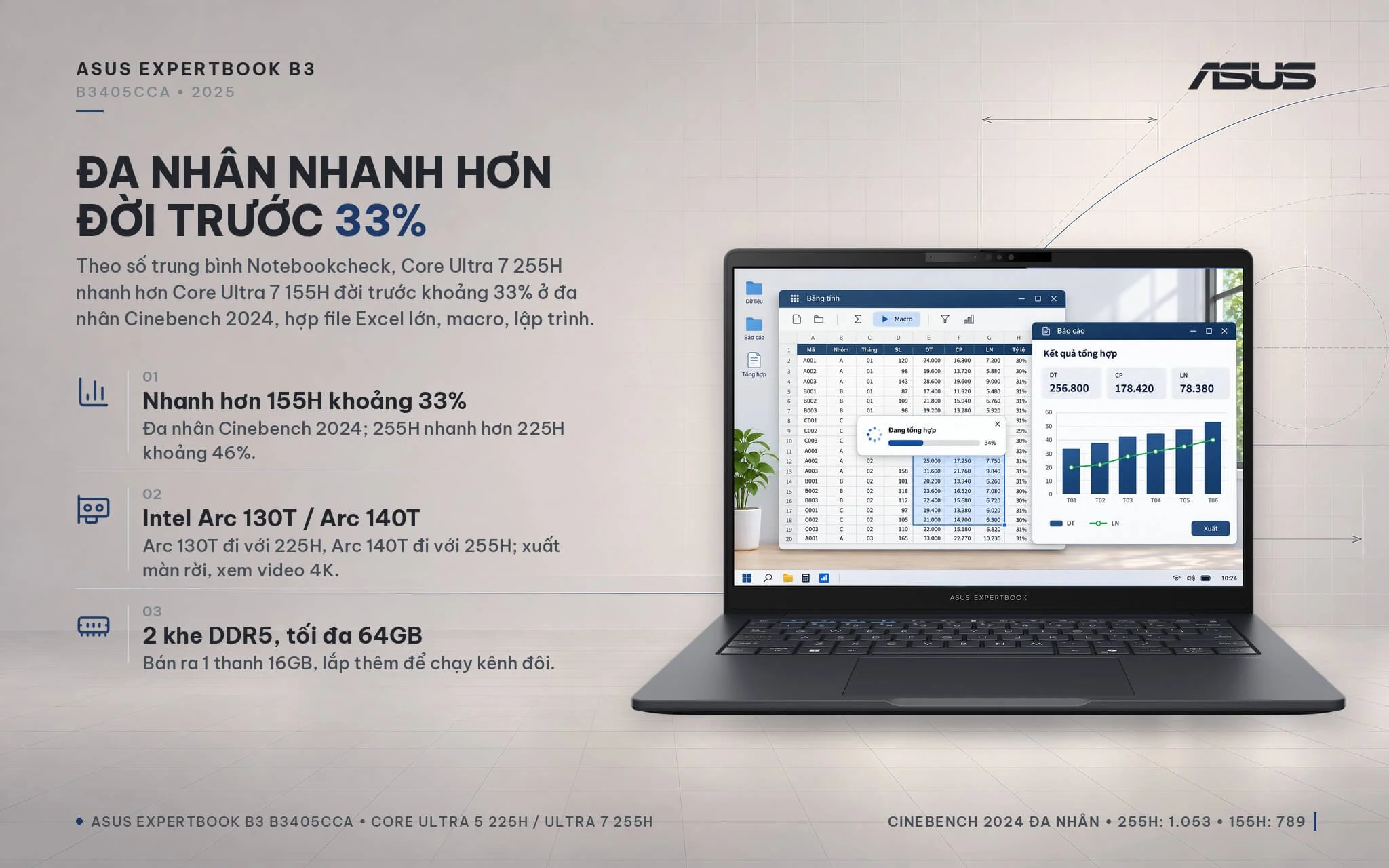
On the graphics side, the 225H configuration relies on integrated Intel Arc 130T graphics, while the 255H model comes equipped with Intel Arc 140T. Both provide plenty of power for office productivity, 4K video playback, external monitor output, photo editing, short video editing, and light gaming at low settings. Both retail configurations ship with a single 16GB DDR5 5600MHz RAM module and one vacant slot; installing an identical module to run memory in dual-channel mode will boost graphics and multitasking performance.
| GPU | 3DMark Time Spy Graphics | Steel Nomad Light |
|---|---|---|
| Intel Arc 140T (Core Ultra 7 255H, dual-channel RAM) | 3,843 | 3,547 |
| Intel Arc 130T (Core Ultra 5 225H, dual-channel RAM) | 2,378 | 2,161 |
| Intel Iris Xe 96EU (13th Gen Core i7 office laptop, reference) | 1,561 | 1,280 |
Source: Notebookcheck, average scores tested on laptops configured with dual-channel RAM. With the single RAM stick included at retail, actual graphics performance will be lower than the numbers in this table; Notebookcheck has not published separate figures for this single-channel setup.
A standout advantage of the ExpertBook B3 B3405CCA is its upgrade potential. The machine provides 2 DDR5 SO-DIMM slots, supporting up to 64GB; retail units occupy only 1 slot, leaving a free slot to add another 16GB stick for a 32GB dual-channel configuration that increases overall memory capacity while speeding up graphics and multitasking. Both models include a 512GB M.2 2280 PCIe 4.0 SSD; according to ASUS specifications, the motherboard also provides an additional M.2 2230 PCIe 4.0 slot to add another SSD whenever you need more storage.
Spill-Resistant Keyboard, Fingerprint Reader, FHD Webcam with Privacy Shutter, and Dirac Speakers on the Asus ExpertBook B3 B3405CCA
The Asus ExpertBook B3 B3405CCA features a backlit chiclet keyboard with 1.5 mm key travel and full-size keycaps, tested by ASUS for durability up to 10 million keystrokes and spill resistance up to 78 cc. The layout includes dedicated conference-call hotkeys and a Copilot key for instant access to Windows' AI assistant - especially practical for professionals with full meeting schedules.
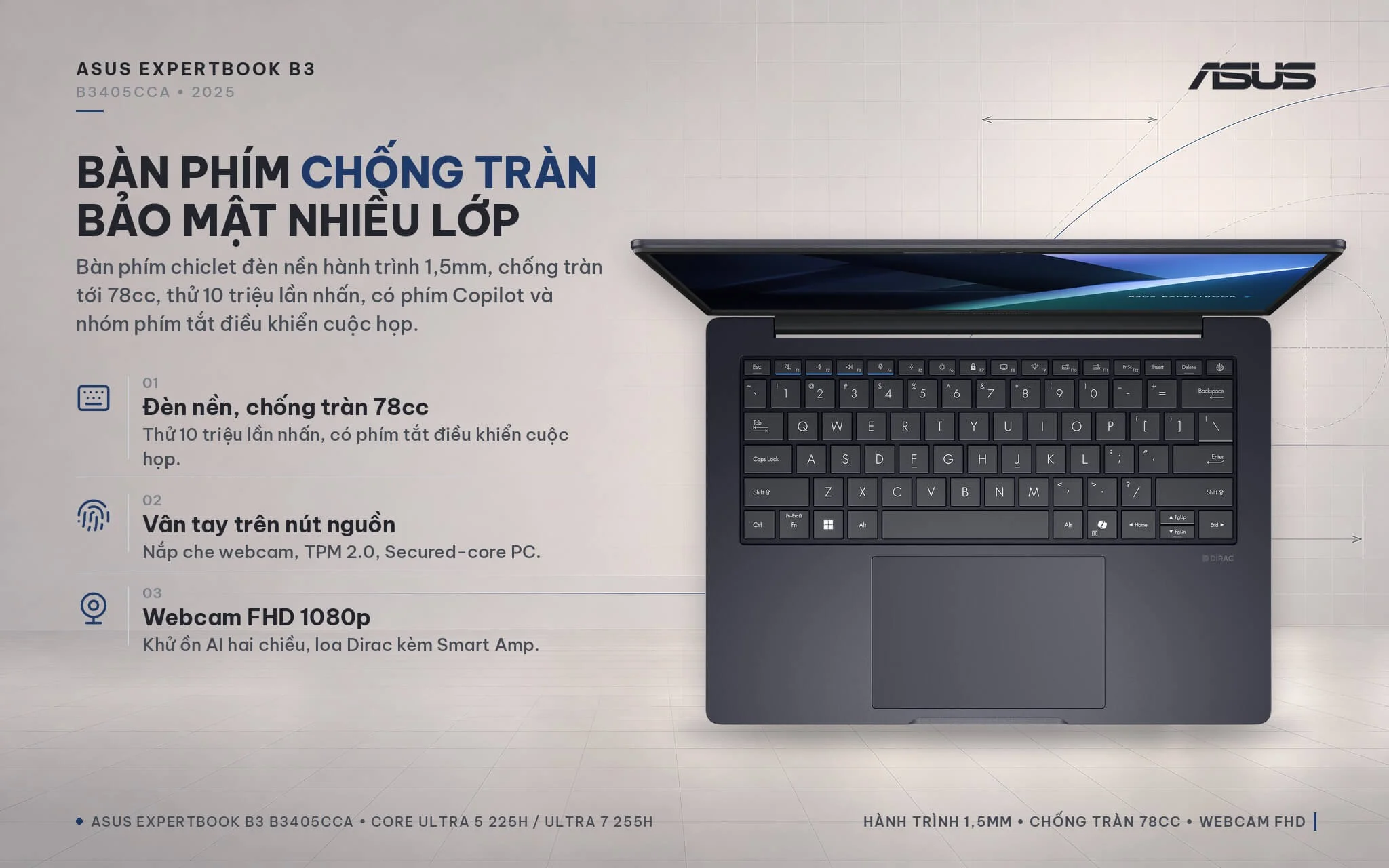
Security is a standout strength of the ExpertBook lineup: a power-button fingerprint sensor for Windows Hello sign-in, a physical webcam privacy shutter, a discrete TPM 2.0 chip, self-healing BIOS, Microsoft Secured-core PC support, and a Kensington Nano security slot. The 1080p FHD webcam keeps video sharp during video calls, backed by two-way AI noise cancelation that filters out background noise for both you and your callers. Built-in stereo speakers powered by Dirac audio and Smart Amp deliver ample clarity for small-group meetings and training videos. While neither configuration includes an IR camera for facial recognition, the fingerprint sensor makes logging in fast and reliable.
Asus ExpertBook B3 B3405CCA Ports and Battery: RJ45 LAN, HDMI 2.1, Dual USB-C with 65W Charging
The Asus ExpertBook B3 B3405CCA (2025) is equipped with two 10 Gbps USB-C USB 3.2 Gen 2 ports supporting display output and power delivery, two 5 Gbps USB-A USB 3.2 Gen 1 ports, an HDMI 2.1 port, a Gigabit RJ45 LAN port, a microSD card reader, and a 3.5 mm combo audio jack. ASUS arranged most ports along the left edge to keep the right side clear, preventing cables from tangling with your mouse hand. The low-profile drop-jaw LAN port keeps the chassis sleek while still letting you plug directly into a wired network without an adapter.
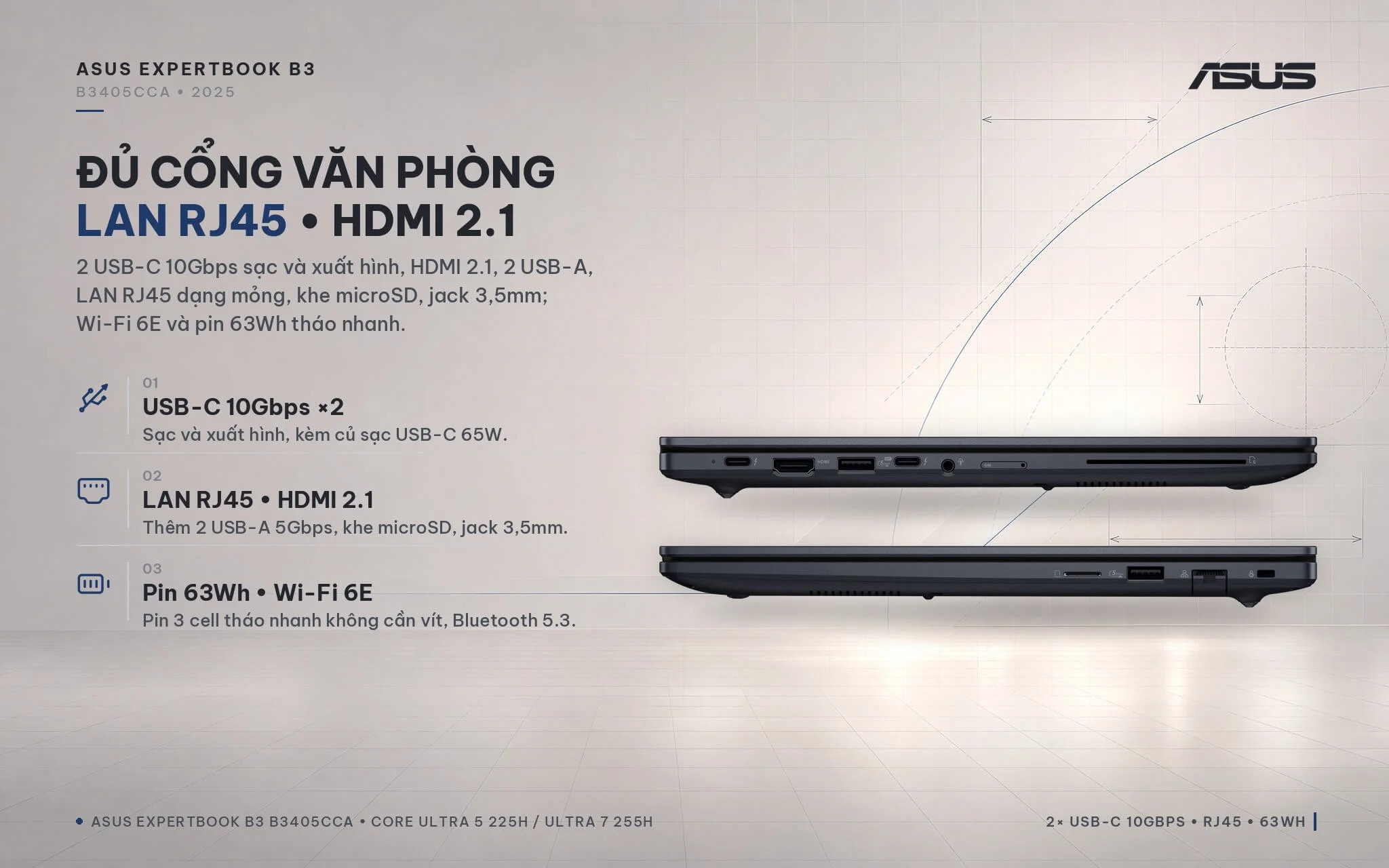
Thanks to HDMI and dual DisplayPort-capable USB-C ports, the system can drive multiple external monitors at once - ideal for finance and sales professionals managing multiple spreadsheets side by side. Because these two configurations are non-vPro editions, the USB-C ports run at 10 Gbps rather than Thunderbolt 4; a standard USB-C dock is all you need for desktop expansion. Wireless connectivity includes 2x2 Wi-Fi 6E and Bluetooth 5.3. The laptop charges through the bundled 65W USB-C adapter and works with standard 65W USB-C PD travel chargers. The 3-cell battery uses a tool-free quick-release design, making future battery replacement simple after years of service.
Overview and Verdict: Asus ExpertBook B3 B3405CCA (2025)
The Asus ExpertBook B3 B3405CCA (2025) is a versatile 14-inch business laptop combining an Intel Core Ultra 5 225H or Core Ultra 7 255H processor, 16 GB RAM expandable to 64 GB, a 512 GB PCIe 4.0 SSD, an anti-glare 16:10 WUXGA display, full port connectivity (including LAN, HDMI, and USB-A), and MIL-STD-810H durability in a chassis starting at 1.42 kg. It is an excellent match for office staff, accountants, client-facing sales specialists, and corporate IT teams looking to roll out uniform, easily serviceable hardware. You can discover more options in our Asus ExpertBook lineup.
Points to keep in mind: the 300-nit panel with 45% NTSC coverage provides basic everyday visuals; for color-critical work, an external sRGB-calibrated monitor is recommended. The factory setup ships with a single 16 GB memory module and one empty slot, so adding a second DDR5 stick at the same clock speed enables dual-channel memory for a noticeable lift in graphics and multitasking speed. Thunderbolt 4 and an IR camera are omitted, though standard USB-C docking and the fingerprint reader serve as capable alternatives. Finally, the chassis prioritizes physical durability and field serviceability over ultra-thin dimensions; if you require a sub-1.3 kg build, higher-tier ExpertBook models are worth a look.
Which configuration fits you best? The LY0077W model with the Core Ultra 5 225H delivers dependable speed for office workflows, accounting, remote study, and virtual meetings at an approachable price. The LY0080W model with the Core Ultra 7 255H delivers roughly 46% faster multi-core throughput, making it the better choice for data analysts, software developers, or anyone who wants performance headroom to keep the machine running fast for years to come.
| Pros | Cons |
|---|---|
|
|
FAQ - Frequently Asked Questions About the Asus ExpertBook B3 B3405CCA (2025)
1. How do the LY0077W and LY0080W versions differ?
2. What graphics does the laptop use?
3. Can the RAM and SSD be upgraded?
4. How does the ExpertBook B3 B3405CCA differ from the previous-generation ExpertBook B3405?
5. Does the laptop support Thunderbolt 4 and USB-C charging?
6. What support is included when buying at Hung Phat Laptop?
Where to Buy the Genuine Asus ExpertBook B3 B3405CCA (2025) at a Great Price?
Whether you need a durable office laptop for yourself or for your entire department, Hung Phat Laptop will carefully assess the software you use every day. We will then advise whether to choose the Core Ultra 5 225H or Core Ultra 7 255H version of the Asus ExpertBook B3 B3405CCA. If you want faster graphics and multitasking, our technicians will suggest the right RAM module to run dual channel. When your company needs multiple machines, we consult on standardized configurations tailored to each job role.
Every unit is a genuine product and comes with a full invoice. Laptops include a 24-month manufacturer warranty. Any machine with a manufacturer defect within the first 30 days is eligible for a replacement. Technicians provide support for adding RAM and SSDs whenever needed. Long-term technical support and nationwide shipping are included. Order your 14-inch Asus ExpertBook B3 business laptop at Hung Phat Laptop.
Performance & benchmarks Asus ExpertBook B3 B3405CCA (2025)
Intel Core Ultra 5 225H Intel Arc Graphics 130T - best for Office 8.5/10, Programming 8/10.
Intel Core Ultra 5 225H
- Cinebench R23 (multi-core)14,629.5
- Geekbench 6 (multi-core)12,099
- Geekbench 6 (single-core)2,733
- PassMark28,281
- NPU (AI)13 TOPS
- Cores / Threads14/14
Intel Arc Graphics 130T
- 3DMark Time Spy2,378
- 3DMark Fire Strike5,299.5
- AI INT863 TOPS
- ArchitectureXe+
Best for
Scored from real benchmarks- Gaming2.5/10
- Video / Graphics4.5/10
- Programming8/10
- Office8.5/10
Why does the CPU matter?
The CPU is the "brain" that handles every task: launching apps, multitasking, compiling code and editing video. The stronger the CPU, the faster and smoother the laptop runs when you juggle many things at once.
- BasicThis product
Web browsing, streaming and light office work.
- MainstreamThis product
Office work, moderate multitasking and studying.
- Mid-rangeThis product
Solid multitasking, programming and light graphics work.
- StrongThis product
Video editing, heavy programming, virtualization and gaming.
- FlagshipThis product
Heavy rendering, 4K/8K editing, virtual machines and AI workloads.
Why does the GPU matter?
The GPU (graphics card) handles visuals: gaming, video editing, 3D rendering and AI acceleration. The stronger the GPU, the higher your frame rates and the faster your video exports.
- Basic (iGPU)This product
Smooth display, 4K video and very light games (League of Legends, Valorant on low).
- MainstreamThis product
1080p eSports gaming, photo editing and light video editing.
- Mid-rangeThis product
1080p gaming on medium-high settings and smooth Full HD video editing.
- StrongThis product
1080p/1440p gaming on high settings, 4K video editing and 3D rendering.
- FlagshipThis product
4K/240Hz gaming, ray tracing, heavy rendering and AI.
Game performance
Real FPS - FHD- Dota 248 fps1080p Ultra
- GTA V89 fps1080p Medium
- Cyberpunk 207726 fps1080p Low
≥60fps very smooth30-60fps playable<30fps lower the settings
Local AI performance
Tokens/second running locally on GPU- Gemma 4 E2B IT5.6 GB · ctx 256K17 tok/sDecent
- GLM-4 9B5.1 GB · ctx 128K18 tok/sDecent
- Gemma 4 E4B4.6 GB · ctx 256K20 tok/sDecent
- Ministral 8B4.6 GB · ctx 32K20 tok/sDecent
- Qwen 3.5 4B4.6 GB · ctx 32K20 tok/sDecent
- DeepSeek R1 Distill 7B4.1 GB · ctx 64K23 tok/sRuns well
- Gemma 4 E2B3.1 GB · ctx 256K30 tok/sRuns well
- Qwen 3.5 2B2.5 GB · ctx 32K38 tok/sRuns well
- Phi-4 Mini Reasoning2.4 GB · ctx 16K39 tok/sRuns well
- Llama 3.2 3B2 GB · ctx 128K47 tok/sRuns great
- SmolLM3 3B2 GB · ctx 128K47 tok/sRuns great
- DeepSeek R1 1.5B1.3 GB · ctx 64K72 tok/sRuns great
- Qwen 3.5 0.8B1.3 GB · ctx 32K72 tok/sRuns great
- TinyLlama 1.1B1.1 GB · ctx 2K86 tok/sRuns great
- Llama 3.2 1B1 GB · ctx 128K94 tok/sRuns great
- Gemma 2 9B5.1 GB · ctx 8K18 tok/sDecent
- Nemotron Nano 9B v25.1 GB · ctx 128K18 tok/sDecent
- Llama 3.1 8B4.6 GB · ctx 128K20 tok/sDecent
- Qwen 3 8B4.6 GB · ctx 128K20 tok/sDecent
- Mistral 7B v0.34.1 GB · ctx 32K23 tok/sRuns well
- Qwen 2.5 7B4.1 GB · ctx 128K23 tok/sRuns well
- Qwen 2.5 Coder 7B4.1 GB · ctx 128K23 tok/sRuns well
- Qwen 3 4B2.5 GB · ctx 32K38 tok/sRuns well
- Gemma 3 4B2.5 GB · ctx 128K38 tok/sRuns well
- Phi-3.5 Mini2.4 GB · ctx 128K39 tok/sRuns well
- Gemma 2 2B1.5 GB · ctx 8K63 tok/sRuns great
- Qwen 3 1.7B1.4 GB · ctx 32K67 tok/sRuns great
- Qwen 2.5 Coder 1.5B1.3 GB · ctx 32K72 tok/sRuns great
- Qwen 3 0.6B1.1 GB · ctx 32K86 tok/sRuns great
- Gemma 3 1B1 GB · ctx 32K94 tok/sRuns great
GreatWellDecent4-bit quantized, ctx = context window
No comments yet
Q&A about Asus ExpertBook B3 B3405CCA (2025)
Frequently asked questions about Asus ExpertBook B3 B3405CCA (2025)
What are the specifications of Asus ExpertBook B3 B3405CCA (2025)?
What is the warranty for Asus ExpertBook B3 B3405CCA (2025)?
Is Asus ExpertBook B3 B3405CCA (2025) genuine?
Can I buy Asus ExpertBook B3 B3405CCA (2025) with home delivery?
Worth a Look
Asus ExpertBook P5 P5405CAA (2026)
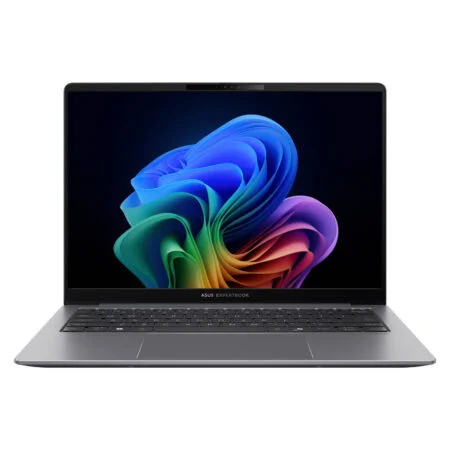
Asus ExpertBook P5 P5405CSA (2024)
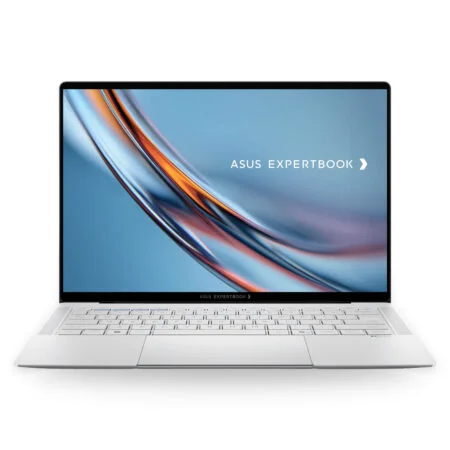 2 configurations
Asus ExpertBook B9 B9406CAA (2026)
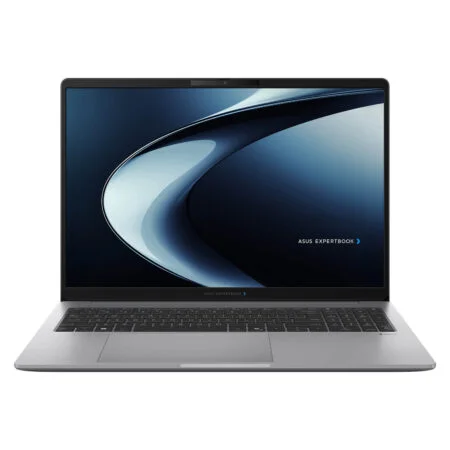 2 configurations
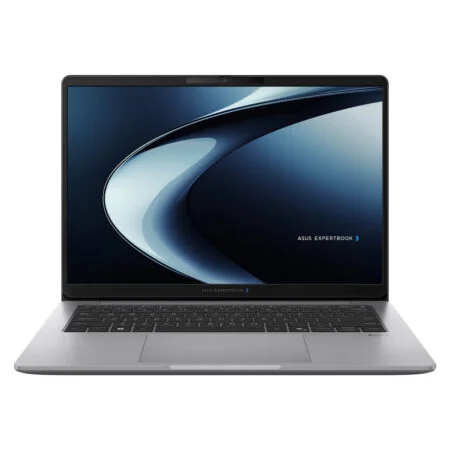
Asus ExpertBook P3 G1 P3606CCAP (2026)


Nguyễn Gia An 18 giờ trước
Màn hình tỉ lệ 16:10 xem bảng tính Excel rất sướng, máy cầm nhẹ tênh nên mình cực kỳ ưng ý.