

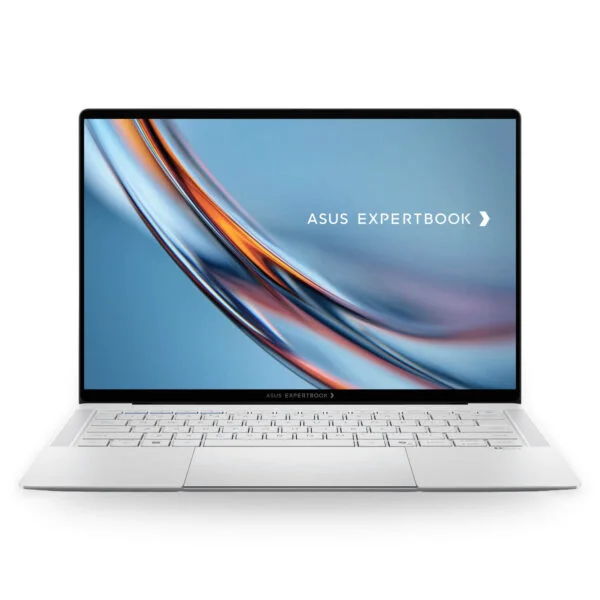
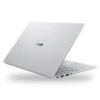
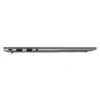
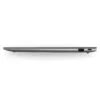
Asus ExpertBook B9 B9406CAA (2026)
- CPU: Intel Core Ultra 7 356H Up To 4.7GHz (16 Cores, 16 Threads, 18MB Cache - 50 TOPS NPU)
- RAM: LPDDR5X 16GB (On board)
- SSD: 512GB PCIe Gen4 M.2 SSD
- VGA: Intel® Graphics
- DISPLAY: 14" WQXGA+ (2880*1800) Tandem OLED 120Hz, 0.2ms, Touch, Anti-glare, 100% DCI-P3, Pantone Validated, HDR True Black 1000, 600 nits
- OS: Windows 11 Home
- CONDITION: New 100% Full Box
- WARRANTY: 24-month official warranty
- Asus ExpertBook B9 B9406CAA Design: Starting at 0.99 kg with a Scratch-Resistant Nano Ceramic Chassis
- Asus ExpertBook B9 B9406CAA Display: 3K 120Hz Tandem OLED, Anti-Glare, 1,400-Nit HDR
- ExpertBook B9 B9406CAA Performance with Intel Core Ultra 7 356H and Core Ultra X7 358H
- Keyboard, haptic touchpad, FHD IR webcam, 6 speakers, and security on the Asus ExpertBook B9 B9406CAA
- Asus ExpertBook B9 B9406CAA ports and battery: 2 Thunderbolt 4, HDMI 2.1, 70Wh battery
- Asus ExpertBook B9 B9406CAA (2026) Overview and Review
- FAQ - Frequently Asked Questions About the Asus ExpertBook B9 B9406CAA (2026)
- Where to buy a genuine Asus ExpertBook B9 B9406CAA (2026) at a great price?
The Asus ExpertBook B9 B9406CAA (2026) is Asus's new-generation premium 14-inch business laptop, starting at 0.99 kg and powered by Intel Core Ultra Series 3 (Panther Lake) processors with a 3K Tandem OLED touchscreen. In international markets, Asus markets this lineup as the ExpertBook Ultra, succeeding the previous ExpertBook B9 OLED that relied on power-efficient U-series processors. Designed for executives, managers, consultants, and frequent business travelers, it delivers a lightweight build, military-grade durability, and enterprise security while handling large spreadsheets, all-day video conferences, and moderate photo and video editing with ease. This review breaks down its design, display, real-world benchmark performance from Notebookcheck, and guidance on choosing between the two configurations available in Vietnam.
Asus ExpertBook B9 B9406CAA Design: Starting at 0.99 kg with a Scratch-Resistant Nano Ceramic Chassis
The Asus ExpertBook B9 B9406CAA measures 310.9 x 212.8 x 10.9-16.4 mm, with Asus stating a starting weight of 0.99 kg. Notebookcheck weighed the Core Ultra X7 configuration at roughly 1.1 kg, keeping it firmly among the lighter 14-inch laptops on the market. Its chassis is milled from CNC-machined magnesium-aluminum alloy and treated with a 9H Nano Ceramic coating with a smooth matte finish, resisting scratches and hiding fingerprints far better than standard brushed metal. Finished in Morn Grey, it offers an understated corporate look that fits right in on a client meeting table or tucked into a briefcase.
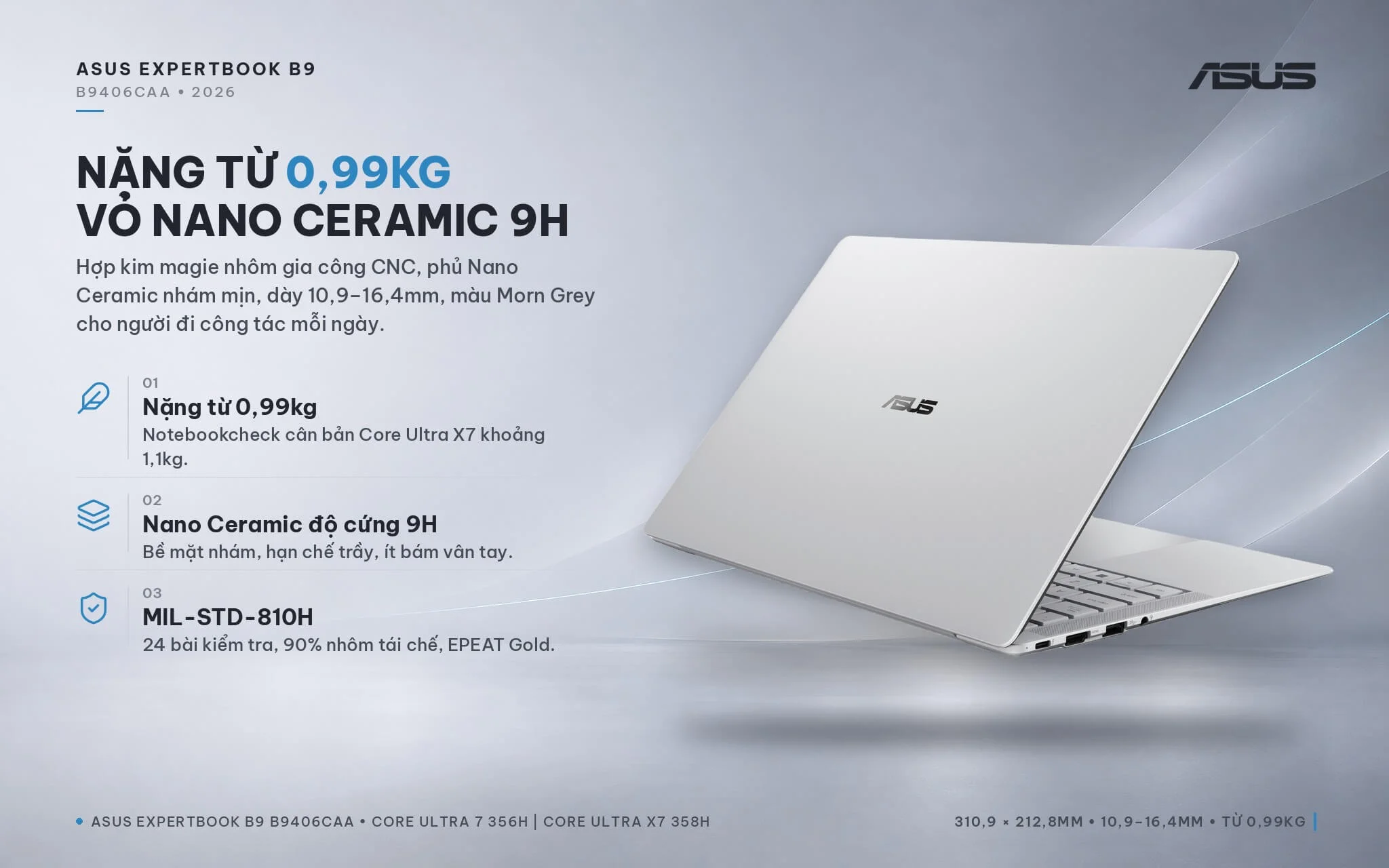
The laptop meets the MIL-STD-810H military durability standard across 24 separate tests, features a display hinge that opens to about 160 degrees, and incorporates an ExpertLumi white light bar along the bottom bezel that glows during startup and login. Asus incorporates 90% recycled aluminum across the chassis panels alongside recycled plastic for the keycaps and speaker enclosures, earning EPEAT Gold and TCO Certified Generation 10 credentials to suit organizations with green procurement policies. If you are looking for an Asus laptop to carry daily between the office, airports, and hotels, the B9406CAA is an exceptionally light 14-inch contender.
Asus ExpertBook B9 B9406CAA Display: 3K 120Hz Tandem OLED, Anti-Glare, 1,400-Nit HDR
The Asus ExpertBook B9 B9406CAA (2026) features a 14-inch Tandem OLED touchscreen with 3K resolution (2880 x 1800, designated by Asus as WQXGA+), a 16:10 aspect ratio, a 120Hz refresh rate, and a 0.2ms response time. The panel covers 100% of the DCI-P3 color gamut, carries Pantone Validated and VESA DisplayHDR True Black 1000 certifications, and delivers 600 nits of typical brightness, reaching a peak of 1,400 nits when displaying HDR content. Corning Gorilla Glass Victus paired with a Gorilla Matte anti-glare finish cuts down reflections from overhead office lights, framed by slender bezels for a 91% screen-to-body ratio.
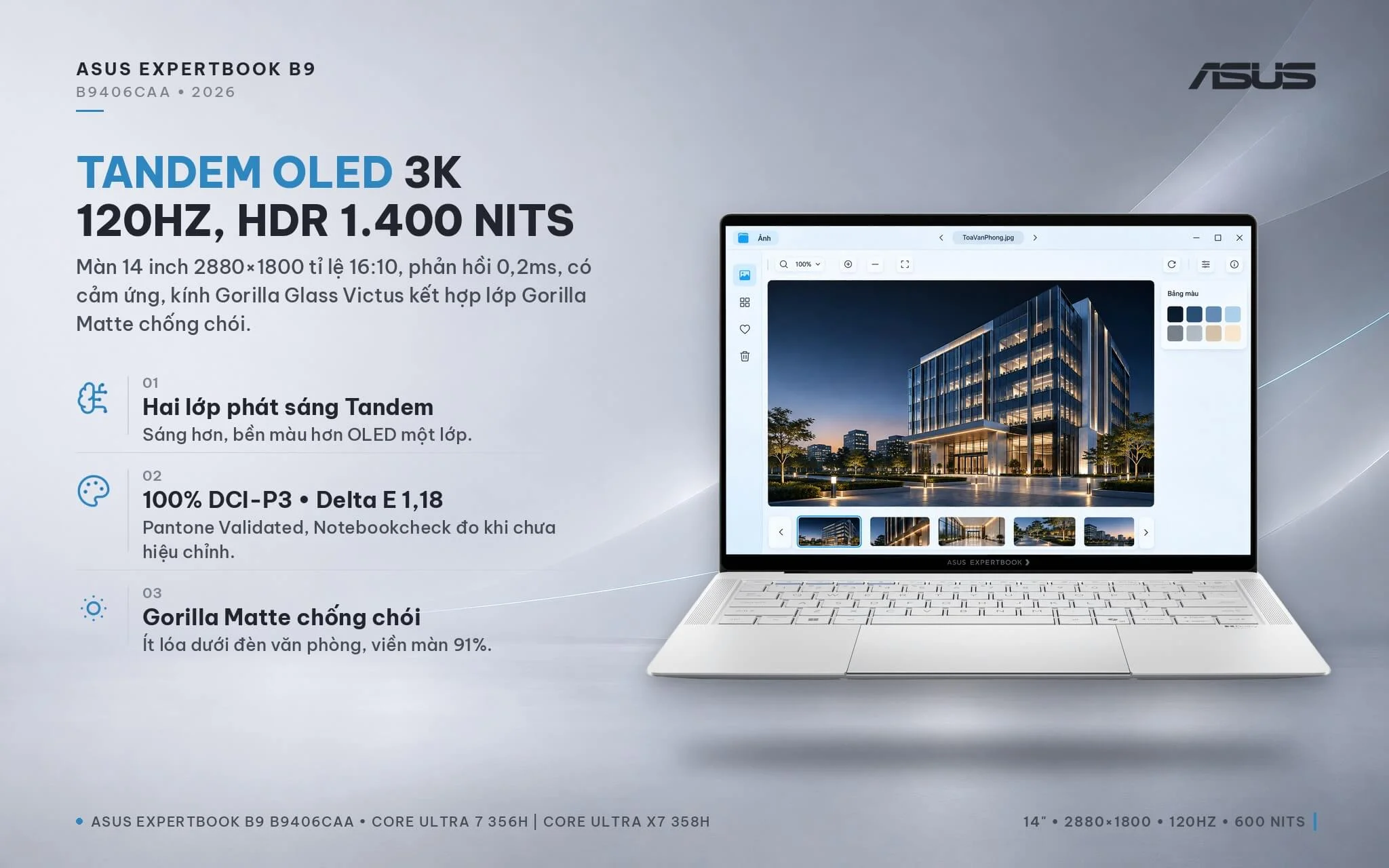
By stacking two organic light-emitting layers on top of each other, Tandem OLED achieves higher brightness and better color longevity than single-layer OLED. In hands-on testing, Notebookcheck recorded an average brightness of about 612 nits in standard mode, an HDR peak of approximately 1,403 nits, an out-of-the-box color accuracy Delta E of 1.18, and 96.2% Display P3 coverage - plenty accurate for reviewing photos, checking architectural drafts, or presenting to clients. Up close, the matte finish introduces slight graininess compared to a glossy OLED panel, but in return, it significantly cuts glare when working near windows. The screen utilizes PWM dimming at about 969Hz with a low 20% amplitude, which goes unnoticed by most users; if you are sensitive to flicker, taking regular eye breaks during extended work sessions is recommended.
ExpertBook B9 B9406CAA Performance with Intel Core Ultra 7 356H and Core Ultra X7 358H
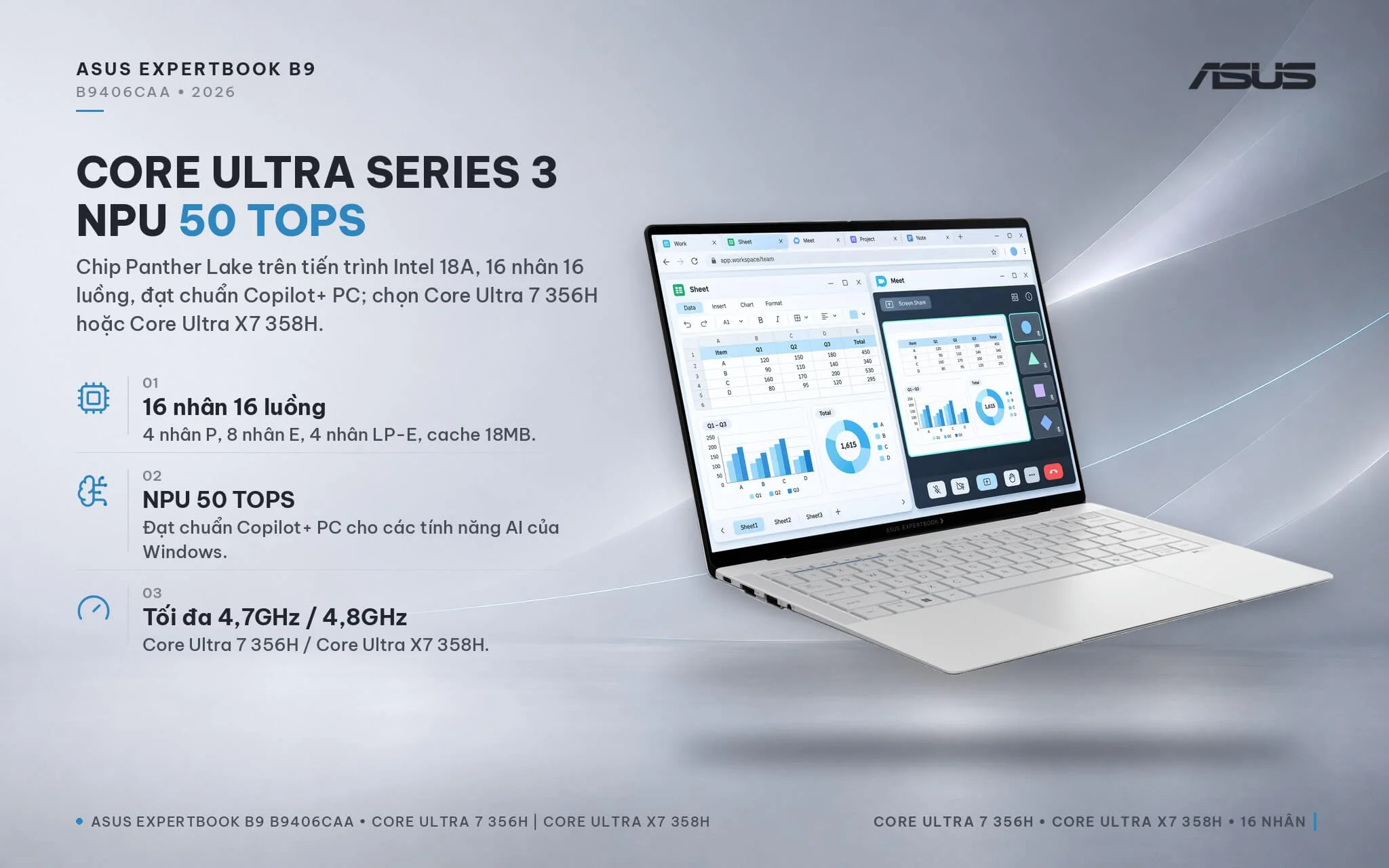
Both Asus ExpertBook B9 B9406CAA configurations are powered by Intel Core Ultra Series 3 (Panther Lake) processors built on the Intel 18A process, featuring 16 cores and 16 threads (4 P-cores, 8 E-cores, and 4 LP-E cores), an 18MB cache, and a 50 TOPS NPU meeting Copilot+ PC standards. The B9406CAA-U716W model features the Intel Core Ultra 7 356H with a boost clock of up to 4.7GHz, paired with 4-core Xe3 Intel Graphics. The B9406CAA-X7321TW model runs on the Intel Core Ultra X7 358H clocked up to 4.8GHz, paired with an Intel Arc B390 GPU with 12 Xe3 cores. According to Notebookcheck, the X7 model operates at 63W short-term and 41W sustained power.
| CPU | Cinebench 2024 Single / Multi-Core | Geekbench 6 Single / Multi-Core |
|---|---|---|
| Intel Core Ultra X7 358H (ExpertBook B9406 actual test) | 124 / 1,125 | 2,836 / 16,674 |
| Intel Core Ultra 7 356H (average score) | 122 / 1,143 | 2,839 / 16,587 |
| Intel Core Ultra 7 255H (reference) | 124 / 1,053 | 2,867 / 15,223 |
| Intel Core Ultra 7 258V (thin and light Lunar Lake laptop) | 120 / 573 | 2,754 / 10,966 |
| Intel Core 7 150U (previous-generation ExpertBook B9 OLED) | 109 / 470 | 2,656 / 9,038 |
Source: Notebookcheck. The Core Ultra X7 358H was tested directly on the ExpertBook B9406CAA in Performance mode; the remaining chips represent average scores across multiple laptops tested by Notebookcheck.
In terms of CPU performance, both configurations are neck and neck: multi-core scores for the Core Ultra 7 356H and Core Ultra X7 358H differ by only a few percent, edging out the Arrow Lake-generation Core Ultra 7 255H by about 7-10%. Compared to the Core 7 150U in the previous-generation ExpertBook B9 OLED, Cinebench 2024 multi-core performance is roughly 2.4 times higher; against the Core Ultra 7 258V found in many other thin and light business laptops, it is nearly double. Whether handling multi-sheet Excel workbooks, Teams meetings with screen sharing, or dozens of browser tabs, both models run swiftly and quietly. Note that the laptop must be plugged in to achieve maximum performance; on battery power, Asus caps power draw lower to preserve battery life.
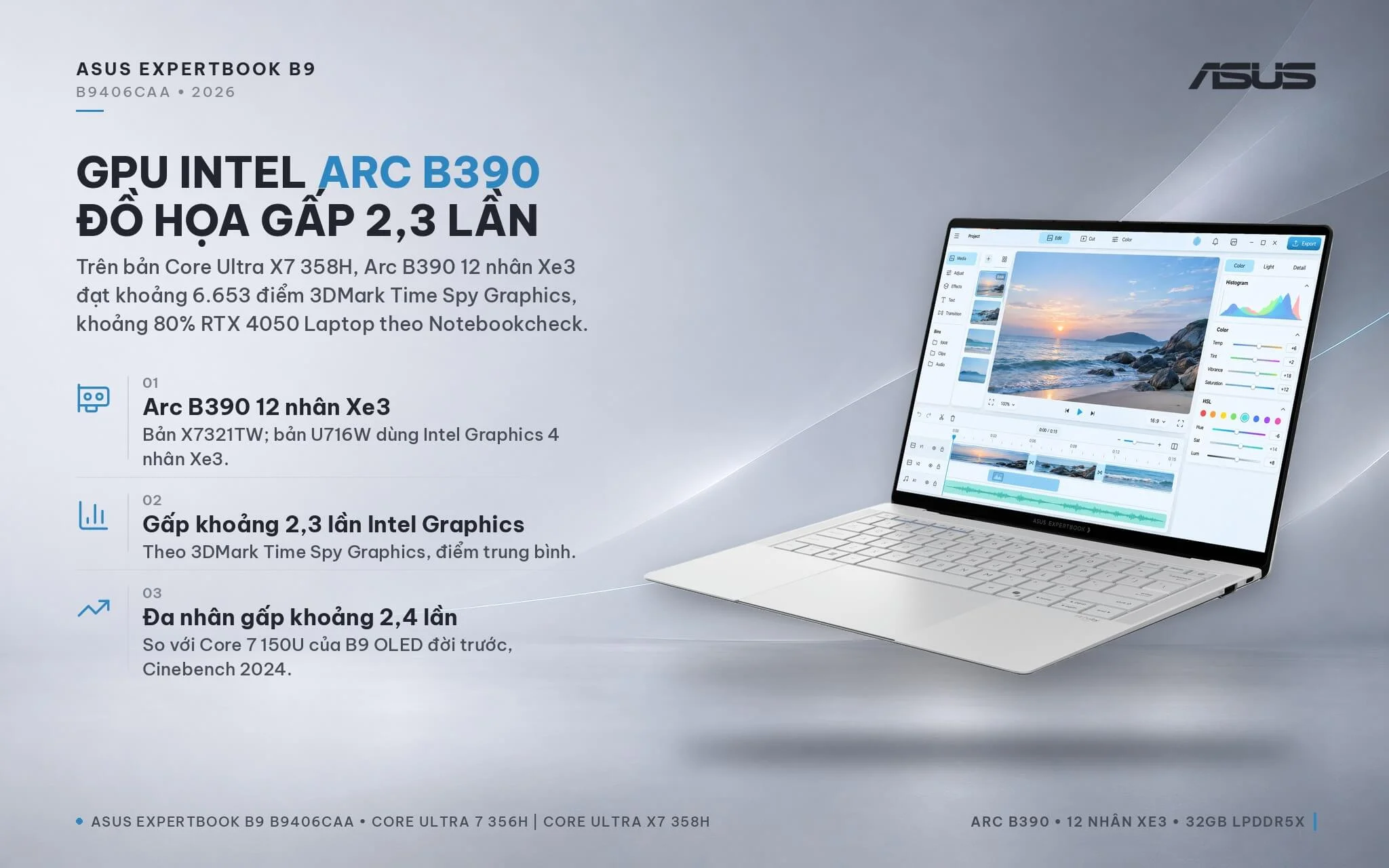
The major difference between the two configurations lies in graphics. The Intel Arc B390 GPU on the X7 version averages around 6,653 points in 3DMark Time Spy Graphics, roughly 2.3 times the Intel Graphics on the Ultra 7 model and over 4 times the previous generation's Iris Xe, delivering about 80% the performance of a discrete GeForce RTX 4050 Laptop GPU. According to Notebookcheck data, Cyberpunk 2077 at 1080p on High settings reaches about 53 FPS with the Arc B390, compared to around 24 FPS on Intel Graphics. If you regularly edit RAW photos, cut short videos, work in 2D graphic design, or occasionally game, the X7 model is well worth the money.
| GPU | 3DMark Time Spy Graphics | 3DMark Steel Nomad Light |
|---|---|---|
| Intel Arc B390 12 Xe3 cores (X7321TW model) | 6,653 | 5,897 |
| Intel Graphics 4 Xe3 cores (U716W model) | 2,865 | 2,501 |
| Intel Arc 140V (Lunar Lake, reference) | 4,047 | 3,275 |
| Intel Iris Xe G7 96EUs (previous-generation ExpertBook B9 OLED) | 1,561 | 1,280 |
| GeForce RTX 4050 Laptop (discrete GPU reference) | 8,125 | 6,206 |
Source: Notebookcheck, average scores by GPU across multiple tested laptops. Actual results vary based on performance mode and whether running plugged in or on battery power.
Because the LPDDR5X RAM is soldered to the motherboard, you will need to choose the right capacity from the start. The U716W model comes with 16GB, plenty for office workloads, virtual meetings, and presentations. The X7321TW version packs 32GB (clocked at 8533MHz according to Notebookcheck), making it a great fit for users who run multiple applications simultaneously, execute on-device AI tasks, or edit photo and video, while also providing more shared memory for the integrated GPU. Storage comes via a PCIe 4.0 SSD in 512GB or 1TB capacities; the machine features only a single M.2 2280 slot, so expanding storage means swapping in a larger drive (the bottom cover is secured with 10 Torx T5 screws) or using an external drive over Thunderbolt 4.
Keyboard, haptic touchpad, FHD IR webcam, 6 speakers, and security on the Asus ExpertBook B9 B9406CAA
The Asus ExpertBook B9 B9406CAA features a white-backlit chiclet keyboard with 1.5mm key travel and firm tactile feedback; according to Notebookcheck, the Space and Enter keys feel slightly light, and the arrow cluster is a bit small. A large 12.8 x 8.8cm haptic touchpad extends right to the front edge of the chassis to maximize tracking surface; its vibration feedback is relatively light and prone to accidental touches over the first few days, though you can adjust the sensitivity in settings or use an external mouse during long desk sessions.
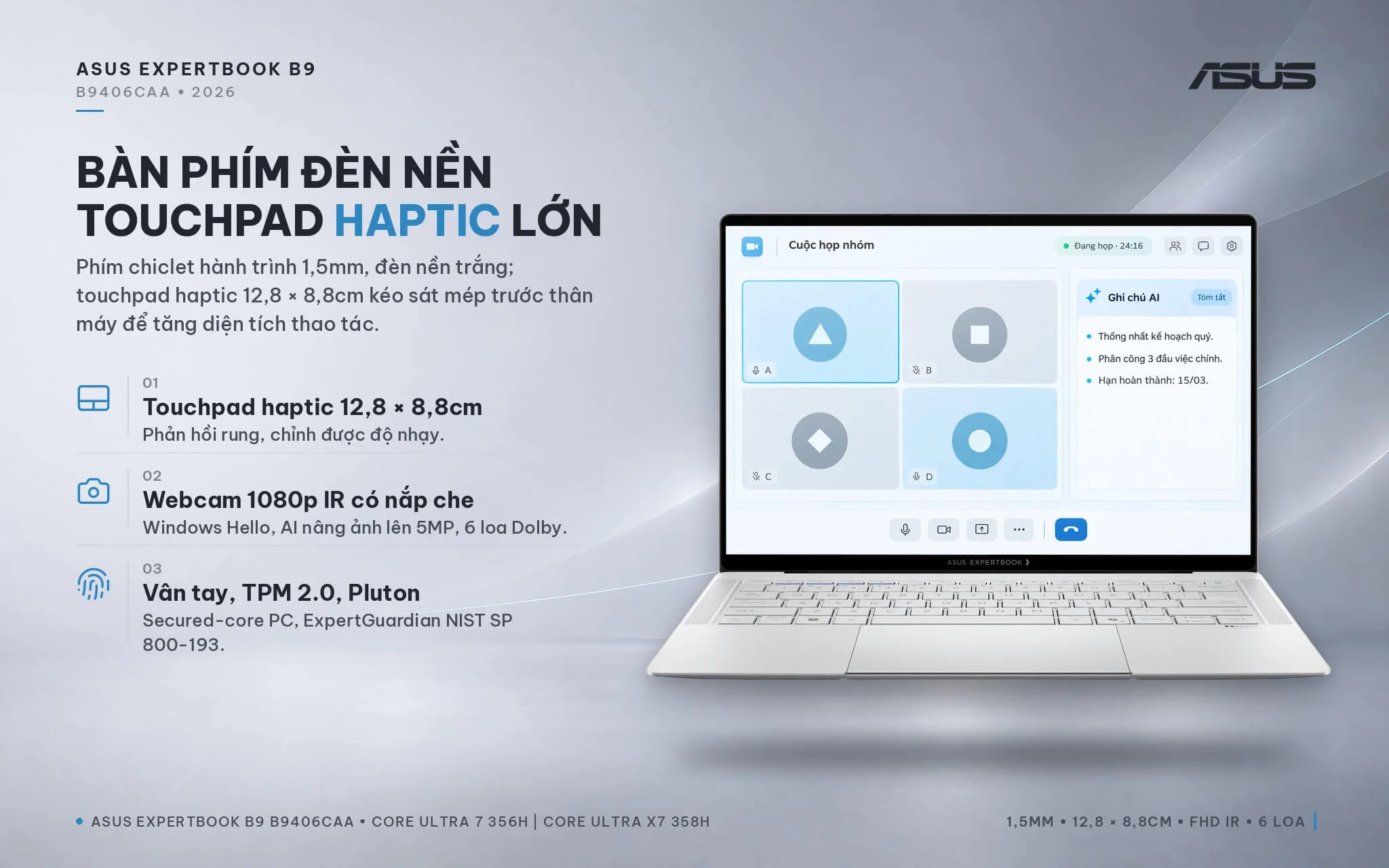
The 1080p webcam features an IR sensor for Windows Hello facial recognition, a physical privacy shutter, and AI upscaling up to 5MP. Notebookcheck praised the Dolby-certified 6-speaker sound system for solid audio quality given the chassis size, making it fully adequate for video calls without an external speaker. For security, the laptop provides a power-button fingerprint reader, TPM 2.0 chip, Microsoft Pluton, Secured-core PC compliance, and ASUS ExpertGuardian firmware protection adhering to NIST SP 800-193 with automatic BIOS self-recovery in case of issues. The pre-installed ASUS MyExpert app handles file searches, note-taking, and AI meeting summaries.
Asus ExpertBook B9 B9406CAA ports and battery: 2 Thunderbolt 4, HDMI 2.1, 70Wh battery
The Asus ExpertBook B9 B9406CAA (2026) comes equipped with 2 USB4-compatible Thunderbolt 4 ports supporting display output and charging, 2 USB-A 3.2 Gen 2 10Gbps ports, 1 HDMI 2.1 port, and a 3.5mm audio jack. The left side houses a Thunderbolt 4, HDMI, USB-A, and a headphone jack; the right side holds a USB-A and the second Thunderbolt 4 port, allowing you to charge from either side. Retaining USB-A and HDMI makes it easy to plug in a mouse, flash drive, or meeting-room projector without carrying a dongle.
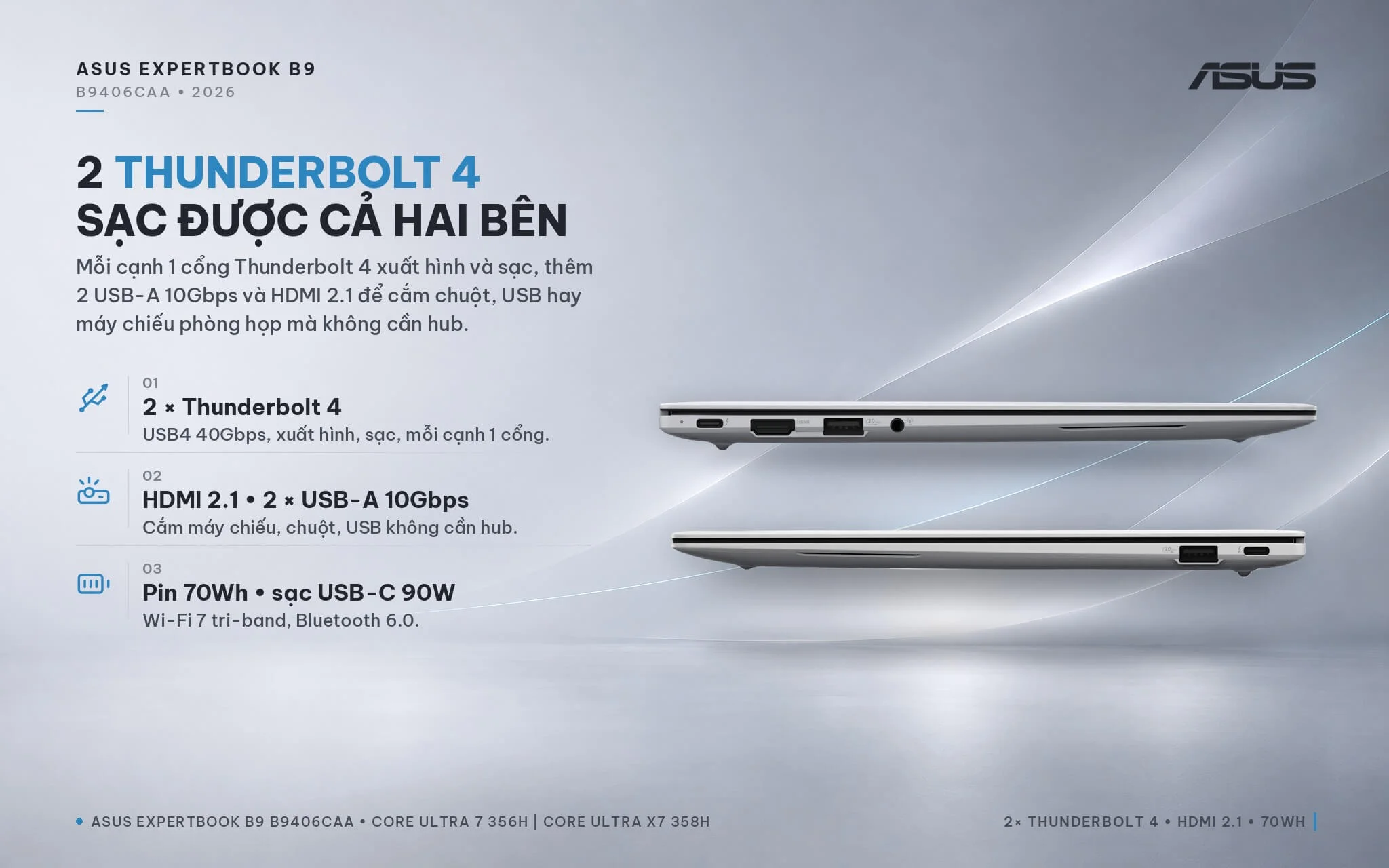
Wireless connectivity covers tri-band 2x2 Wi-Fi 7 and Bluetooth 6.0. The laptop lacks a LAN port and a memory card slot; Asus offers an optional USB-to-LAN adapter depending on the batch, and if it is not included, you can use a USB-C adapter or a Thunderbolt dock. The 70Wh battery charges via a 90W USB-C power adapter. Notebookcheck ranks battery life among the machine's strong points, while IT Brief measured roughly 15 hours and 18 minutes on the Procyon Battery Life benchmark; actual runtimes will vary depending on screen brightness and workloads.
Asus ExpertBook B9 B9406CAA (2026) Overview and Review
The Asus ExpertBook B9 B9406CAA (2026) is a 14-inch business laptop with a starting weight of 0.99kg, powered by Intel Core Ultra Series 3 with a 50 TOPS NPU, an anti-glare 3K 120Hz touch Tandem OLED display reaching 1,400 nits HDR, a MIL-STD-810H Nano Ceramic chassis, a 70Wh battery, and an enterprise-grade security suite. Notebookcheck awarded the Core Ultra X7 version an 88% rating, highlighting its performance per watt, integrated GPU, and ultralight build. Choose the Core Ultra 7 16GB version if your workload mainly involves office productivity, meetings, and presentations; pick the Core Ultra X7 32GB version if you need photo editing, short video editing, or want long-term reliability.
Compared to the previous-generation ExpertBook B9 OLED with its 10-core Core 7 150U, the B9406CAA transitions to a 16-core H-series processor, adds a 50 TOPS NPU for Windows AI features, brings a significantly faster integrated GPU, a 120Hz touch Tandem OLED display, Wi-Fi 7, and Thunderbolt 4. The laptop suits executives, managers, sales professionals, consultants, and frequent business travelers who need an ultralight companion without sacrificing performance.
Things to consider: the soldered RAM cannot be upgraded, so if you run heavy multitasking or local AI workloads, go straight for the 32GB version. The laptop has only 1 SSD slot, so adding storage requires swapping in a larger drive or using a Thunderbolt 4 external drive. The matte screen looks slightly grainier than glossy OLED panels, but in exchange it cuts down glare under office lighting. The haptic touchpad provides light feedback, so consider adjusting the sensitivity or using an external mouse. Maximum performance requires plugging into the charger, and there is no LAN port or memory card slot, which you can offset with a dock or USB-C adapter. You can check out more models in the Asus ExpertBook category.
| Pros | Cons |
|---|---|
|
|
FAQ - Frequently Asked Questions About the Asus ExpertBook B9 B9406CAA (2026)
1. How do the U716W and X7321TW versions differ?
2. Are the ExpertBook B9 B9406CAA and ExpertBook Ultra the same laptop?
3. Should you choose the 16GB or 32GB version?
4. Can you upgrade the RAM and SSD?
5. How long does the battery last, and how do you charge it?
6. What support do you get when buying from Hung Phat Laptop?
Where to buy a genuine Asus ExpertBook B9 B9406CAA (2026) at a great price?
Need an ultralight business laptop for business trips and client meetings? Hung Phat Laptop takes the time to learn about your daily workflow. We help you decide whether to pick the Asus ExpertBook B9 B9406CAA Core Ultra 7 16GB configuration or the Core Ultra X7 32GB model. If you are weighing a 14-inch OLED business laptop, we are always ready to provide a direct, spec-by-spec comparison.
Every unit is an authentic product backed by a full invoice and a 24-month manufacturer warranty. Machines with manufacturer defects within the first 30 days are eligible for a replacement. Our technicians are on hand to help you upgrade to a higher-capacity SSD whenever you need it. You also enjoy long-term technical support and nationwide shipping. Order the Asus ExpertBook B9 Panther Lake at Hung Phat Laptop.
Performance & benchmarks Asus ExpertBook B9 B9406CAA (2026)
Intel Core Ultra 7 356H Intel Graphics 4 Xe3 Panther Lake iGPU - best for Programming 8.5/10, Office 8.5/10.
Intel Core Ultra 7 356H
- Cinebench R23 (multi-core)19,522.5
- Geekbench 6 (multi-core)16,587
- Geekbench 6 (single-core)2,839
- PassMark33,855
- NPU (AI)50 TOPS
- Cores / Threads16/16
Intel Graphics 4 Xe3 Panther Lake iGPU iGPU
- 3DMark Time Spy2,883
- 3DMark Fire Strike6,826
- AI INT840 TOPS
- ArchitectureXe3
Best for
Scored from real benchmarks- Gaming3.5/10
- Video / Graphics5.5/10
- Programming8.5/10
- Office8.5/10
- AI / Generative AI3/10
Why does the CPU matter?
The CPU is the "brain" that handles every task: launching apps, multitasking, compiling code and editing video. The stronger the CPU, the faster and smoother the laptop runs when you juggle many things at once.
- BasicThis product
Web browsing, streaming and light office work.
- MainstreamThis product
Office work, moderate multitasking and studying.
- Mid-rangeThis product
Solid multitasking, programming and light graphics work.
- StrongThis product
Video editing, heavy programming, virtualization and gaming.
- FlagshipThis product
Heavy rendering, 4K/8K editing, virtual machines and AI workloads.
Why does the GPU matter?
The GPU (graphics card) handles visuals: gaming, video editing, 3D rendering and AI acceleration. The stronger the GPU, the higher your frame rates and the faster your video exports.
- Basic (iGPU)This product
Smooth display, 4K video and very light games (League of Legends, Valorant on low).
- MainstreamThis product
1080p eSports gaming, photo editing and light video editing.
- Mid-rangeThis product
1080p gaming on medium-high settings and smooth Full HD video editing.
- StrongThis product
1080p/1440p gaming on high settings, 4K video editing and 3D rendering.
- FlagshipThis product
4K/240Hz gaming, ray tracing, heavy rendering and AI.
Game performance
Real FPS - QHD- Dota 274 fps1080p Ultra
- CS259 fps1080p Medium
- GTA V53 fps1080p High
- Black Myth: Wukong18 fps1080p Low
- Cyberpunk 207737 fps1080p Low
≥60fps very smooth30-60fps playable<30fps lower the settings
No comments yet
Q&A about Asus ExpertBook B9 B9406CAA (2026)
Frequently asked questions about Asus ExpertBook B9 B9406CAA (2026)
What are the specifications of Asus ExpertBook B9 B9406CAA (2026)?
What is the warranty for Asus ExpertBook B9 B9406CAA (2026)?
Is Asus ExpertBook B9 B9406CAA (2026) genuine?
Can I buy Asus ExpertBook B9 B9406CAA (2026) with home delivery?
Worth a Look
Asus ExpertBook P5 P5405CAA (2026)
Asus ExpertBook P5 P5405CSA (2024)
 2 configurations
Asus ExpertBook P3 G1 P3606CCAP (2026)
Asus ExpertBook P3 G1 P3406CCAP (2026)


Trần Thanh Thu 2 ngày trước
Máy siêu nhẹ, cầm chắc tay và màn hình Tandem OLED xem phim hay làm việc đều cực kỳ sắc nét, rất đáng tiền.