

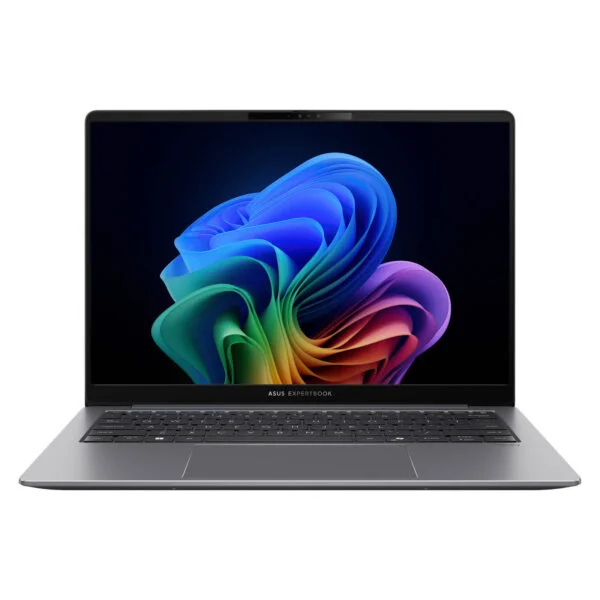
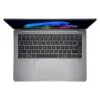
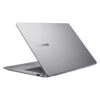
Asus ExpertBook P5 P5405CSA (2024)
- CPU: Intel Core Ultra 5 226V Up To 4.5GHz (8 Cores, 8 Threads, 8MB Cache - 40 TOPS NPU)
- RAM: LPDDR5X 16GB (On Package)
- SSD: 512GB PCIe Gen4 M.2 SSD
- VGA: Intel® Arc™ 130V GPU
- DISPLAY: 14" WQXGA (2560*1600) IPS 144Hz, Anti-glare, 100% sRGB, 400 nits
- OS: Windows 11 Home
- COLOR: Misty Grey
- CONDITION: New 100% Full Box
- WARRANTY: 24-month official warranty
- Asus ExpertBook P5 P5405CSA design: Misty Grey aluminum chassis, 12.8 mm thin, starting at 1.2 kg
- Asus ExpertBook P5 P5405CSA display: 14-inch WQXGA 144Hz, anti-glare, 100% sRGB
- ExpertBook P5 P5405CSA Performance with Intel Core Ultra 5 226V, 40 TOPS NPU
- Spill-Resistant Keyboard, FHD IR Webcam, Fingerprint Sensor, and Pluton Security on the Asus ExpertBook P5 P5405CSA
- Ports and Battery on the Asus ExpertBook P5 P5405CSA: 2 Thunderbolt 4, HDMI 2.1, 63Wh Battery
- Overview and Review of the Asus ExpertBook P5 P5405CSA (2024)
- FAQ - Frequently Asked Questions About the Asus ExpertBook P5 P5405CSA (2024)
- Where to Buy the Genuine Asus ExpertBook P5 P5405CSA (2024) at a Great Price
When Intel introduced its Lunar Lake chip lineup, the Asus ExpertBook P5 P5405CSA (2024) was one of the first business laptops to adopt the platform, directly addressing the demand for long battery life, quiet operation, and cool temperatures in a compact 14-inch form factor. Powered by Intel Core Ultra Series 2 processors with a dedicated AI NPU, it meets Copilot+ PC requirements, features a military-grade Misty Grey aluminum chassis, and includes a full selection of ports for office professionals. This article covers its design, display, real-world tested performance, security features, and connectivity, while highlighting key differences from the 2026 ExpertBook P5 G2 release to help you choose the right machine.
Asus ExpertBook P5 P5405CSA design: Misty Grey aluminum chassis, 12.8 mm thin, starting at 1.2 kg
The Asus ExpertBook P5 P5405CSA measures 312 x 223.2 x 12.8-16.4 mm and has a starting weight of 1.2 kg according to ASUS, making it lighter than most 14-inch business laptops that still include full USB-A and HDMI ports. The chassis is built from aluminum in Misty Grey with a matte texture that resists smudges, offering a neutral design well suited for office settings. Visual accents are understated, limited to an ExpertBook logo on the lid and three blue stripes on the volume adjustment keys.
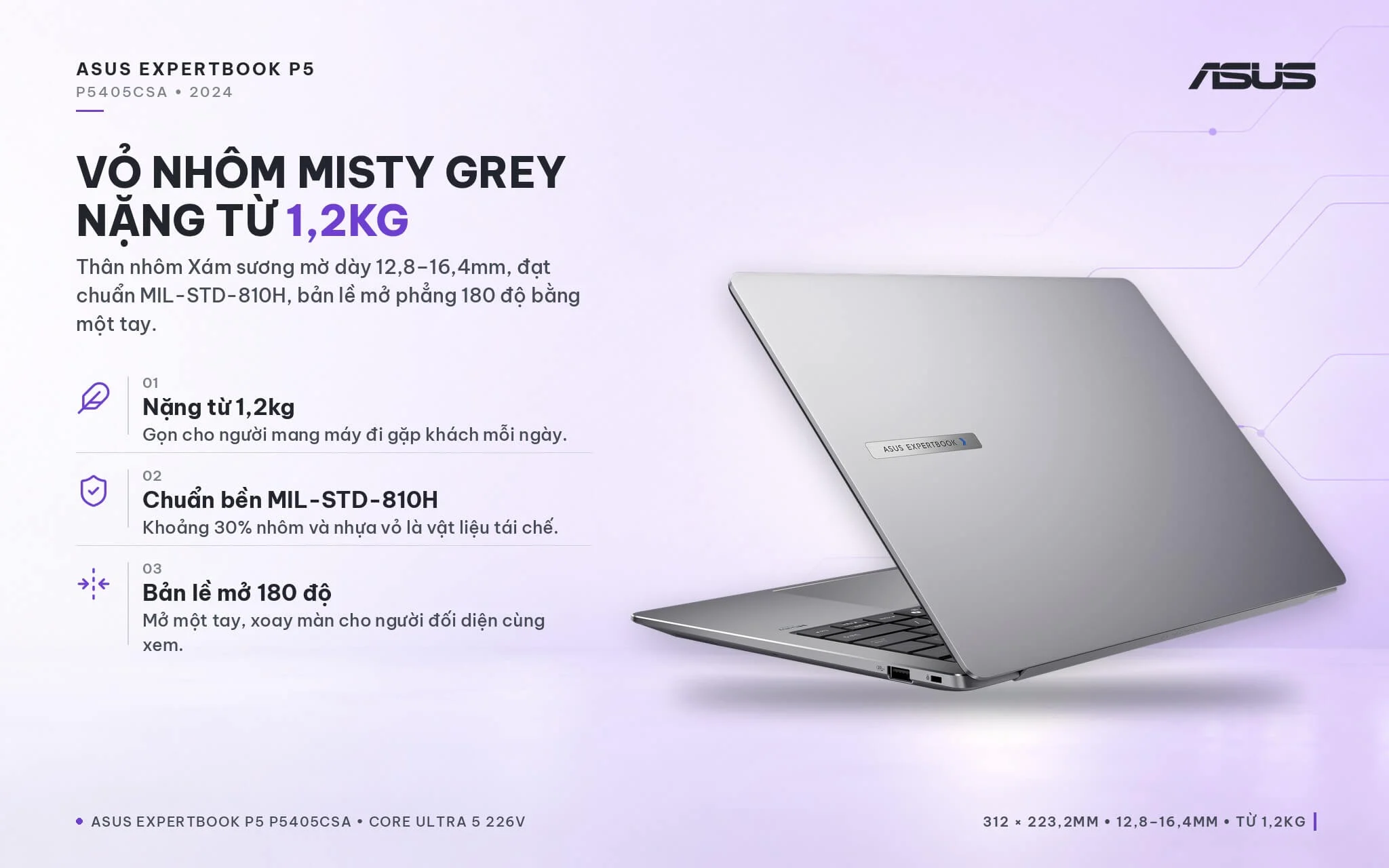
The laptop meets US military durability standard MIL-STD-810H, incorporates roughly 30% recycled aluminum and plastic across its chassis components, and holds an EPEAT Gold certification. The 180-degree lay-flat hinge can be opened with one hand, which is convenient when sharing your screen with a colleague sitting across from you. Notebookcheck noted that the main body and keyboard deck feel rigid, though the display lid is slightly soft and the hinge is somewhat loose, meaning the screen may wobble slightly during vigorous typing. If you need a lightweight Asus laptop to carry to client meetings every day, the P5 is well worth a look.
Asus ExpertBook P5 P5405CSA display: 14-inch WQXGA 144Hz, anti-glare, 100% sRGB
The Asus ExpertBook P5 P5405CSA (2024) sports a 14-inch IPS display panel with WQXGA resolution (2560 x 1600), a 16:10 aspect ratio, and a 144Hz refresh rate. ASUS rates it at 400 nits of brightness, 100% sRGB color gamut coverage, wide viewing angles, and a 90% screen-to-body ratio. The non-touch, anti-glare finish is practical for anyone working near windows or directly beneath office ceiling fixtures.
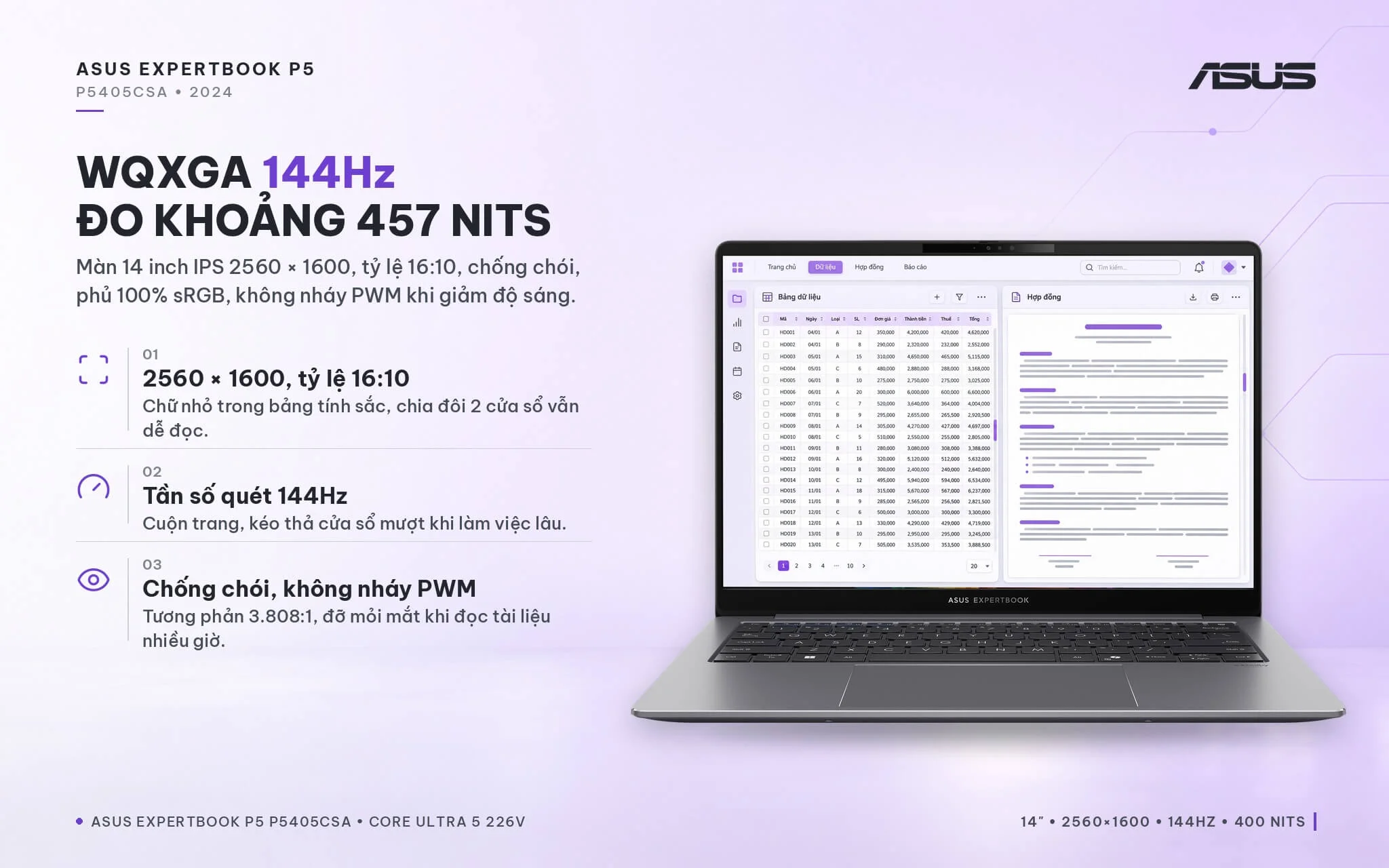
Notebookcheck measured an average brightness of around 457 nits, exceeding ASUS's published rating, along with a 3,808:1 contrast ratio and no detectable PWM flickering at lower brightness settings, making long stretches in Excel or reviewing contracts easier on your eyes. The WQXGA resolution keeps small spreadsheet text crisp and two side-by-side windows easy to read, while 144Hz ensures fluid page scrolling. The 100% sRGB color gamut is plenty for building slide presentations, basic photo retouching, and light banner design; if your work involves print production requiring a wide color gamut, you should connect a color-accurate external monitor through the HDMI or Thunderbolt 4 port.
ExpertBook P5 P5405CSA Performance with Intel Core Ultra 5 226V, 40 TOPS NPU
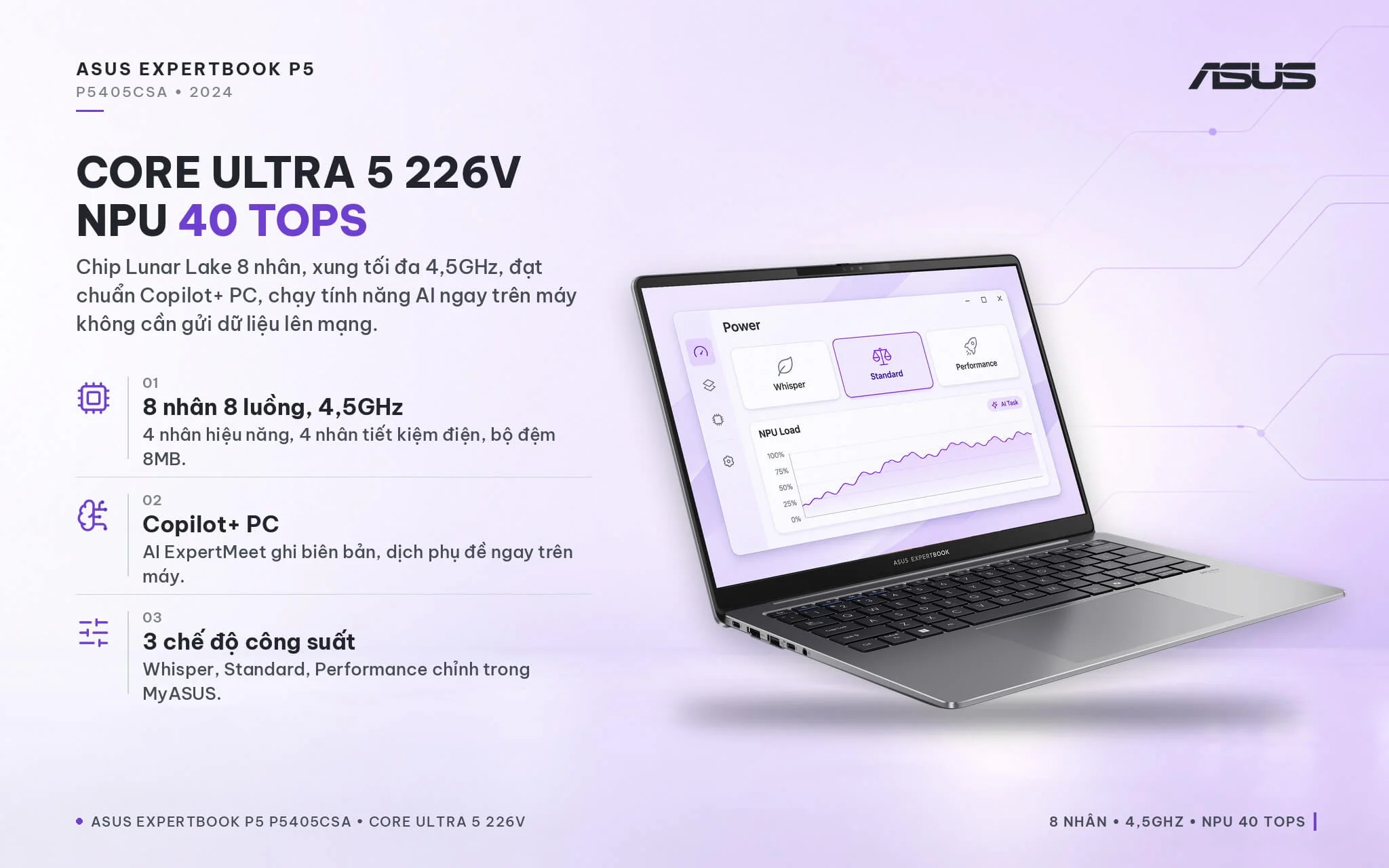
The P5405CSA-NZ0016W configuration is powered by the Lunar Lake-generation Intel Core Ultra 5 226V: 8 cores and 8 threads (4 performance cores and 4 efficient cores), a boost clock up to 4.5GHz, 8MB of cache, and a 40 TOPS Intel AI Boost NPU. Meeting Copilot+ PC requirements, the processor handles Windows 11 AI features and ASUS AI ExpertMeet software locally without sending data to the cloud. Inside the MyASUS app, you can choose between 3 power profiles: Whisper (15W/25W), Standard (20W/37W), and Performance (32W/37W).
| CPU | Cinebench 2024 Single / Multi-Core | Geekbench 6 Single / Multi-Core |
|---|---|---|
| Intel Core Ultra 5 226V (ExpertBook P5 P5405CSA) | 112 / 584 | 2,582 / 10,011 |
| Intel Core Ultra 7 258V (higher-tier same-gen model) | 120 / 573 | 2,754 / 10,966 |
| Intel Core Ultra 5 125H (Meteor Lake, reference) | 100 / 616 | 2,279 / 11,268 |
| Intel Core Ultra 7 356H (ExpertBook P5 G2 2026 model) | 122 / 1,143 | 2,839 / 16,587 |
Source: Notebookcheck, average scores for each CPU across tested laptops. Real-world results vary by performance mode and cooling design.
Compared to the Core Ultra 5 125H found in many 2023-2024 business laptops, the Core Ultra 5 226V delivers about 12% faster Cinebench 2024 single-core performance, speeding up opening Word, Excel, web browsers, and switching between apps. Multi-core performance is roughly 5% lower because the chip has only 8 cores. The P5 G2 generation powered by the 16-core Core Ultra 7 356H delivers nearly double the multi-core score, so if you frequently export videos, run heavy financial models, or compile code, the newer generation will shorten wait times. For Office, Teams, accounting software, CRM platforms, and heavy multitasking in the browser, the 226V runs smoothly, with Notebookcheck noting near-silent fan operation and a chassis that stays cool.
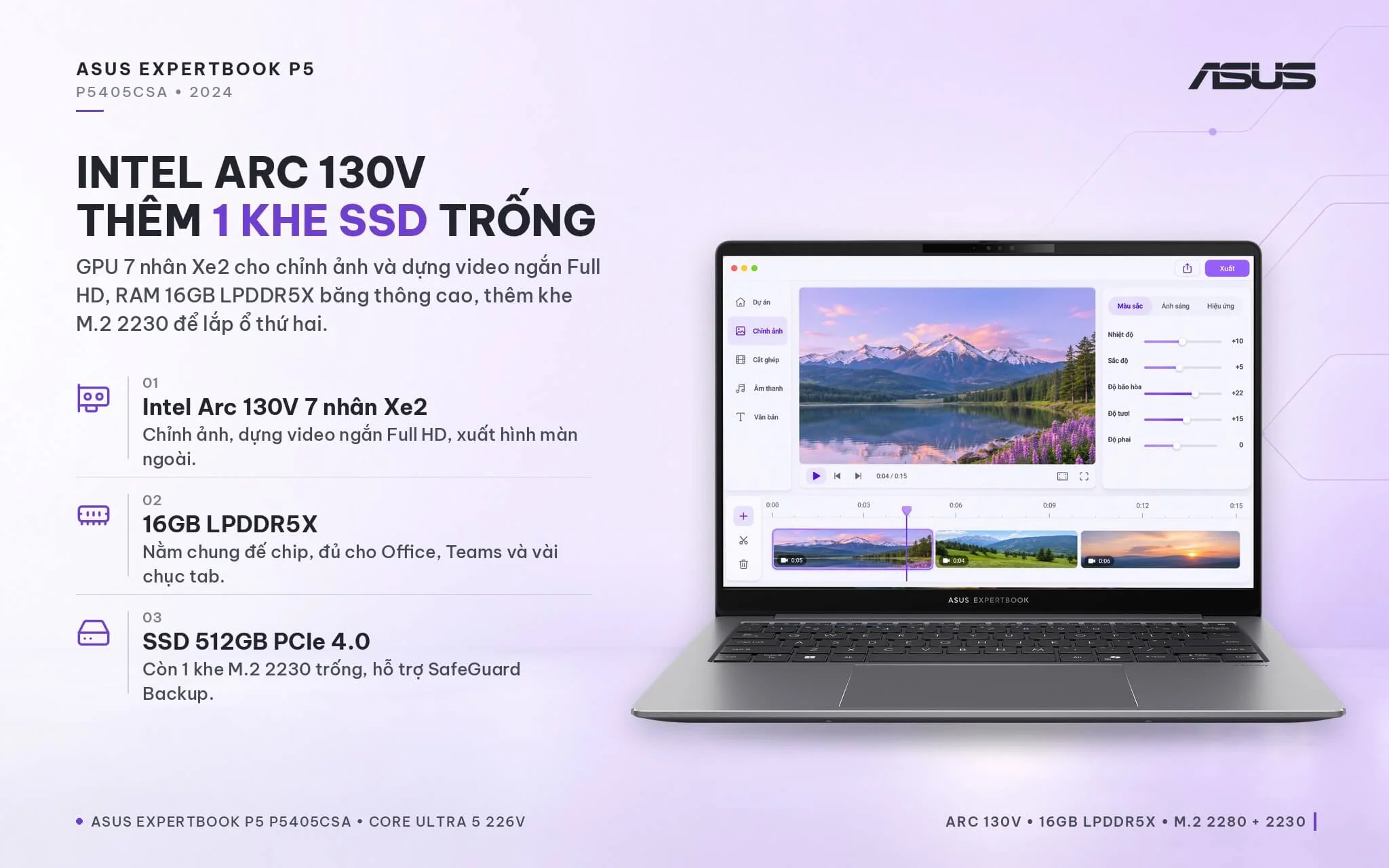
The integrated Intel Arc 130V graphics feature 7 Xe2 cores, providing ample power to drive external monitors, edit photos in Lightroom, cut short Full HD videos, and run light games at low settings. According to 3DMark benchmarks on Notebookcheck, the Arc 130V edges out the 4-core Xe3 GPU bundled with the P5 G2's Core Ultra 7 356H and distinctly outperforms the 4-core GPU on Meteor Lake chips.
| GPU | 3DMark Time Spy Graphics | 3DMark Steel Nomad Light |
|---|---|---|
| Intel Arc 130V (ExpertBook P5 P5405CSA) | 3,388 | 2,670 |
| Intel Arc 140V (Core Ultra 7 258V version) | 4,047 | 3,275 |
| Intel Graphics 4-core Xe3 (Core Ultra 7 356H) | 2,865 | 2,501 |
| Intel Graphics 4-core (Meteor Lake, reference) | 1,902 | 1,626 |
Source: Notebookcheck, average scores for each integrated GPU.
As with all Lunar Lake machines, the 16GB LPDDR5X RAM is integrated directly on the processor package, delivering high bandwidth and energy efficiency but ruling out future upgrades. That 16GB is plenty for Office, Teams, Zalo, dozens of Chrome tabs, and onboard AI features (ExpertMeet requires at least 12GB of RAM). If you regularly work with virtual machines, demanding design suites, or heavy Power BI files, consider your needs beforehand and opt for the 32GB RAM configuration from the start.
The 512GB PCIe 4.0 SSD is installed in an M.2 2280 slot, and the laptop also features an empty M.2 2230 PCIe 4.0 slot for adding a second drive, a rare perk in 14-inch thin and light laptops. This extra slot is also used by ASUS's SafeGuard Backup feature to mirror data to the second SSD. Notebookcheck notes that the battery is secured with clips rather than screws, making battery replacement after a few years of use quite straightforward.
Spill-Resistant Keyboard, FHD IR Webcam, Fingerprint Sensor, and Pluton Security on the Asus ExpertBook P5 P5405CSA
The Asus ExpertBook P5 P5405CSA features a spill-resistant chiclet keyboard with 3-level backlighting and 1.5mm key travel. Notebookcheck praised the crisp key feedback and stable typing feel, noting only slight flex around the E key; the arrow keys are rather small, and the right Ctrl key has made way for the Copilot key, so shortcut-heavy users should get used to using the left Ctrl key. The 13 x 8cm glass touchpad glides smoothly; while clicks show a bit of play, it does not get in the way of daily office work.
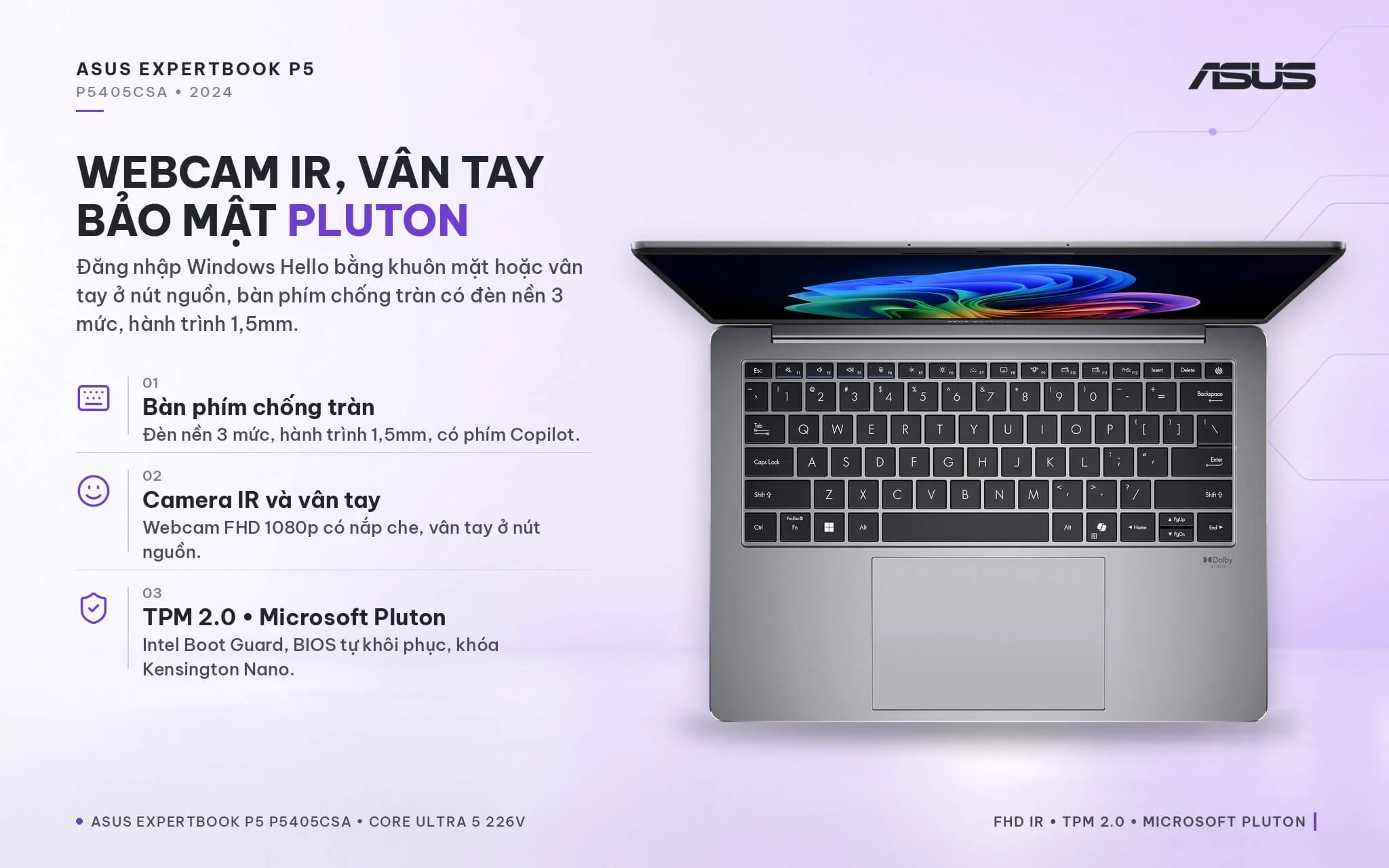
The 1080p FHD webcam includes an IR camera for Windows Hello facial recognition alongside a physical privacy shutter, paired with a fingerprint sensor integrated into the power button for fast logins without typing a password. You also get Dolby-certified audio, built-in microphones, and AI ExpertMeet software to assist with meeting minutes and live subtitles during video conferences. Enterprise-grade security includes TPM 2.0, a Microsoft Pluton chip, Microsoft Security Level 3, Intel Boot Guard, self-healing BIOS, and a Kensington Nano lock slot.
Ports and Battery on the Asus ExpertBook P5 P5405CSA: 2 Thunderbolt 4, HDMI 2.1, 63Wh Battery
The Asus ExpertBook P5 P5405CSA (2024) provides two USB4-compatible Thunderbolt 4 ports supporting display output and charging, two 10Gbps USB-A 3.2 Gen 2 ports, an HDMI 2.1 port, and a 3.5mm audio jack. The left edge houses two Thunderbolt 4 ports, HDMI, one USB-A port, and a headphone jack, while the right side holds one USB-A port and a Kensington lock slot. You can plug in a mouse, flash drives, and a projector directly without carrying a hub.
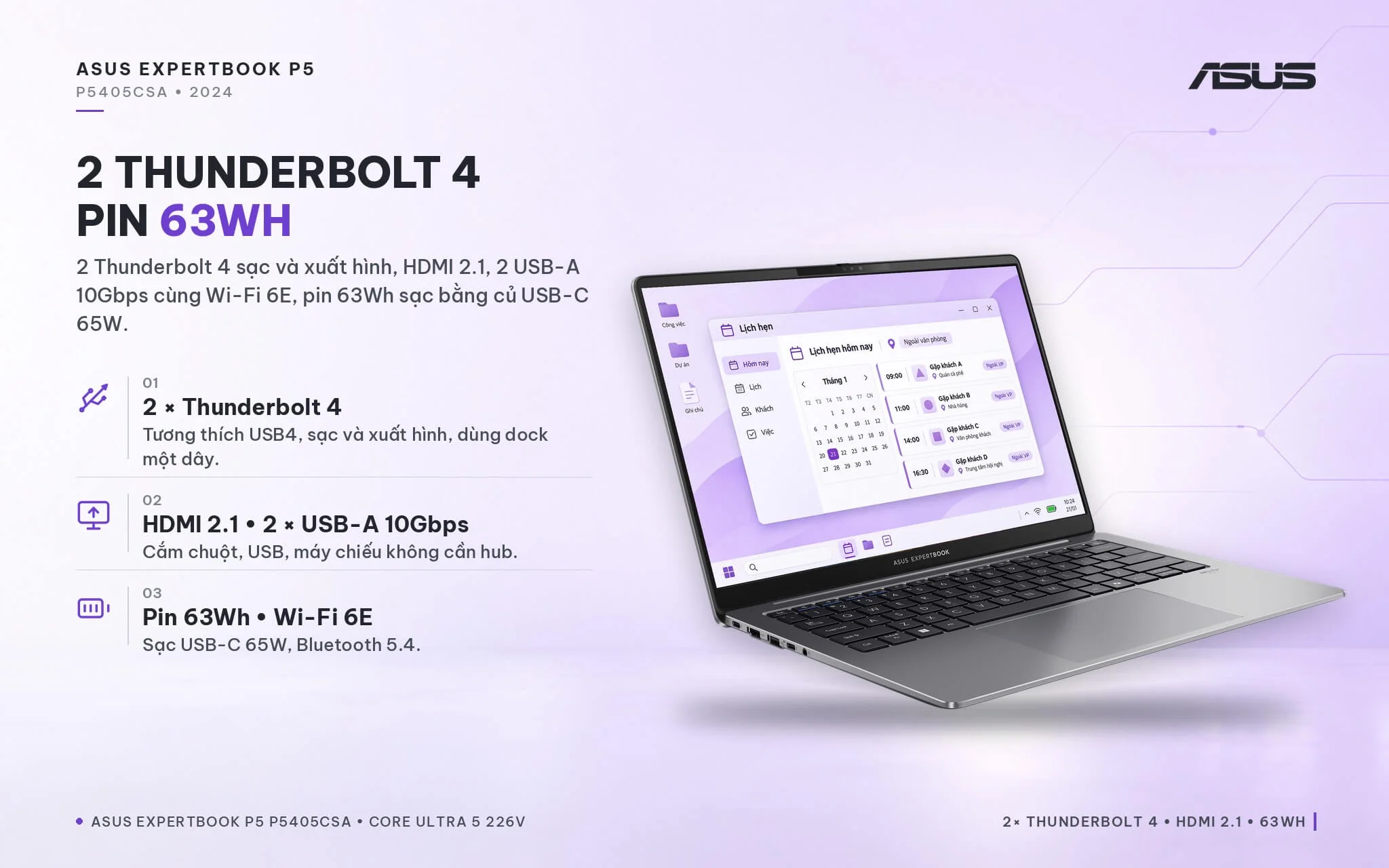
Wireless connectivity relies on 2x2 Wi-Fi 6E and Bluetooth 5.4 according to ASUS Vietnam specifications. The laptop does not have a LAN port or a memory card slot, so if your office uses a wired connection, you will need a USB-C to LAN adapter. The 63Wh battery charges via a compact 65W USB-C charger; Notebookcheck rates battery life as a major strength thanks to the power-efficient Lunar Lake chip, providing enough runtime to work away from the office for hours without hunting for a power outlet.
Overview and Review of the Asus ExpertBook P5 P5405CSA (2024)
The Asus ExpertBook P5 P5405CSA (2024) is a 14-inch business laptop with a starting weight of 1.2kg, powered by the energy-efficient Intel Core Ultra 5 226V processor, a 144Hz WQXGA display tested at around 457 nits, a 63Wh battery, a full set of Thunderbolt 4, USB-A, and HDMI ports, and one open SSD slot. Notebookcheck awarded an 86% score to the same-generation configuration with the Core Ultra 7 258V, praising its long battery life, cool operation, and nearly silent noise levels. It suits office staff, accountants, sales professionals, teachers, and small business owners who need a durable, quiet machine for all-day productivity.
Points to consider: the 16GB RAM is soldered and non-upgradable, so if you run heavy applications, choose a larger RAM configuration right from the start. Multi-core performance is decent, though heavy video export or compiling will be slower than on H-series chips. The hinge is slightly loose, so place the laptop on a sturdy desk when typing or taking video calls. The lack of a LAN port can be offset with a USB-C adapter. You can explore additional models in the Asus ExpertBook lineup.
In 2026, Asus introduced the ExpertBook P5 G2 (P5405CAA) equipped with a 16-core Panther Lake processor, upgradable DDR5 RAM, a LAN port, and Wi-Fi 7, though it is heavier and its integrated GPU is no faster. If your workload consists primarily of office tasks, online meetings, and frequent travel, the P5405CSA remains a cost-effective, lightweight choice with solid battery life; if you require higher multi-core throughput or want to upgrade RAM down the line, the G2 generation is the better fit.
| Pros | Cons |
|---|---|
|
|
FAQ - Frequently Asked Questions About the Asus ExpertBook P5 P5405CSA (2024)
1. What are the specs of the P5405CSA-NZ0016W?
2. How does the P5405CSA (2024) differ from the ExpertBook P5 G2 P5405CAA (2026)?
3. Can the RAM and SSD be upgraded?
4. Can this laptop run Windows 11 AI features?
5. Does it support facial recognition and fingerprint login?
6. What support is included when buying from Hung Phat Laptop?
Where to Buy the Genuine Asus ExpertBook P5 P5405CSA (2024) at a Great Price
Looking for a lightweight office laptop with long battery life for your day-to-day work? Hung Phat Laptop takes the time to understand your software needs and working habits. For the Asus ExpertBook P5 P5405CSA, we help you evaluate whether 16GB of RAM will cover your workload over the next few years. If you need more storage, our technicians recommend the right SSD for the vacant slot. You will know exactly what comes with the machine before checking out.
Every unit is a genuine product backed by a full official invoice and a 24-month manufacturer warranty. Units with manufacturer defects are eligible for replacement within the first 30 days. We also provide ongoing long-term technical support after your purchase, along with careful packaging and nationwide delivery. Order your Lunar Lake Asus ExpertBook P5 at Hung Phat Laptop.
Performance & benchmarks Asus ExpertBook P5 P5405CSA (2024)
Intel Core Ultra 5 226V Intel Arc Graphics 130V - best for Office 8.5/10, Programming 6/10.
Intel Core Ultra 5 226V
- Cinebench R23 (multi-core)9,857.5
- Geekbench 6 (multi-core)10,010.5
- Geekbench 6 (single-core)2,582
- PassMark17,879
- NPU (AI)40 TOPS
- Cores / Threads8/8
Intel Arc Graphics 130V
- 3DMark Time Spy3,401
- 3DMark Fire Strike8,450
- AI INT853 TOPS
- ArchitectureXe² Battlemage
Best for
Scored from real benchmarks- Gaming2.5/10
- Video / Graphics3.5/10
- Programming6/10
- Office8.5/10
- AI / Generative AI2.5/10
Why does the CPU matter?
The CPU is the "brain" that handles every task: launching apps, multitasking, compiling code and editing video. The stronger the CPU, the faster and smoother the laptop runs when you juggle many things at once.
- BasicThis product
Web browsing, streaming and light office work.
- MainstreamThis product
Office work, moderate multitasking and studying.
- Mid-rangeThis product
Solid multitasking, programming and light graphics work.
- StrongThis product
Video editing, heavy programming, virtualization and gaming.
- FlagshipThis product
Heavy rendering, 4K/8K editing, virtual machines and AI workloads.
Why does the GPU matter?
The GPU (graphics card) handles visuals: gaming, video editing, 3D rendering and AI acceleration. The stronger the GPU, the higher your frame rates and the faster your video exports.
- Basic (iGPU)This product
Smooth display, 4K video and very light games (League of Legends, Valorant on low).
- MainstreamThis product
1080p eSports gaming, photo editing and light video editing.
- Mid-rangeThis product
1080p gaming on medium-high settings and smooth Full HD video editing.
- StrongThis product
1080p/1440p gaming on high settings, 4K video editing and 3D rendering.
- FlagshipThis product
4K/240Hz gaming, ray tracing, heavy rendering and AI.
Game performance
Real FPS - QHD- Dota 278 fps1080p Ultra
- CS247 fps1080p Medium
- GTA V58 fps1080p High
- Star Wars Outlaws9 fps1080p Low
- God of War Ragnarök19 fps1080p Low
- Final Fantasy XVI15 fps1080p Low
- Cyberpunk 207741 fps1080p Low
≥60fps very smooth30-60fps playable<30fps lower the settings
Local AI performance
Tokens/second running locally on GPU- Llama 3.2 11B Vision6.1 GB · ctx 128K16 tok/sDecent
- Gemma 4 E2B IT5.6 GB · ctx 256K17 tok/sDecent
- GLM-4 9B5.1 GB · ctx 128K19 tok/sDecent
- Gemma 4 E4B4.6 GB · ctx 256K21 tok/sDecent
- Ministral 8B4.6 GB · ctx 32K21 tok/sDecent
- Qwen 3.5 4B4.6 GB · ctx 32K21 tok/sDecent
- DeepSeek R1 Distill 7B4.1 GB · ctx 64K23 tok/sRuns well
- Gemma 4 E2B3.1 GB · ctx 256K31 tok/sRuns well
- Qwen 3.5 2B2.5 GB · ctx 32K38 tok/sRuns well
- Phi-4 Mini Reasoning2.4 GB · ctx 16K40 tok/sRuns well
- Llama 3.2 3B2 GB · ctx 128K48 tok/sRuns great
- SmolLM3 3B2 GB · ctx 128K48 tok/sRuns great
- DeepSeek R1 1.5B1.3 GB · ctx 64K74 tok/sRuns great
- Qwen 3.5 0.8B1.3 GB · ctx 32K74 tok/sRuns great
- TinyLlama 1.1B1.1 GB · ctx 2K87 tok/sRuns great
- Llama 3.2 1B1 GB · ctx 128K96 tok/sRuns great
- Gemma 2 9B5.1 GB · ctx 8K19 tok/sDecent
- Nemotron Nano 9B v25.1 GB · ctx 128K19 tok/sDecent
- Llama 3.1 8B4.6 GB · ctx 128K21 tok/sDecent
- Qwen 3 8B4.6 GB · ctx 128K21 tok/sDecent
- Mistral 7B v0.34.1 GB · ctx 32K23 tok/sRuns well
- Qwen 2.5 7B4.1 GB · ctx 128K23 tok/sRuns well
- Qwen 2.5 Coder 7B4.1 GB · ctx 128K23 tok/sRuns well
- Qwen 3 4B2.5 GB · ctx 32K38 tok/sRuns well
- Gemma 3 4B2.5 GB · ctx 128K38 tok/sRuns well
- Phi-3.5 Mini2.4 GB · ctx 128K40 tok/sRuns well
- Gemma 2 2B1.5 GB · ctx 8K64 tok/sRuns great
- Qwen 3 1.7B1.4 GB · ctx 32K68 tok/sRuns great
- Qwen 2.5 Coder 1.5B1.3 GB · ctx 32K74 tok/sRuns great
- Qwen 3 0.6B1.1 GB · ctx 32K87 tok/sRuns great
- Gemma 3 1B1 GB · ctx 32K96 tok/sRuns great
GreatWellDecent4-bit quantized, ctx = context window
No comments yet
Q&A about Asus ExpertBook P5 P5405CSA (2024)
Frequently asked questions about Asus ExpertBook P5 P5405CSA (2024)
What are the specifications of Asus ExpertBook P5 P5405CSA (2024)?
What is the warranty for Asus ExpertBook P5 P5405CSA (2024)?
Is Asus ExpertBook P5 P5405CSA (2024) genuine?
Can I buy Asus ExpertBook P5 P5405CSA (2024) with home delivery?
Worth a Look
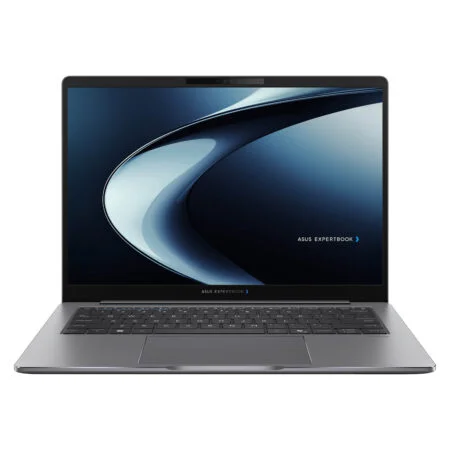
Asus ExpertBook P5 P5405CAA (2026)
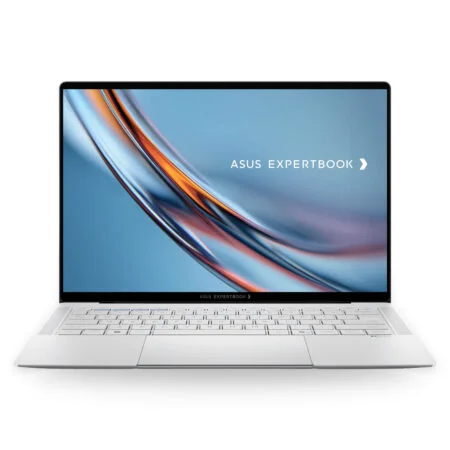 2 configurations
Asus ExpertBook B9 B9406CAA (2026)
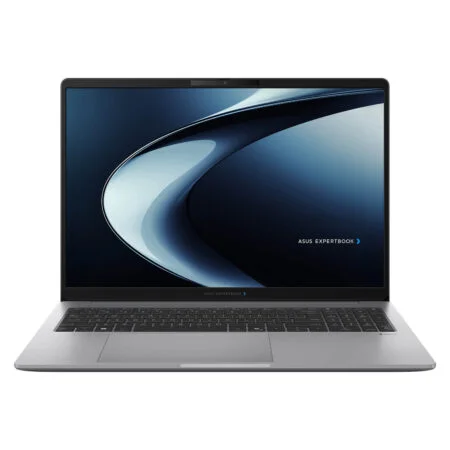 2 configurations
Asus ExpertBook P3 G1 P3606CCAP (2026)
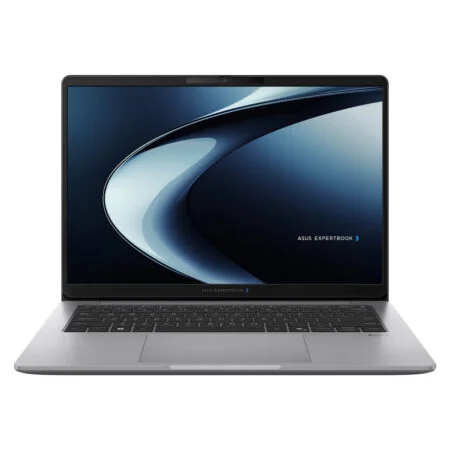
Asus ExpertBook P3 G1 P3406CCAP (2026)
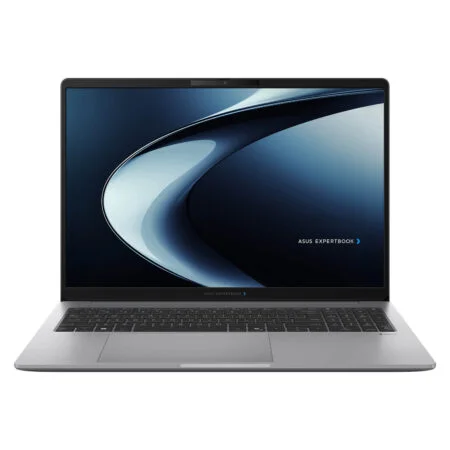


Châu Kim Oanh 2 ngày trước
Máy dùng màn hình sắc nét, chống chói tốt nên làm việc lâu không bị mỏi mắt. Thiết kế vỏ nhôm xám trông rất sang và chuyên nghiệp.