

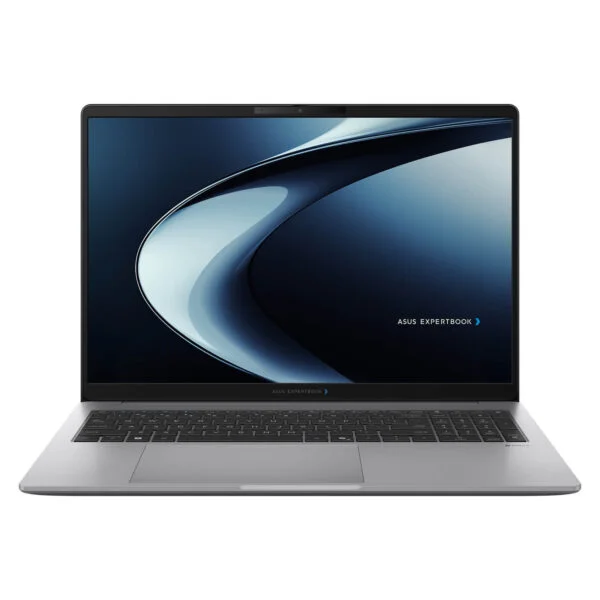
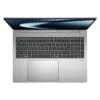
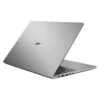
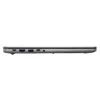
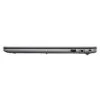
Asus ExpertBook P3 PM3606CHA (2026)
- CPU: AMD Ryzen™ 7 8840HS (8 Cores, 16 Threads, 3.3GHz up to 5.1GHz, 16MB Cache)
- RAM: 16GB DDR5 SO-DIMM (2 slots, up to 64GB)
- SSD: 512GB M.2 2280 NVMe™ PCIe® 4.0 SSD
- VGA: AMD Radeon™ 780M Graphics
- DISPLAY: 16" WUXGA (1920*1200) 16:10 IPS, Anti-glare, 60Hz, 300 nits, 45% NTSC
- OS: Windows 11 Home
- CONDITION: New 100% Full Box
- WARRANTY: 24-month official warranty
- Asus ExpertBook P3 PM3606CHA 16-inch design, weighing about 1.76 kg with MIL-STD-810H durability
- Asus ExpertBook P3 PM3606CHA 16-inch WUXGA display, 16:10 aspect ratio, anti-glare
- Asus ExpertBook P3 PM3606CHA Performance with AMD Ryzen 7 8840HS and Radeon 780M
- Number pad, webcam with privacy shutter, fingerprint sensor, and ExpertGuardian security on the Asus ExpertBook P3 PM3606CHA
- Ports and battery on the Asus ExpertBook P3 PM3606CHA: USB4, HDMI 2.1, RJ45 LAN, Wi-Fi 7, 50Wh battery
- Overview and Review: Asus ExpertBook P3 PM3606CHA (2026)
- FAQ - Frequently Asked Questions About the Asus ExpertBook P3 PM3606CHA (2026)
- Where to Buy Genuine Asus ExpertBook P3 PM3606CHA (2026) at a Great Price?
The Asus ExpertBook P3 PM3606CHA (2026) is a 16-inch business laptop from the ExpertBook P3 G2 generation announced by Asus in January 2026, powered by an 8-core, 16-thread AMD Ryzen 7 8840HS processor and integrated Radeon 780M graphics. The PM3606CHA-MB0082W configuration comes with 16GB of DDR5 RAM, a 512GB SSD, a 16-inch anti-glare WUXGA display, a backlit numeric keypad, Wi-Fi 7, a fingerprint sensor, and a full port selection including USB4, HDMI, and LAN. Built for office staff, accountants, administrative personnel, and managers who need a spacious screen for spreadsheets and documents all day at a reasonable cost, this review breaks down its design, display, Notebookcheck benchmark performance, upgrade potential, and key considerations before buying.
Asus ExpertBook P3 PM3606CHA 16-inch design, weighing about 1.76 kg with MIL-STD-810H durability
The Asus ExpertBook P3 PM3606CHA measures 359.3 x 253.5 mm, ranges from 10.5 to 19 mm in thickness, and has a starting weight of 1.76 kg according to Asus. It comes exclusively in a light-gray Misty Grey finish with a minimalist aesthetic that fits right into corporate offices, banks, or accounting departments. The lid is made of aluminum (incorporating 30% recycled aluminum), while the palm rest and bottom cover use recycled plastic to keep both weight and cost reasonable.
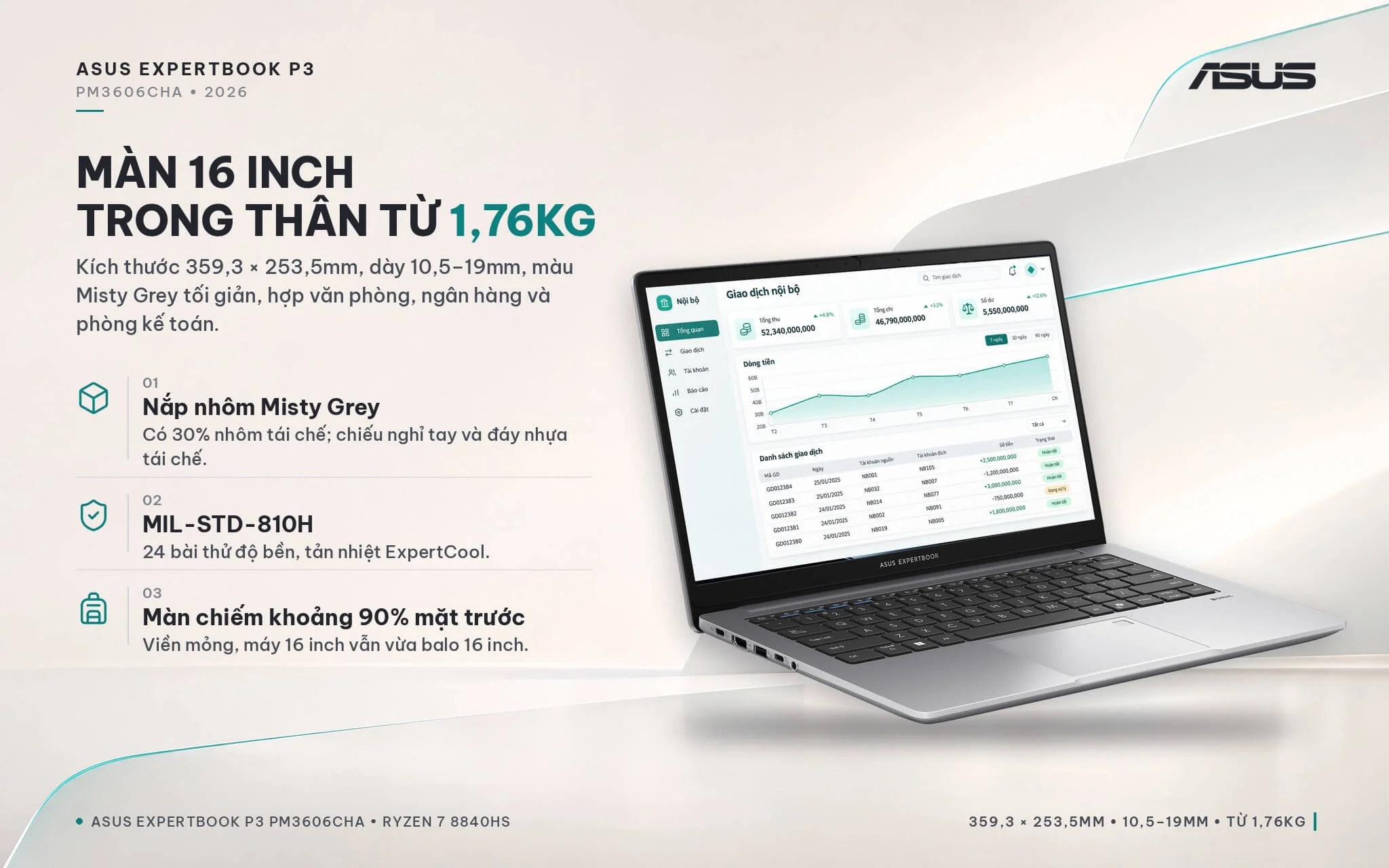
The laptop meets MIL-STD-810H military durability standards across 24 test procedures and uses Asus's ExpertCool cooling system. Thanks to slim bezels and an approximately 90% screen-to-body ratio, it still fits standard 16-inch backpacks despite the 16-inch panel. At this weight, it works well parked on a desk and carried to meetings a few times a week; if you commute daily, the 14-inch version is lighter to carry. If you are shopping for an Asus laptop for office work that requires a large screen and a numeric keypad, the ExpertBook P3 lineup is well worth considering.
Asus ExpertBook P3 PM3606CHA 16-inch WUXGA display, 16:10 aspect ratio, anti-glare
The Asus ExpertBook P3 PM3606CHA (2026) features a 16-inch IPS display panel with WUXGA resolution (1920 x 1200), a 16:10 aspect ratio, a 60Hz refresh rate, 300 nits of brightness, and 45% NTSC color gamut coverage. Compared to a traditional 16:9 Full HD screen, the 16:10 ratio adds about 11% more vertical space, showing more Excel rows and document lines with less scrolling.
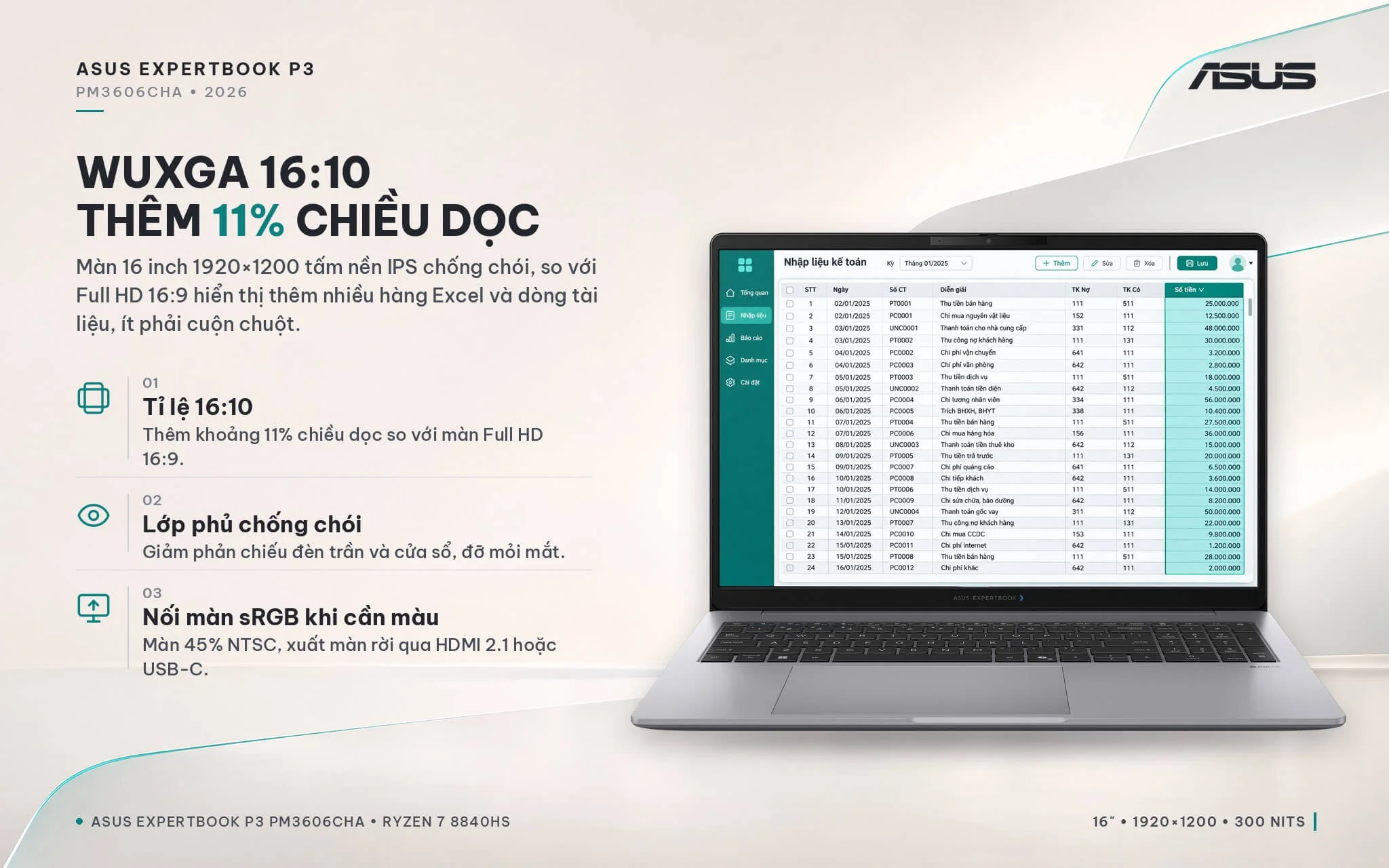
The anti-glare coating cuts down reflections from overhead fixtures and windows, reducing eye strain during long work sessions. The 300-nit brightness is plenty for indoor environments, though the screen will look a bit dim right next to a sunny window. With 45% NTSC coverage, colors are muted, making it unsuitable for print photo editing or color-critical video editing; if your work demands color accuracy, you should connect an external sRGB monitor through HDMI 2.1 or USB-C. While the ExpertBook P3 G2 series offers an optional 400-nit, 100% sRGB WQXGA display, the MB0082W configuration uses the WUXGA panel.
Asus ExpertBook P3 PM3606CHA Performance with AMD Ryzen 7 8840HS and Radeon 780M
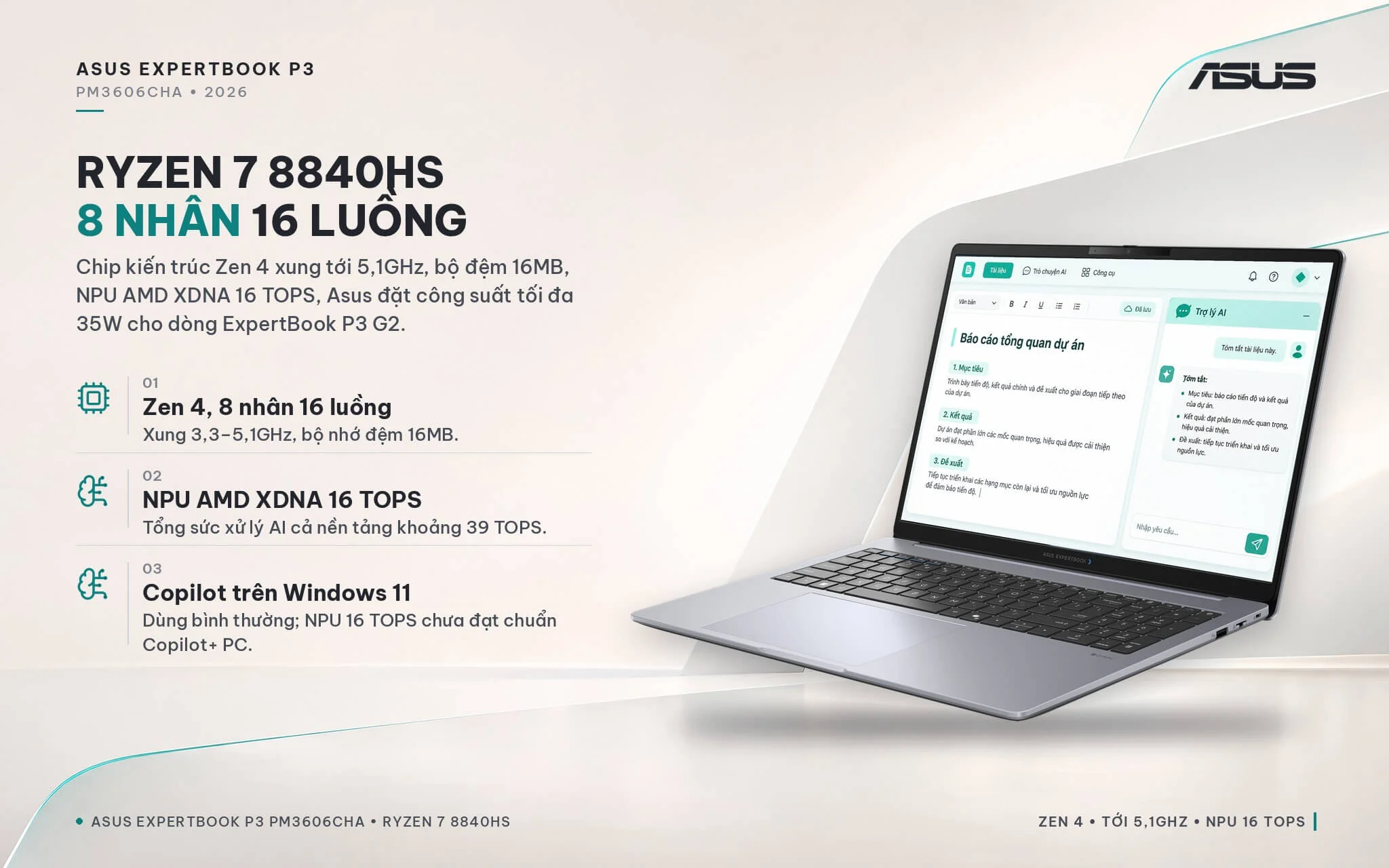
The AMD Ryzen 7 8840HS processor is built on the Zen 4 architecture, featuring 8 cores, 16 threads, a 3.3GHz base clock, up to 5.1GHz boost, a 16MB cache, and a 16 TOPS AMD XDNA NPU (bringing total platform AI compute to about 39 TOPS). Asus configures a maximum power limit of 35W for the ExpertBook P3 G2 lineup. Because it belongs to the Hawk Point generation, the machine is more affordable than models powered by Ryzen AI 300 chips; in return, the 16 TOPS NPU falls short of the Copilot+ PC standard (which requires over 40 TOPS), so the machine lacks exclusive Copilot+ PC AI features, while standard Copilot on Windows 11 works normally.
| CPU | Cinebench 2024 Single / Multi-Core | Geekbench 6 Single / Multi-Core |
|---|---|---|
| AMD Ryzen 7 8840HS (ExpertBook P3 PM3606CHA) | 99.6 / 677 | 2,552 / 11,279 |
| AMD Ryzen 7 260 (another ExpertBook P3 G2 option) | 104.6 / 990 | 2,673 / 13,299 |
| AMD Ryzen AI 7 350 (ExpertBook P3 PM3606CKA Copilot+) | 115.7 / 901 | 2,853 / 12,835 |
| Intel Core Ultra 5 225H (ExpertBook P3 P3606 Intel version) | 118.9 / 720 | 2,733 / 12,099 |
Source: Notebookcheck, average scores across laptops using the same processor, not measured specifically on the ExpertBook P3 PM3606CHA. Actual scores vary based on the manufacturer's configured power limits for each machine.
In single-core performance, the Ryzen 7 8840HS is about 14% slower than the Ryzen AI 7 350 and about 16% slower than the Core Ultra 5 225H; its Cinebench 2024 multi-core score is about 6% lower than the Core Ultra 5 225H. The Ryzen 7 260 shares the Zen 4 architecture, and its higher multi-core score in the table comes mainly from benchmarks on machines running at 45W. In everyday workloads, this difference is hard to notice: Word, multi-sheet Excel files, accounting software, ERP systems, browsers with dozens of open tabs, and Teams or Zoom calls all run smoothly; Photoshop, Lightroom, and basic short video cuts can still be handled at an entry level.
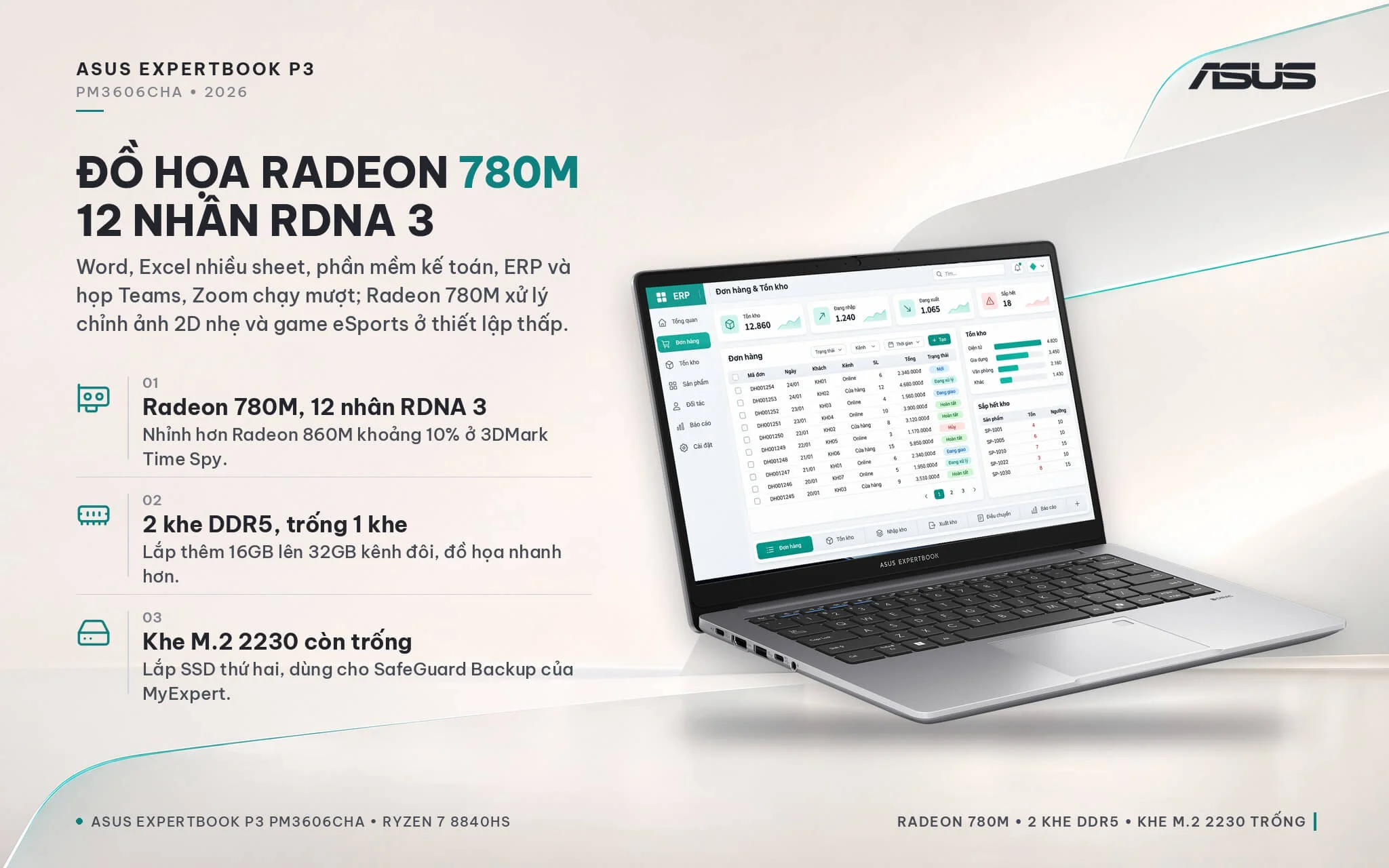
The integrated AMD Radeon 780M graphics features 12 RDNA 3 cores, making it a capable AMD iGPU in this class. Based on Notebookcheck averages, the Radeon 780M edges out the Radeon 860M found in the Ryzen AI 300 series by about 10% in 3DMark Time Spy, delivering nearly 1.5 times the performance of the 4-core Intel Graphics typically seen in office laptops. The machine handles 4K video playback, presentations, and light 2D photo editing well, and can run light eSports titles at low settings, though it cannot replace a discrete graphics laptop for 3D rendering or demanding gaming.
| GPU | 3DMark Time Spy Graphics | 3DMark Fire Strike Graphics |
|---|---|---|
| AMD Radeon 780M (ExpertBook P3 PM3606CHA) | 2,811 | 7,983 |
| AMD Radeon 860M (comes with Ryzen AI 7 350) | 2,552 | 6,908 |
| AMD Radeon 760M (reference) | 2,281 | 6,558 |
| Intel Graphics 4 cores (Meteor Lake / Arrow Lake, reference) | 1,902 | 4,973 |
Source: Notebookcheck, average scores across laptops using the same GPU. Because integrated GPUs share system RAM, performance depends heavily on whether memory runs in single-channel or dual-channel mode.
The machine features 2 DDR5 SO-DIMM slots; the MB0082W configuration comes with a single 16GB stick, leaving 1 empty slot. Since the Radeon 780M shares system RAM, running a single stick operates in single-channel mode, noticeably cutting graphics performance; adding an extra 16GB DDR5 5600MHz stick brings it to 32GB in dual-channel mode, speeding up graphics and making multitasking across several apps much more comfortable. According to Asus, the system supports up to 64GB (two 32GB sticks). A 512GB M.2 2280 PCIe 4.0 SSD occupies the primary slot, and there is an additional vacant M.2 2230 PCIe 4.0 slot for a second SSD, making it convenient to separate work files or store backups via the SafeGuard Backup feature in ASUS MyExpert.
Number pad, webcam with privacy shutter, fingerprint sensor, and ExpertGuardian security on the Asus ExpertBook P3 PM3606CHA
The Asus ExpertBook P3 PM3606CHA features a full-size chiclet keyboard with a dedicated number pad, 1.5 mm key travel, backlighting, and spill resistance (tested by Asus with 66 cc of water for 3 minutes). The number pad lets accountants and data-entry staff enter numbers quickly without an external keyboard, while the backlighting helps you work at night or in dimmed meeting rooms during presentations.
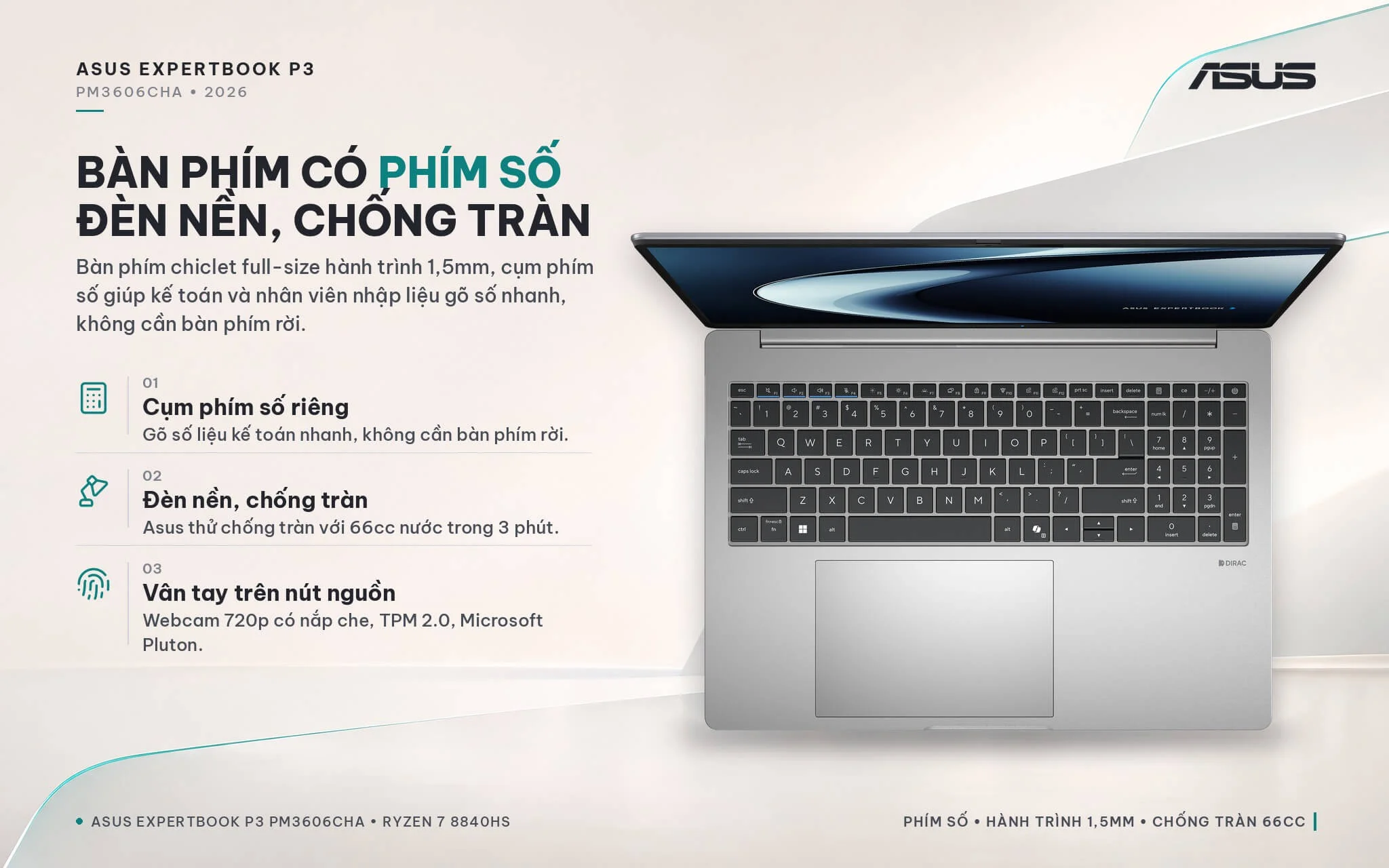
The 720p HD webcam features a physical privacy shutter, which is sufficient for internal meetings; if you meet with clients over video frequently, an external Full HD webcam is recommended for clearer video. It comes equipped with 2 speakers tuned by Dirac, a 2-microphone array, and Asus AI noise-canceling technology to keep voices clear during meetings in coffee shops or open offices. A fingerprint sensor integrated into the power button enables one-touch Windows Hello sign-in. The ASUS ExpertGuardian security suite includes a NIST SP 800-155 compliant BIOS, a TPM 2.0 chip, a Microsoft Pluton security processor, Secured-core PC compliance, a Kensington Nano lock slot, and a 5-year commitment to BIOS and driver updates from Asus.
Ports and battery on the Asus ExpertBook P3 PM3606CHA: USB4, HDMI 2.1, RJ45 LAN, Wi-Fi 7, 50Wh battery
The Asus ExpertBook P3 PM3606CHA (2026) features 1 USB4 Type-C port and 1 USB-C 3.2 Gen 2 port, both supporting display output and charging, alongside 2 USB-A 3.2 Gen 1 ports (1 supporting BC1.2 charging), 1 HDMI 2.1 port, 1 Gigabit RJ45 LAN port, a 3.5 mm audio jack, and a Kensington Nano lock slot. Compared to the Copilot+ version of the ExpertBook P3 PM3606CKA, which only offers 2 USB-C 3.2 Gen 2 ports, the G2 version adds a USB4 port for connecting docks, high-speed external drives, or external monitors.
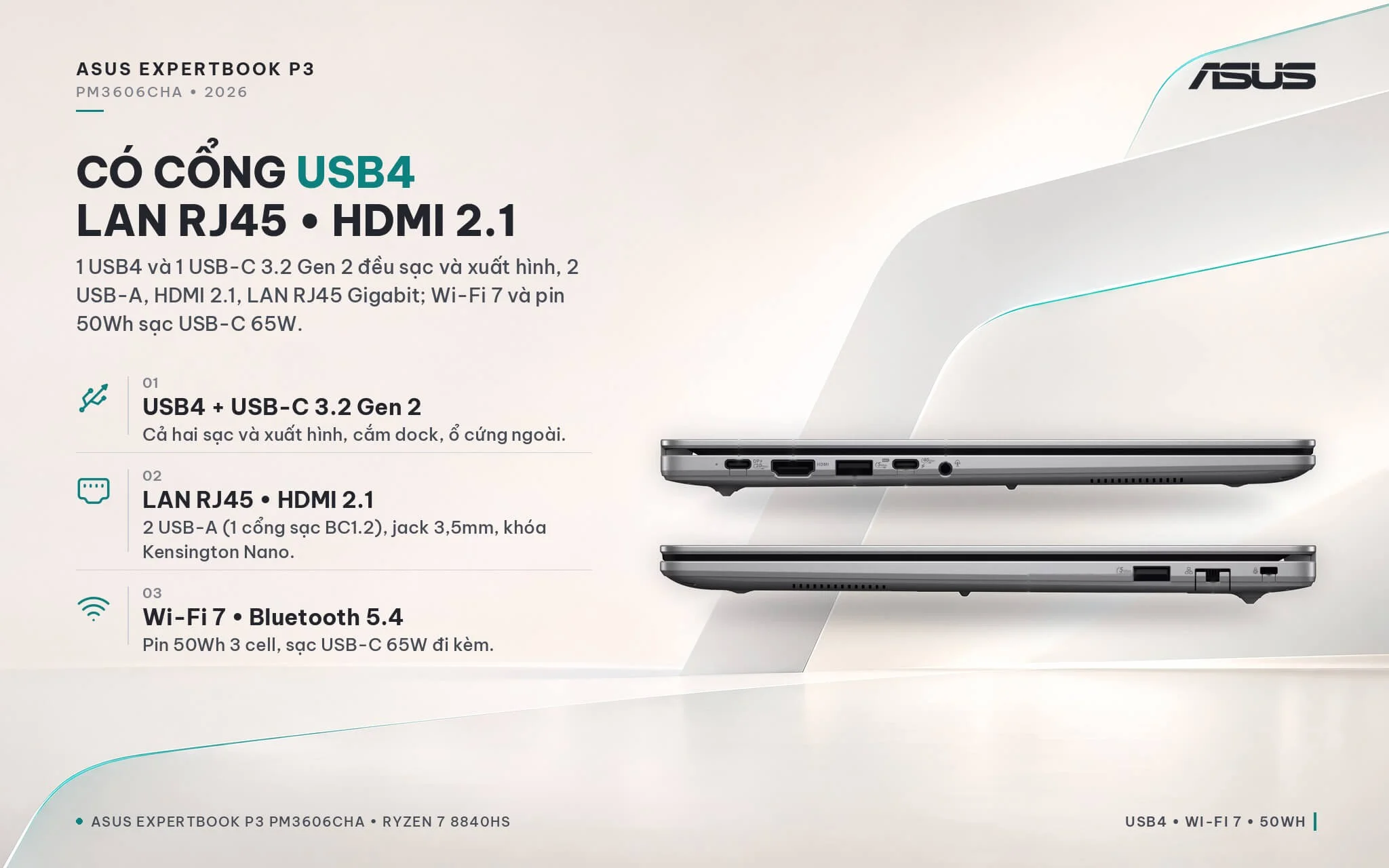
Wireless connectivity includes tri-band 2x2 Wi-Fi 7 and Bluetooth 5.4. The built-in LAN port is very convenient for offices using a wired connection, accounting software, or an on-premises (local) server, eliminating the need to carry an adapter. The 3-cell 50Wh battery charges via the included 65W USB-C charger; while the P3 G2 lineup offers a 70Wh battery variant, model MB0082W uses the 50Wh battery. For a 16-inch display, this capacity is only average, so if you attend meetings or work offsite all day, you should carry the charger or use a power bank supporting 65W USB-C PD.
Overview and Review: Asus ExpertBook P3 PM3606CHA (2026)
The Asus ExpertBook P3 PM3606CHA (2026) is a 16-inch business laptop combining an 8-core, 16-thread AMD Ryzen 7 8840HS processor, Radeon 780M graphics, 16GB of upgradeable DDR5 RAM, a 512GB SSD with an available M.2 slot, an anti-glare 16:10 display, a backlit number pad, and a full set of ports including USB4, HDMI 2.1, LAN, and Wi-Fi 7. The machine meets the MIL-STD-810H durability standard and includes a fingerprint sensor, TPM 2.0, and the ExpertGuardian security suite. It suits accountants, HR and administrative staff, sales professionals, and small business owners who need a durable, easily upgradeable primary work machine.
Things to consider: the 45% NTSC, 300-nit display is only suitable for office tasks; if you edit photos or do graphic design, you should connect to a color-accurate external monitor. The 720p webcam is basic, so you can add an external webcam when you frequently meet with clients. The 50Wh battery does not last long on a 16-inch machine, so be sure to bring the 65W USB-C charger when you are out all day. The RAM is installed as a single module running in single-channel mode, so adding a second 16GB stick will speed up graphics performance. With a 16 TOPS NPU, this is not a Copilot+ PC; if you need the latest Windows AI features, choose a version powered by Ryzen AI.
If you need to compare additional 14-inch configurations, Intel versions, or Copilot+ PC models, explore the selection in the Asus ExpertBook category to match your exact needs and budget.
| Pros | Cons |
|---|---|
|
|
FAQ - Frequently Asked Questions About the Asus ExpertBook P3 PM3606CHA (2026)
1. How does the ExpertBook P3 PM3606CHA differ from the PM3606CKA?
2. Is the Ryzen 7 8840HS enough for office work and accounting?
3. Is this laptop a Copilot+ PC?
4. Can the RAM and SSD be upgraded?
5. Can this laptop handle gaming or graphics work?
6. What support is included when buying from Hung Phat Laptop?
Where to Buy Genuine Asus ExpertBook P3 PM3606CHA (2026) at a Great Price?
Whether you need a 16-inch laptop with a dedicated numeric keypad for your accounting department or are outfitting your team across the office, Hung Phat Laptop takes the time to understand your daily software requirements. We will advise whether adding RAM for dual-channel performance or installing a second SSD is right for your workflow, and provide detailed side-by-side comparisons with Intel or Copilot+ PC models if you are weighing your options.
Every laptop is a genuine product backed by a full invoice and a 24-month manufacturer warranty, along with a 30-day replacement policy for any manufacturer defects. Our technicians are ready to install additional RAM and SSDs into the open slots whenever you need. Benefit from long-term technical support and reliable nationwide delivery. Order your Asus ExpertBook P3 PM3606CHA today at Hung Phat Laptop.
Performance & benchmarks Asus ExpertBook P3 PM3606CHA (2026)
AMD Ryzen 7 8840HS AMD Radeon 780M - best for Office 8.5/10, Programming 7.5/10.
AMD Ryzen 7 8840HS
- Cinebench R23 (multi-core)13,082
- Geekbench 6 (multi-core)11,279
- Geekbench 6 (single-core)2,552
- PassMark24,513
- NPU (AI)16 TOPS
- Cores / Threads8/16
AMD Radeon 780M
- 3DMark Time Spy2,810.5
- 3DMark Fire Strike7,982.5
- ArchitectureRDNA 3
Best for
Scored from real benchmarks- Gaming3/10
- Video / Graphics4/10
- Programming7.5/10
- Office8.5/10
Why does the CPU matter?
The CPU is the "brain" that handles every task: launching apps, multitasking, compiling code and editing video. The stronger the CPU, the faster and smoother the laptop runs when you juggle many things at once.
- BasicThis product
Web browsing, streaming and light office work.
- MainstreamThis product
Office work, moderate multitasking and studying.
- Mid-rangeThis product
Solid multitasking, programming and light graphics work.
- StrongThis product
Video editing, heavy programming, virtualization and gaming.
- FlagshipThis product
Heavy rendering, 4K/8K editing, virtual machines and AI workloads.
Why does the GPU matter?
The GPU (graphics card) handles visuals: gaming, video editing, 3D rendering and AI acceleration. The stronger the GPU, the higher your frame rates and the faster your video exports.
- Basic (iGPU)This product
Smooth display, 4K video and very light games (League of Legends, Valorant on low).
- MainstreamThis product
1080p eSports gaming, photo editing and light video editing.
- Mid-rangeThis product
1080p gaming on medium-high settings and smooth Full HD video editing.
- StrongThis product
1080p/1440p gaming on high settings, 4K video editing and 3D rendering.
- FlagshipThis product
4K/240Hz gaming, ray tracing, heavy rendering and AI.
Game performance
Real FPS - FHD- Dota 273 fps1080p Ultra
- CS248 fps1080p High
- GTA V62 fps1080p High
- CoD: Black Ops 640 fps1080p Low
- Battlefield 635 fps1080p Low
- Star Wars Outlaws14 fps1080p Low
- Black Myth: Wukong25 fps1080p Low
- God of War Ragnarök25 fps1080p Low
- Final Fantasy XVI16 fps1080p Low
- Cyberpunk 207741 fps1080p Low
≥60fps very smooth30-60fps playable<30fps lower the settings
Local AI performance
Tokens/second running locally on GPU- Gemma 4 E2B IT5.6 GB · ctx 256K11 tok/sDecent
- GLM-4 9B5.1 GB · ctx 128K12 tok/sDecent
- Gemma 4 E4B4.6 GB · ctx 256K14 tok/sDecent
- Ministral 8B4.6 GB · ctx 32K14 tok/sDecent
- Qwen 3.5 4B4.6 GB · ctx 32K14 tok/sDecent
- DeepSeek R1 Distill 7B4.1 GB · ctx 64K15 tok/sRuns well
- Gemma 4 E2B3.1 GB · ctx 256K20 tok/sRuns well
- Qwen 3.5 2B2.5 GB · ctx 32K25 tok/sRuns well
- Phi-4 Mini Reasoning2.4 GB · ctx 16K26 tok/sRuns well
- Llama 3.2 3B2 GB · ctx 128K31 tok/sRuns well
- SmolLM3 3B2 GB · ctx 128K31 tok/sRuns well
- DeepSeek R1 1.5B1.3 GB · ctx 64K48 tok/sRuns great
- Qwen 3.5 0.8B1.3 GB · ctx 32K48 tok/sRuns well
- TinyLlama 1.1B1.1 GB · ctx 2K57 tok/sRuns well
- Llama 3.2 1B1 GB · ctx 128K63 tok/sRuns well
- Gemma 2 9B5.1 GB · ctx 8K12 tok/sDecent
- Nemotron Nano 9B v25.1 GB · ctx 128K12 tok/sDecent
- Llama 3.1 8B4.6 GB · ctx 128K14 tok/sDecent
- Qwen 3 8B4.6 GB · ctx 128K14 tok/sDecent
- Mistral 7B v0.34.1 GB · ctx 32K15 tok/sRuns well
- Qwen 2.5 7B4.1 GB · ctx 128K15 tok/sRuns well
- Qwen 2.5 Coder 7B4.1 GB · ctx 128K15 tok/sRuns well
- Qwen 3 4B2.5 GB · ctx 32K25 tok/sRuns well
- Gemma 3 4B2.5 GB · ctx 128K25 tok/sRuns well
- Phi-3.5 Mini2.4 GB · ctx 128K26 tok/sRuns well
- Gemma 2 2B1.5 GB · ctx 8K42 tok/sRuns great
- Qwen 3 1.7B1.4 GB · ctx 32K45 tok/sRuns great
- Qwen 2.5 Coder 1.5B1.3 GB · ctx 32K48 tok/sRuns great
- Qwen 3 0.6B1.1 GB · ctx 32K57 tok/sRuns well
- Gemma 3 1B1 GB · ctx 32K63 tok/sRuns well
GreatWellDecent4-bit quantized, ctx = context window
No comments yet
Q&A about Asus ExpertBook P3 PM3606CHA (2026)
Frequently asked questions about Asus ExpertBook P3 PM3606CHA (2026)
What are the specifications of Asus ExpertBook P3 PM3606CHA (2026)?
What is the warranty for Asus ExpertBook P3 PM3606CHA (2026)?
Is Asus ExpertBook P3 PM3606CHA (2026) genuine?
Can I buy Asus ExpertBook P3 PM3606CHA (2026) with home delivery?
Worth a Look
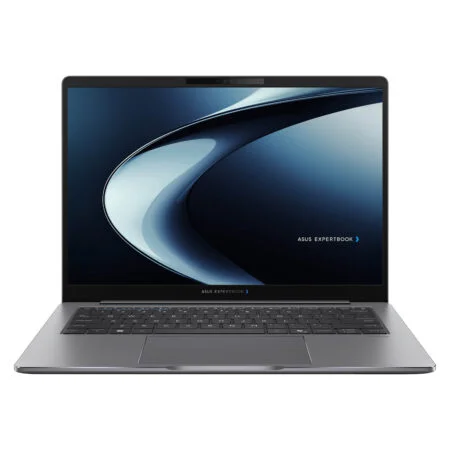
Asus ExpertBook P5 P5405CAA (2026)
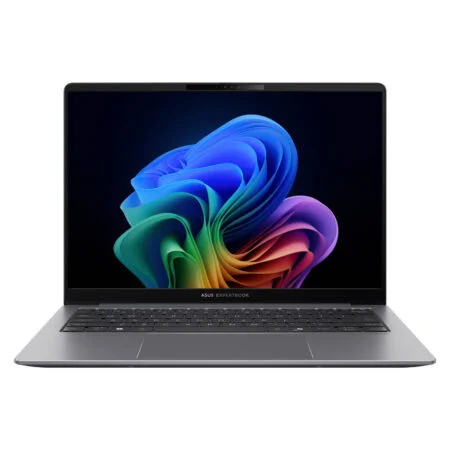
Asus ExpertBook P5 P5405CSA (2024)
 2 configurations
Asus ExpertBook B9 B9406CAA (2026)
 2 configurations
Asus ExpertBook P3 G1 P3606CCAP (2026)


Cao Bảo Nghĩa 21 giờ trước
Màn hình 16 inch có tỉ lệ 16:10 nên làm Excel hay đọc tài liệu nhìn thích lắm, không phải cuộn chuột nhiều.