

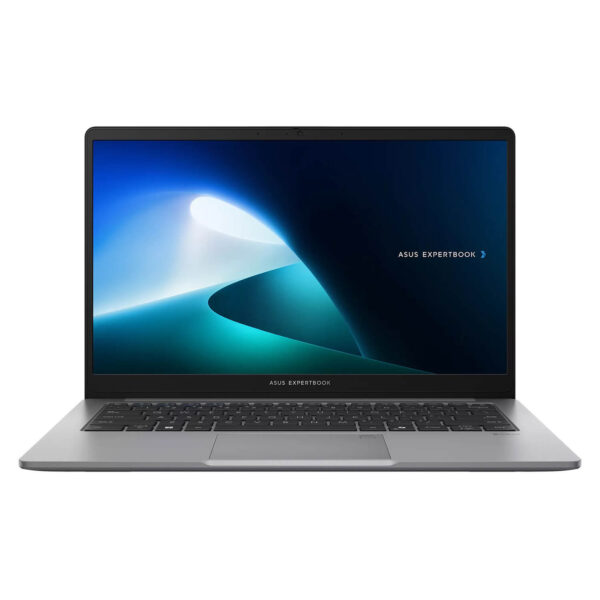
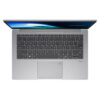
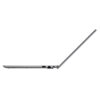
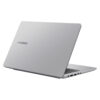
Asus ExpertBook P1 - P1403 14" (2024)
- CPU: Intel Core i5 13420H Up To 4.6GHz (8 Cores, 12 Threads, 12MB Cache)
- RAM: DDR5 16GB 4800MHz
- SSD: 512GB PCIe Gen4 M.2 SSD
- VGA: Intel® UHD Graphics
- DISPLAY: 14" FHD (1920*1080) IPS, 60Hz, Anti-glare, LED Backlit, 300nits
- CONDITION: New 100% Full Box
- WARRANTY: Bảo hành Chính hãng 24 tháng
- Sleek Design, Military-Grade Durability
- Superior Business Performance with 13th Gen Intel Core
- Sharp Wide-Angle Display with Eye Protection
- Keyboard & Touchpad on the Asus ExpertBook P1 - P1403 (2024)
- Comprehensive and Diverse Connectivity
- Enterprise-Grade Security - Data Safety
- Thermal Management & Battery Life on the Asus ExpertBook P1 - 14 inch
- Summary and Quick Review: Asus ExpertBook P1 - P1403 (2024)
- Where to buy the Asus ExpertBook P1 - P1403 (2024) with reliable service and great prices?
Asus ExpertBook P1 14 inch is a standout representative in the mid-range enterprise laptop segment, helping professionals and students maximize productivity on the go. This device impresses with a blend of sophisticated design and military-grade durability. This in-depth review of the Asus ExpertBook P1 (P1403) breaks down its powerful configuration, featuring 13th Gen Intel processors and advanced data security. With impressive technical specifications, it is the ideal choice for users requiring stable performance and the resilience to handle every daily task.
Sleek Design, Military-Grade Durability
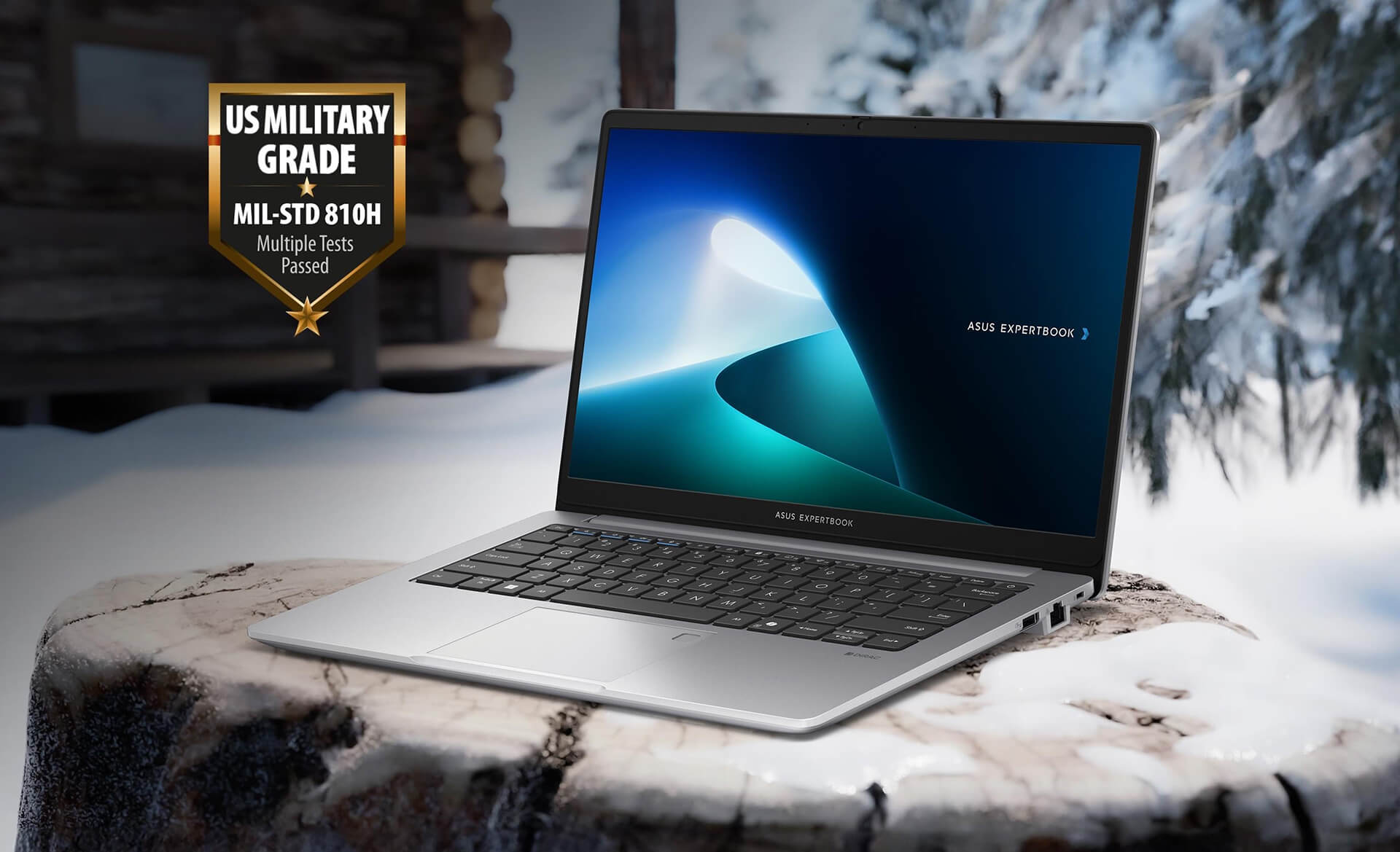
The Asus ExpertBook P1 14 inch features a refined and modern design language, fully meeting the rigorous durability standards required by organizations and individual users alike. The chassis is crafted from premium alloy with a compact footprint of 32.45 x 21.44 x 1.97 cm. It has earned MIL-STD-810H military-grade certification, providing effective resistance against physical impacts such as drops or scratches. Weighing in at an ideal 1.4 kg, this laptop allows professionals to carry it easily during commutes or while working in demanding environments, ensuring absolute peace of mind.
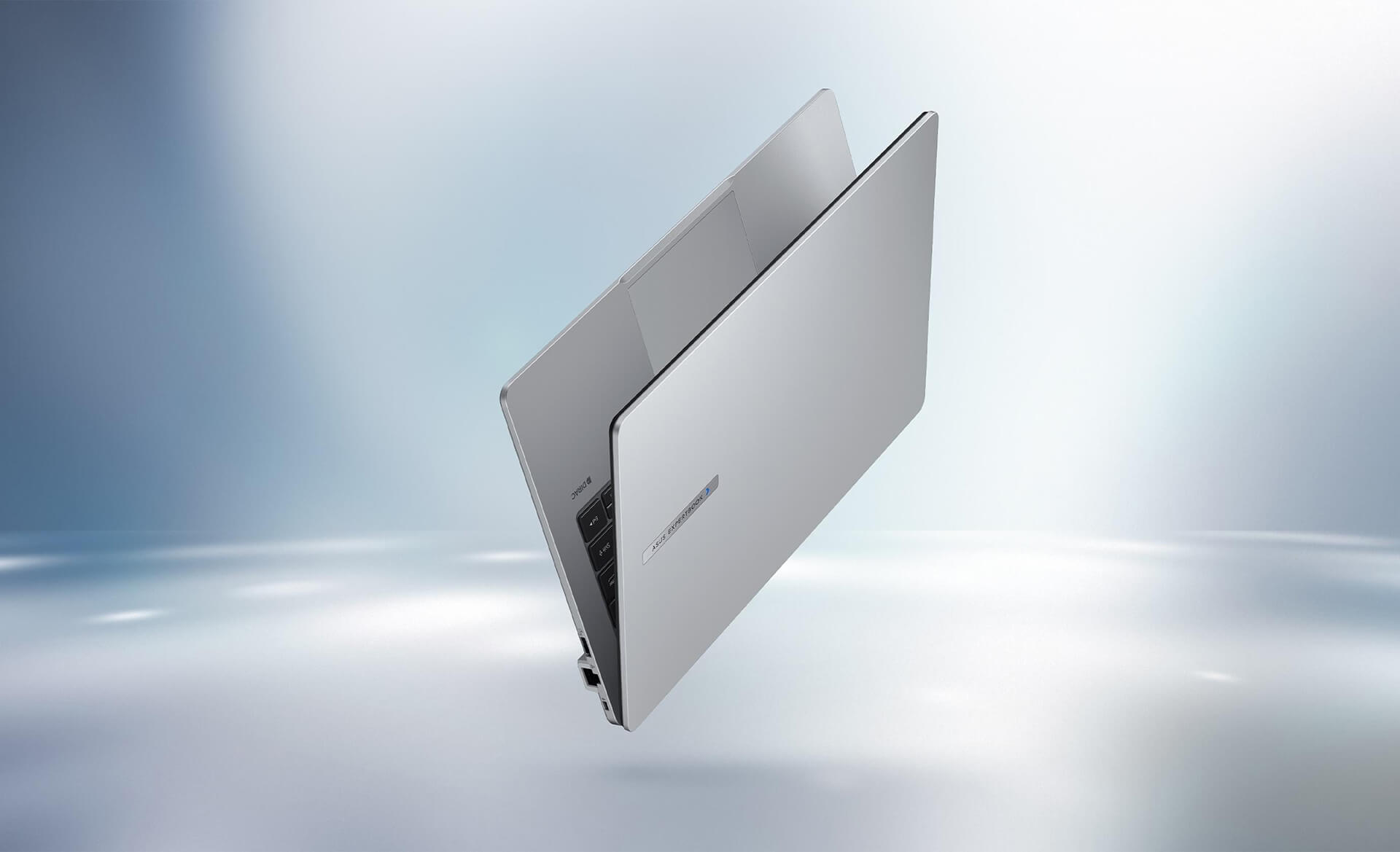
The Asus ExpertBook P1 (P1403) makes a strong visual impression thanks to its premium finish, which offers superior resistance to dust and scratches. Its minimalist yet elegant design philosophy makes this model a symbol of durability and class in the mid-range business laptop segment. The perfect combination of sustainable materials, versatile physical dimensions, and high aesthetics not only elevates the user's style but also makes the product a long-term investment, ready to support businesses in any professional scenario.
Superior Business Performance with 13th Gen Intel Core
The Asus ExpertBook P1 delivers impressive performance powered by 13th Gen Intel Core processors, effortlessly handling everything from basic office tasks to complex graphics and engineering applications. With the presence of the 13th Gen Intel Core i7 chip, the device significantly optimizes multitasking, allowing for stable performance even when running multiple heavy software programs simultaneously. This business laptop is designed to boost productivity and save data processing time thanks to advanced CPU architecture with efficient power management, perfectly meeting the needs of project managers and data analysts.
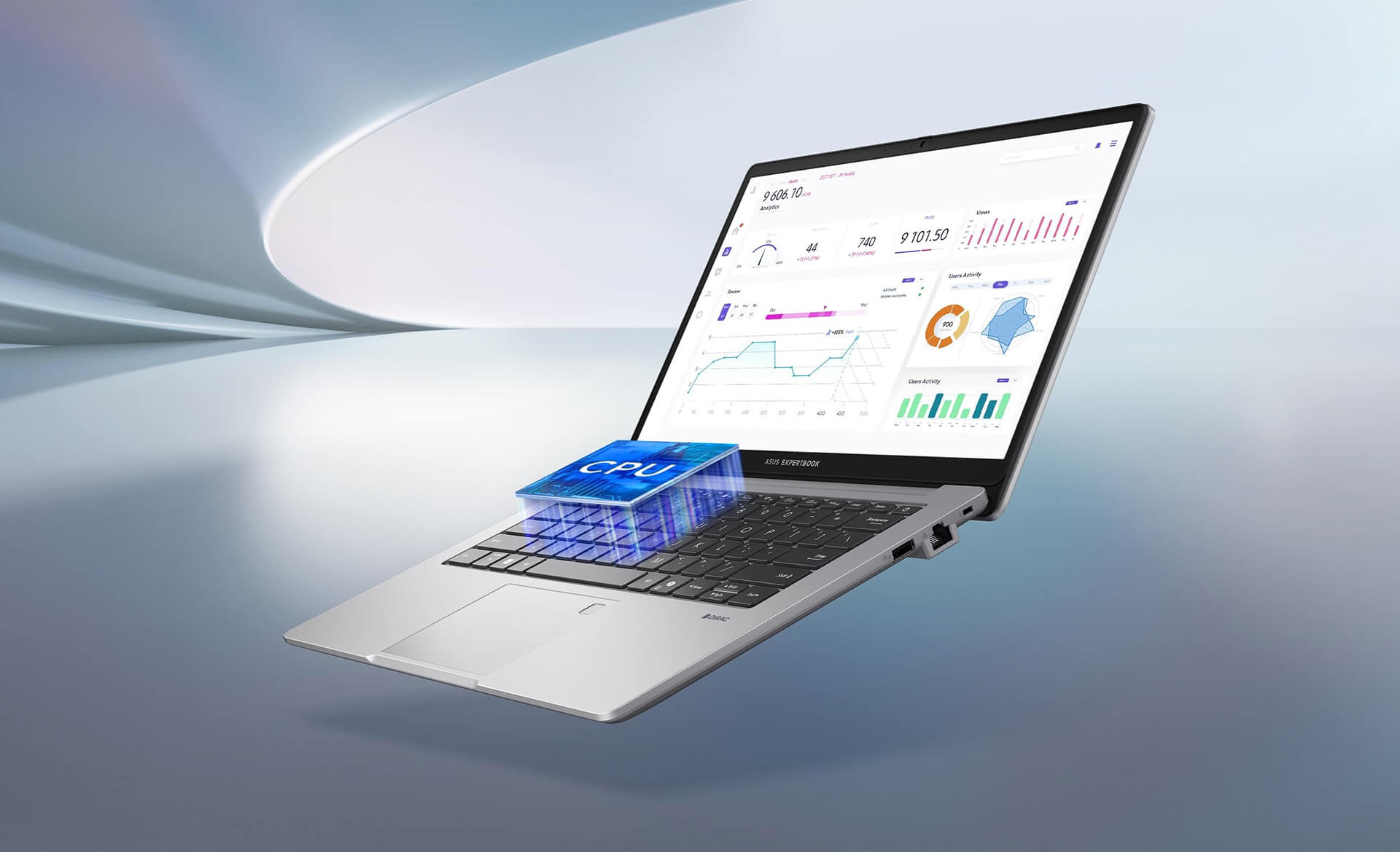
The hardware standout of the Asus ExpertBook P1 (P1403) is its upgradeability, supporting up to 64GB DDR5 RAM combined with a 1TB SSD RAID 0 storage solution, completely removing barriers regarding access speed or limited storage space. The system is further enhanced by AI ExpertMeet2 technology, which automatically fine-tunes performance based on the user's actual work context. With powerful configuration and a lightweight build, the Asus ExpertBook P1 14 inch becomes a powerful tool for light graphic design, establishing itself as a durable and reliable choice for any modern business environment.
Sharp Wide-Angle Display with Eye Protection
The display on the Asus ExpertBook P1 14 inch (2024) plays a central role in establishing a professional workspace, maintaining clarity and comfort during continuous operation. The device features sharp visuals with true-to-life colors on a 14-inch screen, paired with an anti-glare coating to optimize the viewing experience in various lighting conditions. A valuable technical highlight is the inclusion of eye-protection technologies, such as blue light filtering and flicker-free technology, which minimize eye strain for business professionals or specialists who spend long hours in front of a screen, demonstrating a special focus on user health.
Collaboration on the Asus ExpertBook P1 (P1403) is elevated by a panel with up to 178-degree wide viewing angles, ensuring that images and colors remain undistorted when viewed from the sides-extremely useful for presentations or group meetings. Standardized display quality makes online conferences more vivid, providing great support for both creative activities and student learning. With the combination of high resolution and health-support features, this laptop's screen is an ideal tool for enhancing work and study efficiency in the digital age.
Keyboard & Touchpad on the Asus ExpertBook P1 - P1403 (2024)
The input system on the Asus ExpertBook P1 (P1403) is ergonomically optimized with a keyboard that offers ideal travel and tactile feedback, ensuring precision during typing. The scientific key layout helps reduce errors, complemented by a backlight that helps professionals maintain productivity in low-light environments. This attention to detail reduces hand fatigue, making this laptop a powerful tool for important daily tasks.
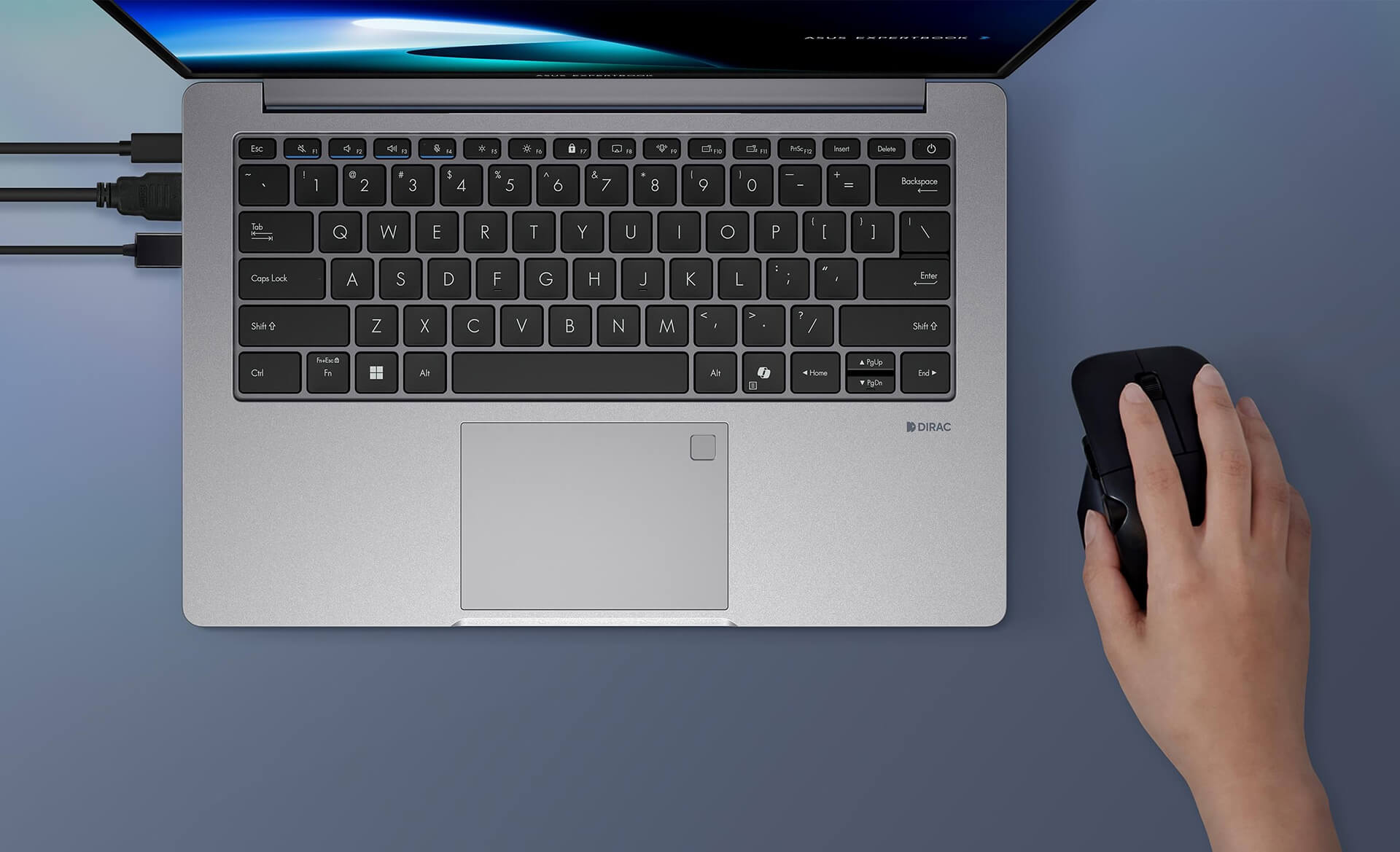
The TouchPad of the Asus ExpertBook P1 14 inch is spacious, supporting multi-point gestures and incredibly smooth multitasking navigation. A key highlight is the integrated fingerprint sensor, which enables rapid authentication and prevents unauthorized access to internal data. The combination of responsive hardware and biometric security provides a secure working experience, making it particularly suitable for professionals handling highly sensitive information.
Comprehensive and Diverse Connectivity
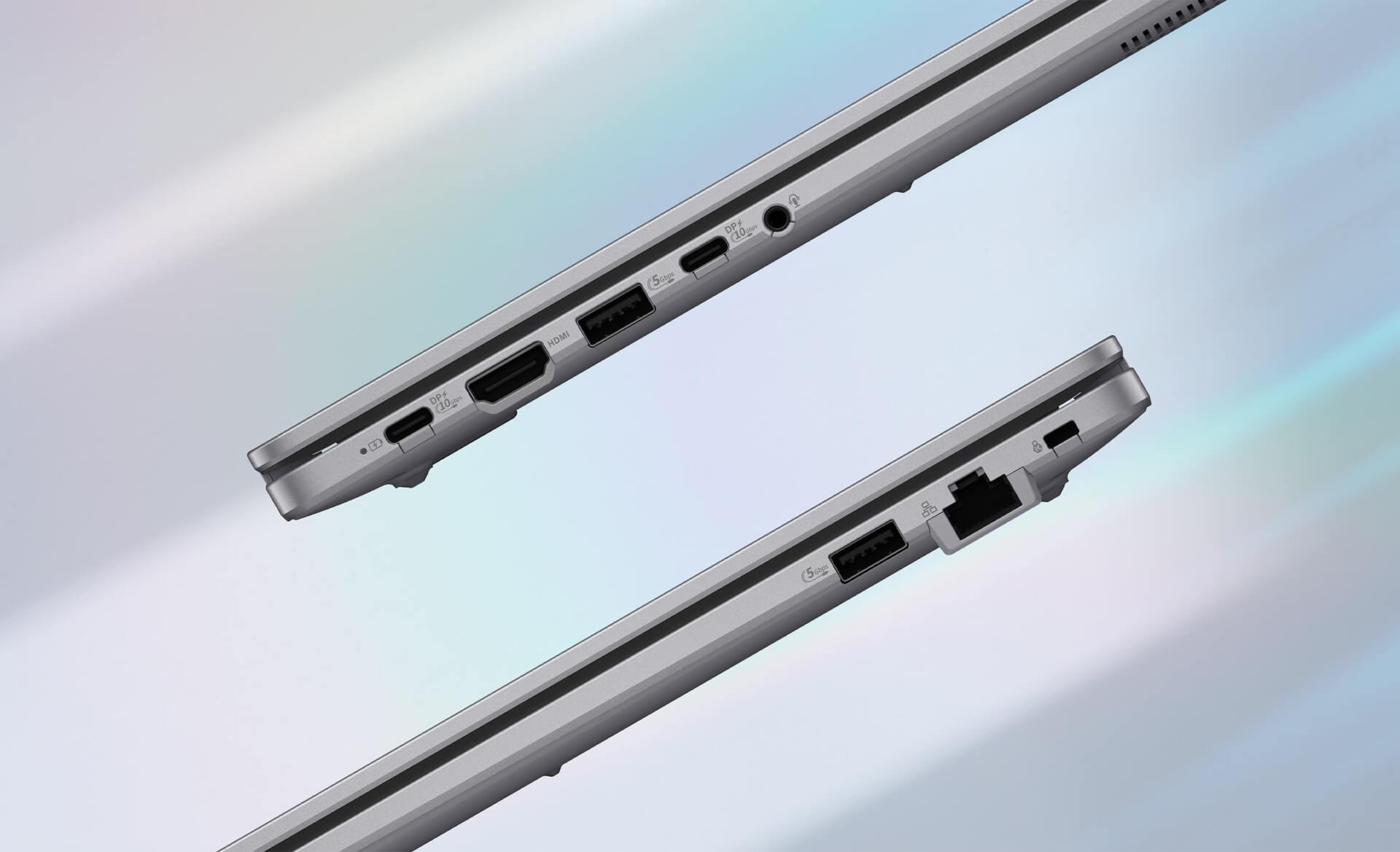
The Asus ExpertBook P1 14 inch (2024) features an extremely complete set of physical ports, fully meeting the needs for peripheral expansion and projection in modern office environments. The device comes equipped with standard connectivity ports such as HDMI, USB Type-C, USB 3.2, and USB 2.0, along with a card reader and a combo audio jack, allowing professionals to easily access and transfer data in any situation. This flexible compatibility turns this business laptop into a powerful data hub, effectively serving online meetings, presentations, or intensive office tasks without the need for complex adapters.
Wireless connectivity on the Asus ExpertBook P1 (P1403) has also been upgraded with Wi-Fi 6E and Bluetooth 5.2, ensuring high bandwidth and stable large file transfer speeds. This technology optimizes remote work experiences and content streaming, completely eliminating latency issues during critical online conferences. The combination of modern connectivity protocols and high mobility makes the product a perfect fit for professionals and students, driving uninterrupted productivity across various environments, from offices to classrooms.
Enterprise-Grade Security - Data Safety
The Asus ExpertBook P1 sets strict security standards to provide maximum protection for both organizational and individual digital assets. The device integrates a one-touch fingerprint sensor and a dedicated TPM 2.0 chip for hardware-level data encryption. The BIOS system complies with the NIST SP 800-155 standard, creating a solid barrier against cyberattacks and unauthorized access, helping to minimize the risk of losing critical information during daily operations.
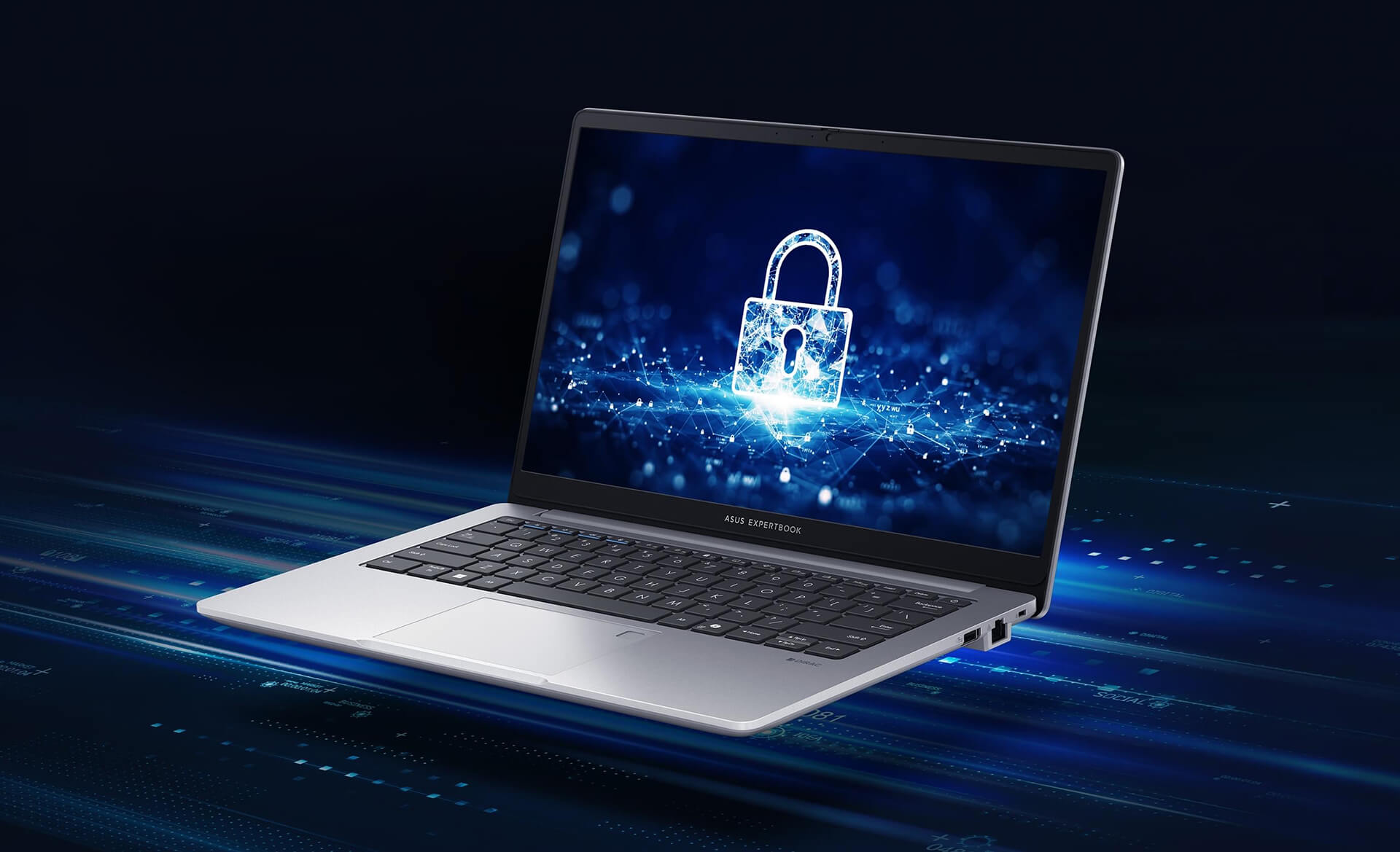
In addition to software security, the Asus ExpertBook P1 14 inch (2024) emphasizes physical protection with its superior scratch-resistant chassis. The combination of security protocols and durable design confirms that this is the ideal business laptop for those who prioritize privacy. For organizations and professional users, this model is a reliable security solution for maintaining absolute information stability and security in any work environment.
Thermal Management & Battery Life on the Asus ExpertBook P1 - 14 inch
The Asus ExpertBook P1 utilizes the ExpertCool thermal system to optimize airflow, helping the CPU and GPU maintain stable temperatures during high-intensity processing. This cooling technology, combined with premium thermal materials, helps prevent performance throttling and extends component lifespan. This is a key factor that allows the business laptop to operate durably, providing peace of mind for professionals during continuous work sessions.
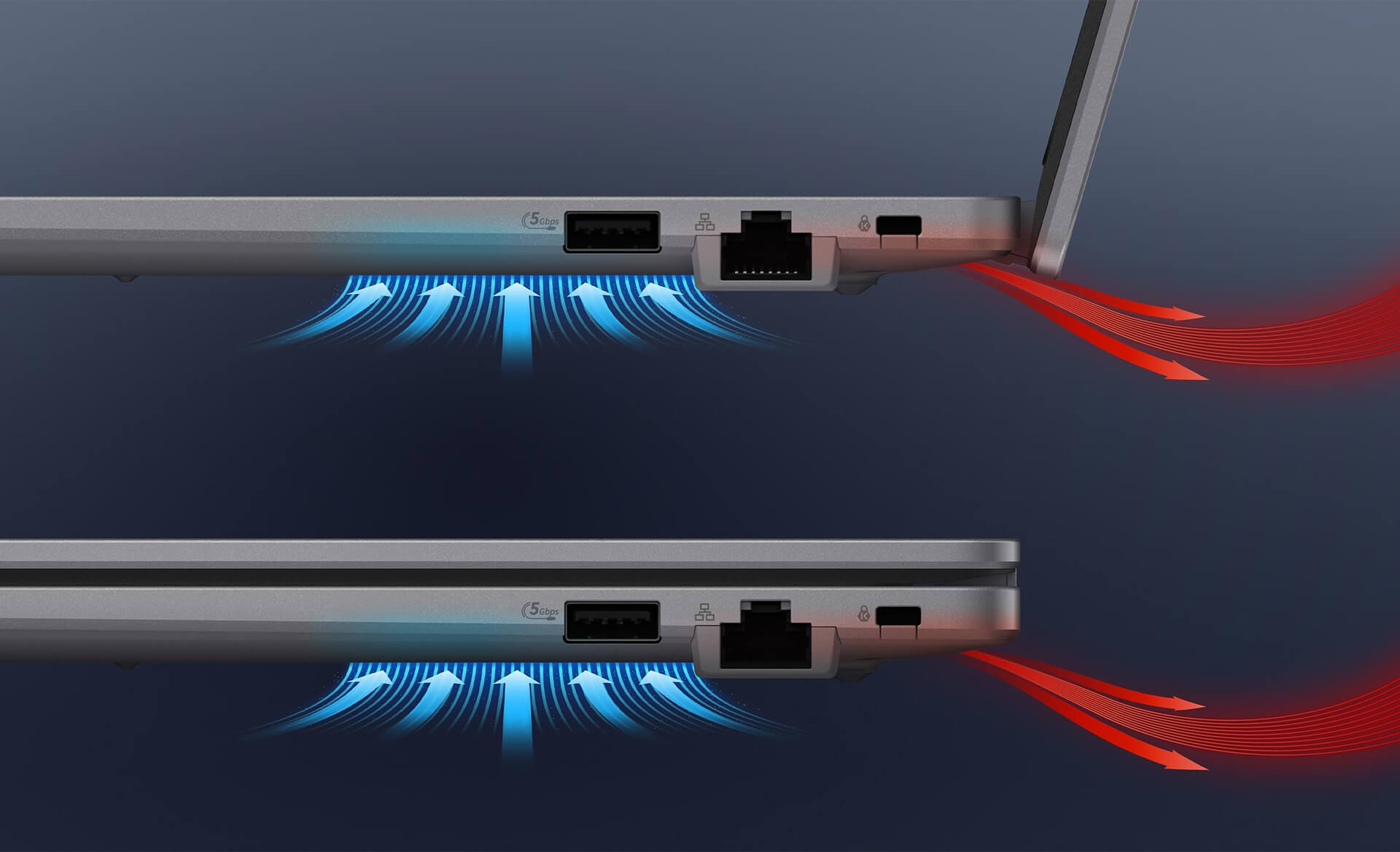
The battery life of the Asus ExpertBook P1 14 inch can last nearly an entire workday thanks to intelligent power management, making it highly suitable for professionals on the move. The intersection of efficient cooling and stable power ensures an uninterrupted experience. As a result, users can maximize productivity and work flexibly in any situation without worrying about overheating or power supply issues.
Summary and Quick Review: Asus ExpertBook P1 - P1403 (2024)
The Asus ExpertBook P1 P1403 14 inch establishes itself as the most worthwhile mid-range business laptop of 2024, thanks to the perfect combination of military-grade durability and powerful performance from the 13th Gen Intel Core processor. The device features a sharp display, comprehensive connectivity, and optimized security solutions, helping to maximize data protection and enhance the user experience in professional environments. With efficient thermal management, long-lasting battery life, and flexible memory expansion options, the Asus ExpertBook P1 (P1403) is the ideal choice for businesses, students, and individuals who prioritize mobility while still requiring high performance for work and personal interests.
A key technological highlight of this laptop is the integration of advanced AI solutions like ExpertMeet2, which supports automatic meeting content summarization and multi-language translation, optimizing remote work efficiency and international collaboration. These smart features not only increase productivity but also affirm the product's superior technological value in the era of digital transformation. With a competitive price point and reputable after-sales service, the Asus ExpertBook P1 is truly a wise investment, providing long-term benefits for both individuals and organizations in their information security strategies and high-performance goals.
| Pros | Cons |
|---|---|
|
|
1. Who is the Asus ExpertBook P1 14 inch (P1403) suitable for?
The Asus ExpertBook P1 14 inch (P1403) is designed for business professionals, office workers, students, and power users who need a lightweight, durable laptop with stable performance for daily work and study.
2. Is the durability of the Asus ExpertBook P1 actually good?
Yes. The device has earned US military-grade MIL-STD-810H certification, helping it withstand drops, vibrations, and harsh environmental conditions. This is a crucial standard for business-class laptops.
3. What kind of work can the 13th Gen Intel Core performance handle?
With 13th Gen Intel Core processors (up to Core i7), the Asus ExpertBook P1 smoothly handles advanced office tasks, multitasking, data processing, enterprise management software, and light graphics work.
4. Is the Asus ExpertBook P1 14 inch upgradeable?
Yes. The laptop supports up to 64GB DDR5 RAM and large-capacity NVMe SSDs (with RAID 0 support), helping to meet long-term performance expansion needs.
5. Is the Asus ExpertBook P1 screen suitable for long-term work?
The 14-inch screen is sharp, features 178-degree wide viewing angles, an anti-glare coating, and integrated blue light filtering and flicker-free technology. This helps reduce eye fatigue during long working hours.
6. Are the keyboard and touchpad on the Asus ExpertBook P1 comfortable to use?
The keyboard offers good travel, clear tactile feedback, a scientific layout, and a backlight for night work. The touchpad is large and smooth, supporting multi-point gestures and featuring a convenient integrated fingerprint sensor.
7. Does the Asus ExpertBook P1 have enough ports for business?
Yes. The laptop is equipped with HDMI, USB Type-C, USB 3.2, USB 2.0, an audio jack, and modern wireless connections like Wi-Fi 6E and Bluetooth 5.2, meeting all projection and peripheral expansion needs.
8. What security features does the Asus ExpertBook P1 include?
The laptop integrates a fingerprint sensor, a TPM 2.0 chip, and NIST SP 800-155 compliant BIOS, which helps encrypt data and protect the system against unauthorized access, making it ideal for business environments.
9. How are the thermal management and battery life of the Asus ExpertBook P1?
The ExpertCool thermal system helps the device maintain stable temperatures during high-intensity tasks. The battery is sufficient for nearly a full workday of office use thanks to intelligent power management.
10. Should I buy the Asus ExpertBook P1 14 inch (P1403) at Hung Phat Laptop?
Yes. Hung Phat Laptop provides genuine Asus ExpertBook products at competitive prices, with transparent warranties, lifetime technical support, and many attractive offers for both corporate and individual customers.
Where to buy the Asus ExpertBook P1 - P1403 (2024) with reliable service and great prices?
If you are looking for a business laptop that balances military-grade durability, stable 13th Gen Intel Core performance, and high-level security features, then the Asus ExpertBook P1 - P1403 (2024) at Hung Phat Laptop is your optimal solution. With over 10 years of experience in the industry, Hung Phat is committed to providing genuine products, guaranteed quality, transparent warranty policies, and free nationwide shipping.
Beyond our commitment to product quality and delivery, Hung Phat Laptop also offers lifetime technical consultation and exclusive deals when you purchase the Asus ExpertBook P1 - P1403 (2024). Contact us now to receive the best market prices and experience professional after-sales service from our team of highly experienced technicians.
Performance & benchmarks Asus ExpertBook P1 - P1403 14" (2024)
Intel Core i5-13420H Intel Iris Xe Graphics G7 80EUs - best for Văn phòng 8.5/10, Lập trình 6.5/10.
Intel Core i5-13420H
- Cinebench R23 (đa nhân)11,084
- Geekbench 6 (đa nhân)8,444
- Geekbench 6 (đơn nhân)2,254
- Cores / Threads8/12
Intel Iris Xe Graphics G7 80EUs iGPU
- 3DMark Time Spy1,181
- 3DMark Fire Strike4,048
- ArchitectureGen. 11 Ice Lake
Best for
Scored from real benchmarks- Chơi game2/10
- Dựng phim / Đồ hoạ3.5/10
- Lập trình6.5/10
- Văn phòng8.5/10
Why CPU matters
CPU là “bộ não” xử lý mọi tác vụ: mở ứng dụng, đa nhiệm, biên dịch, dựng phim. CPU càng mạnh, máy càng nhanh và mượt khi làm nhiều việc cùng lúc.
- Cơ bảnThis product
Lướt web, xem phim, soạn thảo văn phòng nhẹ.
- Phổ thôngThis product
Văn phòng, đa nhiệm vừa, học tập.
- Tầm trungThis product
Đa nhiệm tốt, lập trình, đồ hoạ nhẹ.
- Khá mạnhThis product
Dựng phim, lập trình nặng, ảo hoá, chơi game.
- Cao cấpThis product
Render nặng, biên tập 4K/8K, máy ảo, tác vụ AI.
Why GPU matters
GPU (card đồ hoạ) lo phần hình ảnh: chơi game, dựng video, render 3D và tăng tốc AI. GPU càng mạnh, khung hình game càng cao và xuất video càng nhanh.
- Cơ bản (iGPU)This product
Hiển thị mượt, xem phim 4K, game rất nhẹ (LMHT, Valorant mức thấp).
- Phổ thôngThis product
Game eSports 1080p, chỉnh ảnh, dựng video nhẹ.
- Tầm trungThis product
Game 1080p thiết lập trung-cao, dựng video Full HD ổn.
- Khá mạnhThis product
Game 1080p/1440p thiết lập cao, dựng video 4K, render 3D.
- Cao cấpThis product
Game 4K/240Hz, ray tracing, render & AI nặng.
Game performance
Real FPS - FHD- Dota 243 fps1080p Cao
- CS231 fps1080p Thấp
- GTA V71 fps1080p Trung bình
- CoD: Black Ops 615 fps1080p Thấp
- God of War Ragnarök14 fps1080p Thấp
- Cyberpunk 207715 fps1080p Thấp
🟢 ≥60fps rất mượt · 🟡 30-60fps chơi tốt · 🔴 <30fps cần giảm thiết lập
Local AI performance
Tokens/second running locally on GPU- Gemma 4 E2B IT5.6 GB · ctx 256K6.0 tok/sDecent
- GLM-4 9B5.1 GB · ctx 128K7.0 tok/sDecent
- Gemma 4 E4B4.6 GB · ctx 256K8.0 tok/sDecent
- Ministral 8B4.6 GB · ctx 32K8.0 tok/sDecent
- Qwen 3.5 4B4.6 GB · ctx 32K8.0 tok/sDecent
- DeepSeek R1 Distill 7B4.1 GB · ctx 64K9.0 tok/sRuns well
- Gemma 4 E2B3.1 GB · ctx 256K12 tok/sRuns well
- Qwen 3.5 2B2.5 GB · ctx 32K14 tok/sRuns well
- Phi-4 Mini Reasoning2.4 GB · ctx 16K15 tok/sRuns well
- Llama 3.2 3B2 GB · ctx 128K18 tok/sRuns well
- SmolLM3 3B2 GB · ctx 128K18 tok/sRuns well
- DeepSeek R1 1.5B1.3 GB · ctx 64K28 tok/sRuns great
- Qwen 3.5 0.8B1.3 GB · ctx 32K28 tok/sRuns well
- TinyLlama 1.1B1.1 GB · ctx 2K33 tok/sRuns well
- Llama 3.2 1B1 GB · ctx 128K36 tok/sRuns well
- Gemma 2 9B5.1 GB · ctx 8K7.0 tok/sDecent
- Nemotron Nano 9B v25.1 GB · ctx 128K7.0 tok/sDecent
- Llama 3.1 8B4.6 GB · ctx 128K8.0 tok/sDecent
- Qwen 3 8B4.6 GB · ctx 128K8.0 tok/sDecent
- Mistral 7B v0.34.1 GB · ctx 32K9.0 tok/sRuns well
- Qwen 2.5 7B4.1 GB · ctx 128K9.0 tok/sRuns well
- Qwen 2.5 Coder 7B4.1 GB · ctx 128K9.0 tok/sRuns well
- Qwen 3 4B2.5 GB · ctx 32K14 tok/sRuns well
- Gemma 3 4B2.5 GB · ctx 128K14 tok/sRuns well
- Phi-3.5 Mini2.4 GB · ctx 128K15 tok/sRuns well
- Gemma 2 2B1.5 GB · ctx 8K24 tok/sRuns great
- Qwen 3 1.7B1.4 GB · ctx 32K26 tok/sRuns great
- Qwen 2.5 Coder 1.5B1.3 GB · ctx 32K28 tok/sRuns great
- Qwen 3 0.6B1.1 GB · ctx 32K33 tok/sRuns well
- Gemma 3 1B1 GB · ctx 32K36 tok/sRuns well
🟢 Great · 🟡 Well · 🟠 Decent - 4-bit quantized, ctx = context window
No comments yet
Q&A about Asus ExpertBook P1 - P1403 14" (2024)
Frequently asked questions about Asus ExpertBook P1 - P1403 14" (2024)
What are the specifications of Asus ExpertBook P1 - P1403 14" (2024)?
What is the warranty for Asus ExpertBook P1 - P1403 14" (2024)?
Is Asus ExpertBook P1 - P1403 14" (2024) genuine?
Can I buy Asus ExpertBook P1 - P1403 14" (2024) with home delivery?
Worth a Look
 2 configurations
Asus ExpertBook P1 - P1503 15.6 inch (2024)
 2 configurations
Asus ExpertBook P3 - P3605 16-inch (2024)
 2 configurations
Asus ExpertBook P3 - P3405 14" (2024)
 2 configurations




Minh Triết 24/07/2026
The machine runs very smoothly thanks to the 13th Gen chip and 16GB RAM. The design is sturdy and premium, though the screen is slightly lacking in brightness.
Hoàng Nam 13/06/2026
The machine looks beautiful, feels solid in hand, and is thin and light, making it easy to carry to work. It runs smoothly; the 13th Gen configuration is truly powerful. Definitely worth the money.
Hữu Quân 04/05/2026Purchased at Hung Phat
It runs really smoothly, everyone! The screen is sharp and doesn't have any glare. The laptop is lightweight, making it extremely convenient to carry to work. Highly recommended!