

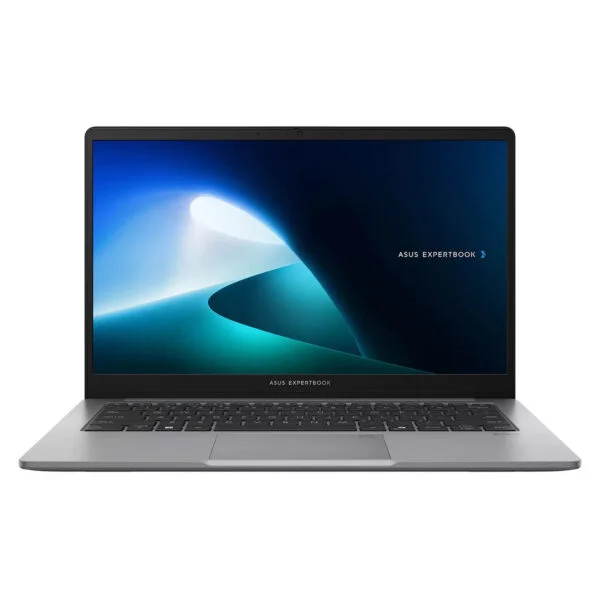
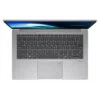
Asus ExpertBook P1 - P1403 14 inch (2025)
- CPU: Intel Core 5 210H Up To 4.8GHz (8 Cores, 12 Threads, 12MB Cache)
- RAM: DDR5 16GB 5200MHz
- SSD: 512GB PCIe Gen4 M.2 SSD
- VGA: Intel® Graphics
- DISPLAY: 14" FHD (1920*1080) IPS, 60Hz, Anti-glare, LED Backlit, 300nits
- OS: Windows 11 Home + Office Home 2024
- CONDITION: New 100% Full Box
- WARRANTY: 24-month official warranty
- Asus ExpertBook P1 - P1403 14 inch (2025) Design: Compact 1.4kg Build, MIL-STD 810H Durability
- Asus ExpertBook P1 - P1403 14 inch (2025) Display: FHD, Anti-Glare, 300 nits
- Asus ExpertBook P1 - P1403 14 inch (2025) Performance: Intel Core 5 210H, DDR5 RAM Upgradeable to 64GB
- Keyboard, Webcam, Speakers and Security on the Asus ExpertBook P1 - P1403 14 inch (2025)
- Asus ExpertBook P1 - P1403 14 inch (2025) Ports and Battery: RJ45 LAN, HDMI and 65W USB-C Charging
- Asus ExpertBook P1 - P1403 14 inch (2025) Overview and Verdict
- FAQ - Frequently Asked Questions About the Asus ExpertBook P1 - P1403 14 inch (2025)
- Where to Buy a Genuine Asus ExpertBook P1 - P1403 14 inch (2025) at a Great Price?
The Asus ExpertBook P1 - P1403 14 inch (2025) is a 14-inch business laptop that starts at 1.4kg and meets the US military MIL-STD 810H durability standard. It is aimed at office staff, accountants, sales teams and students who need a durable machine that is easy to upgrade and has enough ports for everyday work. The version sold at Hung Phat Laptop is the P1403CVA-C5H16-63WS, powered by the Intel Core 5 210H chip with 16GB of DDR5 5200MHz RAM, a 512GB SSD and a 14-inch FHD 300-nit display, and it ships with genuine Windows 11 Home and Office Home 2024 preinstalled. This review covers the design, the display, performance measured by Notebookcheck, upgradeability, ports and the things you should know before buying.
Asus ExpertBook P1 - P1403 14 inch (2025) Design: Compact 1.4kg Build, MIL-STD 810H Durability
The Asus ExpertBook P1 - P1403 14 inch (2025) measures 32.45 x 21.44 x 1.97cm, starts at 1.4kg and comes in a neutral Misty Grey that fits right into an office setting. The lid, palm rest and bottom panel use 30% recycled plastic, and recycled plastic makes up about 25% of the machine overall. At this size, it slips into a 14-inch backpack or briefcase, so carrying it to client meetings or to class every day won't weigh down your shoulder.
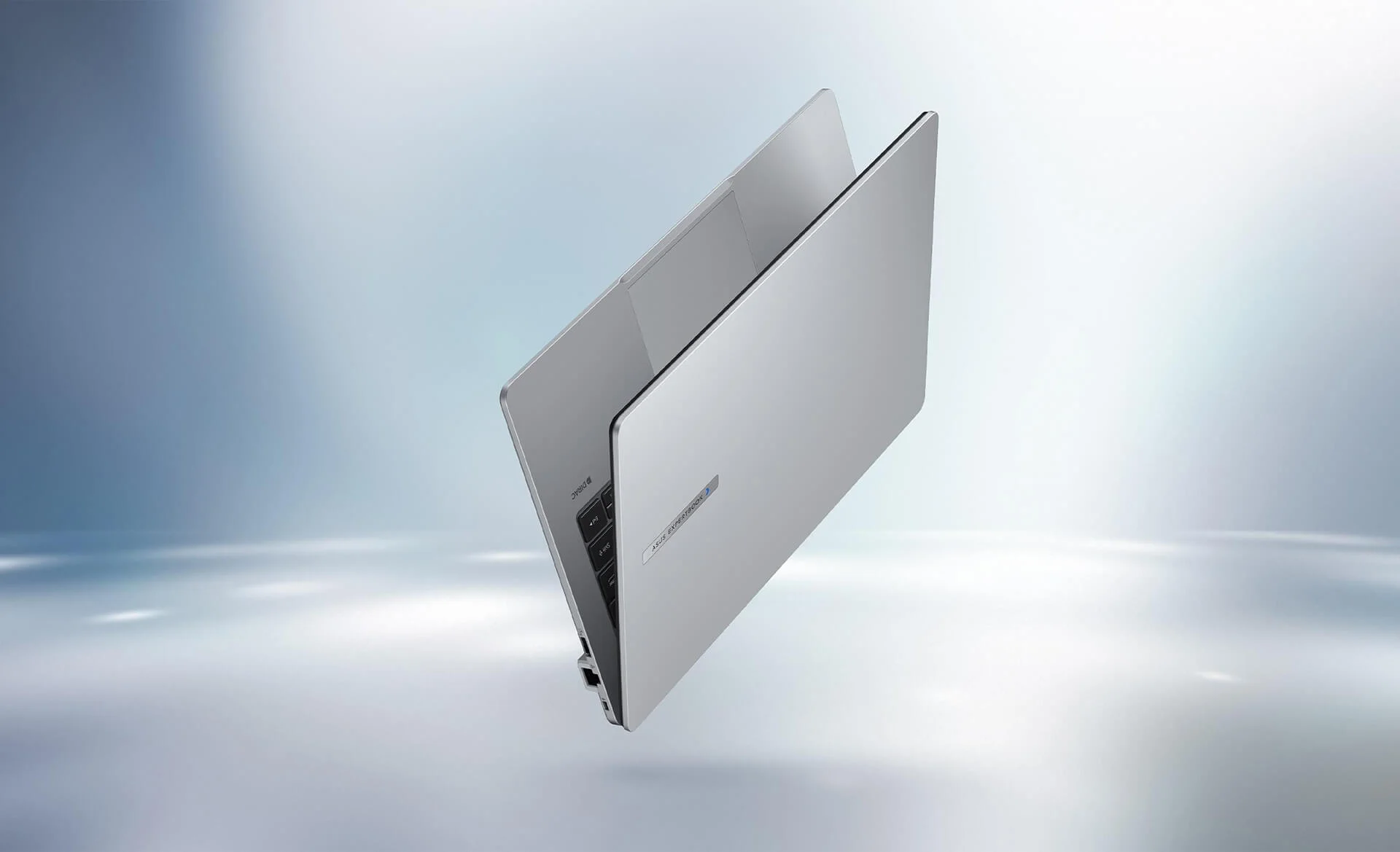
The laptop passes a range of MIL-STD 810H tests, its keyboard is spill-resistant, and it holds TCO Certified Generation 10, EPEAT Gold with Climate+ and Energy Star 9.0 certifications. These are criteria companies typically require when buying laptops in bulk for their staff. If you are choosing a Asus laptop to use in the office for years, the ExpertBook P1 line is built to be more durable and easier to maintain than mainstream lines.
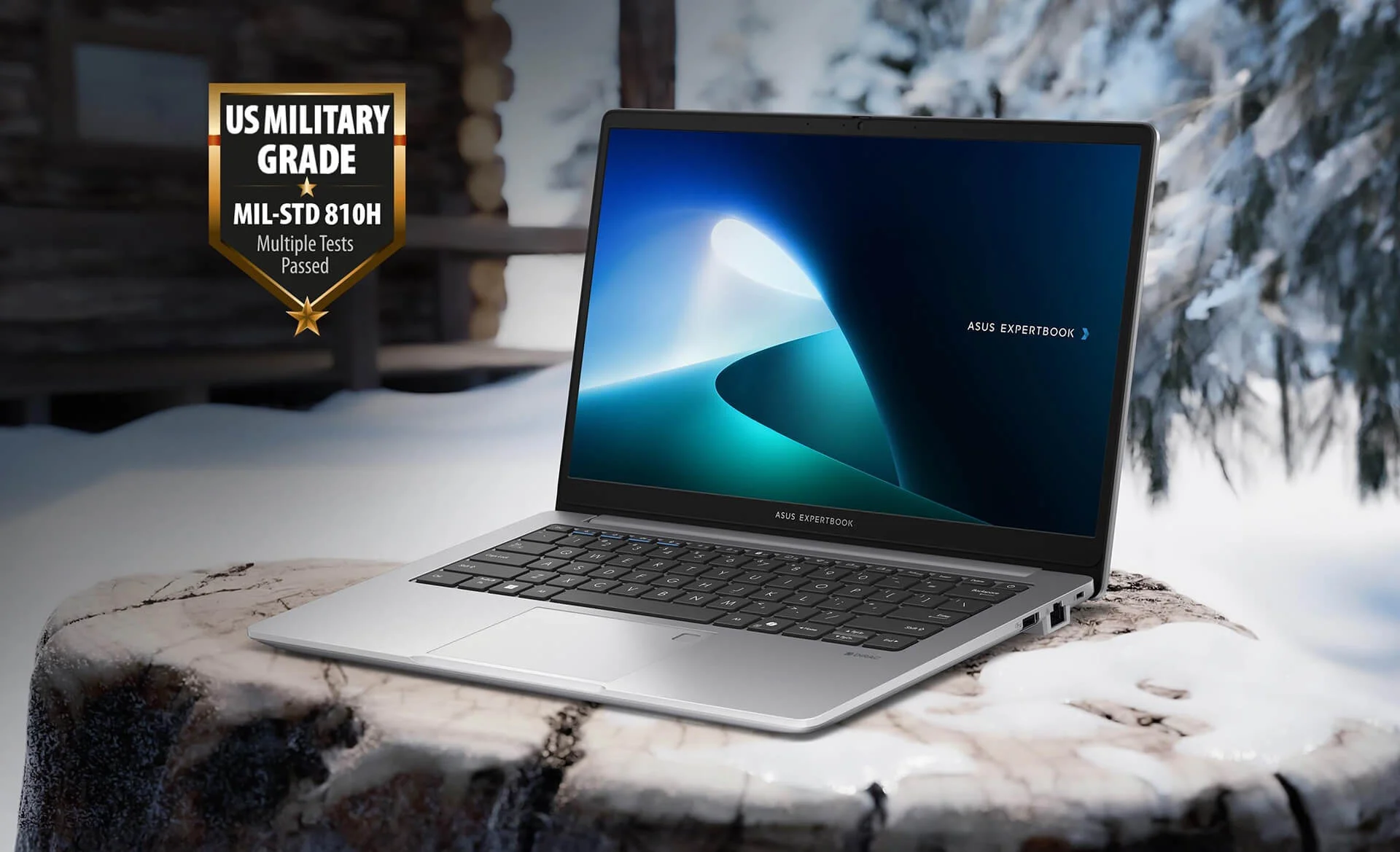
Keep in mind that the chassis is plastic, not metal: it feels solid in the hand, but it is not as cool or rigid as the aluminum chassis on higher-end lines. Asus also states clearly that MIL-STD 810H is a lab test and does not replace accidental damage coverage; if you travel often, you can add an ASUS Premium Care plan to get support if the laptop is damaged by an impact.
Asus ExpertBook P1 - P1403 14 inch (2025) Display: FHD, Anti-Glare, 300 nits
The Asus ExpertBook P1 - P1403 14 inch (2025) uses a 14-inch FHD (1920 x 1080) display with a 16:9 aspect ratio, LED backlighting, 300 nits of brightness, wide viewing angles and an anti-glare surface. The bezels are slim, for an 87% screen-to-body ratio. The anti-glare coating cuts reflections from office ceiling lights, making documents, spreadsheets and video calls easier on the eyes than on a glossy screen. The display is not a touchscreen.
The color gamut covers 45% NTSC, so colors look a little washed out: fine for Word, Excel, web browsers and management software, but not suited to photo editing or print design that needs accurate color. At 300 nits, brightness works well indoors, but the screen is hard to read in direct sunlight. If your work needs accurate color or a bigger screen, you can connect an external monitor via the HDMI or USB-C port. The MyASUS app includes Splendid and Tru2Life features for adjusting color modes and reducing blue light during long work sessions.
Asus ExpertBook P1 - P1403 14 inch (2025) Performance: Intel Core 5 210H, DDR5 RAM Upgradeable to 64GB
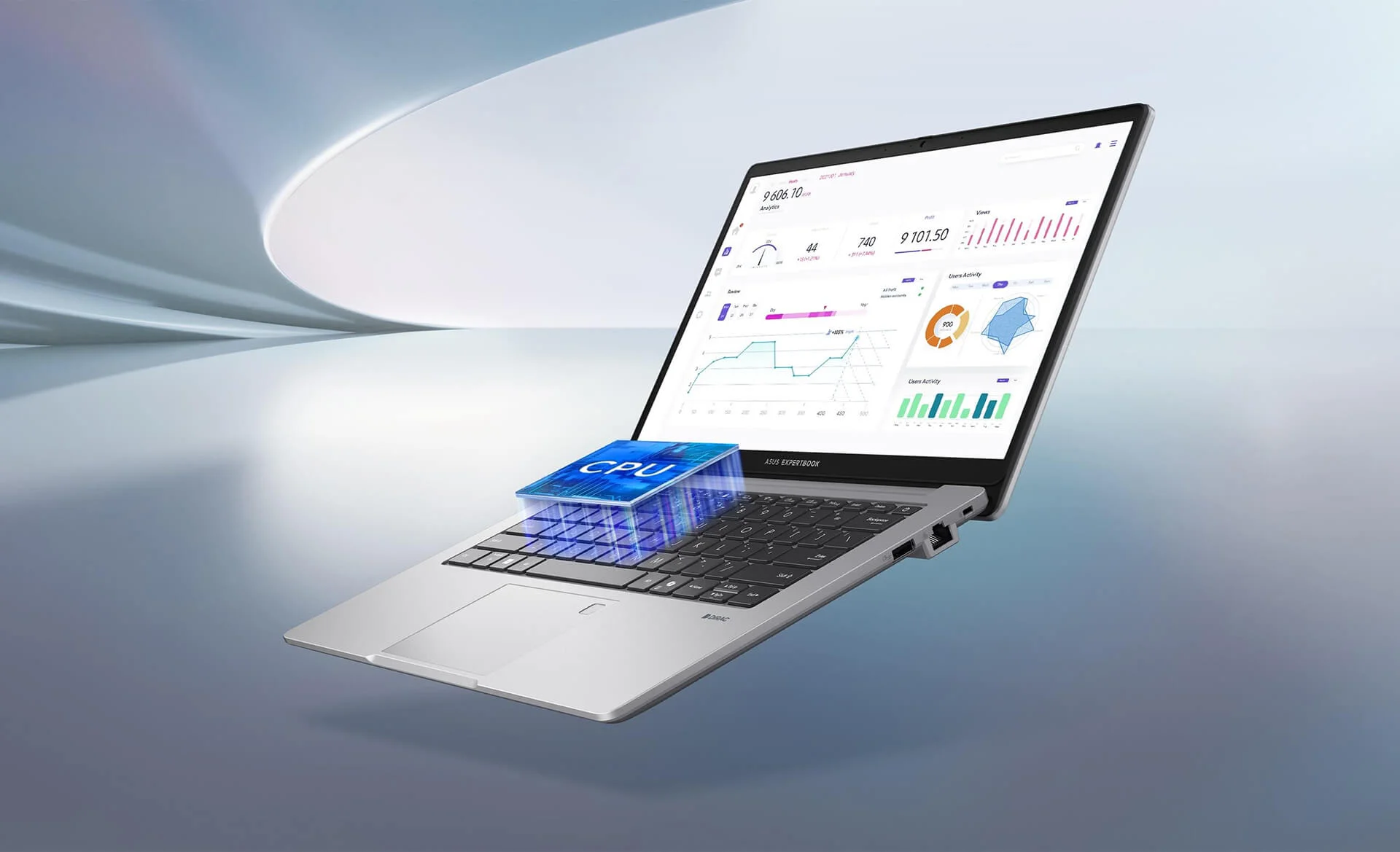
The Intel Core 5 210H belongs to the Intel Core Series 2 (Core 200H) family and shares the Raptor Lake platform with earlier Core i chips. It has 8 cores (4 performance cores and 4 efficiency cores), 12 threads, a max boost clock of 4.8GHz, 12MB of cache and a 45W base power, paired with Intel Graphics integrated graphics. As an H-series chip, it delivers clearly higher multi-core performance than the power-saving U-series chips commonly found in thin and light office laptops.
| CPU | Cinebench R23 single / multi-core | Cinebench 2024 single / multi-core |
|---|---|---|
| Intel Core 5 210H, 8 cores, 12 threads (ExpertBook P1 P1403CVA) | 1,771 / 11,830 | 105.4 / 686 |
| Intel Core i5-13420H, 8 cores, 12 threads (previous-generation reference) | 1,689 / 11,084 | 98.5 / 502 |
| Intel Core 7 240H, 10 cores, 16 threads (reference) | 1,719 / 15,764 | 108.9 / 846 |
Source: Notebookcheck, average scores across the laptops tested with each chip. Individual machines may vary depending on power limits and performance mode.
In Cinebench R23, the Core 5 210H is about 5% faster than the Core i5-13420H in single-core and 7% faster in multi-core, mainly thanks to its higher clock speed. Because the two share the same architecture, the gap is small, so you shouldn't expect a leap in performance over an i5-13420H machine. On the other hand, this level is enough for Word, Excel with many sheets, browsers with lots of tabs, Teams, Zoom, accounting software, light photo editing and basic AutoCAD 2D. The Core 7 240H is about 33% faster in multi-core, but it is not offered in the configuration on sale. The laptop has no discrete graphics card and the chip has no NPU, so it is not suited to demanding games or 4K video editing, and it is not a Copilot+ PC.
The 16GB of DDR5 5200MHz RAM comes as SO-DIMM modules, and the laptop has 2 RAM slots supporting up to 64GB. If your unit uses a single module, adding a second one of the same capacity and speed lets the RAM run in dual-channel mode, which speeds up integrated graphics and multitasking. The 512GB SSD is an M.2 2280 NVMe PCIe 4.0 drive, and there is also an M.2 2230 PCIe 4.0 slot for a second drive. The extra slot takes a short 2230 SSD, so make sure to buy a drive in this exact size.
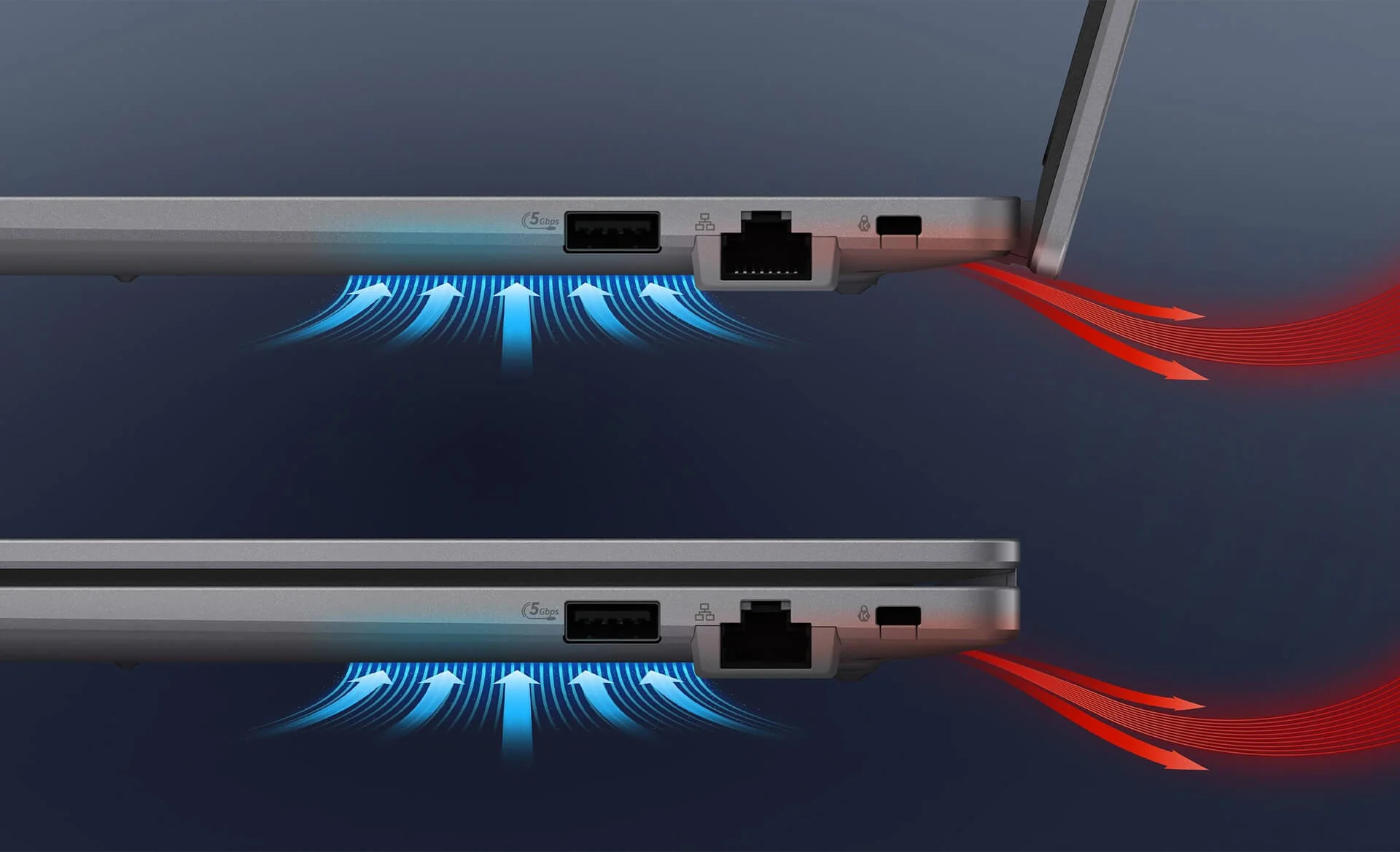
The cooling system pulls cool air in from the bottom and pushes hot air out the back, near the hinge. For that reason, use the laptop on a desk or a cooling stand, and avoid placing it on blankets or mattresses that block the intake vents. MyASUS includes a fan speed setting, so you can pick a quiet mode during meetings and a performance mode when working with large files.
Keyboard, Webcam, Speakers and Security on the Asus ExpertBook P1 - P1403 14 inch (2025)
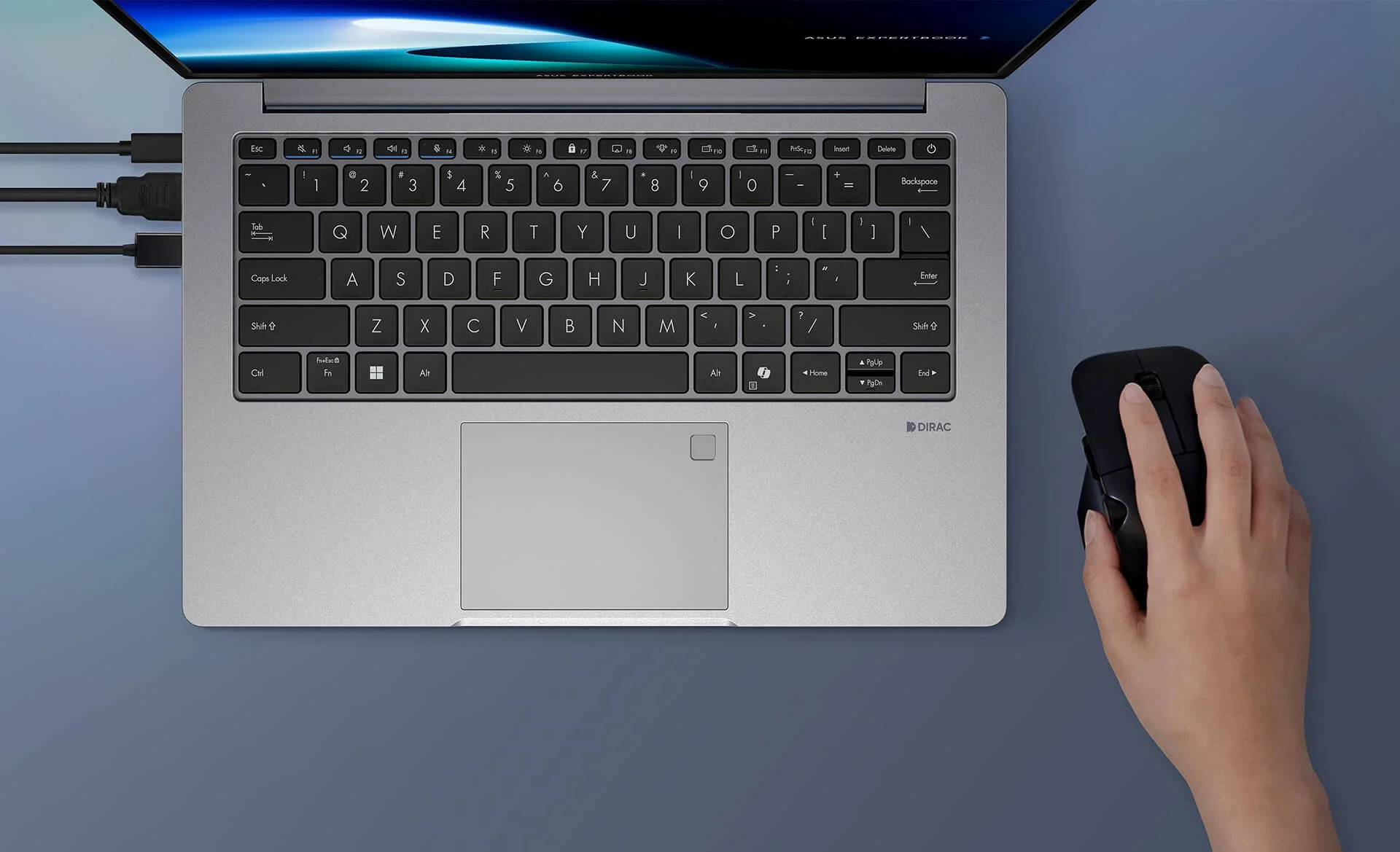
The Asus ExpertBook P1 - P1403 14 inch (2025) has a spill-resistant chiclet keyboard with 1.35mm of key travel and a Copilot key that quickly launches the Windows AI assistant. The 14-inch version has no separate numeric keypad. Asus does not list a keyboard backlight, and the F-key row has no backlight key, so if you often work in dim places, use a desk lamp. The touchpad is large, and the fingerprint sensor sits in the top-right corner of the touchpad for Windows Hello sign-in.
The HD 720p webcam has a physical privacy shutter you can slide closed when not in use for peace of mind. The built-in speakers use Dirac audio technology and are clear enough for voices in video calls. The laptop comes with the ExpertMeet AI app preinstalled (it requires at least 12GB of RAM, and this machine has 16GB, so it works), which helps create meeting minutes and translated captions. The 720p webcam is only adequate, so if you often meet with clients or record video, consider adding an external FHD webcam.
For security, the laptop has a TPM 2.0 chip for BitLocker data encryption, a fingerprint sensor, a BIOS password and a hard drive password, which help keep others from opening the laptop or reading your data if it is lost.
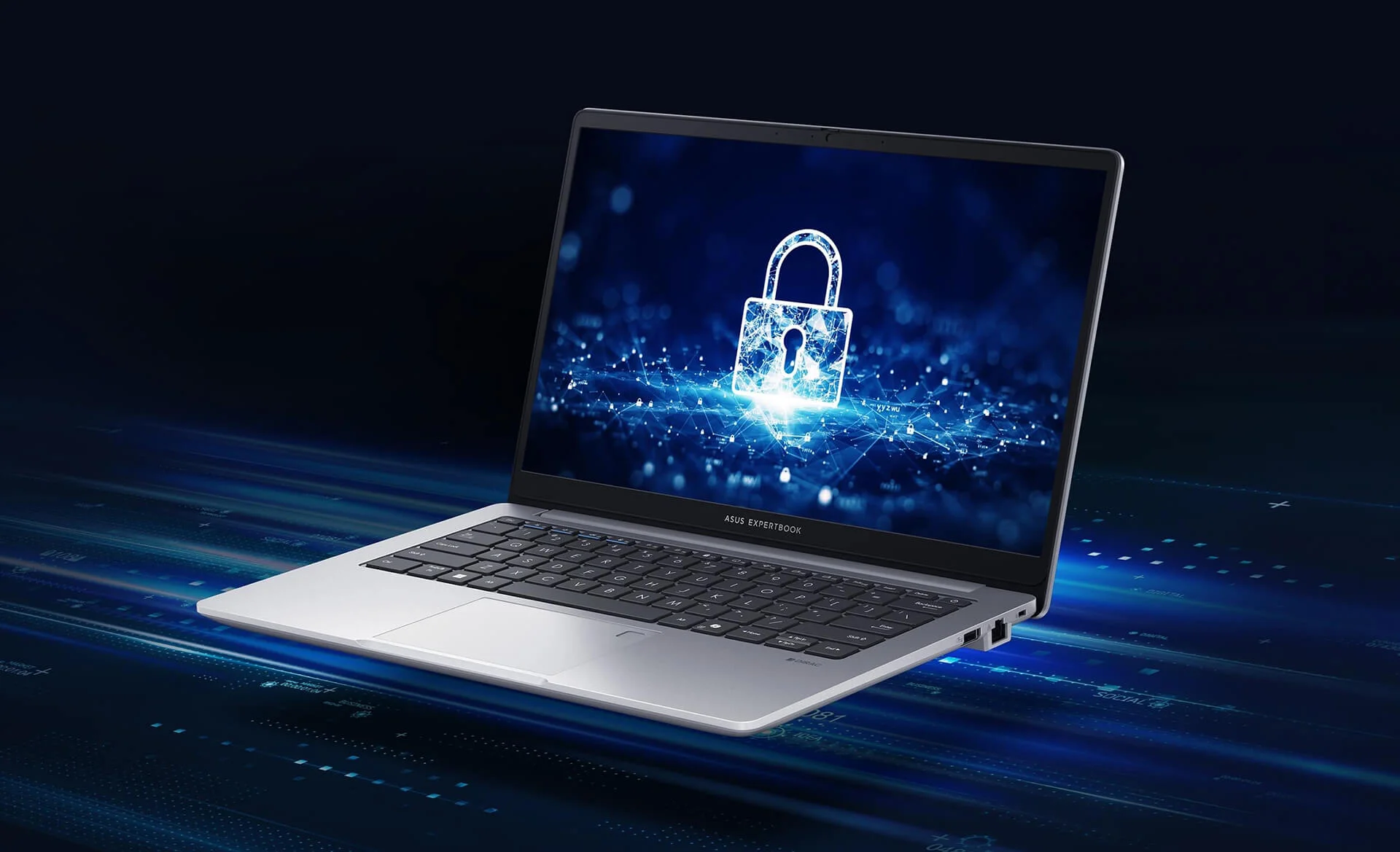
The laptop also supports Absolute Persistence 2.0 (Computrace), letting businesses track and lock it remotely with an Absolute service subscription, plus a Kensington Nano lock slot for securing it to a desk with a cable lock in the office, at a service counter or in a conference room.
Asus ExpertBook P1 - P1403 14 inch (2025) Ports and Battery: RJ45 LAN, HDMI and 65W USB-C Charging
The Asus ExpertBook P1 - P1403 14 inch (2025) has 2 USB-C 3.2 Gen 2 (10Gbps) ports with display output and charging, 2 USB-A 3.2 Gen 1 (5Gbps) ports, 1 HDMI 1.4 port, 1 Gigabit RJ45 LAN port and a 3.5mm audio jack. The left side holds the 2 USB-C ports, HDMI, 1 USB-A port and the headphone jack; the right side has the other USB-A port, the LAN port and the Kensington Nano lock slot. With built-in LAN and HDMI, you can plug into the office wired connection or a meeting room projector without carrying an extra adapter.
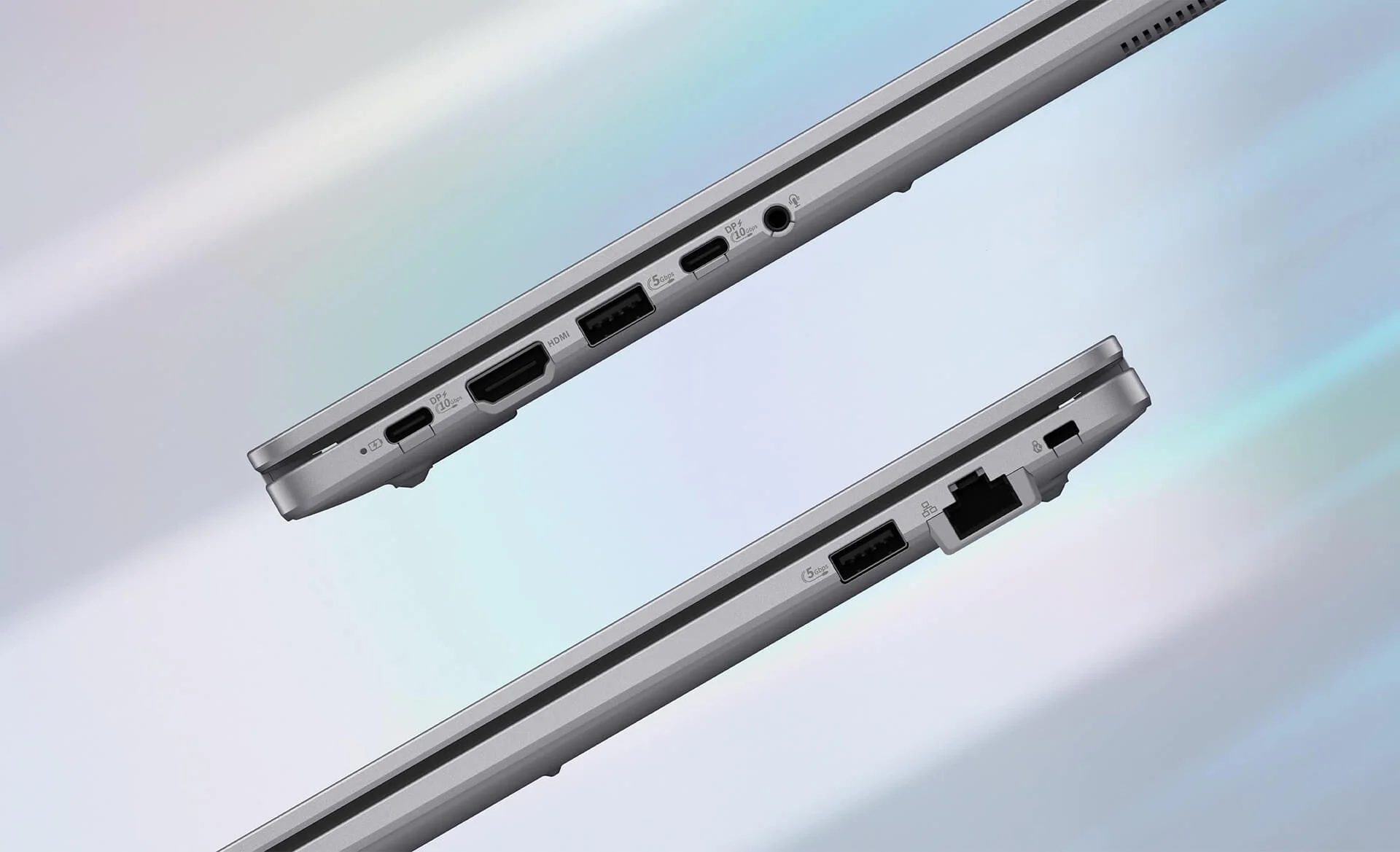
Wireless connectivity includes dual-band 2x2 Wi-Fi 6 and Bluetooth 5.4. The battery is 50Wh or 63Wh depending on the model and charges with the included 65W USB-C charger; you can also use another 65W USB-C PD charger when needed. The HDMI 1.4 port only outputs 4K at 30Hz, so if you use a 4K monitor, connect it via USB-C for smoother visuals. There is no memory card slot, so if you often copy photos from a camera, you will need a USB card reader.
Asus ExpertBook P1 - P1403 14 inch (2025) Overview and Verdict
The Asus ExpertBook P1 - P1403 14 inch (2025) is a 14-inch business laptop starting at 1.4kg, powered by the 8-core Intel Core 5 210H chip, with 16GB of DDR5 RAM upgradeable to 64GB, 2 SSD slots and MIL-STD 810H certification. It offers LAN, HDMI and 2 USB-C ports, along with TPM 2.0, a fingerprint sensor and a webcam shutter. The P1403CVA-C5H16-63WS comes with genuine Office Home 2024 preinstalled, so it is ready to use right out of the box. It is a sensible choice in the Asus ExpertBook lineup for office staff, accountants, business and economics students and small businesses that need a durable, easy-to-upgrade machine.
Things to consider: the display covers only 45% NTSC, so it is not a good fit for color-critical photo editing, though you can connect an external monitor when needed. The keyboard is not backlit, so use a desk lamp when working at night. The plastic chassis does not feel as premium as a metal one. Windows 11 Home is a single-language edition and cannot join a company domain; if your business manages devices centrally, upgrade to Windows 11 Pro.
Compared with the 15.6-inch model in the same line, the 14-inch version is about 200g lighter and more compact, which suits people who carry their laptop around often; the trade-off is no dedicated numeric keypad, so heavy number-entry users may want to add an external numeric keypad.
| Pros | Cons |
|---|---|
|
|
FAQ - Frequently Asked Questions About the Asus ExpertBook P1 - P1403 14 inch (2025)
1. What are the specs of the P1403CVA-C5H16-63WS?
2. How does the Intel Core 5 210H differ from the Core i5-13420H?
3. Can the RAM and SSD be upgraded?
4. Does the keyboard have a backlight and a numeric keypad?
5. What does the included Office Home 2024 contain?
6. What support do I get when buying from Hung Phat Laptop?
Where to Buy a Genuine Asus ExpertBook P1 - P1403 14 inch (2025) at a Great Price?
Need a durable, lightweight 14-inch laptop with Office preinstalled for office work or study? Hung Phat Laptop will ask about the software you use every day and how many tabs and files you usually have open, then advise whether to upgrade the RAM or add an SSD at the time of purchase. For business customers buying multiple units, we offer volume quotes and advice on upgrading to Windows 11 Pro when central management is needed.
Every laptop is a genuine product with a full invoice and a 24-month official warranty. Units with manufacturer defects within the first 30 days will be exchanged. Our technicians can upgrade the RAM and install an extra SSD in the free M.2 slot whenever you need. We provide long-term technical support and nationwide delivery. Order the Asus ExpertBook P1 - P1403 14 inch (2025) at Hung Phat Laptop.
Performance & benchmarks Asus ExpertBook P1 - P1403 14 inch (2025)
Intel Core 5 210H Intel UHD Graphics Xe G4 48EUs - best for Office 8.5/10, Programming 7/10.
Intel Core 5 210H
- Cinebench R23 (multi-core)11,830
- Geekbench 6 (multi-core)9,616.5
- Geekbench 6 (single-core)2,415.5
- PassMark18,280
- Cores / Threads8/12
Intel UHD Graphics Xe G4 48EUs iGPU
- 3DMark Time Spy801
- 3DMark Fire Strike2,469
- ArchitectureGen. 11 Ice Lake
Best for
Scored from real benchmarks- Gaming1.5/10
- Video / Graphics3.5/10
- Programming7/10
- Office8.5/10
Why does the CPU matter?
The CPU is the "brain" that handles every task: launching apps, multitasking, compiling code and editing video. The stronger the CPU, the faster and smoother the laptop runs when you juggle many things at once.
- BasicThis product
Web browsing, streaming and light office work.
- MainstreamThis product
Office work, moderate multitasking and studying.
- Mid-rangeThis product
Solid multitasking, programming and light graphics work.
- StrongThis product
Video editing, heavy programming, virtualization and gaming.
- FlagshipThis product
Heavy rendering, 4K/8K editing, virtual machines and AI workloads.
Why does the GPU matter?
The GPU (graphics card) handles visuals: gaming, video editing, 3D rendering and AI acceleration. The stronger the GPU, the higher your frame rates and the faster your video exports.
- Basic (iGPU)This product
Smooth display, 4K video and very light games (League of Legends, Valorant on low).
- MainstreamThis product
1080p eSports gaming, photo editing and light video editing.
- Mid-rangeThis product
1080p gaming on medium-high settings and smooth Full HD video editing.
- StrongThis product
1080p/1440p gaming on high settings, 4K video editing and 3D rendering.
- FlagshipThis product
4K/240Hz gaming, ray tracing, heavy rendering and AI.
Game performance
Real FPS - FHD- Dota 283 fps1080p Low
- CS246 fps1080p Low
- GTA V49 fps1080p Medium
- Star Wars Outlaws3 fps1080p Low
- Cyberpunk 207711 fps1080p Low
≥60fps very smooth30-60fps playable<30fps lower the settings
Local AI performance
Tokens/second running locally on GPU- Gemma 4 E2B IT5.6 GB · ctx 256K6.0 tok/sDecent
- GLM-4 9B5.1 GB · ctx 128K7.0 tok/sDecent
- Gemma 4 E4B4.6 GB · ctx 256K8.0 tok/sDecent
- Ministral 8B4.6 GB · ctx 32K8.0 tok/sDecent
- Qwen 3.5 4B4.6 GB · ctx 32K8.0 tok/sDecent
- DeepSeek R1 Distill 7B4.1 GB · ctx 64K9.0 tok/sRuns well
- Gemma 4 E2B3.1 GB · ctx 256K12 tok/sRuns well
- Qwen 3.5 2B2.5 GB · ctx 32K14 tok/sRuns well
- Phi-4 Mini Reasoning2.4 GB · ctx 16K15 tok/sRuns well
- Llama 3.2 3B2 GB · ctx 128K18 tok/sRuns well
- SmolLM3 3B2 GB · ctx 128K18 tok/sRuns well
- DeepSeek R1 1.5B1.3 GB · ctx 64K28 tok/sRuns great
- Qwen 3.5 0.8B1.3 GB · ctx 32K28 tok/sRuns well
- TinyLlama 1.1B1.1 GB · ctx 2K33 tok/sRuns well
- Llama 3.2 1B1 GB · ctx 128K36 tok/sRuns well
- Gemma 2 9B5.1 GB · ctx 8K7.0 tok/sDecent
- Nemotron Nano 9B v25.1 GB · ctx 128K7.0 tok/sDecent
- Llama 3.1 8B4.6 GB · ctx 128K8.0 tok/sDecent
- Qwen 3 8B4.6 GB · ctx 128K8.0 tok/sDecent
- Mistral 7B v0.34.1 GB · ctx 32K9.0 tok/sRuns well
- Qwen 2.5 7B4.1 GB · ctx 128K9.0 tok/sRuns well
- Qwen 2.5 Coder 7B4.1 GB · ctx 128K9.0 tok/sRuns well
- Qwen 3 4B2.5 GB · ctx 32K14 tok/sRuns well
- Gemma 3 4B2.5 GB · ctx 128K14 tok/sRuns well
- Phi-3.5 Mini2.4 GB · ctx 128K15 tok/sRuns well
- Gemma 2 2B1.5 GB · ctx 8K24 tok/sRuns great
- Qwen 3 1.7B1.4 GB · ctx 32K26 tok/sRuns great
- Qwen 2.5 Coder 1.5B1.3 GB · ctx 32K28 tok/sRuns great
- Qwen 3 0.6B1.1 GB · ctx 32K33 tok/sRuns well
- Gemma 3 1B1 GB · ctx 32K36 tok/sRuns well
GreatWellDecent4-bit quantized, ctx = context window
No comments yet
Q&A about Asus ExpertBook P1 - P1403 14 inch (2025)
Frequently asked questions about Asus ExpertBook P1 - P1403 14 inch (2025)
What are the specifications of Asus ExpertBook P1 - P1403 14 inch (2025)?
What is the warranty for Asus ExpertBook P1 - P1403 14 inch (2025)?
Is Asus ExpertBook P1 - P1403 14 inch (2025) genuine?
Can I buy Asus ExpertBook P1 - P1403 14 inch (2025) with home delivery?
Worth a Look
Asus ExpertBook P5 P5405CAA (2026)
Asus ExpertBook P5 P5405CSA (2024)
 2 configurations
Asus ExpertBook B9 B9406CAA (2026)
 2 configurations
Asus ExpertBook P3 G1 P3606CCAP (2026)


Đỗ Phương Linh 13/06/2026
The machine looks beautiful, feels solid in hand, and is thin and light, making it easy to carry to work. It runs smoothly; the 13th Gen configuration is truly powerful. Definitely worth the money.
Nguyễn Quỳnh Mai 04/05/2026Purchased at Hung Phat
It runs really smoothly, everyone! The screen is sharp and doesn't have any glare. The laptop is lightweight, making it extremely convenient to carry to work. Highly recommended!