

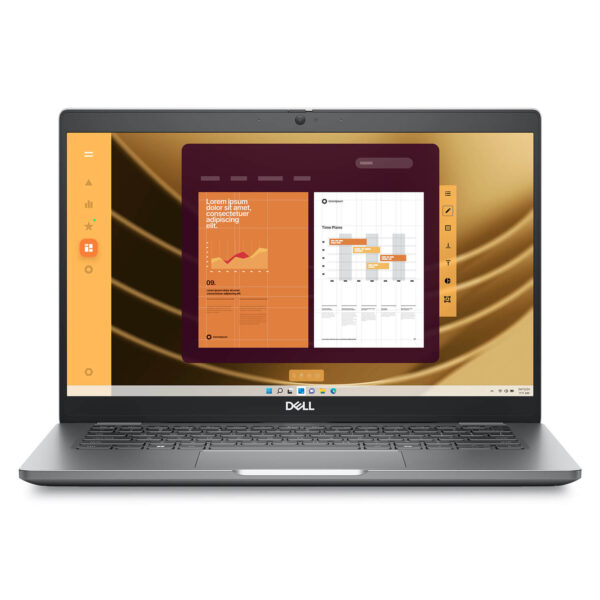

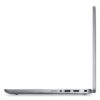
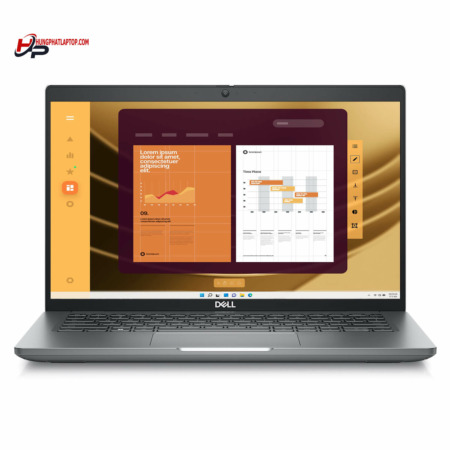
DELL Latitude 5350 (2024)
- CPU: Intel Core Ultra 7 165U vPro Up To 4.9GHz (12 Cores, 14 Threads, 12MB Cache)
- RAM: LPDDR5x 16GB 6400MHz
- SSD: 256GB TLC PCIe Gen4 M.2 SSD
- VGA: Intel® Graphics
- DISPLAY: 13.3″ IPS FHD (1920*1080), Anti-Glare, Touchscreen, 72% NTSC, 400 nits
- CONDITION: Like New 99%
- WARRANTY: 12-month warranty
- A compact, practical design built for business
- Display on the Dell Latitude 5350 (2024)
- Dependable performance with 13th Gen Intel Core and Core Ultra
- Security and manageability - true Latitude strengths
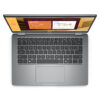
- Keyboard and Touchpad on the Dell Latitude 5350 (2024)
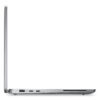
- Ports & Connectivity on the Dell Latitude 5350
- Battery, camera, and collaboration on the Dell Latitude 5350 (2024)
- Dell Latitude 5350 (2024) Overview and Review
- Dell Latitude 5350 (2024) FAQ - Frequently Asked Questions
- Where to buy a genuine Dell Latitude 5350 (2024) at the best price
The Dell Latitude 5350 (2024) belongs to the UltraBook Dell Latitude line, tailored for business users who need a compact, durable, and reliable laptop for daily work. Key highlights include 13th Gen Intel Core and Intel Core Ultra processor options, up to 32GB of LPDDR5/LPDDR5X RAM, high-speed PCIe Gen 4 SSD storage, and an ExpressCharge 42Wh or 54Wh battery. With its compact 13.3-inch form factor, full port selection, and versatile enterprise security options, it is well suited for office professionals, managers, technical sales teams, and frequent travelers.
A compact, practical design built for business
The design of the Dell Latitude 5350 (2024) follows a clean, practical philosophy that prioritizes long-term efficiency in corporate environments. With a starting weight of about 1.23kg and dimensions of 305.70 x 207.50 x 16.79 - 19 mm, it is compact enough to carry effortlessly every day between desks, meeting rooms, or on business trips. This form factor is ideal for users who want a lightweight machine that remains sturdy enough to serve as their primary work laptop.
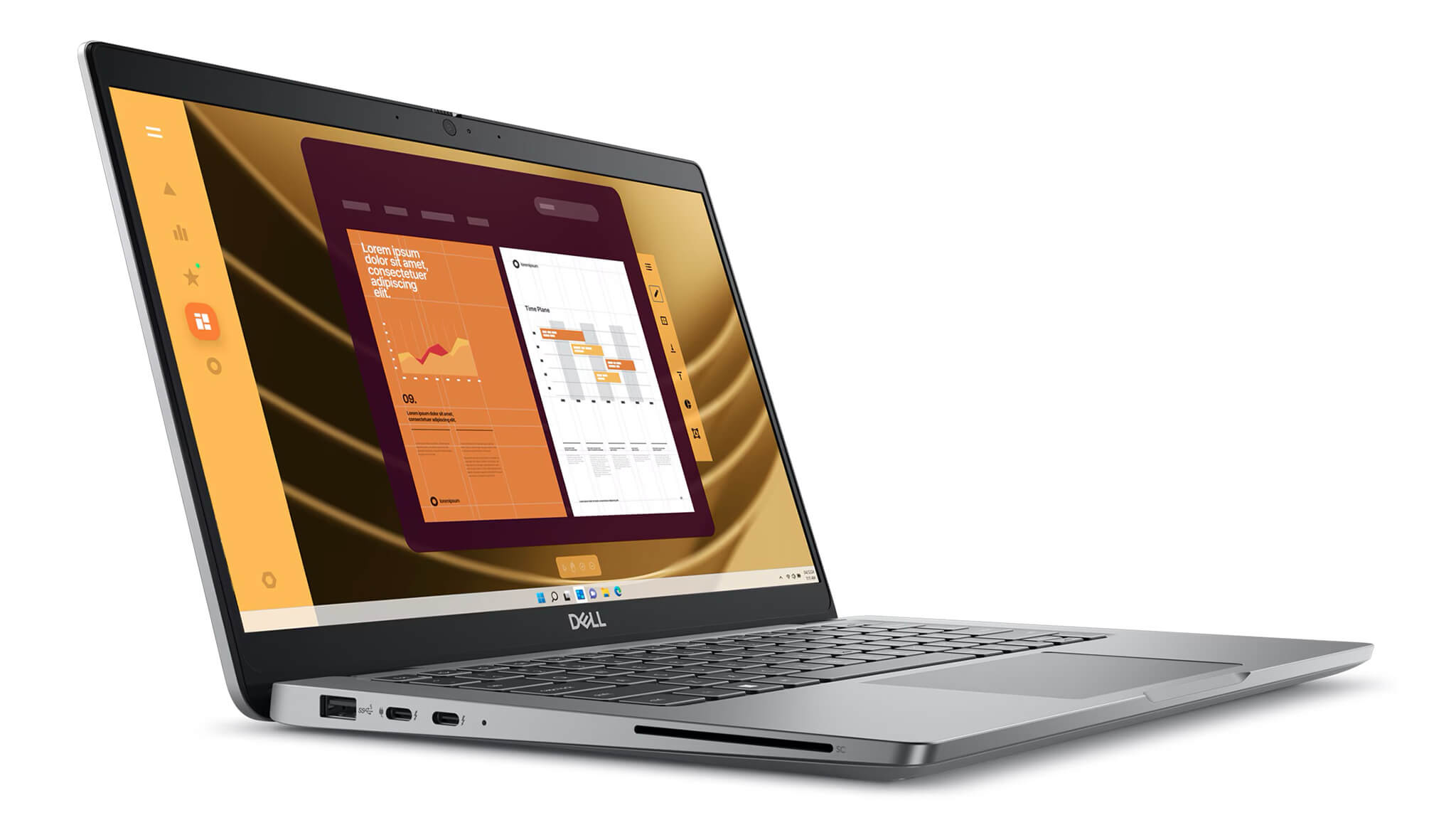
In everyday use, the real strength of the Latitude 5350 lies not in flashy styling, but in long-term peace of mind. Dell positions the Latitude family squarely for business, which is why the chassis construction, build quality, and port layout all focus on stability rather than chasing razor-thin trends. That makes this machine a great fit for high-reliability work settings, where durability and practicality matter far more than showy design elements.
Dell also emphasizes sustainability: the Latitude 5350 incorporates various recycled materials, including post-consumer recycled plastics, bio-based plastics, ocean-bound plastics, and recycled carbon fiber. The packaging is also 100% recycled, renewable, and recyclable. For organizations focused on ESG goals or sustainable IT procurement, this is a tangible, practical advantage.
Display on the Dell Latitude 5350 (2024)
The display on the Dell Latitude 5350 (2024) measures 13.3 inch with a Full HD 1920 x 1080 resolution, ideal for typical office workflows, document editing, spreadsheets, and daily video meetings. In practice, this is a sensible specification for a mobility-focused business laptop, delivering the crisp detail you need while keeping power consumption low to preserve battery life.
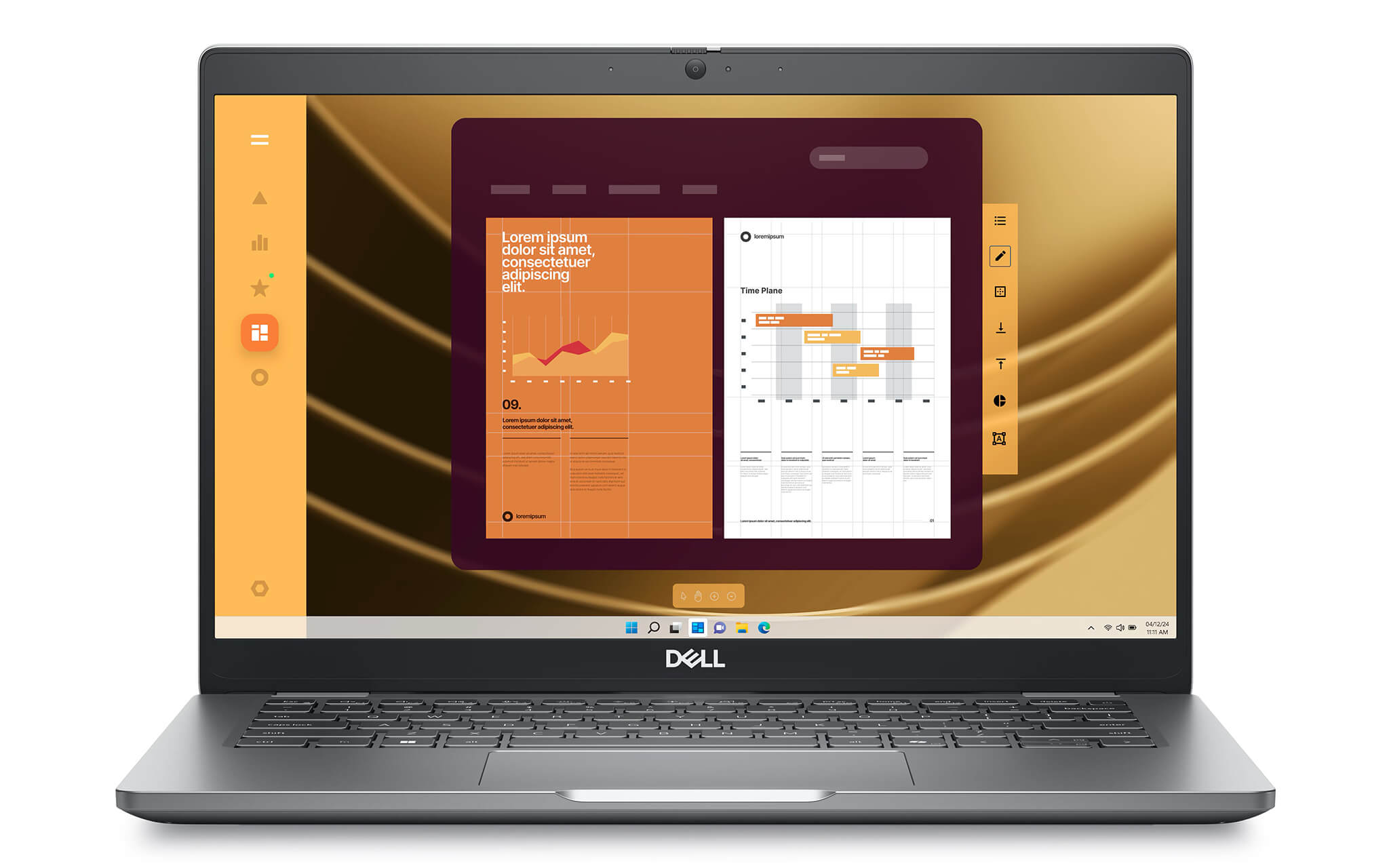
Dell offers several display options, ranging from an anti-glare 250 nits, 45% NTSC panel for standard office needs to an upgraded version featuring 400 nits, 100% sRGB, Low Blue Light. There is also a 300 nits, 72% NTSC touchscreen option on select clamshell configurations. For business users working in marketing, content creation, presentations, or anyone who simply wants better visual quality than the average office laptop, the 400 nits 100% sRGB option is a compelling choice.
From a practical standpoint, the 13.3-inch screen on the Latitude 5350 suits professionals who value portability and focused work over large-screen entertainment. It remains compact enough for effortless daily carry while offering ample screen real estate to keep standard productivity windows side by side, such as web browsers, email, Excel sheets, or ERP management tools. It is a functional display setup built for enterprise work rather than showy specs.
Dependable performance with 13th Gen Intel Core and Core Ultra
Performance on the Dell Latitude 5350 (2024) is engineered to handle a broad range of workloads, from standard office tasks to modern corporate environments with heavy multitasking and AI-assisted collaboration needs. The laptop supports Intel Core i3-1315U, Core i5-1335U, Core i5-1345U vPro, and Core i7-1365U options, alongside newer configurations powered by Intel Core Ultra 5 125U, Core Ultra 5 135U vPro, and Core Ultra 7 165U vPro. This broad range makes the Latitude 5350 accessible for standard office users while providing ample power for professionals handling heavier workloads.
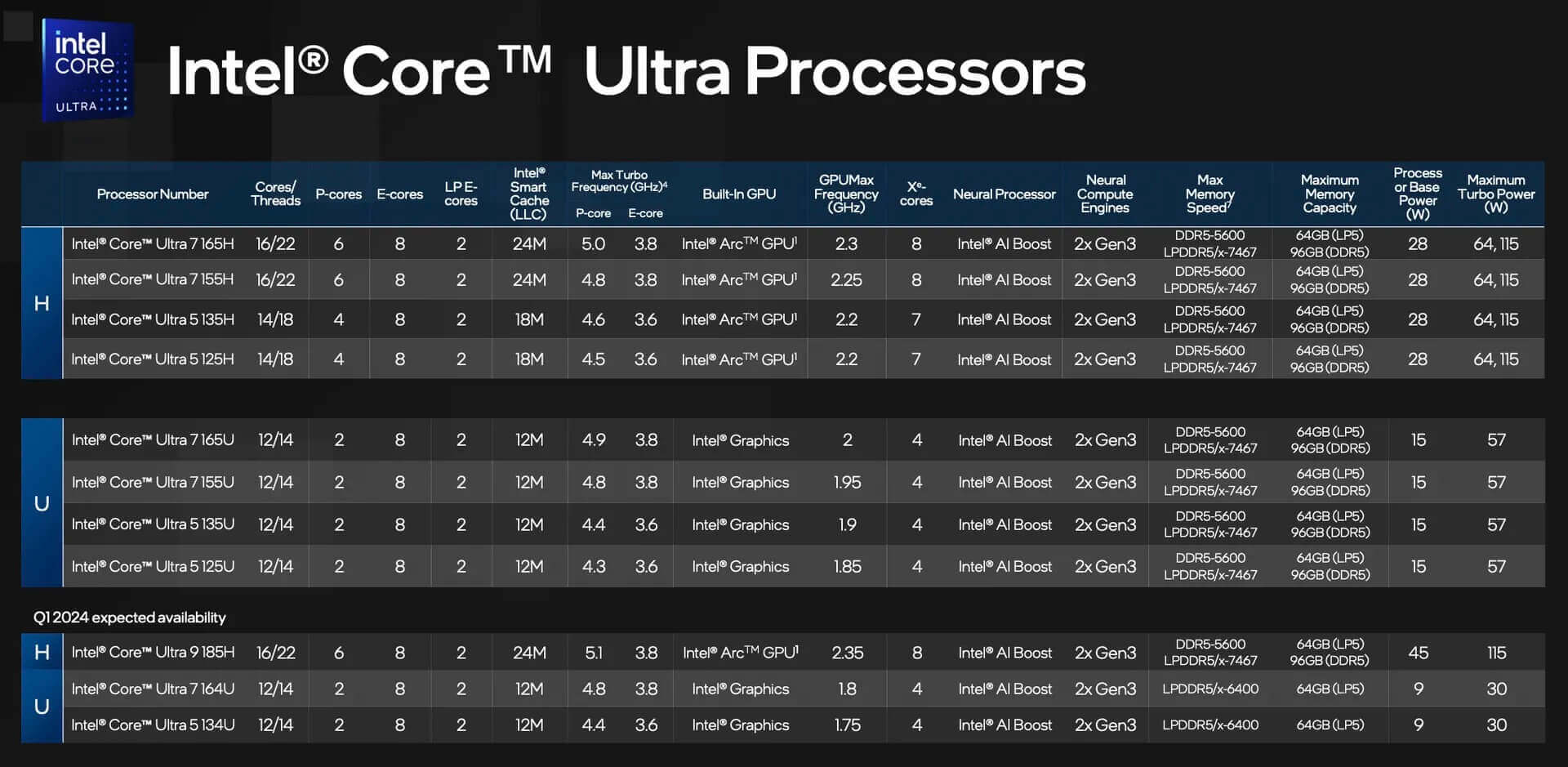
The true advantage of the Core Ultra series is its superior optimization for modern workflows, thanks to an architecture integrating the CPU, GPU, and NPU. As Dell designed it, this platform is well suited for tasks like Windows Studio Effects, noise cancellation, smart framing, and lightweight on-device AI features across digital workspaces. If you need a laptop with a longer lifecycle that is ready for Windows 11 Pro and smart collaboration features over the next few years, these configurations are the ones to prioritize.
The system supports up to 32GB LPDDR5/LPDDR5X onboard memory, with speeds running from 4800 MT/s to 6400 MT/s depending on the CPU, paired with an M.2 2230 PCIe Gen 4 NVMe SSD ranging from 256GB to 2TB. In daily use, this configuration easily handles dozens of browser tabs, large Excel models, business management software, hours-long virtual meetings, or running multiple applications simultaneously while maintaining consistent responsiveness. The integrated Intel Graphics handles light photo editing, basic 2D design, and presentations smoothly, though it is not intended for heavy 3D rendering or intensive video editing.
Security and manageability - true Latitude strengths
In corporate environments, security and manageability are often just as vital as performance, and the Dell Latitude 5350 (2024) is clearly built around this focus. Select configurations support Intel vPro, giving businesses an edge when managing devices at the hardware level, improving system control, and providing better remote support. That marks a key distinction between a genuine business laptop and consumer models that rely solely on raw specs.
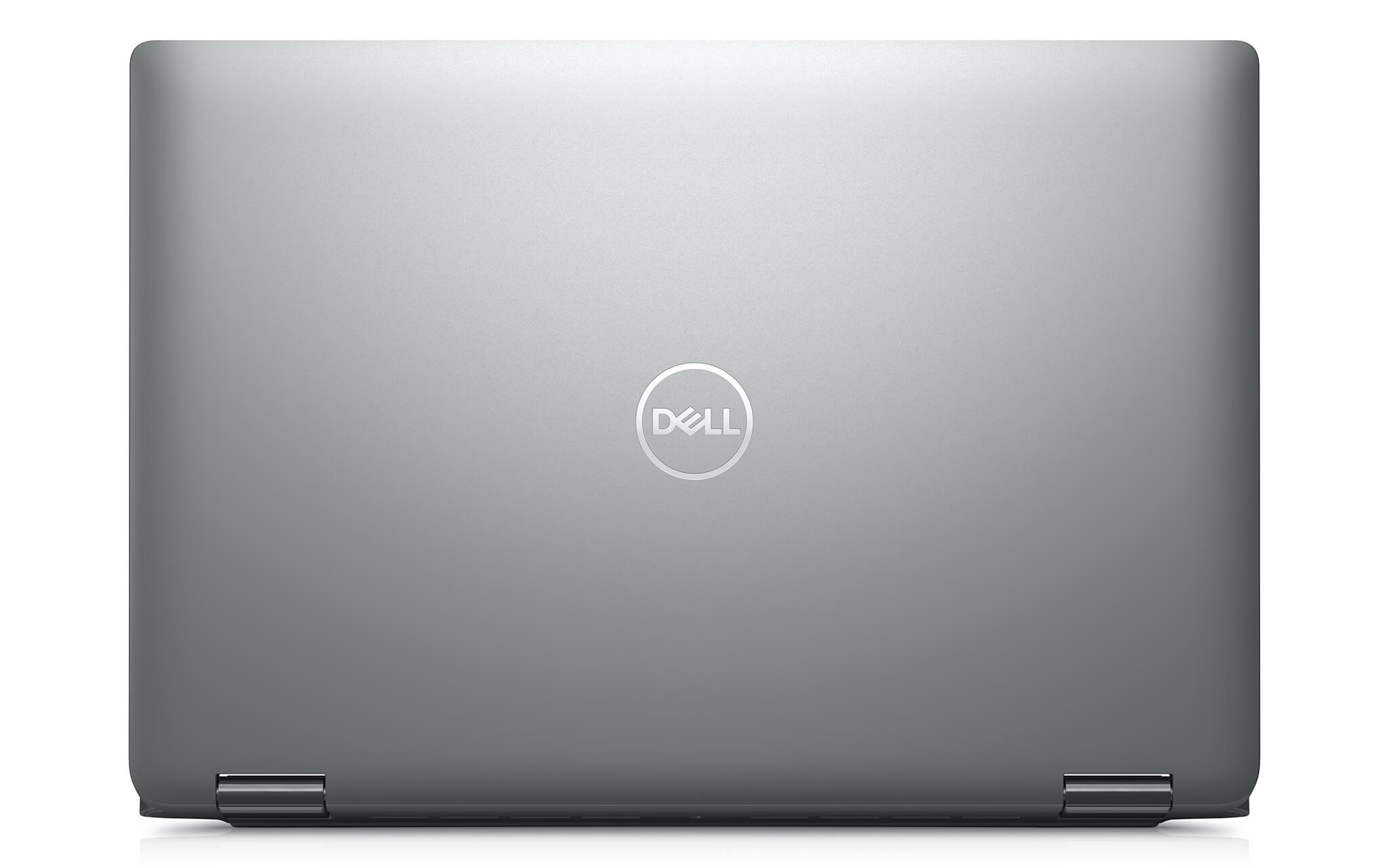
The Latitude 5350 also offers multiple camera and security options suited for professional work, including an FHD RGB camera, an FHD RGB-IR camera, ExpressSign-in with Presence Detection, and Intelligent Privacy. These features streamline the sign-in experience, enhance privacy, and better support users in open workspaces or during frequent online meetings. For managers, sales teams, or personnel working outside the office, these are practical everyday utilities rather than mere spec-sheet decorations.
Additionally, the machine offers options for a Smart Card Reader, a nano-SIM slot, and 4G LTE or 5G WWAN, alongside service plans like ProSupport Suite, Accidental Damage Protection, and enterprise warranties of up to 5 years. From an IT investment perspective, the Latitude 5350 comes with a well-rounded support ecosystem, making it a sound choice for businesses that value long-term stability over short-term specs.
Keyboard and Touchpad on the Dell Latitude 5350 (2024)
On a 13.3-inch office laptop, the daily typing and navigation experience directly affects productivity, and the Dell Latitude 5350 (2024) stays true to the practical ethos of the Latitude lineup. The keyboard is optimized for continuous typing tasks like emails, reports, drafting contracts, internal data entry, or spreadsheets. Keystrokes feel stable, familiar, and well suited for users working long hours.
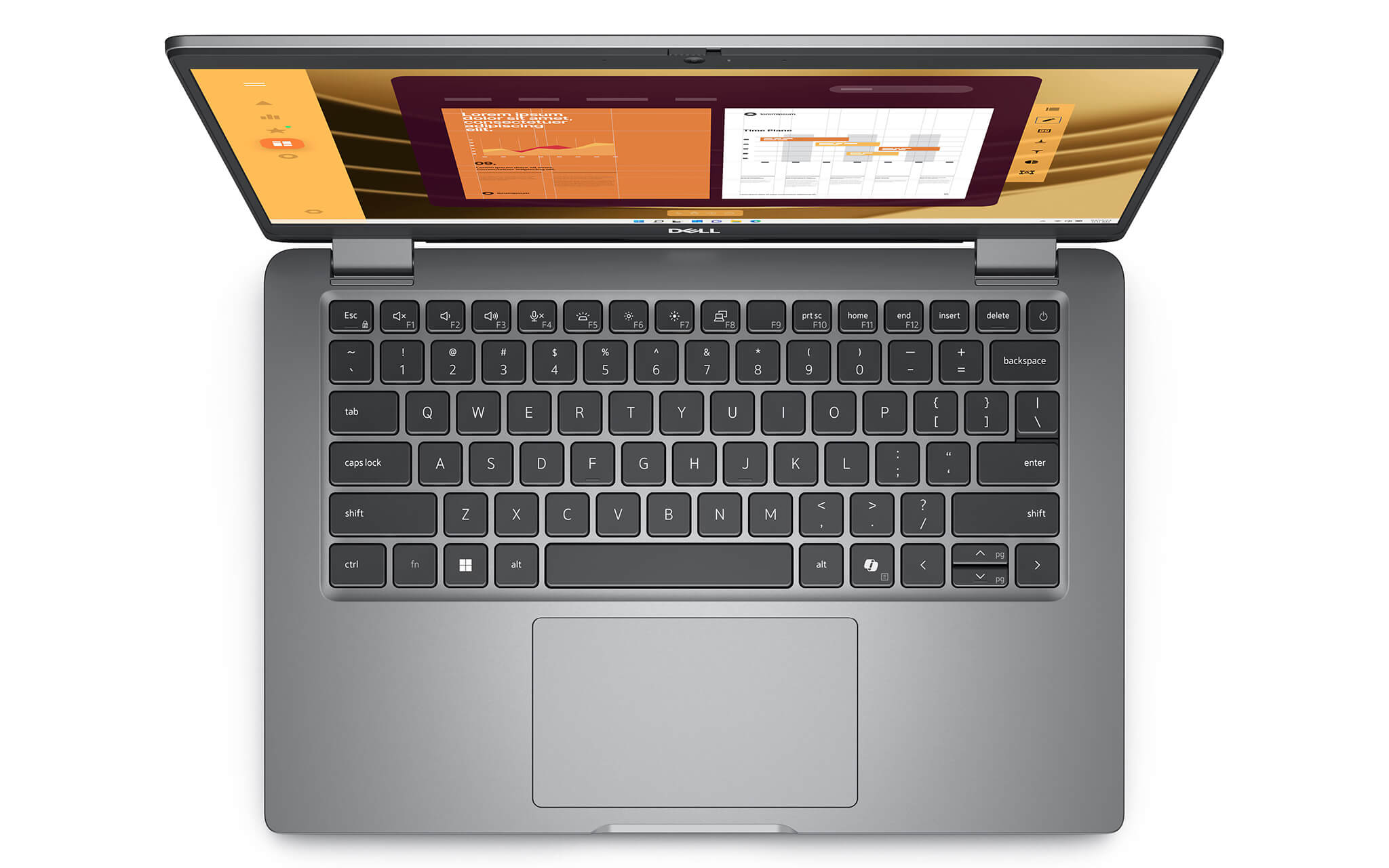
The touchpad is a multi-touch precision touchpad with a flush glass design. In everyday use, scrolling, zooming, switching windows, and navigating between multiple applications feel quite smooth, reducing the need for an external mouse when working on the move. It is a small detail, but an essential one for anyone frequently carrying their laptop to meetings, client visits, or remote locations.
Ports & Connectivity on the Dell Latitude 5350
Ports and connectivity on the Dell Latitude 5350 (2024) are laid out for practical workflow demands rather than chasing the aggressive port-trimming trend of many mainstream ultrabooks. It features 2 Thunderbolt 4 ports supporting DisplayPort Alt Mode, USB4, and Power Delivery, handling charging, high-speed data transfer, and video output through a single standard. This is a clear advantage for business users who need to connect docking stations, external displays, or modern peripherals.
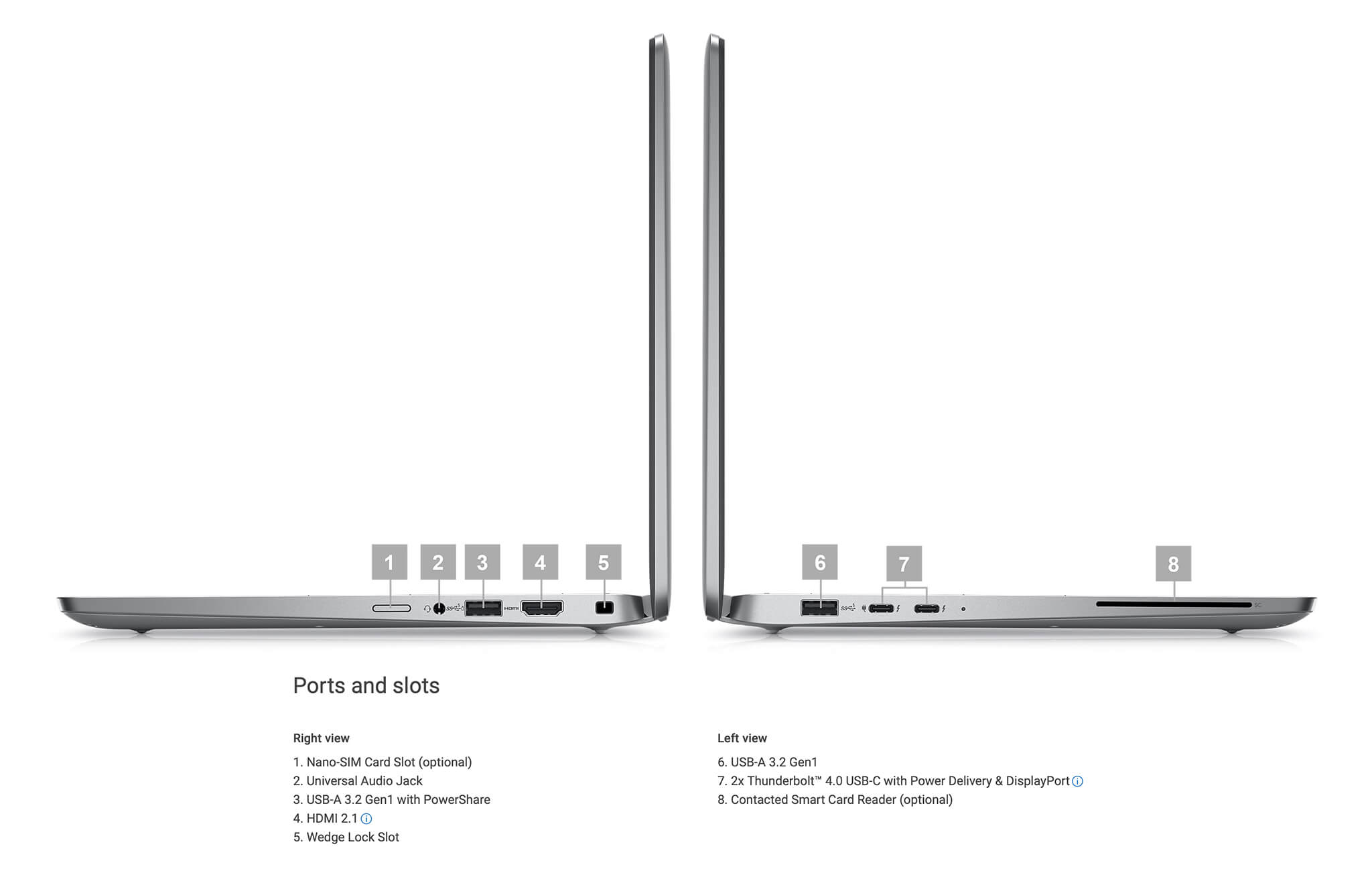
Alongside those, the laptop includes 1 USB 3.2 Gen 1 port with PowerShare, 1 USB 3.2 Gen 1 port, 1 HDMI 2.1 port, and 1 universal audio jack. This port selection covers most everyday needs, including mice, keyboards, projectors, external monitors, headsets, or portable drives, without having to rely heavily on adapter hubs.
For wireless connectivity, the Latitude 5350 (2024) supports Wi-Fi 6 or Wi-Fi 6E and Bluetooth 5.3, along with optional 4G LTE or 5G WWAN. As enterprise workflows become increasingly flexible, this connectivity suite delivers significant practical value, especially for professionals on the go who require steady access to cloud data, video meetings, and internal company systems.
Battery, camera, and collaboration on the Dell Latitude 5350 (2024)
One factor that sets the Dell Latitude 5350 (2024) apart from many mainstream office laptops is its deliberate optimization for hybrid work. The machine offers 42Wh or 54Wh battery options, both supporting ExpressCharge, while select versions also include ExpressCharge Boost and Long Cycle Life. For enterprise users, these details matter directly, dictating recharge frequency, quick top-ups on the go, and long-term battery lifespan.

The camera setup also stands above the office laptop average, with Dell offering options for an FHD 1080p camera, FHD IR, and higher-tier versions featuring an Ambient Light Sensor, multi-exposure HDR, ExpressSign-in, and Presence Detection. In practice, these features are especially useful for anyone frequently taking Zoom, Google Meet, or Microsoft Teams calls in tricky lighting, such as glass-walled rooms, backlit offices, or while traveling between workspaces.
In addition, the 2 x 2W stereo speaker system paired with Waves MaxxAudio Pro 13.0 and intelligent audio features helps reduce background noise on both ends of a call. This is an area often overlooked on a spec sheet, yet it substantially affects daily work quality. For those prioritizing a laptop tailored to collaboration, online conferences, and continuous workflow, the Latitude 5350 delivers a clear sense of purpose.
Dell Latitude 5350 (2024) Overview and Review
The Dell Latitude 5350 (2024) is a 13.3-inch business laptop built in the true spirit of the Latitude lineup: compact, durable, reliable, and firmly focused on everyday practicality. Rather than chasing flashy specifications, it scores points by striking a clean balance among performance, connectivity, security, and collaboration tools. With processor options spanning 13th Gen Intel Core and Intel Core Ultra, the machine handles everyday demands for corporate professionals, managers, technical sales teams, data analysts, and frequent business travelers alike.
From an everyday usability standpoint, the machine earns high marks because Dell invested in features that businesses genuinely need: a lightweight chassis, fast-charging batteries, high-quality webcams for conference calls, WWAN mobile broadband, Thunderbolt 4 ports, and optional Intel vPro or Smart Card readers. The main trade-offs to keep in mind are soldered RAM that cannot be upgraded, displays limited to Full HD, and integrated graphics unsuitable for intensive creative work. Even so, if you prioritize a dependable Dell Latitude UltraBook that deploys smoothly across an enterprise fleet and holds long-term value, the Dell Latitude 5350 (2024) remains an option well worth considering.
Here is a summary of pros and cons for a quick overview:
| Pros | Cons |
|---|---|
|
|
Dell Latitude 5350 (2024) FAQ - Frequently Asked Questions
1. Who is the Dell Latitude 5350 (2024) best suited for?
The Dell Latitude 5350 is well suited for office personnel, department managers, technical sales representatives, data analysts, and mobile professionals on the go. Its main advantages include a compact chassis, a complete port selection, clear video-conferencing cameras, and enterprise-grade security options, prioritizing daily utility over dedicated graphics power.
2. Is the Dell Latitude 5350 powerful enough for large Excel files, heavy browser tabs, and simultaneous video calls?
Yes. Powered by configurations ranging from 13th Gen Intel Core i5 and i7 up to Intel Core Ultra 5 or Ultra 7, paired with up to 32GB of RAM and PCIe Gen 4 SSD storage, the Latitude 5350 comfortably handles demanding office multitasking. It easily runs complex Excel spreadsheets, dozens of Chrome tabs, corporate reporting suites, Microsoft Teams or Zoom meetings, and business ERP software simultaneously.
3. Is the Dell Latitude 5350 display suitable for content creation and marketing work?
Yes, provided you choose the right display configuration. Higher-tier configurations of the Latitude 5350 feature a 400-nit FHD screen with 100% sRGB coverage and Low Blue Light hardware, making it far better suited for content creators, marketers, or anyone needing more accurate colors than the entry-level 250-nit panel offers. For everyday office productivity, the standard anti-glare FHD option remains plenty sufficient.
4. Is the Dell Latitude 5350 a good choice for programming and IT tasks?
The machine handles web development, light backend work, system administration, VS Code, IntelliJ, basic Docker containers, and standard engineering productivity software with ease. While not engineered for intensive 3D rendering or heavy simulations, it serves programmers and IT engineers exceptionally well when they need a lightweight, travel-friendly laptop with dependable battery life.
5. What are the key security advantages of the Dell Latitude 5350?
The Latitude 5350 offers security features tailored specifically for enterprise deployment, including Intel vPro options, an IR camera, ExpressSign-in with Presence Detection, Intelligent Privacy safeguards, a Smart Card reader, and nano-SIM support for cellular WWAN links. These tools help corporate IT departments manage remote hardware smoothly and maintain data protection outside the office.
6. Does the Dell Latitude 5350 provide enough battery life for a full workday?
The laptop offers 42Wh and 54Wh battery choices, both supporting ExpressCharge, with select configurations adding ExpressCharge Boost or Long Cycle Life battery packs. Real-world runtime depends on the chosen display panel, CPU, screen brightness, and daily workload, but Dell designed the Latitude 5350 specifically for mobile professionals who need sustained uptime throughout a typical business day.
Source: Dell Official
7. Does the Dell Latitude 5350 support 4G or 5G connectivity for remote work?
Yes. The Latitude 5350 provides WWAN options covering both 4G LTE and 5G networks, featuring a nano-SIM card slot on supported configurations. This is a significant asset for professionals who travel frequently, work on-site in the field, or require a reliable internet connection without relying entirely on public Wi-Fi hotspots.
8. Can the Dell Latitude 5350 run Linux?
Yes. According to Dell's official technical specifications, the Latitude 5350 supports Ubuntu 22.04 LTS on its clamshell chassis version. This is a practical benefit for developers and corporate teams seeking official Linux operating system support on a compact business notebook.
Source: Dell Official
9. What is the warranty policy for the Dell Latitude 5350 at Hung Phat Laptop?
Hung Phat Laptop provides a 12-month warranty on brand-new units, along with a 30-day replacement policy if hardware defects occur. For like-new or pre-owned machines, warranty coverage varies based on the specific condition of the unit. In addition, customers receive lifetime device cleaning, software installation support, and nationwide shipping services.
Where to buy a genuine Dell Latitude 5350 (2024) at the best price
The Dell Latitude 5350 (2024) is a fitting choice for users who need a compact, stable 13.3-inch business laptop tuned specifically for real-world workflows. It stands out with performance tailored for professional office environments, a versatile port selection, solid security features, and practical tools for remote collaboration, including an FHD camera, intelligent audio, and optional WWAN.
If you are looking for a reliable place to purchase an authentic Dell Latitude 5350 (2024), Hung Phat Laptop is well worth considering. With proven experience distributing officially imported Dell Latitude laptops, Hung Phat Laptop guarantees transparent product origins, clear warranty coverage, and dedicated technical support. It is a dependable destination to invest in a durable, practical Dell Latitude UltraBook built for long-term professional productivity.
Performance & benchmarks DELL Latitude 5350 (2024)
Intel Core Ultra 7 165U Intel Graphics 4-Core iGPU (Meteor / Arrow Lake) - best for Office 8.5/10, Programming 6/10.
Intel Core Ultra 7 165U
- Cinebench R23 (multi-core)10,226
- Geekbench 6 (multi-core)9,441
- Geekbench 6 (single-core)2,282.5
- Cores / Threads12/14
Intel Graphics 4-Core iGPU (Meteor / Arrow Lake) iGPU
- 3DMark Time Spy1,902
- 3DMark Fire Strike4,973
- AI INT88 TOPS
- ArchitectureXe LPG
Best for
Scored from real benchmarks- Gaming2/10
- Video / Graphics3.5/10
- Programming6/10
- Office8.5/10
Why does the CPU matter?
The CPU is the "brain" that handles every task: launching apps, multitasking, compiling code and editing video. The stronger the CPU, the faster and smoother the laptop runs when you juggle many things at once.
- BasicThis product
Web browsing, streaming and light office work.
- MainstreamThis product
Office work, moderate multitasking and studying.
- Mid-rangeThis product
Solid multitasking, programming and light graphics work.
- StrongThis product
Video editing, heavy programming, virtualization and gaming.
- FlagshipThis product
Heavy rendering, 4K/8K editing, virtual machines and AI workloads.
Why does the GPU matter?
The GPU (graphics card) handles visuals: gaming, video editing, 3D rendering and AI acceleration. The stronger the GPU, the higher your frame rates and the faster your video exports.
- Basic (iGPU)This product
Smooth display, 4K video and very light games (League of Legends, Valorant on low).
- MainstreamThis product
1080p eSports gaming, photo editing and light video editing.
- Mid-rangeThis product
1080p gaming on medium-high settings and smooth Full HD video editing.
- StrongThis product
1080p/1440p gaming on high settings, 4K video editing and 3D rendering.
- FlagshipThis product
4K/240Hz gaming, ray tracing, heavy rendering and AI.
Game performance
Real FPS - FHD- Dota 253 fps1080p Ultra
- CS248 fps1080p Medium
- GTA V101 fps1080p Medium
- CoD: Black Ops 615 fps1080p Low
- God of War Ragnarök21 fps1080p Low
- Final Fantasy XVI8 fps1080p Low
- Cyberpunk 207719 fps1080p Low
≥60fps very smooth30-60fps playable<30fps lower the settings
No comments yet
Q&A about DELL Latitude 5350 (2024)
Frequently asked questions about DELL Latitude 5350 (2024)
What are the specifications of DELL Latitude 5350 (2024)?
What is the warranty for DELL Latitude 5350 (2024)?
Can I buy DELL Latitude 5350 (2024) with home delivery?
Worth a Look
DELL Latitude 5330 (2 in 1) (2022)
Dell Latitude 7350 (2 in 1) (2024)
 3 configurations
DELL Latitude 5550 (2024)
Dell Latitude 7350 (2024)
 3 configurations





Hồ Anh Khoa 01/07/2026
Durable and beautiful design, sharp touchscreen, and the Core Ultra 7 ensures smooth performance for office work. Long battery life and lightweight, making it easy to carry. Very satisfied with this product.
Đinh Mai Hương 21/05/2026
Thin and lightweight, making it very convenient to carry to work, with a powerful configuration that handles tasks smoothly. The only downside is the 256GB SSD is a bit small; it fills up quickly with use.
Trần Đức Anh 21/05/2026
Extremely lightweight and incredibly convenient to carry to work. The touchscreen is responsive, and it handles office tasks smoothly - absolutely flawless.