


DELL Latitude 7330 (2022)
- CPU: Intel Core i7 1265U vPro Up To 4.8GHz (10 Cores, 12 Threads, 12MB Cache)
- RAM: DDR4 16GB 3200MHz
- SSD: 512GB PCIe M.2 SSD
- VGA: Intel® Iris® Xe Graphics
- DISPLAY: 13.3" IPS FHD (1920*1080), Anti-Glare, Non-Touch, Comfort View Plus, 400 nit
- CONDITION: New 100% Full Box
- WARRANTY: 12-month warranty
- Refined, Elegant Design
- Display on the Dell Latitude 7330 (2022)
- Superior Performance with 12th Gen Intel CPUs
- Keyboard & Touchpad on the Dell Latitude 7330
- Ports & Connectivity on the Dell Latitude 7330
- Operating Temperatures and Battery Life
- Dell Latitude 7330 (2022) Summary & Review
- FAQ - Frequently Asked Questions About the Dell Latitude 7330 (2022)
- Where to Buy the Dell Latitude 7330 (2022) at a Great Price with Reliable Service?
With flexible work demands continually growing, a high-performance laptop with a streamlined design and enterprise-grade durability like the Dell Latitude 7330 (2022) makes an ideal choice. Packed with upgrades over the previous generation, this laptop model handles remote work requirements with ease while reflecting solid investment in technology and user experience. Thanks to a sleek design and specs optimized for office performance, the Dell Latitude 7330 quickly secures a firm foothold in the modern business laptop segment.
Refined, Elegant Design
Design makes the first impression when users choose a work laptop. With a modern, refined style, the Dell Latitude 7330 (2022) stands out by combining an elegant profile with premium materials, well suited for professional business environments and anyone who values aesthetics in their work device.

The chassis of the Dell Latitude 7330 is crafted from premium carbon fiber, which reduces weight while delivering exceptional durability. An elegant gray finish paired with a prominent Dell logo centered on the lid gives it a premium feel from the first look. Gently rounded edges combined with a 360-degree hinge provide a flexible, convenient user experience across diverse work scenarios.
With compact dimensions of (306.5 x 199.95 x 16.96 mm) and a weight of just 1.13 kg, users can easily carry the Dell Latitude 7330 on business trips or daily commutes. Its compact build does not compromise functionality; instead, it enhances portability, making the device an ideal companion for business professionals and anyone frequently working flexibly across different spaces.
Display on the Dell Latitude 7330 (2022)
The display of the Dell Latitude 7330 (2022) delivers a compelling visual experience with Full HD 1920x1080 resolution on a 13.3-inch panel. Visuals appear sharp with well-balanced colors and good contrast, perfectly meeting demands for office work, online meetings, or streaming entertainment. The standard 16:9 aspect ratio effectively supports multitasking workflows in a modern work environment.

IPS display panel technology helps maintain brightness and consistent color across all viewing angles, making it easier to share your screen with colleagues without any loss in visual quality. A layer of Corning Gorilla Glass 6 not only protects the screen from scratches but also increases overall durability, ideal for users frequently on the move or working on business travel.
In particular, the Dell Latitude 7330 incorporates ComfortView Plus technology to minimize harmful blue light, helping reduce eye strain and supporting long work sessions without compromising vision health. This is an important detail reflecting Dell's serious commitment to user experience, especially for enterprise clients with intensive computer use.
Superior Performance with 12th Gen Intel CPUs
Operating performance is always a key factor when choosing a business laptop, and the Dell Latitude 7330 fully lives up to expectations with its 12th Gen Intel Core i7-1265U processor. This chip delivers an optimal balance between performance and power efficiency, making it well suited for high-intensity workloads in professional corporate settings.

With a 10-core, 12-thread architecture, this processor smoothly handles multitasking workloads without system bottlenecks. Users can run multiple programs simultaneously, from office applications to data analytics tools, while maintaining snappy responsiveness. Additionally, Intel Turbo Boost technology boosts clock speeds up to 4.8GHz, giving the machine greater flexibility when quickly processing heavy workloads.
Paired with the CPU is Intel Iris Xe Graphics, a capable integrated graphics solution that reliably supports basic design work, light photo and video editing, or casual gaming. This makes it an ideal option for users who need a compact, portable device that can still handle everyday graphics processing needs.
Keyboard & Touchpad on the Dell Latitude 7330
Keyboard and touchpad play a crucial role in the user experience when choosing a laptop for work. On the Dell Latitude 7330 series, the keyboard is designed with moderate key travel, tactile feedback, and a well-spaced layout, delivering comfortable typing over extended periods. Integrated backlighting supports effective work in low-light environments while enhancing the device's professional appeal. However, the lack of a numeric keypad may be a limitation for those who frequently work with large volumes of numerical data.
The touchpad on the Dell Latitude 7330 measures a spacious 11.5 x 6.5 cm, featuring a smooth surface and rapid responsiveness for precise navigation. Multi-touch tracking and gesture support also enhance everyday usability. Together, the keyboard and touchpad on this device ensure an optimal input experience, well suited for office workflows or mobile productivity requiring precision and speed.
Ports & Connectivity on the Dell Latitude 7330
The Dell Latitude 13 7330 delivers outstanding connectivity flexibility, well suited to the varied workflows of modern enterprise users. The machine comes equipped with an essential set of ports, including 2 Thunderbolt 4 ports, 2 USB Type-C 3.2 ports, 1 USB-A 3.2 port, and an HDMI 2.0 port to support high-resolution external displays. In addition, a 3.5mm headphone jack and an SD card slot expand compatibility with peripherals and external storage, which is especially useful for users who frequently handle data from cameras or mobile devices.

Beyond its physical ports, the Dell Latitude 7330 supports Wi-Fi 6E for high-speed, stable network access across wireless workspaces. Meanwhile, eSIM capability enables cellular data connectivity without a physical SIM card, ensuring flexibility and convenience on the move. This combination of modern connectivity and a streamlined profile makes the Dell Latitude 7330 an ideal tool for mobile productivity and professional collaboration.
Operating Temperatures and Battery Life
Stable operating temperatures are essential to sustaining laptop performance in demanding professional settings. Designed with dual cooling fans, the Dell Latitude 7330 provides exceptional temperature management, keeping internal components running at their best without thermal throttling. This not only prolongs the machine's lifespan but also provides peace of mind during extended heavy workloads or in spaces with limited airflow.
Complementing its efficient cooling, the Dell Latitude 7330 also stands out with an impressive real-world battery life of over 9 hours, easily keeping up with mobile work demands. Whether through marathon meetings, long business trips, or work on the go, users can rely on the machine's stability and flexibility without constantly needing a power outlet.
Dell Latitude 7330 (2022) Summary & Review
Overall, the Dell Latitude 7330 (2022) stands out as a premium business laptop that blends luxurious design, stable performance, and versatile connectivity. Built with durable materials in a compact, lightweight form factor, it packs modern technologies that streamline workflow efficiency even in demanding environments. A quality display, responsive keyboard, and efficient cooling system all elevate the overall user experience.
Powered by a 12th Gen Intel CPU, integrated graphics, and solid battery life, the Dell Latitude 7330 is tailored for office professionals, managers, and financial analysts who need a portable machine without sacrificing fast processing speeds or dependable reliability. It is an ideal fit for enterprises, organizations, and on-the-go professionals seeking rock-solid stability for every task.
| Pros | Cons |
|---|---|
|
|
FAQ - Frequently Asked Questions About the Dell Latitude 7330 (2022)
1. Is the Dell Latitude 7330 well suited for enterprise and mobile work?
The Latitude 7330 features an ultralight magnesium chassis (around 0.97 kg), making it exceptionally convenient to carry on extended business trips and deploy in executive office settings.
2. Does the 13.3
The 13.3″ FHD (1920×1080) IPS panel offers ~374-400 nits of brightness and wide viewing angles, rendering text, spreadsheets, and reports crisp and clear for professional workloads.
3. Can the Latitude 7330 handle data-intensive workflows effectively?
Equipped with an Intel Core i7-1265U vPro processor, up to 32 GB RAM, and a PCIe SSD, the system smoothly powers through large Excel spreadsheets, Power BI reports, and dozens of active browser tabs without stutter.
4. Is the machine powerful enough for programming and software development?
With its multi-core CPU, high-speed RAM, and fast SSD, the Latitude 7330 runs IDEs like VS Code, IntelliJ, and PyCharm fluidly, sustaining reliable build, debug, and Docker performance throughout a full workday.
5. Can the Latitude 7330 handle 2D design or light 3D rendering?
The Intel Iris Xe G7 GPU handles 2D tasks such as Photoshop, Illustrator, and light SketchUp modeling with ease. However, its performance remains limited for heavy 3D graphics workloads.
6. What is the real-world battery life of the Dell Latitude 7330?
In practical use, the 41 Wh battery (or 58 Wh depending on configuration) delivers about **8-10 hours** of web browsing and over **8 hours** of Full HD video playback, easily covering a full workday.
Source: PCWorld [oai_citation:0‡notebookcheck.net](https://www.notebookcheck.net/Intel-Core-i7-1265U-debut-Dell-Latitude-13-7330-1-kg-laptop-review.635255.0.html?utm_source=chatgpt.com) [oai_citation:1‡pcworld.com](https://www.pcworld.com/article/822502/dell-latitude-7330-ultralight-review-the-laptop-your-boss-wants-to-buy-you.html?utm_source=chatgpt.com)
7. Does the laptop stay stable under heavy multitasking and code compilation?
An optimized cooling system keeps the Latitude 7330 running cool and performing steadily during heavy multitasking, compiling code, or running Office applications side-by-side.
8. Does the Dell Latitude 7330 support Linux for developers?
The Latitude 7330 is certified for Ubuntu 20.04 LTS and offers broad compatibility with Fedora. A few drivers, such as the touchpad or Wi-Fi, may require manual updates for full functionality.
Source: Ubuntu Certified
9. What is the warranty policy for the Latitude 7330 at Hung Phat Laptop?
Hung Phat Laptop provides a 12-month warranty for brand-new units with a 30-day replacement policy for manufacturer defects. Like-new or pre-owned systems (2022 models and older) include a 6-month warranty and also qualify for 30-day replacements. Customers also receive complimentary cleaning, free software installation, and nationwide shipping.
Browse more models in the Dell laptops category. If you are comparing options, also see the DELL Latitude 7430 (2022) and the DELL Latitude 5330 (2022).
Where to Buy the Dell Latitude 7330 (2022) at a Great Price with Reliable Service?
If you are looking for a thin and light business laptop with solid performance, the Dell Latitude 7330 is a compelling option in the premium segment. Featuring a refined design, dependable specs, and workflow-friendly capabilities, it adapts effortlessly to demanding professional settings, from daily office tasks to extended business travel.
To find a reputable deal on the Dell Latitude 7330, check out Hung Phat Laptop - an authorized importer providing complete invoices and fully verified product origins. Beyond genuine hardware quality, Hung Phat offers a transparent warranty policy, attractive promotions, and dedicated after-sales support, giving you total peace of mind when choosing imported Dell Latitude laptops.
Performance & benchmarks DELL Latitude 7330 (2022)
Intel Core i7-1265U Intel Iris Xe Graphics G7 96EUs - best for Office 8.5/10, Programming 5.5/10.
Intel Core i7-1265U
- Cinebench R23 (multi-core)8,225
- Geekbench 6 (multi-core)7,304
- Geekbench 6 (single-core)2,376
- PassMark13,013
- Cores / Threads10/12
Intel Iris Xe Graphics G7 96EUs iGPU
- 3DMark Time Spy1,560.5
- 3DMark Fire Strike5,159.5
- ArchitectureGen. 11 Ice Lake
Best for
Scored from real benchmarks- Gaming1.5/10
- Video / Graphics3/10
- Programming5.5/10
- Office8.5/10
Why does the CPU matter?
The CPU is the "brain" that handles every task: launching apps, multitasking, compiling code and editing video. The stronger the CPU, the faster and smoother the laptop runs when you juggle many things at once.
- BasicThis product
Web browsing, streaming and light office work.
- MainstreamThis product
Office work, moderate multitasking and studying.
- Mid-rangeThis product
Solid multitasking, programming and light graphics work.
- StrongThis product
Video editing, heavy programming, virtualization and gaming.
- FlagshipThis product
Heavy rendering, 4K/8K editing, virtual machines and AI workloads.
Why does the GPU matter?
The GPU (graphics card) handles visuals: gaming, video editing, 3D rendering and AI acceleration. The stronger the GPU, the higher your frame rates and the faster your video exports.
- Basic (iGPU)This product
Smooth display, 4K video and very light games (League of Legends, Valorant on low).
- MainstreamThis product
1080p eSports gaming, photo editing and light video editing.
- Mid-rangeThis product
1080p gaming on medium-high settings and smooth Full HD video editing.
- StrongThis product
1080p/1440p gaming on high settings, 4K video editing and 3D rendering.
- FlagshipThis product
4K/240Hz gaming, ray tracing, heavy rendering and AI.
Game performance
Real FPS - FHD- Dota 250 fps1080p Ultra
- Fortnite57 fps1080p Low
- GTA V85 fps1080p Medium
- Black Myth: Wukong10 fps1080p Low
- Cyberpunk 207717 fps1080p Low
≥60fps very smooth30-60fps playable<30fps lower the settings
Local AI performance
Tokens/second running locally on GPU- Gemma 4 E2B IT5.6 GB · ctx 256K6.0 tok/sDecent
- GLM-4 9B5.1 GB · ctx 128K7.0 tok/sDecent
- Gemma 4 E4B4.6 GB · ctx 256K8.0 tok/sDecent
- Ministral 8B4.6 GB · ctx 32K8.0 tok/sDecent
- Qwen 3.5 4B4.6 GB · ctx 32K8.0 tok/sDecent
- DeepSeek R1 Distill 7B4.1 GB · ctx 64K9.0 tok/sRuns well
- Gemma 4 E2B3.1 GB · ctx 256K12 tok/sRuns well
- Qwen 3.5 2B2.5 GB · ctx 32K14 tok/sRuns well
- Phi-4 Mini Reasoning2.4 GB · ctx 16K15 tok/sRuns well
- Llama 3.2 3B2 GB · ctx 128K18 tok/sRuns well
- SmolLM3 3B2 GB · ctx 128K18 tok/sRuns well
- DeepSeek R1 1.5B1.3 GB · ctx 64K28 tok/sRuns great
- Qwen 3.5 0.8B1.3 GB · ctx 32K28 tok/sRuns well
- TinyLlama 1.1B1.1 GB · ctx 2K33 tok/sRuns well
- Llama 3.2 1B1 GB · ctx 128K36 tok/sRuns well
- Gemma 2 9B5.1 GB · ctx 8K7.0 tok/sDecent
- Nemotron Nano 9B v25.1 GB · ctx 128K7.0 tok/sDecent
- Llama 3.1 8B4.6 GB · ctx 128K8.0 tok/sDecent
- Qwen 3 8B4.6 GB · ctx 128K8.0 tok/sDecent
- Mistral 7B v0.34.1 GB · ctx 32K9.0 tok/sRuns well
- Qwen 2.5 7B4.1 GB · ctx 128K9.0 tok/sRuns well
- Qwen 2.5 Coder 7B4.1 GB · ctx 128K9.0 tok/sRuns well
- Qwen 3 4B2.5 GB · ctx 32K14 tok/sRuns well
- Gemma 3 4B2.5 GB · ctx 128K14 tok/sRuns well
- Phi-3.5 Mini2.4 GB · ctx 128K15 tok/sRuns well
- Gemma 2 2B1.5 GB · ctx 8K24 tok/sRuns great
- Qwen 3 1.7B1.4 GB · ctx 32K26 tok/sRuns great
- Qwen 2.5 Coder 1.5B1.3 GB · ctx 32K28 tok/sRuns great
- Qwen 3 0.6B1.1 GB · ctx 32K33 tok/sRuns well
- Gemma 3 1B1 GB · ctx 32K36 tok/sRuns well
GreatWellDecent4-bit quantized, ctx = context window
No comments yet
Q&A about DELL Latitude 7330 (2022)
Frequently asked questions about DELL Latitude 7330 (2022)
What are the specifications of DELL Latitude 7330 (2022)?
What is the warranty for DELL Latitude 7330 (2022)?
Can I buy DELL Latitude 7330 (2022) with home delivery?
Worth a Look
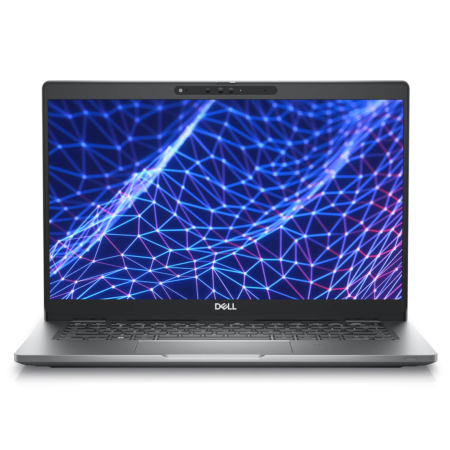
DELL Latitude 5330 (2 in 1) (2022)

DELL Latitude 7350 (2 in 1) (2024)
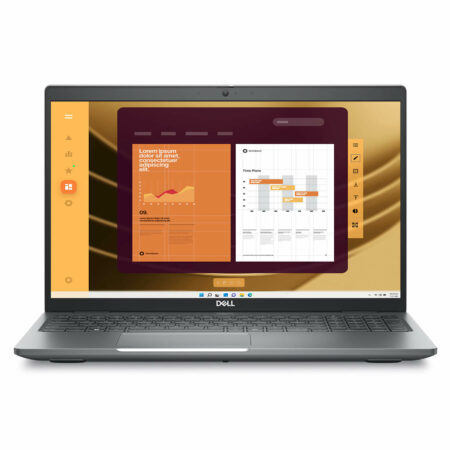
DELL Latitude 5550 (2024)
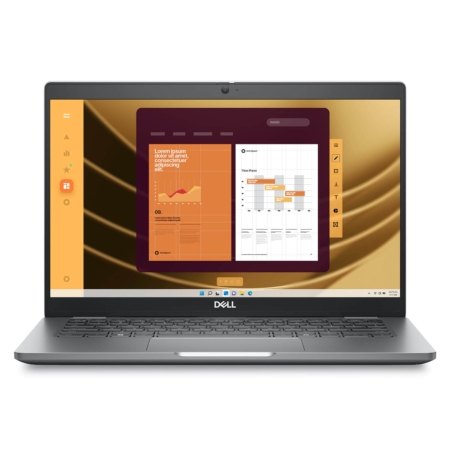
DELL Latitude 5350 (2024)


Lưu Kiến Lương 19/04/2024Purchased at Hung Phat
Students should receive a 500k discount during the back-to-school season.
Anh Phú 13/04/2023Purchased at Hung Phat
The owner is enthusiastic and provides dedicated consultation, helping me buy exactly the laptop I need for my work.