

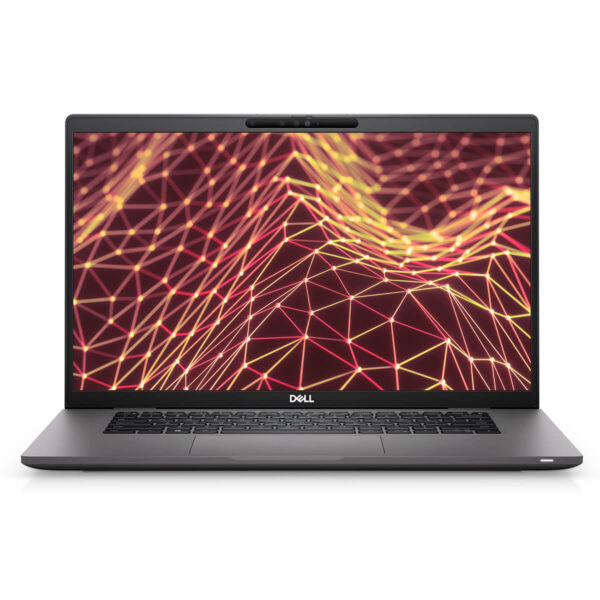
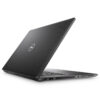
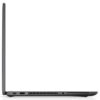
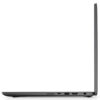
DELL Latitude 7530 (2022)
- CPU: Intel® Core i7 1265U vPro Up To 4.8GHz (10-Cores, 12-Threads, 12MB Cache)
- RAM: DDR4 32GB 3200MHz
- SSD: 256GB PCIe M.2 SSD
- VGA: Intel® Iris® Xe Graphics
- DISPLAY: 15.6" IPS FHD (1920*1080), Non-Touch, Anti-Glare, 400Nits
- CONDITION: New 100% Full Box
- WARRANTY: Bảo hành 12 tháng
- Minimalist and Elegant Design
- Display on Dell Latitude 7530 (2022)
- Superior Performance with 12th Gen Intel CPU
- Keyboard & Touchpad on Dell Latitude 7530
- Ports & Connectivity on Dell Latitude 7530
- Dimensions and Weight
- Operating Temperature and Battery Life
- Summary of Dell Latitude 7530 (2022)
- FAQ - Frequently Asked Questions about Dell Latitude 7530 (2022)
- Where to buy a reliable Dell Latitude 7530 at a good price?
Dell Latitude 7530 (2022) is an ideal choice in the modern technology world, where productivity and flexibility are prioritized. Developed specifically for business professionals and power users, Dell Latitude combines elegant design, exceptional durability, and advanced security technologies. With powerful upgrades, this laptop model not only meets all work needs anywhere but also provides absolute peace of mind during use thanks to comprehensive security features.
Minimalist and Elegant Design
Dell Latitude 7530 (2022) makes an impression with its elegant, minimalist design, combining a slim, lightweight form factor with premium materials such as carbon fiber or solid aluminum. The surface is meticulously finished, providing a sturdy and professional feel for business users while maintaining flexibility during travel. The harmonious combination of aesthetics and practical usability makes this laptop an ideal choice in modern office environments.

The chassis is constructed from recycled carbon fiber, which is not only environmentally friendly but also meets strict industrial durability standards. Dell uses low-VOC water-based paint to limit chemical emissions, increase color durability, and enhance safety for users. These elements demonstrate the commitment to sustainability in Dell Latitude design, while providing peace of mind for users working long hours.
With a thickness of only 17.73mm and a weight of approximately 1.54 kg, the Dell Latitude 7530 easily fits into a backpack or briefcase without being bulky. Despite being equipped with a 15.6-inch display, the device maintains a balance between ample screen space and portability, serving both office work and mobile creative tasks well.
Display on Dell Latitude 7530 (2022)
The Dell Latitude 7530 display is highly regarded for its clear visibility combined with blue light reduction technology, which helps protect eyesight during long working hours. Combined with high brightness up to 400 nits and an appropriate aspect ratio, the Latitude 7530 delivers an optimal viewing experience in various lighting conditions, meeting the needs of flexible working in the office or while traveling.
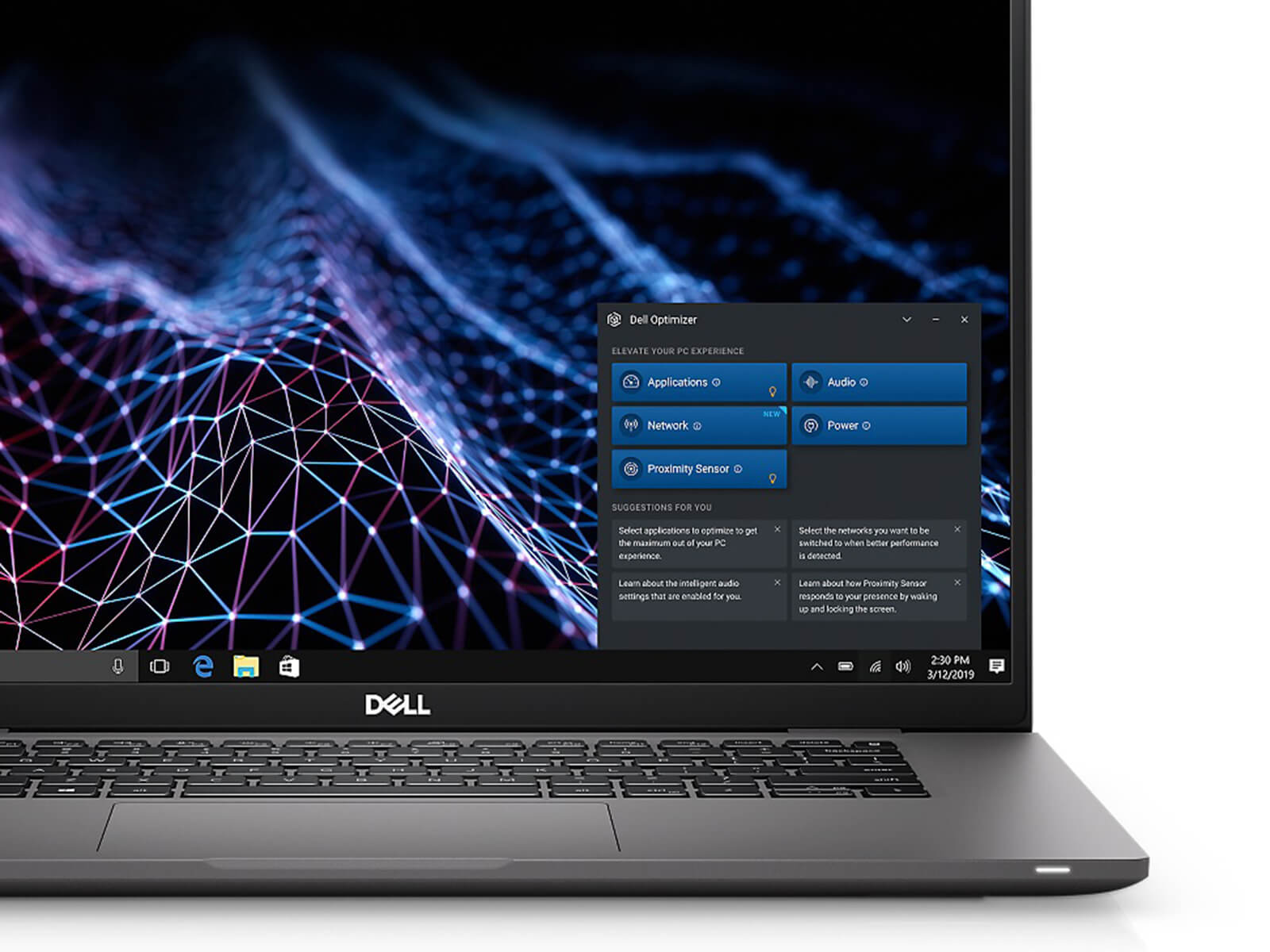
The inclusion of ComfortView Plus technology helps minimize the harmful effects of blue light on users' eyes, helping to maintain focus and high performance during long-term work. Options between FHD or 4K resolution, along with high brightness, help display detailed images, ensuring accuracy when performing multiple tasks simultaneously.
Additionally, the Dell Latitude 7530 is highly rated for its sharp image display and wide color gamut, meeting the needs of graphic designers or professional content creators. The combination of wide color coverage and accurate color reproduction helps the Dell Latitude 7530 become an ideal tool for those with high requirements for image clarity and display.
Superior Performance with 12th Gen Intel CPU
Dell Latitude 7530 (2022) is equipped with 12th Gen Intel Core (Alder Lake) processors, delivering superior performance for business and professional users. Thanks to the combination of modern hybrid architecture and powerful processing speed, this device can flexibly meet work requirements from basic to advanced, optimizing performance in high-speed working environments.
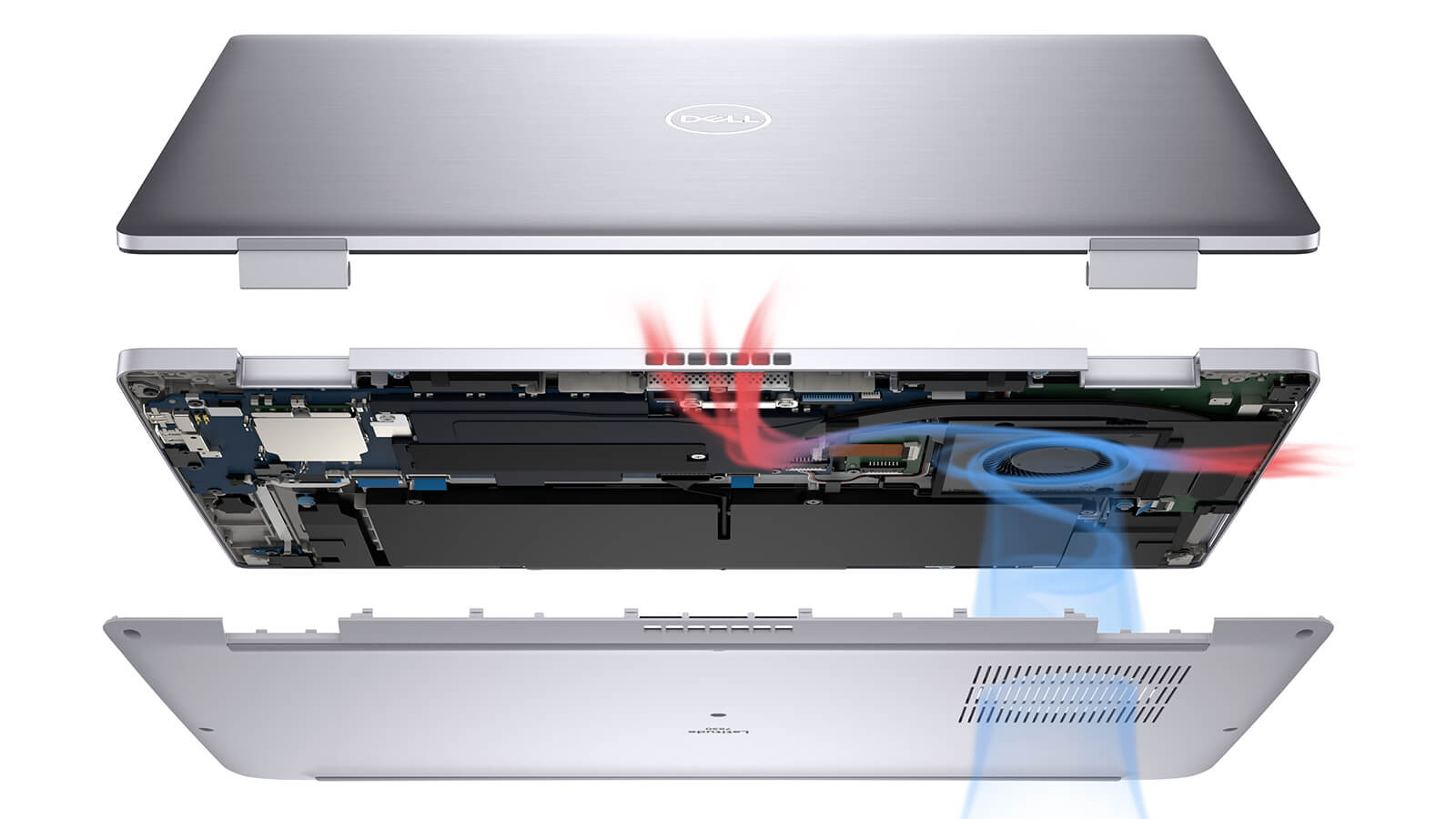
With a configuration including 16GB DDR4 RAM and 512GB PCIe M.2 SSD, this Dell Latitude laptop provides a smooth multitasking experience. Users can easily run multiple office applications, web browsers, and creative software like Adobe Photoshop without experiencing lag. The SSD not only helps shorten boot times but also enhances data access performance during work.
In particular, the Latitude 7530 also integrates Intel Iris Xe Graphics, helping to improve graphics processing for entertainment, presentations, or basic image editing. As a result, users can enjoy sharp display quality when watching high-resolution videos, working with multimedia, or using it in professional presentations without needing a discrete graphics card.
Keyboard & Touchpad on Dell Latitude 7530
The keyboard on the Dell Latitude 7530 is designed with high-quality finishing, providing a smooth and accurate typing experience for office and professional users. With an ideal key travel, good responsiveness, and a scientific layout, the keyboard helps reduce hand fatigue during continuous work for many hours. Notably, the function keys are optimally arranged, allowing quick access to frequently used tasks without needing to move hands to the mouse.
The touchpad has a spacious area, supporting smooth and precise navigation in every operation. The multi-touch feature works stably, allowing users to perform scrolling, zooming, or window switching flexibly. Thanks to the combination of a high-quality keyboard and a responsive touchpad, the Dell Latitude 7530 delivers outstanding work efficiency, meeting daily usage needs in a modern office environment.
Ports & Connectivity on Dell Latitude 7530
Dell Latitude 7530 is equipped with a comprehensive connectivity system, flexibly meeting usage needs in a modern working environment. From two Thunderbolt 4 ports that support fast charging and high-speed data transfer, to HDMI 2.0, USB 3.2 Gen 1, and a 3.5mm audio jack, the device offers diverse connectivity with external monitors, peripherals, and projection systems. Notably, the SIM card slot and Smart Card reader options provide convenience for business users who need security and connectivity anytime, anywhere.
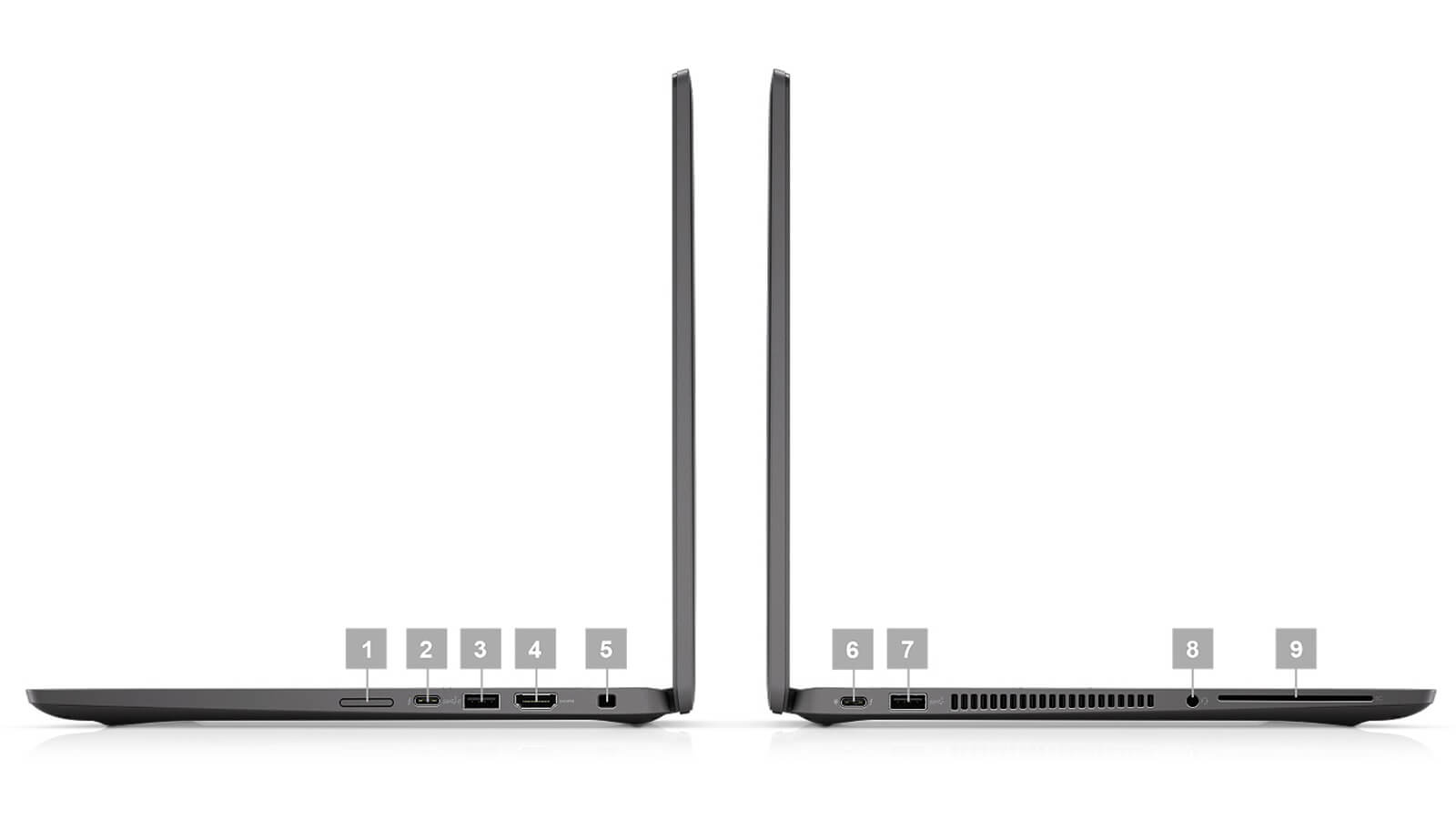
| 1. SIM card slot (optional) (WWAN only) 2. Thunderbolt™ 4 with Power Delivery and DisplayPort (USB Type-C™) 3. USB 3.2 Gen 1 with PowerShare 4. HDMI 2.0 5. Wedge-shaped Lock Slot |
6. Thunderbolt™ 4 with Power Delivery and DisplayPort (USB Type-C™) 7. USB 3.2 Gen 1 (Not available with P28 processors) 8. Universal Audio Jack 9. Smart Card Reader (optional) |
In addition to physical ports, the Latitude 7530 also supports modern wireless connections such as Wi-Fi 6E and Bluetooth 5.2, ensuring fast and stable data transmission speeds. With the LTE WWAN option, users can easily access the Internet even without Wi-Fi, making it suitable for those who travel frequently or work remotely. This factor helps enhance work efficiency in today's flexible environment.
Not only focusing on performance, the device also integrates many advanced security features such as ExpressSign-in, Intelligent Privacy, and Intelligent Audio to protect personal information from potential risks. The Smart Card Reader option helps enhance authentication and ensure maximum data security. All of these contribute to making the Dell Latitude 7530 a reliable tool for professional users.
Dimensions and Weight
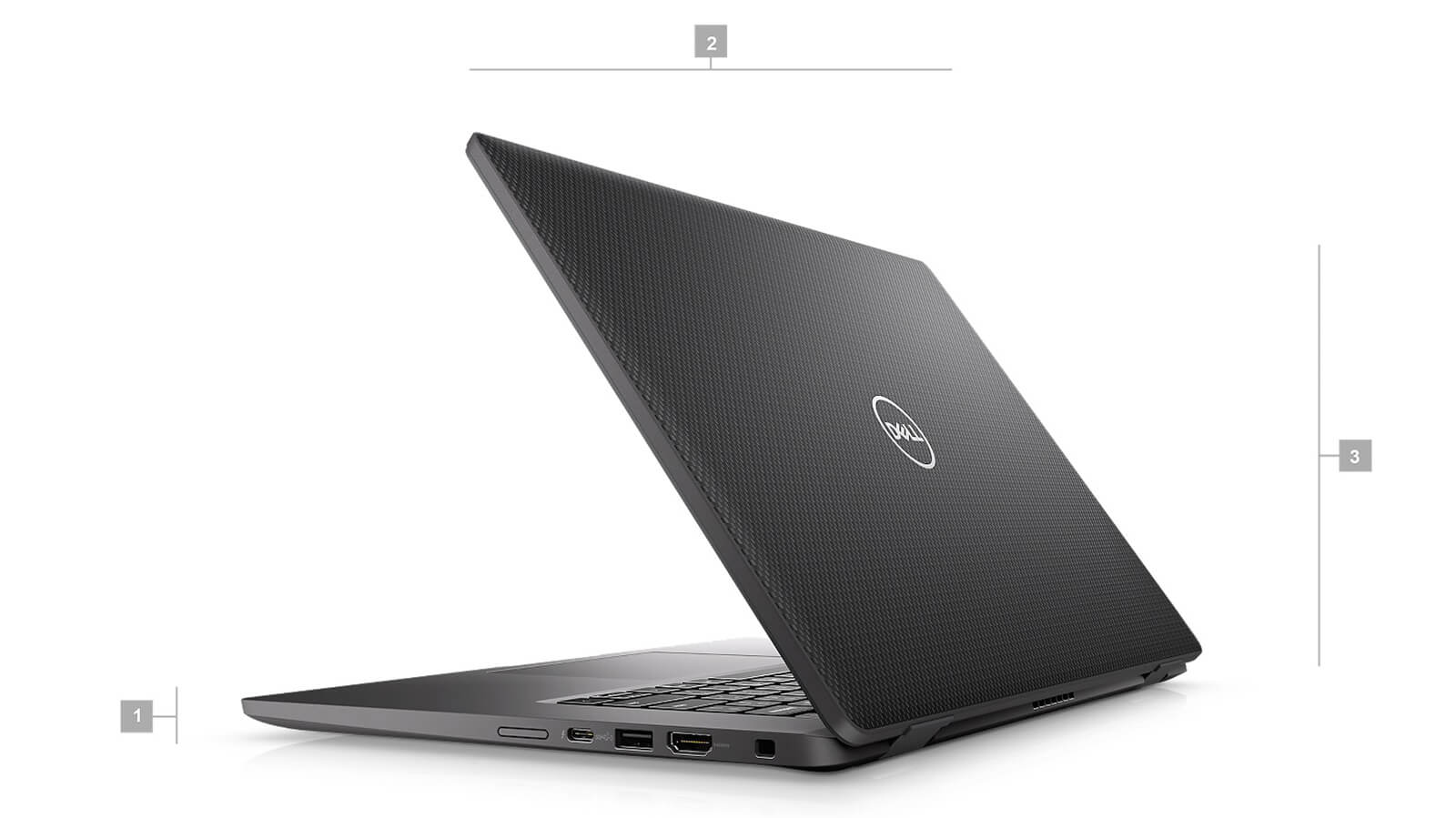
Carbon Fiber: 1. Thickness: 0.698" (17.73 mm) | 2. Width: 14.08" (357.7 mm) | 3. Height: 9.05" (229.75mm) | Weight: 3.39 lbs. (1.54 kg)*
Aluminum: 1. Thickness: 0.69" (17.5 mm) | 2. Width: 14.08" (357.7 mm) | 3. Height: 9.05" (229.75mm) | Weight: 3.89 lbs. (1.76 kg)*
Operating Temperature and Battery Life
Dell Latitude 7530 not only impresses with powerful performance but is also highly rated for its temperature control and actual battery life. The dual cooling system is optimally designed to maintain a stable temperature even when the machine has to handle heavy tasks for long periods. This not only helps improve overall performance but also extends hardware lifespan, providing peace of mind when using it continuously in office or professional mobile environments.
Additionally, the Dell Latitude 7530 possesses impressive battery life, meeting the needs of a full day of work without frequent recharging. Thanks to the integrated ExpressCharge technology, users can charge up to 80% in about 60 minutes, saving time and increasing work efficiency. This is a major plus for those who travel frequently and need a device that is reliable in terms of battery and practical performance.
Summary of Dell Latitude 7530 (2022)
Dell Latitude 7530 (2022) is an ideal choice for professional users looking for a business laptop that possesses stable performance, high durability, and flexibility when working on the go. With a streamlined design from premium materials like carbon fiber or aluminum, the machine brings sophistication and a sturdy feel for daily use. The powerful configuration with 12th Gen Intel Core processors, DDR4 RAM, and PCIe Gen 4 SSD helps smoothly handle multitasking office tasks, while the high-brightness screen with ComfortView Plus support provides a comfortable visual experience.
In addition, the Dell Latitude 7530 is equipped with advanced security systems including TPM 2.0, fingerprint sensors, and a smart card reader, along with modern connections like Wi-Fi 6E, Thunderbolt 4, and an LTE option to allow users to work anywhere with peace of mind. However, the product still has some limitations such as the lack of a discrete GPU for heavy graphics tasks, a webcam that only reaches 720p, and a weight of nearly 1.6kg-not truly optimized for those who prioritize high mobility. Nevertheless, within its price range and segment, this is still a device worth considering due to the balance between performance and reliability.
| Pros | Cons |
|---|---|
|
|
FAQ - Frequently Asked Questions about Dell Latitude 7530 (2022)
1. Is the Dell Latitude 7530 suitable for intensive work environments?
The Latitude 7530 features a premium design with an aluminum or carbon frame, weighing approximately 1.54 kg, and meets MIL-STD 810H durability standards. The machine is aimed at business users, specializing in data management, report processing, and daily multitasking.
2. Does the 15.6
The machine is equipped with a Full HD IPS screen, wide viewing angles, and good contrast. Although not aimed at professional color grading, the screen is sharp and clear enough to perform office tasks and light design such as PowerPoint or graphic reports.
3. Does the Latitude 7530 accelerate effectively when processing large spreadsheets and reports?
With an Intel Core i5/i7 12th Gen CPU (10 cores) and up to 32 GB of RAM, the machine smoothly handles complex Excel spreadsheets, Power BI, and ERP software. The PCIe Gen 4 SSD helps open files quickly without stuttering when running multitasking.
4. Can the machine be used well for programming and software development?
The multi-core CPU, fast SSD, and large RAM help the Latitude 7530 run IDEs like VS Code, IntelliJ IDEA, and PyCharm smoothly. Users can build, debug, and use Docker continuously throughout the workday without experiencing slowdowns.
5. Can the Latitude 7530 handle photo design or light 3D modeling?
The Intel Iris Xe G7 GPU and Full HD resolution screen support 2D graphic design tasks and light modeling like SketchUp or Illustrator. This is a worthwhile option for basic content creators.
6. What is the actual battery life of the Latitude 7530?
According to LaptopMedia, with a 58 Wh battery, the machine achieves about **10 hours and 30 minutes of light web browsing**, but only over **7 hours of video playback**. This result suggests you should charge it before the end of a real workday.
Source: LaptopMedia
7. Does the machine get hot when working for a long time or multitasking?
The Latitude 7530 is slim and lightweight, so the cooling system is not extremely powerful; under stress, the machine can get quite warm. However, performance is maintained and does not throttle even when the CPU is under high load. [oai_citation:0‡reddit.com](https://www.reddit.com/r/Dell/comments/12bdtx5/is_linux_working_properly_on_latitude_7530/?utm_source=chatgpt.com) [oai_citation:1‡canonical.com](https://canonical.com/blog/introducing-the-dell-precision-7530-and-7730-with-ubuntu?utm_source=chatgpt.com) [oai_citation:2‡laptopmedia.com](https://laptopmedia.com/review/dell-latitude-15-7530/?utm_source=chatgpt.com)
8. Does the Dell Latitude 7530 support Linux installation?
The Latitude 7530 has been certified to run Ubuntu 20.04 LTS according to assessments from Canonical. The machine is highly compatible with many Linux distributions; however, some hardware like the touchscreen or Wi-Fi may require additional drivers.
Source: Ubuntu Certified
9. What is the warranty policy at Hung Phat Laptop for the Latitude 7530?
Hung Phat Laptop provides a 12-month warranty for new machines and supports a 1-for-1 replacement within the first 30 days for hardware defects. Like-new or used machines (2022 models) come with a 6-month warranty and still apply the 30-day replacement policy if issues arise.
Where to buy a reliable Dell Latitude 7530 at a good price?
If you are looking for a laptop with stable performance, high durability, and a design suitable for a business environment, then the Dell Latitude 7530 is definitely an option you should not overlook. With a powerful configuration and refined finish, this laptop meets the needs of flexible working from the office to frequent travel.
At Hung Phat Laptop, you can easily own a Dell Latitude 7530 at a competitive price. Our products are directly imported, officially sourced, with full invoices and clear origins. We stand out thanks to our transparent warranty policy and professional technical support team, providing absolute peace of mind for customers when choosing the premium Dell Latitude laptop line.
No comments yet
Q&A about DELL Latitude 7530 (2022)
Frequently asked questions about DELL Latitude 7530 (2022)
What are the specifications of DELL Latitude 7530 (2022)?
What is the warranty for DELL Latitude 7530 (2022)?
Can I buy DELL Latitude 7530 (2022) with home delivery?
Worth a Look
DELL Latitude 7640 (2023)
DELL Latitude 5330 (2 in 1) (2022)
DELL Latitude 7350 (2 in 1) (2024)
DELL Latitude 9450 (2 in 1) (2024)
 3 configurations




Nguyễn Thế Thanh Tùng 10/03/2024Purchased at Hung Phat
I've purchased from them many times; very reputable.
Mai Trần Hạo 05/12/2023Purchased at Hung Phat
Unsealed machine, 100% New as described