

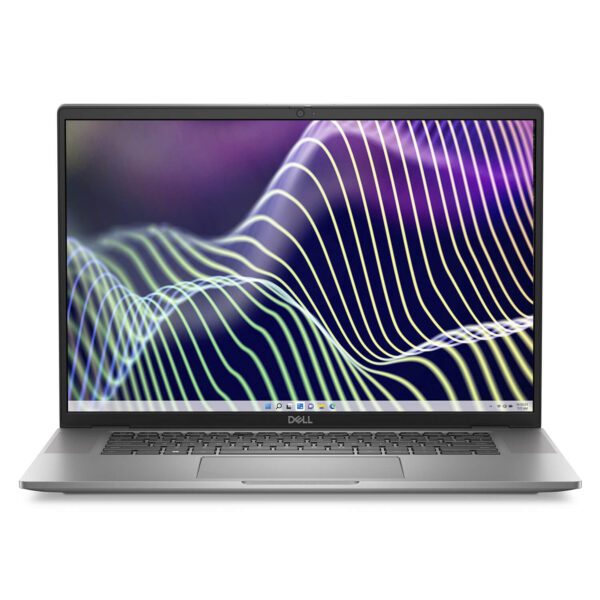
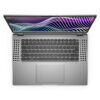
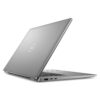
DELL Latitude 7640 (2023)
- CPU: Intel Core i5 1345U vPro Up To 4.7GHz (10 Cores, 12 Threads, 12MB Cache)
- RAM: LPDDR5 16GB 4800MHz
- SSD: 256GB PCIe Gen4 M.2 SSD
- VGA: Intel® Iris® Xe Graphics
- DISPLAY: 16″ IPS FHD+ (1920*1200), 60Hz, Anti-Glare, Non-Touch, 250 nits
- CONDITION: Like New 99%
- WARRANTY: 12-month warranty
- Elegant, Modern Design
- Outstanding Performance from 13th Gen Intel CPUs
- The Display on the Dell Latitude 16 7640 (2023)
- Keyboard and Touchpad on the Dell Latitude 7640
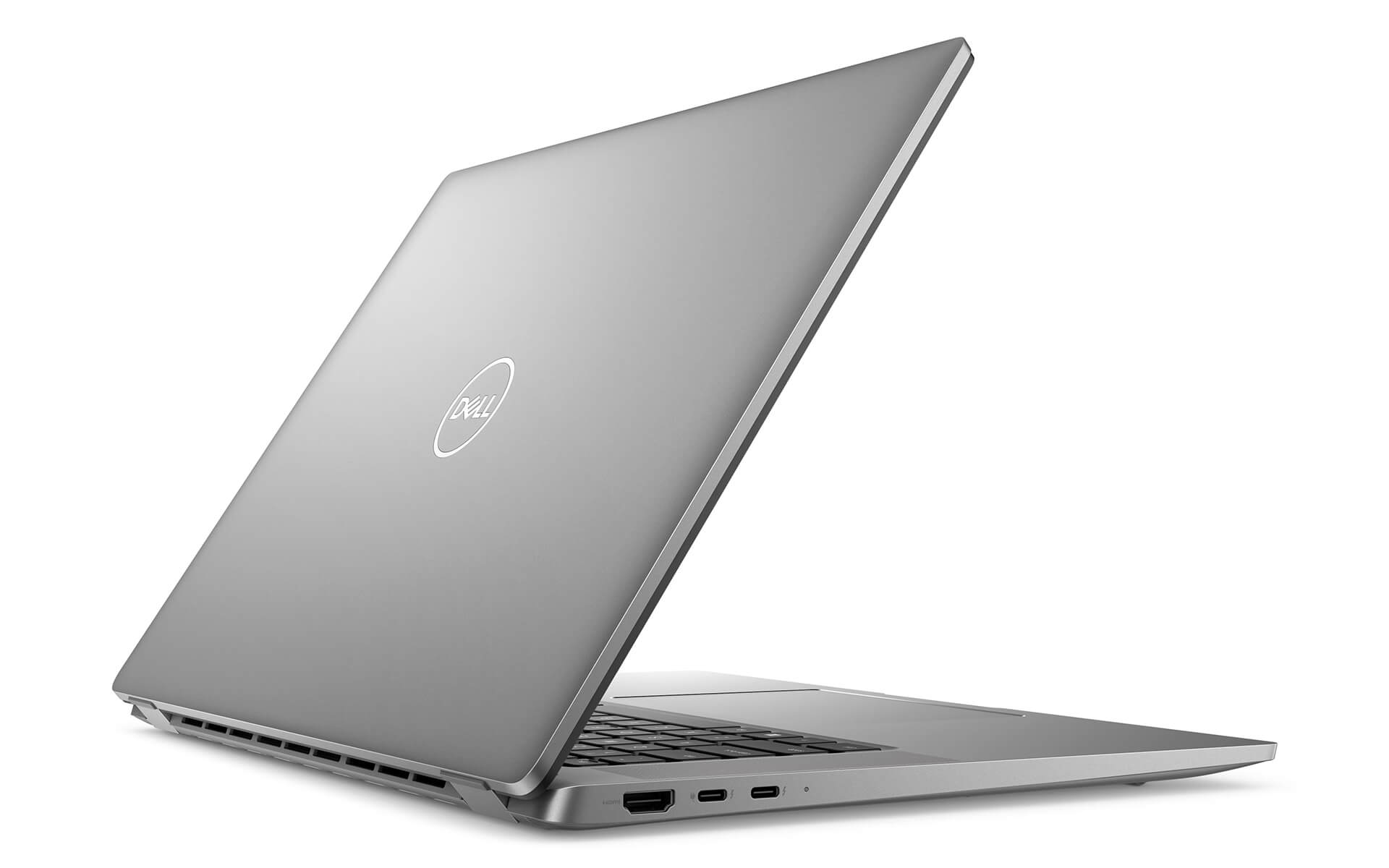
- Ports & Connectivity on the Dell Latitude 7640
- Thermal Management and Impressive Battery Life
- Summary and Review of the Dell Latitude 16 7640 (2023)
- FAQ - Frequently Asked Questions About the Dell Latitude 7640 (2023)
- Where to Buy the Dell Latitude 7640 (2023) at a Trusted Store with a Good Price?
The Dell Latitude 7640 stands out as one of Dell's most premium business laptops, marking a breakthrough for the Latitude line in 2023. The Dell Latitude 7640 (2023) delivers a durable, secure work tool with outstanding performance and connectivity. Ideal for executives, managers, and other professional users, this laptop packs advanced features such as a Mini-LED display and impressive battery optimization. This article takes a close look at the design, performance, display, connectivity, thermal management, and battery, examining how top-tier technology and an elegant build come together to meet every demand of the modern business market.
Elegant, Modern Design
The design of the Dell Latitude 7640 (2023) is refined and elegant, with the minimalist, modern styling of the Latitude line. The Titan Gray aluminum chassis feels solid and professional. That refinement comes with excellent portability: the laptop measures 358 mm wide and 250.42 mm deep, with a thickness of 18.4 mm to 19.5 mm and a weight of just 1.835 kg. Despite its slim, light build, it still meets the MIL-STD 810H durability standard, making the Dell Latitude 7640 a premium choice for executives and professional users.
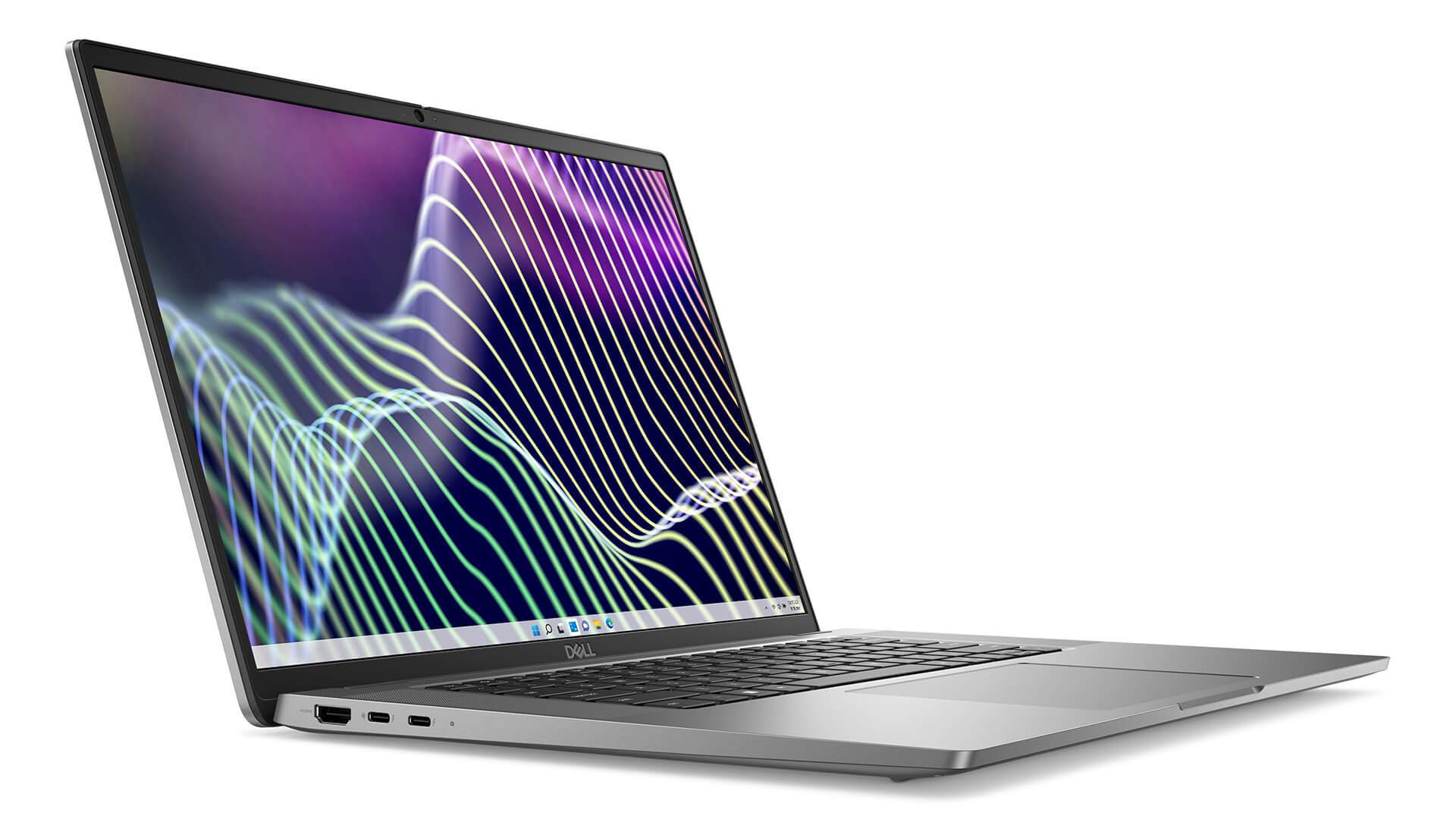
The chassis includes high-end security features such as a wedge-shaped lock slot, a fingerprint reader, and a TPM chip, protecting your data comprehensively. The finish uses recycled materials, reflecting Dell's commitment to sustainability. The combination of good looks, durability, and security makes the Dell Latitude 7640 an ideal choice for businesses that want to project a professional, sustainable, and high-end image.
Outstanding Performance from 13th Gen Intel CPUs
The strong performance of the Dell Latitude 7640 comes from the latest 13th generation Intel processors, reflecting Dell's expertise in the premium business laptop segment. It offers a range of 13th generation Intel Core i5/i7 options in the U and P series, smoothly handling everything from basic office work to demanding tasks such as data processing, design, and programming. This flexibility in configuration suits many different kinds of professional users.
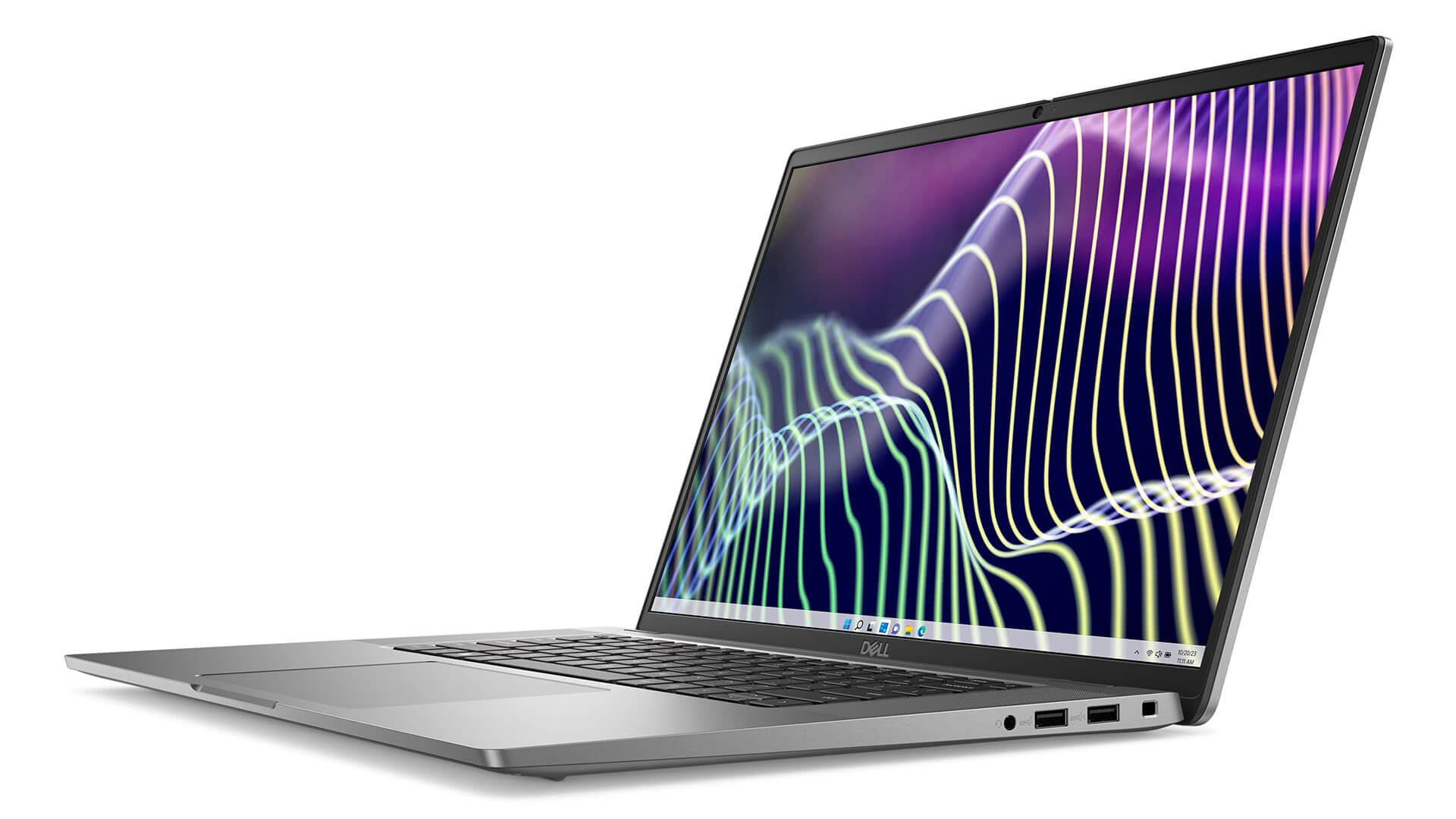
The multitasking ability of the Dell Latitude 7640 is backed by dual-channel LPDDR5 RAM, configurable from 8 GB to 64 GB, paired with fast PCIe Gen4 x4 SSD storage from 256 GB to 2 TB. This configuration keeps everything quick and responsive and boosts productivity. At the same time, advanced thermal technology and an integrated cooling system keep temperatures in check, ensuring stable performance even during continuous work.
Beyond raw hardware power, the Dell Latitude 7640 (2023) also includes Intel vPro technology and Dell's IT management optimization features. The ability to control, protect, and update the system remotely, easily and securely, delivers high reliability and is a major advantage for businesses. The smooth, dependable performance of this laptop helps companies seize opportunities and stay ready for every challenge of modern work.
The Display on the Dell Latitude 16 7640 (2023)
The 16-inch screen is a key highlight of the Dell Latitude 7640, reinforcing its standing in the premium business laptop segment. The FHD+ (1920x1200) display with a 16:10 aspect ratio (5% more screen area) provides a roomy workspace, ideal for professional users. The Anti-glare screen with 300 nits of brightness limits reflections and reduces eye strain when working in bright light.
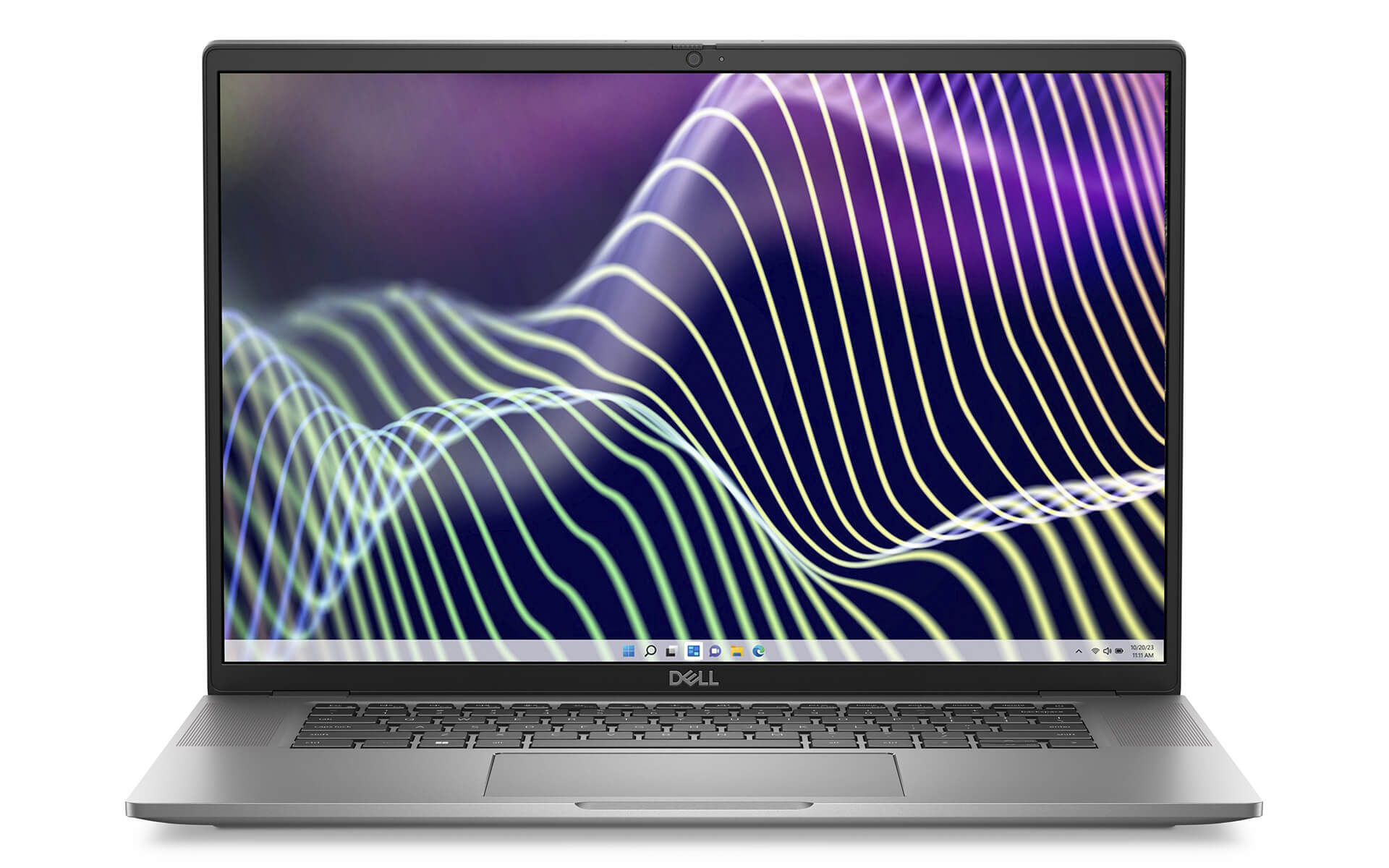
The Dell Latitude 7640 (2023) is available with a touch or non-touch display. The WVA/IPS panel has wide viewing angles, making it easy to share content. Sharp, accurate image quality is supported by an anti-dust and anti-scratch coating and color-tuning software. This display is a creative hub that sets the tone for a business laptop.
Keyboard and Touchpad on the Dell Latitude 7640
The input experience on the Dell Latitude 16 7640 (2023) is optimized to improve comfort and productivity for professional users. The keyboard is well designed and can be equipped with battery-saving Mini-LED backlighting, delivering a comfortable, accurate typing feel with strong responsiveness. The well-tuned key travel reduces hand fatigue during long typing sessions. The ambient light sensor automatically adjusts keyboard brightness, reducing battery consumption and making the laptop more flexible to work on.
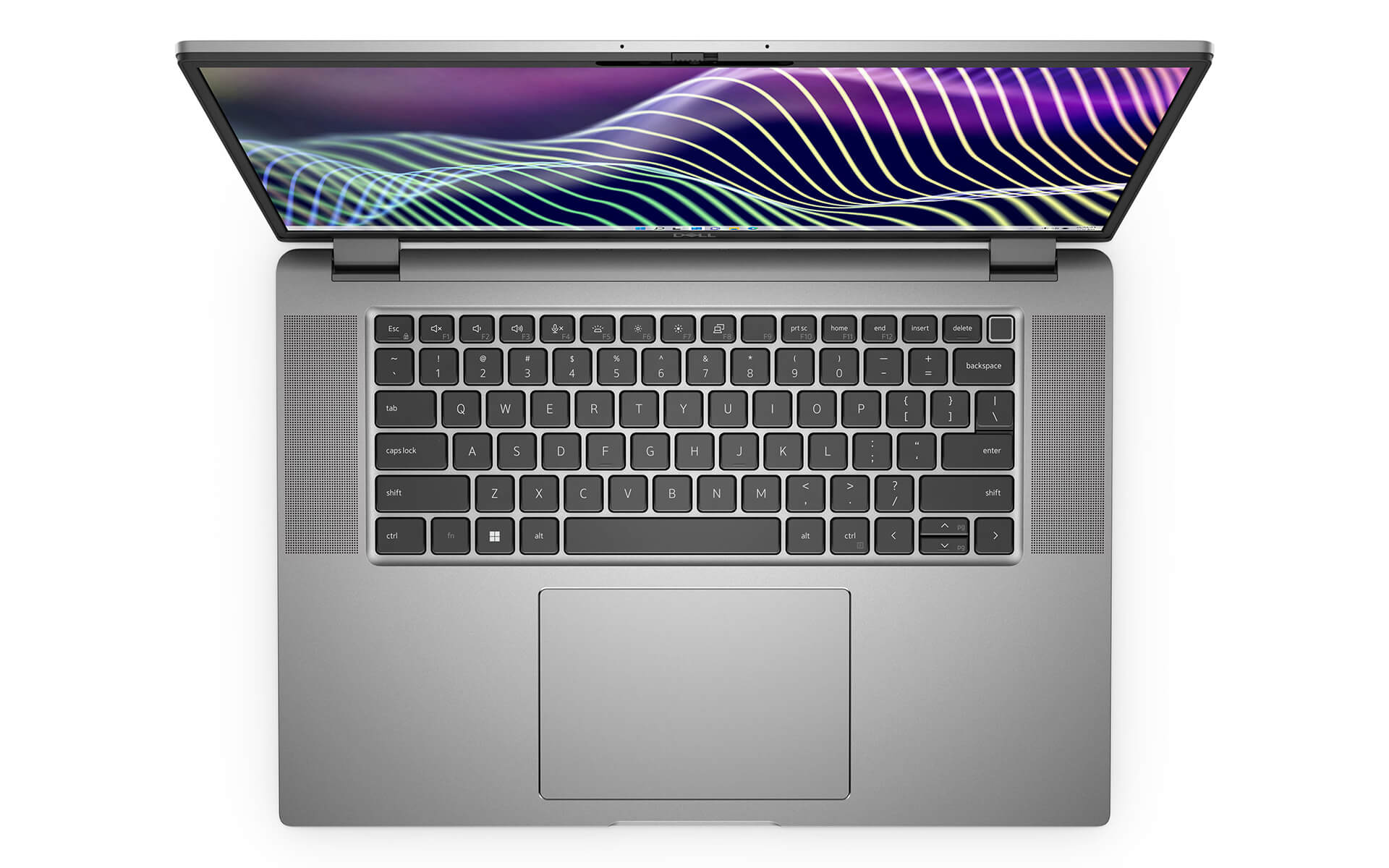
The touchpad is a standout, with an area 20% larger than previous generations and precise multi-touch gesture support. The Precision Clickpad interface makes navigation and everyday actions quick and flexible. This pairing of a quality keyboard and a large touchpad not only improves the experience but also shows a high degree of customization, turning the Dell Latitude 7640 (2023) into a capable assistant that lets users create and stay connected anytime, anywhere.
Ports & Connectivity on the Dell Latitude 7640
Connectivity is essential, and it shows the versatility and authority of the Dell Latitude 7640 as a premium business laptop. It comes with a full set of physical ports, including one Universal audio jack, two USB 3.2 Gen 1 Type-A ports (one of which supports PowerShare), one HDMI 2.0 port, and two USB Type-C Thunderbolt™ 4.0 ports (supporting Power Delivery and DisplayPort 1.4). These USB Type-C ports are especially important, letting professional users fast-charge and transfer data efficiently while cutting down on bulk when working on the move.
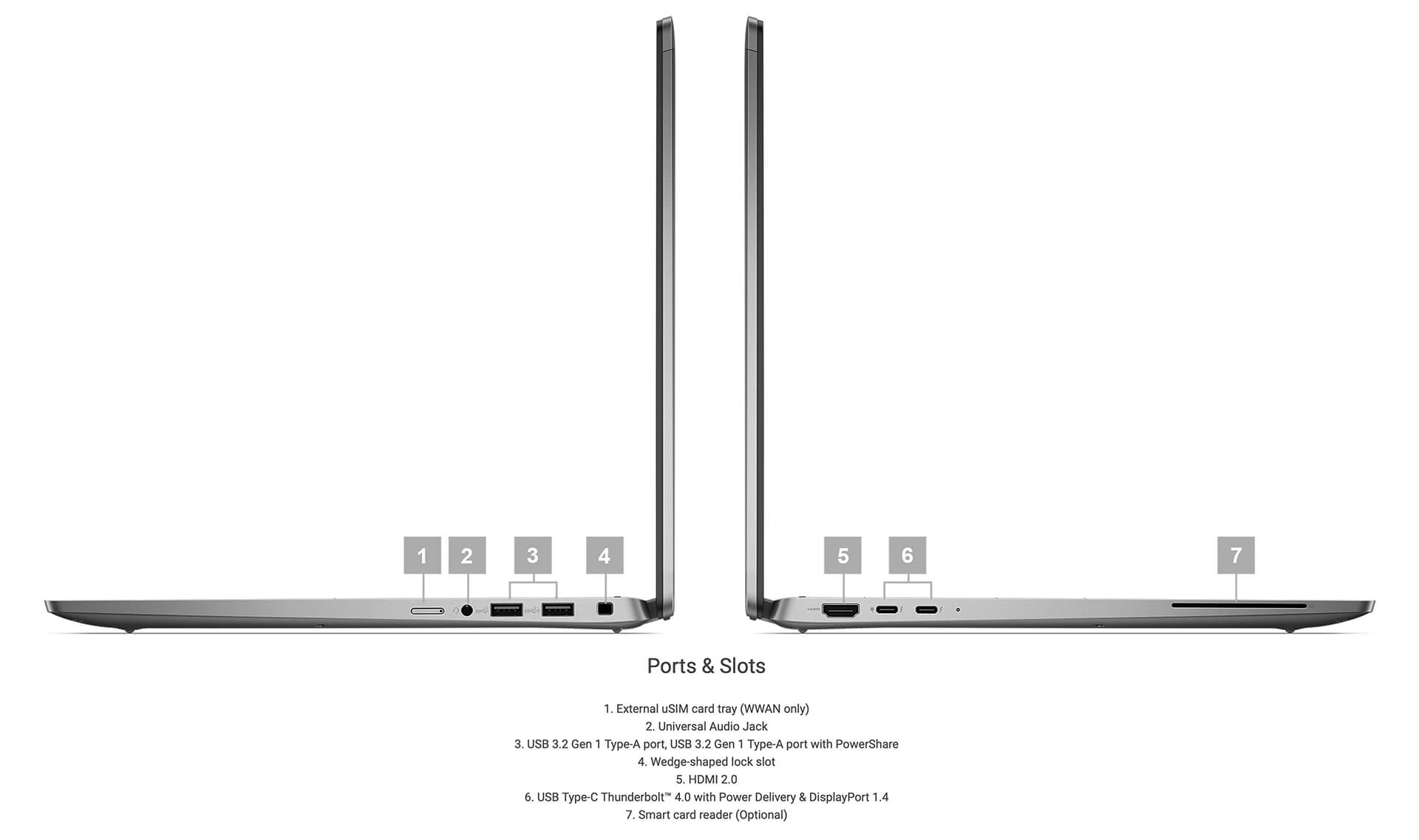
For wireless connectivity, the Dell Latitude 7640 (2023) includes an Intel® Wi-Fi 6E AX211, 2x2, 802.11ax wireless card along with a Bluetooth® wireless card. It also features ExpressConnect, which automatically prioritizes the best network, improving online meetings and data transfers. Both the wired and wireless connections are built for maximum convenience, ensuring speed and stability so that mobile executives can keep working and stay in online meetings without interruption.
Thermal Management and Impressive Battery Life
Thermal and power management are what make the Dell Latitude 7640 a reliable premium business laptop. The advanced cooling system, which combines rear vents with an adjustable thermal board, sustains maximum CPU/GPU performance and keeps the laptop cool and quieter. Thermal distribution optimization modes help prevent overheating (Thermal Throttling), ensuring long-term durability.
As for the battery, the Dell Latitude 7640 (2023) is available with a 2-cell 38 Wh or 3-cell 57 Wh option. The battery supports ExpressCharge technology for fast charging, extending working time. Advanced Charge technology helps prevent overcharging, extending battery lifespan. This automatic power optimization makes the Dell Latitude 7640 a dependable partner, giving professionals who work on the go the best possible support.
Summary and Review of the Dell Latitude 16 7640 (2023)
After a thorough analysis, the Dell Latitude 7640 (2023) proves itself a symbol of progress in the premium business laptop category. With an elegant, modern design and outstanding performance from the Intel Gen 13 processor, the Dell Latitude 7640 meets every work requirement, from office tasks to heavy data processing and creative work. The spacious, sharp display (with an optional Mini-LED) and its supporting technologies make the experience of professional users more comfortable and efficient. Its versatile, secure, and flexible connectivity is a strength that cannot be overlooked, improving the laptop's portability and standout durability.
In the quest to optimize business performance, the Dell Latitude 7640 (2023) reflects Dell's strong investment in its premium laptop line for executives. The combination of a durable design, advanced display technology, the top-tier processing power of the 13th generation Intel CPU, high-end security, efficient thermal management, and impressive battery capacity makes the Dell Latitude 7640 a standout choice. This product fits a modern, dynamic work environment perfectly, delivering great value and helping maximize productivity and business success.
| Pros | Cons |
|---|---|
|
|
FAQ - Frequently Asked Questions About the Dell Latitude 7640 (2023)
1. Who is the Dell Latitude 7640 (2023) best suited for?
The Dell Latitude 7640 is aimed at executives, managers, engineers, and professional users who need a durable, elegant laptop with strong security and stable performance for office work, travel, or frequent online meetings.
2. What stands out about the design of the Dell Latitude 7640?
It is crafted from premium Titan Gray aluminum and meets the MIL-STD 810H military durability standard. At about 1.83kg and less than 2cm thick, the design is both elegant and portable, a good fit for modern business environments.
3. Does the performance meet work needs well?
The Latitude 7640 is equipped with a 13th Gen Intel Core CPU (U or P series), up to 64GB of LPDDR5 RAM, and fast PCIe Gen4 x4 SSD storage. This configuration handles office tasks, online meetings, data management, and programming smoothly, delivering stable performance all day long.
4. Is the Dell Latitude 7640 display good?
It has a 16-inch FHD+ (1920x1200) screen with a 16:10 aspect ratio for more viewing area. With a touch or non-touch option, 300 nits of brightness, and an anti-glare WVA panel, it delivers clear, easy-to-read images in bright environments.
5. Are the keyboard and touchpad comfortable to use?
The keyboard has reasonable key travel, good responsiveness, and battery-saving Mini-LED backlighting. The touchpad is 20% larger than the previous generation, and its smooth multi-touch support makes actions quick and precise - well suited to people who work nonstop.
6. Does the Dell Latitude 7640 have all the ports you need?
It has 2 USB Type-A ports, 2 USB Type-C Thunderbolt 4 ports, HDMI 2.0, and a 3.5mm audio jack. Wireless connectivity includes Wi-Fi 6E and Bluetooth 5.3, ensuring fast, stable data transfer and compatibility with most devices today.
7. How does the Latitude 7640 cooling system work?
The Latitude 7640 uses a dual cooling design with rear exhaust vents, maintaining stable performance and low noise during heavy tasks. Smart thermal sensors keep the laptop running cool and limit performance drops (thermal throttling).
8. How long does the Dell Latitude 7640 battery last?
It has two battery options: 2-cell 38Wh or 3-cell 57Wh, with ExpressCharge fast charging. Real-world battery life is around 6-8 hours for office work, online meetings, or watching videos.
Source: [Dell Official Support - Latitude 7640 Specifications]
9. What notable security features does the Dell Latitude 7640 have?
It includes a fingerprint reader, a TPM chip, an IR camera, and a Kensington security lock, helping protect data and make sign-in safer. In addition, Dell SafeBIOS and Dell Optimizer strengthen security and system performance.
10. What is the warranty policy when buying at Hung Phat Laptop?
The Dell Latitude 7640 comes with a 12-month warranty from Hung Phat. Customers can get a replacement with a new unit within the first 30 days if a manufacturer hardware defect occurs.
Where to Buy the Dell Latitude 7640 (2023) at a Trusted Store with a Good Price?
The Dell Latitude 7640 (2023) is worth considering for anyone who needs a durable, practical, high-performance business laptop for everyday work. If you are unsure where to buy from a trusted seller at a reasonable price, Hung Phat Laptop is an ideal destination. Here, shoppers can easily find genuine Dell Latitude models with transparent information, full invoices, and clearly inspected quality.
With years of experience distributing officially imported laptops, Hung Phat Laptop not only guarantees the origin of its products but also offers a transparent warranty policy and a wide range of attractive promotions. Customers who buy the Dell Latitude 16 7640 (2023) here can feel confident about reliability, after-sales service, and professional support from the advisory team.
Performance & benchmarks DELL Latitude 7640 (2023)
Intel Core i5-1345U Intel Iris Xe Graphics G7 80EUs - best for Office 8.5/10, Programming 5/10.
Intel Core i5-1345U
- Cinebench R23 (multi-core)7,724
- Geekbench 6 (multi-core)8,245
- Geekbench 6 (single-core)2,338
- Cores / Threads10/12
Intel Iris Xe Graphics G7 80EUs iGPU
- 3DMark Time Spy1,181
- 3DMark Fire Strike4,048
- ArchitectureGen. 11 Ice Lake
Best for
Scored from real benchmarks- Gaming1.5/10
- Video / Graphics2.5/10
- Programming5/10
- Office8.5/10
Why does the CPU matter?
The CPU is the "brain" that handles every task: launching apps, multitasking, compiling code and editing video. The stronger the CPU, the faster and smoother the laptop runs when you juggle many things at once.
- BasicThis product
Web browsing, streaming and light office work.
- MainstreamThis product
Office work, moderate multitasking and studying.
- Mid-rangeThis product
Solid multitasking, programming and light graphics work.
- StrongThis product
Video editing, heavy programming, virtualization and gaming.
- FlagshipThis product
Heavy rendering, 4K/8K editing, virtual machines and AI workloads.
Why does the GPU matter?
The GPU (graphics card) handles visuals: gaming, video editing, 3D rendering and AI acceleration. The stronger the GPU, the higher your frame rates and the faster your video exports.
- Basic (iGPU)This product
Smooth display, 4K video and very light games (League of Legends, Valorant on low).
- MainstreamThis product
1080p eSports gaming, photo editing and light video editing.
- Mid-rangeThis product
1080p gaming on medium-high settings and smooth Full HD video editing.
- StrongThis product
1080p/1440p gaming on high settings, 4K video editing and 3D rendering.
- FlagshipThis product
4K/240Hz gaming, ray tracing, heavy rendering and AI.
Game performance
Real FPS - FHD- Dota 243 fps1080p High
- CS231 fps1080p Low
- GTA V71 fps1080p Medium
- CoD: Black Ops 615 fps1080p Low
- God of War Ragnarök14 fps1080p Low
- Cyberpunk 207715 fps1080p Low
≥60fps very smooth30-60fps playable<30fps lower the settings
Local AI performance
Tokens/second running locally on GPU- Gemma 4 E2B IT5.6 GB · ctx 256K6.0 tok/sDecent
- GLM-4 9B5.1 GB · ctx 128K7.0 tok/sDecent
- Gemma 4 E4B4.6 GB · ctx 256K8.0 tok/sDecent
- Ministral 8B4.6 GB · ctx 32K8.0 tok/sDecent
- Qwen 3.5 4B4.6 GB · ctx 32K8.0 tok/sDecent
- DeepSeek R1 Distill 7B4.1 GB · ctx 64K9.0 tok/sRuns well
- Gemma 4 E2B3.1 GB · ctx 256K12 tok/sRuns well
- Qwen 3.5 2B2.5 GB · ctx 32K14 tok/sRuns well
- Phi-4 Mini Reasoning2.4 GB · ctx 16K15 tok/sRuns well
- Llama 3.2 3B2 GB · ctx 128K18 tok/sRuns well
- SmolLM3 3B2 GB · ctx 128K18 tok/sRuns well
- DeepSeek R1 1.5B1.3 GB · ctx 64K28 tok/sRuns great
- Qwen 3.5 0.8B1.3 GB · ctx 32K28 tok/sRuns well
- TinyLlama 1.1B1.1 GB · ctx 2K33 tok/sRuns well
- Llama 3.2 1B1 GB · ctx 128K36 tok/sRuns well
- Gemma 2 9B5.1 GB · ctx 8K7.0 tok/sDecent
- Nemotron Nano 9B v25.1 GB · ctx 128K7.0 tok/sDecent
- Llama 3.1 8B4.6 GB · ctx 128K8.0 tok/sDecent
- Qwen 3 8B4.6 GB · ctx 128K8.0 tok/sDecent
- Mistral 7B v0.34.1 GB · ctx 32K9.0 tok/sRuns well
- Qwen 2.5 7B4.1 GB · ctx 128K9.0 tok/sRuns well
- Qwen 2.5 Coder 7B4.1 GB · ctx 128K9.0 tok/sRuns well
- Qwen 3 4B2.5 GB · ctx 32K14 tok/sRuns well
- Gemma 3 4B2.5 GB · ctx 128K14 tok/sRuns well
- Phi-3.5 Mini2.4 GB · ctx 128K15 tok/sRuns well
- Gemma 2 2B1.5 GB · ctx 8K24 tok/sRuns great
- Qwen 3 1.7B1.4 GB · ctx 32K26 tok/sRuns great
- Qwen 2.5 Coder 1.5B1.3 GB · ctx 32K28 tok/sRuns great
- Qwen 3 0.6B1.1 GB · ctx 32K33 tok/sRuns well
- Gemma 3 1B1 GB · ctx 32K36 tok/sRuns well
GreatWellDecent4-bit quantized, ctx = context window
No comments yet
Q&A about DELL Latitude 7640 (2023)
Frequently asked questions about DELL Latitude 7640 (2023)
What are the specifications of DELL Latitude 7640 (2023)?
What is the warranty for DELL Latitude 7640 (2023)?
Can I buy DELL Latitude 7640 (2023) with home delivery?
Worth a Look
DELL Latitude 5330 (2 in 1) (2022)
DELL Latitude 7350 (2 in 1) (2024)
DELL Latitude 9450 (2 in 1) (2024)
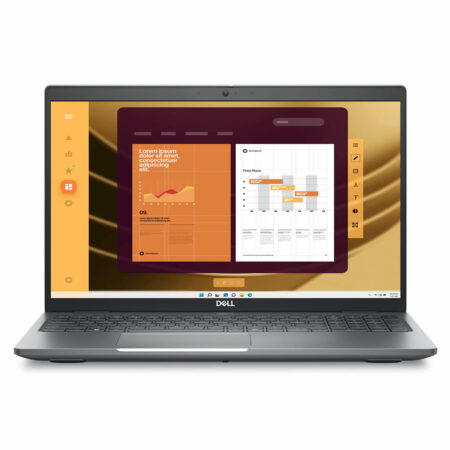 3 configurations
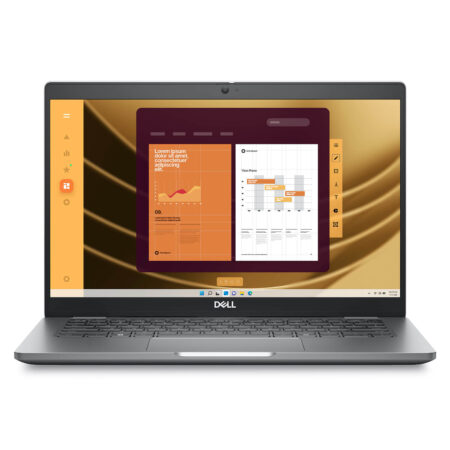
DELL Latitude 5550 (2024)





Đinh Thu Hằng 14/05/2026
The machine runs smoothly, and the 16-inch screen provides a spacious view that makes working quite enjoyable. The only downside is the 256GB SSD is a bit low; it fills up quickly, so I'll likely need to upgrade it.
Đinh Gia Hưng 14/05/2026