

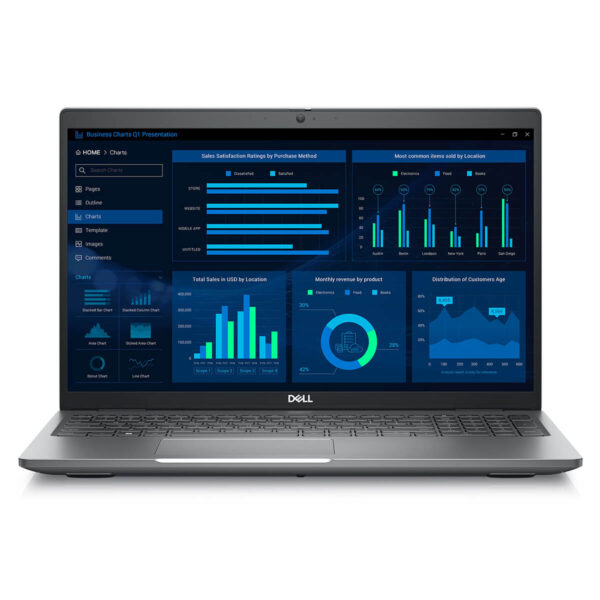
DELL Precision 3581 Mobile Workstation (2023)
- CPU: Intel Core i9 13900H vPro Up To 5.4GHz (14 Cores, 20 Threads, 24MB Cache)
- RAM: DDR5 32GB 5200MHz
- SSD: 1TB PCIe Gen4 M.2 SSD
- VGA: NVIDIA® RTX™ 2000 Ada 8GB GDDR6
- DISPLAY: 15.6" FHD (1920*1080), 60Hz, TouchScreen, 250 nits
- CONDITION: New 100% Full Box
- WARRANTY: Bảo hành 12 tháng
- Sleek and Durable Design
- Unmatched Performance with Intel 13th Gen & RTX Ada
- Display on the Dell Precision 3581 (2023)
- Dell Precision 3581 Keyboard & Touchpad
- Ports & Slots on the Dell Precision 3581 (2023)
- Thermals & Battery Life
- Summary and Review of the Dell Precision 3581 (2023)
- FAQ - Frequently Asked Questions about Dell Precision 3581 Mobile Workstation (2023)
- Where to buy the Dell Precision 3581 at a reliable place with the best price?
Dell Precision 3581 is a mobile workstation engineered for professionals who demand a device that balances raw power with rock-solid stability for high-intensity workloads. Combining exceptional performance, enterprise-grade durability, and ergonomic design, this machine ensures smooth operation during demanding tasks such as 3D rendering, engineering simulations, or video editing. Proven reliable in the most rigorous work environments, the Dell Precision 3581 reinforces the Dell Precision series as the premier choice for architects, developers, and professional graphic designers.
Sleek and Durable Design
The Dell Precision 3581 features a sophisticated and durable design, crafted from recycled carbon fiber and bio-plastics-making it both environmentally conscious and incredibly robust. Meeting MIL-STD-810H standards, it is built to withstand shocks, vibrations, and extreme working conditions, making it a dependable choice for architects, engineers, and content creators who require a high-durability workstation.
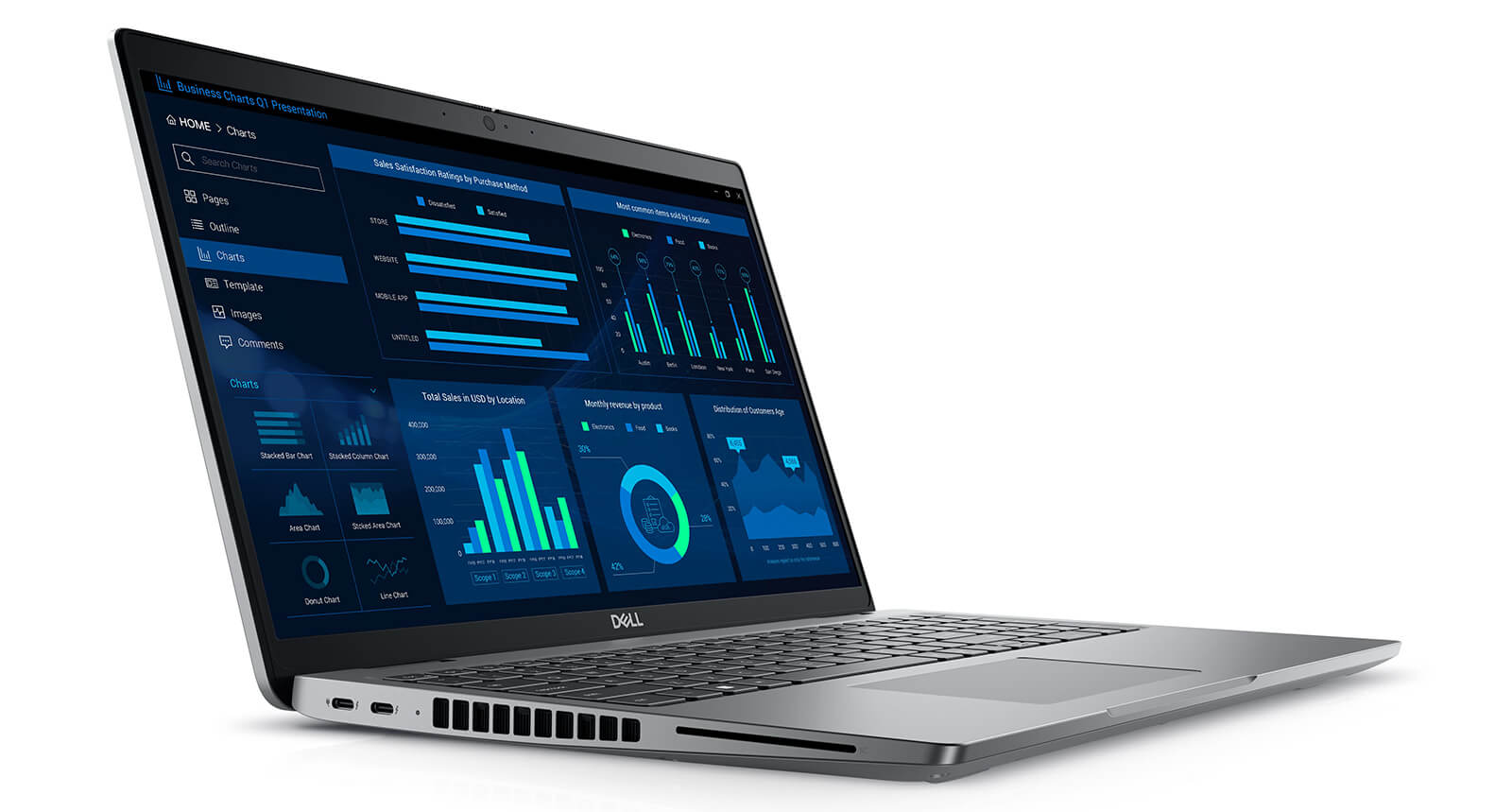
The chassis features a scratch-resistant finish to keep the laptop looking pristine through years of heavy use. With dimensions of 357.80 x 233.30 mm, a thickness ranging from 22.70 - 24.70 mm, and a weight of 1.795 kg, this laptop is portable enough for on-the-go work while maintaining consistent performance. Refined, rounded edges ensure ergonomic comfort, while the intelligent thermal management system maintains peak performance even when tackling complex graphics tasks. It is the perfect fusion of refined aesthetics and enterprise-grade toughness that professionals demand.
Unmatched Performance with Intel 13th Gen & RTX Ada
The Dell Precision 15 3581 (2023) sets the standard in the mobile workstation segment, powered by 13th Gen Intel Core processors to deliver superior performance across various professional fields. Users can opt for the Core i7-13800H, optimized for AutoCAD, Revit, or software development, or the Core i9-13900H vPro, featuring 14 cores, 20 threads, and up to 5.4GHz, ideal for intensive tasks like 3D rendering, engineering simulations, and deep data processing. A 24MB cache helps maintain smooth speeds even during heavy multitasking.
| Specs | Dell Precision 3581 - Core i7 | Dell Precision 3581 - Core i9 |
|---|---|---|
| CPU | Intel Core i7-13800H 14 cores, 20 threads - optimized for performance and efficiency | Intel Core i9-13900H vPro 14 cores, 20 threads - up to 5.4GHz, vPro support |
| GPU | NVIDIA RTX 1000 Ada 6GB Precision rendering, energy efficient | NVIDIA RTX 2000 Ada 8GB High graphics performance, ideal for digital & AI workflows |
| RAM | 32GB DDR5 5200MHz (expandable to 64GB) - seamless multitasking | |
| Storage | 1TB SSD PCIe Gen4 - rapid data access, optimized workflows | |
| Best For | AutoCAD, Revit, software development, basic engineering | 3D rendering, AI workflows, advanced engineering, data analysis |
For graphics, the Dell Precision 3581 offers two GPU options based on the modern Ada Lovelace architecture: the NVIDIA RTX 1000 Ada 6GB and the RTX 2000 Ada 8GB. Both feature Ray Tracing and AI-enhanced workflows, delivering massive performance for engineering design, 3D modeling, or video editing. This makes the device an ideal tool for engineers, architects, and those working deeply with high-end graphic content.
The system is rounded out with 32GB DDR5 5200MHz RAM (expandable to 64GB) and a 1TB PCIe Gen4 SSD, enabling smooth multitasking and lightning-fast data access. With its powerful hardware foundation and high reliability, the Dell Precision 15 3581 fully meets the demands of professional environments, providing consistent performance for large and complex projects.
Display on the Dell Precision 3581 (2023)
The Dell Precision 3581 (2023) features a 15.6-inch display providing crisp visuals with FHD+ or higher resolution options, perfectly meeting the needs of CAD engineers, architects, and graphic designers. Thanks to its wide color gamut and high accuracy, the screen fully renders the intricate details of technical drawings or design imagery in professional software like AutoCAD, Photoshop, or Revit, ensuring color fidelity in every frame.
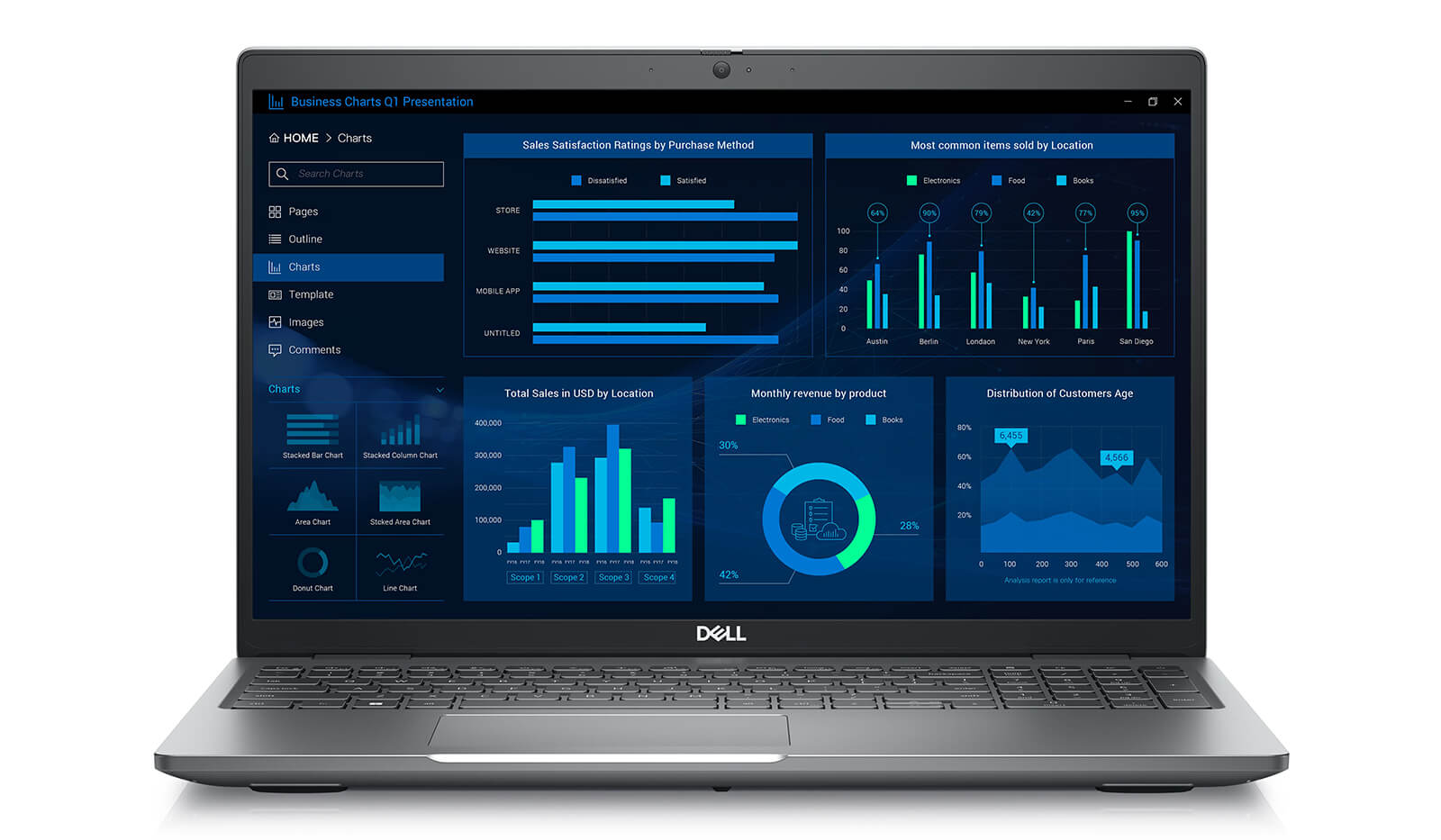
Beyond display quality, the Dell Precision 3581 screen features anti-glare technology to reduce eye strain during long work sessions, which is particularly effective in bright offices or open spaces. The sleek, thin-bezel design maximizes screen real estate, supporting efficient multitasking when running multiple windows simultaneously. This is a major advantage for those frequently working in 3D design, video editing, or complex creative workflows, providing a more professional and efficient experience.
Dell Precision 3581 Keyboard & Touchpad
The Dell Precision 3581 is equipped with a full-size, backlit LED keyboard featuring optimized key travel and a spill-resistant design, providing a comfortable and secure typing experience even in low-light environments or while traveling. This is a significant benefit for engineers, architects, or designers who need a stable device that supports them in flexible working conditions and diverse environments.
Additionally, the Dell Precision 3581 touchpad offers a large surface area, high sensitivity, and multi-touch support, allowing for smooth and precise navigation in any task. Whether managing spreadsheets, rendering graphics, or continuous multitasking, users can maintain high productivity. The combination of a spill-resistant LED keyboard and a responsive touchpad underscores a professional design optimized for intensive work needs.
Ports & Slots on the Dell Precision 3581 (2023)
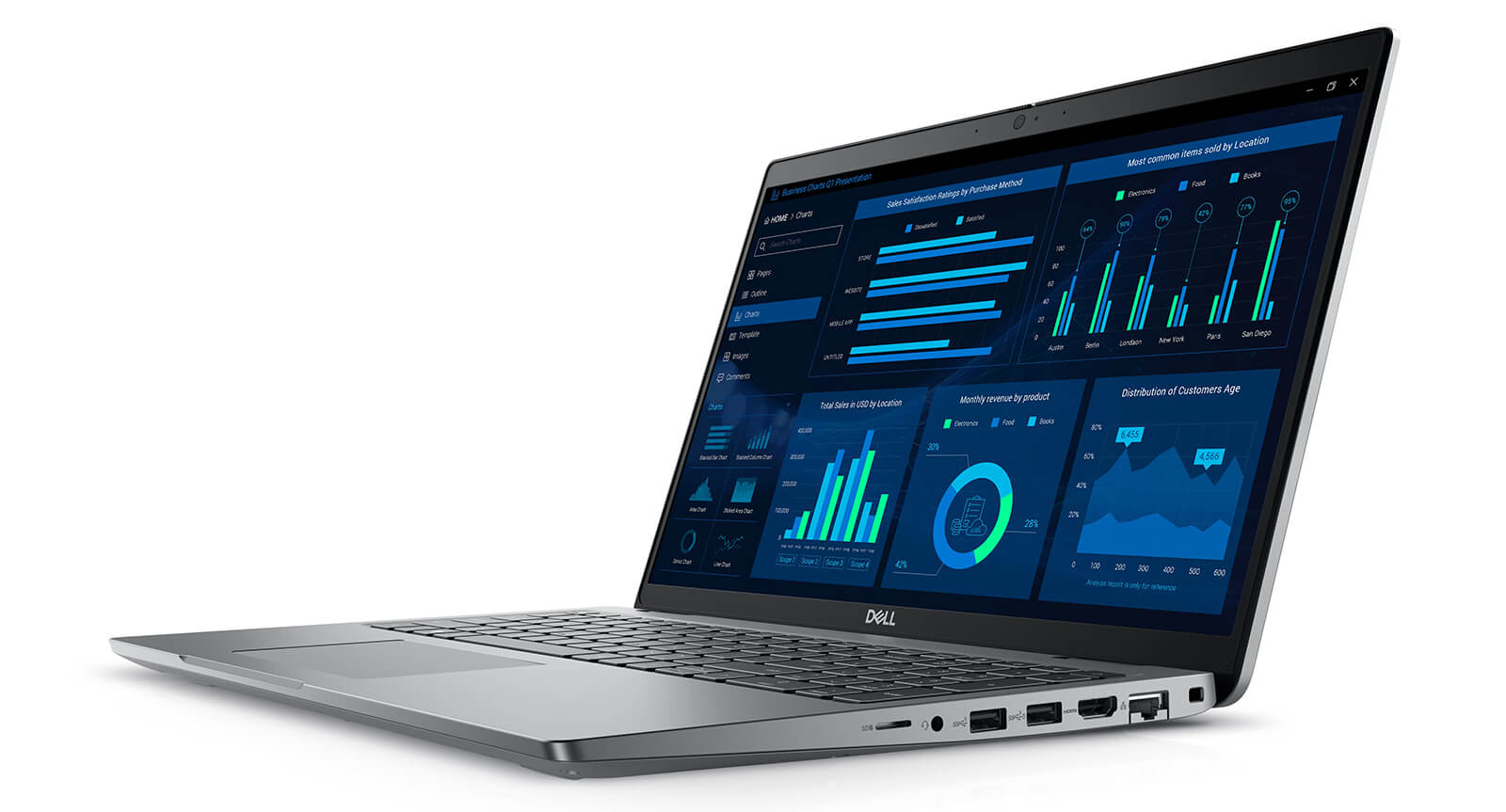
The Dell Precision 3581 (2023) comes equipped with a diverse array of connectivity options optimized for professional environments. The machine integrates USB 3.2 Gen 1, HDMI 2.0, RJ-45 Ethernet, a 3.5mm audio jack, and Thunderbolt 4, allowing for flexible connections to external monitors, hard drives, or printers. The thoughtful port layout enables quick operation while keeping the workspace organized and professional.
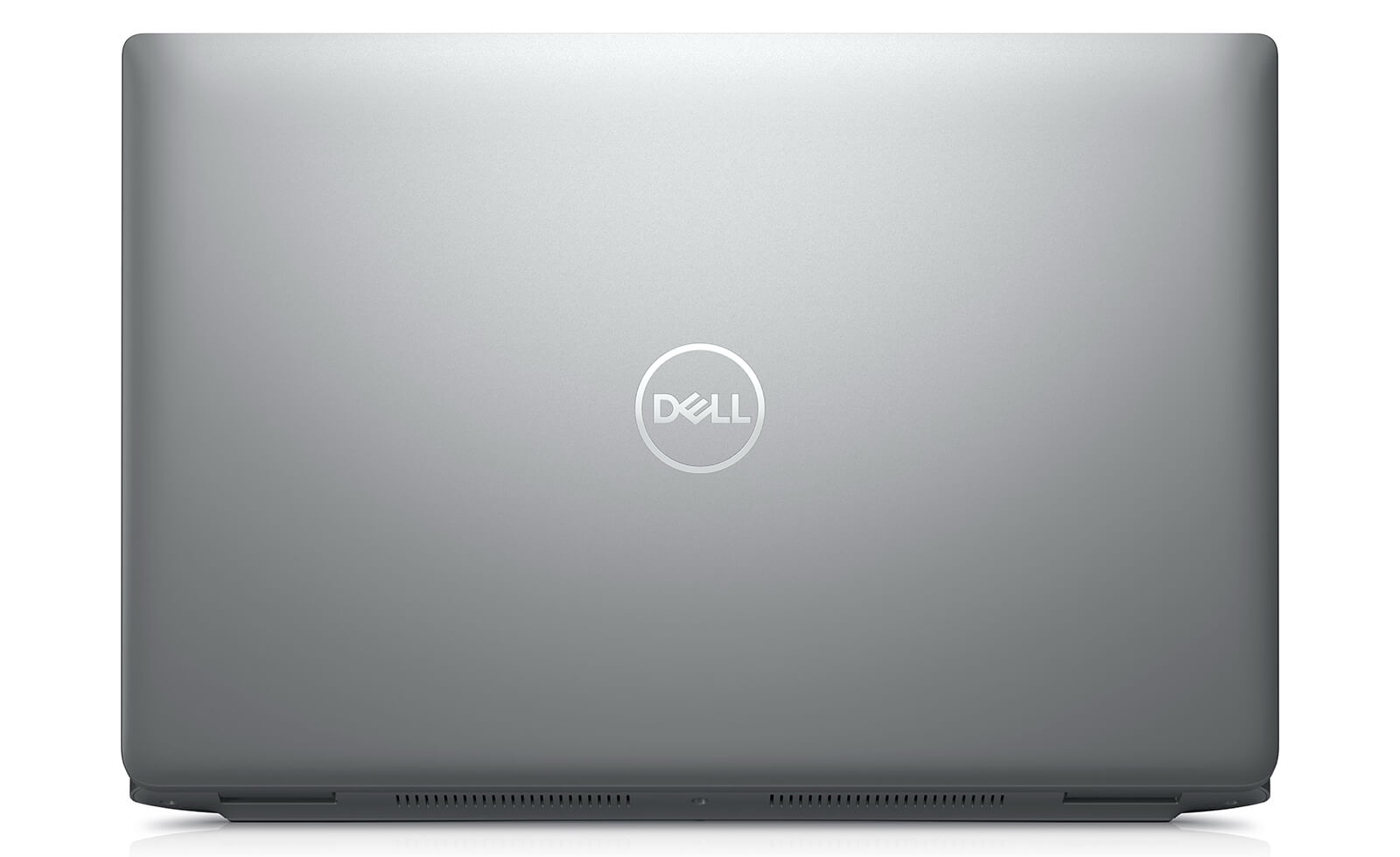
A standout feature is the 2x Thunderbolt 4 ports that support DisplayPort Alt Mode and Power Delivery, enabling high-speed data transfer, smooth 4K video output, and fast charging via USB-C. Additionally, the microSD slot allows for easy data backup from cameras, drones, or specialized recording devices, making it perfect for photographers and content creators. Alongside physical connections, Wi-Fi 6E AX211 and Bluetooth 5.0 provide strong, stable wireless connectivity, ensuring the Dell Precision 3581 always meets the needs of mobile professionals-from engineers and designers to enterprises requiring high performance and flexibility.
Thermals & Battery Life
The Dell Precision 3581 stands out due to its optimized cooling and long-lasting battery life, ensuring stable performance even when handling complex graphics, engineering, or 3D rendering tasks. The intelligent cooling system helps maintain stable temperatures, preventing overheating and extending component lifespan, resulting in a smooth and reliable working experience in intensive environments.
Regarding battery life, the device allows for several hours of continuous operation, paired with fast-charging technology that restores power in a short amount of time-ideal for users who travel frequently or work outside the office. With the combination of intelligent power management and durable operation, the Dell Precision 15 3581 becomes a reliable choice for professionals who need a workstation that is always ready for any situation.
Summary and Review of the Dell Precision 3581 (2023)
The Dell Precision 3581 (2023) is one of the most comprehensive mobile workstations, designed to meet the high-intensity work demands of professionals. Powered by 13th Gen Intel CPUs combined with NVIDIA RTX Ada GPUs, the device smoothly handles heavy tasks like graphic design, video editing, engineering simulation, or AI programming. Featuring a sharp display, optimized thermal management, and flexible expandability, the machine ensures long-term stable performance, making it suitable for work environments that demand durability and reliability.
Targeting users such as design engineers, architects, developers, and content creators, the Dell Precision 3581 delivers a professional experience through its military-grade durability, comfortable keyboard, modern connectivity, and stable battery life. It is a reliable choice for those who frequently use specialized software like AutoCAD, Revit, Adobe Premiere, or SolidWorks, and require a high-performance, long-lasting device to accompany their professional journey.
| Pros | Cons |
|---|---|
|
|
FAQ - Frequently Asked Questions about Dell Precision 3581 Mobile Workstation (2023)
1. What are the design and dimensions of the Dell Precision 3581?
The Dell Precision 3581 features a modern, sturdy design with the following dimensions:
- **Width:** 357.8 mm
- **Depth:** 233.3 mm
- **Height:** 22.7 - 24.7 mm
2. How much does the machine weigh and is it suitable for mobile work?
Weighing approximately 1.79 kg, the Dell Precision 3581 is light enough to carry, making it suitable for users who need to work on the go.
3. Is the Dell Precision 3581 suitable for 2D graphic design work?
Yes, the machine is equipped with a 15.6-inch Full HD display, which meets the requirements for 2D graphic design software like Adobe Photoshop and Illustrator.
4. Does the machine support 3D graphic design well?
With the NVIDIA RTX 2000 Ada 8GB GPU option, the Dell Precision 3581 smoothly handles 3D design software such as Blender, Maya, and 3ds Max.
5. Is the Dell Precision 3581 suitable for architectural applications?
Yes, the machine provides excellent support for architectural software like AutoCAD and Revit, meeting the design and simulation needs of the architecture field.
6. Does the machine support Linux operating system installation?
The Dell Precision 3581 is certified for compatibility with Ubuntu 22.04 LTS, ensuring stable installation and operation on the Linux operating system.
Source: Ubuntu Certified
7. What is the actual battery life of the Dell Precision 3581?
The battery lasts approximately 8 hours during office tasks and about 4-5 hours when running heavy graphics software.
Source: RTINGS
8. How are the machine's temperatures during operation?
Under heavy workloads, the temperature of the Dell Precision 3581 may increase, but the advanced thermal system helps maintain stable and safe performance.
Source: NotebookCheck
9. What is the warranty policy at Hung Phat Laptop?
Hung Phat Laptop offers a 12-month warranty for new machines and a 6-month warranty for used machines, including a 1-for-1 replacement support within the first 30 days for manufacturer defects.
Where to buy the Dell Precision 3581 at a reliable place with the best price?
If you are looking to buy an authentic Dell Precision 3581 at a reasonable price, choosing a reputable distributor with clear after-sales policies is essential. Prioritize retailers specializing in premium mobile workstations that offer full technical support and expert consultation for professional users.
One of the most trusted options is Hung Phat Laptop - an authorized distributor of genuine Dell Precision series, including the Dell Precision 3581 i7 and Dell Precision 3581 i9 models. Customers can purchase directly at our showroom or through our official website to receive special offers and nationwide delivery. With professional service and an expert technical team, Hung Phat always provides a secure and optimized shopping experience for users seeking a durable, high-performance workstation.
Performance & benchmarks DELL Precision 3581 Mobile Workstation (2023)
Intel Core i9-13900H NVIDIA RTX 2000 Ada Generation Laptop - best for Lập trình 9.5/10, Văn phòng 9.5/10.
Intel Core i9-13900H
- Cinebench R23 (đa nhân)17,471
- Geekbench 6 (đa nhân)12,644
- Geekbench 6 (đơn nhân)2,653.5
- Cores / Threads14/20
NVIDIA RTX 2000 Ada Generation Laptop
- 3DMark Time Spy8,094.5
- 3DMark Fire Strike21,379
- VRAM8 GB
- AI INT8232 TOPS
- ArchitectureAda Lovelace
Best for
Scored from real benchmarks- Chơi game6/10
- Dựng phim / Đồ hoạ Recommended7/10
- Lập trình Recommended9.5/10
- Văn phòng9.5/10
Why CPU matters
CPU là “bộ não” xử lý mọi tác vụ: mở ứng dụng, đa nhiệm, biên dịch, dựng phim. CPU càng mạnh, máy càng nhanh và mượt khi làm nhiều việc cùng lúc.
- Cơ bảnThis product
Lướt web, xem phim, soạn thảo văn phòng nhẹ.
- Phổ thôngThis product
Văn phòng, đa nhiệm vừa, học tập.
- Tầm trungThis product
Đa nhiệm tốt, lập trình, đồ hoạ nhẹ.
- Khá mạnhThis product
Dựng phim, lập trình nặng, ảo hoá, chơi game.
- Cao cấpThis product
Render nặng, biên tập 4K/8K, máy ảo, tác vụ AI.
Why GPU matters
GPU (card đồ hoạ) lo phần hình ảnh: chơi game, dựng video, render 3D và tăng tốc AI. GPU càng mạnh, khung hình game càng cao và xuất video càng nhanh.
- Cơ bản (iGPU)This product
Hiển thị mượt, xem phim 4K, game rất nhẹ (LMHT, Valorant mức thấp).
- Phổ thôngThis product
Game eSports 1080p, chỉnh ảnh, dựng video nhẹ.
- Tầm trungThis product
Game 1080p thiết lập trung-cao, dựng video Full HD ổn.
- Khá mạnhThis product
Game 1080p/1440p thiết lập cao, dựng video 4K, render 3D.
- Cao cấpThis product
Game 4K/240Hz, ray tracing, render & AI nặng.
Local AI performance
Tokens/second running locally on GPU 8GB VRAM- Llama 3.2 11B Vision6.1 GB · ctx 128K29 tok/sDecent
- Gemma 4 E2B IT5.6 GB · ctx 256K32 tok/sDecent
- GLM-4 9B5.1 GB · ctx 128K35 tok/sDecent
- Gemma 4 E4B4.6 GB · ctx 256K39 tok/sDecent
- Ministral 8B4.6 GB · ctx 32K39 tok/sDecent
- Qwen 3.5 4B4.6 GB · ctx 32K39 tok/sDecent
- DeepSeek R1 Distill 7B4.1 GB · ctx 64K44 tok/sRuns well
- Gemma 4 E2B3.1 GB · ctx 256K58 tok/sRuns well
- Qwen 3.5 2B2.5 GB · ctx 32K72 tok/sRuns great
- Phi-4 Mini Reasoning2.4 GB · ctx 16K75 tok/sRuns great
- Llama 3.2 3B2 GB · ctx 128K90 tok/sRuns great
- SmolLM3 3B2 GB · ctx 128K90 tok/sRuns great
- DeepSeek R1 1.5B1.3 GB · ctx 64K138 tok/sRuns great
- Qwen 3.5 0.8B1.3 GB · ctx 32K138 tok/sRuns great
- TinyLlama 1.1B1.1 GB · ctx 2K163 tok/sRuns great
- Llama 3.2 1B1 GB · ctx 128K179 tok/sRuns great
- Gemma 2 9B5.1 GB · ctx 8K35 tok/sDecent
- Nemotron Nano 9B v25.1 GB · ctx 128K35 tok/sDecent
- Llama 3.1 8B4.6 GB · ctx 128K39 tok/sDecent
- Qwen 3 8B4.6 GB · ctx 128K39 tok/sDecent
- Mistral 7B v0.34.1 GB · ctx 32K44 tok/sRuns well
- Qwen 2.5 7B4.1 GB · ctx 128K44 tok/sRuns well
- Qwen 2.5 Coder 7B4.1 GB · ctx 128K44 tok/sRuns well
- Qwen 3 4B2.5 GB · ctx 32K72 tok/sRuns great
- Gemma 3 4B2.5 GB · ctx 128K72 tok/sRuns great
- Phi-3.5 Mini2.4 GB · ctx 128K75 tok/sRuns great
- Gemma 2 2B1.5 GB · ctx 8K119 tok/sRuns great
- Qwen 3 1.7B1.4 GB · ctx 32K128 tok/sRuns great
- Qwen 2.5 Coder 1.5B1.3 GB · ctx 32K138 tok/sRuns great
- Qwen 3 0.6B1.1 GB · ctx 32K163 tok/sRuns great
- Gemma 3 1B1 GB · ctx 32K179 tok/sRuns great
🟢 Great · 🟡 Well · 🟠 Decent - 4-bit quantized, ctx = context window
-
HT Hạnh Trương
shop cho hỏi xuất xúa của máy tính này được không
Reply • like- TP Phạm Thiên Phước Administrator
Bạn nhắn qua kênh tư vấn Zalo 0903134635 shop tư vấn cho bạn nha, cảm ơn bạn nhiều.
Reply • like
-
Q&A about DELL Precision 3581 Mobile Workstation (2023)
Frequently asked questions about DELL Precision 3581 Mobile Workstation (2023)
What are the specifications of DELL Precision 3581 Mobile Workstation (2023)?
What is the warranty for DELL Precision 3581 Mobile Workstation (2023)?
Can I buy DELL Precision 3581 Mobile Workstation (2023) with home delivery?
Worth a Look
 2 configurations
DELL Precision 5560 Mobile Workstation (2021)
 2 configurations
DELL Precision 3580 Mobile Workstation (2023)
DELL Precision 3571 Mobile Workstation (2022)
DELL Precision 5570 Mobile Workstation (2022)





Quốc An 29/05/2026
The machine runs incredibly smoothly; I've been using it for 3D rendering and AutoCAD, and it's very stable. The i9 configuration is truly powerful—definitely worth every penny, everyone!
Văn Quân 29/05/2026
Powerful performance and smooth rendering, it's a true workstation. The only thing is that it gets a bit warm during heavy tasks, but it's nothing significant.
Thuong 08/01/2025