


DELL XPS 17 9730 (2023)
- CPU: Intel Core i7 13700H Up To 5.0GHz (14 Cores, 20 Threads, 24MB Cache)
- RAM: DDR5 32GB 4800MHz
- SSD: 1TB PCIe Gen4 M.2 SSD
- VGA: NVIDIA® GeForce RTX™ 4050 6GB GDDR6
- DISPLAY: 17" UHD+ (3840*2400) InfinityEdge Touch, Anti-Reflecitve, 500 nit
- CONDITION: New 100% Open Box
- WARRANTY: 12-month warranty
- Dell XPS 17 9730 Design: Aluminum Chassis With Compact InfinityEdge Bezels
- Sharp 17-Inch XPS 17 9730 Display With FHD+ or UHD+ Touch Options
- Dell XPS 17 9730 Performance With Intel Core i7-13700H, RTX 4050 and 32GB DDR5 RAM
- Keyboard, Spacious Touchpad and 8W Quad Speakers on the Dell XPS 17 9730
- XPS 17 9730 Ports and Battery: 4 Thunderbolt 4, SD Card Slot, 97Wh Battery
- DELL XPS 17 9730 (2023) Overview and Review
- FAQ - Frequently Asked Questions About the DELL XPS 17 9730 (2023)
- Where to Buy a Genuine DELL XPS 17 9730 (2023) From a Trusted Store?
The DELL XPS 17 9730 (2023) is the 17-inch model in the Dell XPS lineup, built for designers, video editors, developers and managers who need a large screen for all-day work but still want a compact aluminum chassis. It runs on 13th Gen Intel Core H-series processors with optional NVIDIA GeForce RTX 4050 discrete graphics, and thanks to thin InfinityEdge bezels, the 17-inch panel fits into a body just 19.5mm thick. This article covers the design, display, performance, keyboard, speakers, ports, battery and the points you should weigh before you buy.
Dell XPS 17 9730 Design: Aluminum Chassis With Compact InfinityEdge Bezels
The Dell XPS 17 9730 combines machined aluminum with magnesium alloy for a sturdy frame and a minimalist silver finish true to the XPS line. Thin InfinityEdge bezels make the body noticeably smaller than many 17-inch laptops of its generation while expanding the viewing area.
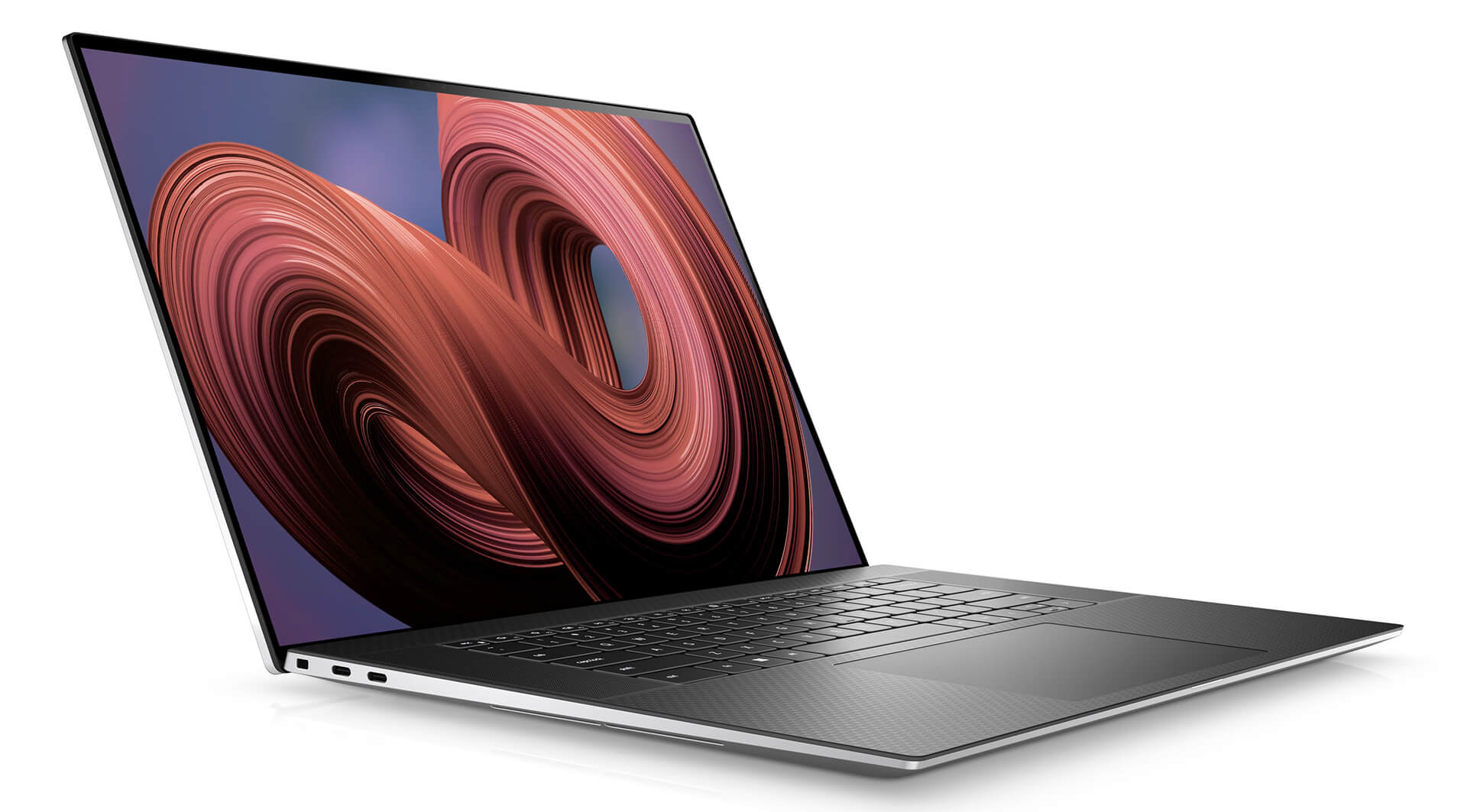
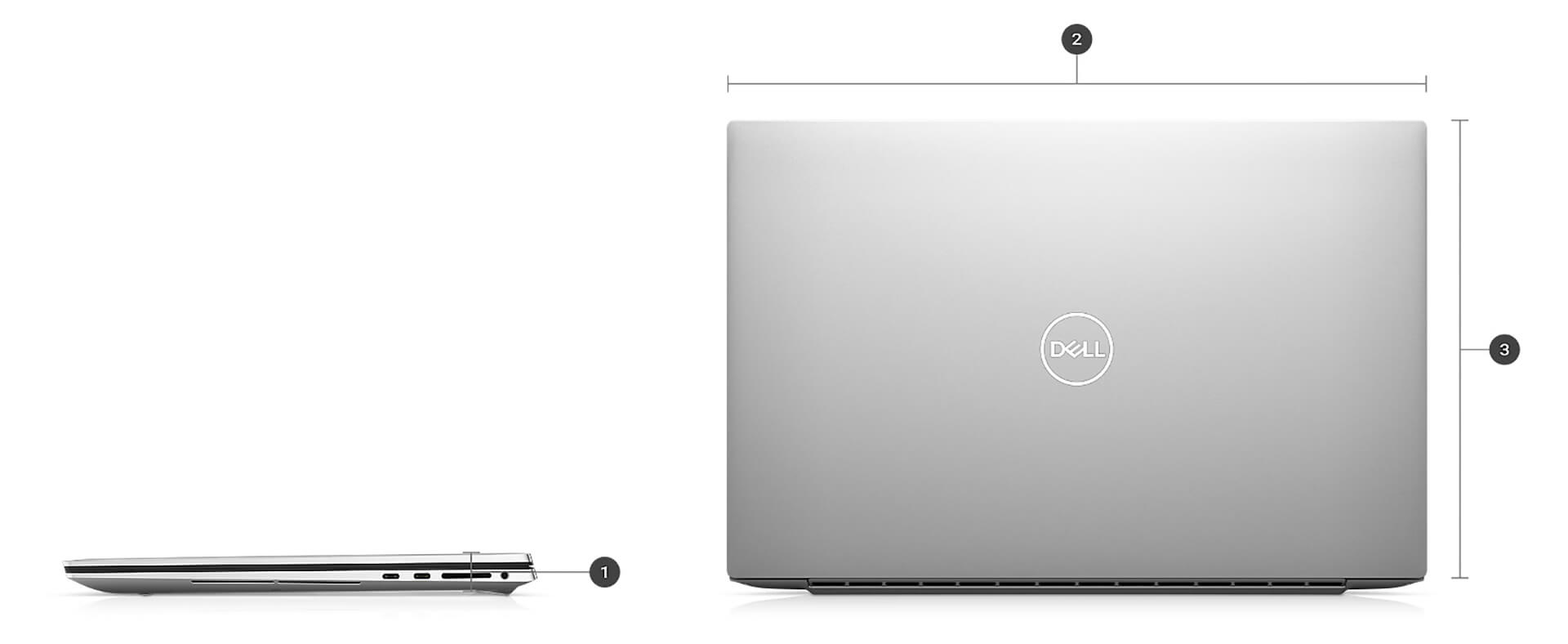
The laptop measures 19.5mm thick, 374.45mm wide and 248.05mm deep, and weighs 2.31kg with the FHD+ display or 2.44kg with the UHD+ display. That weight suits a fixed desk setup with occasional trips to meetings or business travel better than daily carrying; if you move around a lot, plan on a 17-inch backpack with a padded compartment. If you are looking for a large-screen Dell laptop that still keeps a compact frame, the XPS 17 is well worth considering.
Sharp 17-Inch XPS 17 9730 Display With FHD+ or UHD+ Touch Options
The XPS 17 9730 comes with a choice of two 17-inch displays. The FHD+ (1920 x 1200) panel is non-touch with an anti-glare coating and 500 nits of brightness, a good fit for office work and sitting near a window. The UHD+ (3840 x 2400) panel adds touch and an anti-reflective coating, also at 500 nits, delivering fine detail for photo editing, 4K video editing or reading technical drawings.
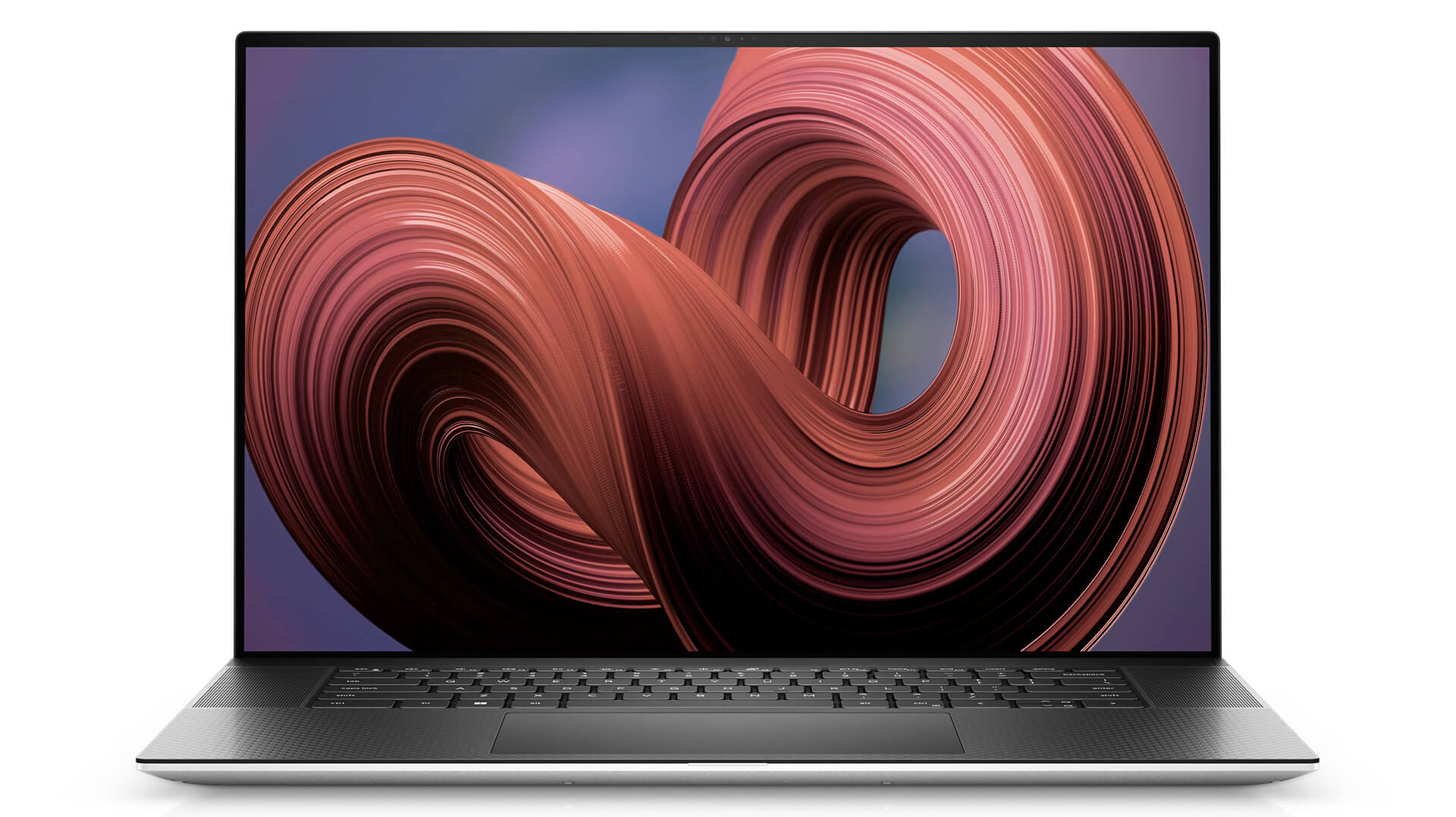
Both resolutions use a 16:10 aspect ratio, which adds vertical space to show more lines of code, spreadsheet rows or video timeline. The configuration listed by Hung Phat Laptop uses the UHD+ touch display, a good match for visual work; if you mostly work with documents and need longer battery life, the FHD+ version is typically more power efficient.
Dell XPS 17 9730 Performance With Intel Core i7-13700H, RTX 4050 and 32GB DDR5 RAM
The configuration listed by Hung Phat Laptop uses the Intel Core i7-13700H processor with 14 cores, 20 threads, a max turbo frequency of 5.0GHz and 24MB of cache. The Dell XPS 17 9730 line also offers the Core i9-13900HK, which has the same 14 cores and 20 threads but boosts up to 5.4GHz.
| CPU | Cinebench R23 Single / Multi-Core | Geekbench 6 Single / Multi-Core |
|---|---|---|
| Intel Core i7-13700H | 1,856 / 15,474 | 2,610 / 11,809 |
| Intel Core i9-13900HK | 1,844 / 16,025 | 2,340 / 9,921 |
Source: average scores from Notebookcheck. The Core i9-13900HK scores are based on only 4 tested laptops, so they vary considerably; real-world results also depend on the power mode and ambient temperature.
In practice, the Core i7-13700H handles programming, virtual machines, Lightroom photo editing and video editing. Based on the average figures, the Core i9-13900HK is only slightly ahead in Cinebench multi-core and actually trails in Geekbench, because the performance of both chips in a thin laptop depends heavily on the cooling system and power level. That makes the i7 version the sensible choice for most users.
The listed configuration comes with NVIDIA GeForce RTX 4050 6GB GDDR6 discrete graphics, with CUDA support to accelerate video editing, 3D rendering and AI workloads. Versions without discrete graphics use Intel Iris Xe integrated graphics, which suit office work, programming and light photo editing.
| GPU | 3DMark Time Spy Graphics | 3DMark Fire Strike Graphics |
|---|---|---|
| Intel Iris Xe Graphics G7 96EUs | ~1,561 | ~5,160 |
| NVIDIA GeForce RTX 4050 Laptop | ~8,125 | ~21,949 |
Source: average scores from Notebookcheck at common power levels. In the XPS 17, the RTX GPU runs at a lower power level than in gaming laptops, so actual scores may be lower than shown.
The RTX 4050 scores about 5 times higher than Iris Xe in Time Spy Graphics, enough for Premiere Pro, DaVinci Resolve and Blender at a moderate level. For large 3D projects or AI models that need a lot of graphics memory, 6GB of VRAM will soon hit its limit; in that case, consider a workstation with a more powerful GPU.
The DELL XPS 17 9730 (2023) has 32GB of DDR5 4800MHz RAM, enough for video editing, running several virtual machines and keeping dozens of browser tabs open at once. The 1TB PCIe Gen4 M.2 SSD launches apps and loads projects quickly, and the M.2 form factor makes swapping in a larger drive later fairly simple. The laptop comes with Windows 11 Home preinstalled.
Keyboard, Spacious Touchpad and 8W Quad Speakers on the Dell XPS 17 9730
The keyboard on the Dell XPS 17 9730 features large keys with generous spacing and a full-size function row, set on a wide black palm rest that keeps your hands comfortable during long typing sessions. The large touchpad takes up most of the palm rest and makes Windows gestures easy.
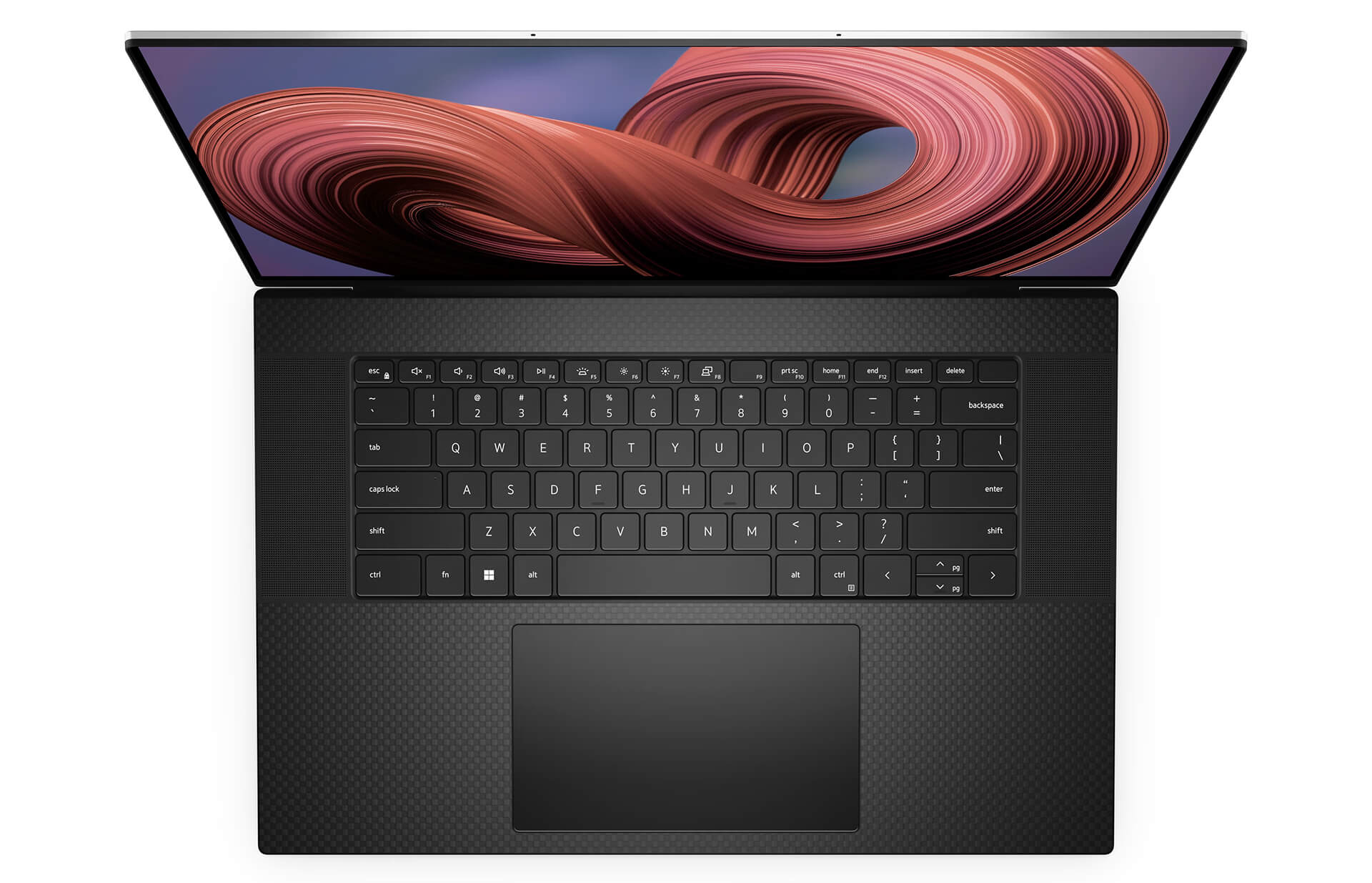
The quad-speaker system includes two 2.5W woofers and two 1.5W tweeters for 8W of total peak output, tuned with Waves MaxxAudio Pro and Waves Nx 3D audio for full, clear sound when watching movies or joining online meetings. The 720p 30fps webcam includes an IR camera for Windows Hello facial sign-in, along with digital-array microphones; if you need a sharper image for livestreaming, you can add an external webcam through a Thunderbolt 4 port.
XPS 17 9730 Ports and Battery: 4 Thunderbolt 4, SD Card Slot, 97Wh Battery
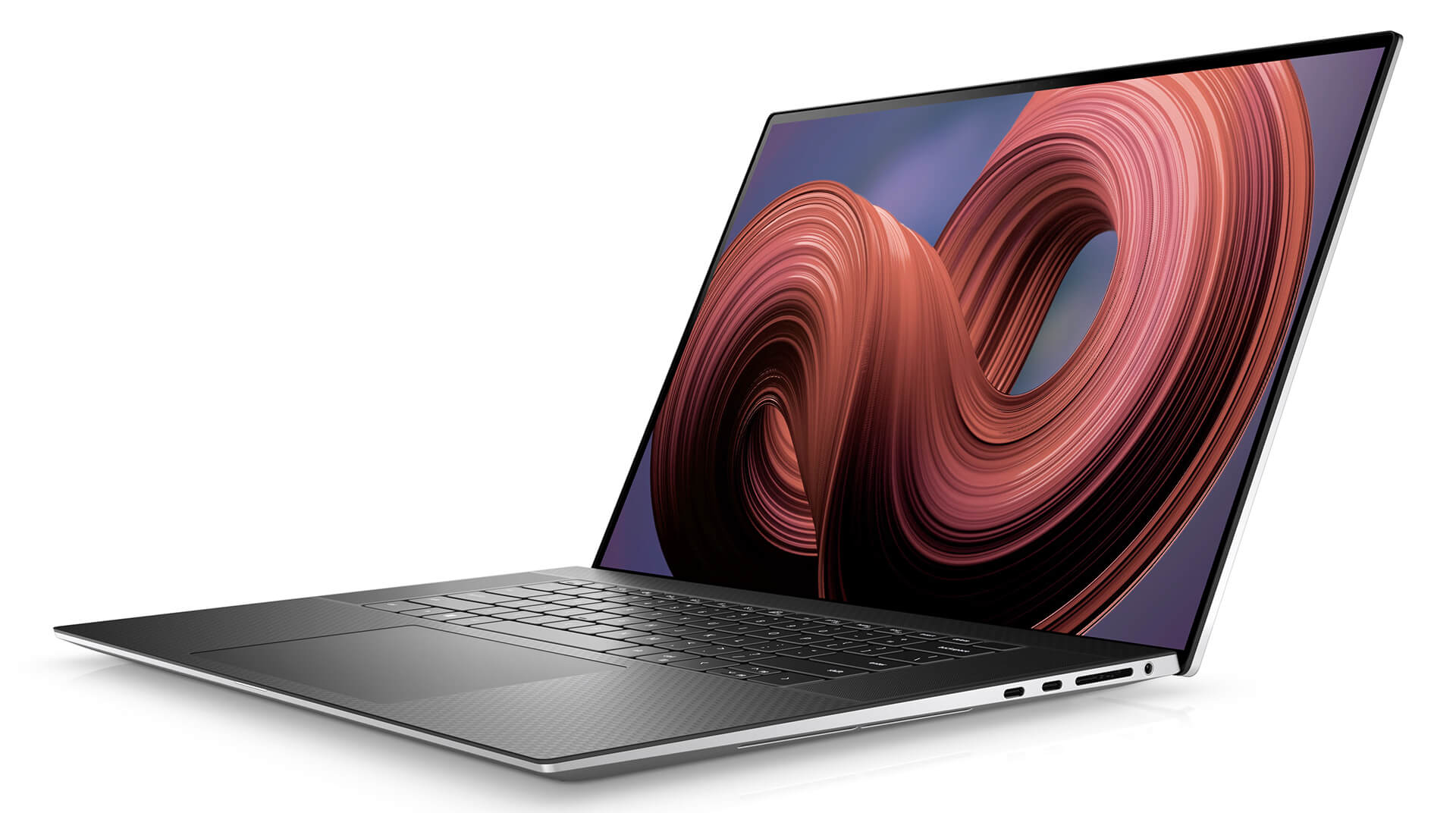
The XPS 17 9730 has 4 Thunderbolt 4 (USB-C) ports with DisplayPort and Power Delivery charging, placed on both sides of the laptop, plus 1 SD card slot, 1 audio jack and a fingerprint reader. That lets you connect an external monitor, attach a dock and plug in the charger on either side.
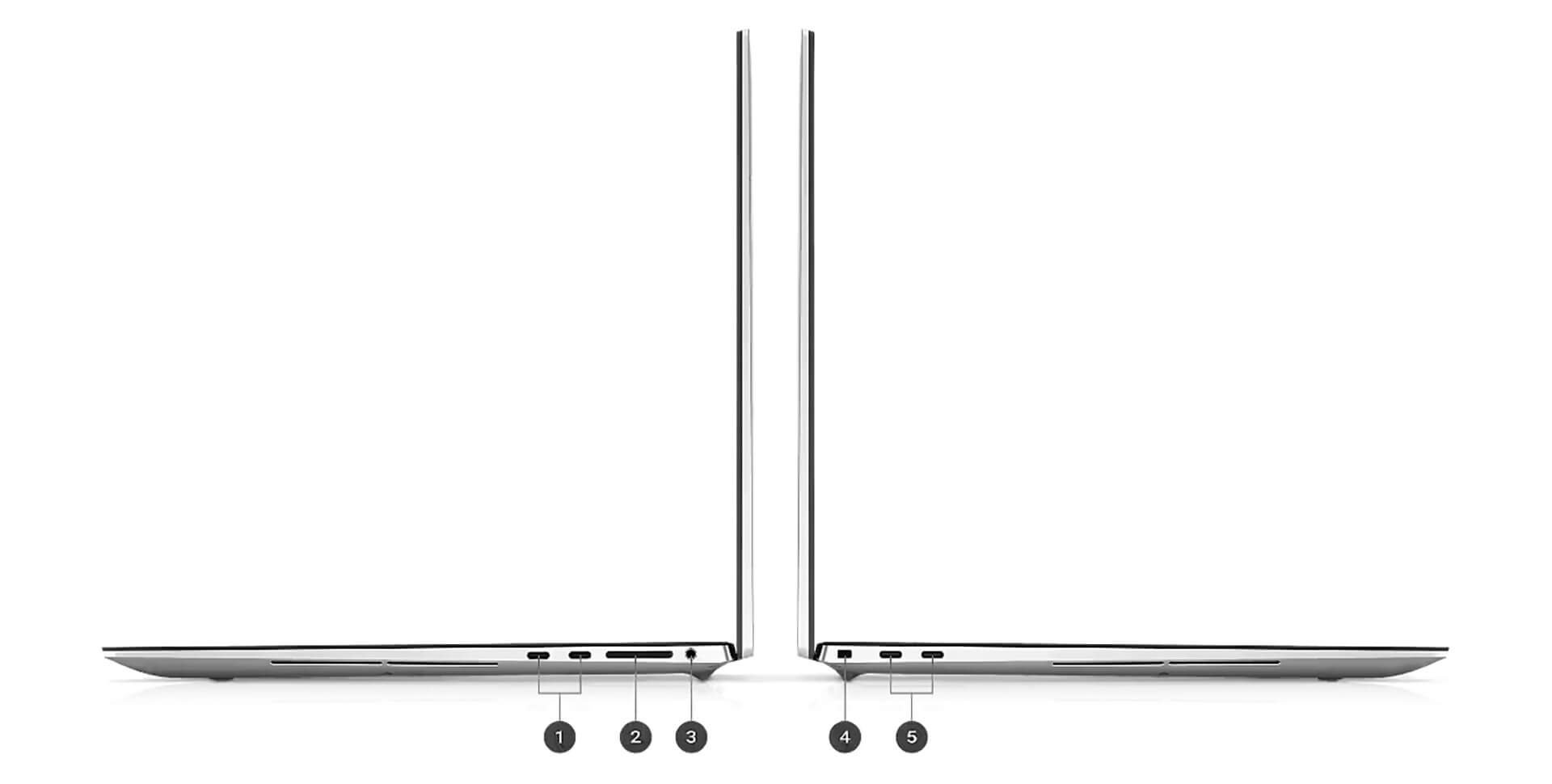
The laptop has no USB-A or HDMI ports, so you will need a USB-C adapter or a Thunderbolt dock to connect a mouse, older USB drives or a projector. Wireless connectivity comes from an Intel Killer Wi-Fi 6 1675 (AX211) 2x2 card and Bluetooth 5.2.
The 97Wh battery is among the larger ones in laptops and still stays under the 100Wh limit for air travel. The UHD+ display and RTX GPU draw more power, so when you are working away from an outlet, lowering screen brightness and turning on battery saver mode will help the laptop last longer.
DELL XPS 17 9730 (2023) Overview and Review
The DELL XPS 17 9730 (2023) is a 17-inch laptop that balances a large, sharp display, quad speakers, a 97Wh battery and enough performance for creative work. It suits video editors, designers, developers and managers who need a wide workspace but still want a compact aluminum chassis.
The main thing to consider is the weight of 2.31kg to 2.44kg, which suits a fixed desk setup better than daily carrying. The laptop only has USB-C ports, but a small adapter solves that. The 720p webcam can be supplemented with an external webcam, and if you need a more powerful GPU than the RTX 4050 for heavy 3D work, consider a workstation. You can also explore other generations in the Dell XPS 17 category.
| Pros | Cons |
|---|---|
|
|
FAQ - Frequently Asked Questions About the DELL XPS 17 9730 (2023)
1. Does the XPS 17 9730 have a touchscreen?
It depends on the configuration. The UHD+ 3840 x 2400 version has touch and an anti-reflective coating; the FHD+ 1920 x 1200 version is non-touch with an anti-glare coating. Both offer 500 nits of brightness.
2. Should I choose the Core i7-13700H or the Core i9-13900HK?
The Core i7-13700H is enough for most creative and programming work. The Core i9-13900HK boosts up to 5.4GHz, but its average Notebookcheck scores are not clearly ahead, so the i7 version suits most users.
3. Is the RTX 4050 in the XPS 17 9730 enough for video editing?
Yes, it handles video editing in Premiere Pro and DaVinci Resolve thanks to its 6GB of GDDR6 and CUDA support. For large 3D projects or AI work that needs a lot of VRAM, you should consider a more powerful GPU.
4. Does the laptop have USB-A and HDMI ports?
No. It has 4 Thunderbolt 4 ports, an SD card slot and an audio jack. You can use a USB-C adapter to add USB-A and HDMI.
5. How much does the XPS 17 9730 weigh?
It weighs 2.31kg with the FHD+ display and 2.44kg with the UHD+ display, and it is 19.5mm thick.
6. What support do I get when buying from Hung Phat Laptop?
The laptop is a genuine product with an invoice, a clear warranty, 30-day returns for manufacturer defects, SSD upgrade support and nationwide delivery.
You can also compare it with the DELL XPS 17 9720 (2022) or the DELL XPS 17 9710 (2021).
Where to Buy a Genuine DELL XPS 17 9730 (2023) From a Trusted Store?
Do you need a large screen for video editing and design, or simply want a 17-inch laptop that will last for years? Hung Phat Laptop will ask about your daily work in detail. Then we will advise you on whether to choose the i7 or i9, the Iris Xe or RTX 4050 version, and the FHD+ or UHD+ touch display of the DELL XPS 17 9730. If you are looking for a 17-inch aluminum laptop for graphics work, we are ready to compare each configuration with you.
Every laptop we sell is a genuine product with a full invoice. Warranty terms are clearly stated. Units with manufacturer defects are exchanged within the first 30 days. Our technicians help with upgrades and SSD replacement when you need more storage. We provide long-term technical support and nationwide delivery. Contact Hung Phat Laptop for a quote on a genuine Dell XPS 17 9730.
Performance & benchmarks DELL XPS 17 9730 (2023)
Intel Core i7-13700H NVIDIA GeForce RTX 4050 Laptop GPU - best for Office 9.5/10, Programming 9/10.
Intel Core i7-13700H
- Cinebench R23 (multi-core)15,474
- Geekbench 6 (multi-core)11,809
- Geekbench 6 (single-core)2,610
- PassMark25,783
- Cores / Threads14/20
NVIDIA GeForce RTX 4050 Laptop GPU
- 3DMark Time Spy8,125
- 3DMark Fire Strike21,949
- VRAM6 GB
- AI INT8194 TOPS
- ArchitectureAda Lovelace
Best for
Scored from real benchmarks- Gaming6/10
- Video / Graphics6/10
- Programming9/10
- Office9.5/10
Why does the CPU matter?
The CPU is the "brain" that handles every task: launching apps, multitasking, compiling code and editing video. The stronger the CPU, the faster and smoother the laptop runs when you juggle many things at once.
- BasicThis product
Web browsing, streaming and light office work.
- MainstreamThis product
Office work, moderate multitasking and studying.
- Mid-rangeThis product
Solid multitasking, programming and light graphics work.
- StrongThis product
Video editing, heavy programming, virtualization and gaming.
- FlagshipThis product
Heavy rendering, 4K/8K editing, virtual machines and AI workloads.
Why does the GPU matter?
The GPU (graphics card) handles visuals: gaming, video editing, 3D rendering and AI acceleration. The stronger the GPU, the higher your frame rates and the faster your video exports.
- Basic (iGPU)This product
Smooth display, 4K video and very light games (League of Legends, Valorant on low).
- MainstreamThis product
1080p eSports gaming, photo editing and light video editing.
- Mid-rangeThis product
1080p gaming on medium-high settings and smooth Full HD video editing.
- StrongThis product
1080p/1440p gaming on high settings, 4K video editing and 3D rendering.
- FlagshipThis product
4K/240Hz gaming, ray tracing, heavy rendering and AI.
Game performance
Real FPS - 4K- Dota 2101 fps4K Ultra
- CS241 fps4K Ultra
- GTA V60 fps4K Ultra
- CoD: Black Ops 629 fps4K Ultra
- Star Wars Outlaws9 fps4K Ultra
- God of War Ragnarök21 fps4K Ultra
- Final Fantasy XVI12 fps4K Ultra
- Cyberpunk 207715 fps4K Ultra
≥60fps very smooth30-60fps playable<30fps lower the settings
Local AI performance
Tokens/second running locally on GPU 6GB VRAM- DeepSeek R1 Distill 7B4.1 GB · ctx 64K33 tok/sDecent
- Gemma 4 E2B3.1 GB · ctx 256K43 tok/sRuns well
- Qwen 3.5 2B2.5 GB · ctx 32K54 tok/sRuns well
- Phi-4 Mini Reasoning2.4 GB · ctx 16K56 tok/sRuns well
- Llama 3.2 3B2 GB · ctx 128K67 tok/sRuns great
- SmolLM3 3B2 GB · ctx 128K67 tok/sRuns great
- DeepSeek R1 1.5B1.3 GB · ctx 64K103 tok/sRuns great
- Qwen 3.5 0.8B1.3 GB · ctx 32K103 tok/sRuns great
- TinyLlama 1.1B1.1 GB · ctx 2K122 tok/sRuns great
- Llama 3.2 1B1 GB · ctx 128K134 tok/sRuns great
- Mistral 7B v0.34.1 GB · ctx 32K33 tok/sDecent
- Qwen 2.5 7B4.1 GB · ctx 128K33 tok/sDecent
- Qwen 2.5 Coder 7B4.1 GB · ctx 128K33 tok/sDecent
- Qwen 3 4B2.5 GB · ctx 32K54 tok/sRuns well
- Gemma 3 4B2.5 GB · ctx 128K54 tok/sRuns well
- Phi-3.5 Mini2.4 GB · ctx 128K56 tok/sRuns well
- Gemma 2 2B1.5 GB · ctx 8K90 tok/sRuns great
- Qwen 3 1.7B1.4 GB · ctx 32K96 tok/sRuns great
- Qwen 2.5 Coder 1.5B1.3 GB · ctx 32K103 tok/sRuns great
- Qwen 3 0.6B1.1 GB · ctx 32K122 tok/sRuns great
- Gemma 3 1B1 GB · ctx 32K134 tok/sRuns great
GreatWellDecent4-bit quantized, ctx = context window
No comments yet
Q&A about DELL XPS 17 9730 (2023)
Frequently asked questions about DELL XPS 17 9730 (2023)
What are the specifications of DELL XPS 17 9730 (2023)?
What is the warranty for DELL XPS 17 9730 (2023)?
Can I buy DELL XPS 17 9730 (2023) with home delivery?
Worth a Look
 6 configurations
Dell XPS 13 DX13260 (2026)
DELL XPS 16 DA16260 (2026)
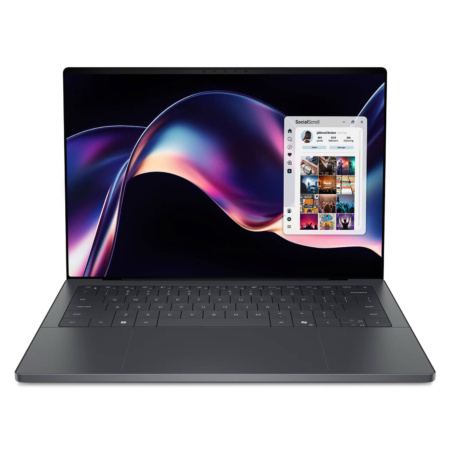
DELL XPS 14 DA14260 (2026)
 3 configurations
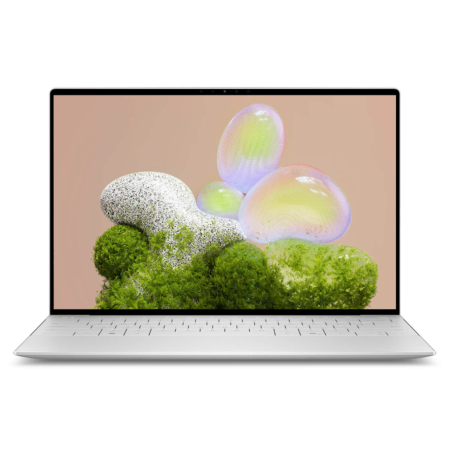
DELL XPS 13 9350 (2025)
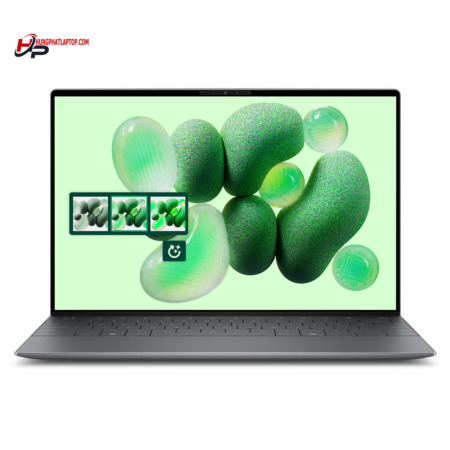 2 configurations


Phan Thị Huyền Trang 16/07/2024Purchased at Hung Phat
Excellent service
Lưu Đại Cương 20/04/2024Purchased at Hung Phat
Okla, beautiful machine
Anh Hòa 06/01/2024Purchased at Hung Phat
Pre-installed with essential software.