


DELL XPS 13 9350 (2025)
- CPU: Intel Core Ultra 5 226V Up To 4.5GHz (8 Cores, 8 Threads, 8MB Cache - 40 TOPS NPU)
- RAM: LPDDR5X 16GB 8533MHz
- SSD: 512GB PCIe Gen4 M.2 SSD
- VGA: Intel® Arc™ graphics 130V
- DISPLAY: 13.4" IPS FHD+ (1920 x 1200), 30-120Hz, InfinityEdge Non-Touch Display, Anti-Glare, Eyesafe, 100% sRGB, 500-nits
- COLOR: GRAPHITE
- CONDITION: New 100% Full Box
- WARRANTY: 12-month warranty
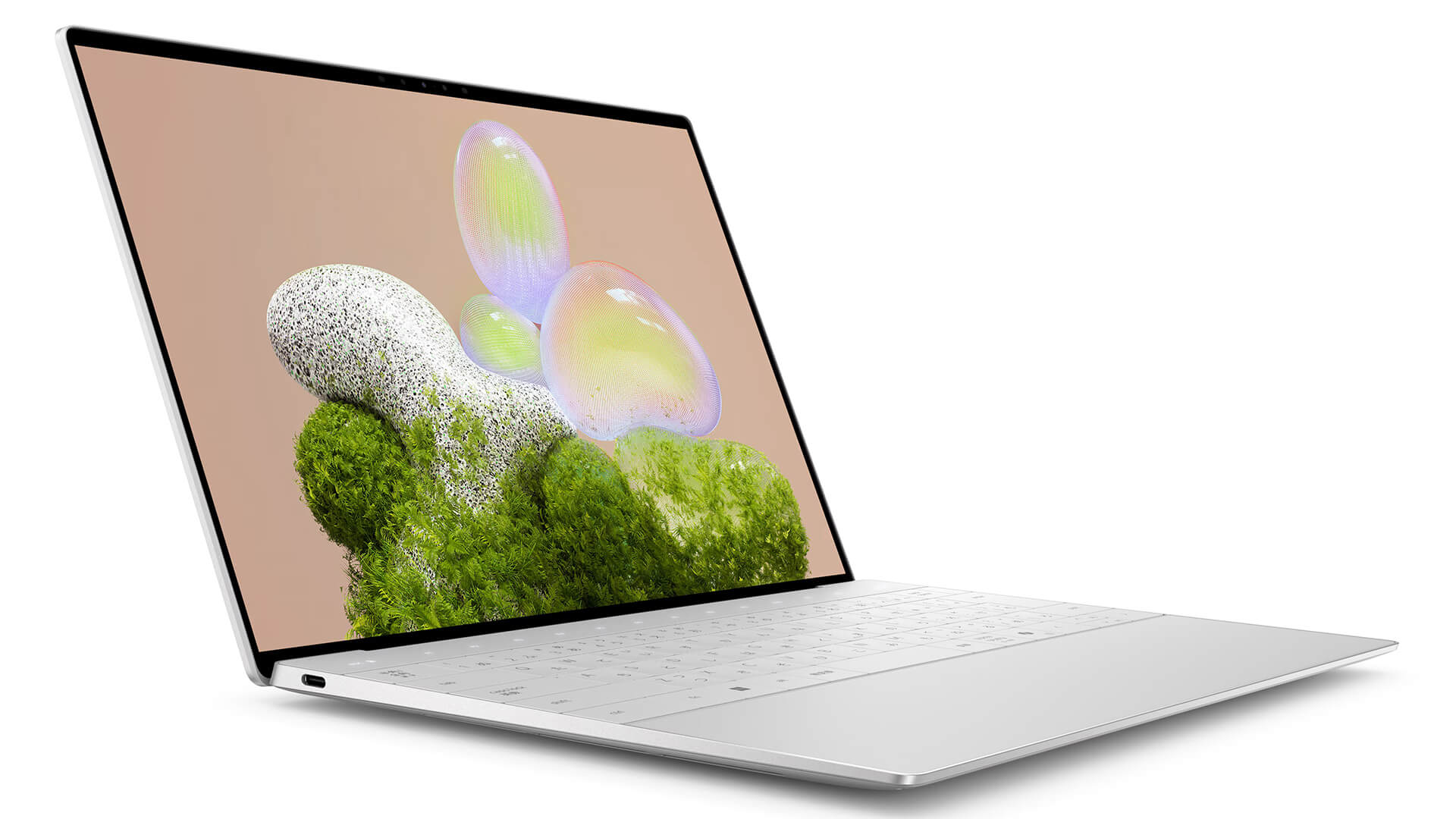
- Dell XPS 13 9350 (2025) Design: Minimalist, Slim and From Just 1.18kg
- Dell XPS 13 9350 13.4-Inch 120Hz Display With FHD+, QHD+ or OLED 3K+ Options
- XPS 13 9350 Performance With Intel Core Ultra 200V, Intel Arc Graphics and LPDDR5X 8533MHz RAM
- Backlit Keyboard and Flush Touchpad on the Dell XPS 13 9350 (2025)
- Quad 8W Speakers and Full HD Webcam on the XPS 13 9350
- Dell XPS 13 9350 Ports and Battery: 2 Thunderbolt 4, Wi-Fi 7, 55Wh Battery
- DELL XPS 13 9350 (2025) Overview and Review
- FAQ - Frequently Asked Questions About the DELL XPS 13 9350 (2025)
- Where to Buy a Genuine DELL XPS 13 9350 (2025) at a Great Price?
The DELL XPS 13 9350 (2025) is a 13.4-inch ultrabook with a starting weight of 1.18kg, built for business professionals, developers and content creators who carry their laptop every day. It runs on Intel Core Ultra 200V processors with an NPU that handles AI tasks right on the device, paired with integrated Intel Arc graphics, Wi-Fi 7 and a quad-speaker system tuned by music producer Jack Joseph Puig. This article covers the design, display, performance, ports, battery and the points worth weighing before you choose a configuration.
Dell XPS 13 9350 (2025) Design: Minimalist, Slim and From Just 1.18kg
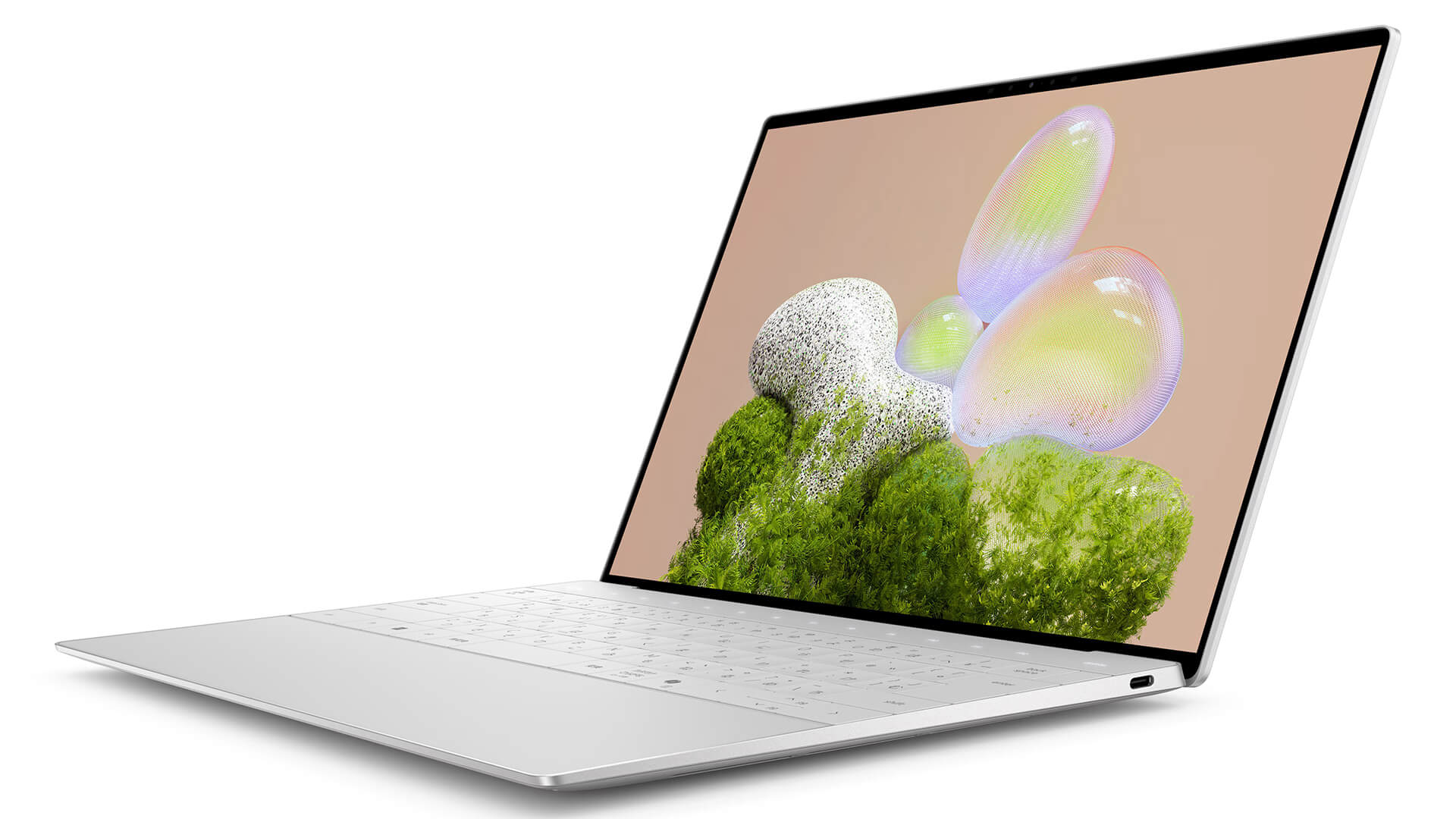
The Dell XPS 13 9350 (2025) keeps the familiar minimalist look of the XPS line, with an aluminum chassis, crisp squared-off edges and thin InfinityEdge display bezels. It comes in two colors, bright silver Platinum and dark gray Graphite; at Hung Phat Laptop, the Ultra 5 model comes in Graphite, while the Ultra 7 and Ultra 9 models come in Platinum.
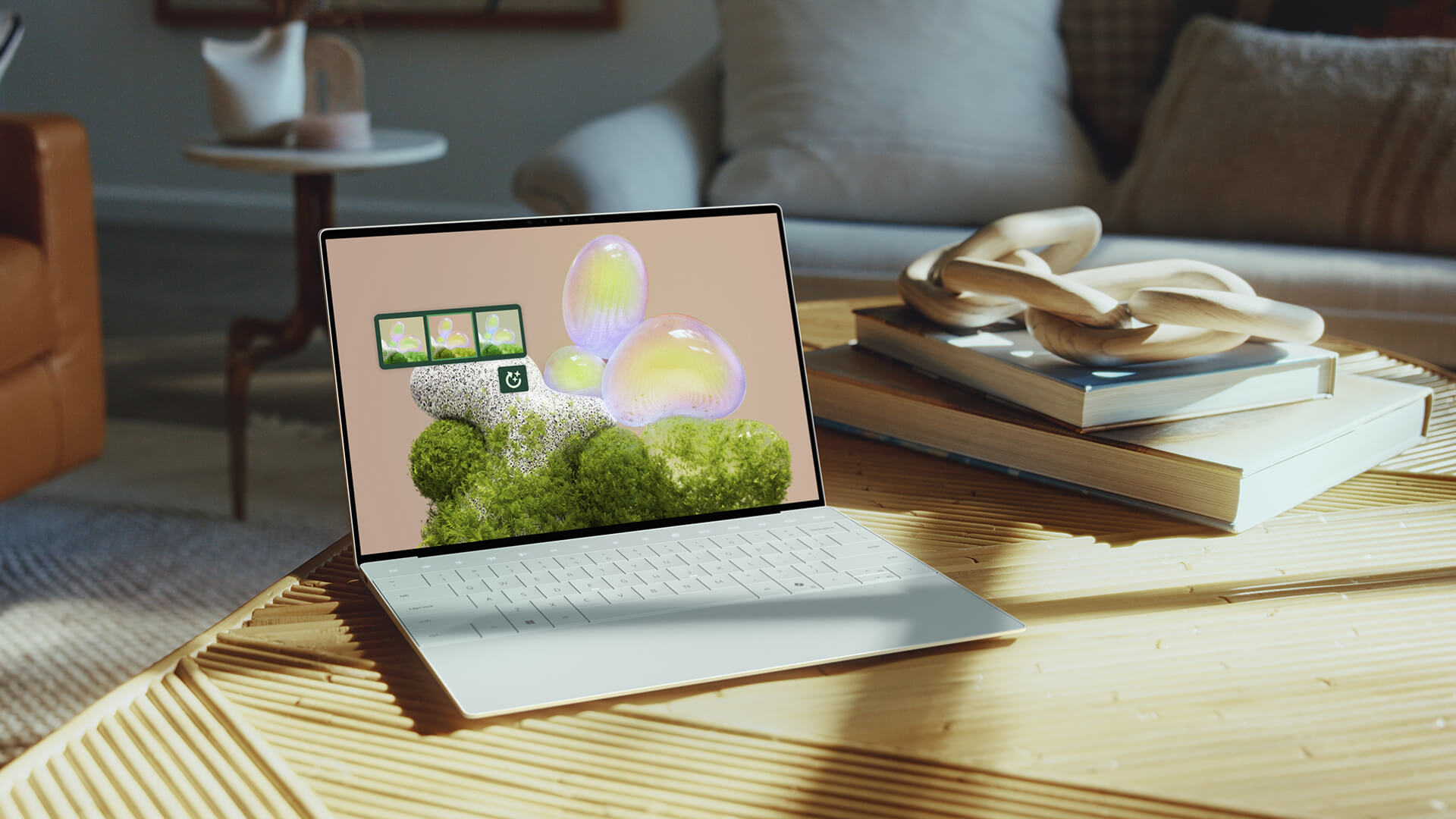
The laptop measures 295.3 x 199.1mm and is 14.8mm thick with the OLED panel or 15.3mm with the FHD+ and QHD+ panels. It weighs 1.18kg (OLED), 1.21kg (QHD+) and 1.22kg (FHD+) respectively, light enough to slip into a 13-inch padded sleeve or a small backpack on business trips. If you need a compact Dell laptop to carry every day, the XPS 13 chassis is well worth considering.
Dell XPS 13 9350 13.4-Inch 120Hz Display With FHD+, QHD+ or OLED 3K+ Options
The Dell XPS 13 9350 offers three 13.4-inch display options, all with a 30-120Hz variable refresh rate and Eyesafe technology that reduces blue light while preserving color. The FHD+ (1920 x 1200) panel is non-touch with an anti-glare coating, 100% sRGB and 500 nits of brightness. The QHD+ (2560 x 1600) panel is a touchscreen with anti-reflective coating, 100% DCI-P3 and 500 nits. The OLED 3K+ (2880 x 1800) panel is a touchscreen with anti-reflective coating, 100% DCI-P3 and 400 nits.
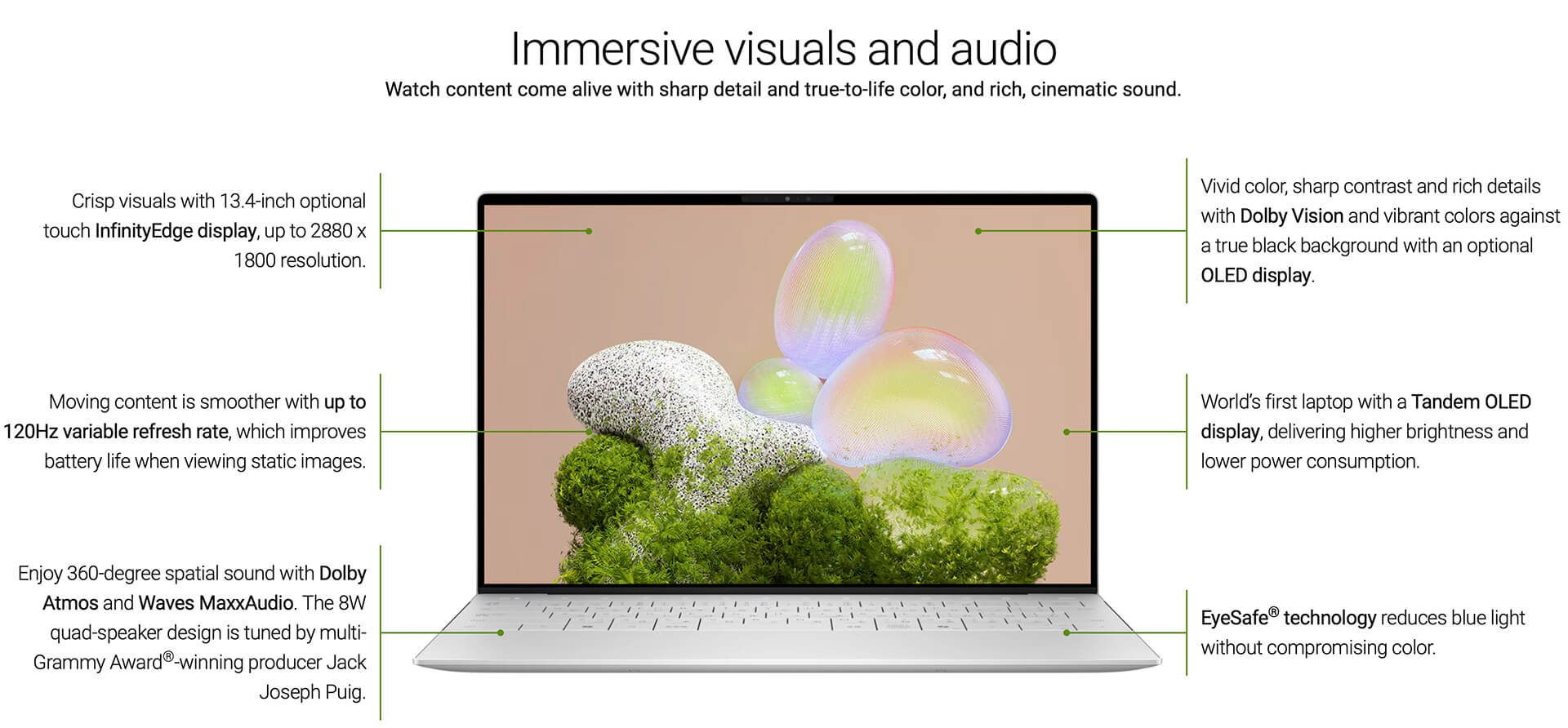
The 120Hz refresh rate makes scrolling and dragging windows smoother, and when static content is on screen the laptop gradually drops to 30Hz to save battery. All configurations currently sold at Hung Phat Laptop use the anti-glare FHD+ panel, a good fit for office work, coding and sitting near a window. If you edit photos, color-grade to the DCI-P3 standard or need a touchscreen, ask us about the QHD+ or OLED 3K+ versions first.
XPS 13 9350 Performance With Intel Core Ultra 200V, Intel Arc Graphics and LPDDR5X 8533MHz RAM
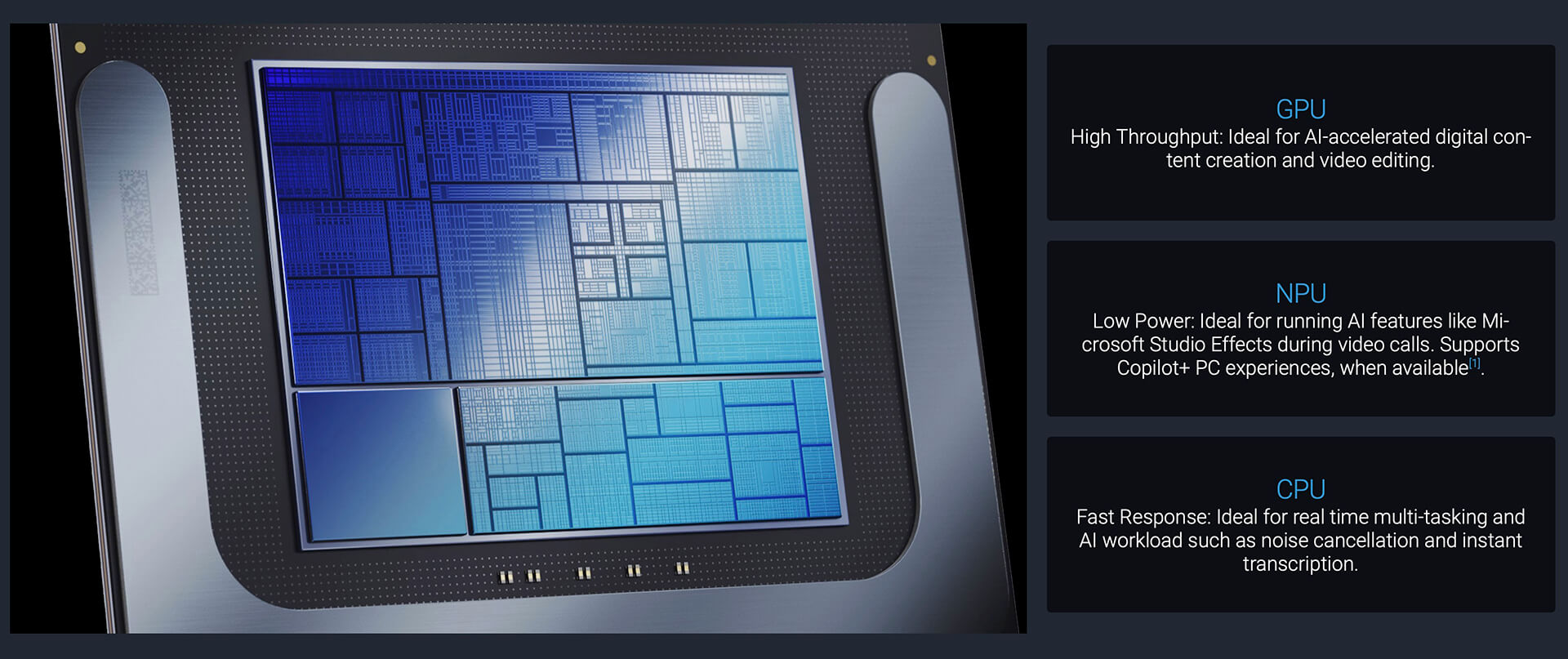
The Dell XPS 13 9350 (2025) offers four 8-core, 8-thread processor options: the Core Ultra 5 226V (8MB cache, up to 4.5GHz, 40 TOPS NPU), the Core Ultra 7 256V and Core Ultra 7 258V (12MB cache, up to 4.8GHz, 47 TOPS NPU), and the Core Ultra 9 288V (12MB cache, up to 5.1GHz, 48 TOPS NPU). Hung Phat Laptop currently carries three configurations: the Ultra 5 226V with 16GB, the Ultra 7 256V with 16GB and the Ultra 9 288V with 32GB, all with a 512GB SSD.
| CPU | Cinebench R23 single / multi-core | Geekbench 6 single / multi-core |
|---|---|---|
| Intel Core Ultra 5 226V | 1,732 / 9,858 | 2,582 / 10,011 |
| Intel Core Ultra 7 256V | 1,878 / 10,399 | 2,749 / 10,933 |
| Intel Core Ultra 7 258V | 1,872 / 10,301 | 2,754 / 10,966 |
| Intel Core Ultra 9 288V | 1,950 / 10,178 | 2,844 / 11,049 |
Source: average scores from Notebookcheck. Real-world results may vary depending on the power mode and ambient temperature.
The four chips differ only slightly in multi-core scores, because in a thin chassis the V-series chips are held to fairly similar power limits. The Core Ultra 9 288V pulls ahead mainly in single-core scores, which makes launching apps and browsing the web a little faster. For most office users and developers, the Core Ultra 7 256V strikes the balance between price and performance; the Core Ultra 5 226V still handles Office, browsers with many tabs and online meetings well.
Integrated graphics come in two tiers: Intel Arc 130V with the Ultra 5 and Intel Arc 140V with the Ultra 7 and Ultra 9. The Arc 140V scores about 16-19% higher in 3DMark, enough for photo editing, Full HD video editing and esports games at low to medium settings.
| GPU | 3DMark Time Spy Graphics | 3DMark Fire Strike Graphics |
|---|---|---|
| Intel Arc Graphics 130V | ~3,388 | ~8,463 |
| Intel Arc Graphics 140V | ~4,047 | ~9,819 |
Source: average scores from Notebookcheck. These are integrated graphics, so real-world scores depend on the RAM configuration and power mode.
The LPDDR5X 8533MHz RAM comes in 16GB and 32GB options. This memory is integrated, with no slot for later upgrades, so if you often run virtual machines, Docker or edit video, choose 32GB from the start. The PCIe Gen4 M.2 SSD comes in 512GB, 1TB and 2TB options; the models on sale have a 512GB SSD, and when you need more space you can swap in a larger M.2 drive.
Backlit Keyboard and Flush Touchpad on the Dell XPS 13 9350 (2025)
The keyboard on the Dell XPS 13 9350 is backlit, with keys spread across nearly the full width of the chassis, so typing documents and code stays comfortable in a dark room or on a night flight. The fingerprint reader supports quick Windows Hello sign-in, no password typing needed.
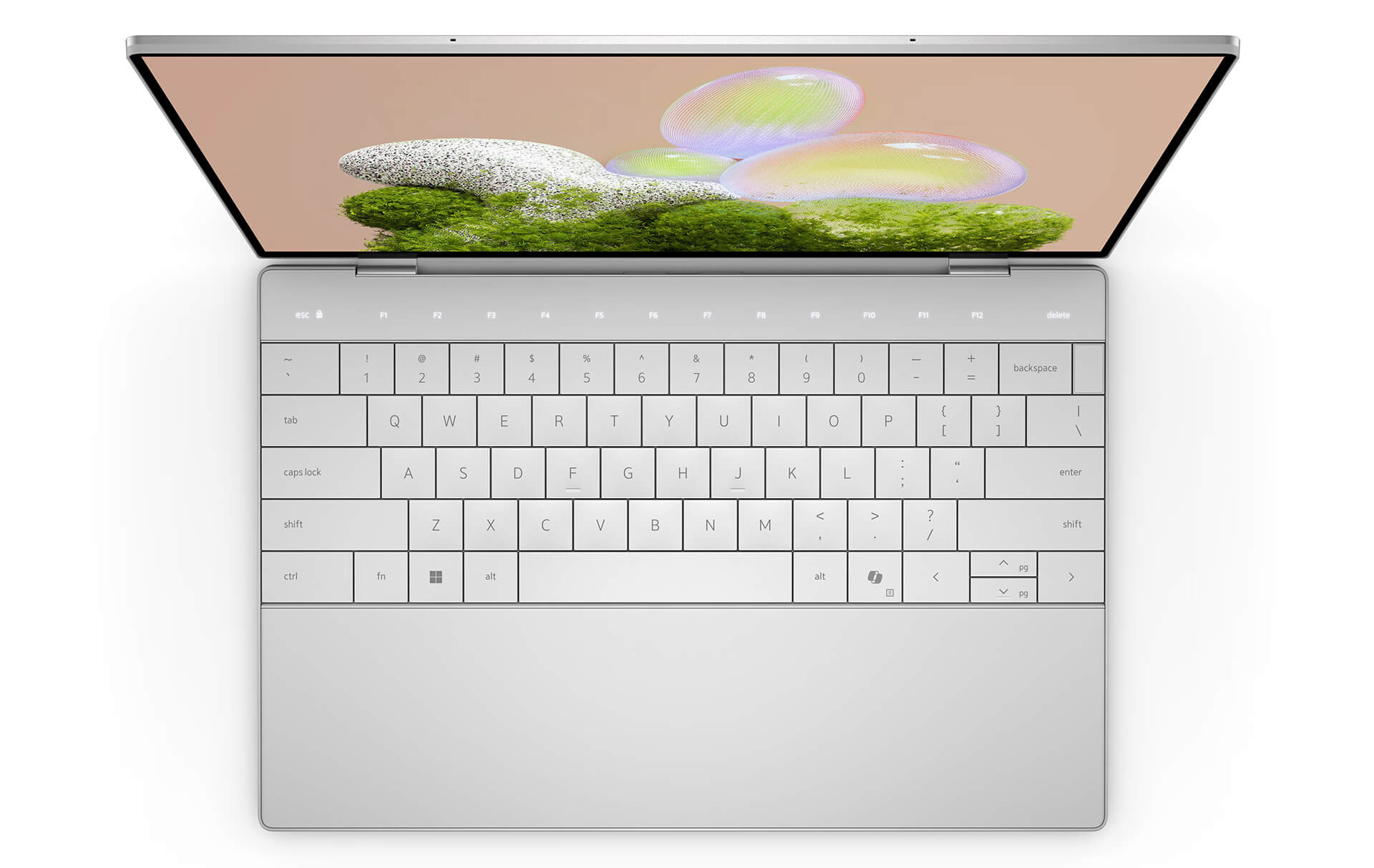
The touchpad has no physical buttons and sits flush with the palm rest, with full support for Windows multi-touch gestures to scroll, zoom and switch windows. The design looks clean, but with no border to find by touch, you may need a few days to get used to the active area.
Quad 8W Speakers and Full HD Webcam on the XPS 13 9350
The XPS 13 9350 uses a quad-speaker system made up of tweeters and woofers, a Realtek ALC1318 audio chip and 2W x 4 = 8W of output. The audio is tuned by Jack Joseph Puig, a multi-Grammy Award-winning music producer, for sound that is clearer and fuller than what you typically get from a 13-inch laptop.
The 1080p 30fps webcam comes with dual microphones for a clear picture in Teams and Zoom meetings or video calls with clients. If you often work in noisy coffee shops, a headset with a microphone will keep your voice more distinct.
Dell XPS 13 9350 Ports and Battery: 2 Thunderbolt 4, Wi-Fi 7, 55Wh Battery
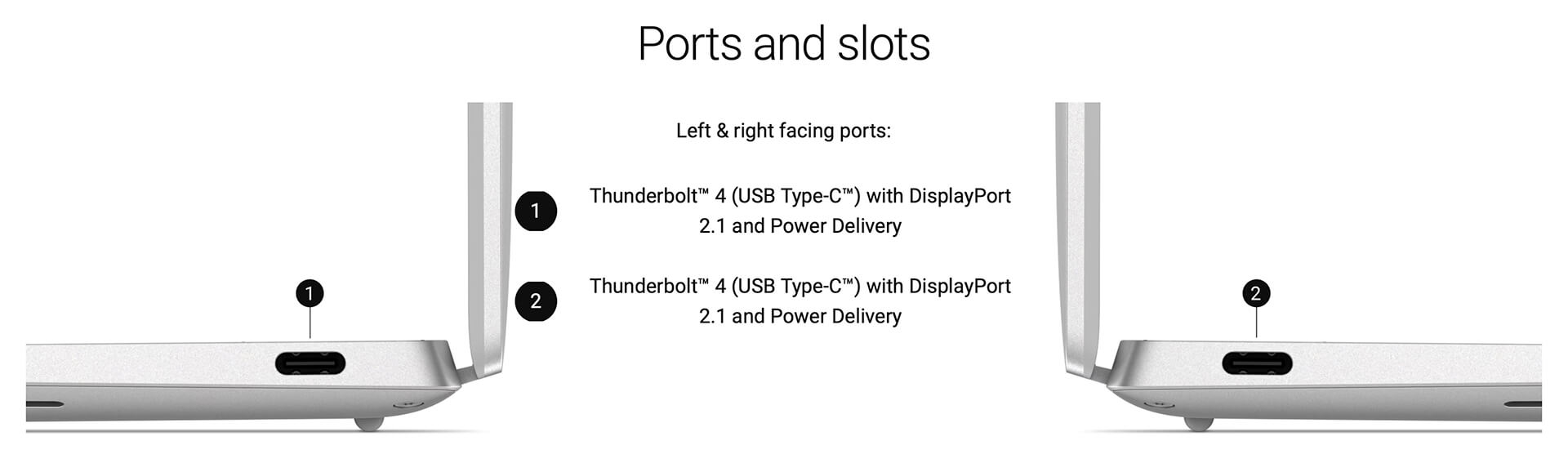
The Dell XPS 13 9350 (2025) has 2 Thunderbolt 4 (USB-C) ports with DisplayPort 2.1 and Power Delivery charging, one on each side, so you can plug in the charger from whichever side is convenient. There is no USB-A port, HDMI port or 3.5mm headphone jack, so plan on a USB-C hub or Thunderbolt dock for a mouse, USB drives or a projector, and use Bluetooth or USB-C headphones.
Wireless connectivity comes from an Intel Killer Wi-Fi 7 1750i (BE201) 2x2 card and Bluetooth 5.4, delivering high speeds with a Wi-Fi 7 router and a stable link during online meetings. The 55Wh battery charges over USB-C, so on business trips you can share one USB-C PD charger of suitable wattage between your laptop and phone.
Real-world battery life depends heavily on the display panel and how you use the laptop: the FHD+ version is typically more power-efficient than the QHD+ and OLED 3K+ versions. When working away from an outlet, lower the screen brightness and switch Windows to battery saver mode to make the battery last longer. Because the chassis is thin, the laptop warms up during long renders or video exports; placing it on a hard surface helps it cool better.
DELL XPS 13 9350 (2025) Overview and Review
The DELL XPS 13 9350 (2025) is a compact, lightweight 13.4-inch ultrabook with a 120Hz display, quad 8W speakers, a 1080p webcam, Wi-Fi 7 and an Intel Core Ultra 200V chip with an NPU for AI tasks. It suits business professionals, developers, content creators and students who need a durable, good-looking laptop to carry every day.

One thing to consider is that the laptop has only 2 USB-C ports, but a small hub solves that. The RAM cannot be upgraded, so choose the capacity based on your needs for the next few years. The integrated graphics are not meant for heavy 3D work or AAA games; if you need discrete graphics, look at larger XPS models or workstations. You can also browse other generations in the Dell XPS 13 category.
| Pros | Cons |
|---|---|
|
|
FAQ - Frequently Asked Questions About the DELL XPS 13 9350 (2025)
1. Can the RAM on the XPS 13 9350 be upgraded?
No. The laptop uses integrated LPDDR5X 8533MHz RAM in 16GB and 32GB options. You should choose the right capacity when you buy. The PCIe Gen4 M.2 SSD, however, can be replaced with a larger drive.
2. Should I choose the Core Ultra 5 226V, Ultra 7 256V or Ultra 9 288V?
The Ultra 5 226V is enough for Office, studying and online meetings. The Ultra 7 256V has Arc 140V graphics, a good fit for coding and photo editing. The Ultra 9 288V comes with 32GB of RAM, suited to heavy multitaskers; the three chips differ only slightly in multi-core scores.
3. What ports does the laptop have?
The laptop has 2 Thunderbolt 4 (USB-C) ports with DisplayPort 2.1 and Power Delivery charging, plus a fingerprint reader. It has no USB-A, HDMI or 3.5mm jack, and you can add them with a USB-C hub.
4. How much does the Dell XPS 13 9350 weigh?
It weighs 1.18kg with the OLED panel, 1.21kg with the QHD+ panel and 1.22kg with the FHD+ panel, and is 14.8mm to 15.3mm thick depending on the display.
5. Which display do the configurations on sale use?
All three configurations on sale at Hung Phat Laptop use a 13.4-inch FHD+ (1920 x 1200) non-touch, anti-glare, 30-120Hz, 100% sRGB, 500-nit display. The line also offers QHD+ and touchscreen OLED 3K+ options.
6. What support do I get when buying from Hung Phat Laptop?
Every laptop is genuine, 100% brand new and sealed in its original box, with an invoice, a clear warranty, a 30-day return or exchange for manufacturer defects, SSD upgrade support and nationwide delivery.
You can also compare it with the DELL XPS 13 9345 (2024) or the DELL XPS 13 9340 (2024).
Where to Buy a Genuine DELL XPS 13 9350 (2025) at a Great Price?
Need a laptop for writing, coding or running extra AI features? The Hung Phat Laptop team starts by asking about your work, then recommends the Ultra 5, Ultra 7 or Ultra 9 version of the DELL XPS 13 9350 and whether 16GB or 32GB of RAM fits you best. Looking for a thin and light 13-inch business laptop? We are ready to compare each configuration with you.
Every XPS we sell is a genuine product with a full invoice, and the warranty terms are stated clearly on the warranty card. If a laptop has a manufacturer defect within the first 30 days, we exchange it. Our technicians handle SSD upgrades and software setup, and stay on hand for technical questions long after you buy. We deliver to your door nationwide. Order this Wi-Fi 7 ultrabook today at Hung Phat Laptop.
Performance & benchmarks DELL XPS 13 9350 (2025)
Intel Core Ultra 5 226V Intel Arc Graphics 130V - best for Office 8.5/10, Programming 6/10.
Intel Core Ultra 5 226V
- Cinebench R23 (multi-core)9,857.5
- Geekbench 6 (multi-core)10,010.5
- Geekbench 6 (single-core)2,582
- PassMark17,879
- NPU (AI)40 TOPS
- Cores / Threads8/8
Intel Arc Graphics 130V
- 3DMark Time Spy3,401
- 3DMark Fire Strike8,450
- AI INT853 TOPS
- ArchitectureXe² Battlemage
Best for
Scored from real benchmarks- Gaming2.5/10
- Video / Graphics3.5/10
- Programming6/10
- Office8.5/10
- AI / Generative AI2.5/10
Why does the CPU matter?
The CPU is the "brain" that handles every task: launching apps, multitasking, compiling code and editing video. The stronger the CPU, the faster and smoother the laptop runs when you juggle many things at once.
- BasicThis product
Web browsing, streaming and light office work.
- MainstreamThis product
Office work, moderate multitasking and studying.
- Mid-rangeThis product
Solid multitasking, programming and light graphics work.
- StrongThis product
Video editing, heavy programming, virtualization and gaming.
- FlagshipThis product
Heavy rendering, 4K/8K editing, virtual machines and AI workloads.
Why does the GPU matter?
The GPU (graphics card) handles visuals: gaming, video editing, 3D rendering and AI acceleration. The stronger the GPU, the higher your frame rates and the faster your video exports.
- Basic (iGPU)This product
Smooth display, 4K video and very light games (League of Legends, Valorant on low).
- MainstreamThis product
1080p eSports gaming, photo editing and light video editing.
- Mid-rangeThis product
1080p gaming on medium-high settings and smooth Full HD video editing.
- StrongThis product
1080p/1440p gaming on high settings, 4K video editing and 3D rendering.
- FlagshipThis product
4K/240Hz gaming, ray tracing, heavy rendering and AI.
Game performance
Real FPS - FHD- Dota 278 fps1080p Ultra
- CS247 fps1080p Medium
- GTA V58 fps1080p High
- Star Wars Outlaws9 fps1080p Low
- God of War Ragnarök19 fps1080p Low
- Final Fantasy XVI15 fps1080p Low
- Cyberpunk 207741 fps1080p Low
≥60fps very smooth30-60fps playable<30fps lower the settings
Local AI performance
Tokens/second running locally on GPU- Llama 3.2 11B Vision6.1 GB · ctx 128K16 tok/sDecent
- Gemma 4 E2B IT5.6 GB · ctx 256K17 tok/sDecent
- GLM-4 9B5.1 GB · ctx 128K19 tok/sDecent
- Gemma 4 E4B4.6 GB · ctx 256K21 tok/sDecent
- Ministral 8B4.6 GB · ctx 32K21 tok/sDecent
- Qwen 3.5 4B4.6 GB · ctx 32K21 tok/sDecent
- DeepSeek R1 Distill 7B4.1 GB · ctx 64K23 tok/sRuns well
- Gemma 4 E2B3.1 GB · ctx 256K31 tok/sRuns well
- Qwen 3.5 2B2.5 GB · ctx 32K38 tok/sRuns well
- Phi-4 Mini Reasoning2.4 GB · ctx 16K40 tok/sRuns well
- Llama 3.2 3B2 GB · ctx 128K48 tok/sRuns great
- SmolLM3 3B2 GB · ctx 128K48 tok/sRuns great
- DeepSeek R1 1.5B1.3 GB · ctx 64K74 tok/sRuns great
- Qwen 3.5 0.8B1.3 GB · ctx 32K74 tok/sRuns great
- TinyLlama 1.1B1.1 GB · ctx 2K87 tok/sRuns great
- Llama 3.2 1B1 GB · ctx 128K96 tok/sRuns great
- Gemma 2 9B5.1 GB · ctx 8K19 tok/sDecent
- Nemotron Nano 9B v25.1 GB · ctx 128K19 tok/sDecent
- Llama 3.1 8B4.6 GB · ctx 128K21 tok/sDecent
- Qwen 3 8B4.6 GB · ctx 128K21 tok/sDecent
- Mistral 7B v0.34.1 GB · ctx 32K23 tok/sRuns well
- Qwen 2.5 7B4.1 GB · ctx 128K23 tok/sRuns well
- Qwen 2.5 Coder 7B4.1 GB · ctx 128K23 tok/sRuns well
- Qwen 3 4B2.5 GB · ctx 32K38 tok/sRuns well
- Gemma 3 4B2.5 GB · ctx 128K38 tok/sRuns well
- Phi-3.5 Mini2.4 GB · ctx 128K40 tok/sRuns well
- Gemma 2 2B1.5 GB · ctx 8K64 tok/sRuns great
- Qwen 3 1.7B1.4 GB · ctx 32K68 tok/sRuns great
- Qwen 2.5 Coder 1.5B1.3 GB · ctx 32K74 tok/sRuns great
- Qwen 3 0.6B1.1 GB · ctx 32K87 tok/sRuns great
- Gemma 3 1B1 GB · ctx 32K96 tok/sRuns great
GreatWellDecent4-bit quantized, ctx = context window
-
MP Mitul Patel
I’m looking for a DELL XPS 9350
Ultra 9, 32gb ram and 2tb hard drive.
Do you have in stock. I only have today to buyReply • like- TP Phạm Thiên Phước Administrator
Sorry, it's out of stock
Reply • like
-
-
KT Kiều Trang
Is this the Dell XPS 9350 2025 model? Do you have it in stock?
Reply • 1 like- PL Phát Lâm Administrator
That's correct. The Dell XPS 9350 2025 uses the Core Ultra 2 chip, which is different from the old 2016 version. We have it in stock!
Reply • 1 like - KT Kiều Trang
@Phát Lâm: Do you have the 32GB Ram version in stock?
Reply • like - PL Phát Lâm Administrator
Please call our hotline at 0903.134.635 for further consultation. Thank you!
Reply • 1 like
-
Q&A about DELL XPS 13 9350 (2025)
Frequently asked questions about DELL XPS 13 9350 (2025)
What are the specifications of DELL XPS 13 9350 (2025)?
What is the warranty for DELL XPS 13 9350 (2025)?
Can I buy DELL XPS 13 9350 (2025) with home delivery?
Worth a Look
 6 configurations
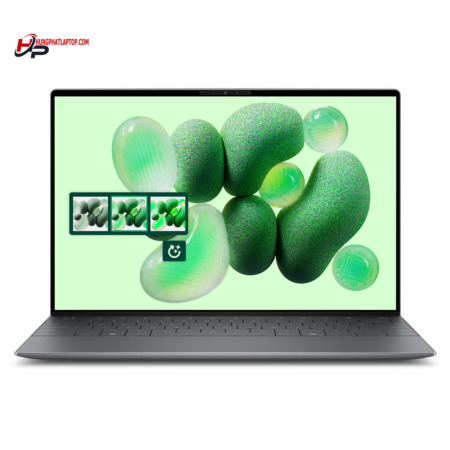
Dell XPS 13 DX13260 (2026)
 2 configurations
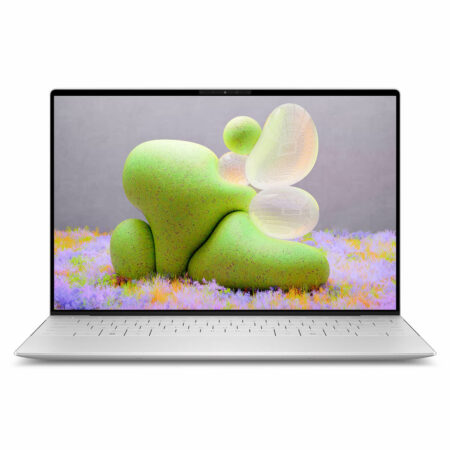
DELL XPS 13 9345 (2024)
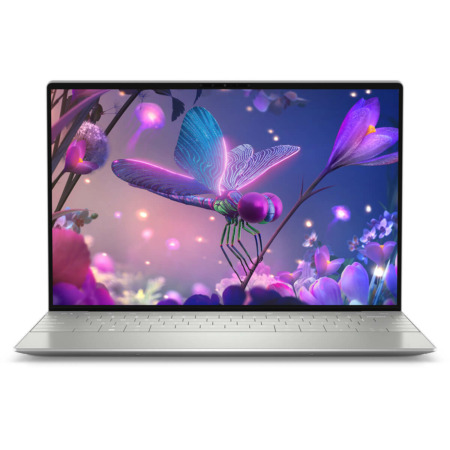
DELL XPS 13 9340 (2024)


Nguyễn Quốc Cường 21/11/2024Purchased at Hung Phat
Customer-oriented attitude
Chị Nhi 18/11/2024Purchased at Hung Phat
Right near your house and super reliable! :))
Nguyễn Diệp Minh Tuyền 05/11/2024Purchased at Hung Phat
Great product and dedicated support