

Discontinued

HP · Office
HP Laptop 17 (2021)
CPUIntel® Core™ i7-1165G7
RAM8GB DDR4 3200MHz
SSD512GB PCIe
VGAIntel® Iris® Xe Graphics
16,300,000₫


HP laptops span everything from student and mainstream office machines to business laptops, mobile workstations and gaming laptops, so nearly every kind of work has an HP line built for it. Business users usually choose EliteBook or ProBook for durability and security, engineers turn to ZBook, and students, freelancers and gamers can pick from OmniBook, Envy, Spectre x360, Victus and Omen.
At Hung Phat Laptop, HP comes in 7 groups with sizes from 13 to 17 inches, ranging from older models such as the EliteBook 840 G3, EliteBook Folio 1040 G3 and ZBook 17 G3 to the newest 2026 models running Intel Core Ultra (Panther Lake generation) and AMD Ryzen AI. The newer models are on sale, while discontinued older models keep their information pages so you can use them for reference and comparison.

HP sorts its laptops into clear user groups: business, engineers, creators, students and office workers, and gamers. One thing to watch is that each line handles RAM differently. Many thin and light models use RAM soldered to the motherboard, while the EliteBook 640, EliteBook 840 and ZBook Power still have RAM slots, so check carefully before you choose a configuration.
HP EliteBook is HP's premium business laptop line, built for managers, salespeople and IT teams who need a durable machine that is easy to manage remotely. Recent generations are tested to the MIL-STD-810H durability standard and come with the HP Wolf Security suite.
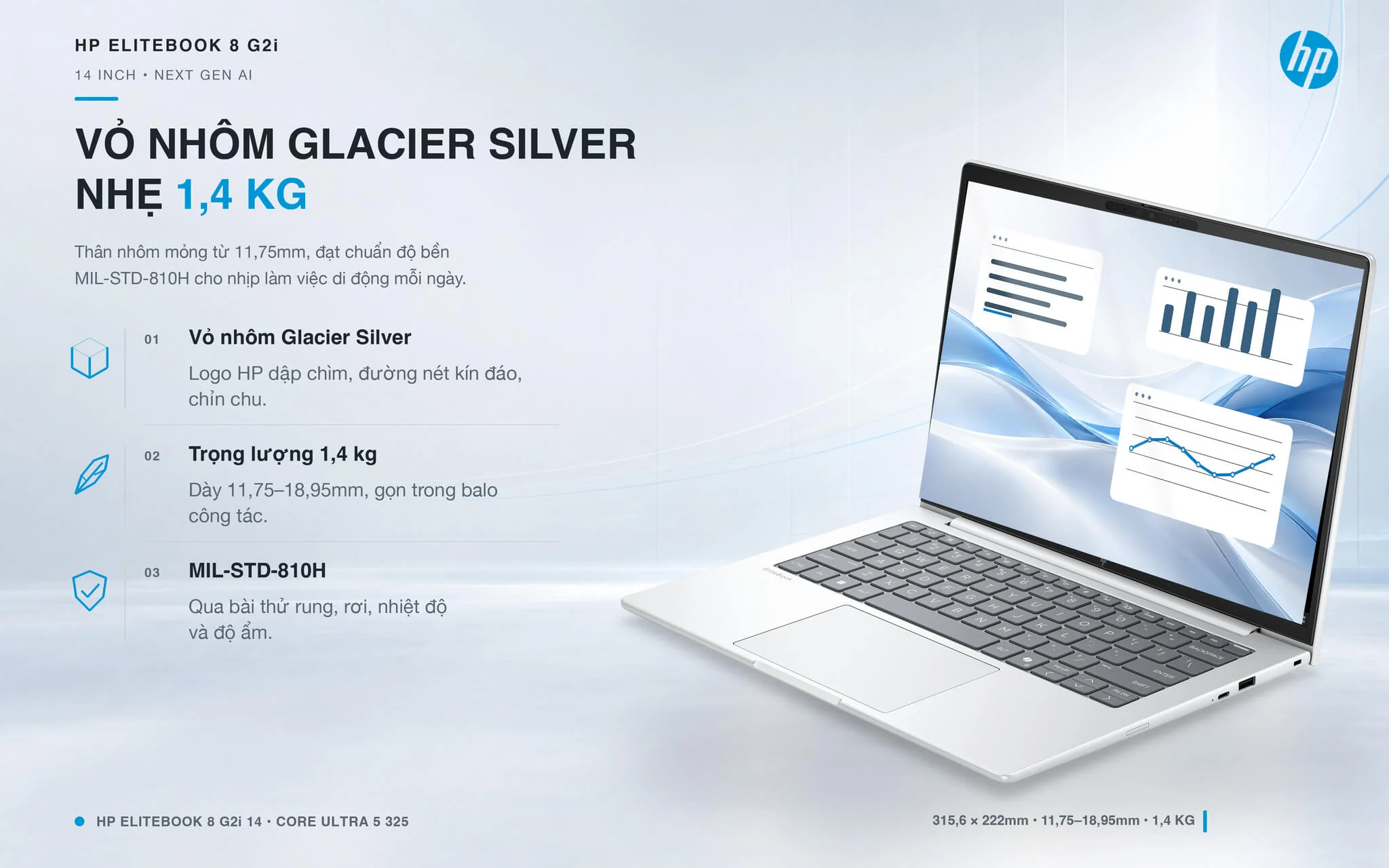
The newer HP EliteBook 8 G2i 14 Next Gen AI (2026) weighs about 1.4kg and has a 14-inch WUXGA anti-glare display, an Intel Core Ultra 5 325, 16GB of LPDDR5X 8533MHz RAM and a 512GB SSD. Since 2025, HP has named EliteBook models in the 6, 8 and X groups, so the EliteBook 8 is the successor to the familiar 840 line.
In the more affordable 600 group, the HP EliteBook 640 G11 (2024) uses a Core Ultra 7 155U and 16GB of DDR5 RAM, and has a RAM slot for upgrades, a good fit for businesses that need to equip many machines at a moderate cost.
The earlier HP EliteBook 640 G10 (2023) runs a Core i5-1335U with DDR4 RAM, enough for accounting and online meetings.
The 840 group has a more refined finish than the 600 group. The HP EliteBook 840 G11 (2024) uses a Core Ultra 5 135U and the HP EliteBook 840 G10 (2023) uses a Core i5-1345U, both with 16GB of DDR5 RAM on a 14-inch display.
The HP EliteBook 840 G9 (2022) was the first in the 840 group to move to DDR5 RAM, using a Core i7-1265U for heavy office work.
If your company is already used to the AMD platform, the HP EliteBook 645 G10 (AMD)(2023) uses a Ryzen 5 PRO 7530U, with the management features of the PRO chip line.
The HP EliteBook 830 G10 (2023) has a compact 13.3-inch display for frequent travelers and uses a Core i7-1365U, while the HP EliteBook 860 G10 (2023) has a 16-inch display with a Core i7-1360P for anyone who wants a wide screen for spreadsheets.
The premium x360 1040 2-in-1 folds back 360 degrees, so you can sign off on documents right on the touchscreen. The HP EliteBook x360 1040 G11 (2024) uses a Core Ultra 7 165H with 32GB of RAM, and the HP EliteBook x360 1040 G10 (2023) uses a Core i7-1355U with 16GB of RAM.
The compact 2-in-1 HP EliteBook X360 830 G7 (2020) has a 13.3-inch display and a Core i7-10810U chip, and is now out of stock.
The discontinued EliteBook generations include the HP EliteBook 840 G8 and HP EliteBook x360 830 G8 (2021), along with the EliteBook 840 G7, 840 G6, 840 G3, 830 G5, 845 G8, 845 G7, x360 1030 G4 and Folio 1040 G3, whose pages stay up for your reference.
Before buying, check whether the laptop uses soldered or slotted RAM: the EliteBook 8, 830 G10 and x360 1040 use soldered RAM, so choose enough capacity from the start. Most of the 2022 to 2024 generations are out of stock, so contact us first to check.
HP ZBook is a line of mobile workstations for civil and mechanical engineers, architects and 3D artists. Many models use dedicated NVIDIA RTX graphics and have ISV certification for AutoCAD, Revit and SolidWorks, running stably with large drawings for hours.
The model on sale, the HP ZBook Power 16 inch G11 - Mobile Workstation (2024), uses an Intel Core Ultra 7 165H, 32GB of DDR5 RAM, a 1TB SSD and an RTX 2000 Ada 8GB card, suiting engineers who need a primary work machine.

For more processing power for rendering and simulation, the HP ZBook Fury 16 G11 - Mobile Workstation (2024) has a Core i9-13950HX, 64GB of RAM and an RTX 5000 Ada 16GB for large 3D projects.
The earlier HP ZBook Power 15.6 inch G10 - Mobile Workstation (2023) uses a Ryzen 9 PRO 7940HS, 32GB of RAM and integrated AMD Radeon graphics, better suited to programming and 2D CAD than heavy 3D work.
Firefly is the thin and light branch of ZBook. The HP ZBook Firefly 14 G10 (2023) uses a Ryzen 5 PRO 7640HS, and the HP ZBook Firefly 14 G9 (2022) runs a Core i7-1280P, suiting architects who carry their laptop to client meetings.
The 16-inch HP ZBook Firefly 16 G10 (2023) adds an RTX A500 4GB card alongside a Core i7-1355U, enough for 2D drawings and light 3D models.
The two 2021 models, the HP ZBook Firefly 14 G8 (2021) and HP ZBook Firefly 15 G8 (2021), both use a Core i7-1185G7 and differ in display size, 14 and 15.6 inches.
The older HP ZBook 15 G5 - Mobile Workstation uses a Core i9-8950HK and a Quadro P1000, and is currently out of stock. The 15.6-inch ZBook Power G8 and the ZBook 17 G3 have been discontinued, and their pages stay up for reference.
ZBook models are heavier than office laptops of the same size and need a larger charger. Only the ZBook Power 16 G11 is currently on sale, so contact us first to check stock.
HP OmniBook is the new generation of personal laptops, gradually replacing the Pavilion, Envy and Spectre names since 2025. It is a smart pick for students and office workers who want a compact laptop with good battery life and an NPU for AI features.
The HP OmniBook 5 LaptopAI 16 inch (AMD) (2026) uses a Ryzen AI 7 445, Radeon 840M graphics, 16GB of DDR5 RAM and a 1TB SSD, with a 16-inch touch display, and weighs about 1.82kg. Its RAM sits in an upgradable slot, which is uncommon in a thin and light laptop.
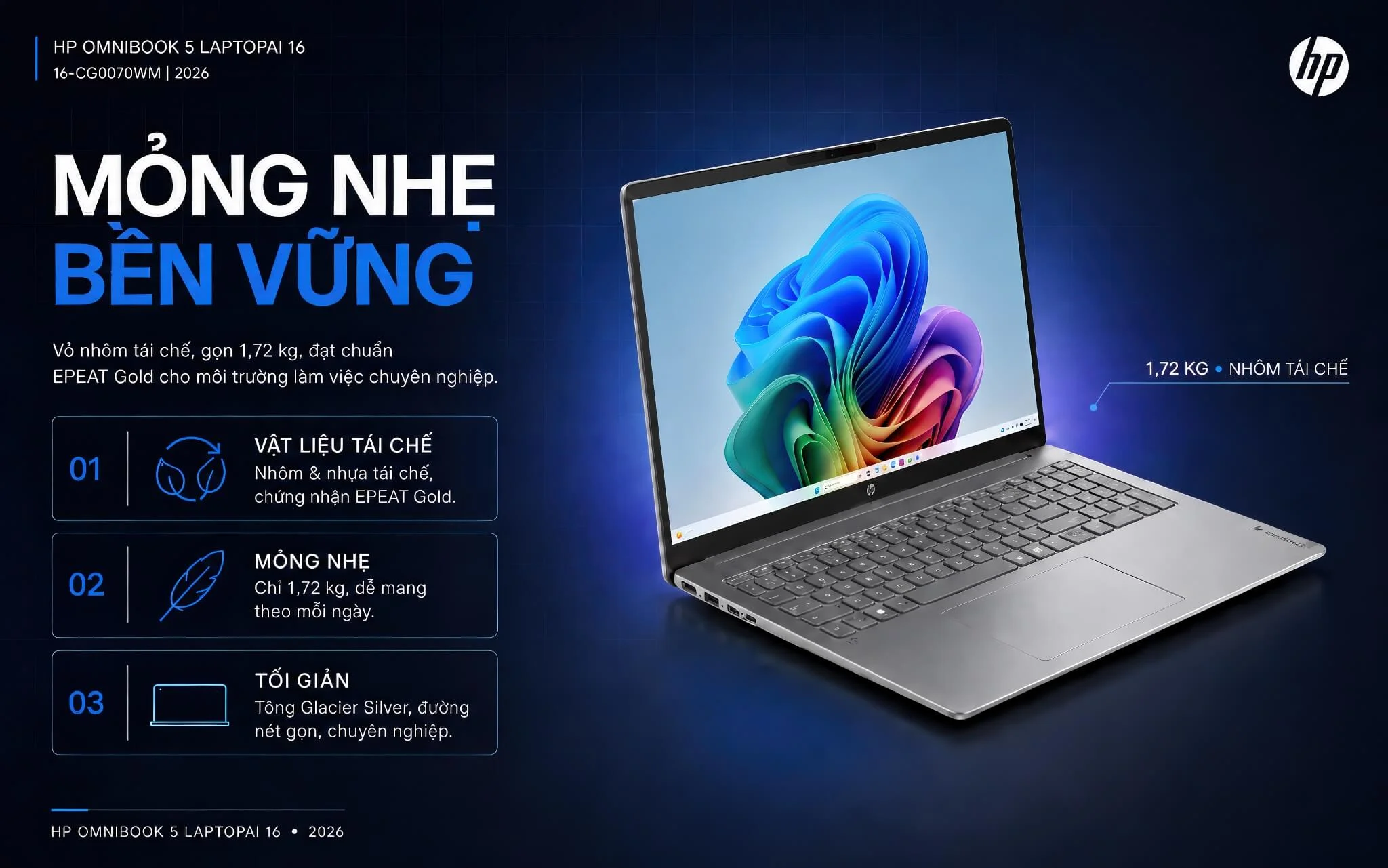
The Intel version, the HP OmniBook 5 LaptopAI 16 inch (2025), runs a Core Ultra 5 225U with 16GB of LPDDR5X RAM, suiting people who want a large display for spreadsheets and online classes.
The HP OmniBook 5 Flip 14 inch (2 in 1) (2025) has a hinge that folds back 360 degrees, an Intel Core 5 120U chip and 16GB of RAM, which makes it handy for reading documents and taking notes in class, like a tablet.
The X Flip group is a step up: the HP OmniBook X Flip Next Gen AI 16 (2025) uses a Core Ultra 7 256V and a 1TB SSD, while the HP OmniBook X Flip Next Gen AI 14 (2025) uses a Ryzen AI 5 340 in a 14-inch body.
For people who put battery life first, the HP OmniBook X 14 inch AI (2024) runs an ARM-based Snapdragon X Elite X1E-80-100, so check in advance whether your professional software runs on it.
All 6 OmniBook models are on sale. Except for the AMD version of the OmniBook 5 16 inch, the rest use soldered RAM, so 16GB is the amount to choose if you plan to keep the laptop for 4 to 5 years.
HP Spectre x360 is a premium 2-in-1 line with an aluminum chassis, a hinge that folds back 360 degrees and stylus support, made for people who often take handwritten notes, sketch or present to clients.
The HP Spectre X360 2-in-1 16 inch (2024) uses a Core Ultra 7 155H, Intel Arc graphics, 16GB of LPDDR5X RAM and a 1TB SSD, with a wide 16-inch display for drawing and photo editing.

The HP Spectre X360 2-in-1 14 inch (2024) has the same chip, RAM and SSD but is more compact, suiting people who carry their laptop every day and take notes with a stylus in meetings.
The 2022 models, the HP Spectre X360 16 (2 in 1) (2022) with a Core i7-12700H and the HP Spectre X360 13.5 (2 in 1) (2022) with a Core i7-1255U, have been discontinued, and their pages stay up for your reference.
The Spectre x360 uses soldered RAM that cannot be upgraded. Both 2024 models are now out of stock; if you need a newer laptop that folds back 360 degrees, take a look at the OmniBook X Flip above.
HP Envy sits between the mainstream lines and Spectre, suiting students, freelancers and families who want a good-looking laptop with a large display and solid specs for study, photo editing and entertainment.
The model on sale, the HP Envy 17-DA0047R (2024), has a 17.3-inch display, a Core Ultra 7 155H, Intel Arc graphics, 16GB of DDR5 RAM and a 1TB SSD, suiting desk work with many windows.

The HP Envy x360 2-in-1 15 inch (15-fe1073cl) (2024) folds back 360 degrees and uses a Core Ultra 7 155U with 32GB of RAM, with plenty of room for photo editing and running many apps.
From the same generation, the HP Envy x360 2-in-1 14 inch (2024) uses a Core 7 150U and is lighter, while the HP Envy x360 2-in-1 16 inch (2024) uses a Core Ultra 5 125U for people who like a wide display.
If you need a basic discrete graphics card, the HP Envy 17T-CR000 (2022) has a Core i7-1255U, 32GB of RAM and an RTX 2050 4GB, suiting photo editing and short video editing.
The compact HP Envy 13 (2021) uses a Core i5-1135G7 and is out of stock. The Envy 17T-CG100 (2021), Envy x360 Convert 13-bd0063dx (2021) and Envy 17 (2020) have been discontinued, and their pages stay up for reference.
The Envy x360 models use soldered RAM. Only the Envy 17-DA0047R is currently on sale and the other models are out of stock, so contact us first to check.
HP Gaming has two branches: Victus is the accessible option for newcomers to gaming and students learning graphics, while Omen is for gamers who need high-end specs to play demanding games, stream or edit video.
The newer model in the category, the HP Victus 15-fb3093dx AMD (2025), uses a Ryzen 7 7445HS, 16GB of DDR5 RAM, a 512GB SSD and an RTX 3050 6GB on a 15.6-inch display, and plays Valorant, CS2 and League of Legends well at moderate settings.

For higher-end specs, the HP Omen Max 16 - Gaming Laptop (2025) uses a Ryzen 9 8940HX, 32GB of RAM, a 1TB SSD and an RTX 5060 8GB on a 16-inch display, suiting AAA games and streaming.
Both models are now out of stock. Gaming laptops are heavy and have short battery life while gaming, so plan on keeping the charger plugged in. Contact us and we will let you know when stock returns.
HP Other Models covers the ProBook line for small and medium businesses along with mainstream HP Laptop and Pavilion lines, a good match for students and office workers who want a reasonable price while still getting plenty of ports.
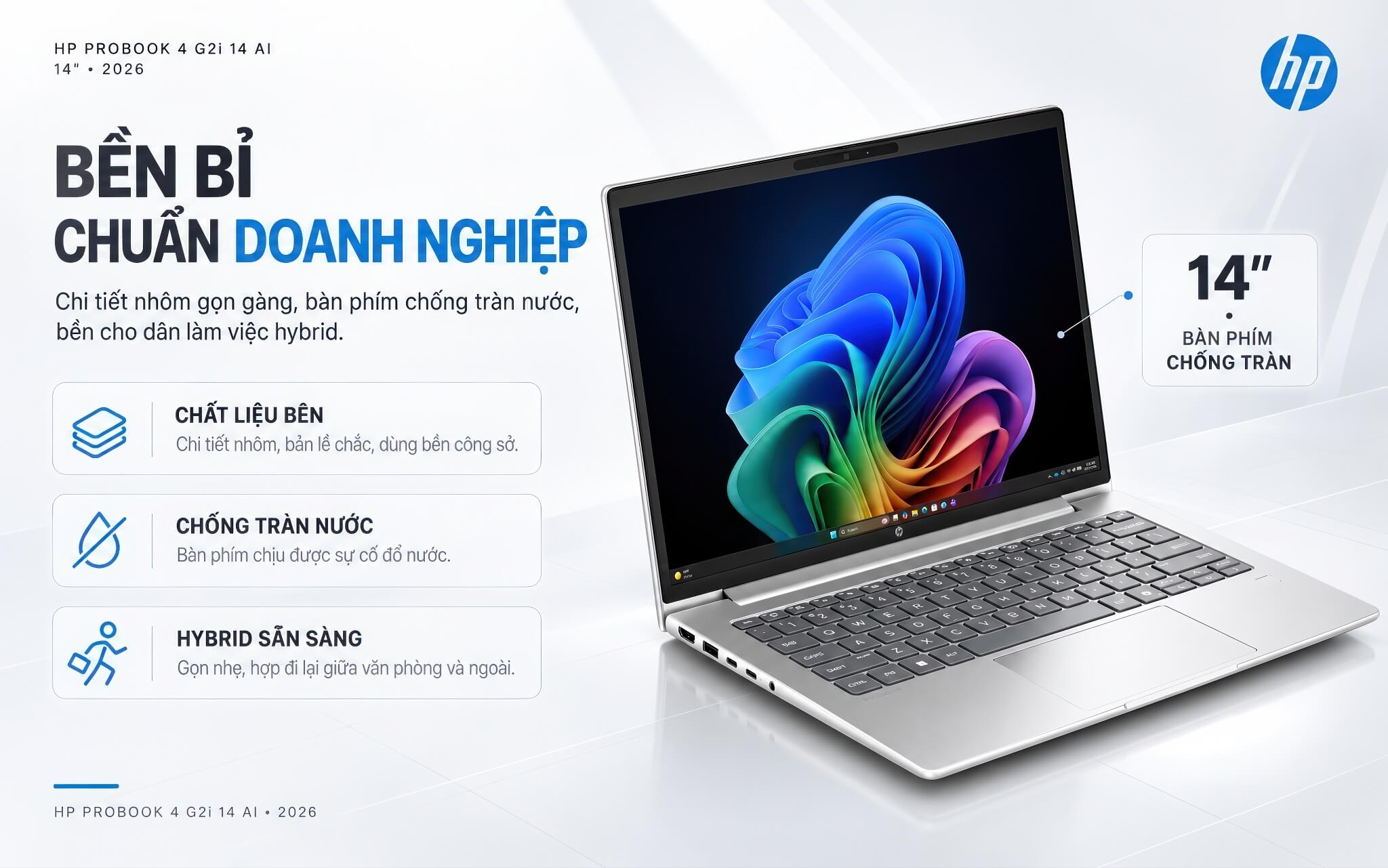
The newer HP ProBook 4 G2i 14 AI (2026) uses a Core Ultra 5 325, 16GB of DDR5 RAM and a 512GB SSD, with a 14-inch WUXGA anti-glare touch display. It has 2 USB-C 20Gbps ports, 2 USB-A ports and HDMI, so you can plug in a projector or mouse without a hub.
On a lower budget, the HP Laptop 15-fd2050wm (2025) uses a Core Ultra 5 225U and 8GB of RAM, with a 15.6-inch Full HD touch display and a keyboard with a numeric keypad, and weighs about 1.59kg.
The HP Laptop 17-cp2025dx (AMD)(2025) has a 17.3-inch display, a Ryzen 5 7520U and 8GB of soldered LPDDR5 RAM, suiting older users who need larger text or a shared family laptop.
The earlier ProBook models include the HP ProBook 450 G9 (2022) with a 15.6-inch display and a Core i5-1235U and the HP ProBook 440 G8 (2021) with a 14-inch display and a Core i7-1165G7, both now out of stock.
The HP Laptop 14 (AMD) (2021) uses a Ryzen 3 5300U and is out of stock. The 2021 and 2022 HP Laptop 15 (Intel) models, the HP Laptop 17 (2021), the Pavilion Laptop 15 (2021) in Intel and AMD versions, and the Pavilion x360 Convertible 14 (2021) have been discontinued, and their pages stay up for reference.
Mainstream models typically come with 8GB of RAM; if you often join online meetings and keep many browser tabs open, consider a 16GB version such as the ProBook 4 G2i.
The table below summarizes the main differences between the 7 groups of HP laptops so you can get a quick overview before choosing.
| Line | Display | Chip | Graphics | RAM | Best For |
|---|---|---|---|---|---|
| HP EliteBook | 13.3 to 16 inch | Intel Core, Core Ultra, AMD Ryzen PRO | Integrated | 16 to 32GB, slotted or soldered depending on the model | Businesses, business travel |
| HP ZBook | 14 to 16 inch | Intel Core H, HX, Core Ultra H, AMD Ryzen PRO | NVIDIA RTX Ada, RTX A500 or integrated | 12 to 64GB | CAD engineers, 3D rendering |
| HP OmniBook | 14 to 16 inch | Intel Core Ultra, AMD Ryzen AI, Snapdragon X Elite | Integrated | 16GB | Study, office work, AI use |
| HP Spectre x360 | 13.5 to 16 inch, folds back 360 degrees | Intel Core Ultra 7 155H (2024 models) | Intel Arc | 16GB, soldered to the motherboard | Creative work, handwritten notes with a stylus |
| HP Envy | 13 to 17.3 inch | Intel Core, Core Ultra | Integrated, RTX 2050 on the Envy 17T-CR000 | 16 to 32GB | Personal use, freelancers |
| HP Gaming | 15.6 and 16 inch | AMD Ryzen 7 7445HS, Ryzen 9 8940HX | RTX 3050 6GB, RTX 5060 8GB | 16 to 32GB DDR5 | Gaming, streaming |
| HP Other Models | 14 to 17.3 inch | Intel Core, Core Ultra, AMD Ryzen | Integrated | 8 to 16GB | Students, office work, small businesses |
Specs are for reference based on the configurations available at Hung Phat Laptop and vary by version and model generation.
The simplest approach is to start with your work. If you work in a business and need security and remote management, choose EliteBook or ProBook. CAD engineers and 3D artists should go with ZBook and its dedicated RTX graphics. Students and office workers can look at OmniBook or HP Laptop, anyone who needs a stylus should pick a Flip or x360 version, and for gaming, choose Victus or Omen.
Size and RAM affect everyday use a lot. 14-inch models are easy to carry, while 16-inch and 17-inch models suit a fixed desk setup. Newer Intel Core Ultra and AMD Ryzen AI chips have an NPU for on-device AI features, while older chips are still enough for office work. For laptops with soldered RAM, 16GB is a sensible amount for office work and 32GB for graphics or programming.
EliteBook, ProBook and mainstream HP Laptop models still keep HDMI and USB-A, while premium thin and light models lean heavily on USB-C, so factor in a small hub. If you want a newer laptop for study and office work with plenty of models on sale, start with the HP OmniBook category.
Every HP laptop at Hung Phat Laptop is a genuine product, backed by an invoice and a clear warranty. Not sure whether to pick an EliteBook or an OmniBook, a ZBook or a gaming laptop, 8GB or 16GB? Tell us about your daily work and our team will compare each configuration currently available in detail. When you buy, you get:


Hung Phat Laptop uses Google cookies (Analytics, Ads) and Microsoft Clarity to measure website traffic and advertising performance. Information about your browsing activity is sensitive personal data. If you do not agree, click “Decline”: these tools will be turned off and you can still browse and shop as usual.
See Privacy Policy