

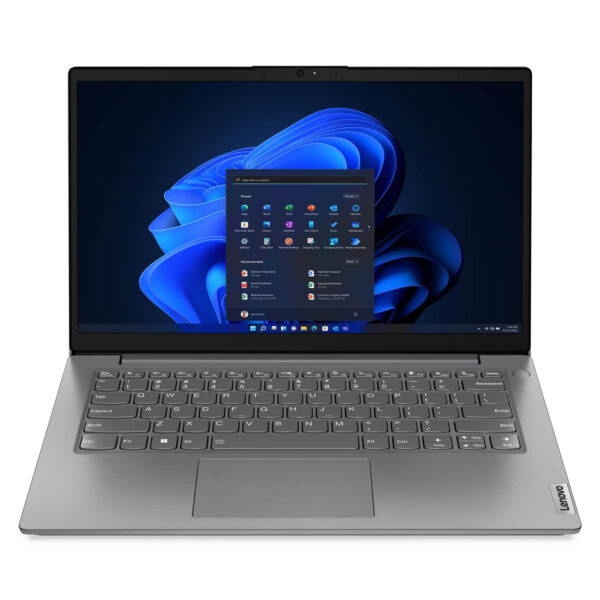
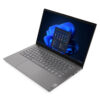
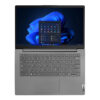
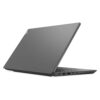
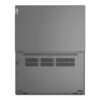
Lenovo V14 Gen 4 (2025)
- CPU: Intel Core i5 13420H Up To 4.6GHz (8 Cores, 12 Threads, 12MB Cache)
- RAM: DDR4 16GB 3200MHz
- SSD: 512GB PCIe Gen4 M.2 SSD
- VGA: Intel® UHD Graphics
- DISPLAY: 14" FHD (1920x1080) IPS, 60Hz, Anti-Glare, 45% NTSC, 300nits
- CONDITION: New 100% Full Box
- WARRANTY: 24-month official warranty
- Slim, light, modern design
- The Lenovo V14 Gen 4 (2025) display
- Impressive performance with 13th Gen Intel® Core™
- Lenovo V14 Gen 4 (2025) keyboard & touchpad
- Loud, clear, lively sound quality
- Temperature & battery life on the Lenovo V14 Gen 4 (2025)
- Ports & connectivity on the Lenovo V14 Gen 4 (2025)
- Overview & review of the Lenovo V14 Gen 4 (2025)
- FAQ - Frequently asked questions about the Lenovo V14 Gen 4 (Intel) (2025)
- Where to buy the Lenovo V14 Gen 4 (Intel) (2025) at a good price from a trusted seller?
In recent years, Lenovo budget business laptops have become a popular choice for people who need a light, durable device that handles everyday office work well. Among them, the Lenovo V14 Gen 4 stands out as a major step forward, with significant improvements in design, performance, and connectivity. With the Lenovo V14 Gen 4 (Intel) (2025), the company has put real effort into building a product for professionals, students, and office workers who want a compact laptop that is still powerful and versatile. In this article, we take a detailed look at the machine, covering its design, display, performance, audio, battery, and connectivity, and finish with an overall assessment of where the Lenovo V14 Gen 4 line stands in 2025.
Slim, light, modern design
One of the biggest draws of the Lenovo V14 Gen 4 is its slim, light, and thoroughly modern design. At just 324.2 x 215.2 x 19.9 mm and starting at 1.43 kg, this laptop is easy to carry anywhere without getting in your way. It comes in two sharp color options, black with a distinctive texture and gray with a special finish, giving it a professional, upscale look that suits many different styles.
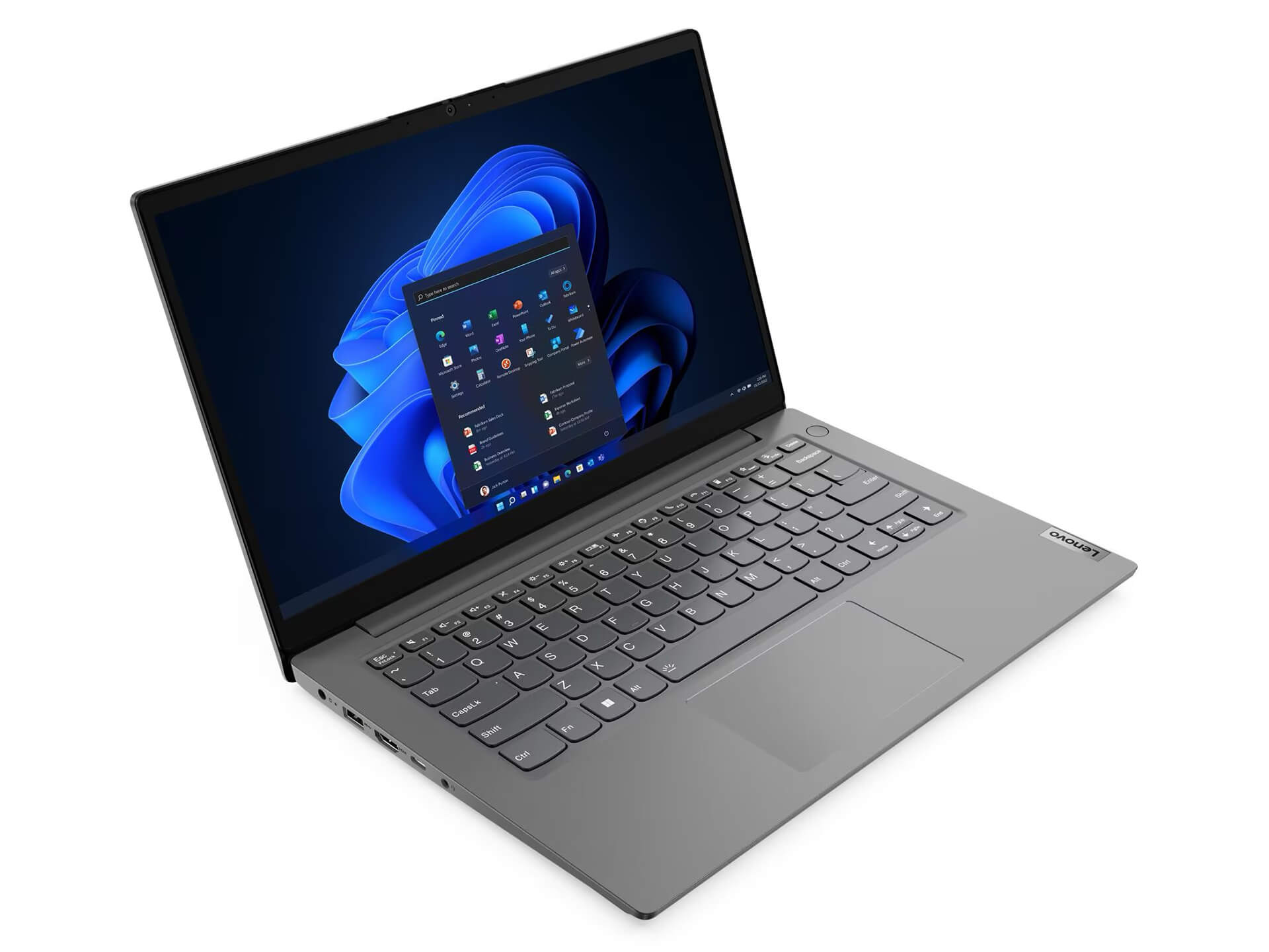
In addition, the PC-ABS material not only reduces weight but also gives the product a sturdy, durable feel. The details are carefully finished, especially the IMR (In-Mold Decoration by Roller) layer, which improves color retention, resists scratches, and stays easy to wipe clean over long-term use. This design shows how well Lenovo balances form and function, making it a good fit for both the office and the classroom.
The Lenovo V14 Gen 4 (2025) display
The highlight of the Lenovo V14 Gen 4 is its 14-inch Full HD IPS display with a 1920x1080 pixel resolution. IPS technology delivers sharp images, accurate colors, and wide viewing angles, for a better visual experience. The anti-glare coating and 300 nits of brightness help reduce eye strain when working under bright lighting or in a room with plenty of natural light.
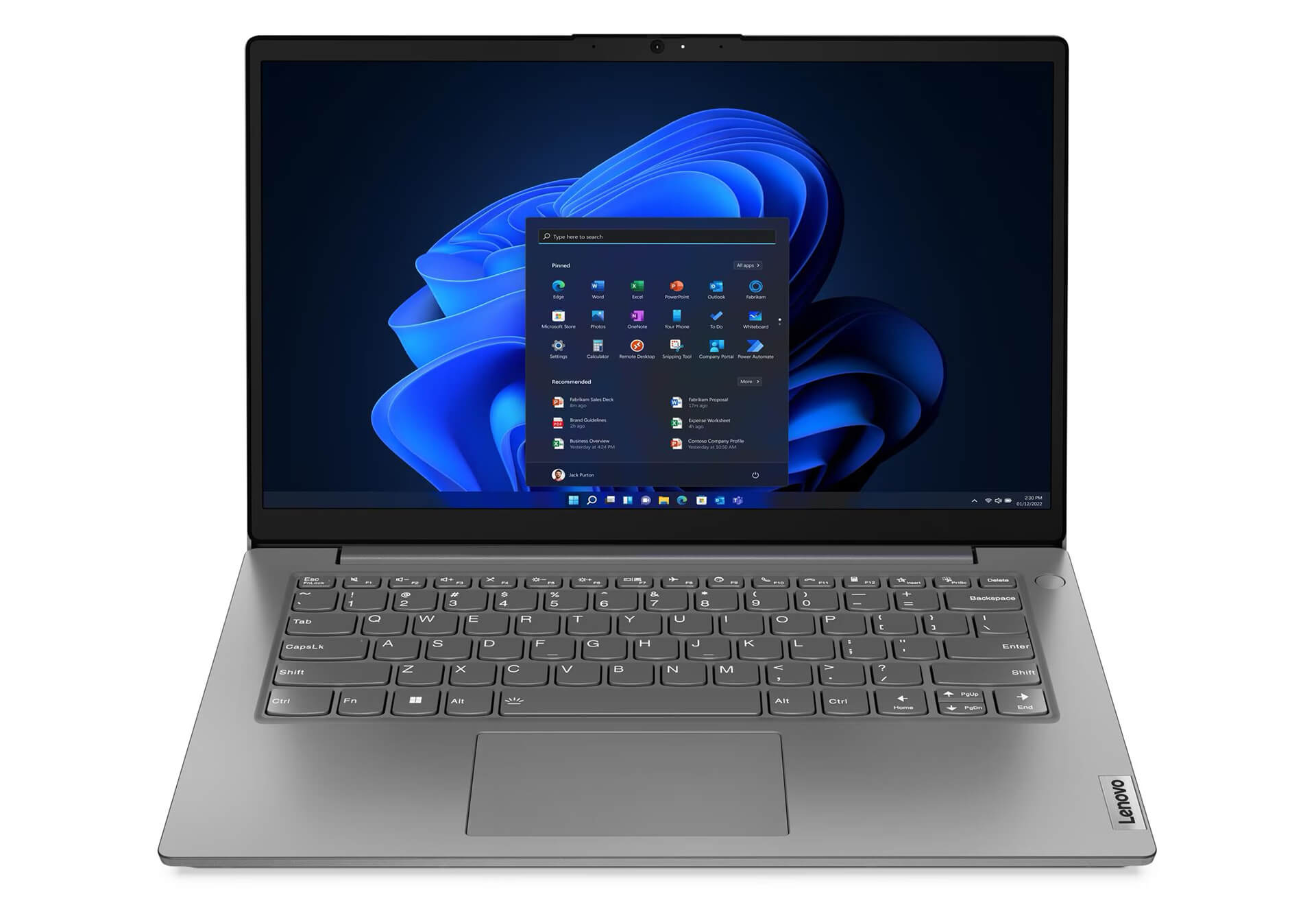
With a screen-to-body ratio of up to 87%, the display area is generous, which makes working or watching movies more comfortable. Another big plus is the blue light filtering from TÜV Rheinland® Low Blue Light technology, which helps protect your eyes over the long term. All of this shows that Lenovo paid close attention to user safety and health in the display design of the Lenovo V14 Gen 4 (2025).
Impressive performance with 13th Gen Intel® Core™
Performance is impossible to overlook on the Lenovo V14 Gen 4, which integrates the 13th generation Intel® Core™ i5-13420H processor. This is the latest chip family, delivering extremely smooth processing for office tasks, web browsing, light graphics work, and even some more demanding software. With this configuration, the laptop meets all of a user's work needs, even when multitasking or running many browser windows at once.
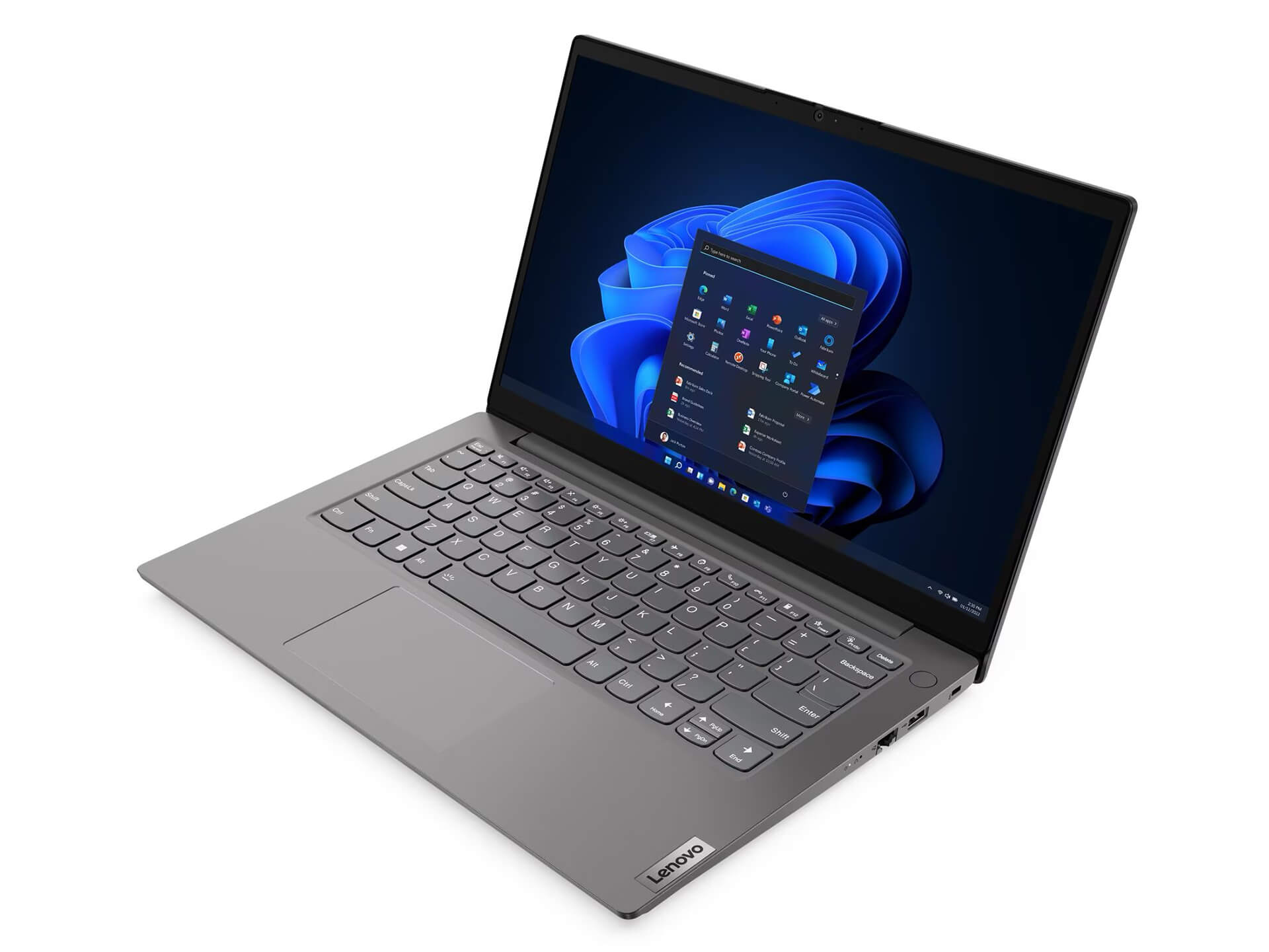
Also worth noting is the 8GB DDR4-3200 dual-channel RAM that keeps the system running smoothly, with upgradability of up to 16GB for anyone who wants room to expand in the future. The 512GB NVMe SSD lets the machine boot quickly, open apps instantly, and transfer data faster. The performance of the Lenovo V14 Gen 4 (2025) truly satisfies the demands of an increasingly demanding work environment.
Lenovo V14 Gen 4 (2025) keyboard & touchpad
The Lenovo V14 Gen 4 keyboard has no backlight, but it has an attractive, flat design with a sensible key travel that makes typing comfortable and accurate. A highlight is the spacing between the keys, which cuts down on typing mistakes and suits people who work for long stretches. It uses a standard English layout, with a minimalist design that still ensures convenience and durability over time.
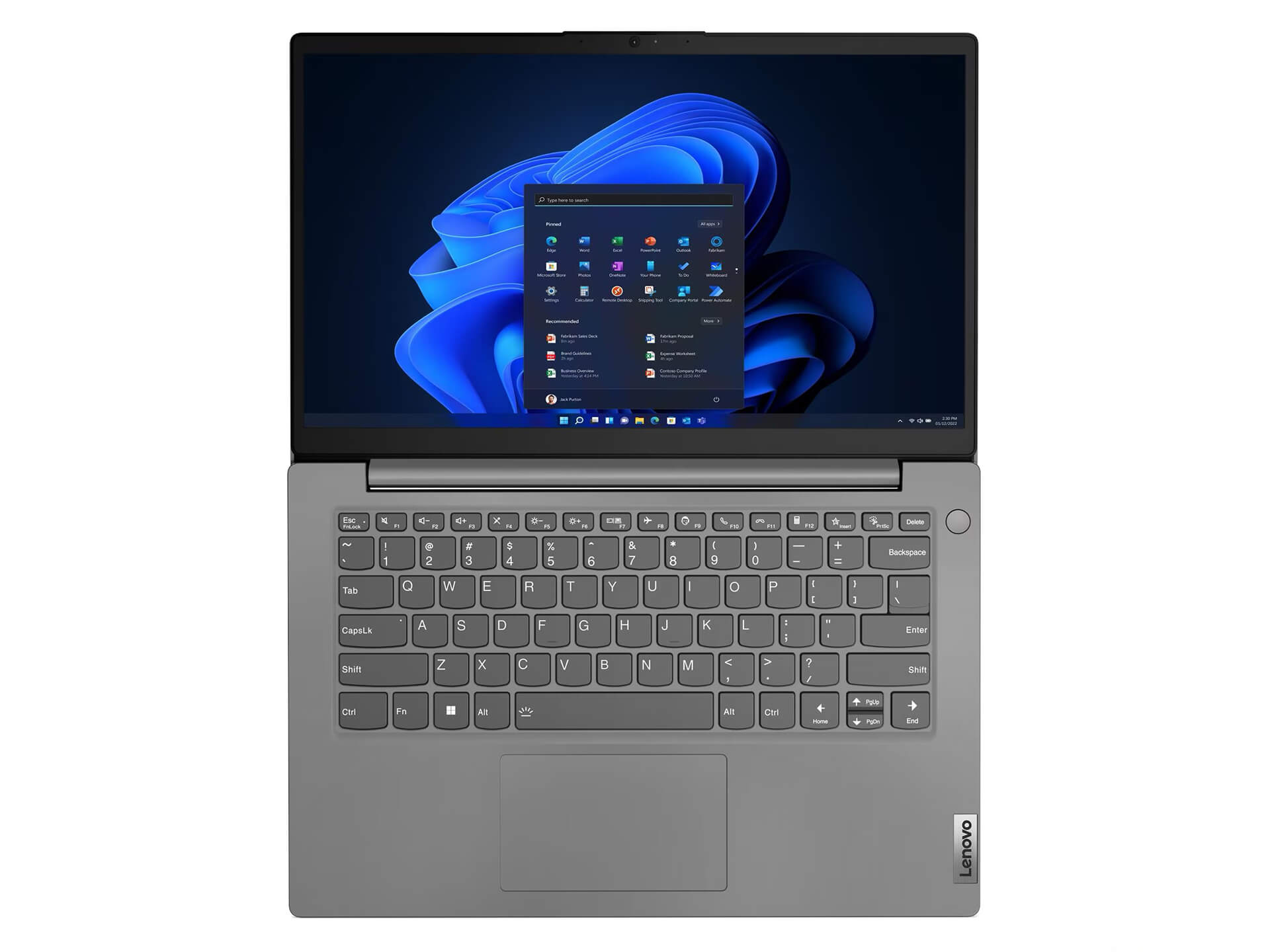
The Lenovo V14 Gen 4 touchpad is spacious, supports multi-touch, and comes with Precision technology for fast, accurate responses. The surface is smooth and easy to use without feeling sticky under your fingers. This technology is especially useful for dragging, pinch-to-zoom, and quick shortcuts while working or editing content.
Loud, clear, lively sound quality
The audio on the Lenovo V14 Gen 4 is very impressive, thanks to its 1.5W x 2 stereo speaker system combined with Dolby Audio™ technology. This software fine-tunes the sound to be clear and lively, which is well suited to watching movies, listening to music, or joining online meetings. In real-world use, the different sound layers come through clearly, without echo or distortion, for a natural and easy-to-hear result.
The multi-microphone system with built-in noise reduction also makes online calls clearer than ever. People who work remotely often will appreciate how well this device handles audio. It is a big plus for work, study, and entertainment, and it clearly shows the attention the Lenovo V14 Gen 4 pays to the user experience.
Temperature & battery life on the Lenovo V14 Gen 4 (2025)
In use, the Lenovo V14 Gen 4 keeps temperatures well under control. Its optimized cooling design limits heat around the keyboard and the main components while running many tasks. You can work for long periods without worrying about the machine overheating or suddenly losing performance. The hardware is tuned to keep temperatures steady, which protects the lifespan of its components.
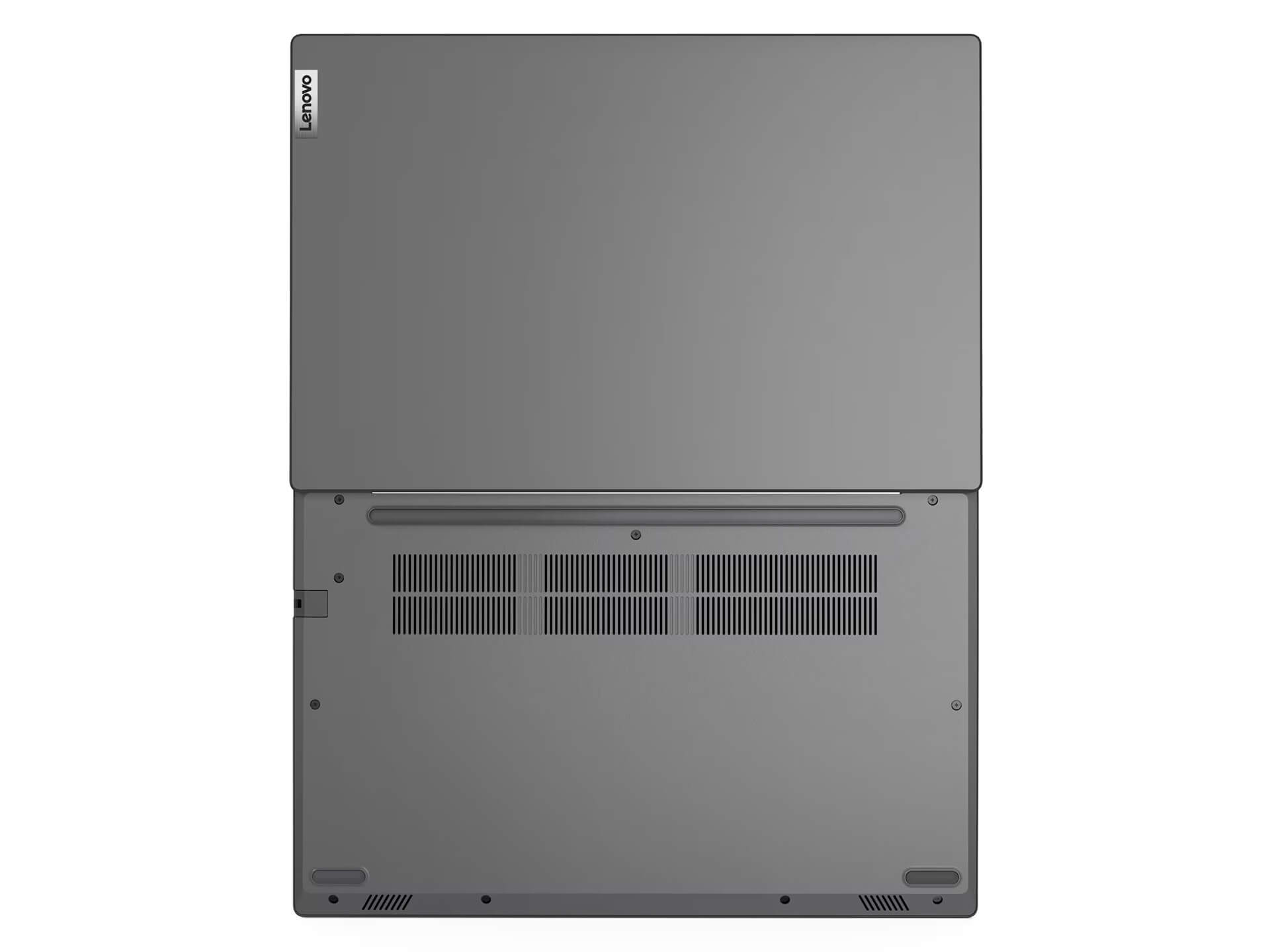
As for battery, this laptop comes with a 38Wh battery, enough for roughly 6-8 hours of continuous use depending on how you use it. That is enough for work, study, or watching movies without constantly worrying about charging. Fast charging through the 65W USB-C charger refills the battery in a short time, which is ideal for travel and urgent work.
Ports & connectivity on the Lenovo V14 Gen 4 (2025)
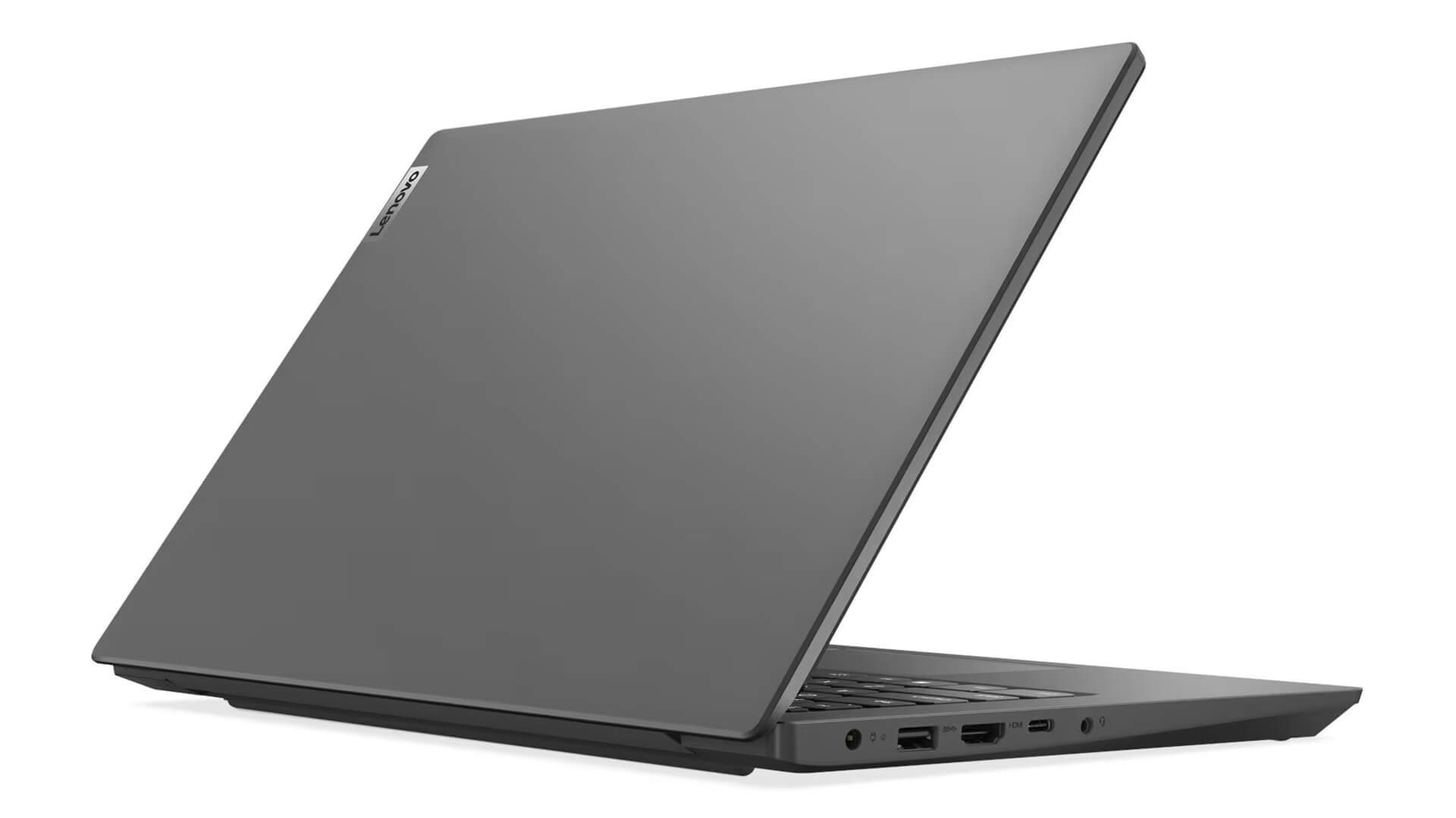
The Lenovo V14 Gen 4 offers a rich selection of ports, well suited to work that involves many peripherals. The laptop has 1 USB 2.0 port, 1 USB 3.2 Gen 1 port, 1 USB-C port supporting data, charging, and DisplayPort, plus an HDMI 1.4b port for connecting a large monitor or projector. It also includes a 3.5mm headphone/mic jack, an RJ-45 Ethernet port, and a dedicated charging port, covering the connectivity needs of a modern workplace.
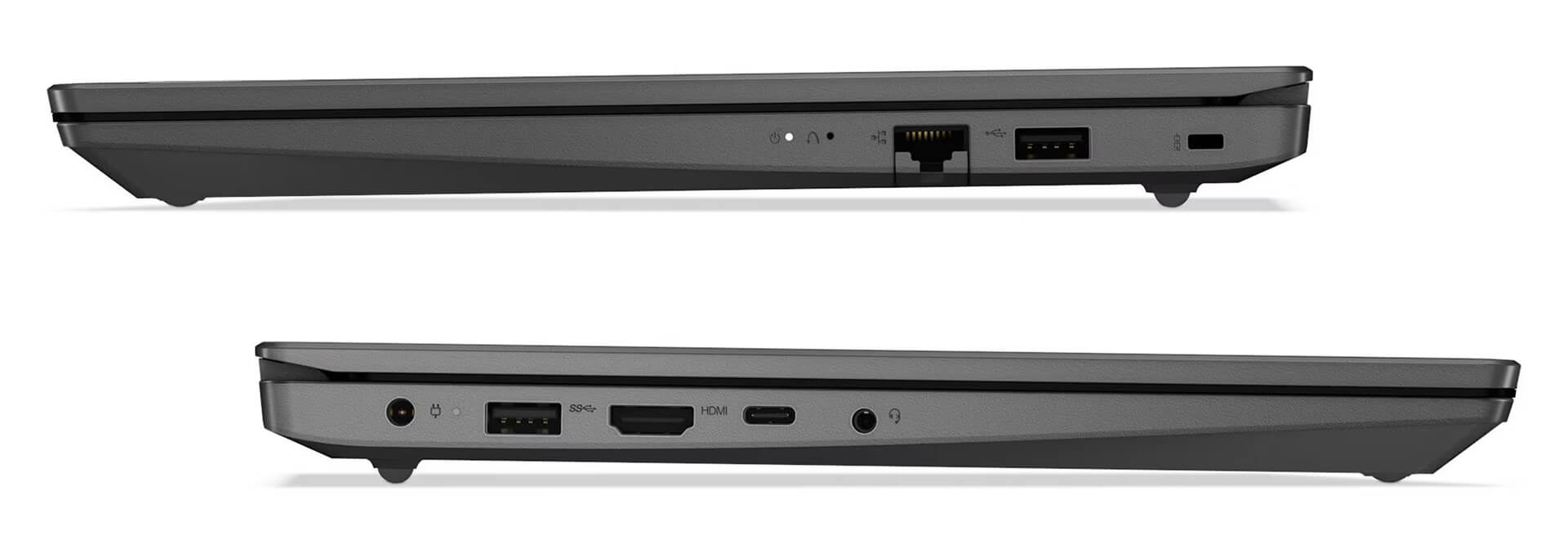
Support for Wi-Fi 6 and Bluetooth 5.2 is a strength, delivering stable, fast, and more energy-efficient wireless connections. In particular, the multifunction USB-C port makes it easy to add peripherals or an expansion dock to extend what you can do. These features show that the Lenovo V14 Gen 4 fits the trend toward minimalist business devices while still optimizing connectivity.
Overview & review of the Lenovo V14 Gen 4 (2025)
In summary, the Lenovo V14 Gen 4 (Intel) (2025) is a notable laptop in the mainstream price segment, thanks to its balanced mix of compact design, strong performance, and varied features. It suits individuals, small businesses, students, and office workers who need a mobile, durable, easy-to-use device without worrying about cost. With its improvements in configuration, connectivity, and security, it is one of the business laptop models worth considering in 2025.
Given everything covered here, the Lenovo V14 Gen 4 (Intel) (2025) is a sensible choice for anyone who values longevity, stable performance, and a minimalist, modern design. Get ready to try it today, or look at similar products Lenovo offers to find the device that best fits your work and life.
| Pros | Cons |
|---|---|
|
|
FAQ - Frequently asked questions about the Lenovo V14 Gen 4 (Intel) (2025)
1. Is the Lenovo V14 Gen 4 (2025) suitable for professionals, students, and office workers?
Yes. The Lenovo V14 Gen 4 (2025) is designed for office users, students, and professionals who need a compact, durable laptop with stable performance. It handles tasks like Word, Excel, Zoom, web browsing, online work, and basic multitasking well.
2. What stands out about the design of the Lenovo V14 Gen 4 (2025)?
The laptop has a slim, light profile at about 1.43 kg, with high durability thanks to the PC-ABS material and the scratch-resistant IMR coating. Its modern look and two color options, Black and Gray, make it suitable for many work and study environments.
3. Is the Lenovo V14 Gen 4 display good enough for study and work?
The Lenovo V14 Gen 4 has a 14-inch Full HD IPS display with wide viewing angles, 300 nits of brightness, and good anti-glare performance. TÜV Rheinland Low Blue Light technology reduces blue light and protects your eyes over long-term use.
4. Is the Intel Core i5-13420H CPU in the Lenovo V14 Gen 4 (2025) powerful?
The Intel Core i5-13420H processor delivers strong performance for its segment. The laptop steadily handles office tasks, many open browser tabs, management and accounting software, light photo editing, and applications that need moderate performance.
5. Is the Lenovo V14 Gen 4 (2025) suitable for online classes or online meetings?
Yes. The laptop is equipped with a webcam, noise-canceling microphones, and Dolby Audio™ speakers for a clear online meeting experience. Wi-Fi 6 keeps the network connection more stable, which is well suited to online learning or remote work.
6. How long does the Lenovo V14 Gen 4 (2025) battery last?
The laptop uses a 38Wh battery, giving about 6-8 hours of use with light tasks. That is a suitable level for study and a half day of work without constant charging. 65W fast charging replenishes power quickly.
7. Is the Lenovo V14 Gen 4 easy to upgrade?
The laptop supports RAM upgrades up to 16GB DDR4 and a larger-capacity NVMe SSD. For basic office needs, this level of upgrade is enough, but it will be limiting for users who want to expand further.
8. Does the Lenovo V14 Gen 4 (2025) get hot during heavy work?
Not noticeably. The laptop has an optimized cooling system that keeps temperatures stable during multitasking or continuous use. The palm rest and keyboard stay cool and never become uncomfortable during long work sessions.
9. Does the laptop have all the ports you need?
Yes. The Lenovo V14 Gen 4 comes with USB 2.0, USB 3.2 Gen 1, USB-C (data + DisplayPort + charging), HDMI 1.4b, RJ-45 Ethernet, and a 3.5mm jack. Wireless connectivity includes Wi-Fi 6 and Bluetooth 5.2.
10. What are the benefits of buying the Lenovo V14 Gen 4 (Intel) (2025) at Hung Phat Laptop?
The Lenovo V14 Gen 4 (Intel) (2025) is a genuine product with a 24-month warranty. In addition, customers get a replacement with a new unit within the first 30 days if a hardware defect from the manufacturer occurs, so you can use it with peace of mind.
Where to buy the Lenovo V14 Gen 4 (Intel) (2025) at a good price from a trusted seller?
If you are looking for a thin, light, high-spec, and reliable Lenovo laptop for professional work, the Lenovo V14 Gen 4 (2025) is an ideal choice. It strikes a balance between portable design, strong performance, and premium security features.
Hung Phat Laptop is a trusted address specializing in genuine Lenovo products, with a clear warranty policy, great prices, and many attractive promotions. When you buy the Lenovo V14 Gen 4 (2025) here, you get dedicated advice and full technical support, so you can rest easy throughout your ownership.
Performance & benchmarks Lenovo V14 Gen 4 (2025)
Intel Core i5-13420H Intel UHD Graphics Xe G4 48EUs - best for Office 8.5/10, Programming 6.5/10.
Intel Core i5-13420H
- Cinebench R23 (multi-core)11,084
- Geekbench 6 (multi-core)8,444
- Geekbench 6 (single-core)2,254
- Cores / Threads8/12
Intel UHD Graphics Xe G4 48EUs iGPU
- 3DMark Time Spy801
- 3DMark Fire Strike2,469
- ArchitectureGen. 11 Ice Lake
Best for
Scored from real benchmarks- Gaming1.5/10
- Video / Graphics3/10
- Programming6.5/10
- Office8.5/10
Why does the CPU matter?
The CPU is the "brain" that handles every task: launching apps, multitasking, compiling code and editing video. The stronger the CPU, the faster and smoother the laptop runs when you juggle many things at once.
- BasicThis product
Web browsing, streaming and light office work.
- MainstreamThis product
Office work, moderate multitasking and studying.
- Mid-rangeThis product
Solid multitasking, programming and light graphics work.
- StrongThis product
Video editing, heavy programming, virtualization and gaming.
- FlagshipThis product
Heavy rendering, 4K/8K editing, virtual machines and AI workloads.
Why does the GPU matter?
The GPU (graphics card) handles visuals: gaming, video editing, 3D rendering and AI acceleration. The stronger the GPU, the higher your frame rates and the faster your video exports.
- Basic (iGPU)This product
Smooth display, 4K video and very light games (League of Legends, Valorant on low).
- MainstreamThis product
1080p eSports gaming, photo editing and light video editing.
- Mid-rangeThis product
1080p gaming on medium-high settings and smooth Full HD video editing.
- StrongThis product
1080p/1440p gaming on high settings, 4K video editing and 3D rendering.
- FlagshipThis product
4K/240Hz gaming, ray tracing, heavy rendering and AI.
Game performance
Real FPS - FHD- Dota 283 fps1080p Low
- CS246 fps1080p Low
- GTA V49 fps1080p Medium
- Star Wars Outlaws3 fps1080p Low
- Cyberpunk 207711 fps1080p Low
≥60fps very smooth30-60fps playable<30fps lower the settings
Local AI performance
Tokens/second running locally on GPU- Gemma 4 E2B IT5.6 GB · ctx 256K6.0 tok/sDecent
- GLM-4 9B5.1 GB · ctx 128K7.0 tok/sDecent
- Gemma 4 E4B4.6 GB · ctx 256K8.0 tok/sDecent
- Ministral 8B4.6 GB · ctx 32K8.0 tok/sDecent
- Qwen 3.5 4B4.6 GB · ctx 32K8.0 tok/sDecent
- DeepSeek R1 Distill 7B4.1 GB · ctx 64K9.0 tok/sRuns well
- Gemma 4 E2B3.1 GB · ctx 256K12 tok/sRuns well
- Qwen 3.5 2B2.5 GB · ctx 32K14 tok/sRuns well
- Phi-4 Mini Reasoning2.4 GB · ctx 16K15 tok/sRuns well
- Llama 3.2 3B2 GB · ctx 128K18 tok/sRuns well
- SmolLM3 3B2 GB · ctx 128K18 tok/sRuns well
- DeepSeek R1 1.5B1.3 GB · ctx 64K28 tok/sRuns great
- Qwen 3.5 0.8B1.3 GB · ctx 32K28 tok/sRuns well
- TinyLlama 1.1B1.1 GB · ctx 2K33 tok/sRuns well
- Llama 3.2 1B1 GB · ctx 128K36 tok/sRuns well
- Gemma 2 9B5.1 GB · ctx 8K7.0 tok/sDecent
- Nemotron Nano 9B v25.1 GB · ctx 128K7.0 tok/sDecent
- Llama 3.1 8B4.6 GB · ctx 128K8.0 tok/sDecent
- Qwen 3 8B4.6 GB · ctx 128K8.0 tok/sDecent
- Mistral 7B v0.34.1 GB · ctx 32K9.0 tok/sRuns well
- Qwen 2.5 7B4.1 GB · ctx 128K9.0 tok/sRuns well
- Qwen 2.5 Coder 7B4.1 GB · ctx 128K9.0 tok/sRuns well
- Qwen 3 4B2.5 GB · ctx 32K14 tok/sRuns well
- Gemma 3 4B2.5 GB · ctx 128K14 tok/sRuns well
- Phi-3.5 Mini2.4 GB · ctx 128K15 tok/sRuns well
- Gemma 2 2B1.5 GB · ctx 8K24 tok/sRuns great
- Qwen 3 1.7B1.4 GB · ctx 32K26 tok/sRuns great
- Qwen 2.5 Coder 1.5B1.3 GB · ctx 32K28 tok/sRuns great
- Qwen 3 0.6B1.1 GB · ctx 32K33 tok/sRuns well
- Gemma 3 1B1 GB · ctx 32K36 tok/sRuns well
GreatWellDecent4-bit quantized, ctx = context window
No comments yet
Q&A about Lenovo V14 Gen 4 (2025)
Frequently asked questions about Lenovo V14 Gen 4 (2025)
What are the specifications of Lenovo V14 Gen 4 (2025)?
What is the warranty for Lenovo V14 Gen 4 (2025)?
Is Lenovo V14 Gen 4 (2025) genuine?
Can I buy Lenovo V14 Gen 4 (2025) with home delivery?
Worth a Look
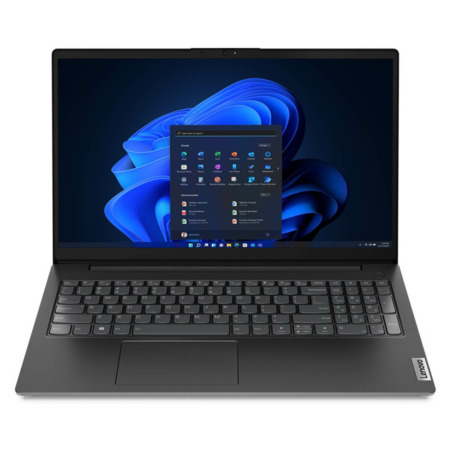
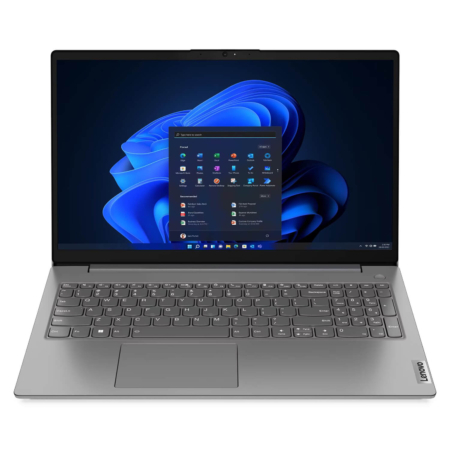 2 configurations
Lenovo V15 Gen 4 (2025)





Huỳnh Mai Hương 03/06/2026
The machine is very durable and beautiful; the i5 13420H runs smoothly, the battery life is excellent, and the price is great for the specs.
Ngô Ngọc Anh 03/06/2026
The machine runs smoothly, the screen is beautiful, and the battery life is decent. It lacks a backlit keyboard, which makes using it in the dark a bit inconvenient.
Huỳnh Quỳnh Mai 06/05/2026Purchased at Hung Phat
The machine runs very smoothly; the 13th Gen i5 chip is incredibly fast, so you don't have to worry about lag while doing office work. The FHD screen is sharp and easy on the eyes. Highly recommended, everyone!