Tips & Tricks **Maximizing Claude Pro: How to Manage Your Usage Limits Effectively** If you’ve upgraded to Claude Pro, you know the primary value lies in its advanced reasoning capabilities and larger context window. However, the most common frustration for Pro users is hitting the usage limit-the point where the system throttles your access or reverts you to a more basic model. To get the most out of your subscription without wasting your message quota, you need to move away from "chatting" and toward "structured prompting." Here is a guide on how to use Claude Pro efficiently. ### 1. Consolidate Your Requests The most common way users burn through their limit is by sending multiple short, fragmented messages. Every time you hit "Enter," you consume a portion of your quota. Instead of sending a greeting, then a question, then a follow-up, try to bundle your instructions. If you have a complex task, provide the context, the data, and the specific formatting requirements all in one single, well-structured prompt. This ensures that one "message" accomplishes a significant amount of work. ### 2. Master the Art of the "Mega-Prompt" Claude is exceptionally good at following complex instructions. Rather than engaging in a long, back-and-forth dialogue to refine a result, try to build a "Mega-Prompt." A high-efficiency prompt should include: * **Role:** Tell Claude exactly who it is (e.g., "You are a senior software engineer" or "You are a professional editor"). * **Context:** Provide all necessary background information upfront. * **Task:** Clearly define what you need. * **Constraints:** Tell it what *not* to do. * **Output Format:** Specify if you want Markdown, JSON, a bulleted list, or a table. By being precise from the start, you reduce the need for "correction" messages, which are the silent killers of your usage limit. ### 3. Manage Your Context Window Every time you send a message in a long conversation, Claude has to "re-read" the entire chat history to maintain context. The longer the conversation becomes, the more "computational weight" each new message carries, which can lead to hitting limits faster. If you have finished one topic and want to move on to a completely different task, **start a new chat.** This clears the "memory" and ensures you aren't wasting your quota by forcing the AI to process irrelevant information from a previous, unrelated discussion. ### 4. Use "Projects" for Long-Term Work For Pro users, the "Projects" feature is a game-changer for efficiency. Instead of uploading the same documentation or codebase into every new chat, you can upload them once to a Project. This allows you to build a specialized knowledge base. When you work within a Project, you don't have to waste messages re-explaining the context or re-uploading files; Claude already has the foundational knowledge, allowing you to get straight to the output. ### 5. Be Strategic with File Uploads While Claude’s ability to analyze large files is impressive, uploading massive documents for every minor question is inefficient. If you only need information from page 50 of a 200-page PDF, it is more efficient to copy and paste that specific section rather than uploading the entire file. This keeps the conversation "lean" and preserves your limit for when you truly need the heavy lifting. ### Summary Using Claude Pro effectively is about being intentional. By treating the AI as a high-level consultant rather than a casual chatbot-using structured prompts, managing your chat threads, and leveraging the Projects feature-you can ensure your subscription provides maximum value without hitting the ceiling prematurely. 05/09/2026 · 6 min read
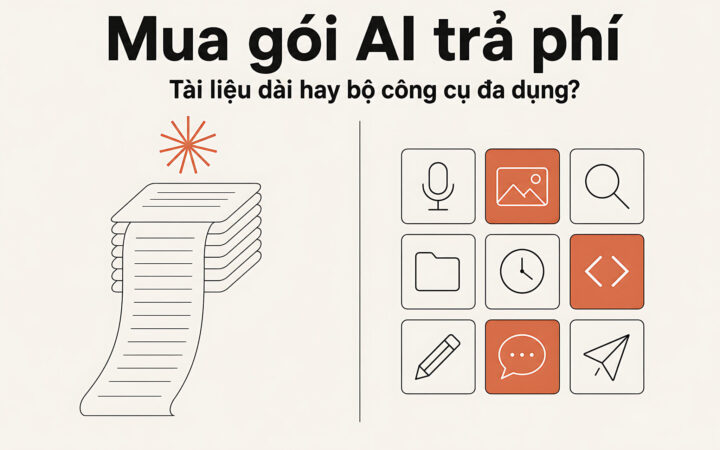
Tips & Tricks **Choosing a Paid AI Subscription: Should You Prioritize Long-Document Processing or All-in-One Toolsets?** When deciding whether to invest in a paid AI subscription, users often face a critical dilemma: Should they opt for a specialized model capable of handling massive documents, or a versatile, all-in-one toolkit? **The Case for Long-Document Processing** For researchers, legal professionals, and academics, the primary bottleneck is often the "context window"-the amount of information an AI can "read" and remember at once. Standard free versions of AI models often struggle with lengthy PDFs, losing track of details or failing to synthesize information from the beginning of a file to the end. Subscribing to a service that prioritizes long-document processing allows users to upload entire books, massive datasets, or hundreds of pages of technical manuals. This capability enables the AI to perform deep analysis, summarize complex chapters, and answer specific questions based on the entirety of the provided text without "forgetting" the context. For those whose workflow revolves around heavy reading and data synthesis, this specialized capability is often the deciding factor. **The Case for All-in-One Toolsets** On the other hand, many users find more value in "multimodal" or all-in-one subscriptions. These packages go beyond text, offering a suite of integrated tools: image generation, advanced data analysis, web browsing, and even voice interaction. For content creators, marketers, and general productivity seekers, the versatility of an all-in-one tool is often more beneficial. Instead of jumping between different specialized apps, a single subscription might allow a user to draft an article, generate a matching header image, and analyze a spreadsheet-all within one interface. This integration streamlines workflows and provides a broader range of utility for daily tasks that aren't strictly focused on long-form reading. **Conclusion: Which is Right for You?** The decision ultimately depends on your primary use case: * **Prioritize long-document processing if:** Your work involves analyzing massive files, conducting deep academic research, or reviewing extensive legal/technical documentation where accuracy across large datasets is non-negotiable. * **Prioritize all-in-one toolsets if:** You need a versatile digital assistant to handle a variety of tasks, such as creating visuals, browsing the web for real-time info, and managing diverse creative workflows. 18/08/2026 · 11 min read
Tips & Tricks Choosing a Claude model: Balancing budget with real performance 06/08/2026 · 8 min read
Tech Roundup Claude Sonnet 5: Anthropic launches Sonnet version with strong agentic capabilities, nearing Opus 4.8 01/07/2026 · 7 min read
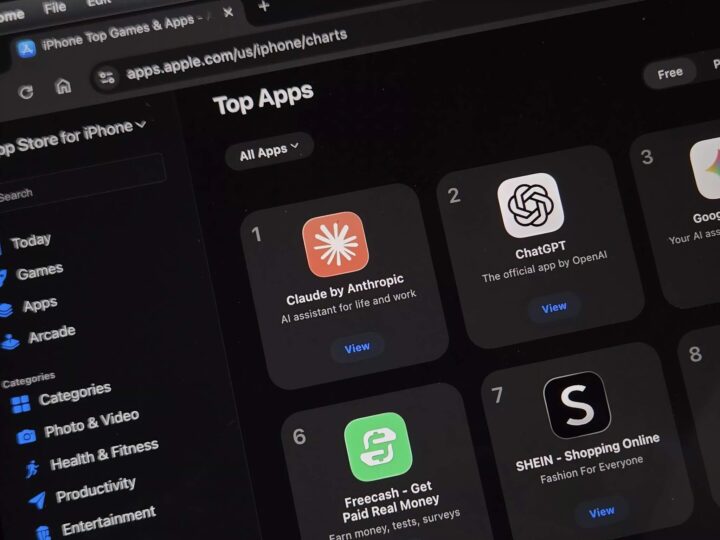
Tech Roundup Claude overtakes ChatGPT to lead the App Store thanks to military drama 04/03/2026 · 6 min read