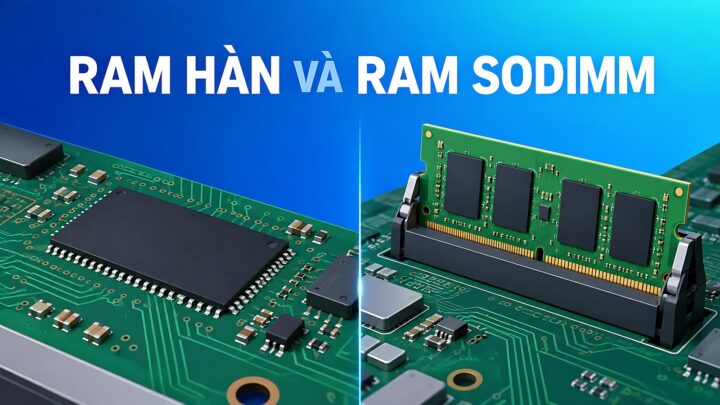
Laptops **Onboard RAM vs. SODIMM Upgradability: How to Accurately Calculate Your Needs** When shopping for a new laptop, one of the most critical technical decisions involves the memory architecture: should you opt for soldered (onboard) RAM or a system with SODIMM slots for future upgrades? Choosing incorrectly can lead to a device that is either unnecessarily expensive or prematurely obsolete. To make an informed decision, you must understand the trade-offs of each configuration and how to accurately project your future computing requirements. ### Understanding the Architectures **Onboard (Soldered) RAM** In many modern, ultra-thin laptops (such as many Ultrabooks and MacBook models), the RAM chips are soldered directly onto the motherboard. * **The Pros:** This design allows for thinner, lighter chassis and more efficient power consumption. It also typically offers faster data transfer speeds due to the direct connection to the processor. * **The Cons:** There is zero flexibility. Once you purchase the laptop, the amount of RAM is fixed for the life of the device. If you realize a year later that you need more memory, you cannot upgrade it; you would have to replace the entire machine. **SODIMM (Upgradable) RAM** Traditional laptops often use Small Outline Dual In-line Memory Modules (SODIMM). These are physical sticks that plug into slots on the motherboard. * **The Pros:** This provides maximum longevity and flexibility. If your workflow becomes more demanding, you can simply buy a new module and install it yourself (or have a technician do it) for a relatively low cost. * **The Cons:** These slots take up physical space, which is why laptops with upgradable RAM are often slightly thicker or heavier. Additionally, having empty slots or multiple modules can sometimes lead to slightly higher power consumption compared to optimized soldered layouts. ### How to Accurately Calculate Your Requirements To avoid the "buyer's remorse" of insufficient memory or the "wasteful spending" of over-provisioning, follow these guidelines based on your intended use case: **1. Basic Productivity and Web Browsing (8GB RAM)** If your primary tasks involve checking emails, streaming video (Netflix/YouTube), and using web browsers with a moderate number of tabs open, 8GB is the baseline. However, for modern operating systems and heavy web usage, 8GB is increasingly considered the absolute minimum. **2. Multitasking and Office Work (16GB RAM)** For professionals who keep dozens of Chrome tabs open, run multiple Microsoft Office applications simultaneously, and participate in frequent video conferences (Zoom/Teams), 16GB is the "sweet spot." This amount provides enough headroom to prevent the system from slowing down when switching between heavy applications. **3. Creative Work and Heavy Multitasking (32GB+ RAM)** If your workflow involves professional video editing (4K/8K), large-scale graphic design (Adobe Creative Cloud), running virtual machines, or heavy software development, you should aim for 32GB or more. These tasks consume massive amounts of memory to store active data for quick access. **4. Gaming (16GB to 32GB RAM)** While many modern games are optimized to run on 16GB, many high-end, AAA titles are increasingly demanding more memory to handle complex textures and open-world environments. For a future-proof gaming setup, 16GB is the standard, but 32GB is becoming the preferred choice for enthusiasts. ### The Golden Rule of Purchasing If you are choosing between a laptop with **8GB of soldered RAM** and a laptop with **8GB of RAM that is upgradable**, always choose the **upgradable** option. It is much cheaper to add more RAM later than it is to buy a whole new laptop because your current one can no longer handle your workload. Conversely, if you are buying a premium, ultra-portable laptop where weight is the priority, ensure you buy the maximum amount of RAM you think you will ever need, because you won't be able to change it later. 14/09/2026 · 12 min read
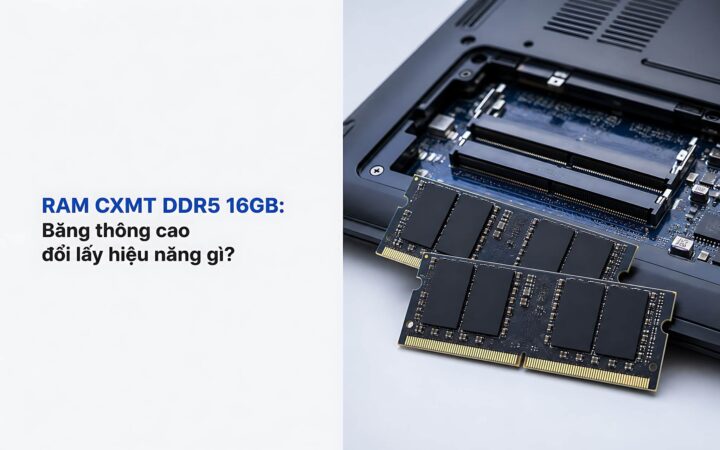
Tips & Tricks RAM CXMT DDR5 16GB: What performance gains do you get in exchange for high bandwidth? 14/08/2026 · 10 min read
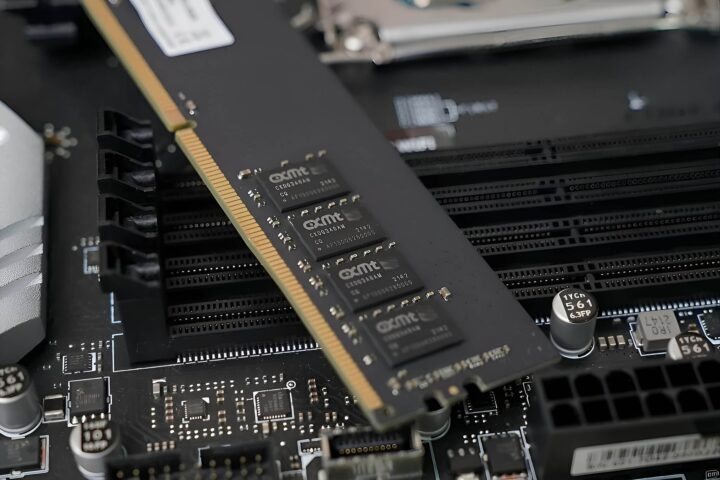
Desktop PCs **What is CXMT RAM? Is DDR5 cheaper than Samsung and SK Hynix?** When building a high-performance PC or upgrading a workstation, memory (RAM) is a critical component that often dictates overall system stability and speed. While industry giants like Samsung and SK Hynix have long dominated the market, a new player has been gaining significant traction: CXMT. But what exactly is CXMT RAM, and does its emergence mean you can expect lower prices for DDR5 modules compared to the established leaders? ### Understanding CXMT RAM CXMT (ChangXin Memory Technologies) is a Chinese manufacturer specializing in DRAM (Dynamic Random Access Memory) technology. Unlike many other brands that simply assemble components, CXMT is a true manufacturer of memory chips. In the hierarchy of the semiconductor industry, CXMT has positioned itself as a rising force, particularly in the production of DDR4 and, more recently, DDR5 memory. While Samsung and SK Hynix (along with Micron) represent the "Big Three" that control the vast majority of the global market share, CXMT is carving out a niche by scaling up its production of high-density memory chips. ### DDR5 Price Comparison: CXMT vs. Samsung and SK Hynix The core question for consumers and system integrators is whether choosing CXMT over Samsung or SK Hynix results in significant cost savings, especially with the transition to the DDR5 standard. **1. The Competitive Landscape** Samsung and SK Hynix benefit from massive economies of scale and advanced manufacturing processes that have been refined over decades. Their chips are often considered the industry gold standard for reliability and high-frequency stability. However, this premium positioning often comes with a higher price tag. **2. The CXMT Value Proposition** As CXMT expands its manufacturing capabilities, particularly for DDR5, it aims to compete on price. By optimizing its production lines to target the mainstream and mid-range markets, CXMT can offer DDR5 modules that are more budget-friendly than those utilizing Samsung or SK Hynix dies. **3. Is it actually cheaper?** In the current market, the answer is generally yes. When looking at the raw cost of DDR5 modules, products utilizing CXMT chips often sit at a lower price point than those utilizing Samsung or SK Hynix. This makes CXMT an attractive option for: * **Budget-conscious builders:** Users looking to maximize performance-per-dollar. * **Mass-market hardware:** Manufacturers of entry-level laptops and desktop systems where cost-efficiency is paramount. ### The Trade-off: Price vs. Provenance While CXMT offers a clear price advantage, the decision isn't purely about the bottom line. * **Samsung and SK Hynix** are often preferred by enthusiasts and professionals who require extreme overclocking headroom or mission-critical stability, as their chips have extensive testing and a long-standing reputation in high-end computing. * **CXMT** is increasingly becoming a viable, cost-effective alternative for standard computing tasks, providing a way to access the high bandwidth of DDR5 without the "brand premium" associated with the industry leaders. ### Conclusion CXMT is no longer just a name to watch; it is a functional player in the global memory market. For those looking to build a DDR5-based system, CXMT represents a legitimate way to reduce costs. However, whether the savings are worth it depends on your specific needs: if you are building a budget-friendly machine, CXMT is a strong contender; if you are chasing the absolute limits of stability and speed, the established giants like Samsung and SK Hynix remain the benchmark. 08/06/2026 · 4 min read