

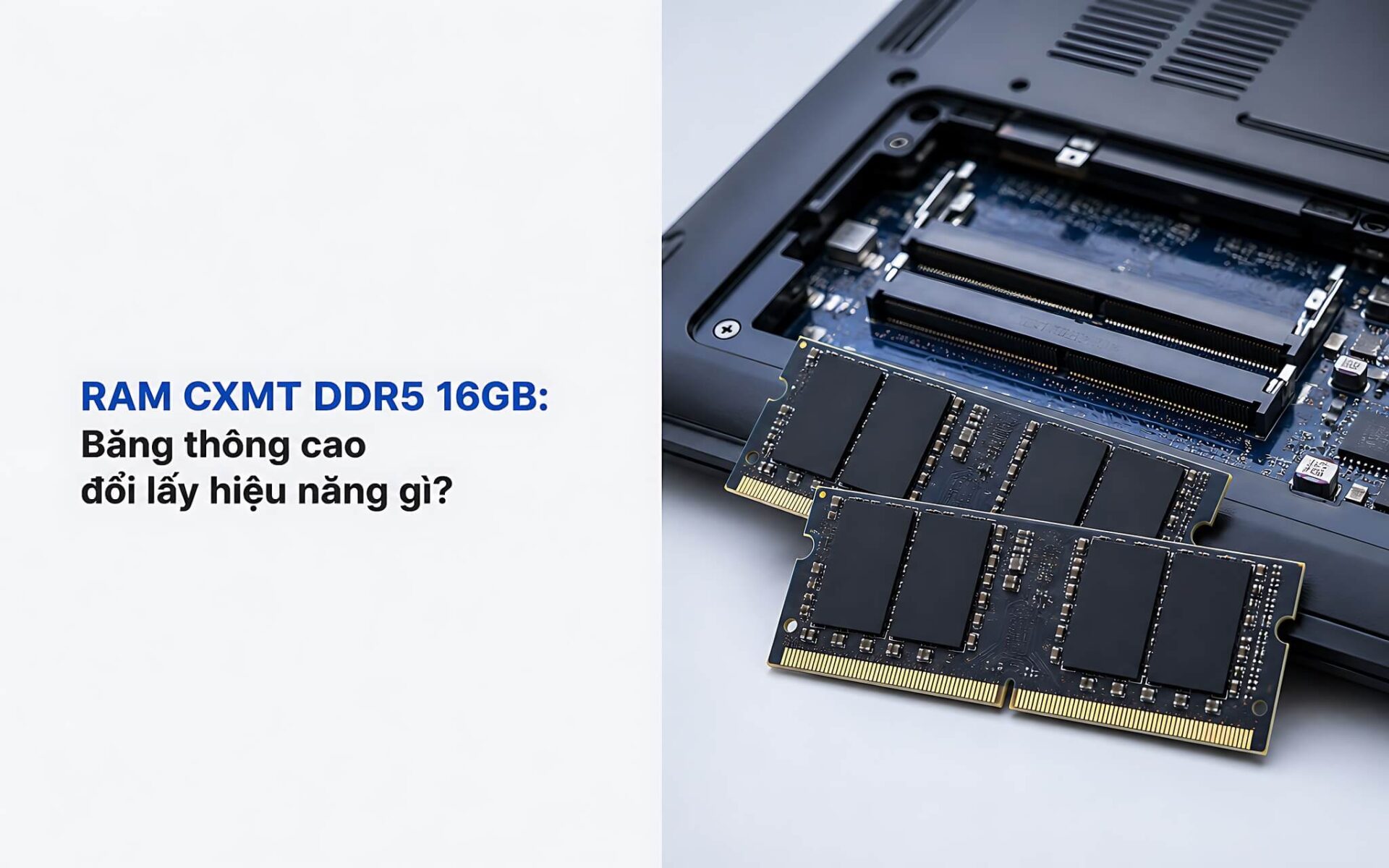
Anyone considering a memory upgrade often faces the same question: is a 16GB CXMT DDR5 RAM stick worth replacing the familiar CXMT DDR4 16GB RAM? These two memory standards differ in everything from channel architecture and power management circuits to theoretical bandwidth, leading to significant performance gaps when the machine handles integrated graphics and video rendering. Hung Phat has synthesized JEDEC standard specifications and official data from ChangXin Memory so you can compare them accurately, rather than relying on floating advertising figures on e-commerce platforms.
Architecture Overview and CXMT DDR5 vs. DDR4 RAM Specifications
ChangXin Memory Technologies (CXMT) is the only Chinese domestic DRAM manufacturer to achieve mass production, according to South China Morning Post on CXMT's DDR5 breakthrough. The company announced its DDR5 lineup in November 2025 with 16Gb and 24Gb density dies, supporting speeds up to 8000 MT/s for servers, workstations, and personal computers. Currently, CXMT memory chips primarily enter the retail market through brands like Gloway or KingBank in China, rather than being standard pre-installed components in commercial laptops from major brands.
| Technical Specifications | CXMT DDR4 16GB RAM | CXMT DDR5 16GB RAM |
|---|---|---|
| Common SO-DIMM Clock Speed | 3200 MT/s | 4800-5600 MT/s |
| Theoretical Bandwidth (Single / Dual Channel) | 25.6 GB/s / 51.2 GB/s | 38.4-44.8 GB/s / 76.8-89.6 GB/s |
| JEDEC Operating Voltage | 1.2 V | 1.1 V (Integrated PMIC) |
| Channel Architecture | 1 x 64-bit channel per stick | 2 x 32-bit sub-channels per stick |
| On-die ECC Error Correction | None | Yes, integrated in chip |
| SO-DIMM Pin Count | 260 pins | 262 pins |
The core difference lies in the PMIC (Power Management Integrated Circuit) and the On-die ECC error correction mechanism. With CXMT DDR4 RAM, the motherboard is responsible for managing the 1.2 V voltage to each memory chip. The DDR5 standard moves the power management IC directly onto the RAM module and lowers the voltage to 1.1 V; as a result, the motherboard generates less heat and the electrical signal remains stable even when the machine runs continuously at high intensity.
The data channel has also been restructured. A single DDR4 stick has only one 64-bit channel, whereas each laptop DDR5 RAM stick is split into two independent 32-bit sub-channels. This allows the processor to access instructions in parallel rather than in a queue, similar to adding extra lanes to a highway to prevent data congestion at a single point.
How does the actual bandwidth of CXMT DDR5 RAM differ from DDR4?
Bandwidth is where CXMT DDR5 RAM most clearly leaves the previous generation behind. In single-channel mode, DDR5 4800-5600 MT/s provides 38.4-44.8 GB/s; in dual-channel mode, that number jumps to 76.8-89.6 GB/s. For comparison, CXMT DDR4 3200 MT/s stops at 25.6 GB/s in single-channel and 51.2 GB/s in dual-channel. When you open dozens of browser tabs alongside data analysis software, this bandwidth gap determines whether your machine responds instantly or begins to stutter.
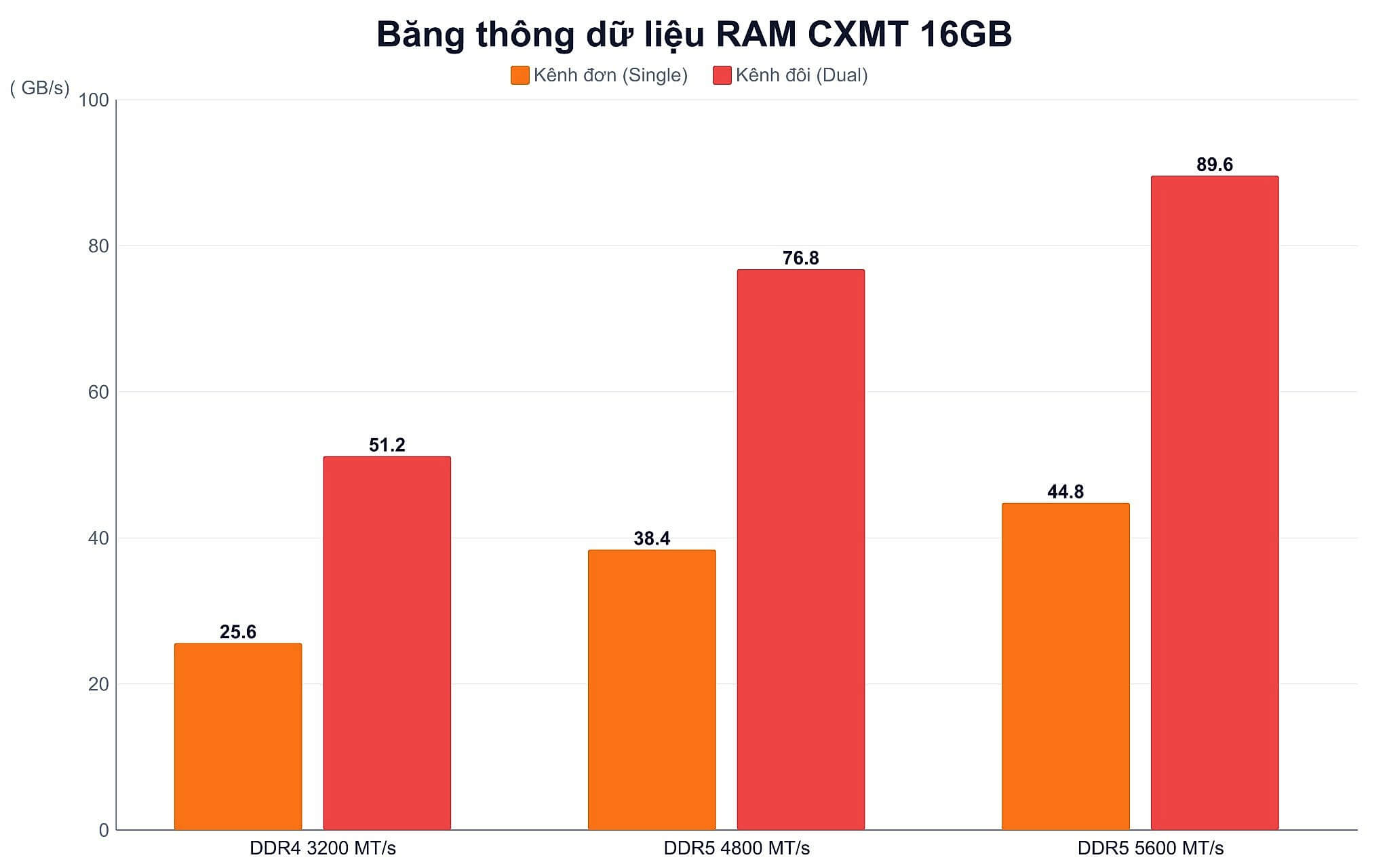
Bandwidth bottlenecks are most evident on machines using integrated graphics. When the RAM also serves as shared video memory, every additional GB/s flows directly into the iGPU's rendering performance. Regarding the cost factor, do not assume Chinese chips are cheaper, as the manufacturer declared at Computex 2026 that CXMT DDR5 RAM prices are not cheaper than Samsung or SK Hynix.
If you only perform word processing, accounting data entry, or watching movies, CXMT DDR4 16GB RAM can still handle that entire workload. This demand group is large enough that older hardware standards have not yet reached obsolescence, as seen by ASUS and other manufacturers returning to DDR4 motherboard production as DDR5 prices escalate.
How does CXMT DDR5 RAM impact integrated graphics?
The AMD Radeon 780M graphics core is an easy example to measure. The RDNA 3 architecture with 768 shader cores achieves 2,810.5 Time Spy points and 7,982.5 Fire Strike points in reference benchmark data. All of that performance depends on the data stream flowing from the RAM, so a laptop DDR5 RAM stick running in dual-channel will feed the iGPU significantly better than a single-channel DDR4 configuration when playing eSports titles like League of Legends or Valorant.
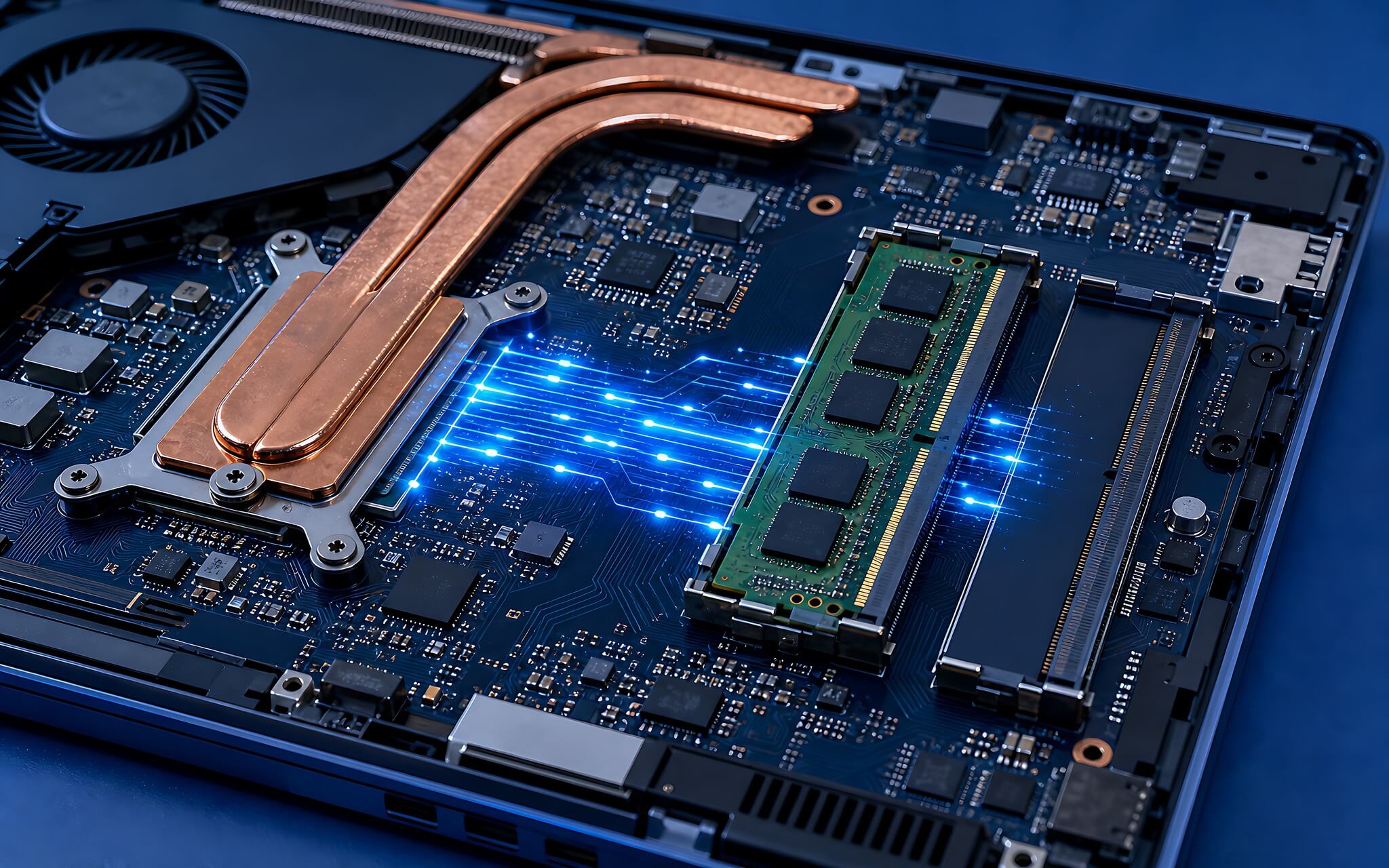
For content creation, video editing, and exporting files in professional software, data read/write operations occur continuously throughout the rendering process. The abundant bandwidth from CXMT DDR5 RAM ensures that Intel Core Ultra or AMD Ryzen 7000 and 8000 series processors do not have to wait for memory, especially when you are processing 4K resolution video streams.
In addition to removable memory, thin and light laptops are increasingly favoring the soldered LPDDR5X 8533 MT/s standard, which is equivalent to about 68 GB/s on a 64-bit bus. In contrast, removable SO-DIMM sticks maintain the advantage of flexibility and allow you to utilize available slots: you can upgrade to 32GB or 64GB whenever your workload expands, whereas with soldered memory, you are stuck with the configuration you purchased.
Conversion Table Between Two CXMT Memory Generations
To give you a quick view of the clock speed gap between the two generations, the chart below aggregates the common SO-DIMM speed milestones currently on the market. Each milestone is associated with a specific workload group, not just arbitrary numbers for comparison.
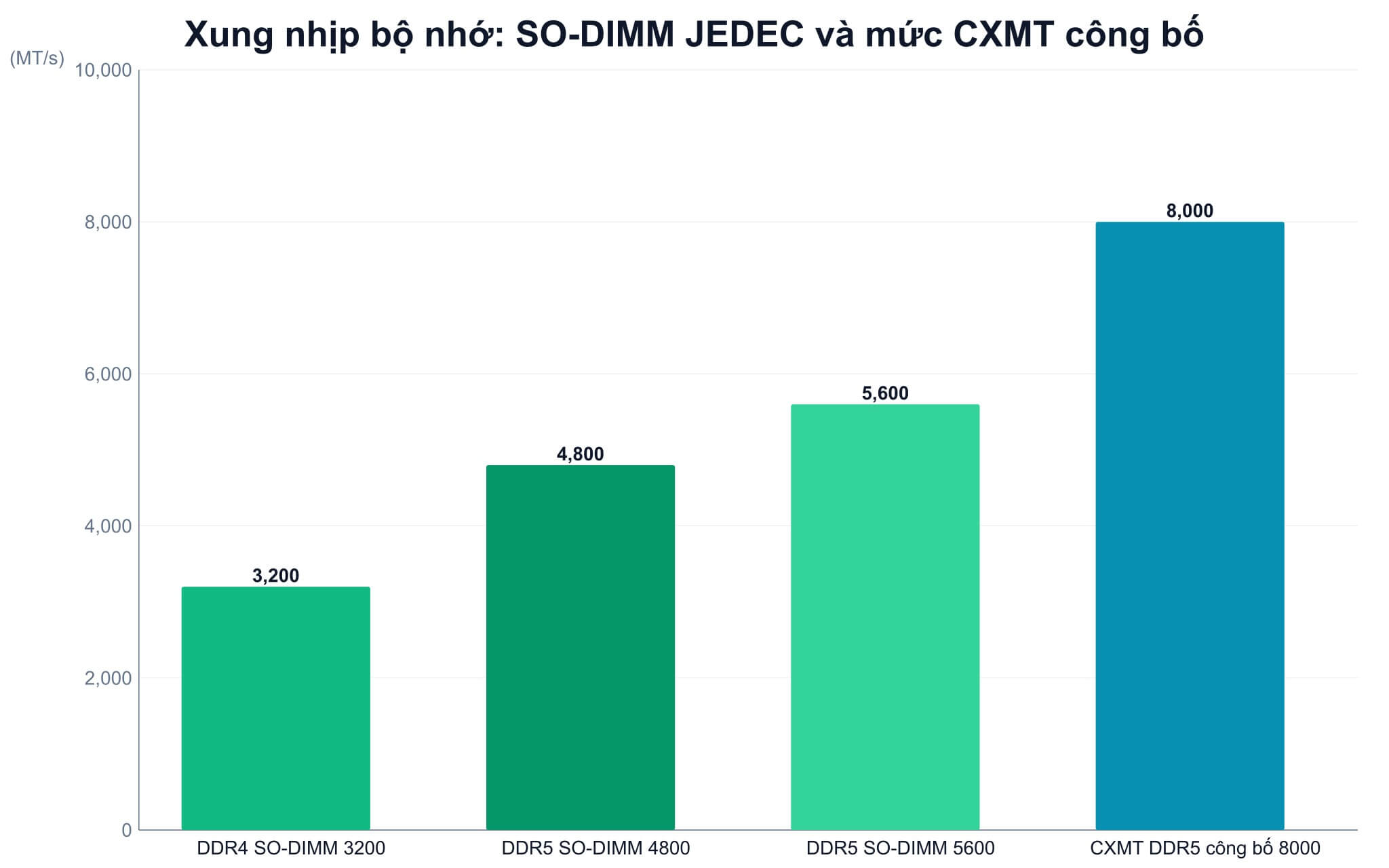
The data shows that DDR5 excels in both speed and internal data security thanks to On-die ECC. The trend of increasing clock speeds shows no signs of stopping, as evidenced by Rambus's new DDR5 RAM technology reaching 9600 MT/s in laboratory settings.
Common Pitfalls When Buying CXMT DDR5 SO-DIMM RAM for Laptops
The most common mistake is thinking the two standards share the same slot. A DDR4 SO-DIMM stick has 260 pins, while laptop DDR5 RAM uses 262 pins with a differently positioned notch. You cannot plug DDR5 into a DDR4 slot or vice versa, regardless of which processor your machine runs, so the first step is always to check the correct slot standard for your specific model.
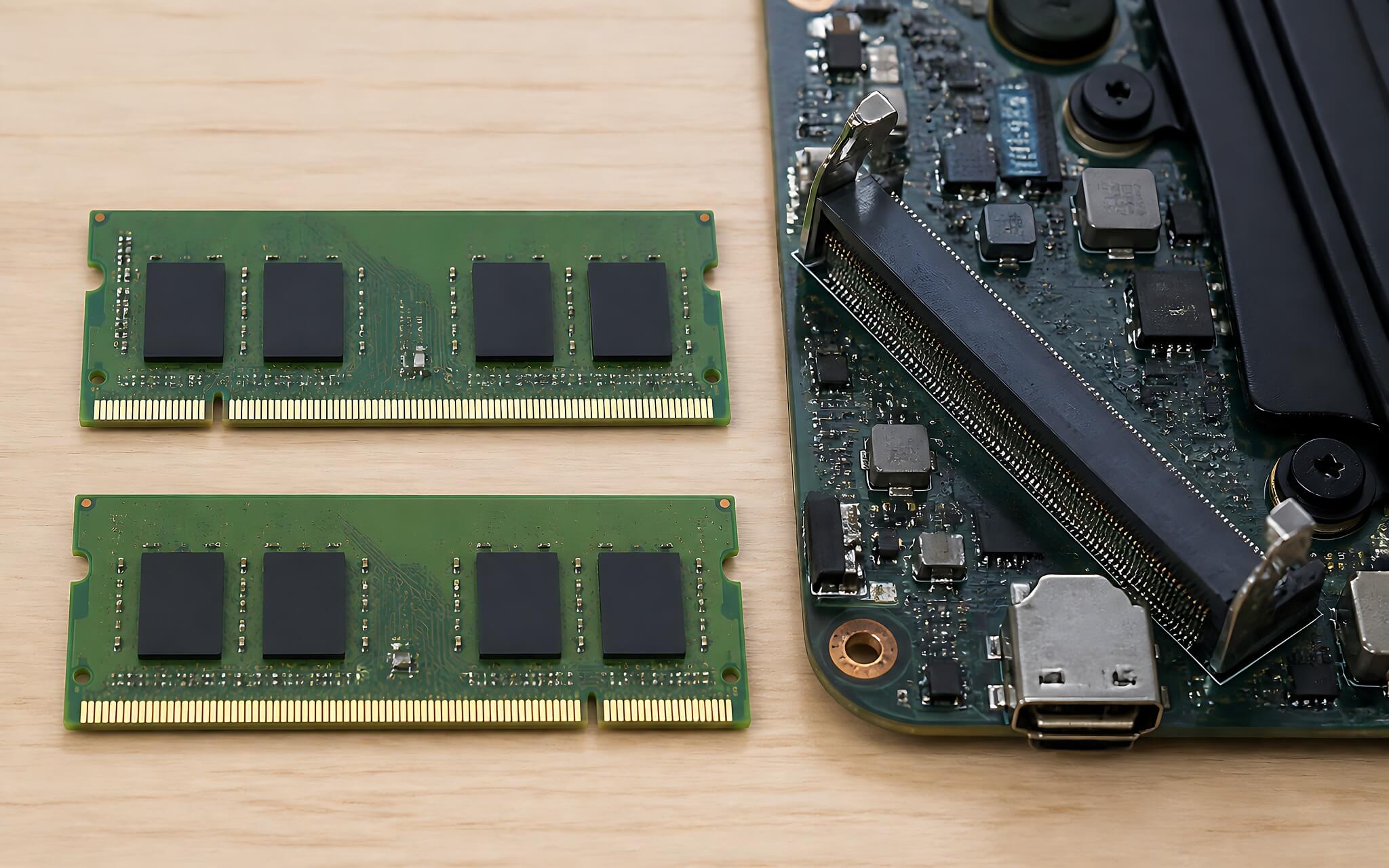
The second pitfall concerns the reputation of Chinese memory chips. CXMT chips meet JEDEC standards, so they run reliably at default clock ranges from 3200 MT/s to 5600 MT/s, making them suitable for office and semi-professional graphics environments. However, the manufacturer still lags behind Samsung, SK Hynix, and Micron by about one generation in die density-details you can verify on the official ChangXin Memory website-so do not expect overclocking margins comparable to high-end gaming RAM lines.
The third pitfall is overlooking the iGPU ecosystem that comes with the CPU. Ryzen Zen 4 and Zen 5 architectures pair with Radeon 780M or Radeon 890M, while Intel Core and Core Ultra use Intel Arc Graphics or Iris Xe Graphics. Both groups are bandwidth-hungry, so it is a priority to install two CXMT DDR5 sticks to run in dual-channel rather than trying to buy a single high-capacity stick.
How to Identify Laptop DDR5 RAM Standards Before Upgrading
Before spending money, open Task Manager, go to the Performance tab, and look at the Memory section: Windows displays the memory standard, the current running speed, the number of slots used out of the total slots, and the SO-DIMM form factor. If "Slots used" shows 1 of 2, your machine has an empty slot for you to add more memory and enable dual-channel, which is the most cost-effective way to boost performance.
If the form factor shows "Row of chips" instead of SO-DIMM, the memory is soldered to the motherboard and cannot be upgraded, whether it is CXMT DDR4 or a newer standard. This is a very common situation in ultra-thin laptops using LPDDR5X, so you should check this beforehand rather than buying a memory stick only to discover your machine has no slots.
Finally, compare the maximum speed supported by your CPU platform. If you install a 5600 MT/s CXMT DDR5 RAM stick into a machine that only supports 4800 MT/s, the memory will automatically downclock to the lower speed, making the extra cost essentially wasted. Hung Phat provides compatibility checks and direct installation services at our store if you are hesitant to handle screws and memory clips yourself.
Frequently Asked Questions (FAQ)
Is CXMT DDR5 or DDR4 more common in mid-range laptops today?
The DDR4 standard still dominates the group of machines running 12th Gen Intel CPUs or AMD Ryzen 5000 series. Conversely, lines using Intel Core Ultra and AMD Ryzen 7000/8000 series have shifted entirely to laptop DDR5 RAM at 5600 MT/s. As for modules using CXMT chips, they are common in the Chinese retail market under brands like Gloway or KingBank, but are not yet the standard pre-installed component for major laptop brands.
Can I upgrade CXMT RAM for my laptop at home?
You can do it yourself if your machine has removable SO-DIMM slots; you just need to remove the back cover, release the two retaining clips, and insert the new stick in the correct direction. The mandatory condition is that the memory stick must match the slot standard: a 260-pin CXMT DDR4 RAM will not fit into a 262-pin DDR5 slot. If you are not comfortable with the process, Hung Phat offers compatibility checks and direct installation at our store.
Is 16GB capacity still sufficient for the next few years?
For office work, heavy web browsing, and basic photo editing, 16GB is still comfortable in the medium term. However, if you do heavy application programming, run virtual machines, or professional 4K video editing, consider aiming for 32GB or more. Choosing a CXMT DDR5 platform from the start allows you to expand later without having to replace the entire machine.
How far has CXMT commercialized DDR5?
CXMT announced its DDR5 lineup in November 2025 with 16Gb and 24Gb dies, supporting speeds up to 8000 MT/s, targeting servers, workstations, and personal computers. Consumer modules using CXMT dies have been available since late 2024 through Chinese domestic brands. Compared to Samsung, SK Hynix, and Micron, which have 32Gb dies, CXMT is about one generation behind in density, so you should view it as a value-oriented choice rather than a leading-edge technology product.











