
Are you planning to buy a laptop in 2026 and find yourself torn between a sleek, ultra-portable model with onboard soldered RAM and a more versatile machine with SODIMM slots for future upgrades? This memory configuration will dictate everything from your initial purchase decision and upfront costs to the device's long-term usability. This article breaks down the technical differences between the two, analyzes the pros and cons of each, and compares real-world models currently on the market so you don't end up with buyer's remorse a few years down the road.
Understanding the difference between soldered RAM and SODIMM RAM
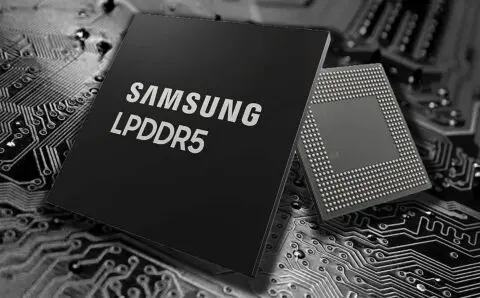
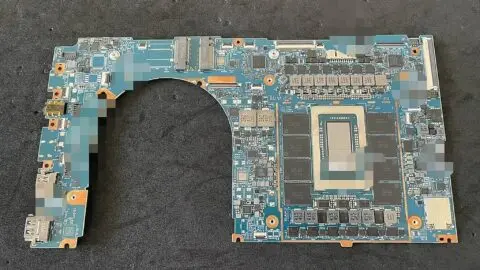
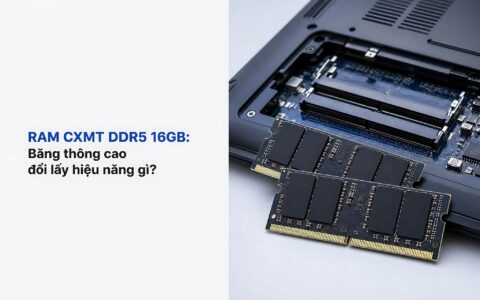
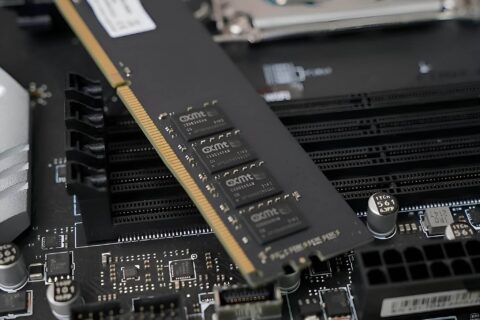
Onboard soldered RAM consists of memory chips soldered directly onto the motherboard, typically using the power-efficient LPDDR5X standard. This type of memory cannot be removed or replaced through standard means. In contrast, SODIMM RAM refers to removable memory modules that plug into dedicated slots - usually following the standard DDR5 format - making them quite easy to swap or upgrade. This physical difference dictates the entire upgrade story, thermal management capabilities, and the price point you will encounter when shopping. Once you grasp this distinction, you will be able to read any laptop's spec sheet and immediately identify the best investment for your specific needs.
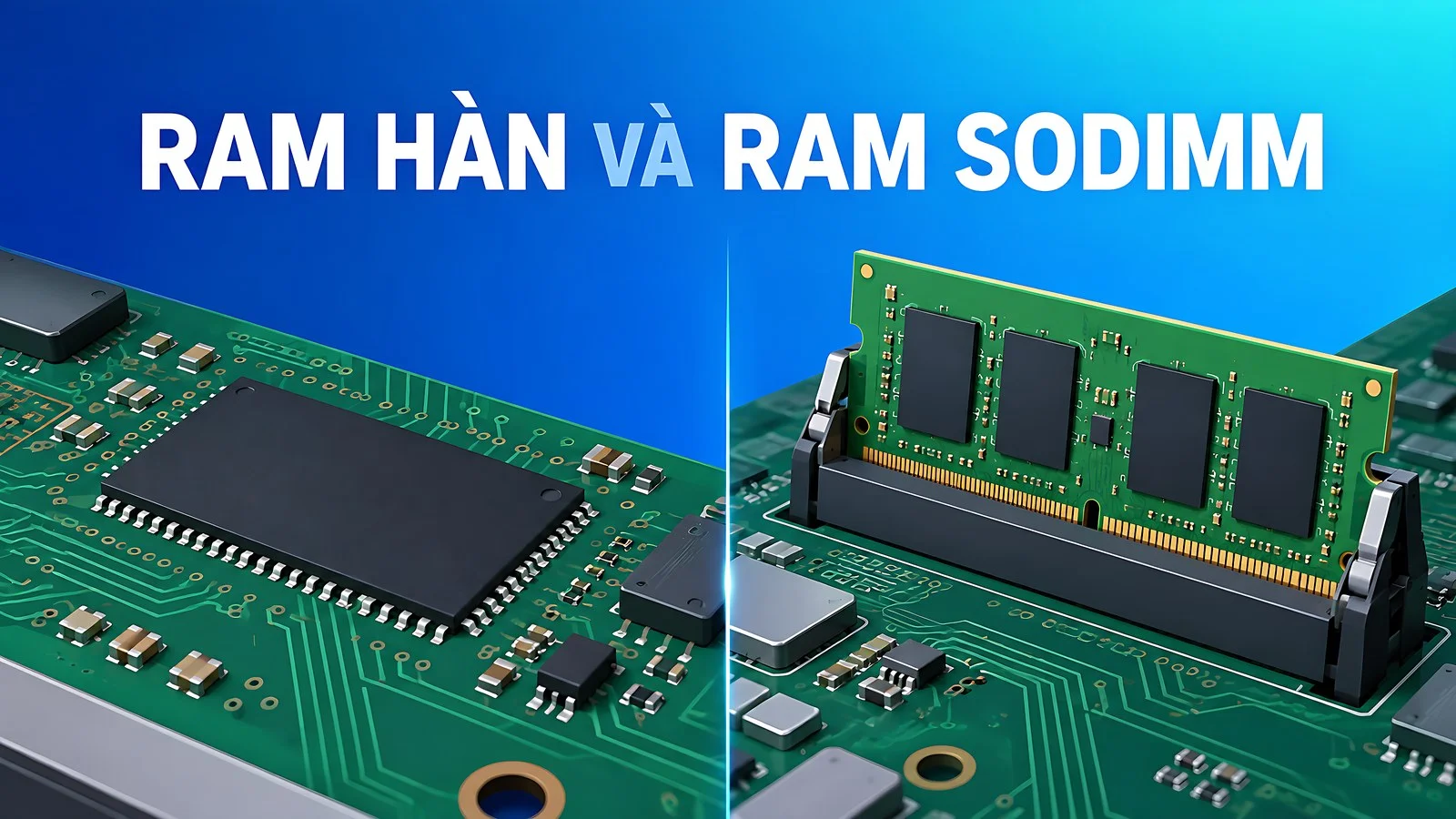
Onboard LPDDR5X standards offer high clock speeds, low latency, and low power consumption, which is why manufacturers favor them for ultra-thin laptops. SODIMM DDR5 modules, however, prioritize replaceability, allowing you to increase capacity as your needs evolve over time. Technical documentation from Crucial regarding soldered vs. slotted memory clearly describes these two layouts and their implications for buyers. Consumers must carefully weigh the choice between onboard soldered RAM and the flexibility of SODIMM upgrades right from the configuration stage.
The key takeaway is that the type of RAM does not inherently determine whether a laptop is "powerful" or "weak." A high-end laptop might use soldered memory to achieve a thinner chassis, while a budget-friendly mainstream laptop might leave empty slots for users to upgrade themselves. Therefore, do not guess based on price or brand alone; you must verify the specific technical specifications of each model before committing. Developing the habit of checking these details during the selection process will save you significant trouble and unexpected costs later on.
Pros and cons of onboard RAM in thin laptops
Onboard soldered RAM offers several clear advantages. Because the memory chips sit close to the processor, signal paths are shorter, allowing LPDDR5X clock speeds to reach between 7467 and 8533 MT/s. This high bandwidth supports integrated graphics and local AI tasks more effectively. Additionally, the chassis can be thinner and lighter because manufacturers can eliminate the physical space required for memory slots and clips. Lower power consumption also translates to better battery life for all-day mobile productivity. For those constantly on the move, these benefits are highly valuable and difficult to replace.
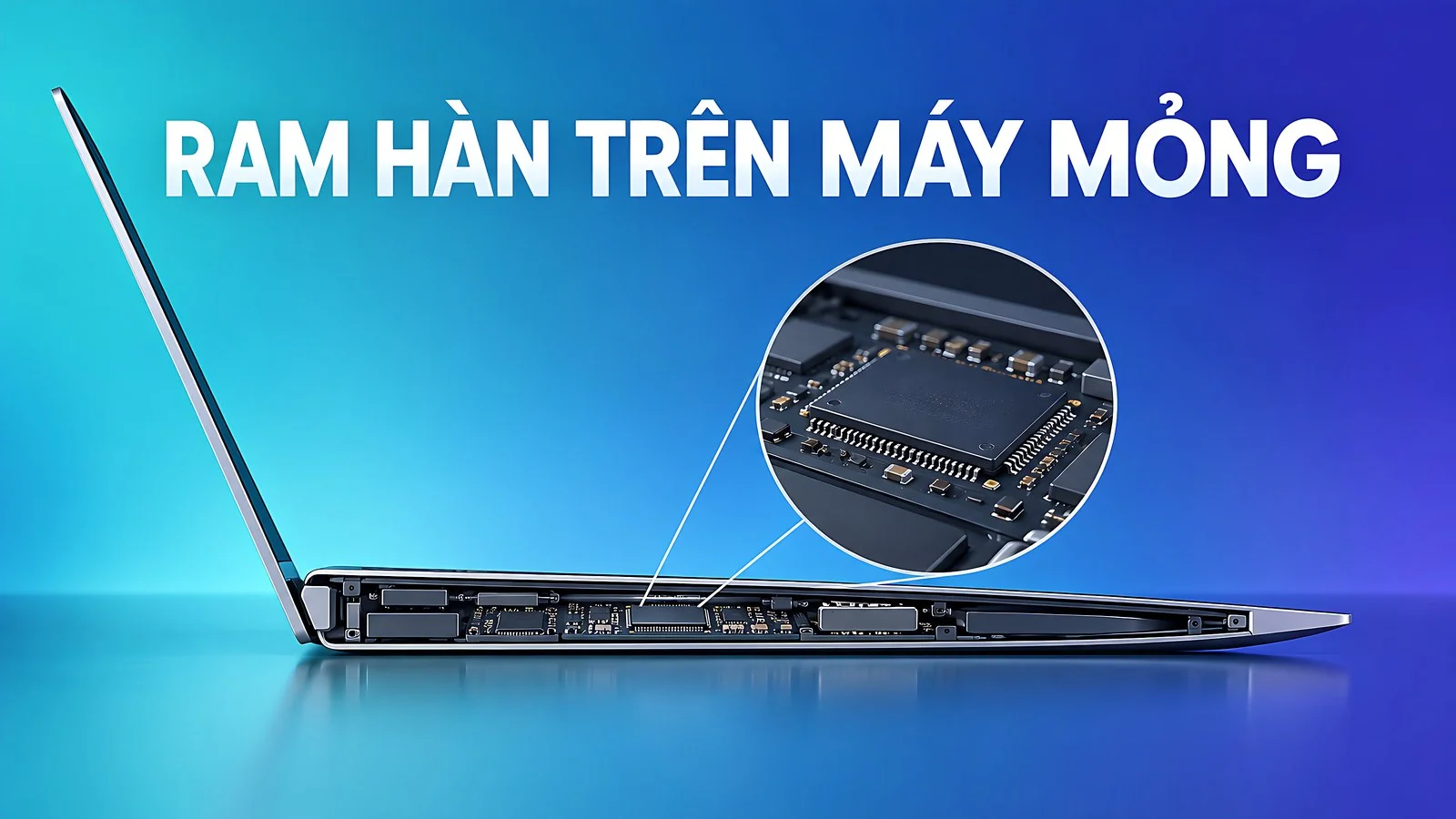
The biggest drawback of onboard soldered RAM is that you are essentially locked into your initial capacity forever. Buying a 16GB model means you are stuck with 16GB until you sell the machine; there is no way to add even a little more. If software becomes more demanding a few years from now, your only option is to sell the old laptop and buy a new one, which is a significant expense. This hidden cost makes your initial capacity choice much more critical than it would be with a machine that has upgradeable slots. You should plan for your needs several years into the future rather than just looking at your current requirements.
Another risk that many overlook is that if a soldered memory chip fails, a technician must desolder the entire module. This makes repairs expensive and carries the risk of damaging the motherboard. While manufacturers cover this under warranty, it becomes a major consideration once the warranty expires. On the plus side, the actual failure rate of soldered RAM is quite low due to stable industrial soldering processes, so you shouldn't worry excessively about durability. Overall, this layout is a trade-off: you sacrifice repairability for a slimmer, more compact design.
Why SODIMM upgrades can save you money
A laptop with SODIMM slots allows you to buy just enough capacity for today and upgrade later when necessary. This approach significantly reduces your initial upfront cost, as standalone DDR5 modules on the market are often much cheaper than the price premium manufacturers charge to pre-configure a laptop with higher RAM. You also gain the freedom to upgrade when memory prices drop, rather than paying a premium for a high-capacity configuration at the time of purchase. This is a strategic spending choice that long-term users value highly when selecting a configuration.
| Usage Scenario | Recommended RAM | Notes |
|---|---|---|
| Office work, studying, web browsing | 16GB | Sufficient for most daily tasks |
| Content creation, photo editing | 32GB | For running multiple heavy apps simultaneously |
| Programming, running virtual machines | 32GB or more | Needed as a buffer for containers and VMs |
| 4K video editing, 3D graphics | 32 to 64GB | Prioritize machines with upgradeable slots |
The table above outlines reasonable RAM levels for different workflows based on common needs in 2026. Office workers and students should aim for 16GB, which should be plenty for comfort. Content creators, programmers, and those running virtual machines will need 32GB or more to work smoothly. With a machine that has empty slots, you can start with a lower capacity and add more memory as your workload increases, rather than paying a high premium for a maxed-out configuration upfront. This budgeting method is both cost-effective and flexible as your professional needs evolve.
The SODIMM upgrade path also significantly extends the lifespan of your laptop. A laptop purchased in 2026 with 16GB could be upgraded to 32GB by 2028 to handle newer operating systems and software without needing to replace the entire machine. The investment in a new memory stick is always much smaller than the cost of a whole new laptop. This is exactly why tech professionals often prioritize machines with upgradeable slots when choosing between these two memory layouts. A longer-lasting machine also means a lower average cost of ownership per year.
Best SODIMM laptops for those who need to upgrade
In our current lineup, several 2026 models maintain the spirit of easy upgradability for proactive users. The table below provides a quick comparison of RAM types, upgradeability, and approximate price ranges, helping you visualize the difference between onboard soldered and SODIMM upgradeable machines side-by-side. This will help you narrow down the models that fit both your budget and your usage habits. The data clearly shows the distinction between soldered RAM laptops and those designed for SODIMM upgrades.
| Model | RAM Type | Upgradeable | Ref. Price |
|---|---|---|---|
| Lenovo IdeaPad Slim 3 16 inch (2026) | DDR5-5600 SODIMM | Yes, up to 32GB | 23,69 triệu |
| HP OmniBook 5 LaptopAI 16 inch AMD (2026) | DDR5 SODIMM | Yes | 25,5 triệu |
| Lenovo Legion 5 15AHP11 AMD (2026) | DDR5-5600 SODIMM (2 slots) | Yes, up to 32GB | 51,99 triệu |
| Samsung Galaxy Book6 Pro 16 inch (2026) | LPDDR5X soldered | No | 42,5 triệu |
| Lenovo IdeaPad Pro 5 16AKP10 (2025) | LPDDR5X-8000 soldered | No | 33,5 triệu |
| Lenovo Yoga 7 14IPH11 (2026) | LPDDR5X-7467 soldered | No | 37,99 triệu |
If your budget is around 24 million VND and you want a machine that allows for future memory expansion, the Lenovo IdeaPad Slim 3 16 inch (2026) is a sensible choice. The Core Ultra 5 322 version comes with 16GB of DDR5-5600 SODIMM, leaving room to upgrade to 24GB or 32GB when you need to run more applications simultaneously. Its 16-inch screen is spacious and ideal for long hours of office work or studying without causing eye strain. This is a great entry point for anyone new to the concept of memory upgrades.
Gamers and power users might want to look at the Lenovo Legion 5 15AHP11 (AMD) (2026), which features a Ryzen 7 250, an RTX 5050, and 16GB of DDR5-5600 distributed across two slots. You can keep the second slot empty and later add another 16GB stick to reach 32GB for video editing or photo processing. This is the practical advantage of a dual-slot layout that soldered RAM systems simply cannot match. For those looking for a machine that will remain relevant for several years, SODIMM upgradeability offers excellent long-term value.
Onboard RAM is best for those prioritizing portability
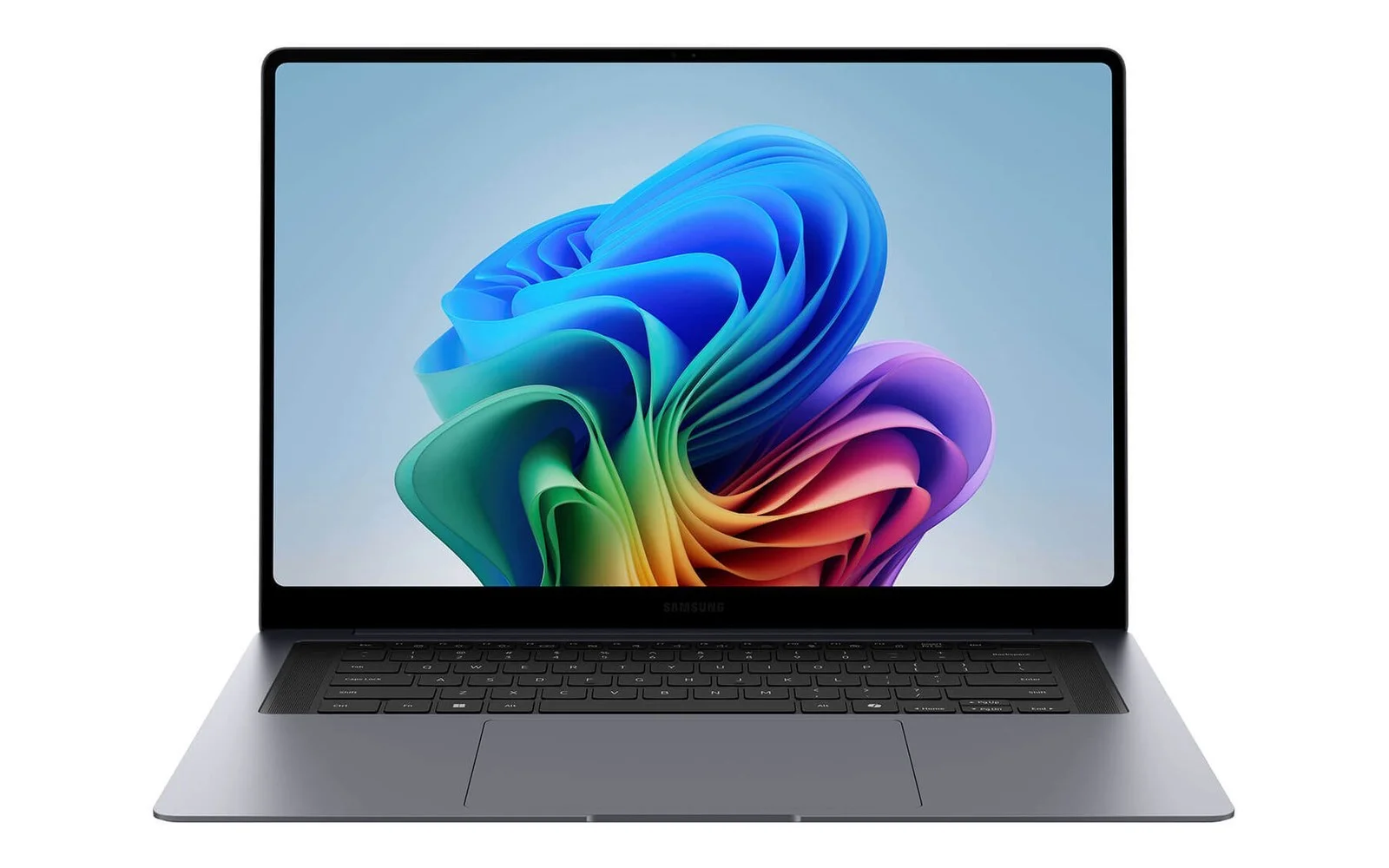
Laptops with soldered RAM focus heavily on thinness and battery life. If you prioritize a beautiful, lightweight design and are willing to commit to a specific capacity from day one, the Samsung Galaxy Book6 Pro 16 inch (2026) is worth considering. It uses soldered LPDDR5X; the 32GB version comes with a Core Ultra 7 356H and a stunning 3K AMOLED display, making it perfect for creators who need a high-quality screen in a highly portable package. With this configuration, you should opt for the 32GB model immediately, as you won't be able to add more later.
For those needing extra graphical power, the Lenovo IdeaPad Pro 5 16AKP10 (2025) pairs a Ryzen AI 7 350 with an RTX 5050 and 16GB of soldered LPDDR5X-8000. It performs well for light 3D rendering and photo editing, but you must choose the correct RAM capacity at the time of purchase since it cannot be expanded. This is a critical consideration for all soldered memory devices. Heavy users should plan their needs several years ahead to avoid running out of memory mid-workflow.
Fans of 2-in-1 convertible laptops might consider the Lenovo Yoga 7 14IPH11 (2026), specifically the high-end version with a Core Ultra 7 355 and 32GB of soldered LPDDR5X-7467. Opting for the 32GB version upfront gives you peace of mind for several years without worrying about memory shortages. This category of laptops trades upgradeability for a thinner chassis and longer battery life - a worthwhile trade-off if you rarely need to perform internal maintenance. Always consider exactly what you are sacrificing before you buy.
How to check a laptop's RAM type before you buy
Before you spend your money, you should determine exactly whether a laptop uses soldered RAM or has SODIMM slots. The first step is to read the technical specifications on the retailer's website carefully. Look for keywords like LPDDR5X, onboard, or soldered to identify fixed memory. If you see DDR5 paired with "SODIMM" or a specific number of "slots," the machine is upgradeable. Spending a few minutes on this step can prevent the frustration of buying a machine only to discover its memory is permanently locked. Distinguishing between soldered RAM and SODIMM-based machines is a fundamental skill when shopping for laptops.

A more foolproof method is to check the manufacturer's technical documentation or service manuals, which clearly state the number of memory slots and the maximum supported capacity for each model. Many models also have teardown videos on YouTube; watching these will show you immediately whether there are removable SODIMM sticks or chips soldered directly to the board. Reputable sellers will also confirm this information if you ask them directly before placing an order. Verifying multiple sources ensures you understand the actual configuration rather than relying on a brief, potentially misleading description.
A quick tip: if the specification table lists multiple RAM options for the same model, there is a high probability the machine uses removable SODIMM sticks. Conversely, if the manufacturer only offers a few fixed configurations and makes no mention of slots, it is likely soldered RAM. Mastering this rule will help you avoid the mistake of buying a 16GB machine only to regret it when your needs grow. Checking the memory type is a small but vital step in the laptop selection process. Your choice between soldered RAM and SODIMM upgrades should always be based on your actual, long-term needs.
Frequently Asked Questions about Soldered and SODIMM RAM
Can soldered RAM be upgraded? No, because the memory chips are permanently attached to the motherboard, you cannot remove them or add more capacity through standard methods. This is why you must select the correct amount of RAM at the time of purchase for these machines, planning for your needs several years in advance. Users choosing soldered RAM should opt for more capacity than they think they currently need.
How much RAM should I get for a soldered laptop? If you are only doing office work and studying, 16GB is plenty for comfortable use. For video editors, programmers running virtual machines, or graphic designers, you should go straight for the 32GB version, as you won't be able to add more later. Compared to the SODIMM upgrade path, soldered RAM forces you to make a one-time-only decision on capacity.
Does upgrading SODIMM RAM void the warranty? Adding a memory stick to an empty slot typically does not void your warranty under most manufacturer policies, provided you do not damage other components during the process. You should always clarify the specific policy with your retailer before attempting a DIY upgrade. This is one of the major advantages of the SODIMM upgrade path over soldered RAM systems.