

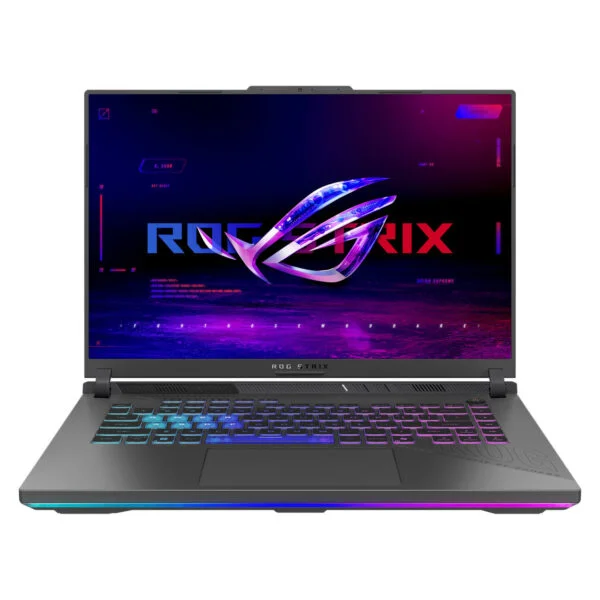

ASUS ROG Strix G16 G614 (2025)
- CPU: AMD Ryzen 9 8940HX Up To 5.3GHz (16 Cores, 32 Threads, 80MB Cache)
- RAM: DDR5 16GB 5200MHz
- SSD: 512GB PCIe Gen4 M.2 SSD
- VGA: NVIDIA® GeForce RTX™ 5050 8GB GDDR7
- DISPLAY: 16" WUXGA (1920*1200) IPS 165Hz, 3ms, G-SYNC, 100% sRGB, Anti-glare
- OS: Windows 11 Home
- CONDITION: New 100% Full Box
- WARRANTY: 24-month official warranty
- Aggressive ASUS ROG Strix G16 G614 (2025) Design with an Aura Light Bar
- ROG Strix G16 G614 Display: Up to 300Hz for Smooth eSports Gaming
- Strix G16 G614 2025 Performance: Strong Multitasking with Ryzen 9 8940HX
- ROG Strix G16 G614 RTX 50 Series Graphics for Smooth AAA Gaming
- Easily Upgradable DDR5 RAM, Dual SSD Slots, and a 90Wh Battery
- Strix G16 G614 Tri-Fan Cooling with Surrounding Air Vents
- 4-Zone RGB Keyboard, Dolby Atmos Speakers, and a Full HD Webcam
- Comprehensive Asus ROG Strix G16 G614 Ports with 2 USB4 and a LAN Port
- Summary and Review: ASUS ROG Strix G16 G614 (2025)
- FAQ - Frequently Asked Questions About the ASUS ROG Strix G16 G614 (2025)
- Where to Buy the Genuine ASUS ROG Strix G16 G614 (2025) at a Great Price
While many gaming laptops chase ultra-slim profiles and cut back on ports, the ASUS ROG Strix G16 G614 (2025) stays true to what a gaming rig should be: a solid chassis, a three-fan cooling system, a dedicated LAN port, and a display reaching up to 300Hz. Powering the machine is a 16-core AMD Ryzen 9 HX-series processor paired with an NVIDIA GeForce RTX 50 Series graphics card up to an RTX 5070. This review covers its design, real-world performance, upgrade potential, and how to choose the right configuration.
Aggressive ASUS ROG Strix G16 G614 (2025) Design with an Aura Light Bar
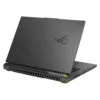
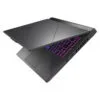
The ROG Strix G16 G614 carries the signature design language of the Strix lineup: an Eclipse Gray chassis, an understated ROG logo on the lid, sharply angled underside cuts, and an Aura Sync light bar running across the front edge. This light bar syncs its lighting with the RGB keyboard and ASUS accessories via Armoury Crate software. The laptop measures 354 x 264 mm, ranges from 22.6 to 30.4 mm in thickness, and weighs 2.5 kg.
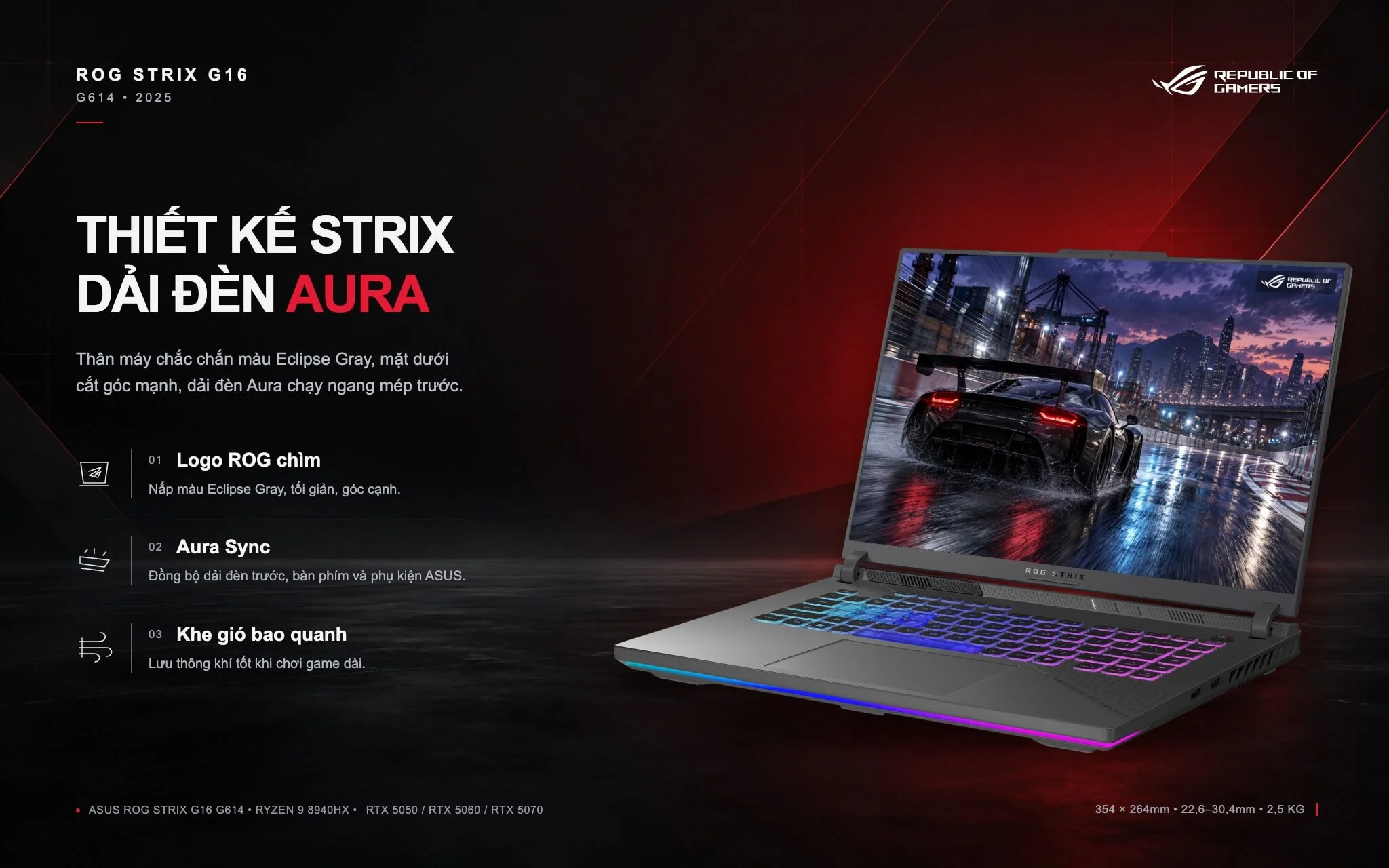
At 2.5 kg, this machine suits a desk setup more than daily commuting, but in return, it makes room for a substantial cooling system and full-sized ports like LAN and HDMI. Air intake vents wrap around the chassis, including the front and both flanks, keeping airflow steady during extended gaming sessions. For those who play mostly at home or in dorm rooms and only occasionally bring it to internet cafes or tournaments, its footprint remains quite reasonable.
ROG Strix G16 G614 Display: Up to 300Hz for Smooth eSports Gaming
The RTX 5060 and RTX 5070 editions of the ROG Strix G16 2025 feature a 16-inch ROG Nebula IPS panel with a 2560 x 1600 (WQXGA) resolution, a 16:10 aspect ratio, a 300Hz refresh rate, a 3ms response time, and 100% DCI-P3 color gamut coverage validated by Pantone. According to ASUS, the screen also includes an ACR coating that cuts down reflections and boosts contrast in well-lit rooms.
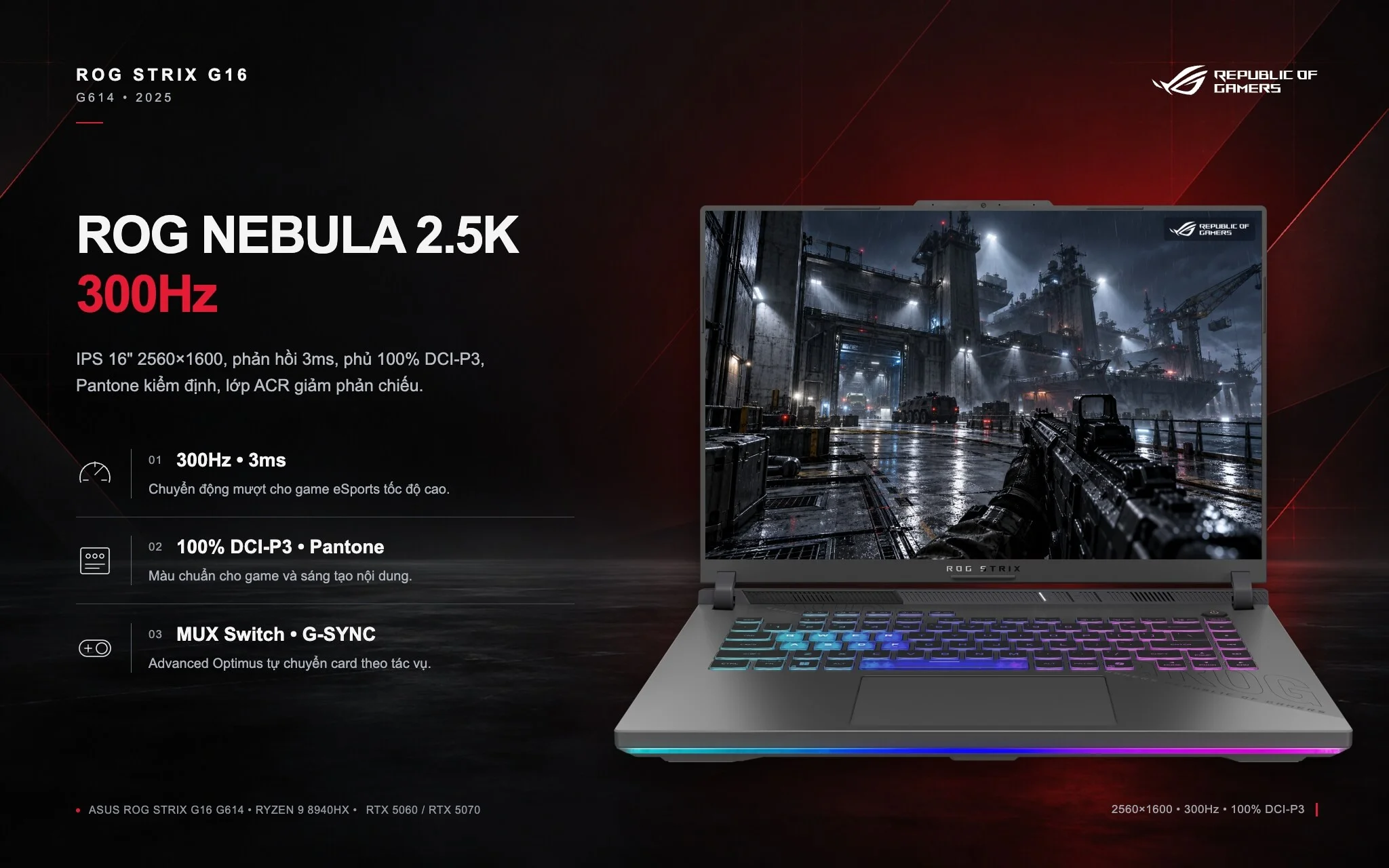
The RTX 5050 model sports an FHD+ 1920 x 1200 panel with a 165Hz refresh rate, a 3ms response time, and 100% sRGB coverage, which is plenty for Full HD gaming and office productivity, though colors are not quite as vibrant as on the 300Hz panel. All three configurations come equipped with G-SYNC to eliminate screen tearing, a MUX Switch that lets the discrete graphics output directly to the display, and Advanced Optimus to automatically switch to integrated graphics during lighter workloads to conserve battery life.
Strix G16 G614 2025 Performance: Strong Multitasking with Ryzen 9 8940HX
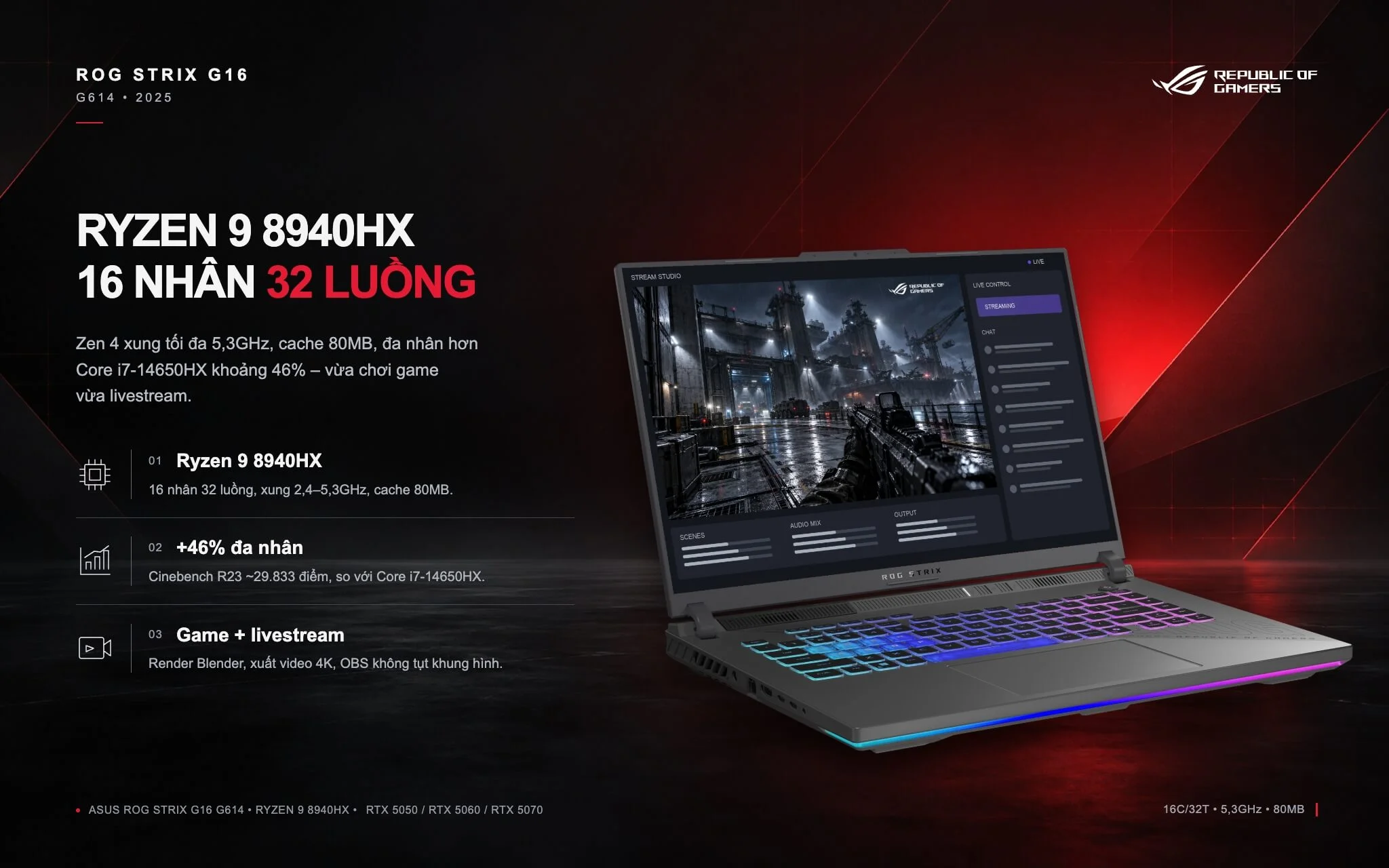
All three configurations of the Strix G16 G614 are powered by the Zen 4 architecture AMD Ryzen 9 8940HX processor, featuring 16 cores, 32 threads, clock speeds ranging from 2.4GHz up to a maximum of 5.3GHz, and an 80MB total cache. As an HX-tier processor built for high-performance laptops, it excels at heavily multithreaded workloads. The table below compares the 8940HX against other popular HX chips.
| Processor | Cores / Threads | Cinebench R23 Single-Core | Cinebench R23 Multi-Core | Geekbench 6 Multi-Core |
|---|---|---|---|---|
| Ryzen 9 8940HX (this laptop) | 16 / 32 | 1,924 | 29,833 | 16,188 |
| Ryzen 9 9955HX | 16 / 32 | 2,174 | 37,159 | 19,433 |
| Core i9-14900HX | 24 / 32 | 2,182 | 30,055 | 17,607 |
| Core i7-14650HX | 16 / 24 | 1,969 | 20,454 | 14,451 |
| Core Ultra 9 386H | 16 / 16 | 2,077 | 20,750 | 16,816 |
Reference average figures according to Notebookcheck. With few laptops tested so far with the Ryzen 9 8940HX, scores may shift as more test results become available.
In Cinebench R23 multi-core, the Ryzen 9 8940HX scores around 29,833 points, nearly matching the Core i9-14900HX and outperforming the Core i7-14650HX by about 46%. Backed by 32 threads, the processor powers through heavy tasks such as Blender rendering, 4K video exports, or live streaming via OBS while gaming without frame drops.
Single-core scores on the 8940HX trail newer chips like the Ryzen 9 9955HX or Core Ultra 9 386H by roughly 7 to 12%, so in certain games that rely heavily on CPU clock speeds, the laptop may trail slightly at lower resolutions. At 2.5K, however, the graphics card becomes the deciding factor, making this difference hard to notice.
Lacking an NPU, this machine is not a Copilot+ PC, yet it still includes a dedicated Copilot key to call up the Windows AI assistant. Heavy AI workloads like generating images or running small language models will run on the RTX 50 Series graphics card, which is many times faster than an NPU.
ROG Strix G16 G614 RTX 50 Series Graphics for Smooth AAA Gaming
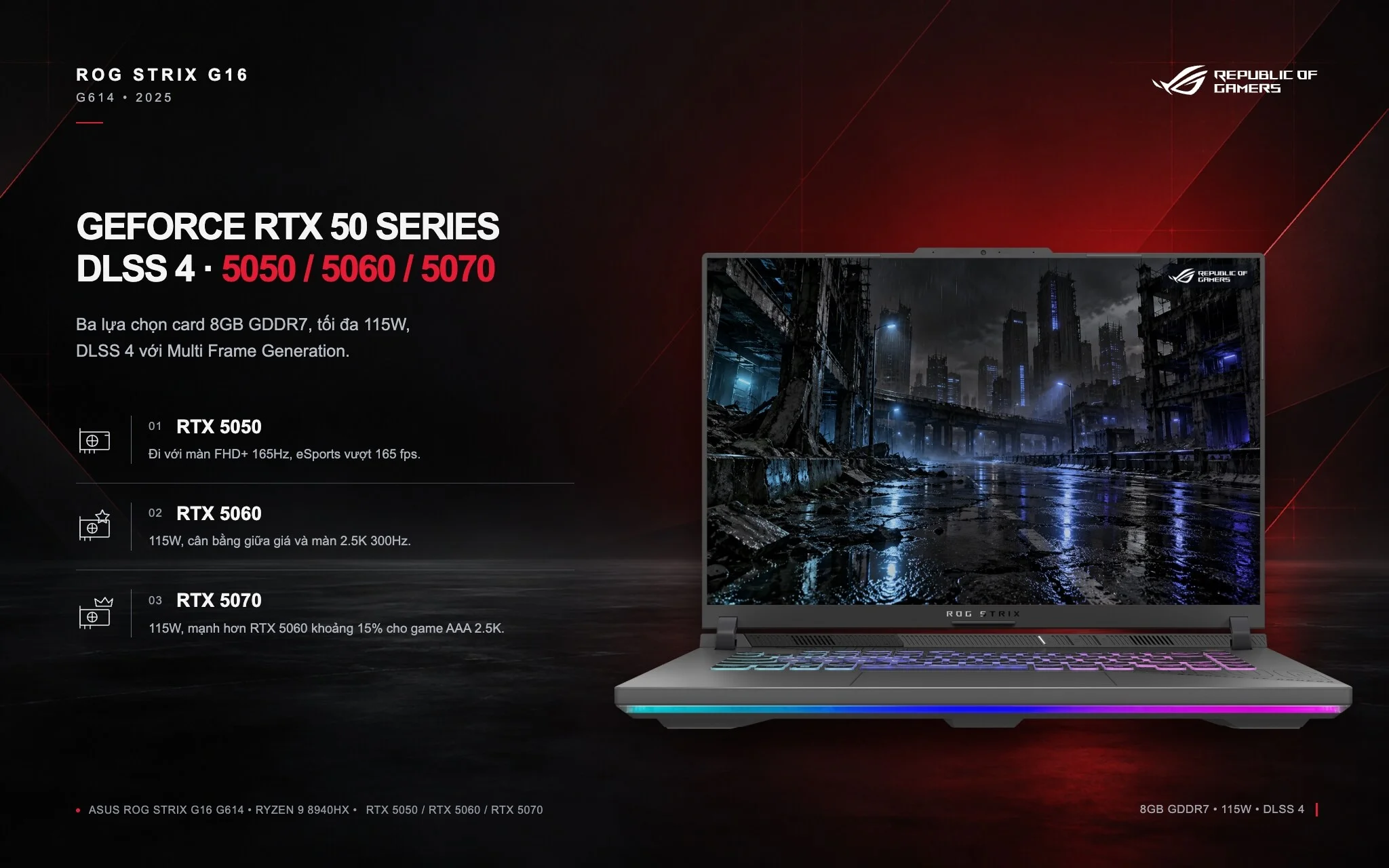
The ROG Strix G16 G614 offers three graphics card options, all featuring 8GB GDDR7 and support for DLSS 4 with multi-frame generation. The NVIDIA GeForce RTX 5060 runs at up to 115W (100W plus 15W Dynamic Boost) with a 1,610MHz clock speed. The NVIDIA GeForce RTX 5070 also runs at 115W with a 1,475MHz clock speed. For the NVIDIA GeForce RTX 5050, the ASUS website has not listed power ratings yet, though several European retailers list it at 115W.
| Benchmark | RTX 5050 | RTX 5060 | RTX 5070 | RTX 4060 |
|---|---|---|---|---|
| 3DMark Time Spy (Graphics) | 9,122 | 11,755 | 13,536 | 10,338 |
| Cyberpunk 2077 (1080p, Ultra) | ~68 fps | ~85 fps | ~101 fps | ~72 fps |
| Cyberpunk 2077 (QHD, Ultra) | ~46 fps | ~55 fps | ~65 fps | ~45 fps |
| Black Myth: Wukong (1080p, High) | no data yet | ~50 fps | ~65 fps | ~48 fps |
Figures are average reference data from Notebookcheck without DLSS enabled. Actual results vary based on GPU power targets and performance modes.
The RTX 5050 model pairs well with its included 165Hz FHD+ display: Cyberpunk 2077 on Ultra at 1080p hits about 68 fps, while esports titles like Valorant and CS2 easily exceed 165 fps. The RTX 5060 and RTX 5070 configurations come with a 300Hz 2.5K display; at native resolution, the RTX 5070 runs Cyberpunk 2077 on Ultra at around 60 fps without DLSS, and passes 100 fps with DLSS 4 and frame generation turned on.
Which version should you choose? The RTX 5050 is an accessible choice for Full HD gaming. The RTX 5060 strikes a balance between price and the 300Hz display. The RTX 5070 is about 15% more powerful than the RTX 5060 and is well worth picking if you regularly play AAA games at 2.5K. All three configurations feature only 8GB of VRAM, so a few newer titles may require dropping texture settings down a notch from maximum.
Easily Upgradable DDR5 RAM, Dual SSD Slots, and a 90Wh Battery
The ASUS ROG Strix G16 G614 features two discrete SO-DIMM RAM slots supporting up to 64GB. All three versions sold in Vietnam come pre-installed with 16GB of DDR5-5200, leaving one open slot to add a second stick, which expands memory capacity and enables dual-channel operation for more stable frame rates. For AAA gaming and livestreaming, upgrading to 32GB right at purchase is recommended.
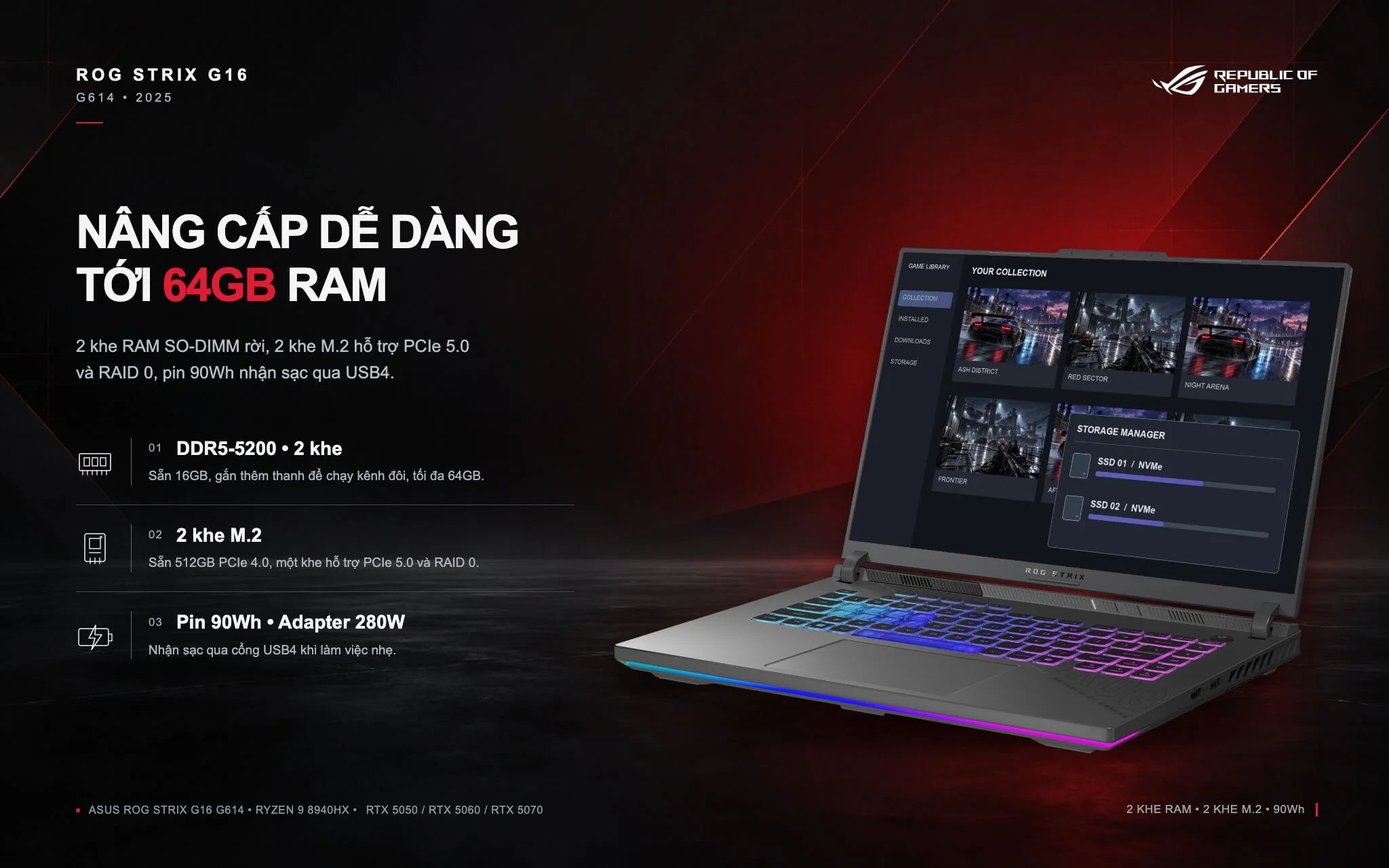
The 512GB PCIe 4.0 SSD is fairly small for gamers, but on the upside, the machine includes two M.2 slots so you can add another drive without removing the original one; according to ASUS, one slot also supports PCIe 5.0 drives and can be configured in RAID 0. The 90Wh battery comes with a 280W round-barrel power adapter. The laptop also supports charging through a USB4 port, which is convenient when you only need to handle light work on the go. You can explore more options in the gaming laptops category at Hung Phat Laptop.
Strix G16 G614 Tri-Fan Cooling with Surrounding Air Vents
The Strix G16 2025 uses Tri-Fan technology, heatsink fins extending across the full width of the chassis, multiple heat pipes, and exhaust vents surrounding the body to expel hot air quickly. Silent Mode features 0dB Ambient Cooling, which shuts off the fans completely when you are just browsing the web or watching movies, keeping the laptop totally quiet during light workloads.
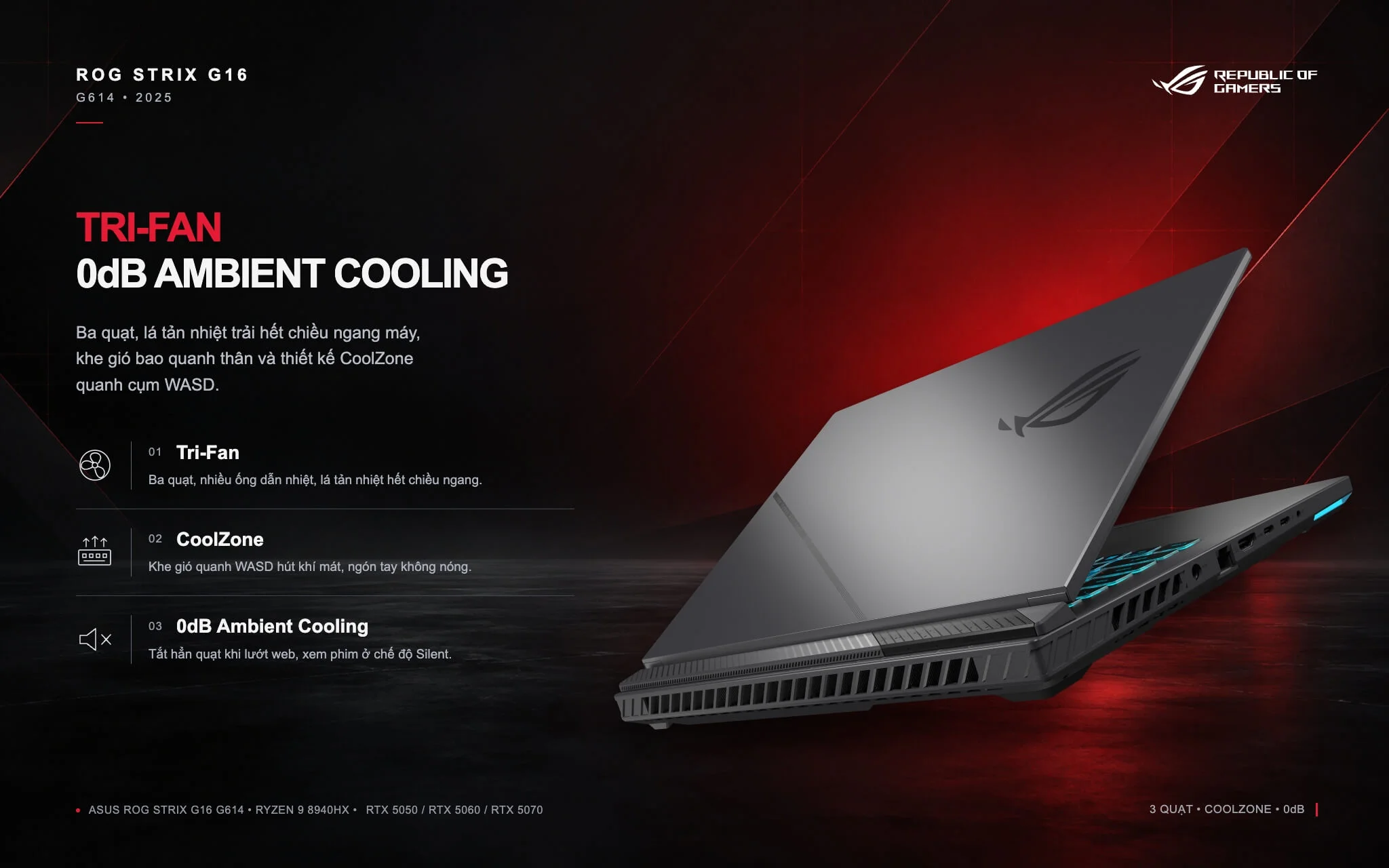
Conductonaut Extreme liquid metal compound is exclusive to the RTX 5070 Ti model; the three versions sold in Vietnam use standard thermal paste. The keyboard features a CoolZone design with small vents around the WASD cluster where fans draw in cool air, keeping your fingers comfortable during extended gaming sessions. When gaming in Turbo Mode, the fans spin fast and are clearly audible, so using headphones helps you stay focused.
4-Zone RGB Keyboard, Dolby Atmos Speakers, and a Full HD Webcam
The keyboard on the ROG Strix G16 G614 features 4-zone RGB lighting, a Copilot key, and dedicated hotkeys to launch Armoury Crate, adjust volume, and mute the microphone. Keyboard backlighting, the front light bar, and ASUS accessories all synchronize lighting effects via Aura Sync. The large touchpad provides plenty of room for gesture controls when you are not using a mouse.
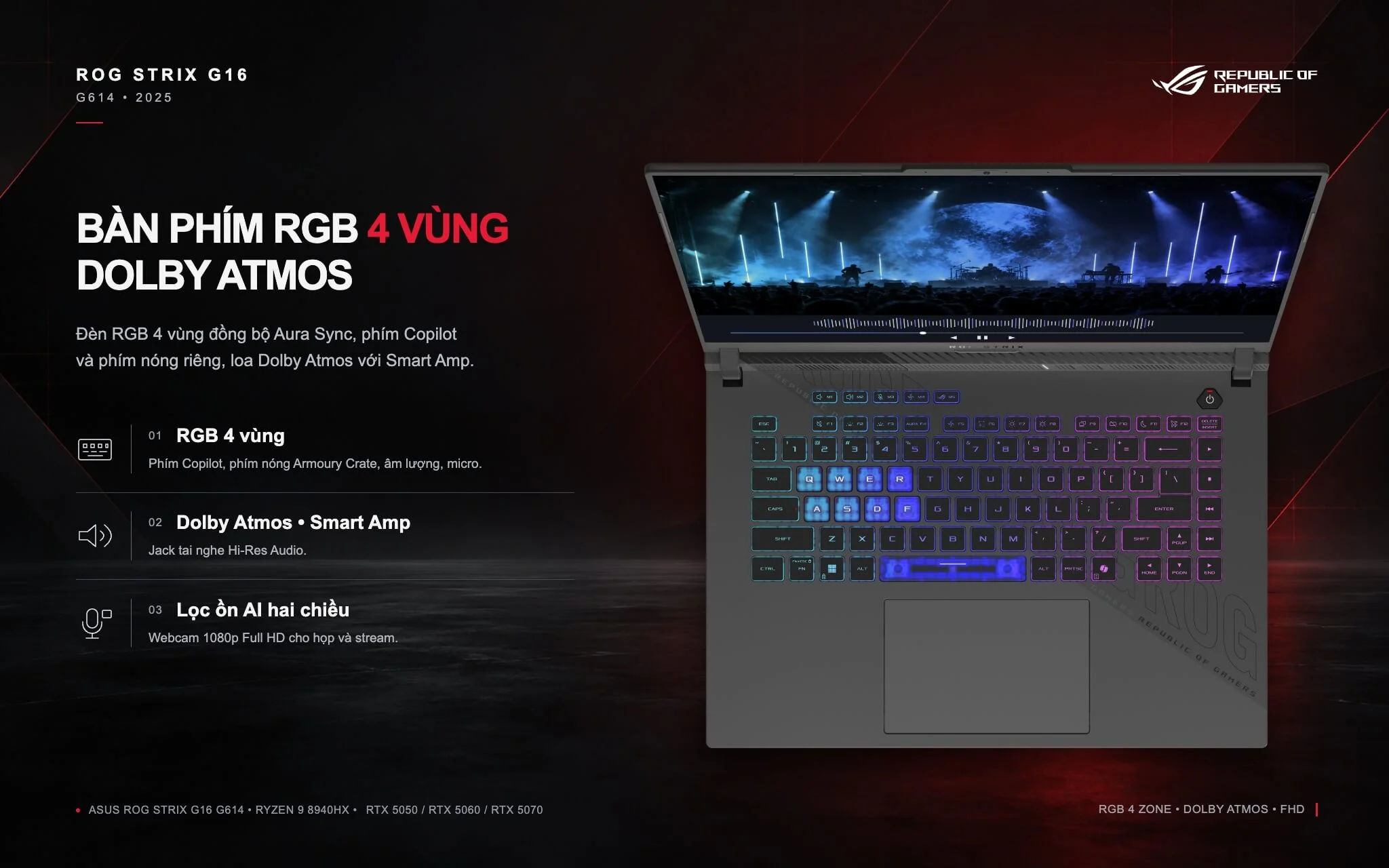
The dual-speaker setup features Dolby Atmos and Smart Amp, and the headphone jack meets Hi-Res Audio standards. The microphone array includes Two-Way AI Noise Cancelation to keep voice chat clear during team games. The 1080p Full HD webcam delivers crisp video for online meetings, though it lacks an infrared sensor or a fingerprint reader for quick logins.
Comprehensive Asus ROG Strix G16 G614 Ports with 2 USB4 and a LAN Port
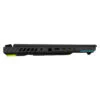
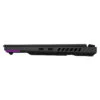
The left side of the ROG Strix G16 G614 houses the power port, an RJ45 LAN port, HDMI 2.1 FRL, two 40Gbps USB4 ports (both support DisplayPort output with G-SYNC, with one supporting charging), and a 3.5mm headphone jack. The right side features two 10Gbps USB-A ports for a mouse and keyboard. The two USB4 ports let you connect a single-cable dock or drive two external monitors for gaming and work.
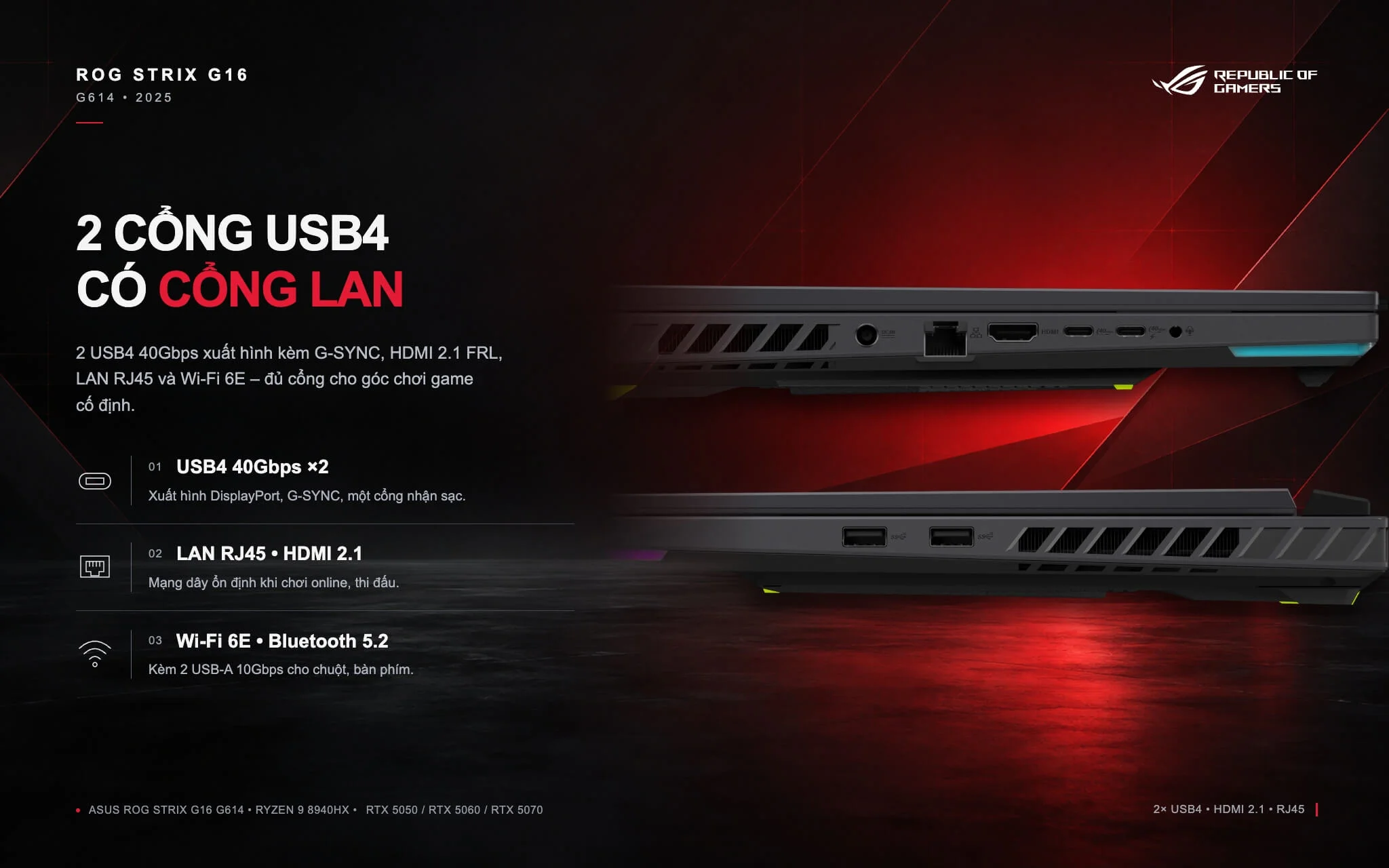
The LAN port delivers a stable connection for online gaming or LAN cafe matches. Wireless connectivity uses tri-band Wi-Fi 6E and Bluetooth 5.2, fast enough for modern routers. The laptop lacks an SD card slot. You can explore more models in the Asus laptops category at Hung Phat Laptop.
Summary and Review: ASUS ROG Strix G16 G614 (2025)
The ASUS ROG Strix G16 G614 (2025) suits gamers looking for a primary gaming rig at home, offering a 16-core, 32-thread CPU for livestreaming, a 2.5K 300Hz display for eSports, and plenty of ports including LAN, HDMI, and USB4. Both RAM and SSD are easy to upgrade. The RTX 5050 version suits Full HD gaming, the RTX 5060 strikes a great balance, and the RTX 5070 is built for AAA gaming at 2.5K.
Points to consider: Weighing 2.5 kg, the Strix G16 G614 suits a primary home gaming setup better than daily carrying. The 16GB of RAM currently runs in single-channel mode, but popping another stick into the open slot gives you dual-channel memory with noticeably more stable frame rates. A 512GB SSD fills up quickly if you install multiple games, though fortunately the machine has an open M.2 slot ready for another drive. 8GB of VRAM still handles most games well, with only a few recent titles requiring slightly reduced texture settings. If you frequently edit photos or videos, choose the 300Hz display panel covering 100% DCI-P3 over the RTX 5050 version. The machine lacks an NPU, so it does not meet the Copilot+ PC standard; on the upside, the RTX graphics card handles AI workloads well. The lack of an IR camera and a card reader is a minor inconvenience, easily solved with an inexpensive USB card reader.
| Pros | Cons |
|---|---|
|
|
FAQ - Frequently Asked Questions About the ASUS ROG Strix G16 G614 (2025)
1. How do the three Strix G16 G614 versions in Vietnam differ?
All three feature the Ryzen 9 8940HX, 16GB DDR5, a 512GB SSD, and a gray finish. The RTX 5050 version uses an FHD+ 165Hz display. The RTX 5060 and RTX 5070 versions feature a 2.5K 300Hz display with 100% DCI-P3 coverage.
2. Does the RAM run in dual-channel mode?
The machine comes pre-installed with 16GB, so it runs in single-channel mode out of the box. It features two SO-DIMM slots; adding a matching stick enables dual-channel memory, supporting up to 64GB.
3. Can I add another SSD?
Yes. The laptop features two M.2 slots, leaving one empty. According to ASUS, one slot supports PCIe 5.0 drives, and two drives can be configured in RAID 0.
4. Can the Strix G16 G614 run AAA games?
Yes. The RTX 5070 runs Cyberpunk 2077 at Ultra settings at 1080p at around 100 fps, and at 2.5K at about 65 fps without DLSS enabled. With DLSS 4 and frame generation enabled, many titles surpass 100 fps at 2.5K.
5. Is this laptop a Copilot+ PC?
No. The Ryzen 9 8940HX does not have an NPU, so it does not meet Copilot+ PC requirements. However, the laptop still includes a Copilot key and runs AI tasks on the RTX graphics card.
6. Does the laptop have a LAN port?
Yes. The laptop features an RJ45 LAN port on the left edge, providing a stable wired connection for online gaming.
7. Can the laptop be charged via USB-C?
Yes. One of the two USB4 ports supports charging. When gaming, you should plug in the included 280W power adapter so the machine runs at full power.
8. How heavy is the Strix G16 G614?
The laptop weighs 2.5 kg and measures 22.6 to 30.4 mm thick, making it ideal for a desk setup with occasional travel.
9. What is the warranty policy at Hung Phat Laptop?
Hung Phat Laptop provides genuine products with complete invoices, transparent warranty coverage, a 30-day return policy, lifetime technical support, and nationwide shipping.
You can explore other configurations under Asus ROG & TUF. You can also compare it with the Asus ROG Zephyrus G16 GU606 (2026) or Asus ROG Zephyrus G16 GU605 (2025).
Where to Buy the Genuine ASUS ROG Strix G16 G614 (2025) at a Great Price
Each version of the ASUS ROG Strix G16 G614 (2025) caters to a different type of gamer. The consulting team at Hung Phat Laptop can help you choose the right version for your playstyle and budget. If you play eSports heavily, the 300Hz display version truly shines. If you mainly play Full HD games, the RTX 5050 version is plenty. All your questions about specs will be answered before you place your order.
Every ROG Strix laptop at Hung Phat Laptop is a genuine product backed by a clear invoice. A 30-day return policy offers total peace of mind. If you want to upgrade to 32GB RAM or add an SSD, our technicians can install it right on the spot. Down the road, whether you need cleaning or a system reinstall, our technical support team is always ready to help. Customers in other provinces still receive doorstep delivery. Order this 300Hz gaming laptop today at Hung Phat Laptop.
Performance & benchmarks ASUS ROG Strix G16 G614 (2025)
AMD Ryzen 9 8940HX NVIDIA GeForce RTX 5050 Laptop - best for Programming 8.5/10, Office 8.5/10.
AMD Ryzen 9 8940HX
- Cinebench R23 (multi-core)29,833
- Geekbench 6 (multi-core)16,188
- Geekbench 6 (single-core)2,816
- PassMark50,110
- Cores / Threads16/32
NVIDIA GeForce RTX 5050 Laptop
- 3DMark Time Spy9,122
- 3DMark Fire Strike24,926.5
- VRAM8 GB
- AI INT8440 TOPS
- ArchitectureBlackwell
Best for
Scored from real benchmarks- Gaming Recommended7/10
- Video / Graphics7.5/10
- Programming8.5/10
- Office8.5/10
- AI / Generative AI5.5/10
Why does the CPU matter?
The CPU is the "brain" that handles every task: launching apps, multitasking, compiling code and editing video. The stronger the CPU, the faster and smoother the laptop runs when you juggle many things at once.
- BasicThis product
Web browsing, streaming and light office work.
- MainstreamThis product
Office work, moderate multitasking and studying.
- Mid-rangeThis product
Solid multitasking, programming and light graphics work.
- StrongThis product
Video editing, heavy programming, virtualization and gaming.
- FlagshipThis product
Heavy rendering, 4K/8K editing, virtual machines and AI workloads.
Why does the GPU matter?
The GPU (graphics card) handles visuals: gaming, video editing, 3D rendering and AI acceleration. The stronger the GPU, the higher your frame rates and the faster your video exports.
- Basic (iGPU)This product
Smooth display, 4K video and very light games (League of Legends, Valorant on low).
- MainstreamThis product
1080p eSports gaming, photo editing and light video editing.
- Mid-rangeThis product
1080p gaming on medium-high settings and smooth Full HD video editing.
- StrongThis product
1080p/1440p gaming on high settings, 4K video editing and 3D rendering.
- FlagshipThis product
4K/240Hz gaming, ray tracing, heavy rendering and AI.
Game performance
Real FPS - FHD- Dota 2125 fps1080p Ultra
- GTA V109 fps1080p Ultra
- Battlefield 656 fps1080p Ultra
- Star Wars Outlaws41 fps1080p High
- Cyberpunk 207768 fps1080p Ultra
≥60fps very smooth30-60fps playable<30fps lower the settings
Local AI performance
Tokens/second running locally on GPU 8GB VRAM- Llama 3.2 11B Vision6.1 GB · ctx 128K44 tok/sDecent
- Gemma 4 E2B IT5.6 GB · ctx 256K48 tok/sDecent
- GLM-4 9B5.1 GB · ctx 128K53 tok/sDecent
- Gemma 4 E4B4.6 GB · ctx 256K58 tok/sRuns well
- Ministral 8B4.6 GB · ctx 32K58 tok/sRuns well
- Qwen 3.5 4B4.6 GB · ctx 32K58 tok/sRuns well
- DeepSeek R1 Distill 7B4.1 GB · ctx 64K66 tok/sRuns well
- Gemma 4 E2B3.1 GB · ctx 256K87 tok/sRuns great
- Qwen 3.5 2B2.5 GB · ctx 32K108 tok/sRuns great
- Phi-4 Mini Reasoning2.4 GB · ctx 16K112 tok/sRuns great
- Llama 3.2 3B2 GB · ctx 128K134 tok/sRuns great
- SmolLM3 3B2 GB · ctx 128K134 tok/sRuns great
- DeepSeek R1 1.5B1.3 GB · ctx 64K207 tok/sRuns great
- Qwen 3.5 0.8B1.3 GB · ctx 32K207 tok/sRuns great
- TinyLlama 1.1B1.1 GB · ctx 2K244 tok/sRuns great
- Llama 3.2 1B1 GB · ctx 128K269 tok/sRuns great
- Gemma 3 12B6.6 GB · ctx 128K41 tok/sDecent
- Mistral Nemo 12B6.6 GB · ctx 128K41 tok/sDecent
- Gemma 2 9B5.1 GB · ctx 8K53 tok/sDecent
- Nemotron Nano 9B v25.1 GB · ctx 128K53 tok/sDecent
- Llama 3.1 8B4.6 GB · ctx 128K58 tok/sRuns well
- Qwen 3 8B4.6 GB · ctx 128K58 tok/sRuns well
- Mistral 7B v0.34.1 GB · ctx 32K66 tok/sRuns well
- Qwen 2.5 7B4.1 GB · ctx 128K66 tok/sRuns well
- Qwen 2.5 Coder 7B4.1 GB · ctx 128K66 tok/sRuns well
- Qwen 3 4B2.5 GB · ctx 32K108 tok/sRuns great
- Gemma 3 4B2.5 GB · ctx 128K108 tok/sRuns great
- Phi-3.5 Mini2.4 GB · ctx 128K112 tok/sRuns great
- Gemma 2 2B1.5 GB · ctx 8K179 tok/sRuns great
- Qwen 3 1.7B1.4 GB · ctx 32K192 tok/sRuns great
- Qwen 2.5 Coder 1.5B1.3 GB · ctx 32K207 tok/sRuns great
- Qwen 3 0.6B1.1 GB · ctx 32K244 tok/sRuns great
- Gemma 3 1B1 GB · ctx 32K269 tok/sRuns great
GreatWellDecent4-bit quantized, ctx = context window
No comments yet
Q&A about ASUS ROG Strix G16 G614 (2025)
Frequently asked questions about ASUS ROG Strix G16 G614 (2025)
What are the specifications of ASUS ROG Strix G16 G614 (2025)?
What is the warranty for ASUS ROG Strix G16 G614 (2025)?
Is ASUS ROG Strix G16 G614 (2025) genuine?
Can I buy ASUS ROG Strix G16 G614 (2025) with home delivery?
Worth a Look
 4 configurations
ASUS ROG Zephyrus G16 GU606 (2026)
Asus ROG Zephyrus G16 GU605 (2025)
 2 configurations
Asus ROG Zephyrus G14 GU405 (2026)
Asus ROG Zephyrus G14 GA403 (2026)





Nguyễn Quang Nhân 4 tuần trước
The 300Hz screen looks super smooth, and playing eSports games feels truly great. The laptop runs a Ryzen 9, multitasks great, and handles all heavy tasks very fast.