

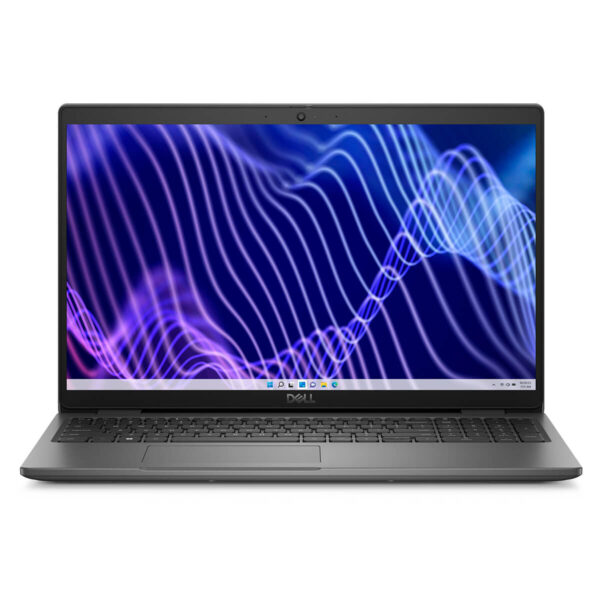
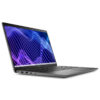
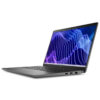
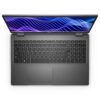
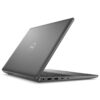
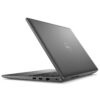
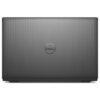
DELL Latitude 3540 (2023)
- CPU: Intel Core i7 1355U vPro Up To 5.0GHz (10 Cores, 12 Threads, 12MB Cache)
- RAM: DDR4 16GB 3200MHz
- SSD: 256GB PCIe M.2 SSD
- VGA: Intel® Iris® Xe Graphics
- DISPLAY: 15.6″ IPS FHD (1920*1080), Anti-Glare, Non-Touch, 250 nits
- CONDITION: Like New 99%
- WARRANTY: Bảo hành 12 tháng
- Simple and Elegant Design
- Superior Performance with Intel 12th Gen CPU
- Display on Dell Latitude 3540 (2023)
- Keyboard & Touchpad on Dell Latitude 15 3540
- Ports & Connectivity on Dell Latitude 3540
- Operating Temperature and Battery Life
- Summary of Dell Latitude 3540 (2023)
- FAQ - Frequently Asked Questions about Dell Latitude 3540 (2023)
- Where to buy Dell Latitude 3540 (2023) with good prices and reputation?
Dell Latitude 3540 (2023) is the ideal choice for business users needing a stable, durable, and efficient work device. With a modern design, high performance, and a suite of professional workflow features, this product is not just a laptop but a reliable technology partner in work environments that require flexible mobility. Based on technical standards from the reputable Dell brand, this machine is optimized to smoothly handle heavy tasks such as large spreadsheets, CRM software, and intensive office applications, delivering superior productivity whether in the office or on business trips.
Simple and Elegant Design
With a modern design language, Dell Latitude 3540 (2023) offers an elegant yet professional appearance. The high-quality matte black plastic material provides a sturdy feel, resists fingerprints, and is easy to clean. The Dell logo is prominently embossed on the back, enhancing brand recognition. The overall dimensions of 358 x 235 x 18.6 mm and a weight of only 1.81 kg allow users to easily carry it between meetings or on long business trips.
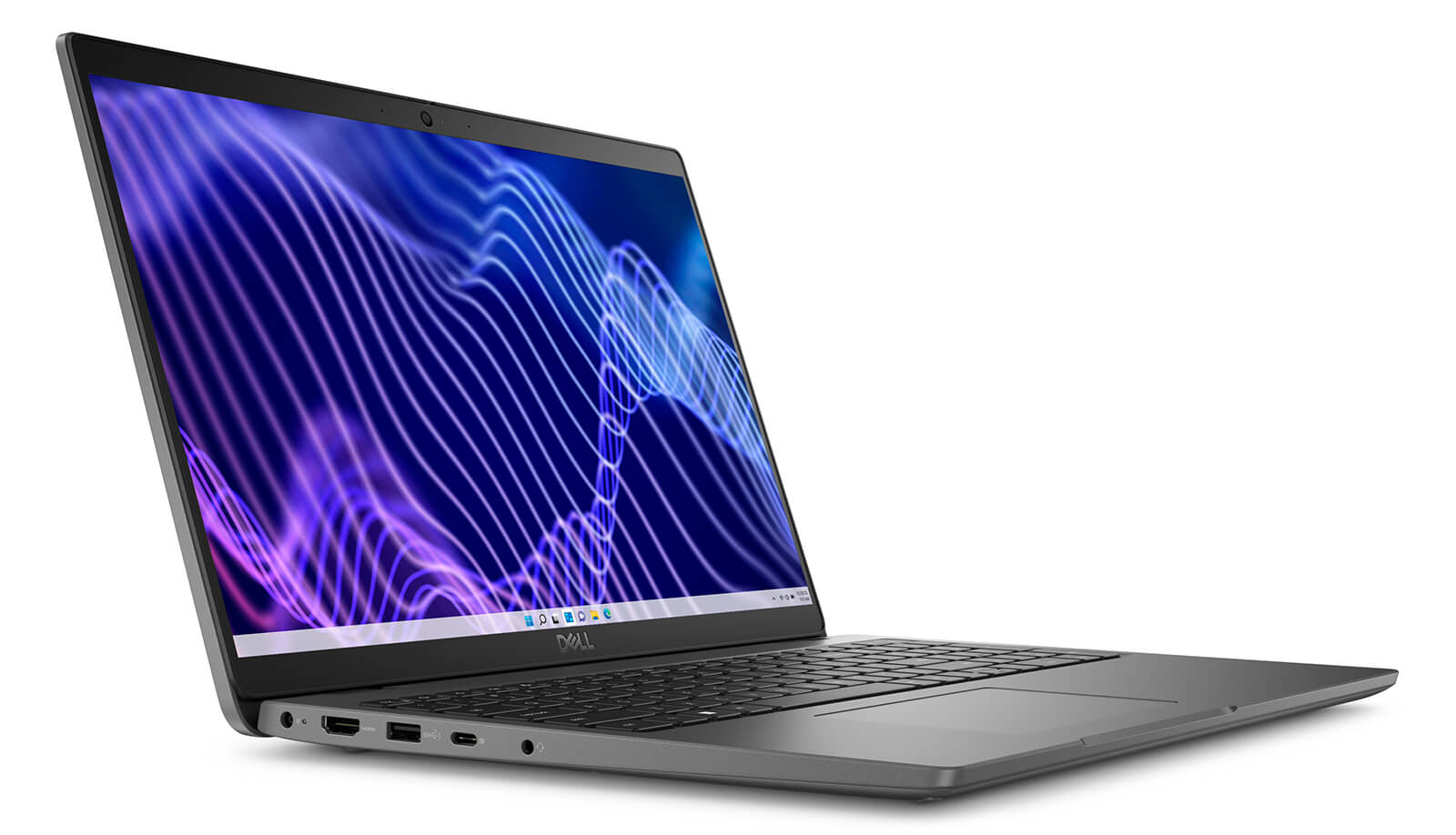
The slim bezel design helps expand the display space without increasing the machine's size. The chassis structure is optimized to ensure mobility while maintaining the necessary durability for high-intensity work environments. This is a crucial factor for business users who frequently work flexibly in various conditions.
The Dell Latitude 3540 also earns points for being environmentally friendly. Many components are made from recycled materials, including 50% of the display bezel and the battery frame. The packaging is also fully designed from recycled materials, meeting EPEAT Gold standards. From materials to the production process, this product clearly demonstrates Dell's commitment to developing sustainable technology without compromising performance or convenience.
Superior Performance with Intel 12th Gen CPU
The performance of the Dell Latitude 3540 (2023) is powered by the Intel Core i7-1355U 13th Gen CPU, featuring 10 cores and 12 threads, delivering a maximum processing speed of up to 5.0GHz. This is an ideal choice for office workers, entrepreneurs, and software engineers who need a device that is both portable and powerful enough to handle their workload. Equipped with 16GB DDR4 RAM and a 256GB PCIe SSD, this laptop can smoothly handle multitasking tasks such as large spreadsheets, multiple browser tabs, or ERP software.
The combination of Intel Iris Xe Graphics and a 15.6-inch Full HD IPS screen ensures that the Dell Latitude 3540 is not only suitable for office work but also provides good support for software like Photoshop, Illustrator, or Visual Studio Code. With impressive Geekbench scores-1719 single-core and 8481 multi-core-this machine proves its ability to handle data processing, backend coding, or 2D modeling tasks stably.
Another advantage is the flexible expandability, as users can upgrade the RAM up to 64GB and easily replace the SSD. This ensures the Dell Latitude 3540 is always ready to adapt to the increasing workload demands of professional users while maintaining reliability and stability over time.
Display on Dell Latitude 3540 (2023)
The screen on the Dell Latitude 3540 (2023) delivers a sharp visual experience thanks to its 15.6-inch size and Full HD (1920 x 1080) resolution. Anti-glare technology helps reduce light reflections, while the 250 nits brightness ensures clear visibility in various environments. This is an ideal choice for those who frequently travel or work outdoors.
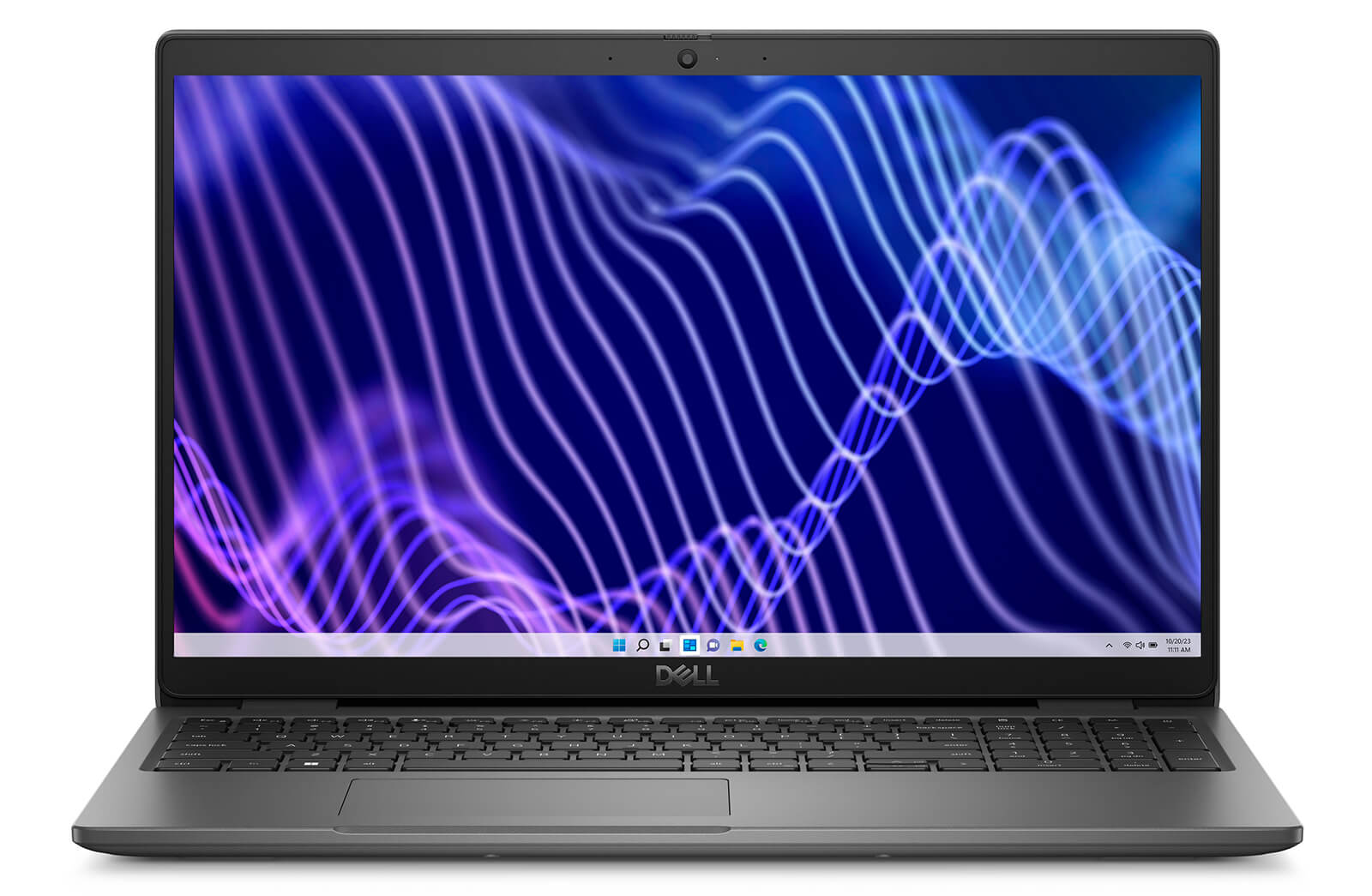
Optimized for long-term work, the Dell Latitude 3540 screen is equipped with eye-care technology, helping to reduce fatigue when working for many consecutive hours. The NTSC 45% color gamut provides stable colors, sufficient for basic graphic processing needs such as photo editing, watching videos, or working on PowerPoint and Excel.
For the touchscreen version, the Dell Latitude 3540 also offers a flexible and rapid interactive experience. Direct manipulation on the screen helps optimize workflows, especially when controlling slides, taking quick notes, or interacting with presentation and online meeting software.
Keyboard & Touchpad on Dell Latitude 15 3540
The keyboard of the Dell Latitude 15 3540 is fine-tuned to provide a comfortable typing experience, suitable for both corporate and personal environments. With deep key travel and clear tactile feedback, users can easily operate when drafting documents, programming, or performing quick actions in office applications like Word, Excel, or Google Docs. The optimized design supports long typing sessions without causing hand fatigue, meeting the demands of high-intensity work.
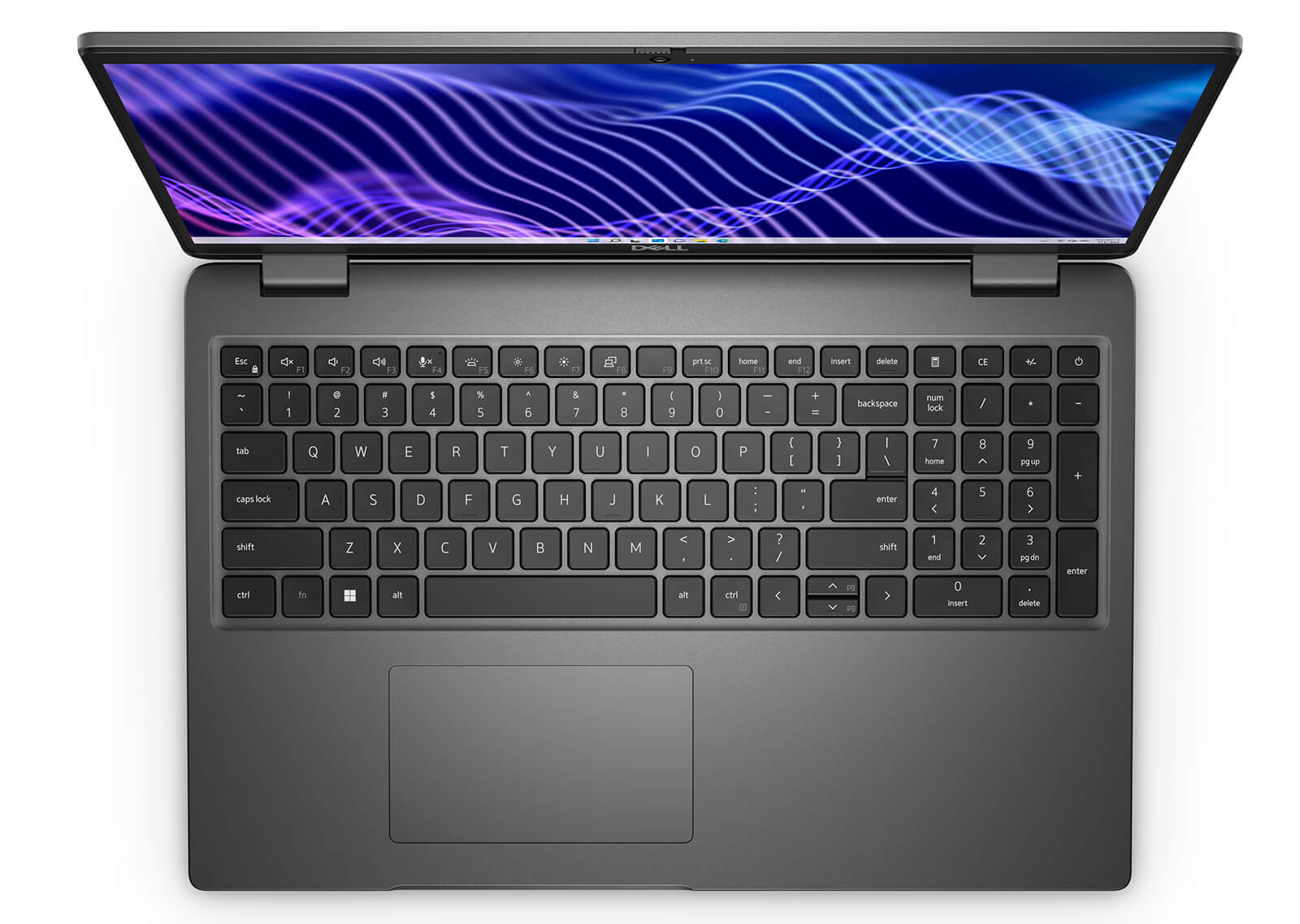
It comes with a large touchpad that supports multi-touch and smooth feedback. Users can perform gestures such as scrolling, zooming, or switching between windows without needing an external mouse. The precision in control provides high efficiency, which is particularly useful in mobile workspaces or when handling multiple documents simultaneously.
Additionally, Dell integrates smart sensors that help automatically adjust the sensitivity of the keyboard and touchpad based on usage behavior. This feature not only optimizes the personalized experience but also enhances accuracy in different working situations, demonstrating Dell's careful investment in user experience within the professional office laptop segment.
Ports & Connectivity on Dell Latitude 3540
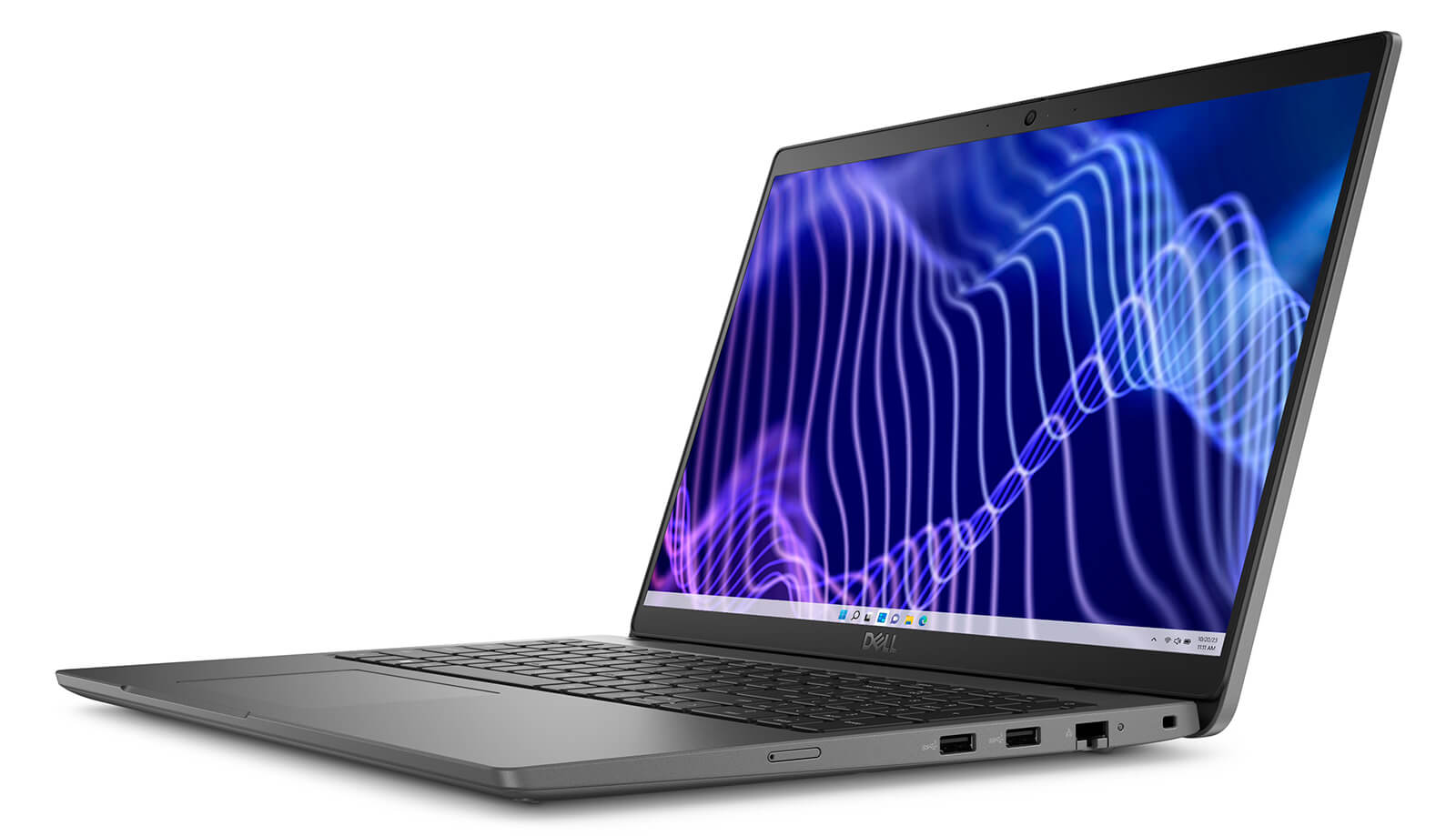
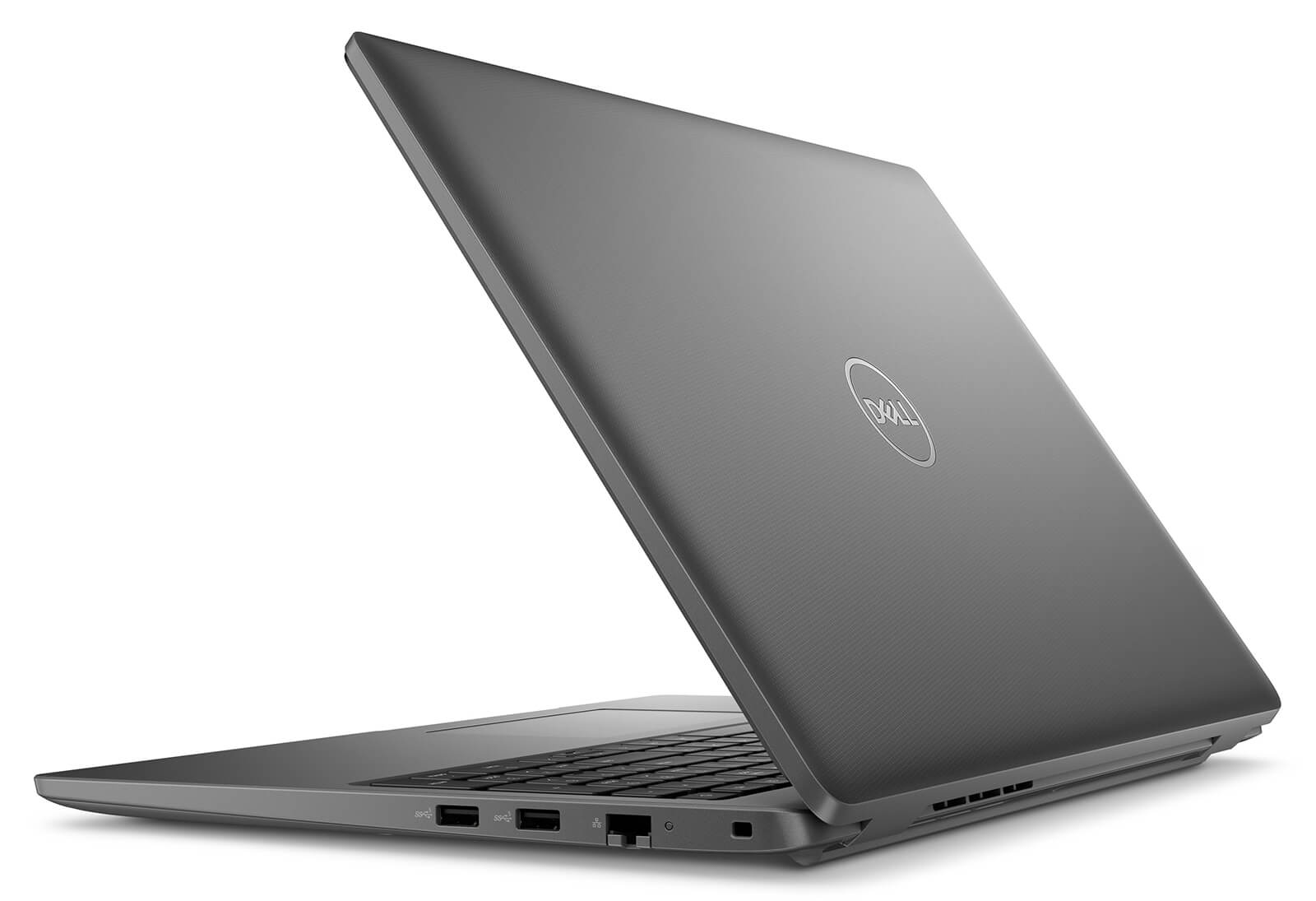
Equipped with a comprehensive connectivity system, the Dell Latitude 3540 offers high compatibility with many modern peripherals. With the presence of ports such as USB Type-C, HDMI, and Ethernet RJ-45, users can easily and conveniently connect to external monitors, projectors, or local networks. The logical port layout also makes operations faster and more optimized in a dynamic work environment.
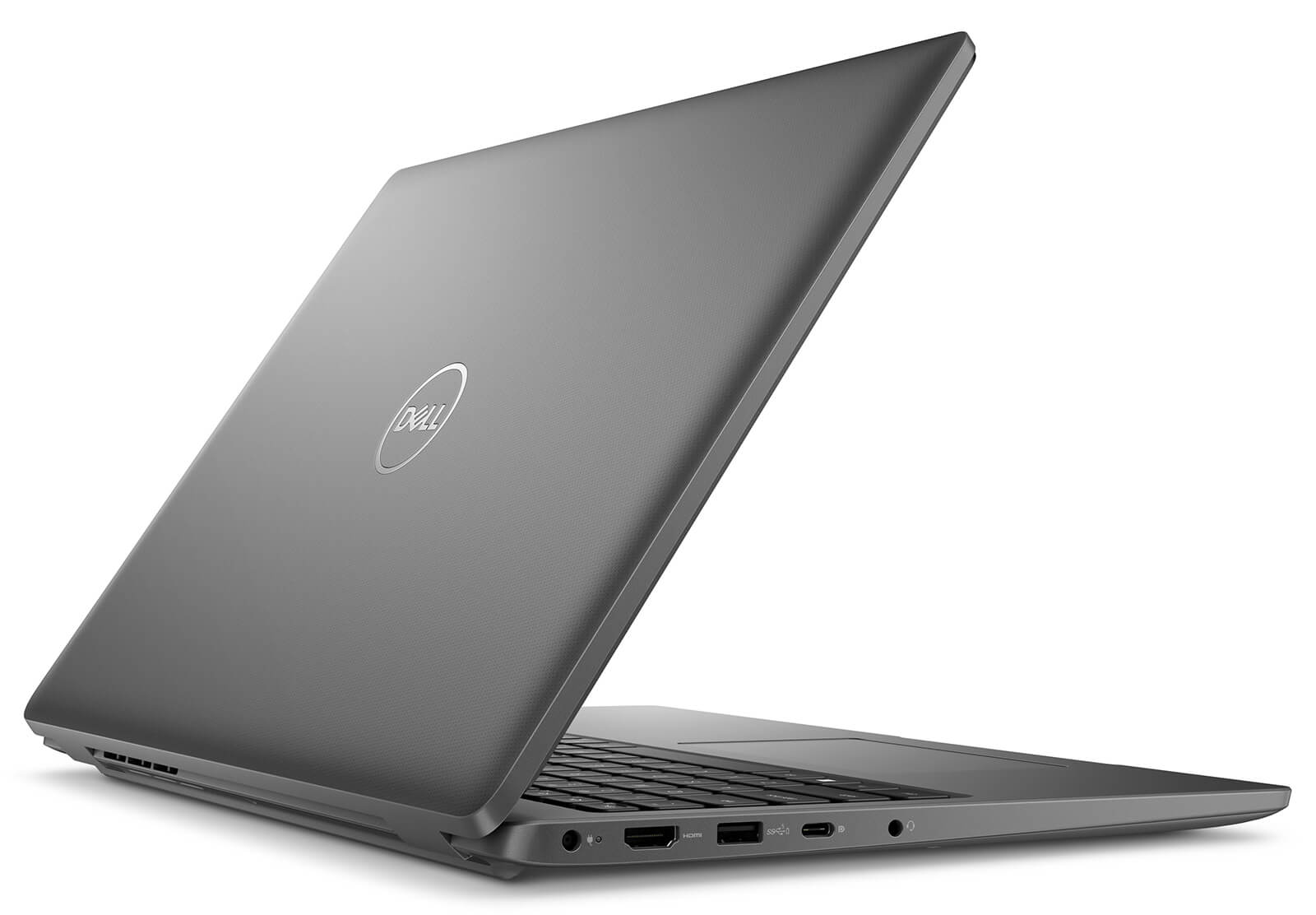
The connectivity ports on the Dell Latitude 3540 include 1 x USB 3.2 Gen 2 Type-C (supporting DisplayPort Alt Mode), 2 x USB 3.2 Gen 1, 1 x HDMI 1.4, along with headphone/mic jack and a card reader slot. Thanks to this configuration, users can connect multiple devices simultaneously, such as external hard drives, mice, keyboards, or presentation devices, without the need for cumbersome adapters. This is very suitable for those who multitask or frequently give presentations.
Additionally, Wi-Fi 6E support helps the Dell Latitude 3540 maintain high and stable connection speeds, even in high-density access environments. Notably, the USB PowerShare feature allows charging mobile devices even when the laptop is turned off, providing valuable convenience in real-world usage. These connectivity features contribute to enhancing the flexibility and work efficiency of professional users.
Operating Temperature and Battery Life
Battery life is always a crucial factor for users who travel frequently. The Dell Latitude 3540 is equipped with a 3-cell 42Wh battery, providing 6 to 8 hours of continuous operation under normal usage conditions. This allows users to work confidently during meetings, seminars, or while traveling without needing to carry a charger.
In addition to impressive battery life, the Latitude 3540 maintains stable operating temperatures even when handling heavy tasks. The rationally designed cooling system helps prevent overheating, protecting components and ensuring sustained performance during long-term use. This is a notable plus for those who require a machine to operate continuously and stably in professional environments.
Furthermore, the laptop supports ExpressCharge technology, allowing for fast charging when needed, which saves time and optimizes work efficiency. With the MIL-STD 810H durability standard, the Dell Latitude 3540 is an ideal choice for users needing a reliable device that operates durably in various harsh conditions.
Summary of Dell Latitude 3540 (2023)
The Dell Latitude 3540 (2023) is a laptop line aimed at professional users, particularly suitable for entrepreneurs, office employees, and frequent travelers. Thanks to the combination of durable design, stable performance, and high mobility, this product provides reliability in all working situations-from standard corporate environments to off-site presentations.
With a diverse range of connectivity ports, a comfortable keyboard, and a non-glare Full HD screen, the Dell Latitude 3540 offers a complete user experience. It is the optimal choice for those needing a flexible device that easily integrates with management software, office tools, or online meetings, ensuring high performance and long-term usability in all work circumstances.
| Pros | Cons |
|---|---|
|
|
FAQ - Frequently Asked Questions about Dell Latitude 3540 (2023)
1. Is the Latitude 3540 suitable for high-intensity professional work?
The Latitude 3540 is designed for business users, featuring a sturdy chassis, comfortable keyboard, and stable operation. It is a suitable choice for data processing, project management, or running accounting software.
2. Does the machine handle multitasking and intensive office applications well?
Equipped with a 13th Gen Intel Core processor and upgradable RAM up to 64GB, the Latitude 3540 can easily handle complex Excel spreadsheets, Power BI software, and multiple browser tabs while maintaining stable performance.
3. Does the Latitude 3540 meet programming requirements?
The Latitude 3540 effectively supports programming tasks, capable of running IDEs like Visual Studio Code, PyCharm, or IntelliJ IDEA smoothly. The powerful configuration and SSD help the compilation and testing process run quickly.
4. Can the machine run basic 2D design software well?
The Latitude 3540 uses integrated Intel Iris Xe Graphics or an MX550 option, combined with a sharp screen, allowing the machine to run 2D design software like Adobe Photoshop, Figma, or Illustrator at a basic level.
5. Does the machine have flexible hardware upgrade capabilities?
Users can easily upgrade the RAM up to 64GB and replace the M.2 PCIe SSD to increase storage capacity and improve overall performance.
6. What is the actual battery life of the Latitude 3540?
The Latitude 3540 is equipped with a 54Wh battery, which can achieve approximately 5 hours and 34 minutes of web browsing and over 12 hours in standby mode. Actual battery life varies depending on configuration and usage levels.
Source: Notebookcheck
7. Does the Latitude 3540 get hot when handling many tasks?
The optimized cooling system helps the Latitude 3540 maintain a stable temperature. When running heavy tasks continuously, the machine only warms up slightly, which does not affect overall performance.
8. Can Linux operating systems be installed on the machine?
The Latitude 3540 supports installing Linux distributions such as Ubuntu and Fedora. Some hardware components may require additional drivers to function fully, especially the fingerprint sensor and touchpad.
Source: Linux Hardware
9. What is the warranty policy at Hung Phat Laptop for the Latitude 3540?
Hung Phat Laptop provides a 12-month warranty for new machines and a 30-day replacement policy for manufacturer defects. Like-new or used machines (models from 2023 and earlier) come with a 6-month warranty and still support a 30-day replacement in the first month. Free cleaning, lifetime software support, and nationwide free shipping are included.
Where to buy Dell Latitude 3540 (2023) with good prices and reputation?
The Dell Latitude 15 3540 (2023) is a highly recommended choice for users needing a high-performance business laptop. With its modern design, standard durability, and smooth processing capabilities, this model meets the needs of continuous use in both the office and while traveling.
If you are looking for a reputable place to buy the Dell Latitude 15 3540 at a good price, please visit Hung Phat Laptop - a specialist in importing official Dell Latitude laptops, complete with full invoices and clear warranty policies. Many offers are waiting for you when you choose to buy here.
Performance & benchmarks DELL Latitude 3540 (2023)
Intel Core i7-1355U Intel Iris Xe Graphics G7 96EUs - best for Văn phòng 8.5/10, Lập trình 5.5/10.
Intel Core i7-1355U
- Cinebench R23 (đa nhân)8,286
- Geekbench 6 (đa nhân)8,908
- Geekbench 6 (đơn nhân)2,505
- Cores / Threads10/12
Intel Iris Xe Graphics G7 96EUs iGPU
- 3DMark Time Spy1,560.5
- 3DMark Fire Strike5,159.5
- ArchitectureGen. 11 Ice Lake
Best for
Scored from real benchmarks- Chơi game1.5/10
- Dựng phim / Đồ hoạ3/10
- Lập trình5.5/10
- Văn phòng8.5/10
Why CPU matters
CPU là “bộ não” xử lý mọi tác vụ: mở ứng dụng, đa nhiệm, biên dịch, dựng phim. CPU càng mạnh, máy càng nhanh và mượt khi làm nhiều việc cùng lúc.
- Cơ bảnThis product
Lướt web, xem phim, soạn thảo văn phòng nhẹ.
- Phổ thôngThis product
Văn phòng, đa nhiệm vừa, học tập.
- Tầm trungThis product
Đa nhiệm tốt, lập trình, đồ hoạ nhẹ.
- Khá mạnhThis product
Dựng phim, lập trình nặng, ảo hoá, chơi game.
- Cao cấpThis product
Render nặng, biên tập 4K/8K, máy ảo, tác vụ AI.
Why GPU matters
GPU (card đồ hoạ) lo phần hình ảnh: chơi game, dựng video, render 3D và tăng tốc AI. GPU càng mạnh, khung hình game càng cao và xuất video càng nhanh.
- Cơ bản (iGPU)This product
Hiển thị mượt, xem phim 4K, game rất nhẹ (LMHT, Valorant mức thấp).
- Phổ thôngThis product
Game eSports 1080p, chỉnh ảnh, dựng video nhẹ.
- Tầm trungThis product
Game 1080p thiết lập trung-cao, dựng video Full HD ổn.
- Khá mạnhThis product
Game 1080p/1440p thiết lập cao, dựng video 4K, render 3D.
- Cao cấpThis product
Game 4K/240Hz, ray tracing, render & AI nặng.
Game performance
Real FPS - FHD- Dota 250 fps1080p Ultra
- Fortnite57 fps1080p Thấp
- GTA V85 fps1080p Trung bình
- Black Myth: Wukong10 fps1080p Thấp
- Cyberpunk 207717 fps1080p Thấp
🟢 ≥60fps rất mượt · 🟡 30-60fps chơi tốt · 🔴 <30fps cần giảm thiết lập
Local AI performance
Tokens/second running locally on GPU- Gemma 4 E2B IT5.6 GB · ctx 256K6.0 tok/sDecent
- GLM-4 9B5.1 GB · ctx 128K7.0 tok/sDecent
- Gemma 4 E4B4.6 GB · ctx 256K8.0 tok/sDecent
- Ministral 8B4.6 GB · ctx 32K8.0 tok/sDecent
- Qwen 3.5 4B4.6 GB · ctx 32K8.0 tok/sDecent
- DeepSeek R1 Distill 7B4.1 GB · ctx 64K9.0 tok/sRuns well
- Gemma 4 E2B3.1 GB · ctx 256K12 tok/sRuns well
- Qwen 3.5 2B2.5 GB · ctx 32K14 tok/sRuns well
- Phi-4 Mini Reasoning2.4 GB · ctx 16K15 tok/sRuns well
- Llama 3.2 3B2 GB · ctx 128K18 tok/sRuns well
- SmolLM3 3B2 GB · ctx 128K18 tok/sRuns well
- DeepSeek R1 1.5B1.3 GB · ctx 64K28 tok/sRuns great
- Qwen 3.5 0.8B1.3 GB · ctx 32K28 tok/sRuns well
- TinyLlama 1.1B1.1 GB · ctx 2K33 tok/sRuns well
- Llama 3.2 1B1 GB · ctx 128K36 tok/sRuns well
- Gemma 2 9B5.1 GB · ctx 8K7.0 tok/sDecent
- Nemotron Nano 9B v25.1 GB · ctx 128K7.0 tok/sDecent
- Llama 3.1 8B4.6 GB · ctx 128K8.0 tok/sDecent
- Qwen 3 8B4.6 GB · ctx 128K8.0 tok/sDecent
- Mistral 7B v0.34.1 GB · ctx 32K9.0 tok/sRuns well
- Qwen 2.5 7B4.1 GB · ctx 128K9.0 tok/sRuns well
- Qwen 2.5 Coder 7B4.1 GB · ctx 128K9.0 tok/sRuns well
- Qwen 3 4B2.5 GB · ctx 32K14 tok/sRuns well
- Gemma 3 4B2.5 GB · ctx 128K14 tok/sRuns well
- Phi-3.5 Mini2.4 GB · ctx 128K15 tok/sRuns well
- Gemma 2 2B1.5 GB · ctx 8K24 tok/sRuns great
- Qwen 3 1.7B1.4 GB · ctx 32K26 tok/sRuns great
- Qwen 2.5 Coder 1.5B1.3 GB · ctx 32K28 tok/sRuns great
- Qwen 3 0.6B1.1 GB · ctx 32K33 tok/sRuns well
- Gemma 3 1B1 GB · ctx 32K36 tok/sRuns well
🟢 Great · 🟡 Well · 🟠 Decent - 4-bit quantized, ctx = context window
No comments yet
Q&A about DELL Latitude 3540 (2023)
Frequently asked questions about DELL Latitude 3540 (2023)
What are the specifications of DELL Latitude 3540 (2023)?
What is the warranty for DELL Latitude 3540 (2023)?
Can I buy DELL Latitude 3540 (2023) with home delivery?
Worth a Look
DELL Latitude 7640 (2023)
DELL Latitude 5330 (2 in 1) (2022)
DELL Latitude 7350 (2 in 1) (2024)
DELL Latitude 9450 (2 in 1) (2024)
 3 configurations




Anh Phi 13/11/2023Purchased at Hung Phat
The shop owner is very reputable and trustworthy.
Hoài Nam 13/07/2023Purchased at Hung Phat
The laptop feels sturdy and was unboxed by me personally; it is very good and a great value for the price.
Anh Trường 24/01/2023Purchased at Hung Phat
5-star reputation