

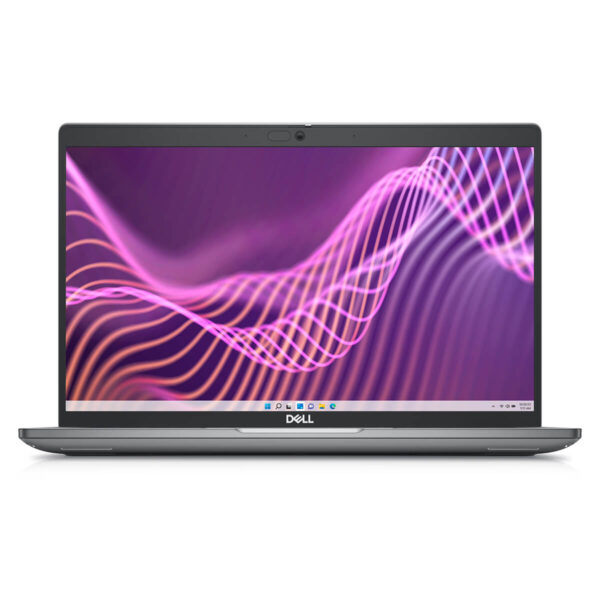
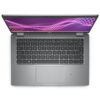
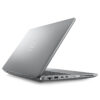
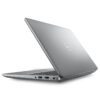
DELL Latitude 5440 (2023)
- CPU: Intel Core i5 1335U vPro Up To 4.6GHz (10 Cores, 12 Threads, 12MB Cache)
- RAM: DDR5 16GB 4800MHz
- SSD: 256GB PCIe M.2 SSD
- VGA: Intel® Iris® Xe Graphics
- DISPLAY: 14″ IPS FHD (1920*1080), Anti-Glare, Non-Touch, 250 nits
- CONDITION: Like New 98%
- WARRANTY: Bảo hành 12 tháng
- Sophisticated and Luxurious Design
- Display on Dell Latitude 14 5440
- Superior Performance with 13th Gen Intel Processors
- Keyboard and Touchpad on Dell Latitude 5440
- Slots & Connectivity on Dell Latitude 5440
- Temperature and Battery Life on Dell Latitude 5440
- Summary and Review of Dell Latitude 5440 (2023)
- FAQ - Frequently Asked Questions about Dell Latitude 5440 (2023)
- Where to buy the Dell Latitude 5440 (2023) at a reputable place with a good price?
In the context of increasing digitalization, the demand for high-quality laptops that meet work performance and mobility needs is growing every day. Especially for entrepreneurs and business professionals, choosing a device requires not only power and durability but also optimization for flexible working environments. The Dell Latitude 14 5440 (2023) stands out as a worthy consideration, featuring a modern design, powerful configuration, and a range of features to support efficient work. This article will analyze in detail the highlights to help users have a comprehensive evaluation of this Dell Latitude laptop series.
Sophisticated and Luxurious Design
The Dell Latitude 5440 (2023) attracts attention with its compact design and a weight of only about 1.36 kg, making it suitable for users who travel frequently. Thanks to its dimensions of only 32.14 x 21.2 x 1.91 mm, this laptop easily fits into a backpack or briefcase without being bulky. Made from recycled carbon fiber and bio-based plastic, the materials not only ensure sustainability but also enhance the overall durability of the device, while demonstrating Dell's commitment to environmental protection.
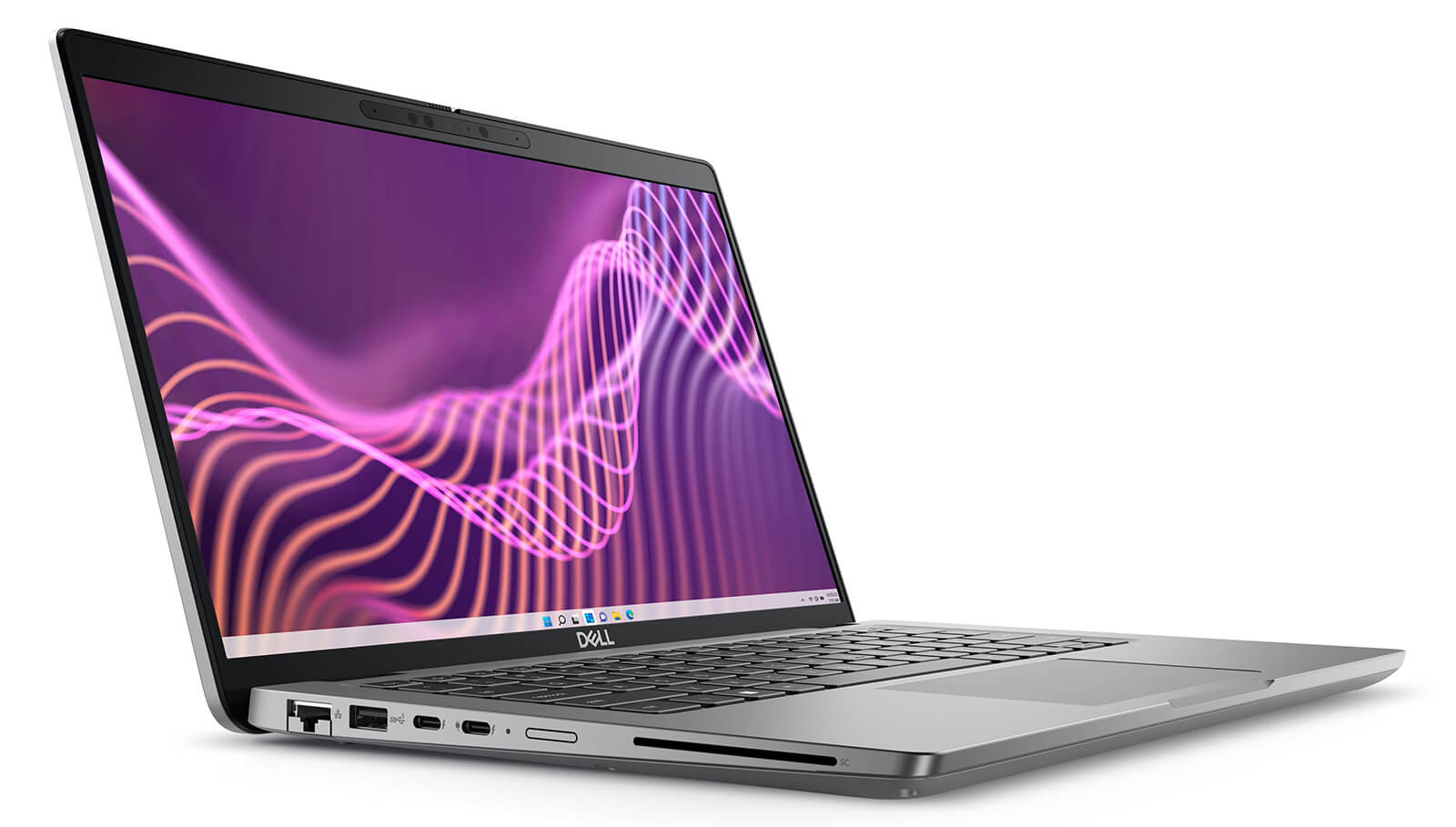
The highlight of the Dell Latitude 5440 also comes from its stable operation with a rationally arranged cooling system at the back and bottom, helping to limit dust from entering the interior. The product meets MIL-STD 810H military standards, proving its resistance to impact, extreme temperatures, and harsh environmental conditions. This makes the machine an ideal choice for long business trips or people who frequently work outdoors.
Regarding security features, the Latitude 5440 is integrated with a modern fingerprint sensor and SafeScreen technology, ensuring that personal information and work data are always safely protected. These features not only enhance the user experience but also suit professional users who require high privacy in modern working environments. This is a reliable choice for those looking for a laptop that combines performance, mobility, and high security.
Display on Dell Latitude 14 5440
The Dell Latitude 14 5440 screen is designed to provide a superior visual experience for professional users. With a 14-inch size and Full HD (1920 x 1080) resolution, this screen displays sharp images with high detail. Thanks to IPS technology, users enjoy wide viewing angles, realistic colors, and stable performance under many lighting conditions. The brightness reaches 300 nits, providing good support for both office and outdoor environments. Notably, the screen also integrates blue light reduction and flicker-free technology, effectively reducing eye strain during long working hours.
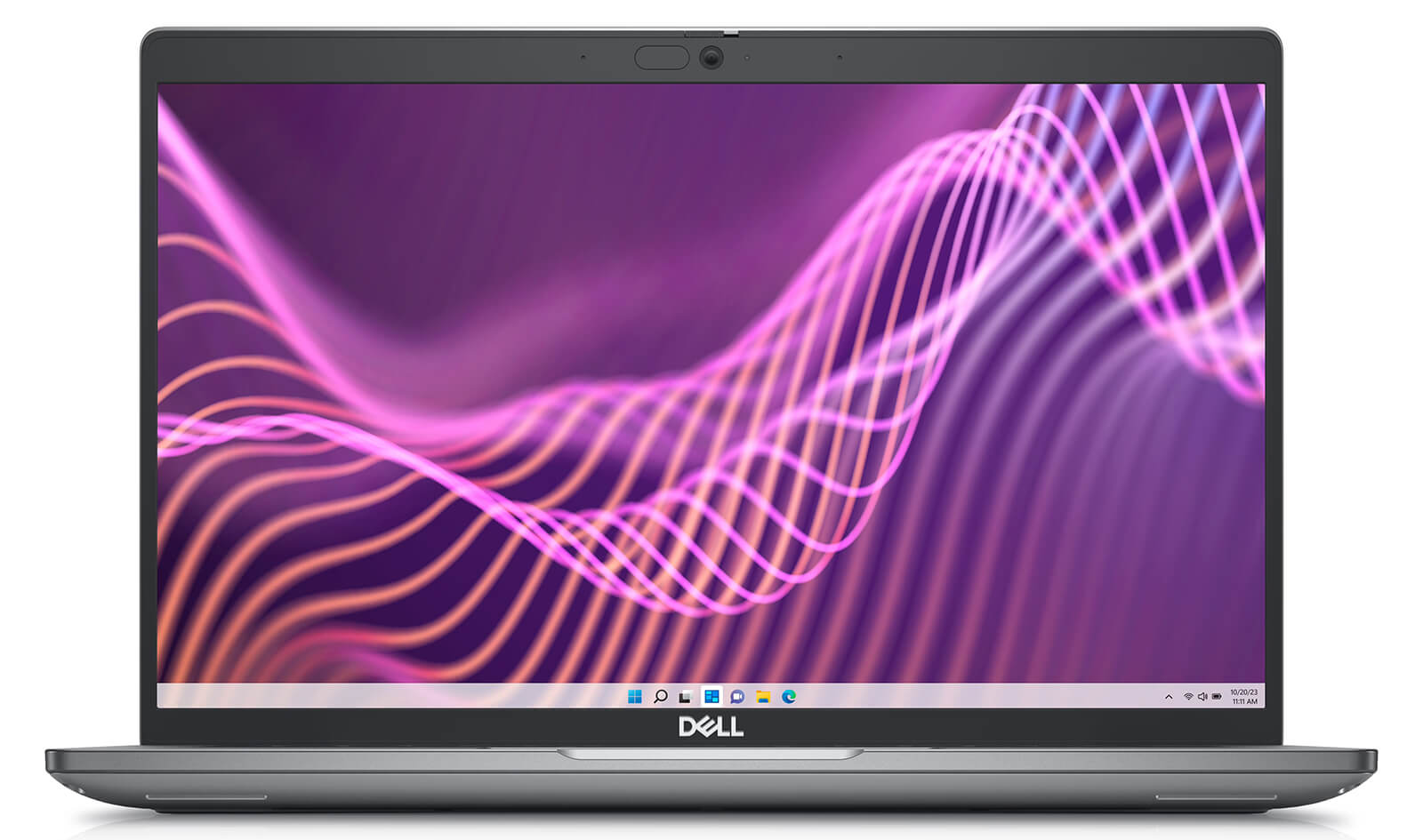
Advanced display technology helps the Latitude 5440 meet the strict requirements of creative work. Thanks to a wide color gamut and high accuracy, users can feel secure when editing images or producing videos. The near-bezel-less design of the screen brings a modern feel and expands the display space, while still maintaining the compactness and lightness of the entire device. This is a big plus for users who travel frequently or need a flexible workspace.
In addition, the customizable brightness and display modes help users easily adapt to all usage environments. From low light in meeting rooms to strong outdoor light, the Dell Latitude 5440 screen allows for appropriate adjustments to maintain optimal image quality. With the combination of advanced technology and sophisticated design, the Latitude 5440 screen is truly a powerful tool for work productivity and the user's visual experience.
Superior Performance with 13th Gen Intel Processors
The Dell Latitude 5440 (2023) delivers powerful performance thanks to being equipped with 13th Gen Intel Core processors, specifically the Core i5-1345U or Core i7-1355U options with a maximum clock speed of up to 4.7GHz. As a result, the machine is capable of smoothly handling multitasking tasks such as working with Microsoft Office, programming with Visual Studio, or processing large Excel spreadsheets without lagging. This device is particularly suitable for the group of enterprise users, engineers, or data analysts thanks to its stable performance in all circumstances.
The power of the Dell Latitude 5440 is also enhanced by 16GB DDR4 3200MHz RAM, allowing many applications to be opened simultaneously without interruption. Users can operate smoothly with software such as AutoCAD, Photoshop, or the Chrome browser with dozens of tabs open. Additionally, the integrated Intel Iris Xe Graphics graphics processor supports photo editing tasks, professional slide production, as well as running basic data analysis software like Power BI or Tableau.
To optimize work speed, this laptop is also equipped with a 512GB NVMe SSD, which helps shorten Windows startup time and enables rapid data access. Using an SSD not only improves work efficiency but also enhances battery life, allowing users to work continuously for many hours while on the move. All these factors create a reliable device that is both fast and flexible for every modern working environment.
| Dell Latitude 5440 (2023) Configuration Comparison | |||
|---|---|---|---|
| Configuration | Real-world Performance | Price | Suitable For |
| Core i7-1365U (10C/12T, Up to 5.2 GHz) RAM 16 GB DDR5 3200 MHz SSD 256 GB PCIe M.2 GPU: Intel Iris Xe Graphics Screen: 14" FHD (1920×1080) IPS, Anti-Glare, Non-Touch, 250 nits |
High single-core performance, smooth processing for Office, browsers, and online meetings. Stable basic multitasking, meets enterprise application requirements well. Long battery life of 8-10 hours, lightweight and easy to carry. |
16,800,000đ | Office employees, managers, business professionals needing high performance and mobility |
| Core i5-1350P (12C/16T, Up to 4.7 GHz) RAM 16 GB DDR5 3200 MHz SSD 256 GB PCIe M.2 GPU: Intel Iris Xe Graphics Screen: 14" FHD (1920×1080) IPS, Anti-Glare, Non-Touch, 250 nits |
Prioritizes multitasking with multiple processing threads, running office applications and light programming in parallel. Smooth handling of large spreadsheets and data entry. Durable battery, suitable for all-day business travel. |
18,500,000đ | Programmers, data entry specialists, frequent multitaskers |
| Core i7-1355U (10C/12T, Up to 5.0 GHz) RAM 16 GB DDR5 3200 MHz SSD 512 GB PCIe M.2 GPU: Intel Iris Xe Graphics Screen: 14" FHD (1920×1080) IPS, Anti-Glare, Non-Touch, 250 nits |
Balances multitasking and single-core, supports basic photo editing and light 2D design. Large storage with 512 GB SSD, suitable for large documents and projects. Slim and lightweight design, stable battery life. |
20,900,000đ | Entrepreneurs, managers, users with high storage and stable performance needs |
Keyboard and Touchpad on Dell Latitude 5440
The keyboard on the Dell Latitude 14 5440 is designed for professional work, with good tactile feedback and a logical key layout, making typing accurate and comfortable. Thanks to the integrated backlit keys, users can easily work in low-light conditions without interruption. The function keys are scientifically arranged, supporting quick access to common tasks such as adjusting volume, brightness, or accessing applications. This is a valuable plus for those who frequently handle text, emails, or work remotely for many consecutive hours.
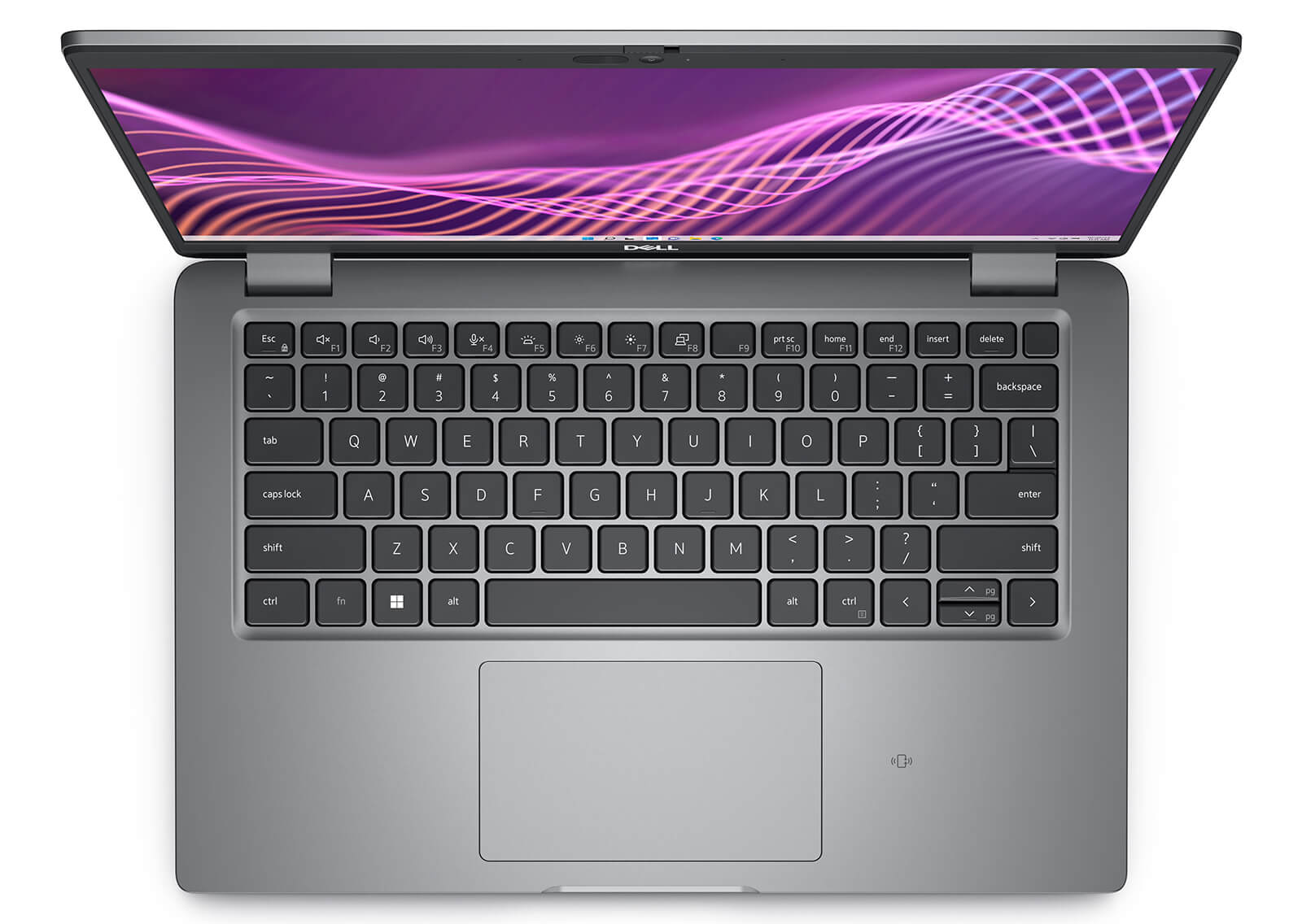
The touchpad of the Latitude 5440 has also been upgraded with smooth multi-touch capabilities and precise response, providing a flexible and fast navigation experience. Users can easily scroll, zoom in, zoom out, or perform multi-finger gestures without needing an external mouse. The combination of an ergonomic keyboard and a responsive touchpad significantly improves work efficiency, especially for those who travel frequently or work in flexible environments like entrepreneurs, office employees, or remote workers.
Slots & Connectivity on Dell Latitude 5440
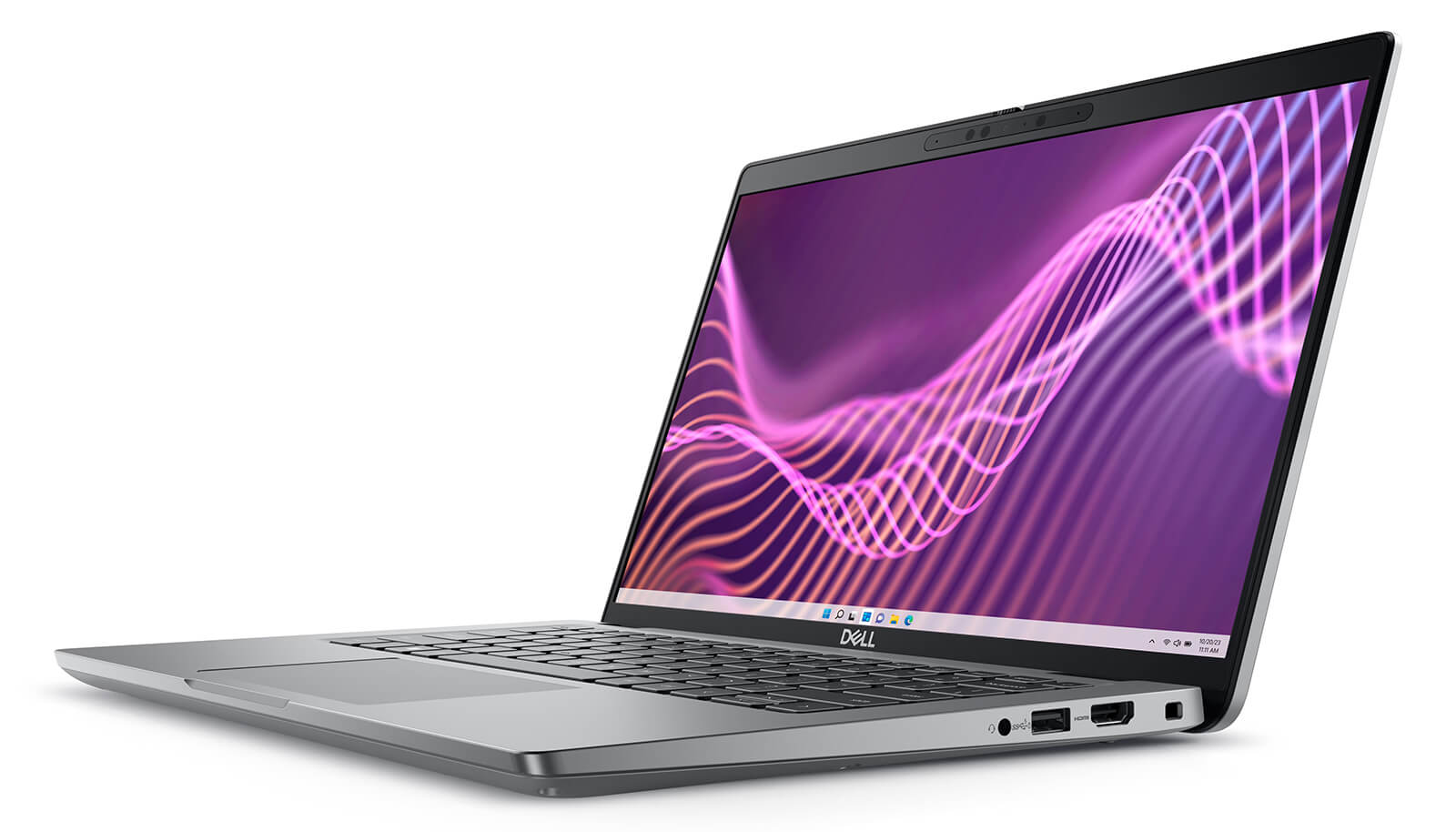
The Dell Latitude 5440 is equipped with a diverse range of connection ports, meeting the flexible working needs in modern corporate environments. The machine supports 2 USB Type-A ports, including one with PowerShare, along with 2 USB Type-C ports compatible with Thunderbolt 4, allowing high-speed data transfer and connection to specialized peripherals such as SSD external drives, external monitors, or expansion docks. Additionally, the machine integrates an HDMI port, Ethernet RJ-45, and a headphone/microphone combo jack, fully serving needs from entertainment to presentations and wired network connections.
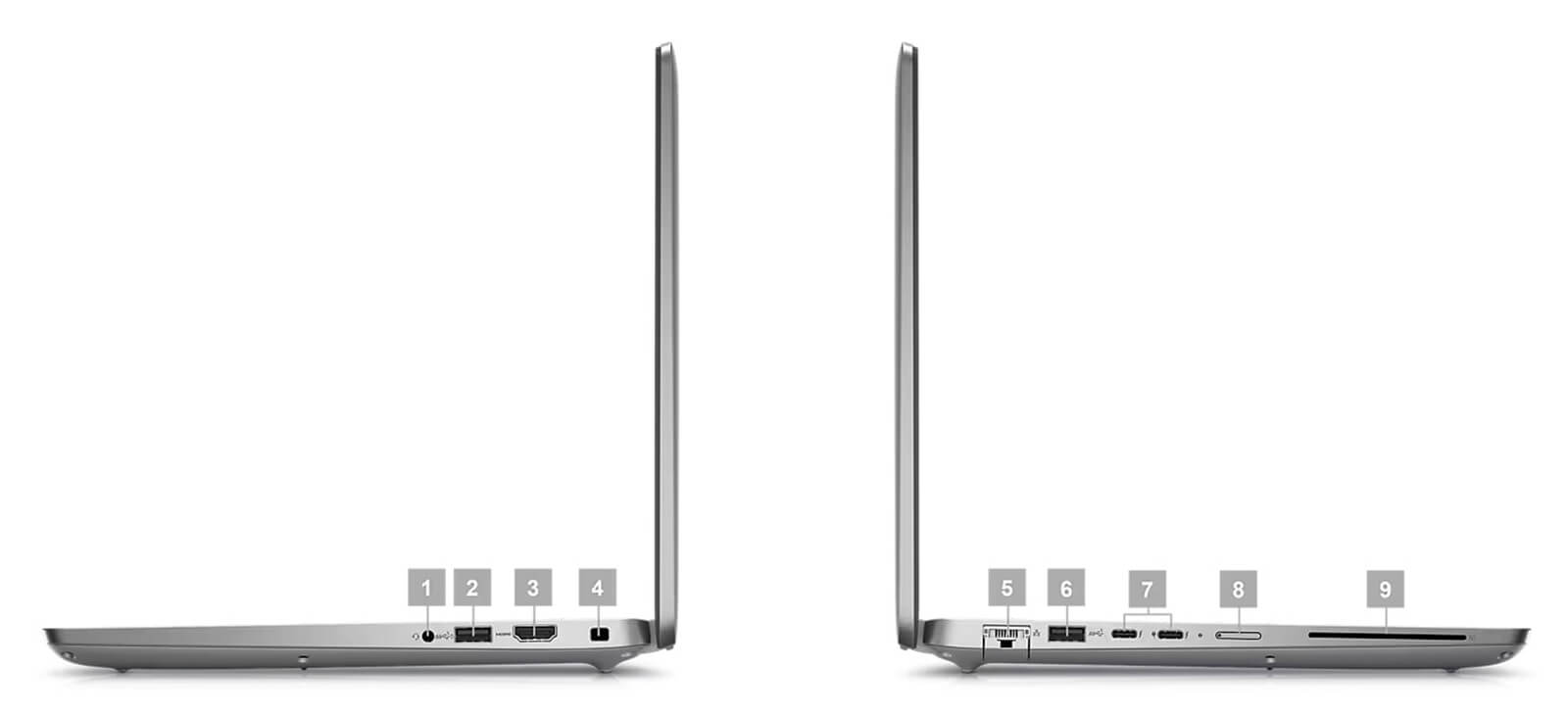
The wireless connectivity of the Dell Latitude 5440 has also been upgraded with Intel AX211 Wi-Fi 6E, ensuring fast and stable network connection even when working in high-density device environments. The Ethernet port helps maintain a stable internet speed when working at the office, which is particularly important for large data transfers or online meetings. Supporting Thunderbolt 4 also brings a major advantage in scalability, allowing users to easily integrate additional professional devices without complex adapters.
Not only strong in transfer speeds, the Latitude 5440 also possesses useful connection details such as a card reader and an integrated headphone/mic jack, bringing high convenience for daily tasks such as sharing data from cameras, recording meetings, or online meetings via Zoom or Teams. Overall, the connectivity system of the Dell Latitude 5440 is optimized for office workers, IT specialists, and business users, creating a reliable foundation for all usage scenarios.
Temperature and Battery Life on Dell Latitude 5440
The Dell Latitude 5440 offers stable operation thanks to an efficient thermal management system, maintaining optimal temperatures even when handling heavy tasks. The smart vent design helps enhance airflow, thereby keeping the machine cool and operating quietly throughout long working processes. This is particularly important for professional users who frequently work with video editing software, design, or continuous presentations.
Not only outstanding in performance, the Latitude 5440 also features a 54Wh 3-cell battery providing 6 to 8 hours of continuous use, combined with power-saving technology that optimizes productivity while maintaining mobility. Thanks to flexible performance adjustment and reasonable power consumption, this laptop line is suitable for entrepreneurs or engineers who travel frequently while still ensuring high work efficiency, accurately reflecting the sustainability commitment of Dell Latitude in every user experience.
Summary and Review of Dell Latitude 5440 (2023)
The Dell Latitude 5440 (2023) makes a strong impression with its minimalist yet luxurious design, combined with powerful performance thanks to the 13th Gen Intel processor. Every detail of the product, from the sharp screen, comfortable keyboard to diverse connection ports and durable battery life, is optimized to bring an efficient and flexible working experience for business users. This is a laptop model aimed at high performance, mobility, and stability when operating in professional working environments.
A notable plus point is the commitment to eco-friendly design along with military-grade durability standards, providing peace of mind during all business trips or long-term projects. With all these advantages, the Dell Latitude 5440 is a worthy choice for modern entrepreneurs looking for a versatile, sustainable device ready to accompany them in all work situations.
| Pros | Cons |
|---|---|
|
|
FAQ - Frequently Asked Questions about Dell Latitude 5440 (2023)
1. Is the design of the Latitude 5440 suitable for a professional environment?
The Latitude 5440 features a modern look, combining durability and mobility. The sturdy chassis meets MIL-STD 810H durability standards, helping the machine operate stably in office environments or during frequent business trips.
2. Is the display quality of the Latitude 5440 good enough for office work?
The Latitude 5440 features a 14-inch Full HD or optional QHD screen, with brightness up to 400 nits and an anti-glare panel. This screen displays clearly, providing good support for typing, reading documents, or long online meetings.
3. Can the Latitude 5440 smoothly handle high-intensity professional tasks?
With 13th Gen Intel H or U series CPUs, up to 64GB RAM, and PCIe Gen 4 SSD, the machine ensures stable performance when running project management software, data analysis, or operating multiple office application tabs simultaneously.
4. Is the Latitude 5440 suitable for programming and software development?
The Latitude 5440 is a reliable tool for developers working with VS Code, IntelliJ IDEA, or backend environments like Docker. The powerful configuration, comfortable keyboard, and anti-glare screen help increase long-term work productivity.
5. Can the machine meet light 2D graphic design needs?
With the integrated Intel Iris Xe GPU or optional NVIDIA MX550, the Latitude 5440 can run software like Photoshop, Figma, or Illustrator stably for banner design, photo editing, or basic UI layout construction.
6. What is the actual battery life of the Latitude 5440?
According to real-world reviews, the Dell Latitude 5440 with a 54Wh battery provides about 13 hours of operation when browsing the web and over 10 hours when watching videos at 120 nits brightness in power-saving mode.
Source: LaptopMedia
7. Is the Latitude 5440 compatible with Linux operating systems?
The Latitude 5440 supports installing Linux distributions like Ubuntu or Fedora. However, to use all features like the fingerprint sensor or external speakers, users may need to install compatible drivers.
Source: Linux Hardware
8. What is Hung Phat Laptop's warranty policy for the Latitude 5440?
Hung Phat Laptop provides a 12-month warranty for new machines, with a 30-day replacement policy for manufacturer defects. For like-new or used machines (models from 2023 and earlier), the warranty is 6 months, still including a 30-day replacement policy for the first month. Additionally, customers receive free lifetime cleaning, software installation, and free nationwide delivery.
Where to buy the Dell Latitude 5440 (2023) at a reputable place with a good price?
The Dell Latitude 5440 (2023) is a worthy consideration for those needing a high-performance business laptop that is durable and convenient for daily work. If you are wondering where to buy from a reputable source at a reasonable price, then Hung Phat Laptop is the ideal destination. Here, users can easily access genuine Dell Latitude models with transparent information, full invoices, and clearly verified quality.
With many years of experience in distributing officially imported laptops, Hung Phat Laptop not only guarantees product origin but also offers transparent warranty policies and a wide range of attractive promotions. Customers purchasing the Dell Latitude 14 5440 (2023) here can be completely confident in the reliability, after-sales service, and professional support from the consulting team.
Performance & benchmarks DELL Latitude 5440 (2023)
Intel Core i5-1335U Intel Iris Xe Graphics G7 80EUs - best for Văn phòng 8.5/10, Lập trình 5.5/10.
Intel Core i5-1335U
- Cinebench R23 (đa nhân)8,889.5
- Geekbench 6 (đa nhân)8,597
- Geekbench 6 (đơn nhân)2,260
- Cores / Threads10/12
Intel Iris Xe Graphics G7 80EUs iGPU
- 3DMark Time Spy1,181
- 3DMark Fire Strike4,048
- ArchitectureGen. 11 Ice Lake
Best for
Scored from real benchmarks- Chơi game1.5/10
- Dựng phim / Đồ hoạ3/10
- Lập trình5.5/10
- Văn phòng8.5/10
Why CPU matters
CPU là “bộ não” xử lý mọi tác vụ: mở ứng dụng, đa nhiệm, biên dịch, dựng phim. CPU càng mạnh, máy càng nhanh và mượt khi làm nhiều việc cùng lúc.
- Cơ bảnThis product
Lướt web, xem phim, soạn thảo văn phòng nhẹ.
- Phổ thôngThis product
Văn phòng, đa nhiệm vừa, học tập.
- Tầm trungThis product
Đa nhiệm tốt, lập trình, đồ hoạ nhẹ.
- Khá mạnhThis product
Dựng phim, lập trình nặng, ảo hoá, chơi game.
- Cao cấpThis product
Render nặng, biên tập 4K/8K, máy ảo, tác vụ AI.
Why GPU matters
GPU (card đồ hoạ) lo phần hình ảnh: chơi game, dựng video, render 3D và tăng tốc AI. GPU càng mạnh, khung hình game càng cao và xuất video càng nhanh.
- Cơ bản (iGPU)This product
Hiển thị mượt, xem phim 4K, game rất nhẹ (LMHT, Valorant mức thấp).
- Phổ thôngThis product
Game eSports 1080p, chỉnh ảnh, dựng video nhẹ.
- Tầm trungThis product
Game 1080p thiết lập trung-cao, dựng video Full HD ổn.
- Khá mạnhThis product
Game 1080p/1440p thiết lập cao, dựng video 4K, render 3D.
- Cao cấpThis product
Game 4K/240Hz, ray tracing, render & AI nặng.
Game performance
Real FPS - FHD- Dota 243 fps1080p Cao
- CS231 fps1080p Thấp
- GTA V71 fps1080p Trung bình
- CoD: Black Ops 615 fps1080p Thấp
- God of War Ragnarök14 fps1080p Thấp
- Cyberpunk 207715 fps1080p Thấp
🟢 ≥60fps rất mượt · 🟡 30-60fps chơi tốt · 🔴 <30fps cần giảm thiết lập
Local AI performance
Tokens/second running locally on GPU- Gemma 4 E2B IT5.6 GB · ctx 256K6.0 tok/sDecent
- GLM-4 9B5.1 GB · ctx 128K7.0 tok/sDecent
- Gemma 4 E4B4.6 GB · ctx 256K8.0 tok/sDecent
- Ministral 8B4.6 GB · ctx 32K8.0 tok/sDecent
- Qwen 3.5 4B4.6 GB · ctx 32K8.0 tok/sDecent
- DeepSeek R1 Distill 7B4.1 GB · ctx 64K9.0 tok/sRuns well
- Gemma 4 E2B3.1 GB · ctx 256K12 tok/sRuns well
- Qwen 3.5 2B2.5 GB · ctx 32K14 tok/sRuns well
- Phi-4 Mini Reasoning2.4 GB · ctx 16K15 tok/sRuns well
- Llama 3.2 3B2 GB · ctx 128K18 tok/sRuns well
- SmolLM3 3B2 GB · ctx 128K18 tok/sRuns well
- DeepSeek R1 1.5B1.3 GB · ctx 64K28 tok/sRuns great
- Qwen 3.5 0.8B1.3 GB · ctx 32K28 tok/sRuns well
- TinyLlama 1.1B1.1 GB · ctx 2K33 tok/sRuns well
- Llama 3.2 1B1 GB · ctx 128K36 tok/sRuns well
- Gemma 2 9B5.1 GB · ctx 8K7.0 tok/sDecent
- Nemotron Nano 9B v25.1 GB · ctx 128K7.0 tok/sDecent
- Llama 3.1 8B4.6 GB · ctx 128K8.0 tok/sDecent
- Qwen 3 8B4.6 GB · ctx 128K8.0 tok/sDecent
- Mistral 7B v0.34.1 GB · ctx 32K9.0 tok/sRuns well
- Qwen 2.5 7B4.1 GB · ctx 128K9.0 tok/sRuns well
- Qwen 2.5 Coder 7B4.1 GB · ctx 128K9.0 tok/sRuns well
- Qwen 3 4B2.5 GB · ctx 32K14 tok/sRuns well
- Gemma 3 4B2.5 GB · ctx 128K14 tok/sRuns well
- Phi-3.5 Mini2.4 GB · ctx 128K15 tok/sRuns well
- Gemma 2 2B1.5 GB · ctx 8K24 tok/sRuns great
- Qwen 3 1.7B1.4 GB · ctx 32K26 tok/sRuns great
- Qwen 2.5 Coder 1.5B1.3 GB · ctx 32K28 tok/sRuns great
- Qwen 3 0.6B1.1 GB · ctx 32K33 tok/sRuns well
- Gemma 3 1B1 GB · ctx 32K36 tok/sRuns well
🟢 Great · 🟡 Well · 🟠 Decent - 4-bit quantized, ctx = context window
No comments yet
Q&A about DELL Latitude 5440 (2023)
Frequently asked questions about DELL Latitude 5440 (2023)
What are the specifications of DELL Latitude 5440 (2023)?
What is the warranty for DELL Latitude 5440 (2023)?
Can I buy DELL Latitude 5440 (2023) with home delivery?
Worth a Look
DELL Latitude 7640 (2023)
DELL Latitude 5330 (2 in 1) (2022)
DELL Latitude 7350 (2 in 1) (2024)
DELL Latitude 9450 (2 in 1) (2024)
 3 configurations




Minh Khôi 06/08/2026
The machine runs smoothly, the screen is beautiful, and it's so lightweight that it's very convenient for commuting. My only complaint is that the storage is a bit low; I'll probably have to upgrade it a little more.
Diệu Hoàng 12/01/2025Purchased at Hung Phat
Friendly and cheerful staff
Trần Duy Khang 03/12/2023Purchased at Hung Phat
Fast delivery, friendly owner.