


DELL XPS 13 9320 (2023)
- CPU: Intel Core i7 1260P vPro Up To 4.7GHz (12 Cores, 16 Threads, 18MB Cache)
- RAM: LPDDR5 16GB 6000MHz
- SSD: 512GB PCIe Gen4 M.2 SSD
- VGA: Intel® Iris® Xe Graphics
- DISPLAY: 13.4" IPS FHD+ (1920 x 1200) InfinityEdge Touch, Anti-Glare, 500-nit
- CONDITION: Like New 99%
- WARRANTY: 12-month warranty
- Dell XPS 13 9320 (2023) Design: Minimalist Unibody Aluminum From Just 1.23kg
- Dell XPS 13 9320 Display: 13.4-Inch Thin Bezels With FHD+, UHD+ or 3.5K OLED Options
- XPS 13 9320 Performance With Intel Core i7 P-Series, Iris Xe Graphics and LPDDR5 6000MHz RAM
- Edge-to-Edge Keyboard, Capacitive Function Row and 4W Speakers on the Dell XPS 13 9320
- Dell XPS 13 9320 Ports and Battery: 2 Thunderbolt 4, Wi-Fi 6E, 55Wh Battery
- DELL XPS 13 9320 (2023) Overview and Review
- FAQ - Frequently Asked Questions About the DELL XPS 13 9320 (2023)
- Where to Buy a Genuine DELL XPS 13 9320 (2023) at a Great Price?
The DELL XPS 13 9320 (2023) is a 13.4-inch ultrabook in the XPS 13 line, with the XPS 13 Plus design: an edge-to-edge keyboard, a capacitive function row and a touchpad hidden beneath the glass palm rest. It runs on Intel Core i7 P-series chips with integrated Iris Xe graphics, made for business professionals, developers and creators who want a compact machine to carry every day. This article walks through the design, display, performance, typing experience, ports and the points worth weighing before you buy.
Dell XPS 13 9320 (2023) Design: Minimalist Unibody Aluminum From Just 1.23kg
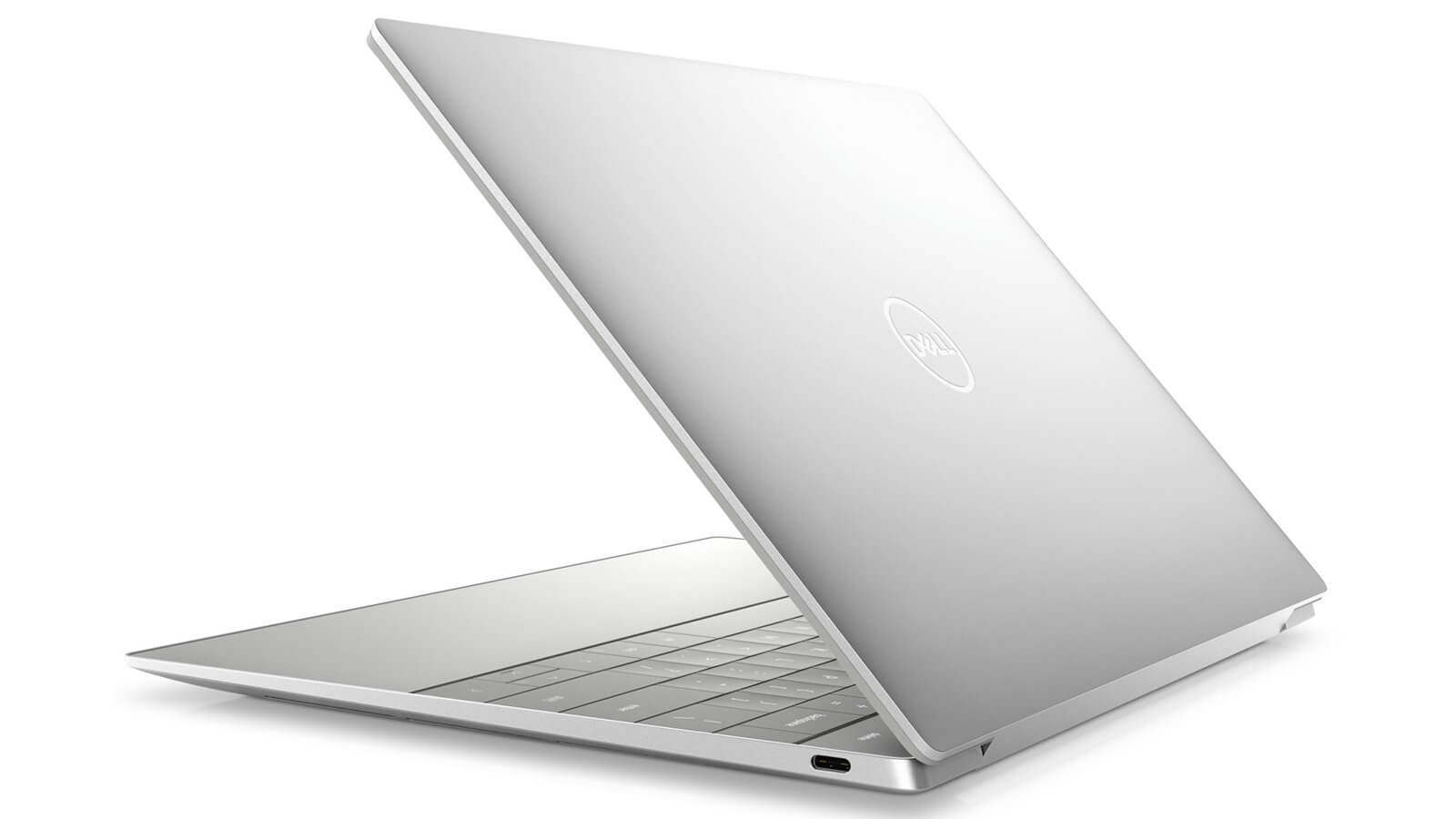
The Dell XPS 13 9320 (2023) uses a solid unibody aluminum chassis and comes in two colors, Platinum Silver and Graphite Black. The keyboard deck is flat and continuous from edge to edge, with no visible touchpad outline, for the clean look that is true to the XPS 13 Plus design.
The laptop is 15.28mm thick, 295.3mm wide and 199.04mm deep, and weighs 1.23kg with the FHD+ or UHD+ display and 1.26kg with the OLED. That size fits neatly in a 13-inch padded sleeve, ideal if you move between the office, the airport and the coffee shop. If you want a compact Dell laptop for long-term use, the XPS 13 9320 is worth a close look.
Dell XPS 13 9320 Display: 13.4-Inch Thin Bezels With FHD+, UHD+ or 3.5K OLED Options
The Dell XPS 13 9320 features a 13.4-inch InfinityEdge display with thin bezels and a 16:10 aspect ratio, offered in four options depending on configuration: IPS FHD+ (1920 x 1200) with or without touch and IPS UHD+ (3840 x 2400) touch, both at 500 nits with an anti-glare coating; or a 3.5K OLED (3456 x 2160) touch panel with an anti-reflective coating and 400 nits of brightness.
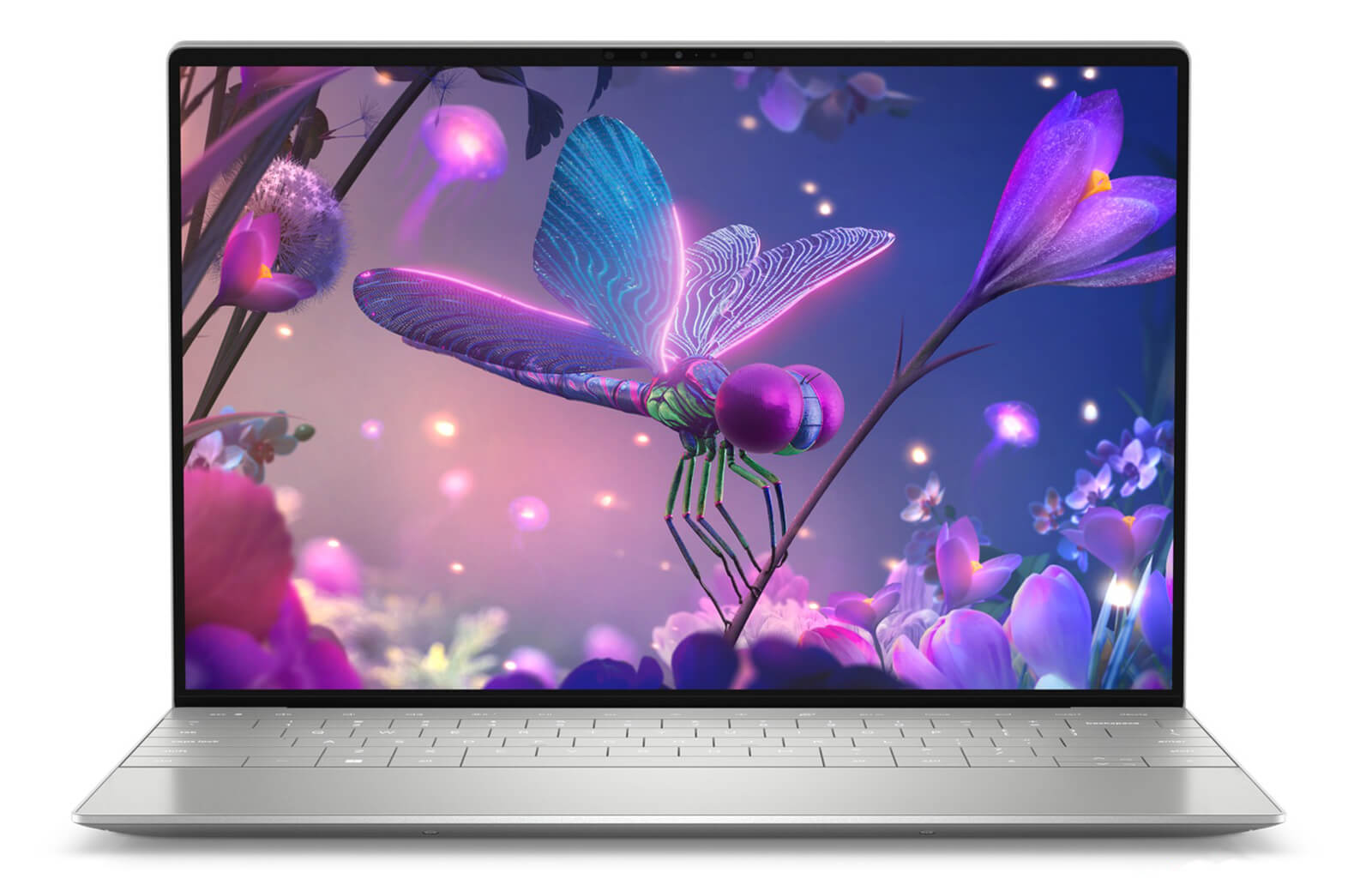
The FHD+ version reaches 500 nits, is easier on the battery and stays readable near a window, making it a good fit for documents, spreadsheets and video calls. The 3.5K OLED delivers deep blacks, high contrast and crisp text, and is worth choosing if you edit photos, watch movies or do 2D design. The touchscreen on the XPS 13 9320 is also handy for tapping, scrolling through documents or quickly signing PDFs.
XPS 13 9320 Performance With Intel Core i7 P-Series, Iris Xe Graphics and LPDDR5 6000MHz RAM
The DELL XPS 13 9320 (2023) is available with the Intel Core i7-1260P (12 cores, 16 threads, up to 4.7GHz), the Intel Core i7-1280P (14 cores, 20 threads, up to 4.8GHz) and the Intel Core i7-1360P (12 cores, 16 threads, up to 5.0GHz). Hung Phat Laptop currently has a Core i7-1260P version with an FHD+ touch display and Core i7-1360P versions with the 3.5K OLED display.
| CPU | Cinebench R23 single / multi-core | Geekbench 6 single / multi-core |
|---|---|---|
| Intel Core i7-1260P | 1,738 / 9,711 | 2,424 / 9,532 |
| Intel Core i7-1280P | 1,651 / 11,666 | 2,441 / 9,972 |
| Intel Core i7-1360P | 1,829 / 11,267 | 2,550 / 10,983 |
Source: average scores from Notebookcheck. Real-world results may be lower depending on the power mode and the cooling capacity of the thin chassis.
In practice, all three chips handle Office, browsers with many tabs, web development, video calls and Lightroom photo editing well. The Core i7-1360P is about 5% faster in single-core and about 16% faster in multi-core than the Core i7-1260P, so it responds slightly faster when opening apps and exporting files. The Core i7-1280P has more cores, which helps if you compile code often or run many background tasks.
The integrated Intel Iris Xe Graphics is enough for Photoshop, Illustrator, short Full HD video edits in Premiere Pro and 4K movie playback. There is no discrete GPU, so this laptop is not meant for 3D work, heavy rendering or AAA gaming; for those tasks, choose a laptop with discrete graphics.
The Dell XPS 13 9320 uses LPDDR5 6000MHz RAM in 16GB or 32GB. The RAM is soldered to the motherboard and cannot be upgraded later, so if you often run virtual machines, Docker or large image files, go for the 32GB version from the start. The PCIe Gen4 M.2 SSD comes in 512GB and 1TB options, with fast reads and writes when opening large projects.
Edge-to-Edge Keyboard, Capacitive Function Row and 4W Speakers on the Dell XPS 13 9320
The keyboard on the Dell XPS 13 9320 stretches across nearly the full width of the chassis, with large keys and a backlight for typing in dark rooms. The glass touchpad sits flush with the palm rest, with no outline, yet it still supports the full set of Windows multi-touch gestures. You may need a few days to get used to where the touchpad is, and after that it feels smooth.
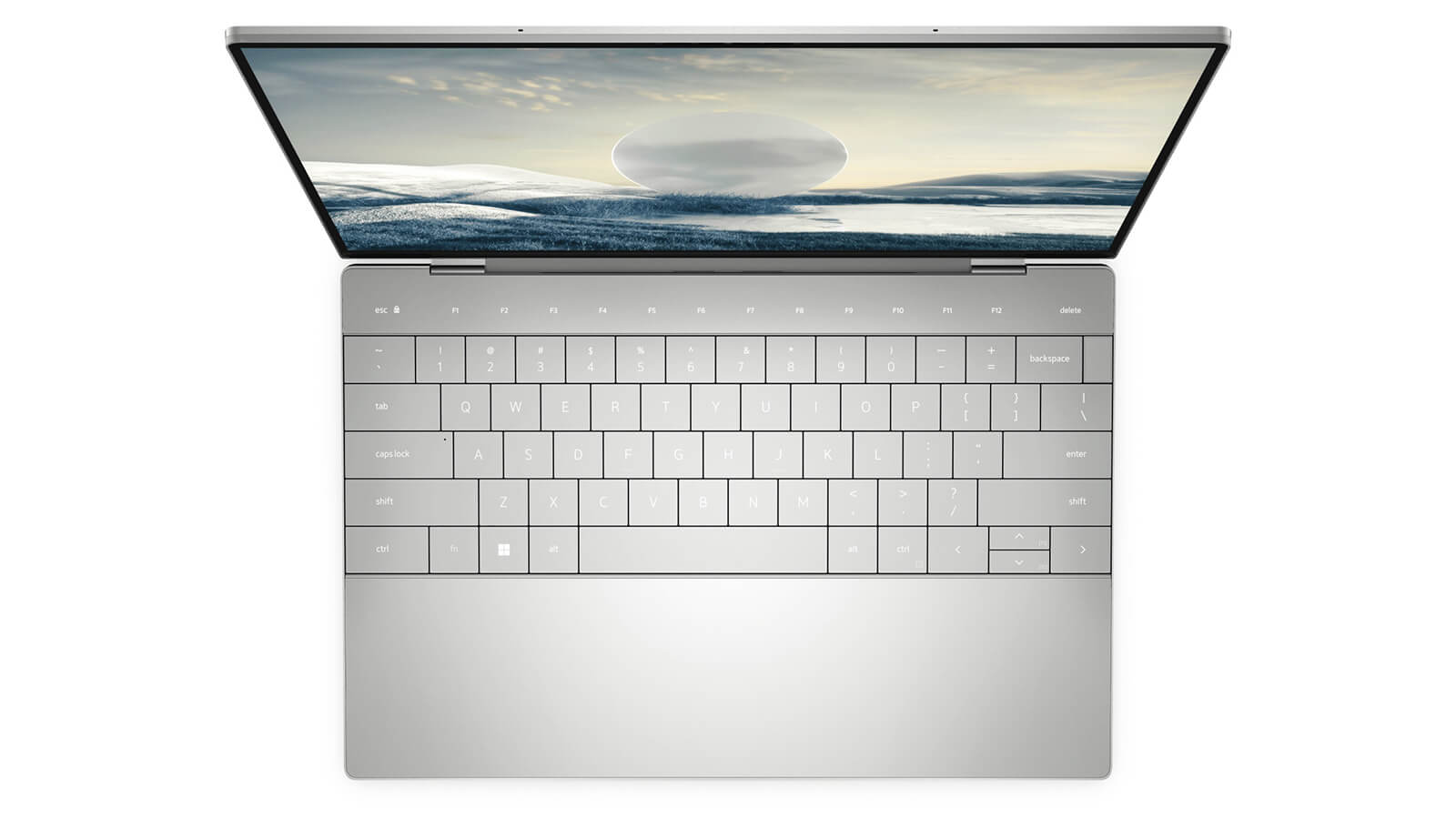
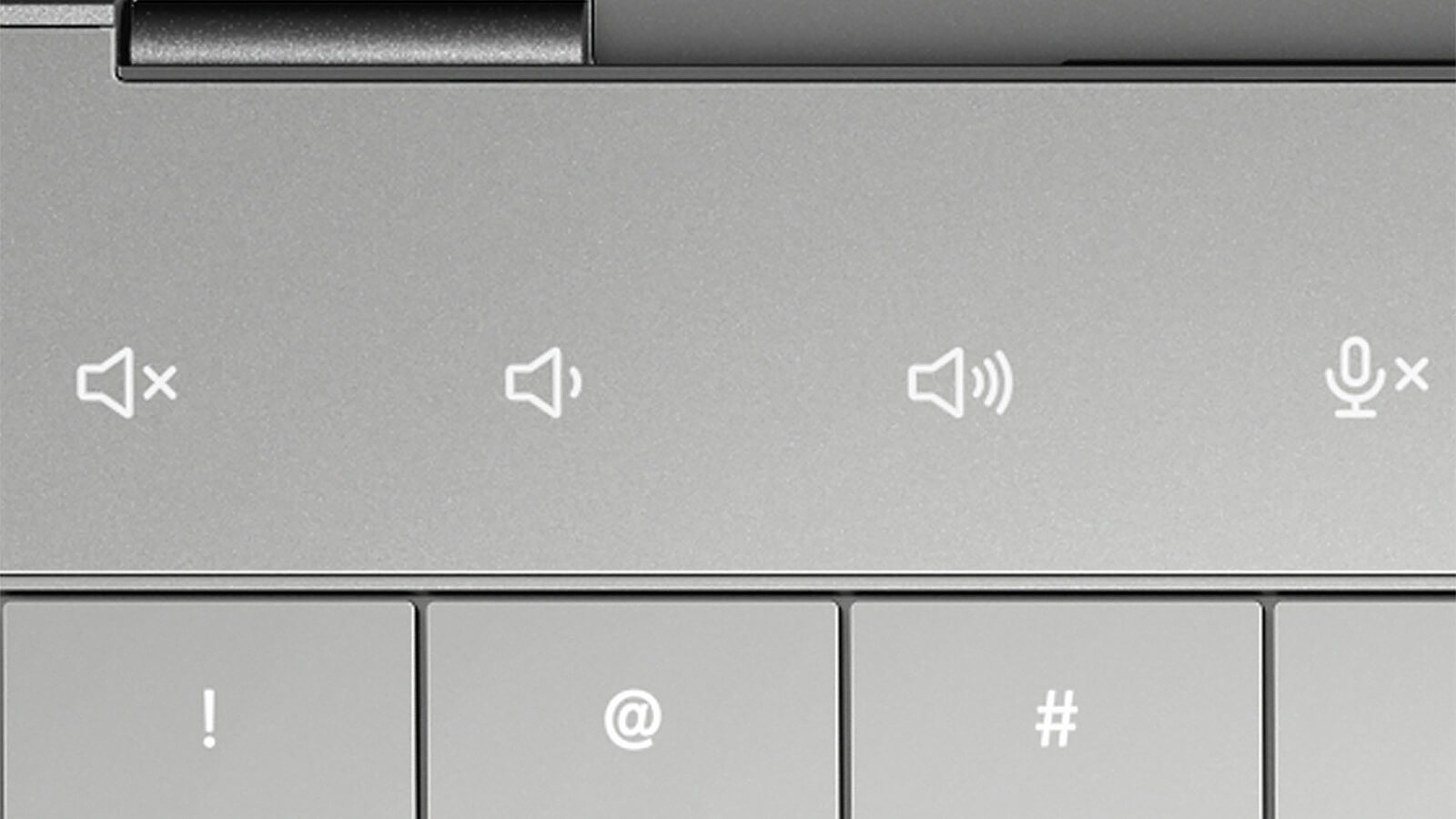
The function row at the top is a capacitive strip that displays icons such as mute, volume control and microphone mute. It looks clean but has no physical key travel; if you rely on the F keys when coding, expect a few days of adjustment, or add an external keyboard when working at a fixed desk.
The stereo speaker system pairs tweeters and woofers on a Realtek ALC1319D chip for 4W of total output, loud and clear enough for video calls or watching movies in a room. The 720p HD webcam is fine for Zoom and Teams; if you need a sharper picture for presentations or livestreams, you can add an external webcam via USB-C.
Dell XPS 13 9320 Ports and Battery: 2 Thunderbolt 4, Wi-Fi 6E, 55Wh Battery
The Dell XPS 13 9320 has 2 Thunderbolt 4 (USB-C) ports with DisplayPort and Power Delivery charging support, plus a fingerprint reader in the power button for quick sign-in. A USB-C to USB-A 3.0 adapter and a USB-C to 3.5mm headset adapter come in the box.
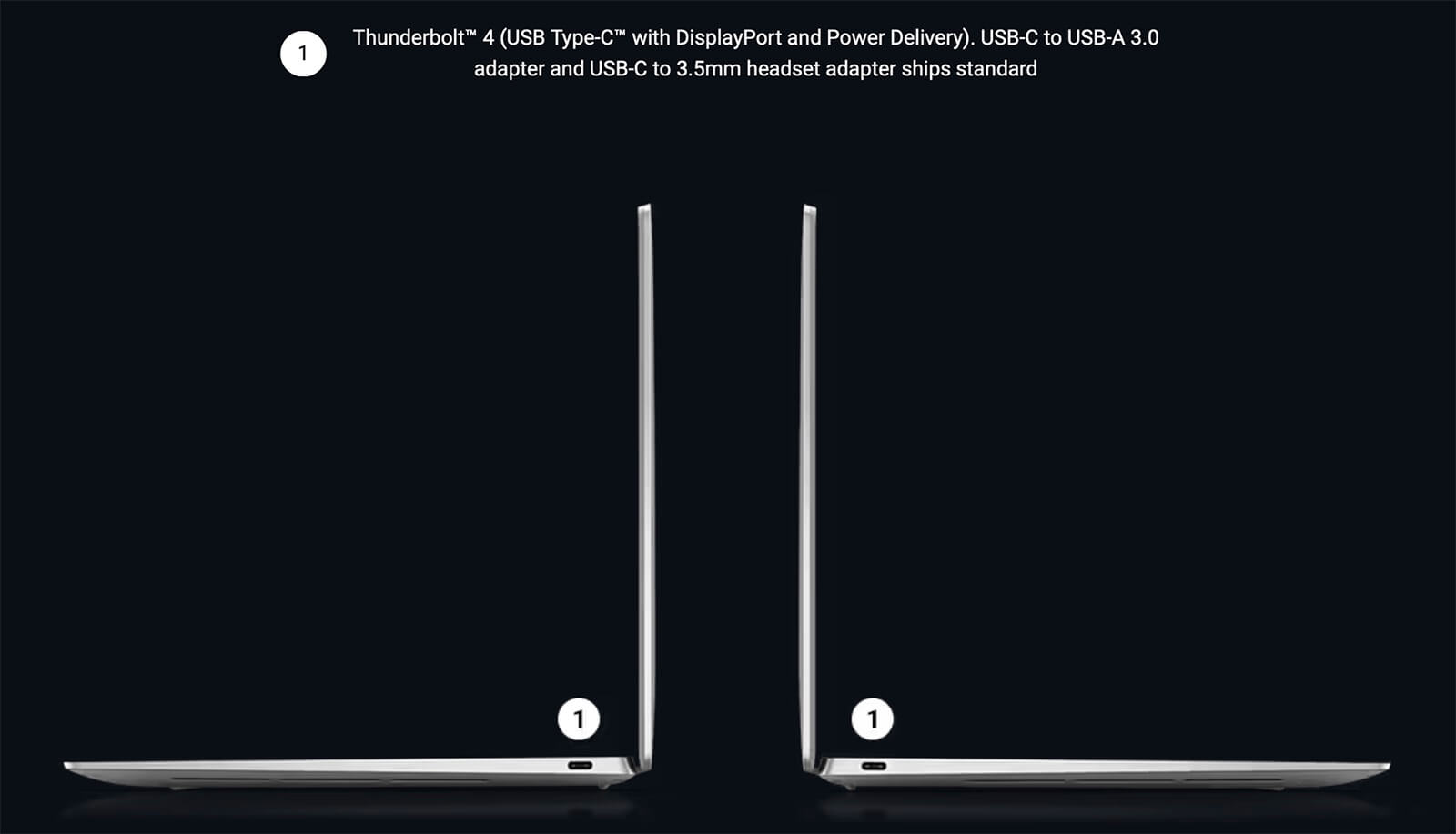
The chassis has no USB-A port, HDMI or 3.5mm jack, so if you often connect an external monitor, a mouse and USB drives at the same time, pick up a USB-C hub or a Thunderbolt dock. Wireless connectivity comes from an Intel Wi-Fi 6E AX211 (2x2) card and Bluetooth 5.1, stable with newer routers and wireless headphones.
The 55Wh battery is enough for a session of light office work. It charges over USB-C, so on business trips you can use any USB-C charger with suitable wattage. The 3.5K OLED version uses more power than the FHD+; if battery life is your priority, choose the FHD+ display and lower the brightness when working away from an outlet.
DELL XPS 13 9320 (2023) Overview and Review
The DELL XPS 13 9320 (2023) is a compact, lightweight 13.4-inch ultrabook with a minimalist design, a beautiful display and enough performance for heavy office work, coding and photo editing. It suits business professionals, developers, students and content creators who need a small machine to carry all day.
The things to weigh are that it has only 2 Thunderbolt 4 ports and no 3.5mm jack on the body, but the included adapters and a USB-C hub take care of that. The RAM is soldered, so choose enough capacity from the start, and Iris Xe is only suited to 2D graphics and light video work. You can browse other generations in the Dell XPS 13 category.
| Pros | Cons |
|---|---|
|
|
FAQ - Frequently Asked Questions About the DELL XPS 13 9320 (2023)
1. Can the RAM on the XPS 13 9320 be upgraded?
No. The LPDDR5 6000MHz RAM is soldered to the motherboard and comes in 16GB and 32GB versions. If you run virtual machines or do a lot of graphics work, choose the 32GB version.
2. Should I choose the FHD+ or the 3.5K OLED display?
The FHD+ display reaches 500 nits and is easier on the battery, making it a good fit for office work. The 3.5K OLED adds touch, deep blacks and crisp text, suited to photo editing, movies and 2D design.
3. Does it have USB-A, HDMI and a headphone jack?
The chassis has only 2 Thunderbolt 4 ports. The box includes a USB-C to USB-A 3.0 adapter and a USB-C to 3.5mm adapter; for HDMI output, add a USB-C hub or a Thunderbolt dock.
4. Can the Dell XPS 13 9320 handle graphics work?
Yes for 2D graphics, photo editing and light Full HD video editing on Iris Xe. There is no discrete GPU, so it is not suited to 3D work, heavy rendering or AAA gaming.
5. How much does the XPS 13 9320 weigh?
It weighs 1.23kg with the FHD+ or UHD+ display and 1.26kg with the OLED display, and is 15.28mm thick.
6. What support do I get when buying from Hung Phat Laptop?
Every laptop is genuine and comes with an invoice, a clear warranty, 30-day exchange or return for manufacturer defects, SSD replacement support, technical support and nationwide delivery.
You can also compare it with the DELL XPS 13 9340 (2024) or the DELL XPS 13 9345 (2024).
Where to Buy a Genuine DELL XPS 13 9320 (2023) at a Great Price?
Need a small laptop for business travel, coding or photo editing? Tell Hung Phat Laptop about your daily work, and we will help you choose between the Core i7-1260P and the Core i7-1360P, FHD+ or OLED, and 16GB or 32GB of RAM on the DELL XPS 13 9320. If you are after a 13-inch ultrabook for business, we are happy to compare every configuration with you.
Every XPS at our store is genuine and comes with a full invoice. The warranty is clearly stated on the warranty slip. A unit with a manufacturer defect is exchanged or returned within the first 30 days. Our technicians can upgrade the SSD whenever you need more storage. You also get long-term technical support and nationwide delivery. Order your thin and light XPS 13 laptop today at Hung Phat Laptop.
Performance & benchmarks DELL XPS 13 9320 (2023)
Intel Core i7-1260P Intel Iris Xe Graphics G7 96EUs - best for Office 8.5/10, Programming 6/10.
Intel Core i7-1260P
- Cinebench R23 (multi-core)9,711
- Geekbench 6 (multi-core)9,532
- Geekbench 6 (single-core)2,424
- PassMark16,331
- Cores / Threads12/16
Intel Iris Xe Graphics G7 96EUs iGPU
- 3DMark Time Spy1,560.5
- 3DMark Fire Strike5,159.5
- ArchitectureGen. 11 Ice Lake
Best for
Scored from real benchmarks- Gaming2/10
- Video / Graphics3/10
- Programming6/10
- Office8.5/10
Why does the CPU matter?
The CPU is the "brain" that handles every task: launching apps, multitasking, compiling code and editing video. The stronger the CPU, the faster and smoother the laptop runs when you juggle many things at once.
- BasicThis product
Web browsing, streaming and light office work.
- MainstreamThis product
Office work, moderate multitasking and studying.
- Mid-rangeThis product
Solid multitasking, programming and light graphics work.
- StrongThis product
Video editing, heavy programming, virtualization and gaming.
- FlagshipThis product
Heavy rendering, 4K/8K editing, virtual machines and AI workloads.
Why does the GPU matter?
The GPU (graphics card) handles visuals: gaming, video editing, 3D rendering and AI acceleration. The stronger the GPU, the higher your frame rates and the faster your video exports.
- Basic (iGPU)This product
Smooth display, 4K video and very light games (League of Legends, Valorant on low).
- MainstreamThis product
1080p eSports gaming, photo editing and light video editing.
- Mid-rangeThis product
1080p gaming on medium-high settings and smooth Full HD video editing.
- StrongThis product
1080p/1440p gaming on high settings, 4K video editing and 3D rendering.
- FlagshipThis product
4K/240Hz gaming, ray tracing, heavy rendering and AI.
Game performance
Real FPS - FHD- Dota 250 fps1080p Ultra
- Fortnite57 fps1080p Low
- GTA V85 fps1080p Medium
- Black Myth: Wukong10 fps1080p Low
- Cyberpunk 207717 fps1080p Low
≥60fps very smooth30-60fps playable<30fps lower the settings
Local AI performance
Tokens/second running locally on GPU- Gemma 4 E2B IT5.6 GB · ctx 256K6.0 tok/sDecent
- GLM-4 9B5.1 GB · ctx 128K7.0 tok/sDecent
- Gemma 4 E4B4.6 GB · ctx 256K8.0 tok/sDecent
- Ministral 8B4.6 GB · ctx 32K8.0 tok/sDecent
- Qwen 3.5 4B4.6 GB · ctx 32K8.0 tok/sDecent
- DeepSeek R1 Distill 7B4.1 GB · ctx 64K9.0 tok/sRuns well
- Gemma 4 E2B3.1 GB · ctx 256K12 tok/sRuns well
- Qwen 3.5 2B2.5 GB · ctx 32K14 tok/sRuns well
- Phi-4 Mini Reasoning2.4 GB · ctx 16K15 tok/sRuns well
- Llama 3.2 3B2 GB · ctx 128K18 tok/sRuns well
- SmolLM3 3B2 GB · ctx 128K18 tok/sRuns well
- DeepSeek R1 1.5B1.3 GB · ctx 64K28 tok/sRuns great
- Qwen 3.5 0.8B1.3 GB · ctx 32K28 tok/sRuns well
- TinyLlama 1.1B1.1 GB · ctx 2K33 tok/sRuns well
- Llama 3.2 1B1 GB · ctx 128K36 tok/sRuns well
- Gemma 2 9B5.1 GB · ctx 8K7.0 tok/sDecent
- Nemotron Nano 9B v25.1 GB · ctx 128K7.0 tok/sDecent
- Llama 3.1 8B4.6 GB · ctx 128K8.0 tok/sDecent
- Qwen 3 8B4.6 GB · ctx 128K8.0 tok/sDecent
- Mistral 7B v0.34.1 GB · ctx 32K9.0 tok/sRuns well
- Qwen 2.5 7B4.1 GB · ctx 128K9.0 tok/sRuns well
- Qwen 2.5 Coder 7B4.1 GB · ctx 128K9.0 tok/sRuns well
- Qwen 3 4B2.5 GB · ctx 32K14 tok/sRuns well
- Gemma 3 4B2.5 GB · ctx 128K14 tok/sRuns well
- Phi-3.5 Mini2.4 GB · ctx 128K15 tok/sRuns well
- Gemma 2 2B1.5 GB · ctx 8K24 tok/sRuns great
- Qwen 3 1.7B1.4 GB · ctx 32K26 tok/sRuns great
- Qwen 2.5 Coder 1.5B1.3 GB · ctx 32K28 tok/sRuns great
- Qwen 3 0.6B1.1 GB · ctx 32K33 tok/sRuns well
- Gemma 3 1B1 GB · ctx 32K36 tok/sRuns well
GreatWellDecent4-bit quantized, ctx = context window
-
N Như
Can you tell me if the DELL XPS 13 9320 (2023) - CORE I7 1360P / 32GB / 1TB SSD / ONBOARD GRAPHICS / 3.5K OLED TOUCH is currently in stock?
Reply • like- PL Phát Lâm Administrator
Please contact our hotline for detailed consultation. Hotline: 0903134635
Reply • like
-
Q&A about DELL XPS 13 9320 (2023)
Frequently asked questions about DELL XPS 13 9320 (2023)
What are the specifications of DELL XPS 13 9320 (2023)?
What is the warranty for DELL XPS 13 9320 (2023)?
Can I buy DELL XPS 13 9320 (2023) with home delivery?
Worth a Look
 6 configurations
Dell XPS 13 DX13260 (2026)
 3 configurations
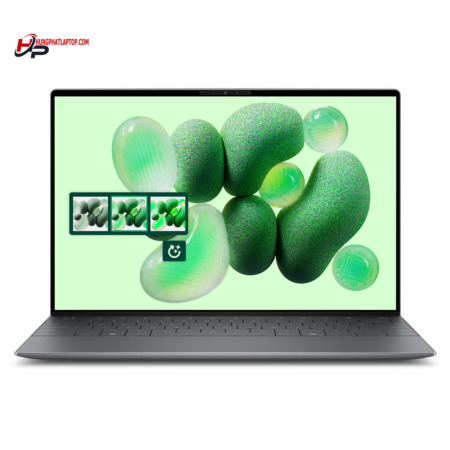
DELL XPS 13 9350 (2025)
 2 configurations
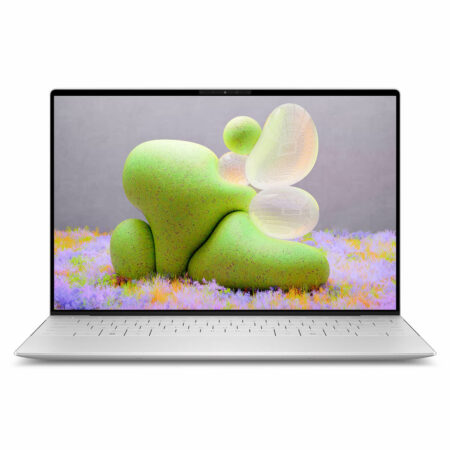
DELL XPS 13 9345 (2024)


Mr. Lee 22/07/2024Purchased at Hung Phat
A reputable place to buy laptops
Nguyễn Quốc Huy 30/01/2024Purchased at Hung Phat
Product quality exceeds expectations
Trần quang khải 24/03/2025
I need to buy a Dell laptop.
Phát Lâm 24/03/2025 Administrator
We have contacted you.
Phạm Trần Bảo Anh 04/05/2023Purchased at Hung Phat
Good
Phạm Minh Nhựt Phương 06/01/2023Purchased at Hung Phat
The ideal place to buy a laptop that perfectly meets your needs