



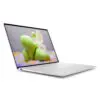

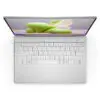
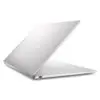
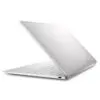
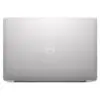
DELL XPS 13 9340 (2024)
- CPU: Intel Core Ultra 7 155H vPro Up To 4.8GHz (16 Cores, 22 Threads, 24MB Cache)
- RAM: LPDDR5X 16GB 7467MHz
- SSD: 512GB PCIe Gen4 M.2 SSD
- VGA: Intel® Arc™ graphics
- DISPLAY: 13.4" IPS QHD+ (2560 x 1600), 30-120Hz, InfinityEdge Touch Display, Anti-Reflective, Dolby Vision™, 100% DCI-P3, 500-nits
- COLOR: PLATINUM
- CONDITION: Like New 99%
- WARRANTY: 12-month warranty
- Dell XPS 13 9340 Design: Minimalist, Thin and Light CNC Aluminum Chassis
- XPS 13 9340 13.4-Inch 120Hz Display with QHD+ and OLED 3K+ Options
- Dell XPS 13 9340 (2024) Performance with Intel Core Ultra 7 155H, Arc Graphics and LPDDR5x RAM
- Keyboard, Forcepad, Dolby Atmos Speakers and FHD Webcam on the Dell XPS 13 9340
- Dell XPS 13 9340 Ports and Battery: 2 Thunderbolt 4, Wi-Fi 7, 55Wh Battery
- DELL XPS 13 9340 (2024) Overview and Review
- FAQ - Frequently Asked Questions About the DELL XPS 13 9340 (2024)
- Where to Buy a Genuine Dell XPS 13 9340 (2024) at a Great Price?
The DELL XPS 13 9340 (2024) is a 13.4-inch ultrabook starting at just 1.17kg, built for business professionals, developers and creators who need a compact machine to carry every day without giving up a great display. It runs on Intel Core Ultra H-series chips with integrated Intel Arc graphics and keeps the familiar minimalist design of the XPS line. Read on for the design, display, performance, keyboard, ports and battery, plus the trade-offs worth weighing before you buy.
Dell XPS 13 9340 Design: Minimalist, Thin and Light CNC Aluminum Chassis
The Dell XPS 13 9340 is machined from a single block of CNC-cut aluminum, with a matte finish that helps resist fingerprints. It comes in two colors, Platinum (bright silver) and Graphite (dark gray), and its clean lines look professional on a conference table. The display is protected by Gorilla Glass 3, making the laptop more durable when you carry it around often.

The laptop measures 295.3 x 199.1mm and is 14.8mm thick with the OLED panel or 15.3mm with the FHD+ and QHD+ panels. It weighs just 1.17kg with OLED and 1.19kg with FHD+ or QHD+, light enough to slip into a 13-inch padded sleeve or a small backpack for business trips. If you need a compact Dell laptop for everyday travel, the XPS 13 chassis is well worth a look.

XPS 13 9340 13.4-Inch 120Hz Display with QHD+ and OLED 3K+ Options
The XPS 13 9340 offers three 13.4-inch InfinityEdge display options, all supporting a 30-120Hz refresh rate and Dolby Vision. The FHD+ (1920 x 1200) panel is non-touch and anti-glare, covers 100% sRGB and reaches 500 nits. The QHD+ (2560 x 1600) panel is a touchscreen with an anti-reflective coating, covers 100% DCI-P3 and reaches 500 nits. The OLED 3K+ (2880 x 1800) panel is a touchscreen that covers 100% DCI-P3 and reaches 400 nits.

The unit currently sold at Hung Phat Laptop has the QHD+ touch display, which balances sharpness, a wide DCI-P3 color gamut and 500 nits of brightness when you sit near a window. The 120Hz refresh rate makes scrolling pages and moving through spreadsheets smoother, while for static content the display can drop to 30Hz to save battery. If you mostly write documents, the anti-glare FHD+ panel is more power efficient; if you edit photos and watch a lot of movies, the OLED 3K+ panel is worth the investment.
Dell XPS 13 9340 (2024) Performance with Intel Core Ultra 7 155H, Arc Graphics and LPDDR5x RAM
The unit on sale uses the Intel Core Ultra 7 155H vPro chip with 16 cores, 22 threads, 24MB of cache and a max boost clock of 4.8GHz. The Dell XPS 13 9340 line is also available with the Core Ultra 5 125H with 14 cores and 18 threads (4.5GHz) and the Core Ultra 7 165H with 16 cores and 22 threads (5.0GHz).

| CPU | Cinebench R23 single / multi-core | Geekbench 6 single / multi-core |
|---|---|---|
| Intel Core Ultra 5 125H | 1,648 / 12,805 | 2,279 / 11,268 |
| Intel Core Ultra 7 155H | 1,743 / 15,028 | 2,409 / 12,385 |
| Intel Core Ultra 7 165H | 1,759 / 14,551 | 2,422 / 12,231 |
Source: average scores from Notebookcheck. In a thin chassis like the XPS 13, real-world multi-core scores may be lower depending on the power mode and ambient temperature.
In everyday use, the Core Ultra 7 155H handles heavy office work, programming, lots of browser tabs and photo editing in Lightroom. The average scores of the Core Ultra 7 165H are nearly on par with the 155H, and its multi-core score is even slightly lower because it depends on each machine's cooling system, so the 155H version makes more sense cost-wise. The Core Ultra 5 125H version suits users who mainly do office work and video meetings.
The integrated Intel Arc graphics (the 8-core version on the 155H and 165H) are enough for photo editing, short Full HD video editing and light games at low settings. There is no discrete graphics card, so if you regularly edit 4K video or render 3D, a laptop with a discrete GPU will be a better fit.
The DELL XPS 13 9340 (2024) comes with 8GB of LPDDR5 6400MHz RAM or 16GB, 32GB or 64GB of LPDDR5x 7467MHz RAM. The RAM is soldered to the motherboard and cannot be upgraded later, so you should choose enough capacity from the start: 16GB, as on the unit on sale, is enough for office work and programming, while 32GB or more suits virtual machines or video editing. The PCIe Gen4 M.2 SSD comes in 512GB, 1TB, 2TB and 4TB capacities; the unit on sale has 512GB, and the SSD can be swapped for a larger one when needed.
Keyboard, Forcepad, Dolby Atmos Speakers and FHD Webcam on the Dell XPS 13 9340
The Dell XPS 13 9340 uses a keyboard that spans nearly the full width of the chassis, with backlighting and comfortable key travel that stays easy on the hands during long typing sessions. The touch-sensitive Forcepad offers a wide surface and supports multi-finger gestures for scrolling, zooming and switching windows. This new keyboard and touchpad design takes a few days to get used to; in the meantime, you can add an external mouse.

The stereo speakers are tuned with Waves MaxxAudio Pro, Waves Nx 3D Audio and Dolby Atmos, delivering clear sound for video meetings and movies. The FHD 1080p webcam supports Windows Hello for facial sign-in, along with Intel's Express Sign-In feature, which unlocks the laptop faster when you sit down at your desk.

As with any 13-inch laptop, bass is still limited. For long music or movie sessions, Bluetooth headphones or external speakers will give you fuller sound.
Dell XPS 13 9340 Ports and Battery: 2 Thunderbolt 4, Wi-Fi 7, 55Wh Battery
The Dell XPS 13 9340 has 2 Thunderbolt 4 (USB-C) ports, one on each side, both supporting DisplayPort 2.1 and Power Delivery charging, so you can plug in the charger on whichever side is more convenient. There is no USB-A, HDMI or 3.5mm headphone jack; a USB-C hub or Thunderbolt dock takes care of connecting a mouse, older USB devices, a projector and wired headphones.

Wireless connectivity comes from an Intel Killer Wi-Fi 7 1750 (BE200) 2x2 card and Bluetooth 5.4, delivering high speeds and low latency when paired with a Wi-Fi 7 router. The fingerprint reader enables quick sign-in alongside facial recognition through the webcam.
The 55Wh Lithium-Ion battery is enough for a session of office work; real-world runtime depends heavily on the display type, and the FHD+ version typically lasts longer than the QHD+ and OLED versions. When working away from an outlet, turn on battery saver mode and lower the screen brightness, and bring along a compact USB-C charger.
DELL XPS 13 9340 (2024) Overview and Review
The DELL XPS 13 9340 (2024) is a 13.4-inch ultrabook that balances a 1.17kg to 1.19kg body, a high-quality 120Hz display and an Intel Core Ultra chip capable of heavy office work, programming and photo editing. It suits business professionals, freelancers and students who are often on the move.
The points to consider are that it has only 2 Thunderbolt 4 ports and no 3.5mm jack, but a small USB-C hub is enough to solve that. The RAM is soldered and cannot be upgraded, so choose the right capacity from the start. The integrated graphics are not meant for heavy 3D work, and the new keyboard and Forcepad take some time to get used to. You can explore other versions in the Dell XPS 13 category.
| Pros | Cons |
|---|---|
|
|
FAQ - Frequently Asked Questions About the DELL XPS 13 9340 (2024)
1. Can the RAM on the XPS 13 9340 be upgraded?
No. The LPDDR5 and LPDDR5x RAM is soldered to the motherboard, so you need to choose the right capacity when you buy. The M.2 PCIe Gen4 SSD, however, can be replaced with a higher-capacity drive.
2. Should I choose the FHD+, QHD+ or OLED 3K+ display?
The FHD+ display is anti-glare and power efficient, a good fit for office work. The QHD+ touch display reaches 500 nits and covers 100% DCI-P3, balancing sharpness and brightness. The OLED 3K+ touch display delivers vivid colors and deep blacks, well suited to photo editing and watching movies.
3. Does it have a USB-A port and a headphone jack?
No. The laptop has 2 Thunderbolt 4 (USB-C) ports with DisplayPort 2.1 and charging support. You can use a USB-C hub to add USB-A, HDMI and an audio jack.
4. Is the Core Ultra 7 155H enough for programming and photo editing?
Yes. The 16-core, 22-thread chip handles programming, heavy office work, photo editing and short Full HD video edits well. For regular 4K editing or 3D rendering, you should choose a laptop with a discrete graphics card.
5. How much does the XPS 13 9340 weigh?
It weighs 1.17kg with the OLED display and 1.19kg with the FHD+ or QHD+ display, and is 14.8mm to 15.3mm thick.
6. What support do I get when buying from Hung Phat Laptop?
Every machine is a genuine product with an invoice, a clear warranty, 30-day returns for manufacturer defects, SSD upgrade support and nationwide delivery.
If you are comparing options, also see the DELL XPS 13 9320 (2023) and the DELL XPS 13 9345 (2024).
Where to Buy a Genuine Dell XPS 13 9340 (2024) at a Great Price?
Do you need a laptop for meetings and documents on business trips, or for coding and photo editing? The Hung Phat Laptop team will start by asking what you need, then advise whether 16GB or 32GB of RAM and a QHD+ or OLED display is the better fit for your Dell XPS 13 9340. Looking for a 13-inch ultrabook for business? We will compare each configuration with you.
Every machine at our store is a genuine product with a full invoice, and warranty terms are clearly stated on the warranty card. Within the first 30 days, a unit with a manufacturer defect will be exchanged or returned. Our technicians can upgrade the SSD when you need more storage, and you get long-term technical support and nationwide delivery. Contact Hung Phat Laptop to choose the like-new Dell XPS 13 that suits you.
Performance & benchmarks DELL XPS 13 9340 (2024)
Intel Core Ultra 7 155H Intel Arc 8-Core iGPU - best for Office 8.5/10, Programming 8/10.
Intel Core Ultra 7 155H
- Cinebench R23 (multi-core)15,028
- Geekbench 6 (multi-core)12,385
- Geekbench 6 (single-core)2,409
- PassMark24,405
- NPU (AI)11 TOPS
- Cores / Threads16/22
Intel Arc 8-Core iGPU iGPU
- 3DMark Time Spy3,270
- 3DMark Fire Strike8,513
- AI INT819 TOPS
- ArchitectureXe LPG
Best for
Scored from real benchmarks- Gaming3/10
- Video / Graphics4.5/10
- Programming8/10
- Office8.5/10
Why does the CPU matter?
The CPU is the "brain" that handles every task: launching apps, multitasking, compiling code and editing video. The stronger the CPU, the faster and smoother the laptop runs when you juggle many things at once.
- BasicThis product
Web browsing, streaming and light office work.
- MainstreamThis product
Office work, moderate multitasking and studying.
- Mid-rangeThis product
Solid multitasking, programming and light graphics work.
- StrongThis product
Video editing, heavy programming, virtualization and gaming.
- FlagshipThis product
Heavy rendering, 4K/8K editing, virtual machines and AI workloads.
Why does the GPU matter?
The GPU (graphics card) handles visuals: gaming, video editing, 3D rendering and AI acceleration. The stronger the GPU, the higher your frame rates and the faster your video exports.
- Basic (iGPU)This product
Smooth display, 4K video and very light games (League of Legends, Valorant on low).
- MainstreamThis product
1080p eSports gaming, photo editing and light video editing.
- Mid-rangeThis product
1080p gaming on medium-high settings and smooth Full HD video editing.
- StrongThis product
1080p/1440p gaming on high settings, 4K video editing and 3D rendering.
- FlagshipThis product
4K/240Hz gaming, ray tracing, heavy rendering and AI.
Game performance
Real FPS - QHD- Dota 269 fps1080p Ultra
- CS252 fps1080p High
- GTA V11 fpsQHD Ultra
- CoD: Black Ops 624 fps1080p Low
- Star Wars Outlaws17 fps1080p Low
- Black Myth: Wukong20 fps1080p Low
- God of War Ragnarök11 fps1080p Low
- Final Fantasy XVI19 fps1080p Medium
- Cyberpunk 207711 fpsQHD Ultra
≥60fps very smooth30-60fps playable<30fps lower the settings
Local AI performance
Tokens/second running locally on GPU- Gemma 4 E2B IT5.6 GB · ctx 256K15 tok/sDecent
- GLM-4 9B5.1 GB · ctx 128K16 tok/sDecent
- Gemma 4 E4B4.6 GB · ctx 256K18 tok/sDecent
- Ministral 8B4.6 GB · ctx 32K18 tok/sDecent
- Qwen 3.5 4B4.6 GB · ctx 32K18 tok/sDecent
- DeepSeek R1 Distill 7B4.1 GB · ctx 64K20 tok/sRuns well
- Gemma 4 E2B3.1 GB · ctx 256K27 tok/sRuns well
- Qwen 3.5 2B2.5 GB · ctx 32K34 tok/sRuns well
- Phi-4 Mini Reasoning2.4 GB · ctx 16K35 tok/sRuns well
- Llama 3.2 3B2 GB · ctx 128K42 tok/sRuns great
- SmolLM3 3B2 GB · ctx 128K42 tok/sRuns great
- DeepSeek R1 1.5B1.3 GB · ctx 64K65 tok/sRuns great
- Qwen 3.5 0.8B1.3 GB · ctx 32K65 tok/sRuns great
- TinyLlama 1.1B1.1 GB · ctx 2K76 tok/sRuns great
- Llama 3.2 1B1 GB · ctx 128K84 tok/sRuns great
- Gemma 2 9B5.1 GB · ctx 8K16 tok/sDecent
- Nemotron Nano 9B v25.1 GB · ctx 128K16 tok/sDecent
- Llama 3.1 8B4.6 GB · ctx 128K18 tok/sDecent
- Qwen 3 8B4.6 GB · ctx 128K18 tok/sDecent
- Mistral 7B v0.34.1 GB · ctx 32K20 tok/sRuns well
- Qwen 2.5 7B4.1 GB · ctx 128K20 tok/sRuns well
- Qwen 2.5 Coder 7B4.1 GB · ctx 128K20 tok/sRuns well
- Qwen 3 4B2.5 GB · ctx 32K34 tok/sRuns well
- Gemma 3 4B2.5 GB · ctx 128K34 tok/sRuns well
- Phi-3.5 Mini2.4 GB · ctx 128K35 tok/sRuns well
- Gemma 2 2B1.5 GB · ctx 8K56 tok/sRuns great
- Qwen 3 1.7B1.4 GB · ctx 32K60 tok/sRuns great
- Qwen 2.5 Coder 1.5B1.3 GB · ctx 32K65 tok/sRuns great
- Qwen 3 0.6B1.1 GB · ctx 32K76 tok/sRuns well
- Gemma 3 1B1 GB · ctx 32K84 tok/sRuns great
GreatWellDecent4-bit quantized, ctx = context window
No comments yet
Q&A about DELL XPS 13 9340 (2024)
Frequently asked questions about DELL XPS 13 9340 (2024)
What are the specifications of DELL XPS 13 9340 (2024)?
What is the warranty for DELL XPS 13 9340 (2024)?
Can I buy DELL XPS 13 9340 (2024) with home delivery?
Worth a Look
 6 configurations
Dell XPS 13 DX13260 (2026)
 3 configurations
DELL XPS 13 9350 (2025)
 2 configurations
DELL XPS 13 9345 (2024)


Lê Đoàn Minh Quân 01/01/2025Purchased at Hung Phat
The owner is very enthusiastic in providing customer consultations.
Nguyễn Xuân Gia Phú 22/01/2024Purchased at Hung Phat
Fast delivery. The shop provides dedicated and enthusiastic service.
Nguyễn Quốc Hiếu 15/01/2024Purchased at Hung Phat
The owner is enthusiastic and provides dedicated consultation, helping me buy exactly the laptop I need for my work.