
The Steam update on September 9 is considered one of the most notable upgrades recently, featuring a series of new functions aimed at improving user experience, from the interface to performance and controller support. A standout new feature is the ability to display CPU temperatures while gaming; however, users need to consider granting special access permissions to Steam to activate this feature.
More detailed performance monitoring, but requires kernel access
Back in July, Steam introduced in-game performance monitoring, but it was unable to display CPU temperatures due to access restrictions. This update allows users to enable CPU temperature monitoring, provided they install a driver that runs in kernel-mode.
Valve asserts that this is a completely optional choice. Users only need to grant permission when enabling performance monitoring at the highest level of detail and can also disable it for individual games if desired.
However, many Windows users remain cautious about software that operates at the kernel level due to potential security risks or system errors. Meanwhile, on Linux, displaying CPU temperatures does not require such deep access.
In addition to the CPU, GPU usage metrics on machines using Nvidia graphics cards have also been refined for more accurate display. Valve noted that the data displayed in Steam may be higher and differ from the Windows Task Manager.
Steam improves interface, library, and controller support
Alongside performance monitoring, Steam has also received significant interface upgrades. Notably, the DPI Scaling feature automatically adjusts font sizes according to the operating system's resolution, making it easier to read on high-resolution screens. Steam also added high-contrast mode, reduced motion, improved labels for users with disabilities, expanded the store interface, and many other minor changes.
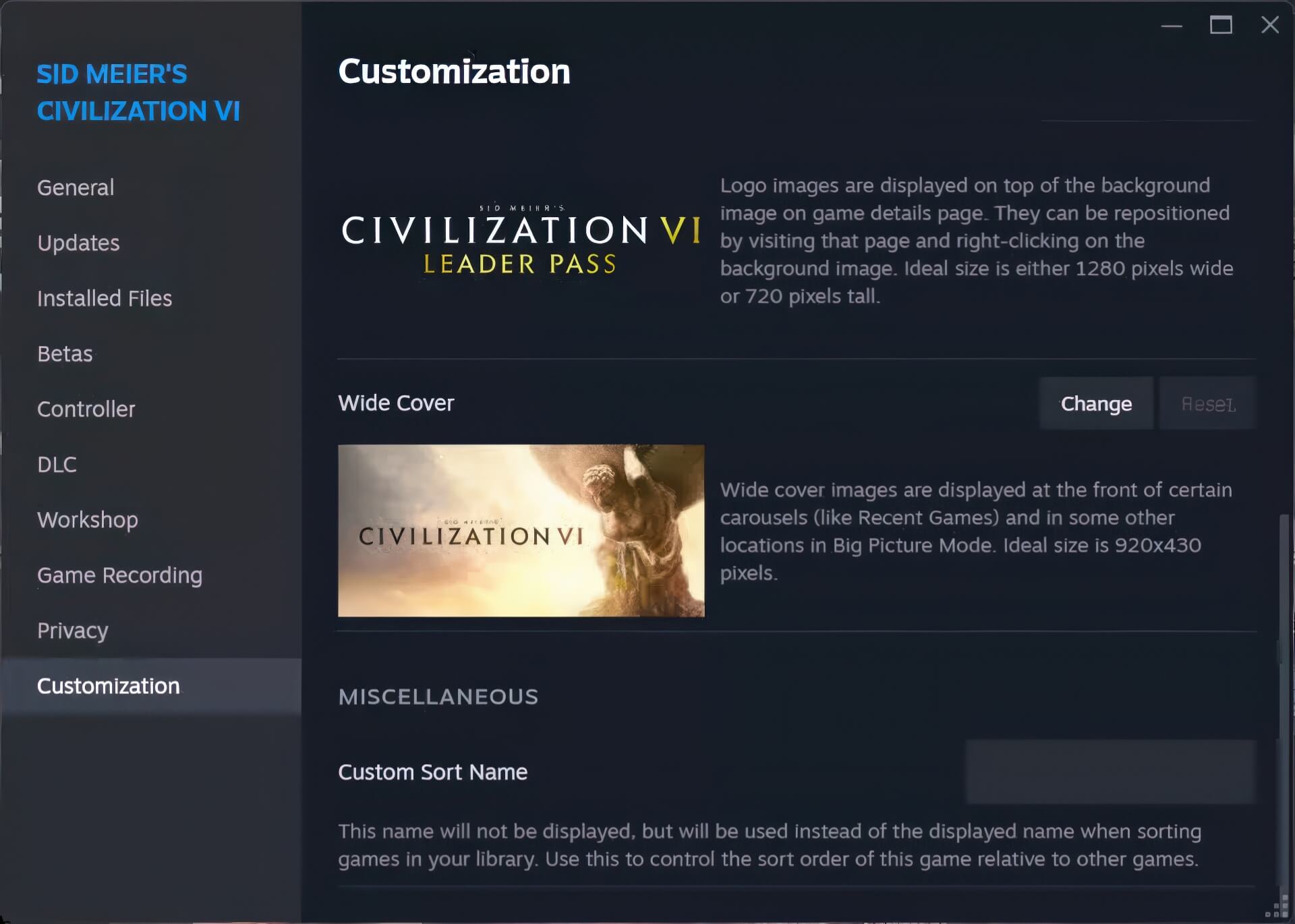
Users can now personalize how games are organized and displayed in their library with a new menu. You can change cover art and game display names more easily by right-clicking on a game and selecting Properties > Customization. There will be a custom name input field at the bottom of the sub-menu.
Valve also added support for Microsoft's GameInput API. This programming interface helps unify how signals are received from devices such as controllers, keyboards, HID devices, etc., and simplifies the process of supporting diverse controllers for developers. Also in this update, many bugs related to controller input have been fixed.
Alongside the official update, Steam beta users have had the opportunity to experience an even more extensive upgrade since July. Valve has not yet announced when this update will arrive on the stable version but stated that the main goal is to improve game discoverability through reorganized genres and categories on the main interface.