Topic
After Effects
Tips & Tricks
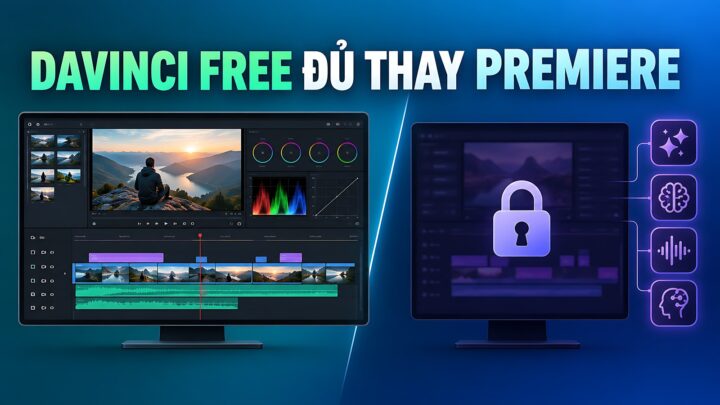
**DaVinci Resolve vs. Adobe Premiere: Are the Free Versions Enough to Make the Switch?** In the landscape of professional video editing, two titans dominate the conversation: Adobe Premiere Pro and DaVinci Resolve. For years, the industry standard has been a choice between the versatile, ecosystem-driven workflow of Adobe and the color-grading powerhouse that is Blackmagic Design’s DaVinci Resolve. However, as creators increasingly look for ways to optimize their budgets, a critical question has emerged: Are the free versions of these tools actually capable of replacing their paid counterparts? ### The Adobe Premiere Pro Reality: A Subscription-Only Model To understand the comparison, one must first understand the barrier to entry. Adobe Premiere Pro does not offer a free version. It operates strictly under the Creative Cloud subscription model. While this provides seamless integration with other industry staples like After Effects and Photoshop, it requires a continuous financial commitment. For many independent creators and hobbyists, this "renting" model can become a significant long-term overhead. ### The DaVinci Resolve Alternative: Power Without the Price Tag DaVinci Resolve takes a fundamentally different approach. Blackmagic Design offers a free version of the software that is remarkably robust. Unlike many "free" programs that act as mere trial versions or watermarked limitations, the free version of DaVinci Resolve is a fully functional, professional-grade NLE (Non-Linear Editor). The free version includes a vast array of tools for editing, color correction, visual effects (via Fusion), and audio post-production (via Fairlight). For many users, the free version is not just a "lite" version; it is a complete workstation that can handle high-resolution projects and complex workflows. ### Can the Free Version Truly Replace the Pro Version? The answer depends entirely on the scale of your production. **Where the Free Version Excels:** For YouTubers, social media content creators, and freelance editors working on standard HD or 4K projects, the free version of DaVinci Resolve is often more than sufficient. It provides professional-level color grading tools and a sophisticated editing interface that rivals-and in some specific areas, exceeds-the capabilities of paid software. For those transitioning from basic editors to professional workflows, the free version offers a zero-cost entry point into high-end production. **Where the Limitations Kick In:** The distinction between the free and paid (Studio) versions of DaVinci Resolve becomes clear when dealing with high-end technical requirements. The Studio version unlocks essential features such as: * Advanced noise reduction. * GPU-accelerated effects and rendering. * Support for higher frame rates and specific high-end codecs. * Advanced AI-driven tools (like Magic Mask). * Multiple simultaneous timelines and specialized stereoscopic 3D tools. ### The Verdict If your goal is to move away from the monthly subscription model of Adobe Premiere Pro, DaVinci Resolve’s free version is a formidable contender. It is not a "lite" version in the traditional sense; it is a professional toolset that allows creators to produce cinema-quality work without an upfront investment. However, the "replacement" factor depends on your hardware and your technical needs. If you require heavy GPU acceleration for complex 4K workflows or specific AI-driven automation, you may eventually find yourself needing the Studio version. But for the vast majority of creators looking to escape the subscription cycle, DaVinci Resolve offers a legitimate, high-performance alternative that is more than enough to get the job done.
Laptops