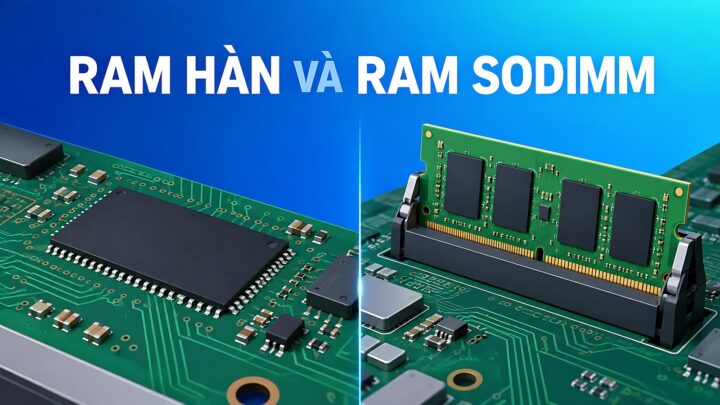
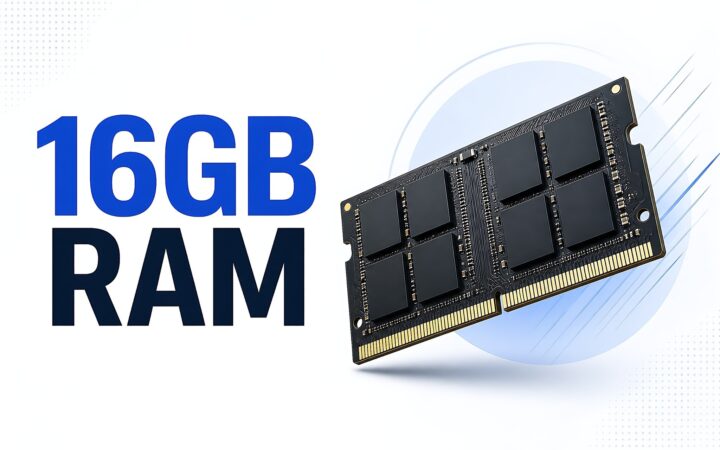
Laptops **Onboard RAM vs. SODIMM Upgradability: How to Accurately Calculate Your Needs** When shopping for a new laptop, one of the most critical technical decisions involves the memory architecture: should you opt for soldered (onboard) RAM or a system with SODIMM slots for future upgrades? Choosing incorrectly can lead to a device that is either unnecessarily expensive or prematurely obsolete. To make an informed decision, you must understand the trade-offs of each configuration and how to accurately project your future computing requirements. ### Understanding the Architectures **Onboard (Soldered) RAM** In many modern, ultra-thin laptops (such as many Ultrabooks and MacBook models), the RAM chips are soldered directly onto the motherboard. * **The Pros:** This design allows for thinner, lighter chassis and more efficient power consumption. It also typically offers faster data transfer speeds due to the direct connection to the processor. * **The Cons:** There is zero flexibility. Once you purchase the laptop, the amount of RAM is fixed for the life of the device. If you realize a year later that you need more memory, you cannot upgrade it; you would have to replace the entire machine. **SODIMM (Upgradable) RAM** Traditional laptops often use Small Outline Dual In-line Memory Modules (SODIMM). These are physical sticks that plug into slots on the motherboard. * **The Pros:** This provides maximum longevity and flexibility. If your workflow becomes more demanding, you can simply buy a new module and install it yourself (or have a technician do it) for a relatively low cost. * **The Cons:** These slots take up physical space, which is why laptops with upgradable RAM are often slightly thicker or heavier. Additionally, having empty slots or multiple modules can sometimes lead to slightly higher power consumption compared to optimized soldered layouts. ### How to Accurately Calculate Your Requirements To avoid the "buyer's remorse" of insufficient memory or the "wasteful spending" of over-provisioning, follow these guidelines based on your intended use case: **1. Basic Productivity and Web Browsing (8GB RAM)** If your primary tasks involve checking emails, streaming video (Netflix/YouTube), and using web browsers with a moderate number of tabs open, 8GB is the baseline. However, for modern operating systems and heavy web usage, 8GB is increasingly considered the absolute minimum. **2. Multitasking and Office Work (16GB RAM)** For professionals who keep dozens of Chrome tabs open, run multiple Microsoft Office applications simultaneously, and participate in frequent video conferences (Zoom/Teams), 16GB is the "sweet spot." This amount provides enough headroom to prevent the system from slowing down when switching between heavy applications. **3. Creative Work and Heavy Multitasking (32GB+ RAM)** If your workflow involves professional video editing (4K/8K), large-scale graphic design (Adobe Creative Cloud), running virtual machines, or heavy software development, you should aim for 32GB or more. These tasks consume massive amounts of memory to store active data for quick access. **4. Gaming (16GB to 32GB RAM)** While many modern games are optimized to run on 16GB, many high-end, AAA titles are increasingly demanding more memory to handle complex textures and open-world environments. For a future-proof gaming setup, 16GB is the standard, but 32GB is becoming the preferred choice for enthusiasts. ### The Golden Rule of Purchasing If you are choosing between a laptop with **8GB of soldered RAM** and a laptop with **8GB of RAM that is upgradable**, always choose the **upgradable** option. It is much cheaper to add more RAM later than it is to buy a whole new laptop because your current one can no longer handle your workload. Conversely, if you are buying a premium, ultra-portable laptop where weight is the priority, ensure you buy the maximum amount of RAM you think you will ever need, because you won't be able to change it later. 14/09/2026 · 12 min read
Tips & Tricks How much RAM is enough for a laptop: 16GB is still fine if the machine has an upgrade slot 30/07/2026 · 15 min read