

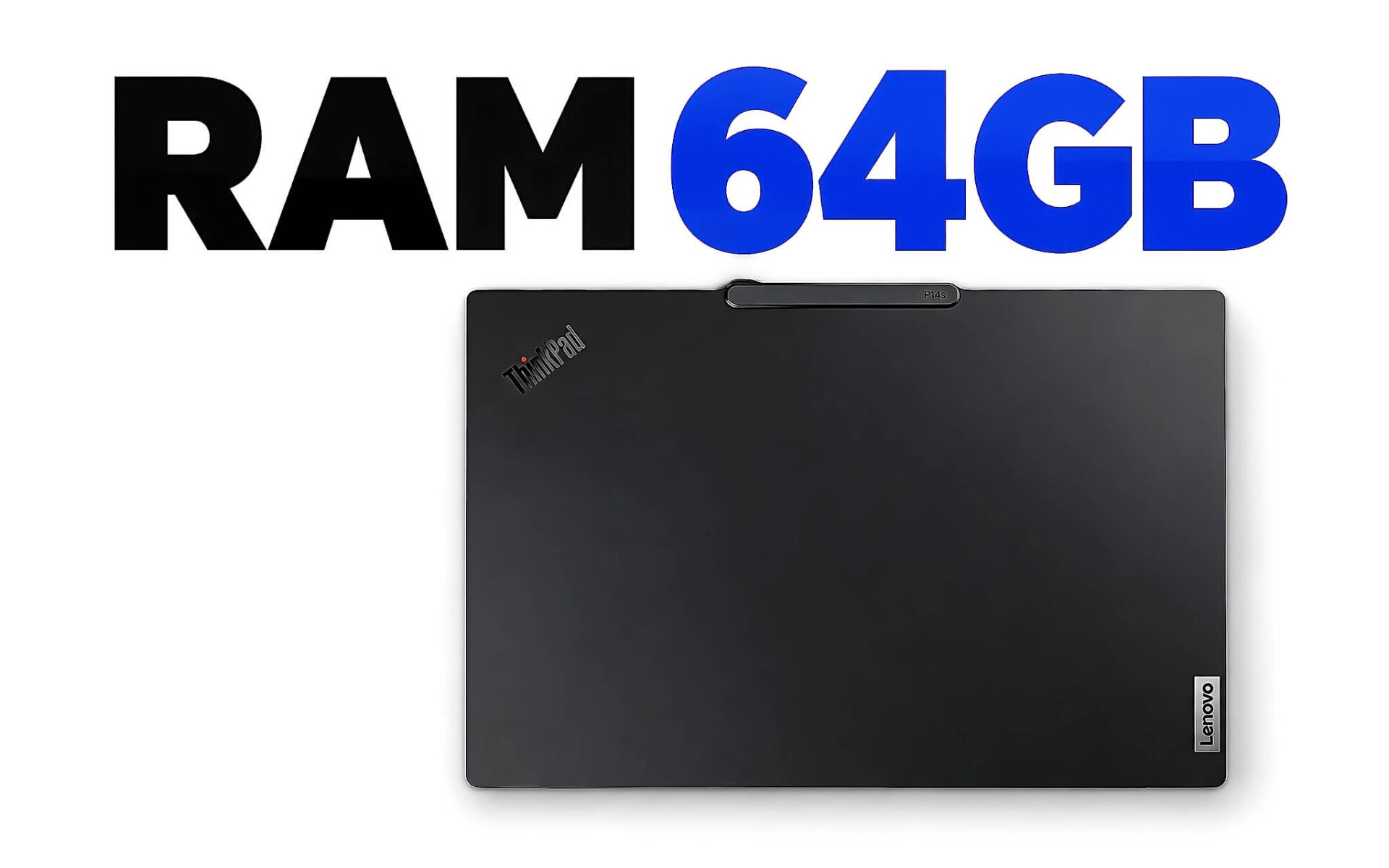
Một chiếc laptop RAM 64GB chỉ đáng tiền khi công việc của bạn thường xuyên vượt quá 32GB, còn với văn phòng, lập trình web hay chỉnh ảnh nhẹ thì phần tiền chênh gần như nằm yên. Bài viết đối chiếu mức bộ nhớ mà Adobe, Blender, Ollama, Intel và AMD công bố, rồi chọn ra bốn cấu hình 64GB đời 2025 và 2026 còn hàng, mỗi laptop gắn với một khối việc cụ thể gồm dựng video, chạy AI cục bộ, máy ảo và mô hình BIM.
Alienware 16 Area-51 bản 64GB cho timeline 4K nhiều lớp
Dựng video là lý do phổ biến nhất khiến người làm nội dung tìm tới laptop RAM 64GB. Khi timeline 4K chồng nhiều lớp hiệu ứng, chữ động và chỉnh màu, phần mềm phải giữ khung hình đệm trong bộ nhớ để phát lại mượt. Adobe ghi rõ trong trang yêu cầu hệ thống của After Effects 26.5 rằng mức tối thiểu là 16GB, còn với tư liệu 4K trở lên thì nên có 32GB hoặc hơn. Con số 32GB ấy chỉ là điểm khởi đầu, vì với bộ nhớ 64GB, vùng đệm xem trước rộng hơn và nhiều giây hoạt ảnh hơn được phát lại theo thời gian thực mà không phải kết xuất lại.
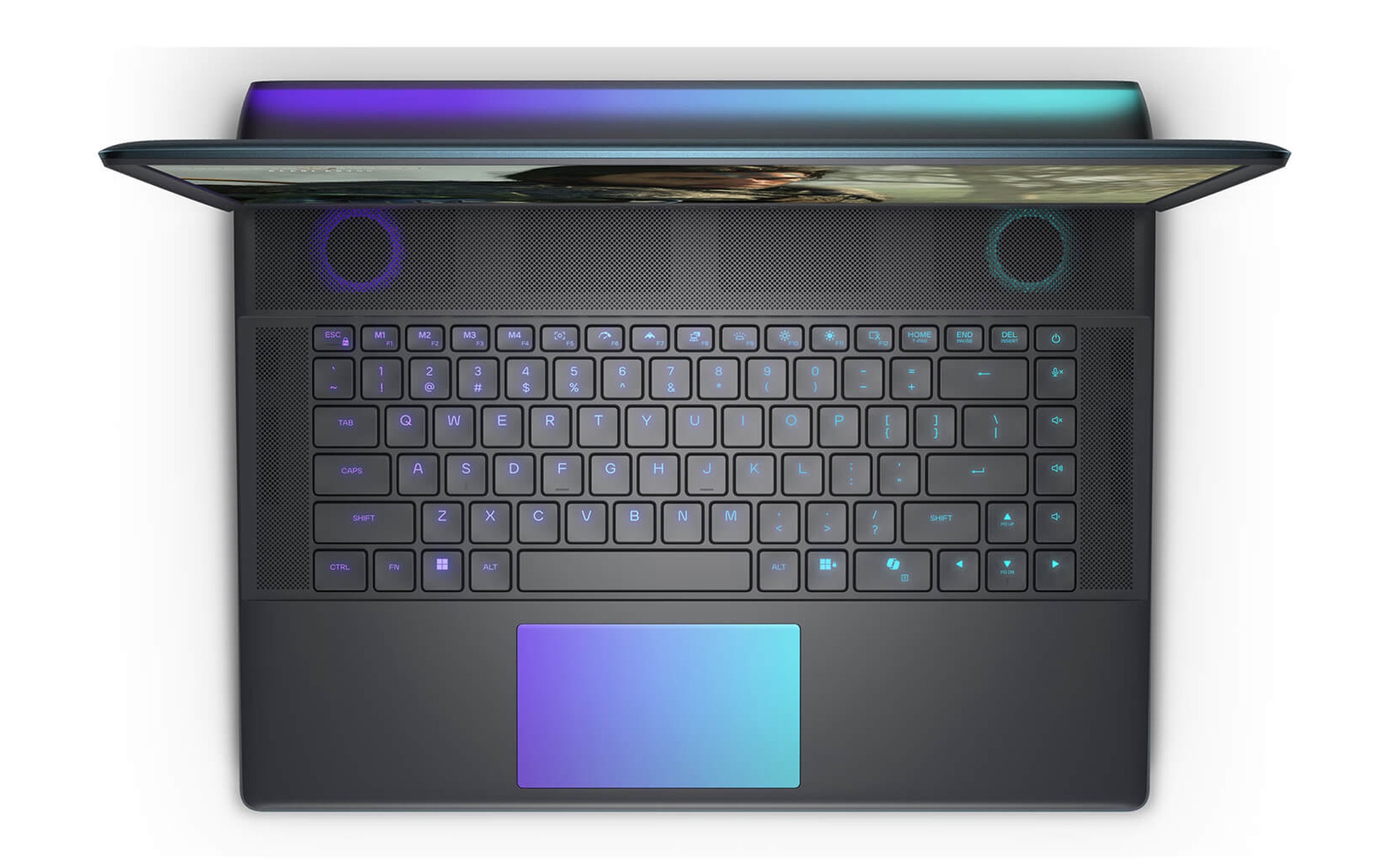
Trong nhóm này, Alienware 16 Area-51 đời 2025 bản Core Ultra 9 275HX, 64GB, 2TB SSD, RTX 5080 16GB, màn QHD+ 240Hz là cấu hình đáp ứng tốt người dựng phim kiêm chơi game, giá tham khảo 95,9 triệu đồng. Chip 275HX có 24 nhân 24 luồng, đạt khoảng 35.589 điểm Cinebench R23 đa nhân theo bảng tham chiếu Notebookcheck, còn RTX 5080 bản laptop mang 16GB GDDR7 trên bus 256-bit, băng thông 896 GB/s. Bộ đôi 64GB RAM và 16GB VRAM cho phép bạn giữ timeline dài trong bộ nhớ, đồng thời để GPU đảm nhận hiệu ứng và xuất file.
Điểm hấp dẫn nhất của laptop này nằm ở mức chênh lệch giữa hai biến thể. Bản 32GB cùng CPU, GPU và ổ 2TB có giá 89,9 triệu đồng, tức bạn chỉ trả thêm 6 triệu đồng để có bộ nhớ 64GB lắp sẵn. Theo tài liệu hướng dẫn của Dell, Alienware 16 Area-51 dùng hai khe SO-DIMM DDR5 và hỗ trợ tối đa 64GB, nghĩa là bộ nhớ 64GB đã là mức cao nhất của khung máy. Nếu bạn chắc chắn gắn bó với video 4K lâu dài, chọn luôn bản 64GB RAM sẽ gọn hơn mua bản thấp rồi tự thay cả hai thanh sau này.
Phần mềm và mô hình AI cần bao nhiêu bộ nhớ theo hãng
Trước khi chọn một laptop RAM 64GB, bạn nên đối chiếu công việc hằng ngày với con số chính các hãng phần mềm công bố, thay vì dựa vào cảm giác laptop chạy chậm. Bảng dưới gom mức khuyến nghị từ trang yêu cầu hệ thống của Adobe và Blender, cùng dung lượng tải về của ba mô hình ngôn ngữ phổ biến trên thư viện Ollama. Mọi con số tính bằng GB và là mức cho riêng ứng dụng đó, chưa cộng phần Windows, trình duyệt hay các tiến trình chạy nền chiếm thêm.
| Phần mềm hoặc mô hình | Con số công bố (GB) | Loại con số | Nguồn |
|---|---|---|---|
| Lightroom Classic 15 | 16 | RAM khuyến nghị, tối thiểu 8 | Adobe |
| After Effects 26.5, tư liệu 4K trở lên | 32 | RAM khuyến nghị, tối thiểu 16 | Adobe |
| Blender | 32 | RAM khuyến nghị, tối thiểu 8 | Blender |
| gpt-oss:20b | 14 | Dung lượng tải về | Ollama |
| qwen3:32b, lượng tử Q4_K_M | 20 | Dung lượng tải về | Ollama |
| llama3.3:70b, lượng tử Q4_K_M | 43 | Dung lượng tải về | Ollama |
Đọc bảng sẽ thấy phần lớn phần mềm sáng tạo dừng khuyến nghị ở 32GB. Blender khuyến nghị 32GB, Lightroom Classic chỉ cần từ 16GB, After Effects ghi 32GB hoặc hơn cho 4K. Nhu cầu 64GB RAM xuất hiện khi bạn cộng dồn nhiều thứ cùng lúc, ví dụ After Effects mở song song Premiere, Photoshop và vài chục tab trình duyệt tham khảo, hoặc khi bạn chạy một mô hình ngôn ngữ ngay trên laptop thay vì gửi dữ liệu lên dịch vụ đám mây.
Mô hình AI là nhóm đẩy nhu cầu lên nhanh nhất. Theo trang thẻ mô hình trên Ollama, gpt-oss:20b nặng 14GB, qwen3:32b bản lượng tử Q4_K_M nặng 20GB và llama3.3:70b cùng mức lượng tử nặng 43GB. Tệp mô hình phải nằm trọn trong bộ nhớ mới cho tốc độ chấp nhận được, lại còn cần thêm chỗ cho bộ đệm ngữ cảnh. Với mô hình từ 30B tham số trở lên, bộ nhớ 64GB gần như là mức khởi điểm hợp lý trên laptop không có GPU rời nhiều VRAM.
Dell XPS 16 DA16260 chạy mô hình ngôn ngữ cục bộ trên iGPU
Nếu mục tiêu chính của bạn là chạy mô hình ngôn ngữ cục bộ để giữ dữ liệu trong nội bộ, cách tiết kiệm là dùng đồ họa tích hợp chia sẻ bộ nhớ hệ thống thay vì mua GPU rời 24GB. Intel cho biết từ dòng Core Ultra Series 2 trở đi, phần mềm Intel Graphics có mục Shared GPU Memory Override, mặc định cấp 57% RAM hệ thống cho iGPU và cho phép chỉnh cao hơn tùy tổng dung lượng. Trên một laptop RAM 64GB, mức mặc định đó tương đương khoảng 36GB, đủ chứa trọn qwen3:32b nặng 20GB kèm bộ đệm ngữ cảnh.
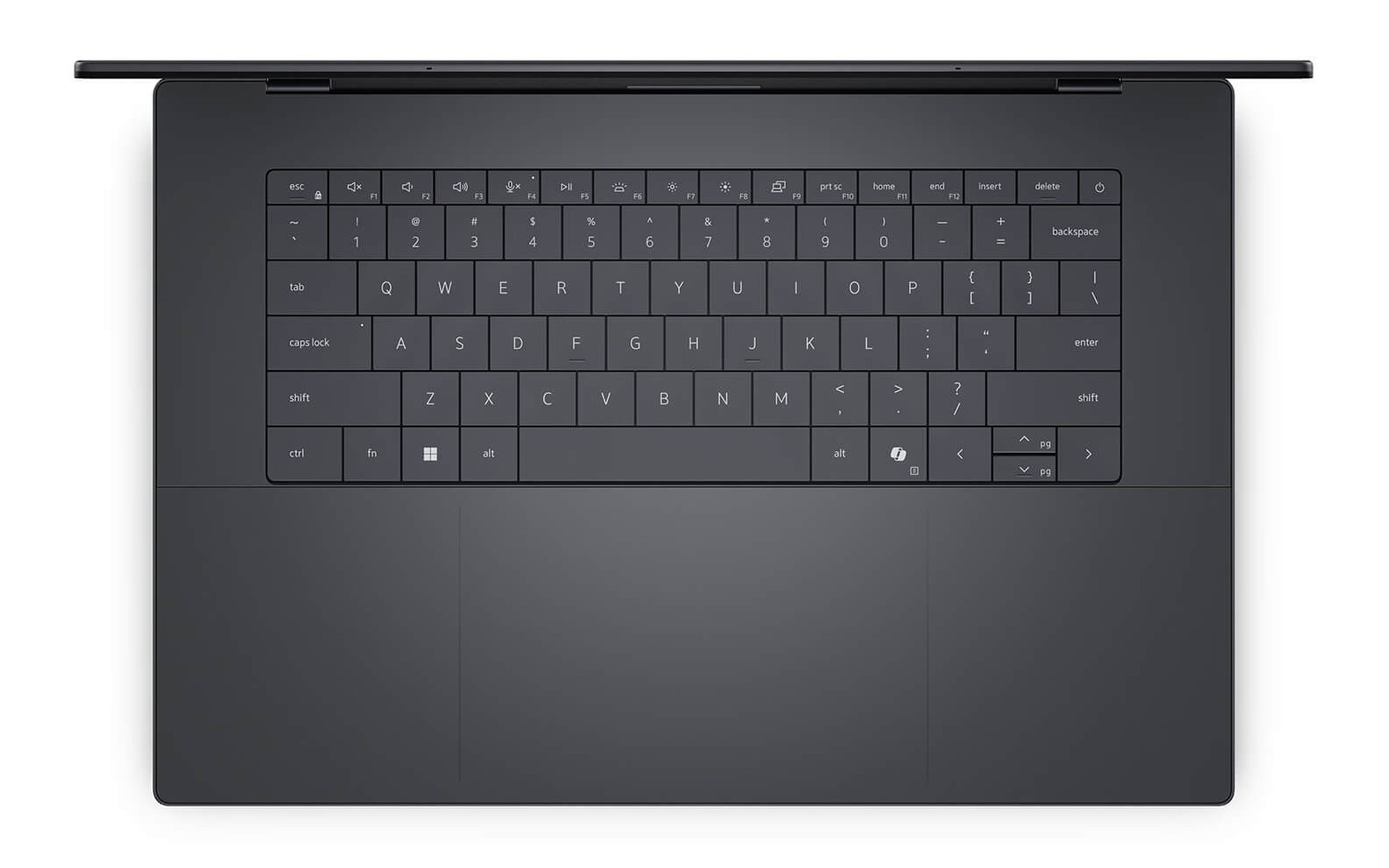
Dell XPS 16 DA16260 đời 2026 bản Core Ultra X7 358H, 64GB, 1TB SSD, Intel Arc Graphics, màn 3.2K OLED cảm ứng là ứng viên laptop RAM 64GB hợp với hướng dùng này, giá tham khảo 95 triệu đồng. Trang thông số của Intel xác nhận X7 358H tích hợp GPU Arc B390 12 nhân Xe3 và hỗ trợ LPDDR5X tới 9600 MT/s, khớp với RAM LPDDR5X 9600MHz ghi trên trang sản phẩm. Theo bảng tham chiếu Notebookcheck, Arc B390 đạt khoảng 6.627 điểm Time Spy, gần gấp đôi mức 3.376 điểm của Radeon 890M.
Điểm cần cân nhắc là bộ nhớ trên XPS 16 hàn chết vào bo mạch, trang sản phẩm ghi rõ không nâng cấp được, nên chọn bản 64GB RAM ngay từ đầu là bắt buộc nếu bạn định chạy AI cục bộ. Phiên bản 32GB màn 2K có giá 78 triệu đồng, nhưng mức 57% chỉ còn khoảng 18GB cho iGPU, không đủ chứa qwen3:32b. Với mô hình 70B nặng 43GB, ngay cả bộ nhớ 64GB cũng phải nâng ngưỡng chia sẻ hoặc để một phần chạy trên CPU, hiệu năng khi đó sẽ suy giảm đáng kể.
ThinkPad P14s Gen 6 gánh nhiều máy ảo và Docker cùng lúc
Lập trình viên backend, kỹ sư DevOps và người học quản trị hệ thống thường chạy song song nhiều máy ảo, cụm container và công cụ giả lập. Mỗi máy ảo Windows 11 cần tối thiểu 4GB theo yêu cầu hệ thống của Microsoft, nên chỉ ba máy ảo cộng Windows chủ, IDE và trình duyệt là đã vượt 16GB. Một cụm Kubernetes thử nghiệm kèm cơ sở dữ liệu và vài dịch vụ Java có thể đẩy tổng mức dùng lên gần 32GB tùy cấu hình, và 64GB RAM là mức giúp bạn dựng môi trường giống thật mà không phải tắt bớt dịch vụ.
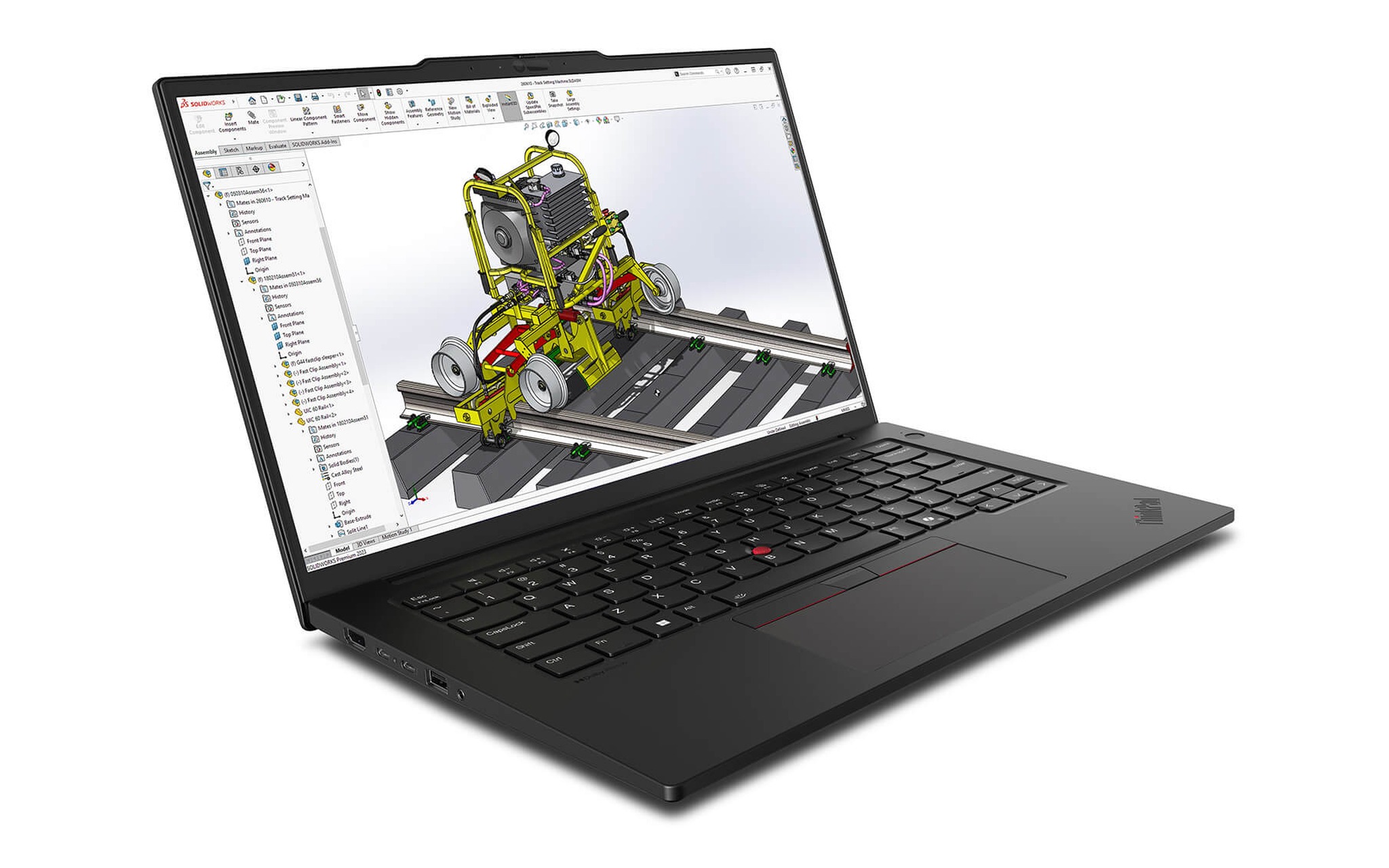
ThinkPad P14s Gen 6 đời 2025 bản Ryzen AI 9 HX PRO 370, 64GB, 1TB SSD, Radeon 890M, màn WUXGA có giá 52,8 triệu đồng, là laptop RAM 64GB rẻ nhất trong bài. Chip HX PRO 370 có 12 nhân 24 luồng, đạt khoảng 18.520 điểm Cinebench R23 đa nhân theo Notebookcheck, số luồng dồi dào giúp tận dụng tốt việc phân bổ lõi ảo cho từng máy ảo dễ hơn. Theo PSREF của Lenovo, laptop dùng hai khe SO-DIMM DDR5-5600, hỗ trợ tối đa 96GB và nặng từ 1,39 kg, nên từ bộ nhớ 64GB bạn vẫn còn đường nâng lên 96GB sau này.
Bản HX PRO 370 còn có lợi thế cho AI cục bộ nhờ tính năng Variable Graphics Memory của AMD, cho phép cấp tới 75% RAM hệ thống làm bộ nhớ đồ họa trên dòng Ryzen AI 300. Với laptop RAM 64GB, con số đó tương đương 48GB cho Radeon 890M, dư sức nạp qwen3:32b. Nếu bạn đang cân nhắc giữa thêm RAM hay lên CPU mạnh hơn cho công việc container, bài Chọn Laptop chạy mượt Docker: RAM mới là cứu cánh, không phải CPU giải thích vì sao dung lượng bộ nhớ quyết định độ mượt nhiều hơn số nhân.
Dell Pro Max 16 MC16250 cho tệp BIM và CAD cỡ lớn
Kiến trúc sư làm Revit, kỹ sư kết cấu và người dựng mô hình liên kết nhiều tệp là nhóm tiếp theo cần laptop RAM 64GB. Khi một mô hình BIM liên kết cả phần kiến trúc, kết cấu và cơ điện, phần mềm phải nạp toàn bộ hình học, bảng thống kê và các khung nhìn vào bộ nhớ cùng lúc. Autodesk dành hẳn một bài hỗ trợ riêng về yêu cầu phần cứng cho dự án Revit lớn và phức tạp, cho thấy bộ nhớ là nút thắt quen thuộc ở quy mô này, nơi bộ nhớ 64GB giúp mở nhiều mô hình liên kết mà ít phải chờ nạp lại.
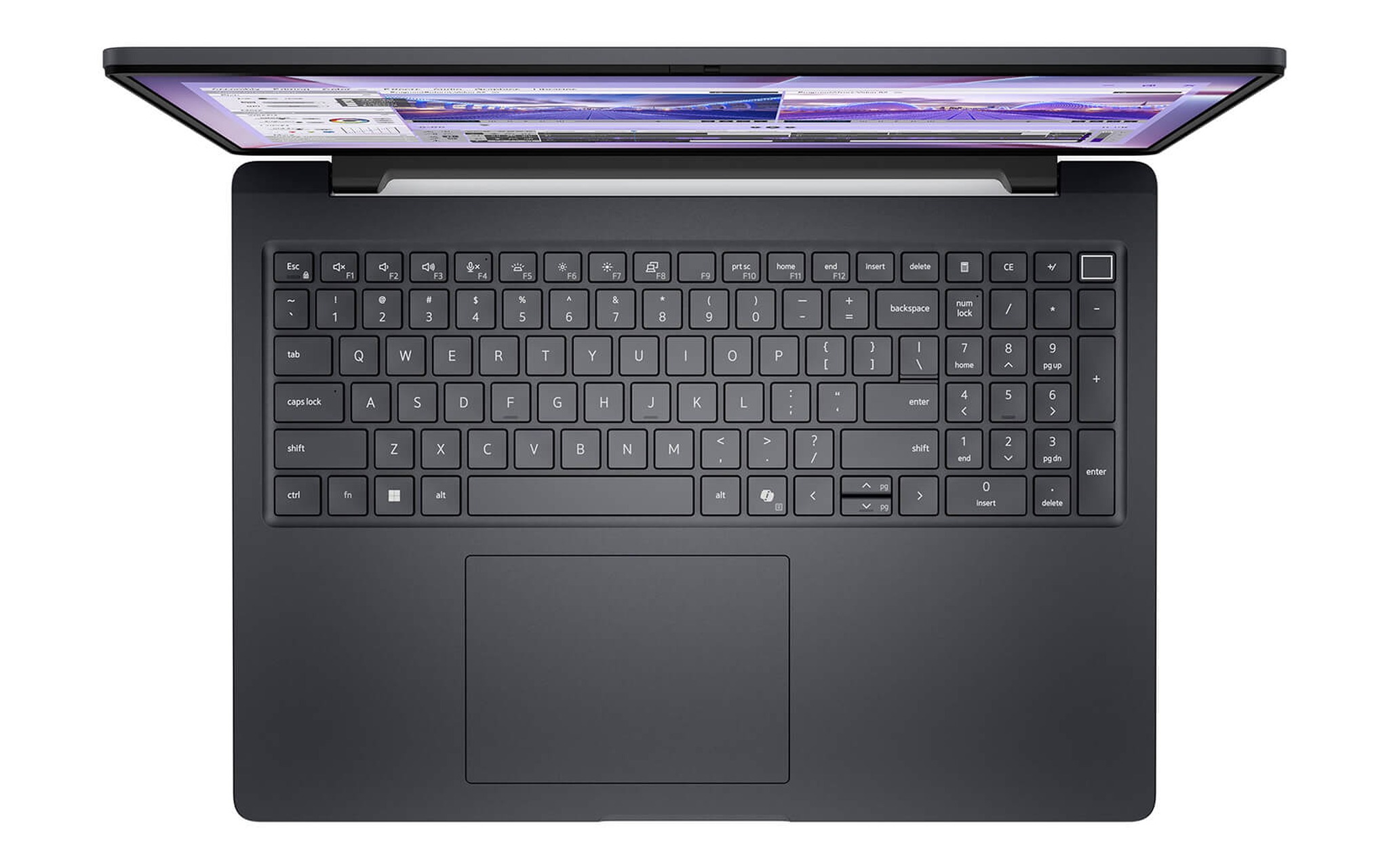
Dell Pro Max 16 MC16250 đời 2025 bản Core Ultra 7 265H, 64GB, 2TB SSD, RTX PRO 2000 8GB, màn FHD+ có giá 58,5 triệu đồng, là laptop RAM 64GB rẻ nhất trong bài có card đồ họa chuyên nghiệp. RTX PRO 2000 thế hệ Blackwell mang 8GB GDDR7 trên bus 128-bit và đạt khoảng 9.120 điểm Time Spy theo Notebookcheck, đủ cho xoay dựng mô hình BIM và CAD 3D tầm trung đến lớn. Chip 265H có 16 nhân 16 luồng, khoảng 19.940 điểm Cinebench R23 đa nhân.
Theo tài liệu hướng dẫn của Dell, MC16250 có hai khe SoDIMM hoặc CSoDIMM DDR5 và hỗ trợ tối đa 64GB, bản 64GB RAM dùng hai thanh 32GB. Như vậy bộ nhớ 64GB đã là mức cao nhất Dell hỗ trợ, bạn không cần tính chuyện nâng cấp thêm. Nếu dự án của bạn chỉ dừng ở bản vẽ 2D và mô hình một bộ môn, bản Core Ultra 7 255H 32GB dùng Intel Arc 140T giá 36 triệu đồng là lựa chọn tiết kiệm hơn, dù thiếu card đồ họa rời.
Chênh giá giữa bản 32GB và 64GB cùng đường nâng cấp
Bốn mẫu laptop RAM 64GB trên cho thấy mức chênh lệch để lên 64GB RAM dao động đáng kể tùy cách hãng chia biến thể. Ở Alienware 16 Area-51, hai bản chỉ khác bộ nhớ nên phần chênh lệch 6 triệu đồng phản ánh đúng giá trị thực tế của 32GB bổ sung. Ở ba laptop còn lại, bản 32GB đi kèm CPU, GPU hoặc màn hình thấp hơn, nên khoảng cách giá lớn hơn nhiều và không thể quy hết cho RAM. Bảng dưới đặt giá bản 32GB và bản 64GB cạnh nhau, kèm kiểu bộ nhớ theo tài liệu của hãng.
| Laptop | Kiểu bộ nhớ theo hãng | Tối đa hãng hỗ trợ | Bản 32GB (triệu đồng) | Bản 64GB (triệu đồng) |
|---|---|---|---|---|
| Alienware 16 Area-51 | Hai khe SO-DIMM DDR5 | 64GB | 89,9 | 95,9 |
| Dell XPS 16 DA16260 | LPDDR5X hàn trên bo mạch | Không nâng cấp | 78 (màn 2K) | 95 |
| ThinkPad P14s Gen 6 | Hai khe SO-DIMM DDR5-5600 | 96GB | 41 (Ryzen AI 7 PRO 350) | 52,8 |
| Dell Pro Max 16 MC16250 | Hai khe SoDIMM hoặc CSoDIMM DDR5 | 64GB | 36 (Intel Arc 140T) | 58,5 |
Kiểu bộ nhớ quyết định bạn có được mua 32GB trước rồi nâng lên 64GB RAM sau hay không. Laptop dùng khe SO-DIMM như P14s Gen 6 cho phép thay thanh về sau, còn XPS 16 hàn LPDDR5X lên bo mạch thì dung lượng lúc mua cũng là dung lượng suốt vòng đời. Khi bộ nhớ hàn cố định, sai lầm tốn kém nhất là mua thiếu, vì 32GB đủ hôm nay chưa chắc đủ khi dự án hoặc mô hình AI phình ra trong hai, ba năm tới.
Ngược lại, nếu công việc của bạn chủ yếu là văn phòng, lập trình web, chỉnh ảnh Lightroom hay dựng video Full HD, 32GB vẫn dư dả và phần tiền chênh nên dồn cho màn hình hoặc SSD. Ngưỡng 16GB và 32GB cho từng nhóm việc được phân tích trong bài Laptop bao nhiêu RAM là đủ: 16GB vẫn ổn nếu máy còn khe nâng cấp, phù hợp khi bạn còn phân vân giữa hai mức thấp hơn. Chỉ khi rơi vào một trong bốn khối việc ở trên, laptop RAM 64GB mới đem lại khác biệt đo được.
Câu hỏi thường gặp khi chọn laptop RAM 64GB
Có nên mua bản 32GB rồi tự nâng lên sau? Chỉ nên làm vậy với laptop còn khe SO-DIMM như ThinkPad P14s Gen 6 hay Alienware 16 Area-51. Với Alienware, bản 64GB RAM lắp sẵn chỉ đắt hơn 6 triệu đồng nên mua luôn thường hợp lý hơn. Laptop hàn LPDDR5X như XPS 16 không có đường nâng cấp, bạn phải chọn đúng bộ nhớ 64GB từ đầu.
RAM nhiều có thay được VRAM của card rời không? Chỉ với đồ họa tích hợp, vì Intel mặc định cho iGPU mượn 57% RAM hệ thống còn tính năng Variable Graphics Memory của AMD cho mượn tới 75%. Card rời như RTX 5080 dùng 16GB VRAM riêng, khi mô hình vượt VRAM thì phần dư chuyển sang RAM và CPU xử lý, chậm hơn nhiều. Lúc đó 64GB RAM giúp mô hình vẫn chạy được thay vì báo lỗi thiếu bộ nhớ.
Tốc độ RAM hay dung lượng quan trọng hơn? Với khối việc nặng dung lượng như máy ảo, BIM hay mô hình ngôn ngữ, thiếu dung lượng khiến Windows đẩy dữ liệu sang SSD, chậm hơn RAM nhiều lần. Tốc độ chỉ tạo chênh lệch hiệu năng rõ khi iGPU dùng chung bộ nhớ, đó là lý do XPS 16 dùng LPDDR5X 9600 MT/s. Với laptop có card rời, hãy ưu tiên đủ bộ nhớ 64GB trước rồi mới xét tốc độ.
Làm sao kiểm tra đúng cấu hình khi nhận máy? Bốn mẫu laptop RAM 64GB trong bài đều là hàng New 100% và còn hàng tại Hưng Phát Laptop, giá cập nhật ngày 30/09/2026. Khi nhận máy, bạn mở Task Manager, chọn tab Performance rồi mục Memory để xem tổng dung lượng, tốc độ và số khe đã dùng có khớp với cấu hình ghi trên hóa đơn hay không.











