

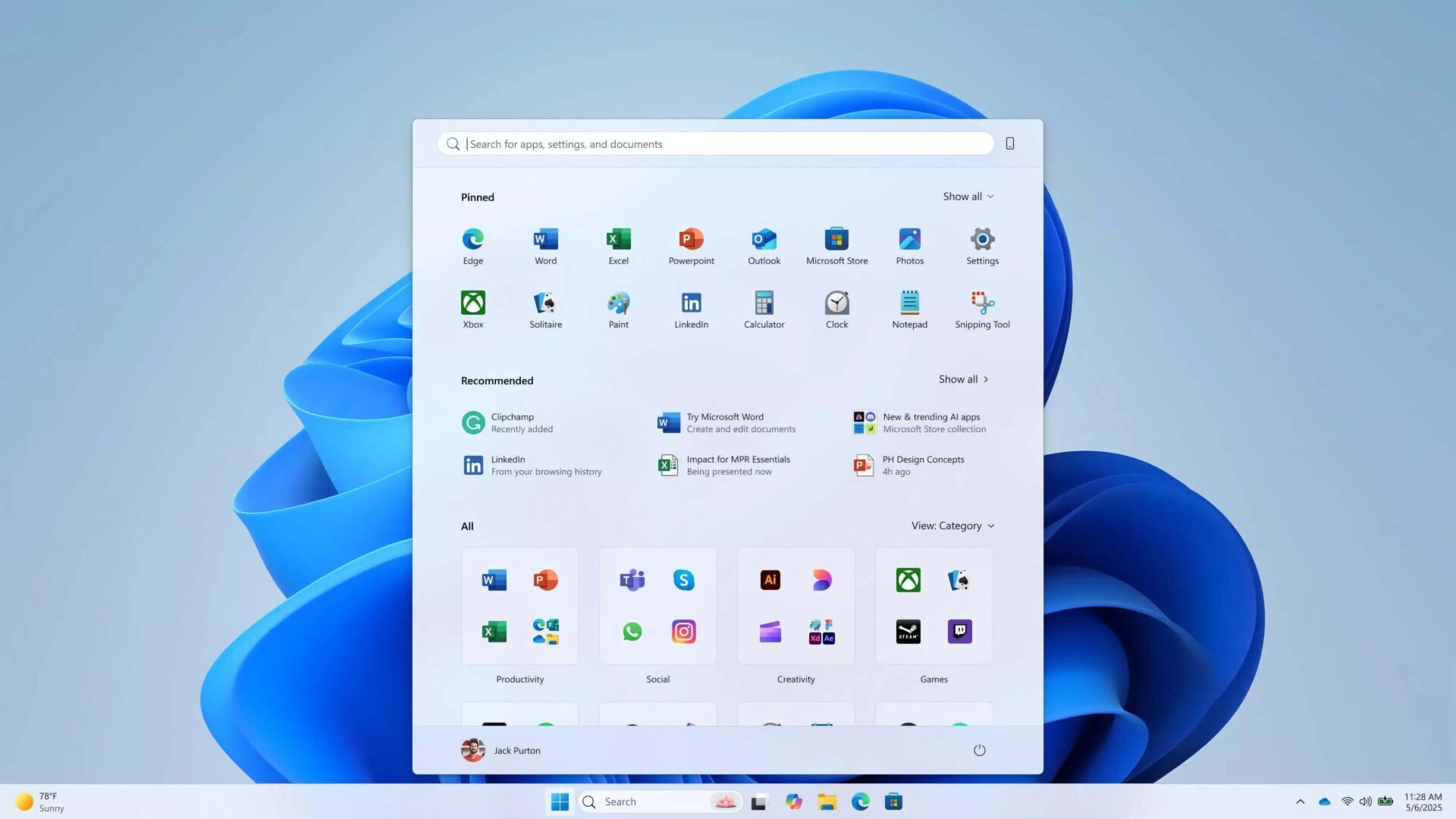
Start Menu is always the focal point whenever Microsoft "improves" the operating system interface. With Windows 11 in 2025, Microsoft continues to refresh the Start Menu, aiming for a "human-centric" experience, focusing on personalization and optimizing application search capabilities. So, does this new design truly stand out and meet user expectations, or is it just another experimental loop following the Windows 8 era?
The History of Start Menu Changes and New Design Principles
From Windows 8 to the present, the Start Menu has changed many times, causing controversy within the user community. Microsoft once experimented with many different designs, but not every version received consensus. In the 2025 update, Microsoft's design team has discarded many ideas such as the rounded Start Menu, integrated widgets, or full-screen interfaces with "For You" suggested items. These prototypes were previously tested through sketches, digital models, and real-world surveys with over 300 Windows 11 users, but were ultimately rejected for failing to meet the criteria of ease of use and space optimization.
https://www.youtube.com/watch?v=pwztPQCuKUk
The new Start Menu design adheres to four principles: Apps at a Glance (Apps at a Glance), Make it Yours (Make it Yours), Accelerate the Day (Accelerate the Day), and Honor the Icon (Honor the Icon). The goal is to help users quickly access all applications, customize easily, and operate rapidly while maintaining the familiar essence of Windows from the past three decades.
Key Highlights: Smart Suggestions, Flexible Customization, and Community Feedback
Start Menu on Windows 11 brings three "All Apps" views, including grouped, grid, and list formats, helping users find applications more conveniently without the need for long scrolling as before. Notably, the frequently used application categorization mode is inspired by the App Library on smartphones, catering to modern habits.
Upgraded smart suggestion feature: Start Menu automatically learns user behavior to suggest relevant apps and documents in real-time. Users can also hide unnecessary suggestions, increasing control and personalizing the experience. Additionally, the new Start Menu clearly distinguishes between desktop and mobile content, optimizing for both traditional devices and touchscreens, from Surface Go to 49-inch ultrawide monitors.
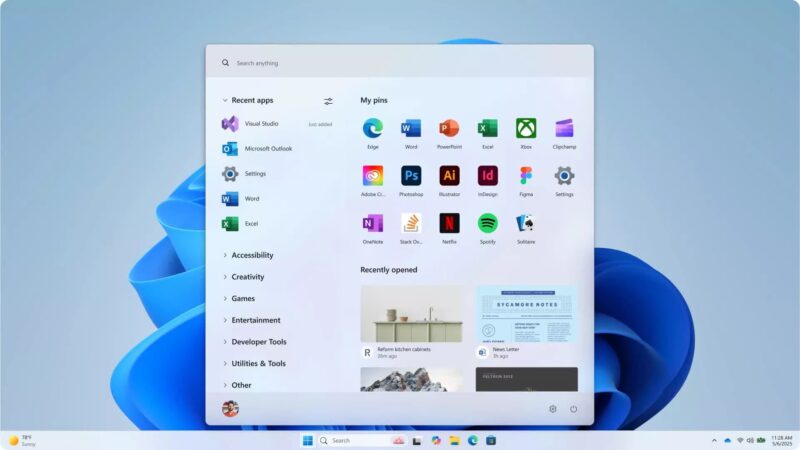
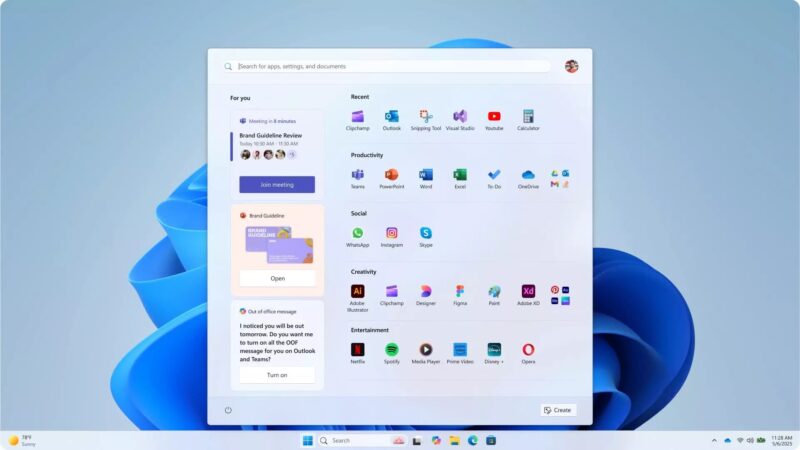
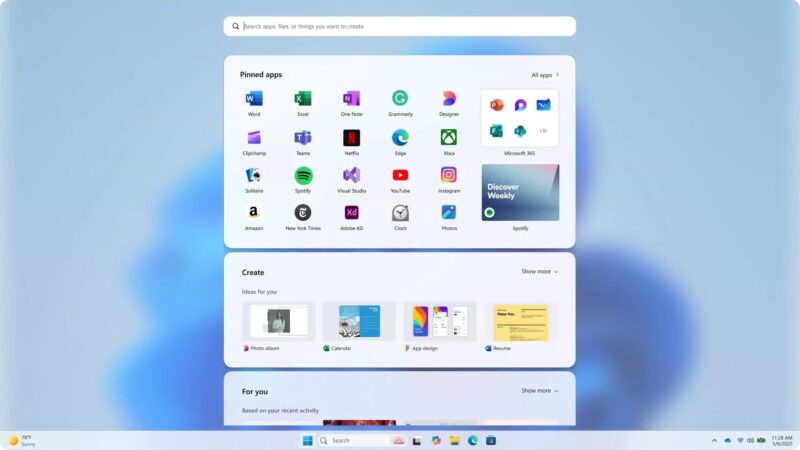
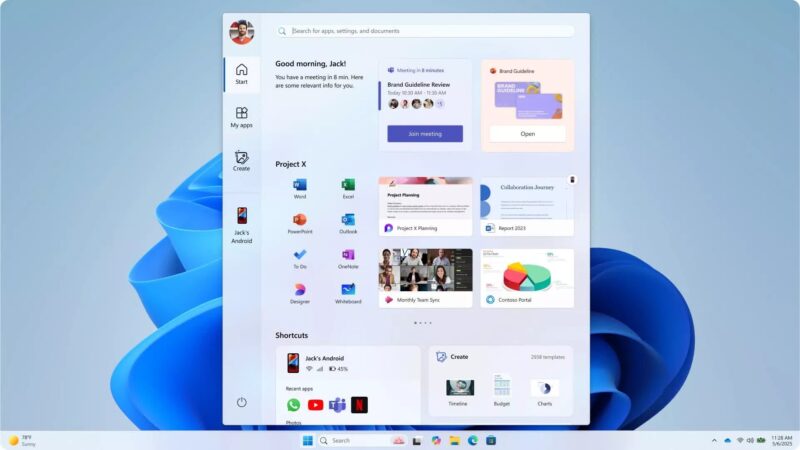
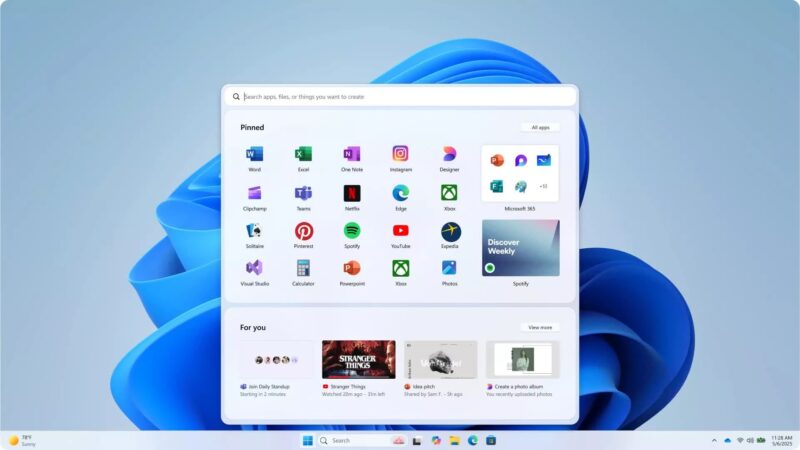
Microsoft emphasizes the community feedback element in the development process: over 300 Windows 11 "fans" participated in providing input, helping to refine even the smallest details. The design team focused on optimizing performance, reducing latency, and enhancing response speed-a persistent weakness of previous Start Menu versions.
However, not everyone is satisfied with this new direction. A segment of users and experts still believe that the Windows 11 interface and the new Start Menu are not truly user-friendly, even causing difficulties for those accustomed to the traditional style from the Windows 7 and 10 eras. For them, third-party applications like Open Shell remain flexible alternatives, restoring the familiar experience that Microsoft is gradually phasing out.
Overview: Start Menu on Windows 11 2025 is a major effort by Microsoft to harmonize innovation with tradition, placing humans at the center of the experience. The new design aims for personalization, optimized performance, and customization capabilities, while emphasizing listening to actual feedback from the community. Despite conflicting opinions, the new Start Menu promises to better meet the needs of modern users. If you are not satisfied, third-party solutions like Open Shell remain useful options to personalize the experience as desired.











