

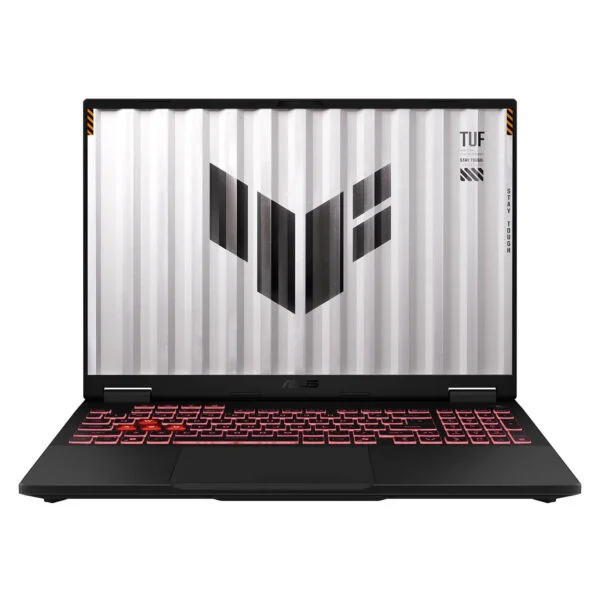
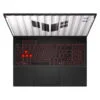
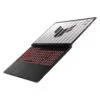
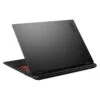
Asus TUF Gaming A16 (FA608UHI) (2025)
- CPU: AMD Ryzen™ 7 260 Up To 5.1GHz (8 Cores, 16 Threads, 24MB Cache - 16 TOPS NPU)
- RAM: DDR5 16GB 5200MHz
- SSD: 512GB PCIe Gen4 M.2 SSD
- VGA: NVIDIA® GeForce RTX™ 5050 8GB GDDR7
- DISPLAY: 16" 2.5K (2560*1600) IPS, 3ms, 165Hz, Anti-Glare, 100% sRGB, G-SYNC®, NVIDIA® Advanced Optimus, 300 nits
- CONDITION: New 100% Full Box
- WARRANTY: 12-month warranty
- Military-Grade Durable Design of the ASUS TUF Gaming A16 (2025)
- 16-Inch 2.5K 165Hz Display with 100% sRGB Coverage
- Asus TUF Gaming A16 2025 Performance with Ryzen 7 260
- Up to 115W RTX 5050 and MUX Switch for 2.5K Gaming
- Easily Upgradable RAM and SSD
- 2nd-Gen Arc Flow Fans and Dust Filters
- RGB Keyboard, Touchpad, and Dolby Atmos Audio
- Ports and 70Wh Battery on the 2025 ASUS TUF A16
- ASUS TUF Gaming A16 (2025) Summary and Review
- FAQ - Frequently Asked Questions About ASUS TUF Gaming A16 (2025)
- Where to Buy the ASUS TUF Gaming A16 (2025) with Reliable Quality and Pricing
The ASUS TUF Gaming A16 (2025) (FA608UHI) is a 16-inch gaming laptop built to MIL-STD-810H military-grade durability standards. This configuration features an 8-core, 16-thread AMD Ryzen 7 260 processor, an 8GB GDDR7 NVIDIA GeForce RTX 5050 graphics card, 16GB of dual-channel DDR5 RAM, a 512GB SSD, and a 2.5K 165Hz display. This review examines its gaming performance, upgradability, cooling system, and how it compares to other models in the lineup.
Military-Grade Durable Design of the ASUS TUF Gaming A16 (2025)
Finished in dark gray, the chassis pairs an aluminum display lid with rigid plastic for the rest of the body, accented by a discreet TUF logo in the corner. It measures 354 x 269mm, ranges from 17.9 to 25.7mm in thickness, and weighs 2.2 kg. Unlike many heavily LED-lit gaming laptops, the 2025 TUF edition from Asus laptops sports a subdued aesthetic that blends right into coffee shops and office spaces without standing out.
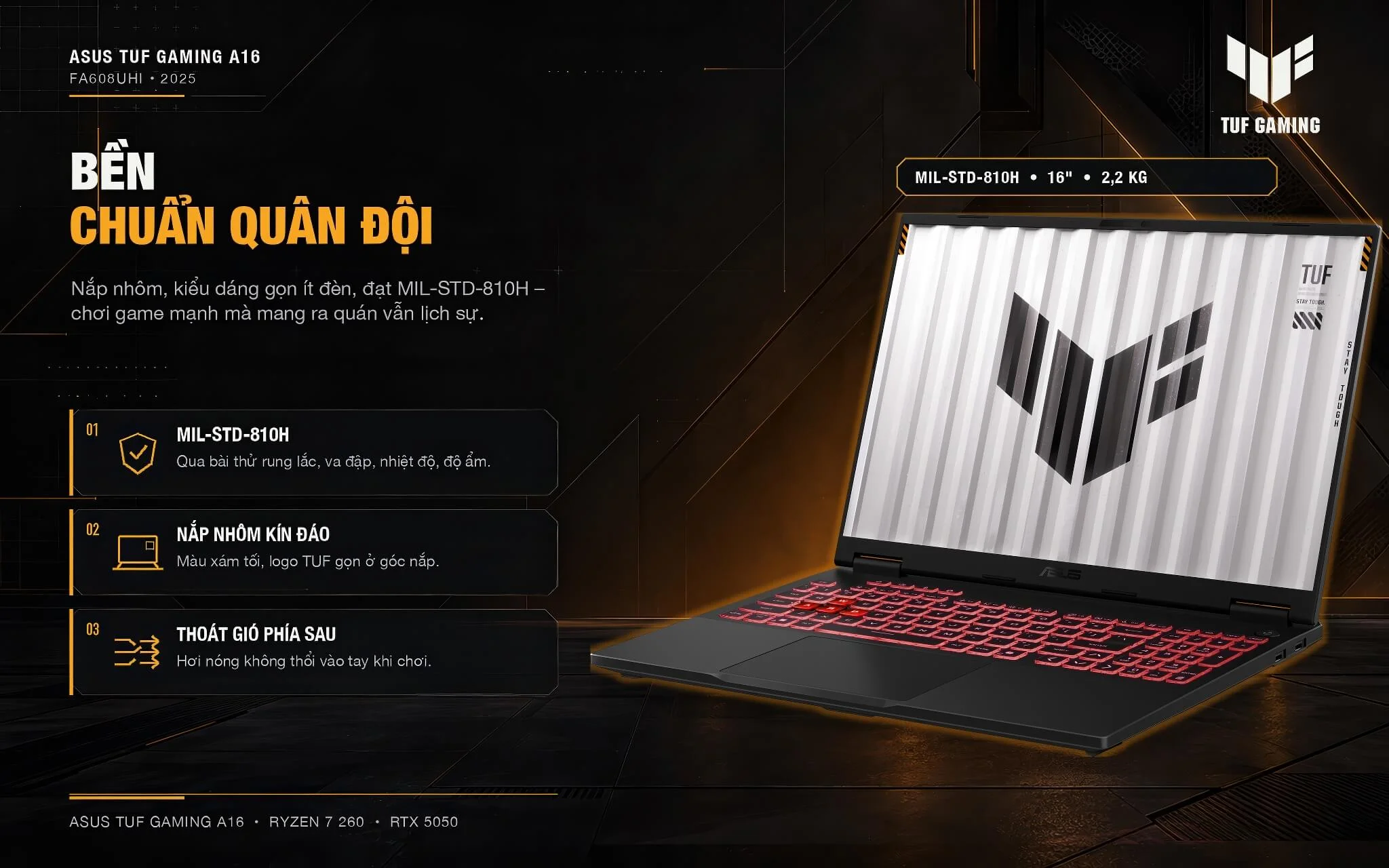
All heat vents are routed to the rear, keeping warm air off your hands during gaming sessions and freeing up room for side I/O ports. The laptop has passed MIL-STD-810H durability tests covering vibration, shock, temperature extremes, and humidity. On the other hand, at 2.2 kg, it is better suited for a desk setup than all-day carry.
16-Inch 2.5K 165Hz Display with 100% sRGB Coverage
The Asus TUF Gaming A16 FA608UHI features a 16-inch IPS display with a 2560 x 1600 (WQXGA) resolution, a 16:10 aspect ratio, a 165Hz refresh rate, a 3ms response time, and an anti-glare finish. The panel covers 100% of the sRGB color space, supports G-SYNC to eliminate screen tearing, and includes a MUX Switch with NVIDIA Advanced Optimus, routing discrete graphics directly to the screen to boost gaming frame rates by roughly 5% to 10%.
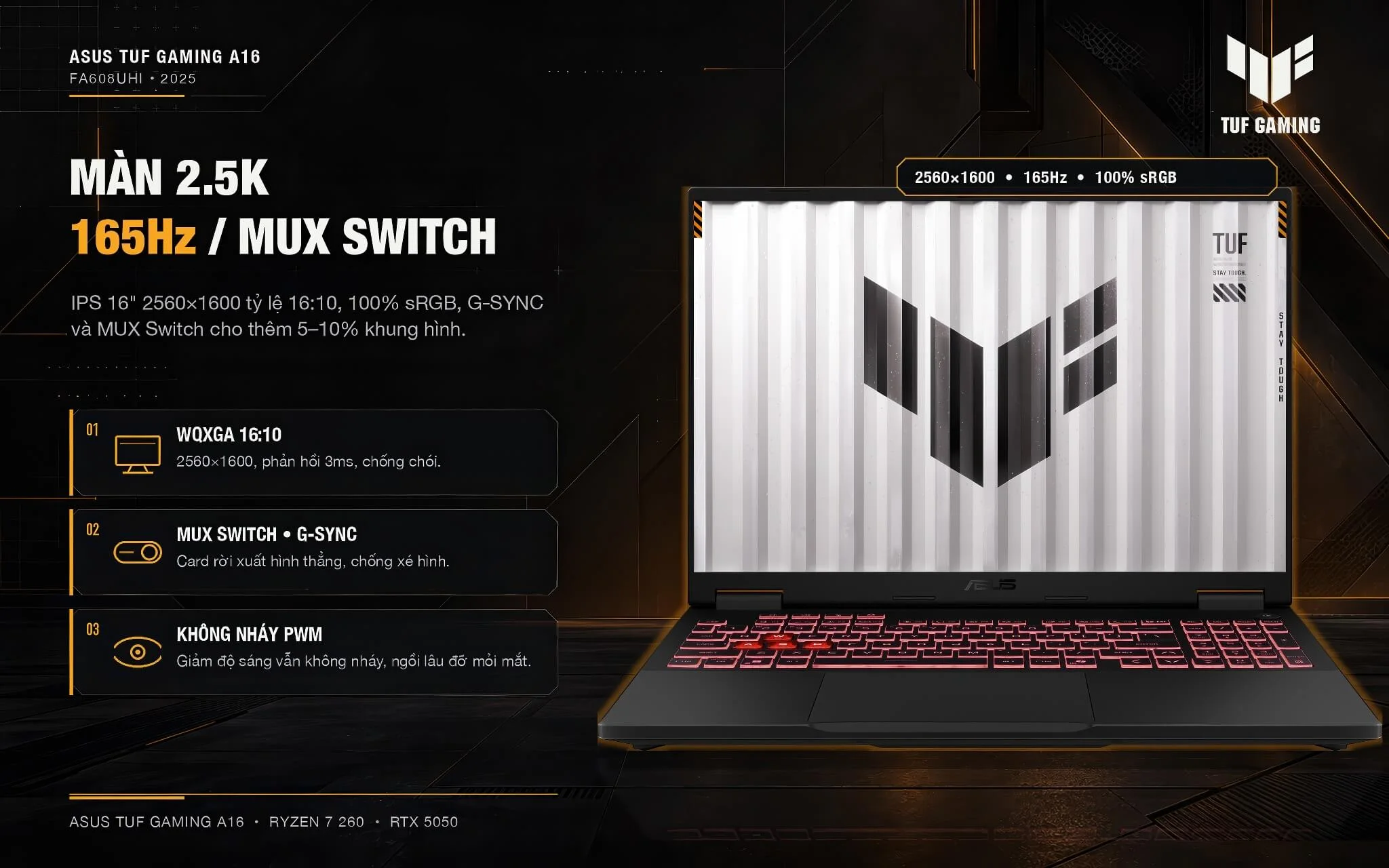
Alongside this 2.5K configuration, the 2025 TUF A16 lineup also offers 1920 x 1200 WUXGA panels at 165Hz or 144Hz, both featuring 100% sRGB coverage. According to LaptopMedia, the display panel is flicker-free (does not use PWM) across brightness levels, reducing eye strain during long sessions. With roughly 75% Adobe RGB coverage, print designers and professional colorists will still need an external monitor.
Asus TUF Gaming A16 2025 Performance with Ryzen 7 260
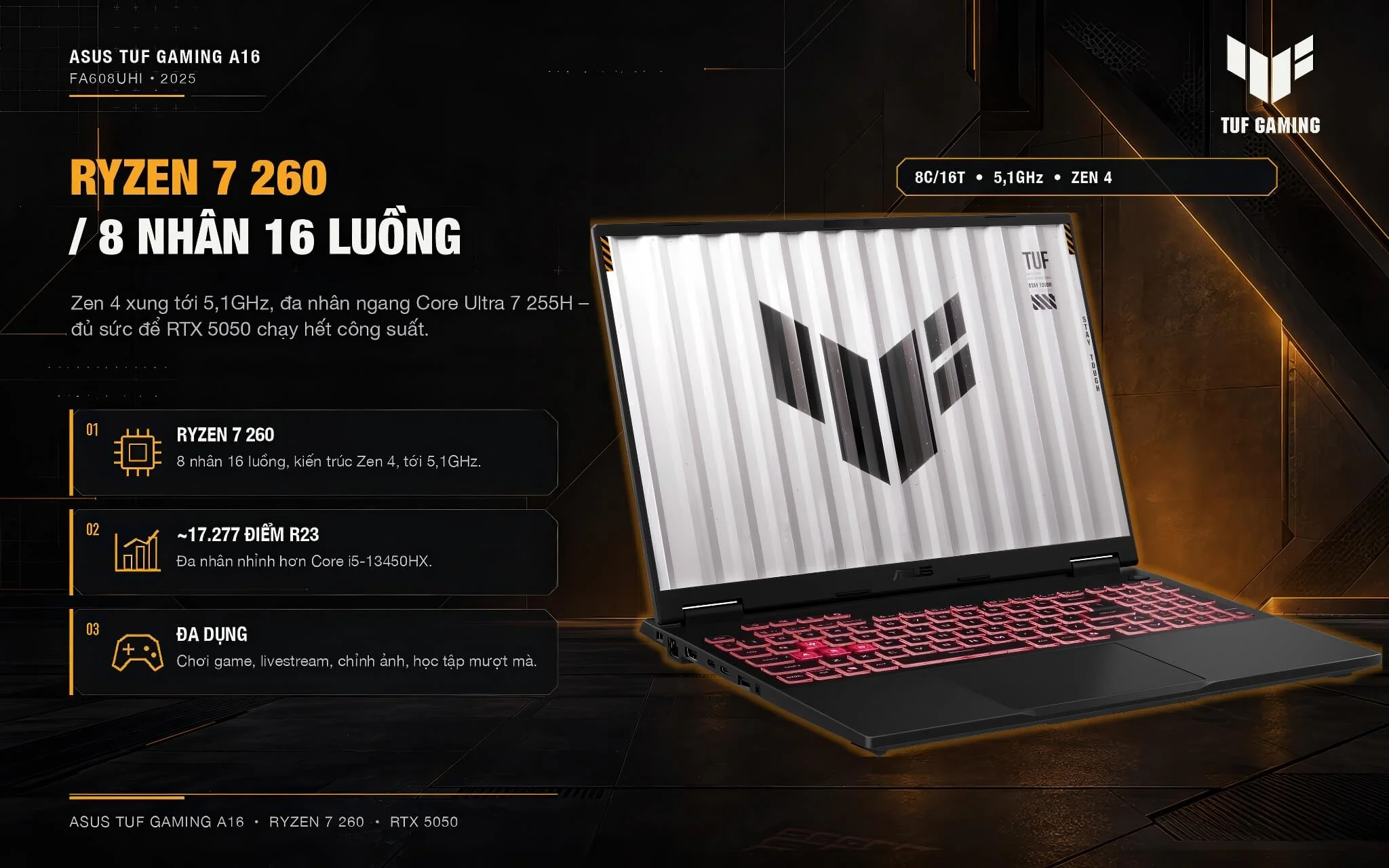
The AMD Ryzen 7 260 belongs to the Hawk Point family, featuring 8 cores and 16 threads on the Zen 4 architecture with boost clocks up to 5.1GHz, paired with Radeon 780M integrated graphics and a 16 TOPS NPU. The 2025 TUF A16 lineup also includes configurations with the Ryzen 9 270 (boosting up to 5.2GHz) and the 16-core, 32-thread Ryzen 9 8940HX. The table below compares the Ryzen 7 260 against other processors commonly found in gaming laptops within this price bracket.
| Processor | Cores / Threads | Cinebench R23 Single-Core | Cinebench R23 Multi-Core | Geekbench 6 Multi-Core |
|---|---|---|---|---|
| Ryzen 7 260 (tested here) | 8 / 16 | 1,764 | 17,277 | 13,299 |
| Ryzen 9 8940HX (TUF A16 HX edition) | 16 / 32 | 1,924 | 29,834 | 16,188 |
| Core Ultra 7 255H | 16 / 16 | 2,061 | 17,845 | 15,223 |
| Core i7-14650HX | 16 / 24 | 1,969 | 20,454 | 14,451 |
| Core i5-13450HX | 10 / 16 | 1,746 | 16,797 | 12,684 |
Reference figures represent Notebookcheck averages; real-world results vary by power profile on each laptop.
The Ryzen 7 260 scores about 17,277 in Cinebench R23 multi-core, matching the Core Ultra 7 255H and edging out the Core i5-13450HX common in budget gaming laptops. For gaming, this CPU provides ample headroom to let the RTX 5050 run at full capacity without CPU bottlenecks at 2.5K.
If your workflow extends beyond gaming to 3D rendering, 4K video editing, or large code compilation, the Ryzen 9 8940HX edition is roughly 73% faster in multi-threaded tasks and well worth considering. For coursework, livestreaming, photo editing, and standard office workloads, the Ryzen 7 260 provides plenty of performance while running cooler and conserving battery life.
The 16 TOPS NPU in the Ryzen 7 260 handles AI effects such as background noise reduction and video call blur, though it falls short of the 40 TOPS threshold required for Copilot+ PC status. The Copilot key and tools like ChatGPT and Gemini remain fully functional.
Up to 115W RTX 5050 and MUX Switch for 2.5K Gaming
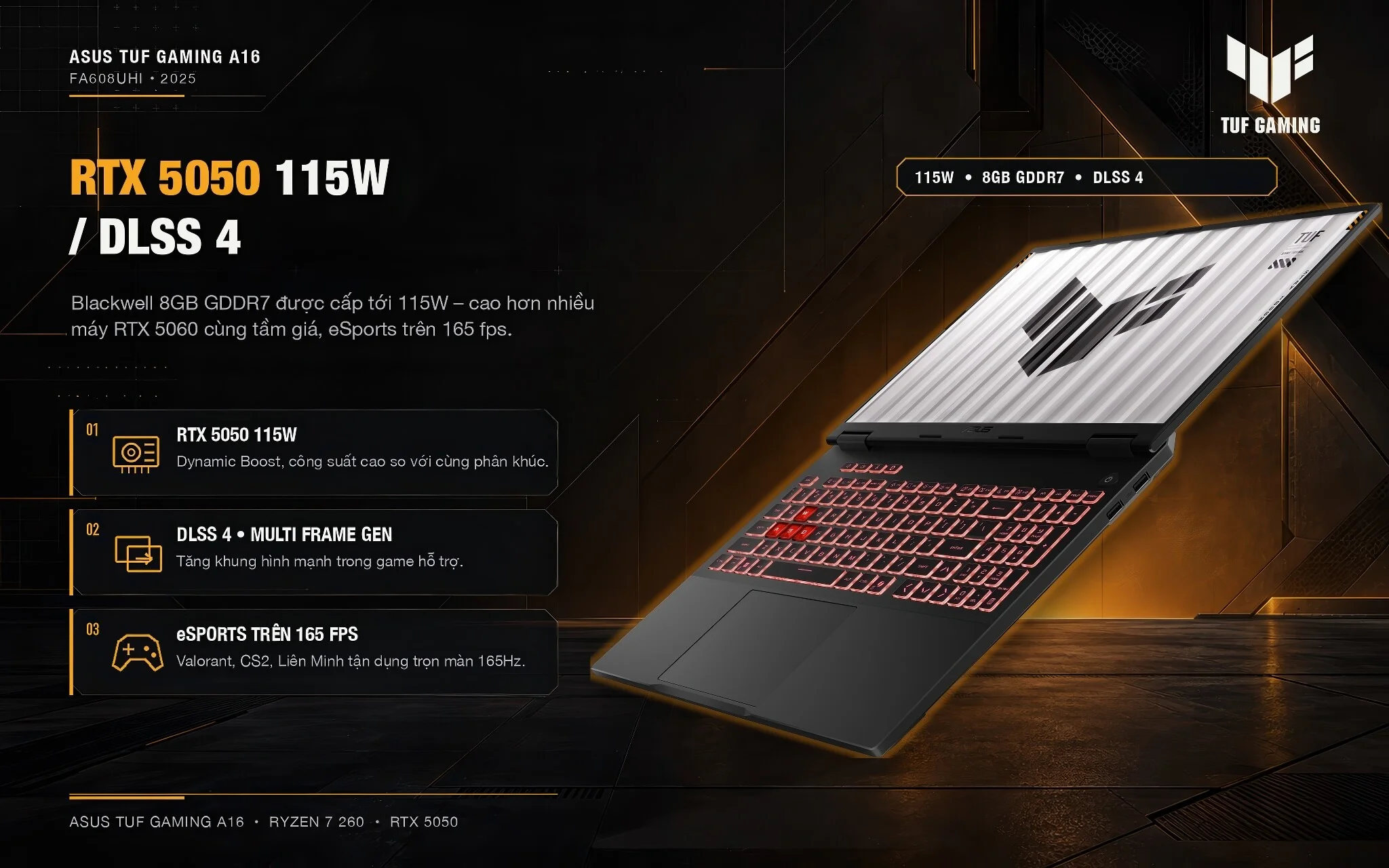
The NVIDIA GeForce RTX 5050 Laptop GPU uses the Blackwell architecture, 8GB GDDR7, and supports DLSS 4 with Multi Frame Generation. On the TUF A16, the card is pushed up to 115W thanks to Dynamic Boost, higher than many RTX 5060 laptops in the same price range. The table below compares it with the RTX 5060 and RTX 5070 on higher-tier configurations of the lineup, as well as the previous-generation RTX 4060.
| Benchmark | RTX 5050 (this unit) | RTX 5060 | RTX 5070 | RTX 4060 |
|---|---|---|---|---|
| 3DMark Time Spy (Graphics) | 9,122 | 11,755 | 13,536 | 10,338 |
| Cyberpunk 2077 (1080p, Ultra) | ~68 fps | ~85 fps | ~101 fps | ~72 fps |
| Cyberpunk 2077 (QHD, Ultra) | ~46 fps | ~55 fps | ~65 fps | ~45 fps |
| Star Wars Outlaws (1080p, High) | ~41 fps | ~45 fps | ~59 fps | ~43 fps |
Average reference data according to Notebookcheck, without DLSS enabled. Because the RTX 5050 on the TUF A16 runs at up to 115W, real-world numbers are typically higher than these averages.
At the native 2560 x 1600 resolution, the ASUS TUF Gaming A16 RTX 5050 runs Cyberpunk 2077 at Ultra settings at around 46 fps, and turning on DLSS 4 pushes it past 60 fps. PC Gamer tested Black Myth: Wukong at 1200p and reached about 51 fps, on par with some RTX 5060 laptops. Esports titles like Valorant, CS2, or League of Legends run above 165 fps. The limitation is the 8GB of VRAM: a few newer titles at maximum textures may run out of video memory, in which case dropping textures down one level is recommended.
Easily Upgradable RAM and SSD
This ASUS TUF Gaming A16 configuration comes with two 8GB DDR5-5200 RAM sticks preinstalled, running in dual-channel right out of the box. The machine offers two SO-DIMM slots and supports up to 64GB; when you need more than 16GB for modern games or video editing, you can swap them for two 16GB sticks to reach 32GB.
The 512GB PCIe 4.0 SSD is fairly fast, though it only holds a few AAA games. The laptop provides an extra vacant M.2 2280 PCIe 4.0 slot for a second drive. ASUS notes that this slot accepts only single-sided SSDs, and according to LaptopMedia, the secondary slot sits directly above the Wi-Fi card, so choosing a drive that runs cool helps avoid signal interference.
2nd-Gen Arc Flow Fans and Dust Filters
The cooling system uses two 2nd-gen Arc Flow fans, multiple heat pipes spanning both the CPU and discrete graphics, along with exhaust vents and cooling fins that stretch across the entire width of the chassis. Built-in dust filters help reduce dust buildup on the fans, cutting down on frequent cleanings. In manual mode, combined CPU and GPU power can reach 135W (35W for the CPU, 100W for the GPU).
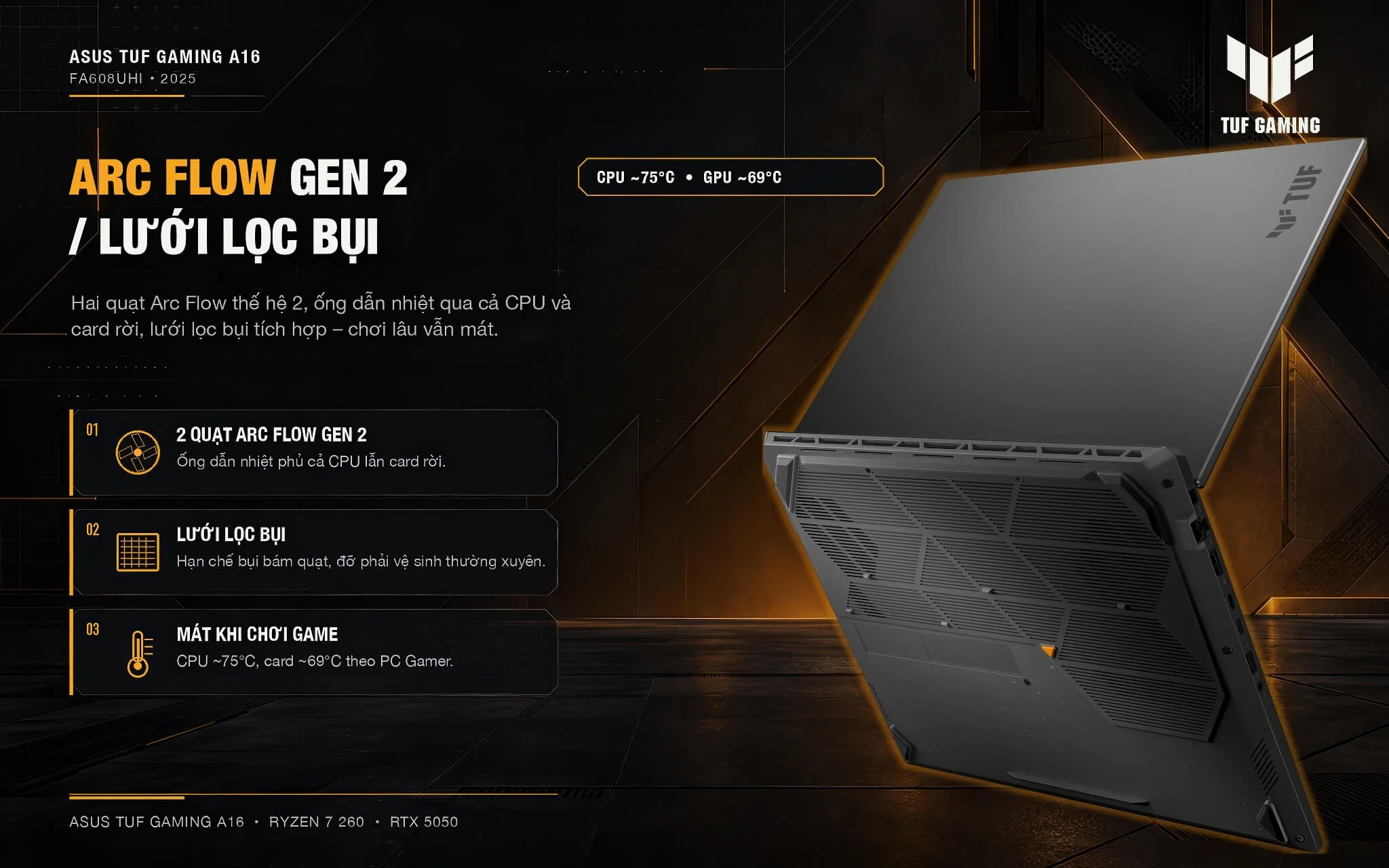
According to PC Gamer, during gaming the CPU averages around 75°C and the GPU hovers around 69°C, making the ASUS TUF Gaming A16 run quite cool for a gaming laptop. In return, the fans get fairly loud in Turbo mode within Armoury Crate; if you game for long stretches without headphones, Performance mode offers a better balance between fan noise and frame rates.
RGB Keyboard, Touchpad, and Dolby Atmos Audio
The chiclet keyboard features single-zone RGB backlighting, a numpad, and a dedicated Copilot key. The arrow keys are full-sized, which is convenient for games requiring movement, while the numpad keys are smaller than the main keycaps. The touchpad measures about 130 x 85 mm, offering a smooth surface and precise tracking.
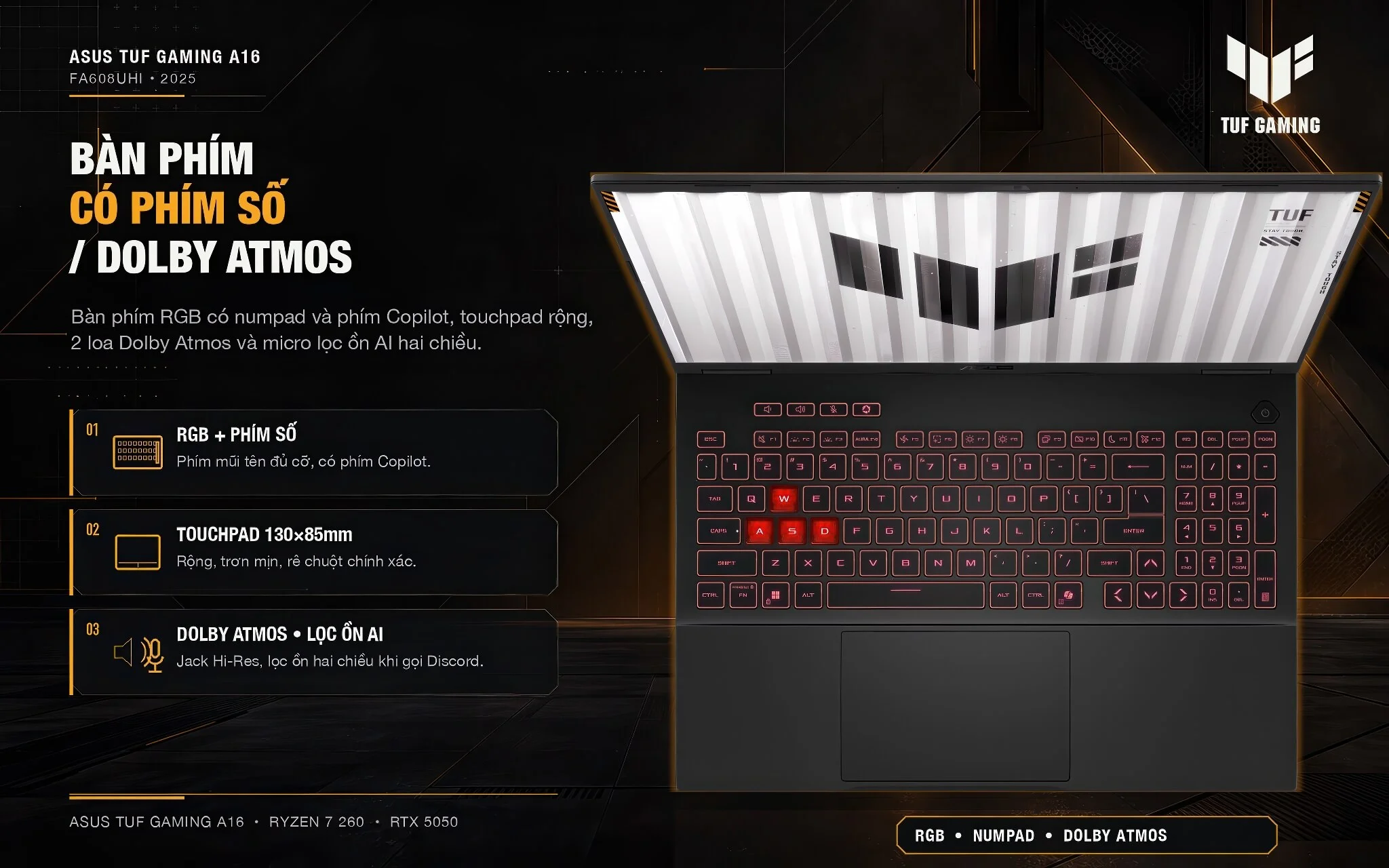
The laptop features two Dolby Atmos-supported speakers, a Hi-Res Audio headphone jack, and an array microphone with Two-Way AI Noise Cancelation that filters out background noise from both your end and the caller's end during Discord or Zoom calls. The webcam is 1080p Full HD, though the FA608UHI configuration lacks a Windows Hello IR sensor and a physical privacy shutter.
Ports and 70Wh Battery on the 2025 ASUS TUF A16
The ASUS TUF Gaming A16 AMD (2025) is equipped with two 10Gbps USB-A ports, one USB 2.0 port, one 10Gbps USB-C port supporting display output, power delivery, and G-SYNC, HDMI 2.1, an RJ-45 LAN port, and a 3.5 mm audio jack. Wireless connectivity is handled by Wi-Fi 6E and Bluetooth 5.4. The FA608UHI configuration does not have a USB4 port; that port is reserved for select higher-end trims in the TUF A16 gaming laptop line.
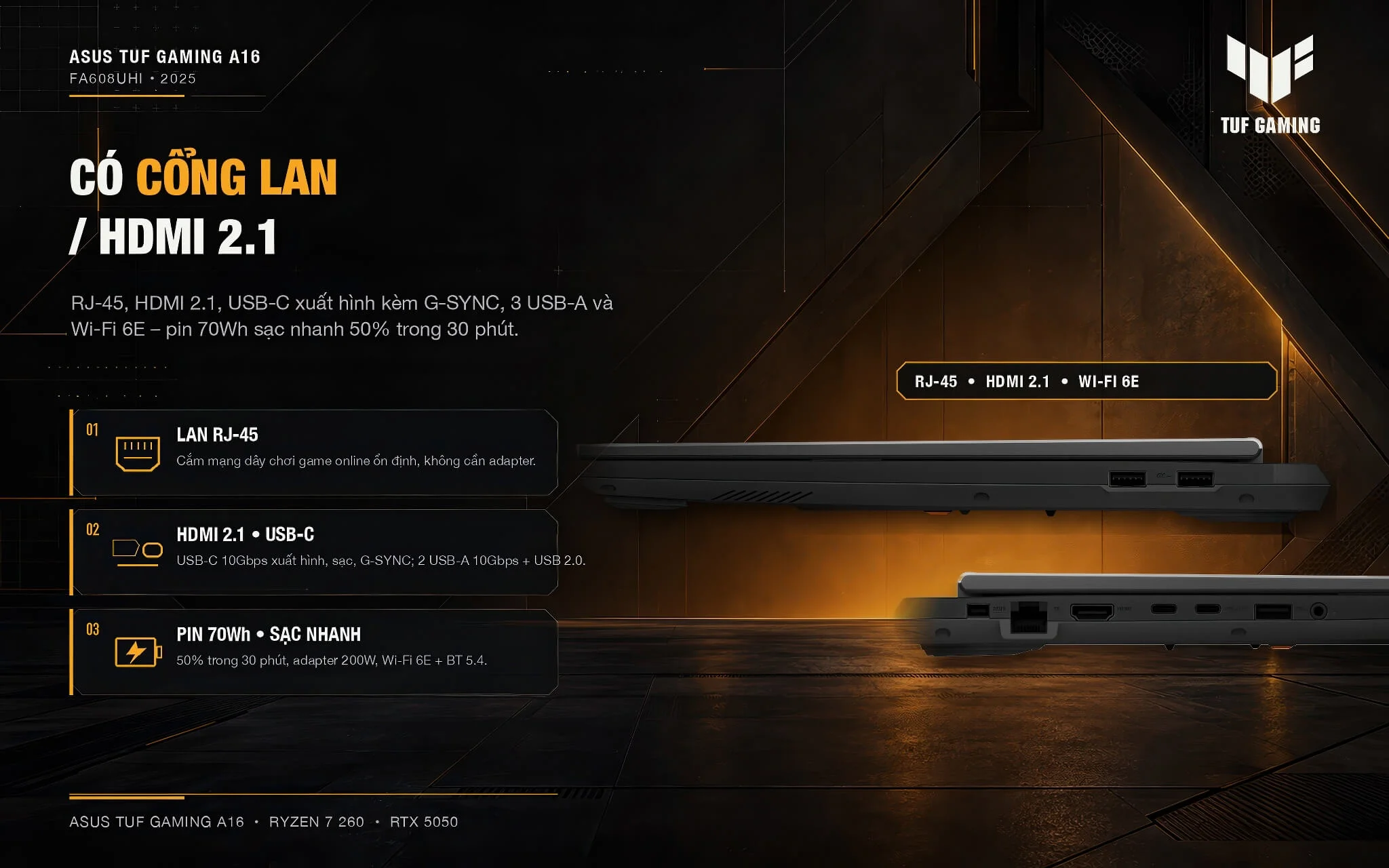
The 70Wh battery comes with a 200W adapter and supports fast charging up to 50% in 30 minutes with the machine powered down. Thanks to the MUX Switch automatically turning off the discrete GPU during lighter workloads, battery life is quite solid for a gaming laptop: LaptopMedia measured over 14 hours of video playback on the 90Wh version, and this 70Wh model should deliver roughly 20% less. When gaming on battery, runtime drops to about 1 hour, so plugging in is recommended to let the GPU run at full power.
ASUS TUF Gaming A16 (2025) Summary and Review
The ASUS TUF Gaming A16 (2025) powered by the Ryzen 7 260 and RTX 5050 is well suited for students and gamers who want a reliable, durable 2.5K gaming laptop that is easy to upgrade. The GPU draws up to 115W, the memory runs in dual-channel out of the box, the 165Hz display covers 100% sRGB, and you get plenty of everyday connectivity including a dedicated LAN port and HDMI 2.1.
Points to consider: the laptop weighs 2.2 kg, the cooling fans get loud in Turbo mode, the GPU is limited to 8GB of VRAM, this specific version lacks USB4, the webcam has no privacy shutter, and the Ryzen 7 260 does not qualify as a Copilot+ PC. For demanding AAA titles at high settings over the long haul, stepping up to the RTX 5060 or RTX 5070 version of this lineup is the better move.
| Pros | Cons |
|---|---|
|
|
FAQ - Frequently Asked Questions About ASUS TUF Gaming A16 (2025)
1. Can the TUF Gaming A16 RTX 5050 handle demanding games?
Yes, at moderate settings. The RTX 5050 runs at up to 115W, delivering around 68 fps in Cyberpunk 2077 at 1080p Ultra and roughly 46 fps at 2.5K without DLSS. Turning on DLSS 4 boosts frame rates considerably. Esports titles run above 165 fps.
2. How big is the gap between the RTX 5050 and RTX 5060?
Based on average 3DMark Time Spy scores, the RTX 5060 is roughly 29% faster than the RTX 5050. However, because the RTX 5050 in the TUF A16 receives up to 115W, the real-world gap is typically narrower; PC Gamer measured frame rates on par with some lower-wattage RTX 5060 laptops.
3. What configurations are available for the 2025 TUF A16 lineup?
The lineup offers Ryzen 7 260, Ryzen 9 270, or Ryzen 9 8940HX processors, paired with RTX 5050, RTX 5060, or RTX 5070 graphics, displays in WUXGA 144Hz, WUXGA 165Hz, or 2.5K 165Hz, and either a 70Wh or 90Wh battery. The model featured by Hung Phat Laptop comes with a Ryzen 7 260, RTX 5050, 16GB RAM, a 512GB SSD, a 2.5K 165Hz display, and a 70Wh battery.
4. Can the RAM and SSD be upgraded?
Yes. The laptop features two DDR5 SO-DIMM slots supporting up to 64GB (pre-installed with two 8GB sticks in dual-channel mode) and two M.2 2280 PCIe 4.0 SSD slots, leaving one slot open. The SSD slots only accommodate single-sided drives.
5. Does the laptop have a MUX Switch?
Yes. It features a MUX Switch with NVIDIA Advanced Optimus, automatically switching between discrete and integrated graphics to boost gaming frame rates while saving battery during light tasks.
6. Does the laptop run hot or loud?
According to PC Gamer, during gaming the CPU hovers around 75°C and the GPU around 69°C, which is quite cool. The fans are clearly audible in Turbo mode, so you may want to wear headphones or switch to Performance mode for quieter operation.
7. How long does the battery last, and can it charge via USB-C?
The 70Wh battery lasts quite a long time for light tasks and video streaming because it automatically disables the discrete graphics; gaming on battery lasts only about an hour. The laptop can charge via a USB-C port that supports power delivery, but running games at full performance requires the bundled 200W adapter.
8. Is the laptop a Copilot+ PC?
No. The Ryzen 7 260's NPU delivers 16 TOPS, below Microsoft's 40 TOPS requirement. The Copilot key and cloud-based AI tools continue to work normally.
9. What is the warranty policy at Hung Phat Laptop?
Hung Phat Laptop provides genuine products with full invoicing, a 12-month warranty, a 30-day return policy, lifetime technical support, and nationwide shipping.
Browse more models in the Asus ROG & TUF category. If you are comparing options, also see the Asus TUF Gaming F16 (FX608LM) (2025) and the Asus TUF Gaming A15 (FA506NCQ/G) (2025).
Where to Buy the ASUS TUF Gaming A16 (2025) with Reliable Quality and Pricing
For anyone looking for a durable 16-inch gaming laptop that handles 2.5K gaming smoothly and offers straightforward upgrades down the road, the ASUS TUF Gaming A16 (2025) with Ryzen 7 260 and RTX 5050 is a compelling choice in its price range.
At Hung Phat Laptop, you get expert advice to choose the right configuration, hands-on support for RAM and SSD upgrades whenever needed, genuine products with full invoicing, transparent warranty coverage, and nationwide shipping.
Performance & benchmarks Asus TUF Gaming A16 (FA608UHI) (2025)
AMD Ryzen 7 260 NVIDIA GeForce RTX 5050 Laptop - best for Programming 8.5/10, Office 8.5/10.
AMD Ryzen 7 260
- Cinebench R23 (multi-core)17,277
- Geekbench 6 (multi-core)13,299
- Geekbench 6 (single-core)2,673
- PassMark28,209
- NPU (AI)16 TOPS
- Cores / Threads8/16
NVIDIA GeForce RTX 5050 Laptop
- 3DMark Time Spy9,122
- 3DMark Fire Strike24,926.5
- VRAM8 GB
- AI INT8440 TOPS
- ArchitectureBlackwell
Best for
Scored from real benchmarks- Gaming Recommended6.5/10
- Video / Graphics6.5/10
- Programming8.5/10
- Office8.5/10
- AI / Generative AI4/10
Why does the CPU matter?
The CPU is the "brain" that handles every task: launching apps, multitasking, compiling code and editing video. The stronger the CPU, the faster and smoother the laptop runs when you juggle many things at once.
- BasicThis product
Web browsing, streaming and light office work.
- MainstreamThis product
Office work, moderate multitasking and studying.
- Mid-rangeThis product
Solid multitasking, programming and light graphics work.
- StrongThis product
Video editing, heavy programming, virtualization and gaming.
- FlagshipThis product
Heavy rendering, 4K/8K editing, virtual machines and AI workloads.
Why does the GPU matter?
The GPU (graphics card) handles visuals: gaming, video editing, 3D rendering and AI acceleration. The stronger the GPU, the higher your frame rates and the faster your video exports.
- Basic (iGPU)This product
Smooth display, 4K video and very light games (League of Legends, Valorant on low).
- MainstreamThis product
1080p eSports gaming, photo editing and light video editing.
- Mid-rangeThis product
1080p gaming on medium-high settings and smooth Full HD video editing.
- StrongThis product
1080p/1440p gaming on high settings, 4K video editing and 3D rendering.
- FlagshipThis product
4K/240Hz gaming, ray tracing, heavy rendering and AI.
Game performance
Real FPS - QHD- Dota 2125 fps1080p Ultra
- GTA V95 fpsQHD Ultra
- Battlefield 656 fps1080p Ultra
- Star Wars Outlaws23 fpsQHD Ultra
- Cyberpunk 207746 fpsQHD Ultra
≥60fps very smooth30-60fps playable<30fps lower the settings
Local AI performance
Tokens/second running locally on GPU 8GB VRAM- Llama 3.2 11B Vision6.1 GB · ctx 128K44 tok/sDecent
- Gemma 4 E2B IT5.6 GB · ctx 256K48 tok/sDecent
- GLM-4 9B5.1 GB · ctx 128K53 tok/sDecent
- Gemma 4 E4B4.6 GB · ctx 256K58 tok/sRuns well
- Ministral 8B4.6 GB · ctx 32K58 tok/sRuns well
- Qwen 3.5 4B4.6 GB · ctx 32K58 tok/sRuns well
- DeepSeek R1 Distill 7B4.1 GB · ctx 64K66 tok/sRuns well
- Gemma 4 E2B3.1 GB · ctx 256K87 tok/sRuns great
- Qwen 3.5 2B2.5 GB · ctx 32K108 tok/sRuns great
- Phi-4 Mini Reasoning2.4 GB · ctx 16K112 tok/sRuns great
- Llama 3.2 3B2 GB · ctx 128K134 tok/sRuns great
- SmolLM3 3B2 GB · ctx 128K134 tok/sRuns great
- DeepSeek R1 1.5B1.3 GB · ctx 64K207 tok/sRuns great
- Qwen 3.5 0.8B1.3 GB · ctx 32K207 tok/sRuns great
- TinyLlama 1.1B1.1 GB · ctx 2K244 tok/sRuns great
- Llama 3.2 1B1 GB · ctx 128K269 tok/sRuns great
- Gemma 3 12B6.6 GB · ctx 128K41 tok/sDecent
- Mistral Nemo 12B6.6 GB · ctx 128K41 tok/sDecent
- Gemma 2 9B5.1 GB · ctx 8K53 tok/sDecent
- Nemotron Nano 9B v25.1 GB · ctx 128K53 tok/sDecent
- Llama 3.1 8B4.6 GB · ctx 128K58 tok/sRuns well
- Qwen 3 8B4.6 GB · ctx 128K58 tok/sRuns well
- Mistral 7B v0.34.1 GB · ctx 32K66 tok/sRuns well
- Qwen 2.5 7B4.1 GB · ctx 128K66 tok/sRuns well
- Qwen 2.5 Coder 7B4.1 GB · ctx 128K66 tok/sRuns well
- Qwen 3 4B2.5 GB · ctx 32K108 tok/sRuns great
- Gemma 3 4B2.5 GB · ctx 128K108 tok/sRuns great
- Phi-3.5 Mini2.4 GB · ctx 128K112 tok/sRuns great
- Gemma 2 2B1.5 GB · ctx 8K179 tok/sRuns great
- Qwen 3 1.7B1.4 GB · ctx 32K192 tok/sRuns great
- Qwen 2.5 Coder 1.5B1.3 GB · ctx 32K207 tok/sRuns great
- Qwen 3 0.6B1.1 GB · ctx 32K244 tok/sRuns great
- Gemma 3 1B1 GB · ctx 32K269 tok/sRuns great
GreatWellDecent4-bit quantized, ctx = context window
No comments yet
Q&A about Asus TUF Gaming A16 (FA608UHI) (2025)
Frequently asked questions about Asus TUF Gaming A16 (FA608UHI) (2025)
What are the specifications of Asus TUF Gaming A16 (FA608UHI) (2025)?
What is the warranty for Asus TUF Gaming A16 (FA608UHI) (2025)?
Can I buy Asus TUF Gaming A16 (FA608UHI) (2025) with home delivery?
Worth a Look
 3 configurations
ASUS ROG Strix G16 G614 (2025)
 4 configurations
ASUS ROG Zephyrus G16 GU606 (2026)
Asus ROG Zephyrus G16 GU605 (2025)
 2 configurations
Asus ROG Zephyrus G14 GU405 (2026)





Tô Khánh Thư 4 tuần trước
The 2.5K screen on this machine is seriously sharp, doesn't strain my eyes even after looking at it for a long time, and gaming on it is awesome.