If you own an Intel Arc graphics card or one of the latest laptops powered by Core Ultra chips, this is the best news of the day. Intel has officially released its "secret weapon" called XeSS 3 through the latest driver update on Windows. This is a third-generation AI-powered image upscaling technology, promising a much smoother gaming experience without requiring users to spend money on hardware upgrades. This move is seen as a direct challenge from the Blue Team to Nvidia's famous DLSS technology.
Frame Generation Technology and Supported Device List
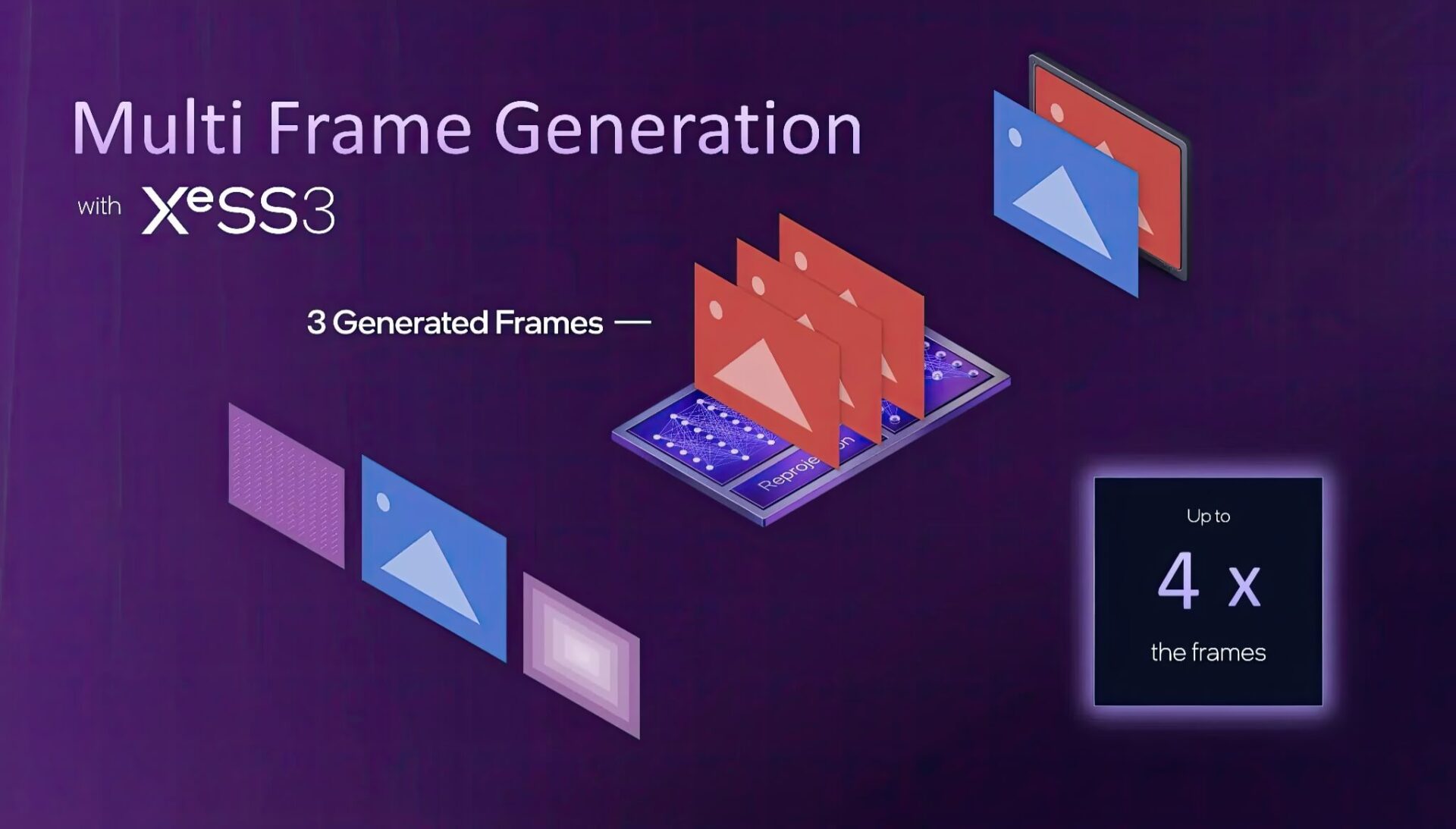
XeSS 3 (Xe Super Sampling) has just been integrated by Intel into driver version 32.0.101.8425. Essentially, this is a Multi-Frame Generation (MFG) solution. Imagine you are watching a flipbook; instead of manually drawing every single page with great effort, Intel's AI technology will automatically "draw" up to 3 additional virtual frames to insert between each real frame. As a result, character movement in games becomes much smoother and FPS (frames per second) skyrockets, while the processing load on the graphics card remains unchanged.
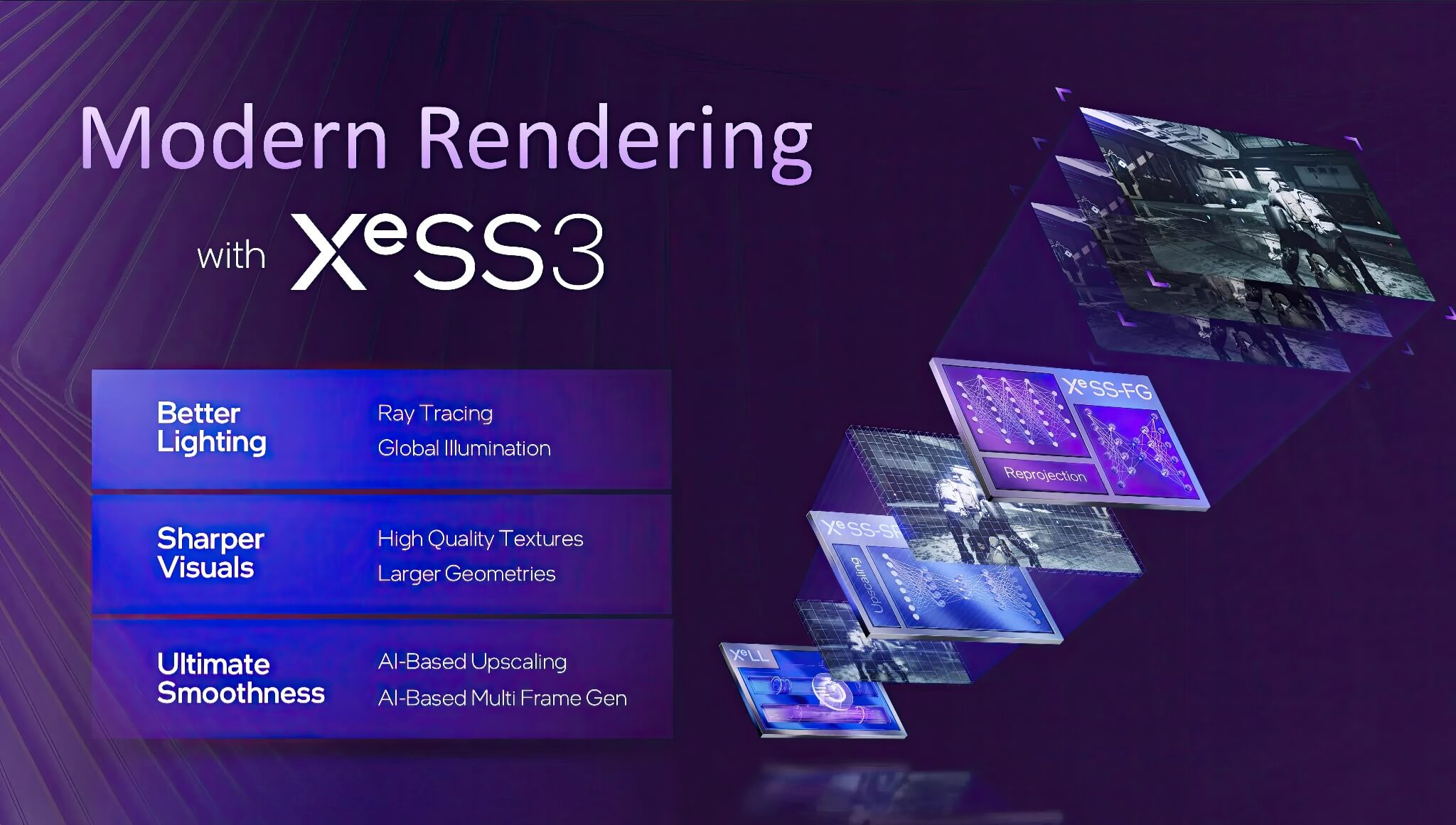
The most valuable aspect of this update is Intel's generosity regarding compatibility. XeSS 3 is not just reserved for the latest discrete graphics cards like Battlemage, but also supports the previously released Arc Alchemist series. Furthermore, laptop users with processors ranging from Meteor Lake, Lunar Lake, and Arrow Lake to the upcoming Panther Lake will all benefit. Intel stated that this technology is based on a complex optical flow network, utilizing motion vectors and depth buffers to calculate and generate new frames with high precision.
Unlike some competitor solutions that often require expensive specialized hardware, XeSS 3 is a pure software solution. This demonstrates the massive effort of Intel's engineers, who had to solve the complex algorithmic problem of performing a single optical flow calculation per batch of AI frames, helping to save system resources while still ensuring output image quality.
Intel XeSS 3 vs. Nvidia DLSS and the Latency Trade-off
In terms of concept, XeSS 3 is entering the same arena as Nvidia's DLSS-a technology that has been dominating thanks to its miraculous FPS boosting capabilities. However, the difference lies in the approach: while DLSS 4.x on the RTX 50 series relies heavily on dedicated hardware cores, Intel XeSS 3 chooses the flexible software path. This makes Intel's technology more accessible to the vast majority of mainstream users.
However, "you get what you pay for"-inserting virtual frames also comes with challenges, especially regarding latency. This is also why competitor AMD has been quite cautious with their FSR Redstone technology. When the system has to wait for the AI to generate fake frames, your mouse and keyboard feedback may feel slightly slower than reality. For professional gamers who require millisecond-level reflexes, the feeling of "heavy mouse" is a dealbreaker.
Understanding this, Intel has provided users with full control through the Graphics Software. You can opt for 2x, 3x, or even 4x acceleration modes (one real frame carrying three virtual frames), or simply set it to "Auto" to let the software decide the best balance between smoothness and latency. Additionally, the new driver update fixes several annoying bugs, such as crashes in the Pragmata Sketchbook demo on Arc B-series cards and incorrect Variable Refresh Rate (VRR) reporting.
In summary, the arrival of XeSS 3 is an extremely valuable "free" upgrade for the Intel user community. Although debates regarding input latency remain, for AAA adventure and story-driven games where frame rate is more important than instant reflexes, this is definitely a feature you should enable immediately to enjoy smoother graphics.