



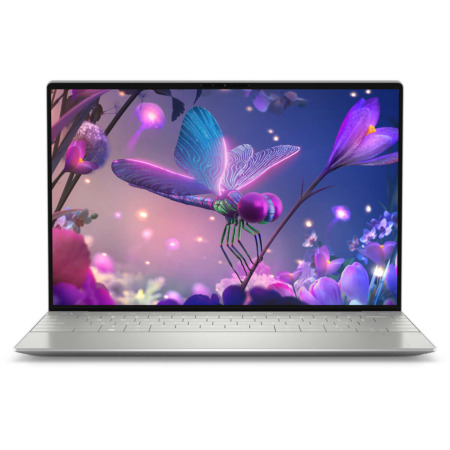
DELL XPS 13 9305 (2021)
- CPU: Intel Core i5 1135G7 Up To 4.2GHz (4 Cores 8MB Cache)
- RAM: LPDDR4x 8GB 4267MHz
- SSD: 512GB PCIe M.2 SSD
- VGA: Intel® Iris® Xe Graphics
- DISPLAY: 13.3" FHD (1920 x 1080) InfinityEdge Non-Touch
- CONDITION: Tuỳ theo Option
- WARRANTY: Bảo hành 6 tháng
- Sophisticated and Elegant Design
- Dell XPS 13 9305 (2021) Display
- Superior Performance with 11th Gen Intel CPUs
- Keyboard and Touchpad - Dell XPS 9305
- Ports, Connectivity & Battery Life
- Overview and Review of the DELL XPS 13 9305
- FAQ - Frequently Asked Questions about Dell XPS 13 9305 (2021)
- Where can I buy a Dell XPS 13 9305 at a good price and with high credibility?
Following the massive success of the DELL XPS 13 9310, the world-renowned leader in premium and durable laptops-DELL-is continuing its momentum with the launch of the Dell XPS 13 9305 Ultrabook, featuring several notable upgrades. While positioned in a premium price segment, this model has captured significant attention from tech enthusiasts thanks to its sophisticated design, stable performance, and superior build quality. It stands as a testament to DELL's long-term commitment to providing optimal choices for users who demand portability, luxury, and reliability in every detail.
Sophisticated and Elegant Design
When discussing premium ultrabooks, the Dell XPS 13 9305 is impossible to ignore-a device that perfectly blends refined aesthetics with dependable durability. Staying true to the signature minimalist luxury of the XPS line, this model inherits the "beautifully functional" philosophy, featuring a CNC-machined, single-block aluminum chassis that feels both robust and elegant.
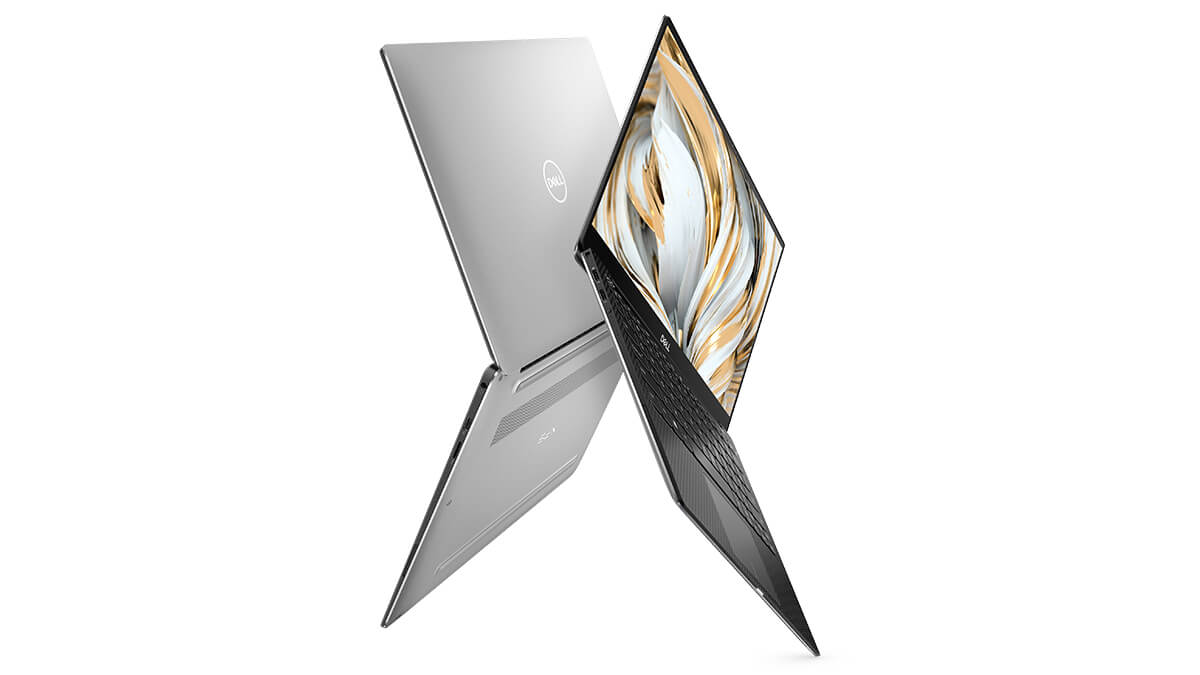
The combination of the prominent Dell logo and meticulously finished details creates a high-end aesthetic, ideal for professional environments. Beyond its looks, the carbon fiber palm rest provides comfort during long working sessions and helps reduce overall weight while maintaining impressive durability.
With its compact dimensions (15.8 mm height, 302 mm width, 199 mm depth) and a weight of only about 1.16 kg, the Dell XPS 13 9305 is the perfect choice for business professionals and frequent travelers. It is a masterclass in combining an ultra-slim, lightweight design with optimized mobility in a high-tech device.
Dell XPS 13 9305 (2021) Display
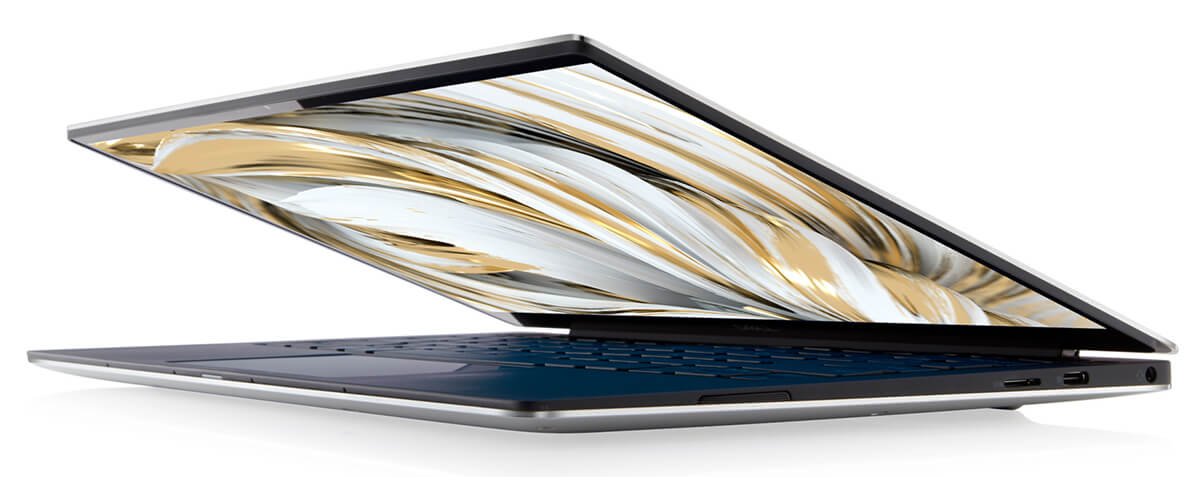
Despite featuring a 13.3-inch screen, the Dell XPS 13 9305 has an overall footprint comparable to an 11-inch laptop, thanks to its InfinityEdge slim-bezel design. Three sides of the display are elegantly optimized to provide a modern, edge-to-edge viewing experience, while the bottom bezel remains slightly thicker. This design choice enhances the visual experience while ensuring the device remains highly portable.

With an 80.7% screen-to-body ratio, a high-quality IPS panel, and Full HD or 4K UHD resolution options, the display delivers sharp, vivid imagery. Colors are rendered accurately with wide viewing angles, making it suitable for both creative workflows and daily entertainment. A touch screen version is also available, offering added flexibility for modern users.
Additionally, the screen features effective anti-glare technology, ensuring excellent visibility in bright environments. With 100% sRGB color gamut, a 1500:1 contrast ratio, and peak brightness of up to 400 nits, the Dell XPS 13 9305 delivers superior image quality in the premium Ultrabook segment.
Superior Performance with 11th Gen Intel CPUs
Powered by 11th Gen Intel Core processors, the Dell XPS 13 9305 provides a powerful platform for studying, office work, and basic content creation. With Intel Core i5-1135G7 and i7-1165G7 options, users can enjoy rapid processing thanks to the 4-core, 8-thread architecture and large cache, which optimizes multitasking and system responsiveness.
Furthermore, high-speed LPDDR4x RAM (4267MHz) ranging from 8GB to 16GB, paired with PCIe M.2 SSDs from 256GB to 512GB, ensures lightning-fast boot times and smooth data access during daily use. Notably, the integrated Intel Iris Xe Graphics on both i5 and i7 versions allows for impressive image processing, video editing, and light gaming within the ultra-slim ultrabook category.
Connectivity is another major highlight for the Dell XPS 13 9305, featuring modern Wi-Fi 6 for optimized bandwidth during high-quality video streaming or large file downloads. To ensure sustained performance, the thermal system utilizes dual fans and heat pipes, keeping temperatures under control even during demanding tasks.
Keyboard and Touchpad - Dell XPS 9305
The keyboard on the Dell XPS 13 9305 is optimized with a layout that extends nearly to the edges of the chassis, providing a comfortable typing experience and excellent tactile feedback thanks to its gentle travel and soft key surfaces. While the key travel is somewhat shallow, the actual experience is more than sufficient for the continuous typing needs of office professionals or students working on long documents.
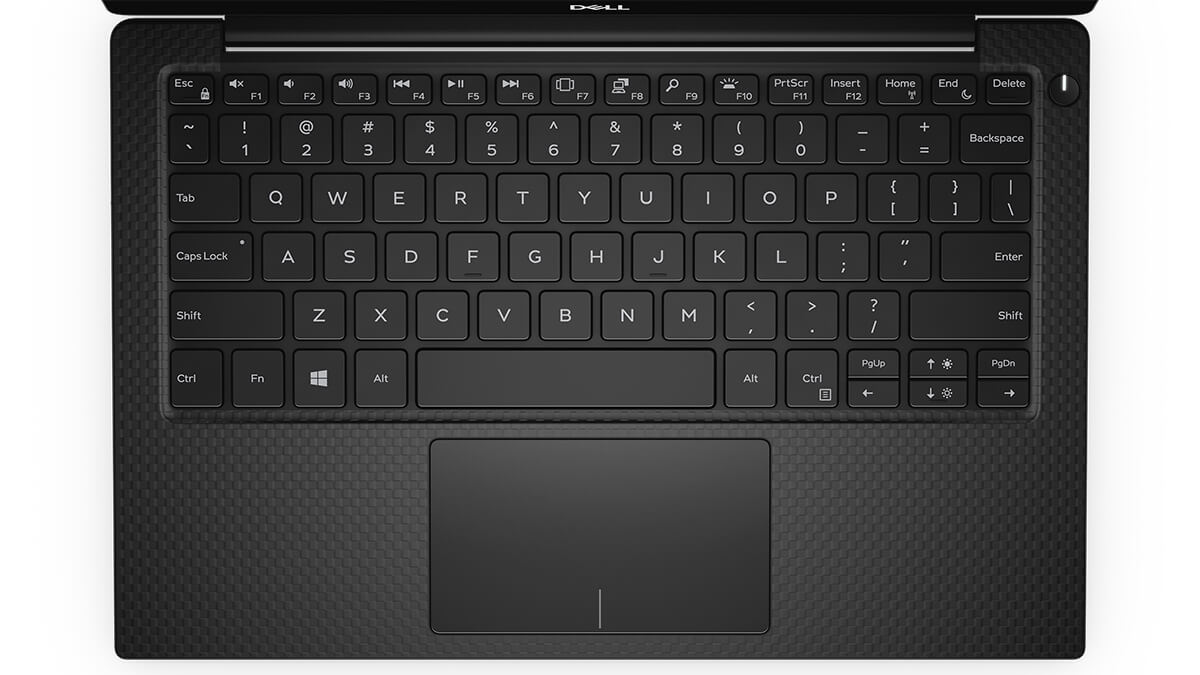
Security is addressed on the Dell XPS 9305 via a power button with an integrated fingerprint sensor, enabling fast and secure logins. The compact design allows the power button to be placed conveniently above the keyboard, saving space while ensuring ease of use in daily operations.
While the touchpad is smaller than some modern laptop models, it features a highly precise and smooth touch surface. Users can easily perform multi-touch gestures like scrolling or pinching to zoom with seamless fluidity, aligning with modern ultrabook design trends.
Ports, Connectivity & Battery Life
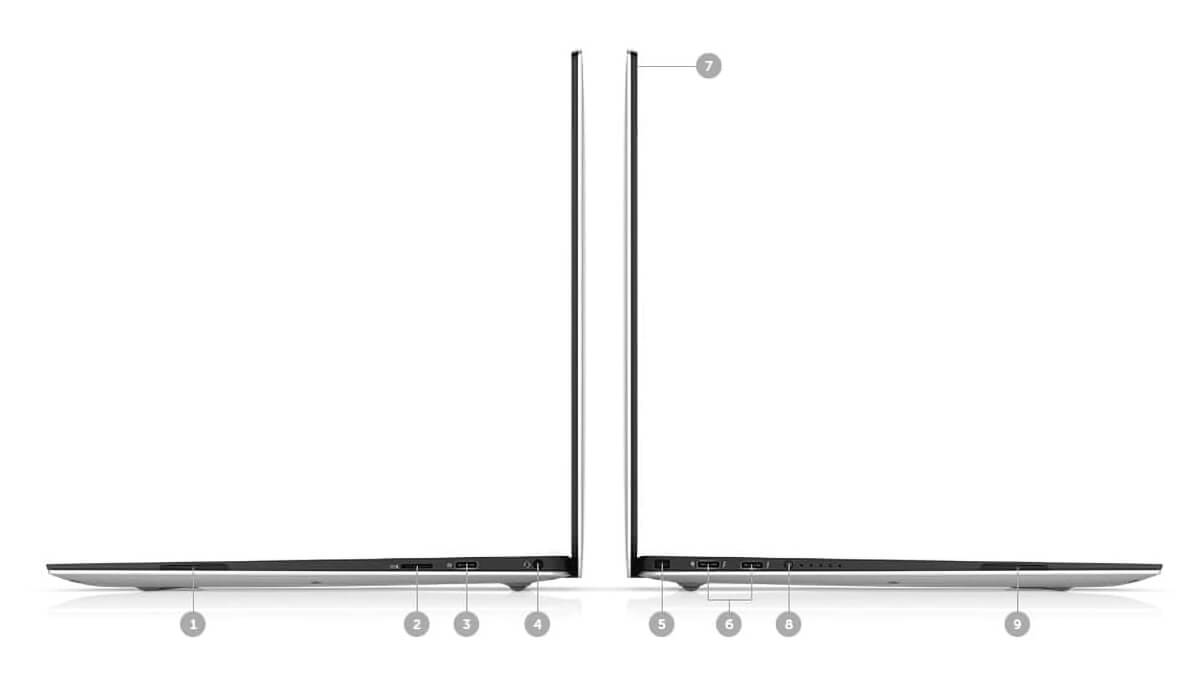
The Dell XPS 13 9305 offers versatile connectivity with a logically arranged port system that meets all modern work and entertainment needs. It includes 2x Thunderbolt™ 4 ports supporting Power Delivery and DisplayPort, 1x USB 3.2 Gen 2 Type-C™ port, a MicroSD slot, a combo audio jack, a wedge security slot, and an HD camera. These options allow users to easily connect peripherals, project displays, or expand external storage. The HD Audio system, Killer™ Wi-Fi 6 AX1650 (2x2), and Bluetooth 5.1 ensure a seamless experience for both work and wireless entertainment.
Beyond connectivity, battery life is a standout feature of the Dell XPS 13 9305 Ultrabook. Equipped with a 52 Wh Lithium-Ion battery, users can get 10 to 12 hours of continuous use for light tasks like word processing, web browsing, or online learning. For more demanding tasks like graphic editing or gaming, battery life will decrease accordingly, but performance remains stable.
The combination of comprehensive connectivity, long-lasting battery life, and a slim, lightweight design makes the Dell XPS 9305 an ideal choice for modern users, particularly business professionals and students on the move. This reflects Dell's deliberate investment in optimizing the user experience while affirming the brand's authority and reputation in the premium ultrabook segment.
Overview and Review of the DELL XPS 13 9305
The Dell XPS 13 9305 is a notable premium ultrabook that hits all the right notes in design, performance, and portability. With its unibody aluminum chassis, a weight of just 1.16kg, and a 13.3-inch InfinityEdge display, this laptop is particularly suited for mobile users such as business professionals, educators, and tech students. The FHD or 4K UHD screen options, featuring high brightness and accurate color reproduction, provide a sharp and vivid visual experience for both work and light entertainment.
Beyond its striking appearance, the XPS 13 9305 boasts a reliable configuration with 11th Gen Intel Core i5/i7 processors, 8-16GB LPDDR4x RAM, and up to 512GB PCIe SSD. These specs smoothly handle studying, office tasks, and basic content creation. Additionally, the Thunderbolt 4, USB-C, microSD slot, and Wi-Fi 6 allow for flexible connectivity in any situation. While the RAM is non-upgradable and the webcam is limited to 720p, the long battery life and high-end build quality make the XPS 13 9305 a reliable choice for users demanding mobility and sophisticated design.
| Pros | Cons |
|---|---|
< |
|
FAQ - Frequently Asked Questions about Dell XPS 13 9305 (2021)
1. What is the design of the Dell XPS 13 9305?
The Dell XPS 13 9305 features a slim and lightweight design, weighing approximately 1.16 kg with a thickness of 15.8 mm. The chassis is crafted from unibody aluminum and carbon fiber, providing a modern and luxurious look.
2. Is the Dell XPS 13 9305 display good enough for daily use?
The device is equipped with a 13.3-inch display featuring FHD (1920 x 1080) resolution, a 16:9 aspect ratio, 400 nits brightness, and slim InfinityEdge bezels. This display provides a sharp and vivid visual experience, perfect for office tasks, entertainment, and studying.
3. Does the Dell XPS 13 9305 perform well for office tasks?
With an 11th Gen Intel Core i5-1135G7 or i7-1165G7 processor, up to 16GB of LPDDR4x RAM, and a PCIe SSD, the Dell XPS 13 9305 easily handles office tasks such as word processing, spreadsheets, web browsing, and online meetings.
4. Is the Dell XPS 13 9305 suitable for content creation?
While it lacks a dedicated graphics card, the Dell XPS 13 9305's high-quality display and stable performance allow it to handle light content creation tasks like photo editing, basic graphic design, and short video editing.
5. How is the keyboard and touchpad experience on the Dell XPS 13 9305?
The keyboard features reasonable key travel and a comfortable typing feel, making it suitable for long text entry sessions. The touchpad is spacious and responsive, providing excellent support for navigation and gestures.
6. What is the actual battery life of the Dell XPS 13 9305?
According to Notebookcheck, the Dell XPS 13 9305 with a 52Wh battery can last up to 13 hours during web browsing or video playback at 120 nits brightness. Battery life may vary depending on your configuration and the applications used.
Source: LaptopMedia
7. Does the Dell XPS 13 9305 run hot during heavy tasks?
The device maintains stable temperatures thanks to an efficient thermal system. Even when performing demanding tasks, the temperature remains within safe limits, ensuring that performance is not throttled.
8. Does the Dell XPS 13 9305 support Linux?
The Dell XPS 13 9305 supports Ubuntu 20.04 LTS. However, some hardware components, such as the fingerprint reader, may require additional driver installation to function smoothly.
Source: Dell
9. What is the warranty policy at Hung Phat Laptop for the Dell XPS 13 9305?
Hung Phat Laptop provides a 12-month warranty for new machines and a 30-day replacement policy for manufacturer defects. For used or "like new" machines, we offer a 6-month warranty and a 30-day replacement policy for manufacturer defects. Additionally, customers enjoy free nationwide shipping and lifetime free software and cleaning support.
Where can I buy a Dell XPS 13 9305 at a good price and with high credibility?
Are you looking to buy an authentic Dell XPS 13 9305 at a great price? This premium ultrabook is a top choice for office professionals, business people, and tech students due to its compact design, stable performance, and superior build quality. However, to ensure you are purchasing a product with a clear origin, it is essential to choose reputable distributors with transparent warranty policies.
One of the most reliable places to own a Dell XPS 13 9305 is Hung Phat Laptop-a specialist in importing genuine Dell XPS laptops. We are committed to clear origins, transparent warranties, and early-use replacement support if manufacturing defects occur. With years of industry experience and attractive promotions, Hung Phat is the ideal choice for consumers seeking peace of mind regarding both price and quality.
- AV Anh Việt
Xin hỏi về Dell xps 13 9305 , xem hàng ở đâu ,hệ điều hành gì ,thời lượng pin thực sự bao nhiêu
Reply • like -
L Lợi
Shop có bán kèm Laptop này với pen dùng cho nó không vậy?
Reply • 1 like- MT Marketing Team Administrator
Chào bạn! Dòng này không hỗ trợ Pen bạn nhé.
Reply • 1 like
-
-
MT Minh Thắng
còn i5 không a?
Reply • like- TP Phạm Thiên Phước Administrator
Chào bạn hiện shop đang còn bản i7 1165G7, Ram 8GB, SSD 512GB, Màn hình 4K Cảm ứng mới 100% Fullbox thôi bạn nhé, bản i5 tạm hết ạ
Reply • 1 like
-
-
H Huy
I5 còn ko ạ
Reply • like- MT Marketing Team Administrator
Hi bạn, Shop mình còn Option i5 bạn nhé!
Reply • 1 like
-
-
L Luc
Xps 9305, i7, 16g, 512 GB, touch còn không shop
Reply • like- TP Phạm Thiên Phước Administrator
Sorry bạn bản này shop tạm hết bạn xem qua XPS 13 9310 nhé
Reply • like
-
-
K Khánh
Shop bán trả góp ko shop
Reply • like- TP Phạm Thiên Phước Administrator
Hi bạn!shop áp dụng trả góp qua thẻ tín dụng bạn nhé
Reply • like
-
-
KK Nguyễn khoa Khanh
Xps 9305, i7, 16g, 512 GB, touch còn không cửa hàng? Cám ơn. Bảo hành của ai vậy?
Reply • like- TP Phạm Thiên Phước Administrator
Hi bạn! dòng này shop hết hàng rồi. Dòng XPS bảo hành Cty bạn nhé
Reply • 1 like
-
-
Q Quyên
Máy này dùng con chuột loại nào được ạ?
Reply • like- TP Phạm Thiên Phước Administrator
Bạn có thể dùng mouse bluetooth hoặc mouse wireless bình thường gắn receiver vào dock chuyển USB C to USB 3.0 nhé
Reply • like
-
-
NP ngoc phú
sản phẩm này còn hàng không shop
Reply • like- TP Phạm Thiên Phước Administrator
Hi bạn máy đang có hàng bạn nhé
Reply • like
-
-
SS Sưm Sara
Mẫu này màn hình 4k phải k shop
Reply • like- TP Phạm Thiên Phước Administrator
Hi bạn mẫu này màn hình Full HD bạn nhé
Reply • like
-
Q&A about DELL XPS 13 9305 (2021)
Frequently asked questions about DELL XPS 13 9305 (2021)
What are the specifications of DELL XPS 13 9305 (2021)?
What is the warranty for DELL XPS 13 9305 (2021)?
Can I buy DELL XPS 13 9305 (2021) with home delivery?
Worth a Look
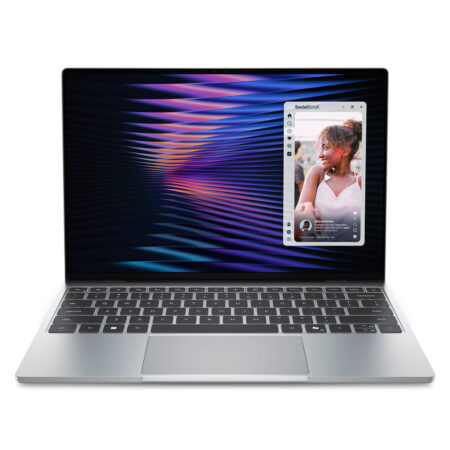
DELL XPS 13 DX13260 (2026)
 3 configurations
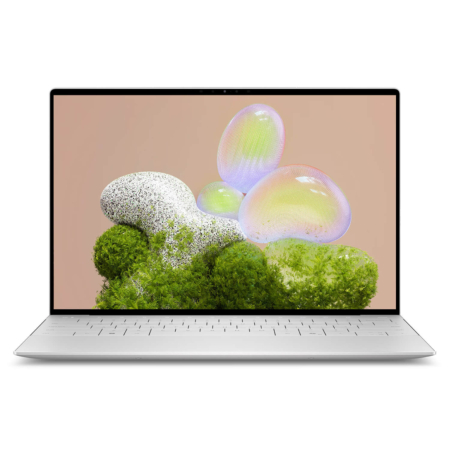
DELL XPS 13 9350 (2025)
 2 configurations
DELL XPS 13 9345 (2024)
 2 configurations
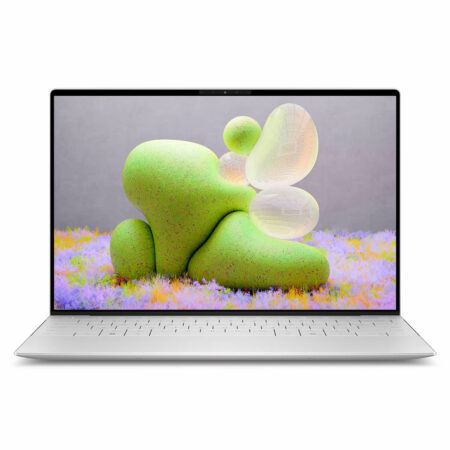
DELL XPS 13 9340 (2024)





Thành Hằng 23/05/2026
The machine is beautiful and high-quality; the aluminum chassis is sturdy yet incredibly lightweight. Whether working or watching movies, everything runs smoothly without any lag. Highly recommended, everyone!
Tuấn Quỳnh 23/05/2026
Stunning design, super sleek, and incredibly lightweight—perfect for carrying to work. The screen is sharp, and it runs office applications very smoothly. Highly recommended, everyone!
Huỳnh Thuận 01/12/2021Purchased at Hung Phat
Fast delivery. 5 stars.
Marketing Team 01/12/2021 Administrator
Thank you for supporting our Shop!