

Do you have an old laptop and want to upgrade in 2026 but are afraid of being lowballed or facing high out-of-pocket costs? The trade-in value depends on the configuration, appearance, battery, screen, and consumption of each specific model. A laptop trade-in program is only beneficial when the transaction venue is transparent about inspection methods, new machine prices, stock status, and warranty policies. Choosing the right address helps you close the deal quickly while maintaining control over the total cost.
What criteria determine a reasonable laptop trade-in option
When evaluating a laptop trade-in program, you should not rely solely on the trade-in value of your old device. You need to simultaneously compare the listed price of the new machine, the trade-in subsidy, the cost of upgrading RAM or SSD, and the warranty policy. A place that offers 2 million VND more for your old machine but sells the new machine for 3 million VND more will still result in a higher out-of-pocket cost. An easy formula to apply is: the amount you need to pay equals the new machine's price after discounts minus the final value of your old machine.
| Product | Typical Configuration | Reference Price | Ideal For | Points to Consider |
|---|---|---|---|---|
| Alienware 15 Gaming Laptop | Core 7 240H, RAM 16GB DDR5 5600MHz, RTX 5050 8GB GDDR6, 15.3-inch 165Hz screen | Around 36 - 37 million | Gamers, IT students, heavy software users | Weight approx. 2.25 kg, sRGB coverage approx. 62.5% |
| Samsung Galaxy Book6 | Core Ultra 7 355, RAM 16GB or 32GB, 3K AMOLED 120Hz screen | Around 37 - 38 million | Managers, entrepreneurs, content creators | Soldered RAM, high upgrade cost |
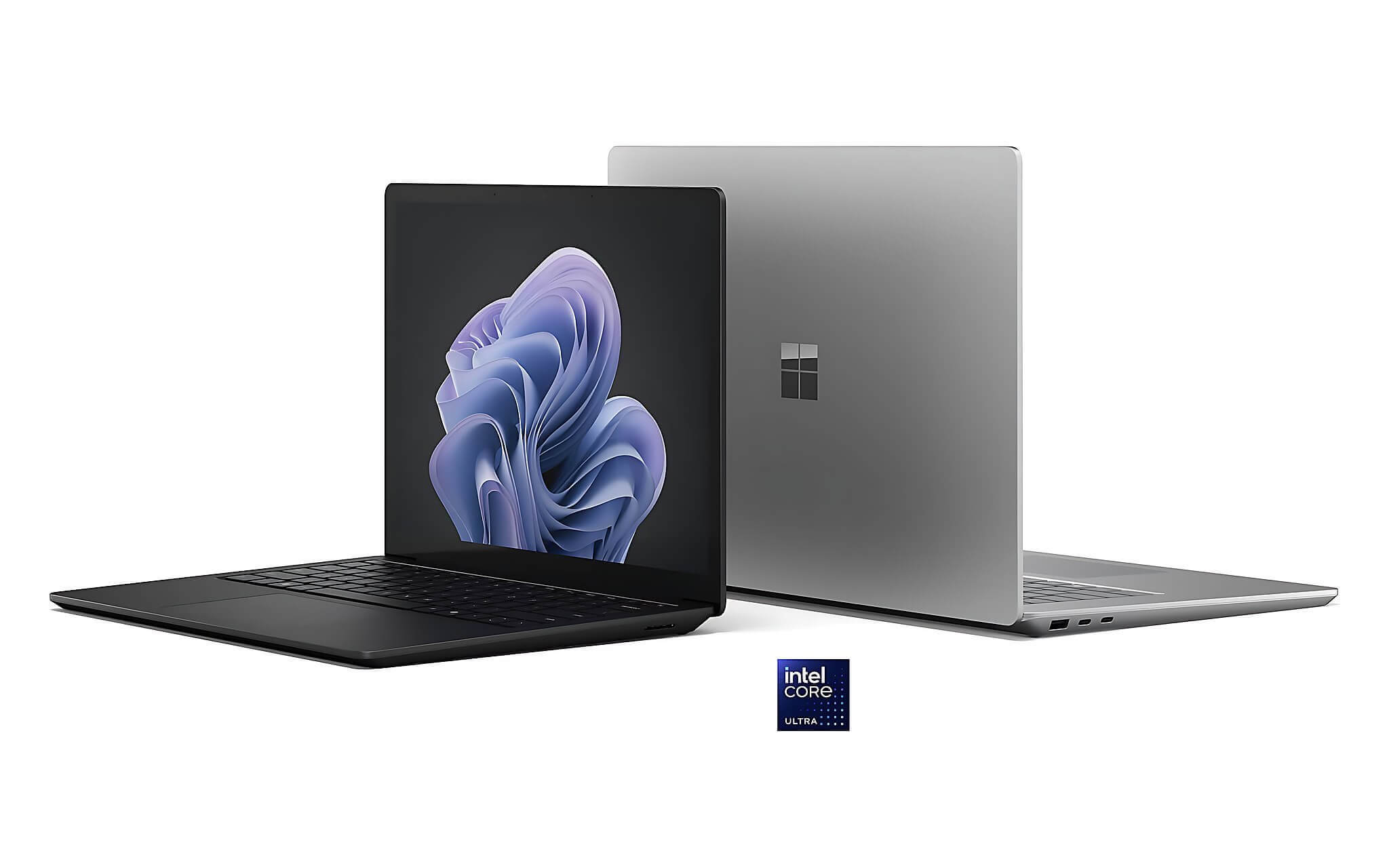
| Microsoft Surface Laptop | Core Ultra 7 165H or Ultra 5 135H, 2496 x 1664 3:2 screen | Around 49 million | Premium office, coders, managers | 60Hz screen, 47 Wh battery |
A reputable trade-in service provider should possess four elements: technicians inspecting the device in front of you, specific deductions for each defect, clearly stated condition of the upgraded machine, and warranty terms clearly stated on the invoice or receipt.
You should look for specific feedback regarding the trade-in service rather than just relying on star ratings. Worthy feedback often mentions the appraisal time, the actual price difference after inspection, and how the store handles issues if defects are found. Ask for two options: selling the old machine separately and trading it for a new one, to see if the subsidy is genuine or just added to the selling price.
How is a machine appraised to minimize disadvantageous deductions
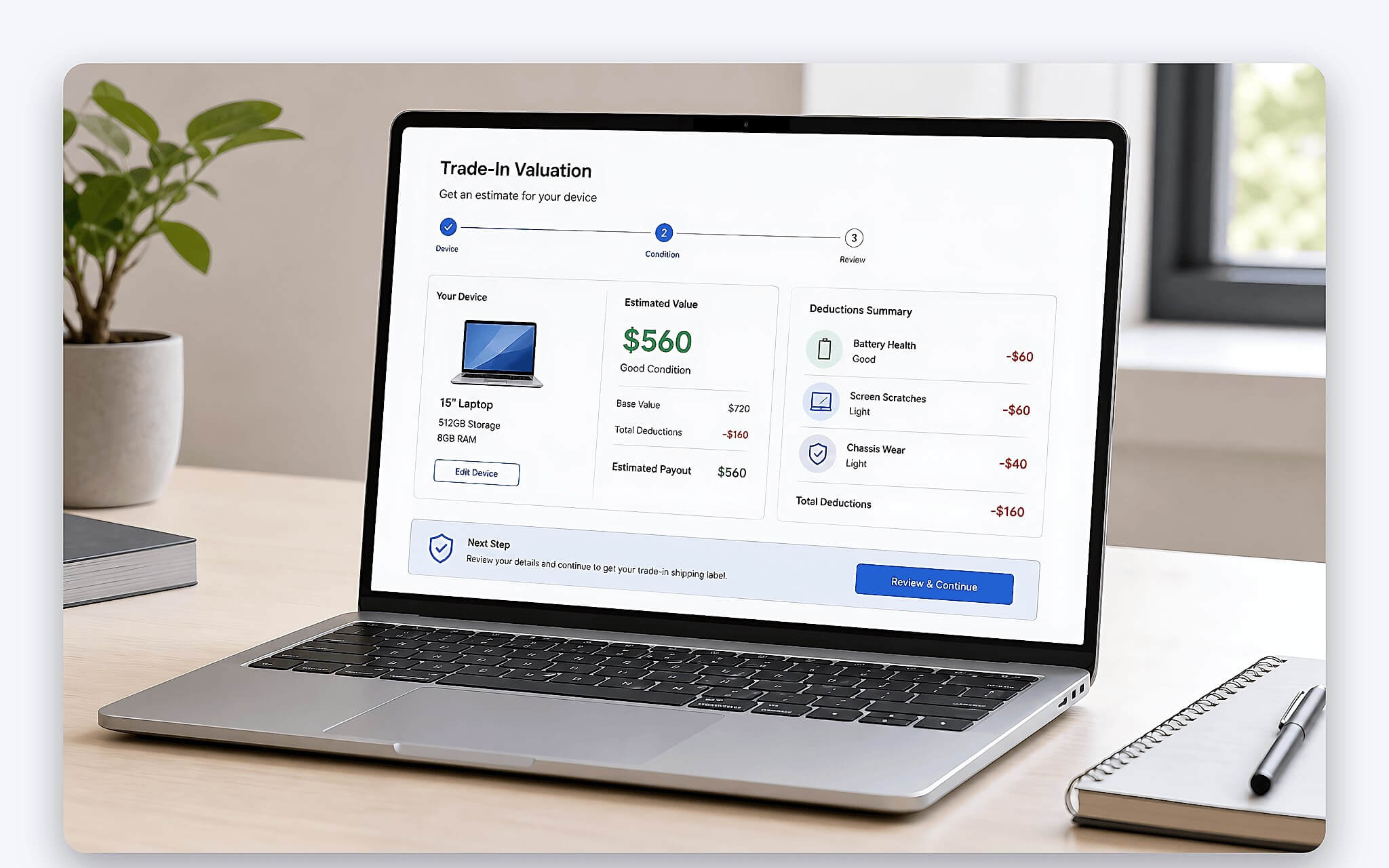
The appraisal process for laptop trade-ins usually starts with the model, processor, RAM, SSD, graphics card, and year of manufacture. Then, technicians check the screen, keyboard, ports, speakers, camera, battery, charger, and repair history. Machines with original configurations, no account locks, and matching chargers are generally easier to trade. Price estimates via photos are only preliminary.
Before bringing your machine for a trade-in, you should back up your data, log out of Microsoft or Apple accounts and licensed software, and lightly clean the surface. Do not attempt to polish the casing or hide cracks. Take photos of the serial number, exterior, and activation status before handing it over. If the machine has had the battery, screen, or motherboard replaced, providing this information clearly will reduce disputes during final pricing.
In a trade-in program, the battery is an item easily subject to deductions, but the discount should be reasonable relative to component costs and the machine's age. For gaming laptops, temperature, fan condition, and performance maintenance also affect the trade-in value. For premium office laptops, the screen, hinges, and aluminum casing are usually inspected more closely. You should request a detailed list of each defect and its corresponding deduction amount.
What should you compare in a MacBook trade-in policy
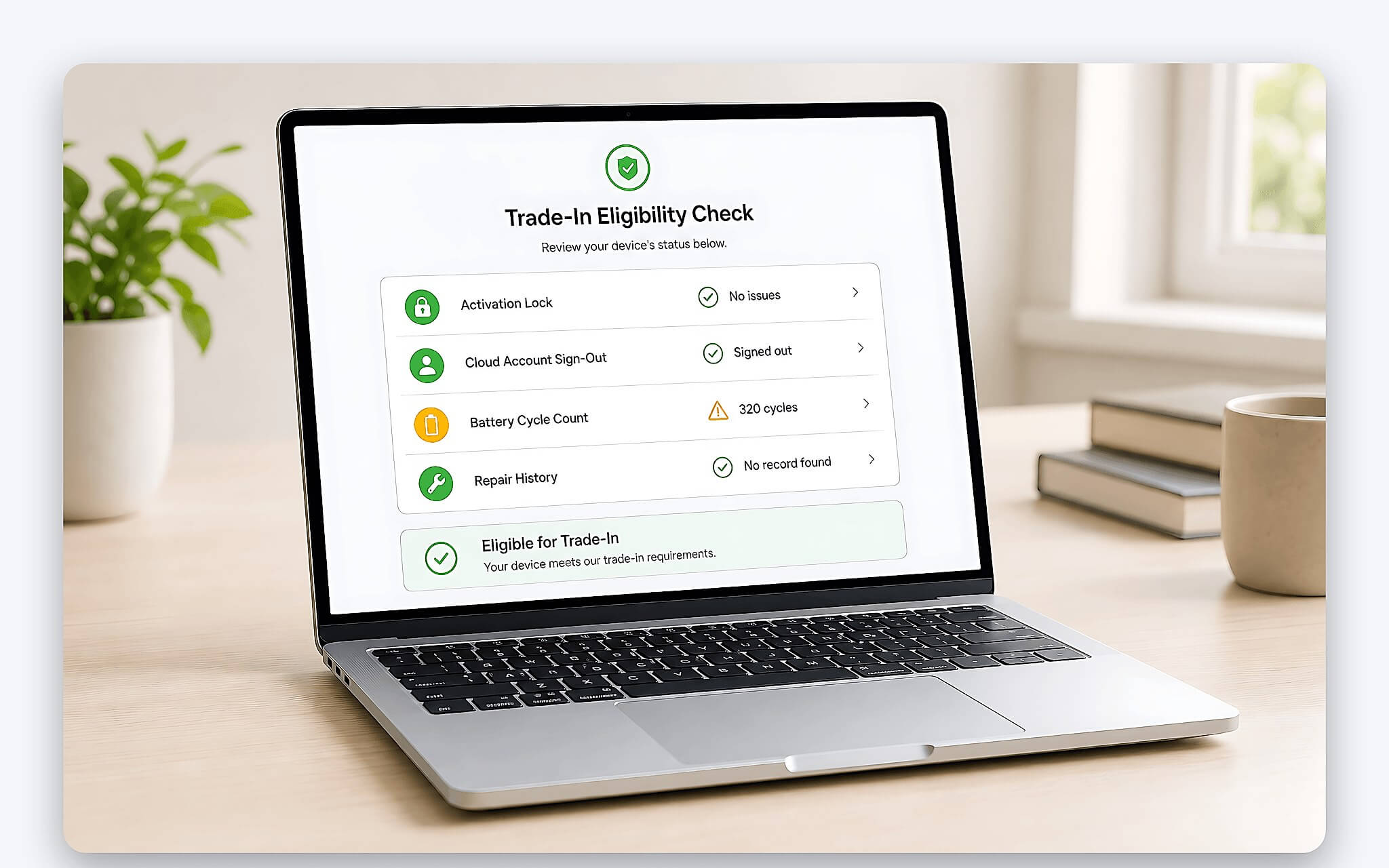
MacBooks participating in trade-ins need to be checked for Activation Lock status, iCloud accounts, battery cycles, screen condition, and repair history. You must log out of your accounts before handing it over, but only wipe the data after both parties have confirmed the price. Having the original box does not guarantee a higher price; the charger, appearance, and normal activation status have a more direct impact. Fixed RAM and SSD versions also cause significant value differences between configurations.
If you are trading in a MacBook for a Windows laptop, you need to account for the cost of transferring data and specialized software. Some applications purchased on macOS do not transfer licenses to Windows. Windows laptops with replaceable RAM or SSD will be more convenient if your needs increase after a few years. The key remains the total out-of-pocket cost and actual configuration; do not decide based solely on a large subsidy.
When participating in a trade-in, you should request clear documentation regarding the warranty status of the machine you receive. There are different values for brand-new boxed machines, activated machines, and used machines. If you choose an unboxed product, check the activation date, charge cycles, and included accessories. Transparent pricing must separate the new machine price, the old machine trade-in value, payment incentives, and upgrade costs.
What ecosystem should you check when trading in for a Samsung laptop
If you are trading in for a Samsung laptop, you should check your needs for syncing photos, notes, files, and calls with your current phone or tablet. A convenient ecosystem can save time, but it should not be a reason to accept a trade-in gap that exceeds your budget. Configuration, screen, battery life, and repairability remain the long-term value criteria.
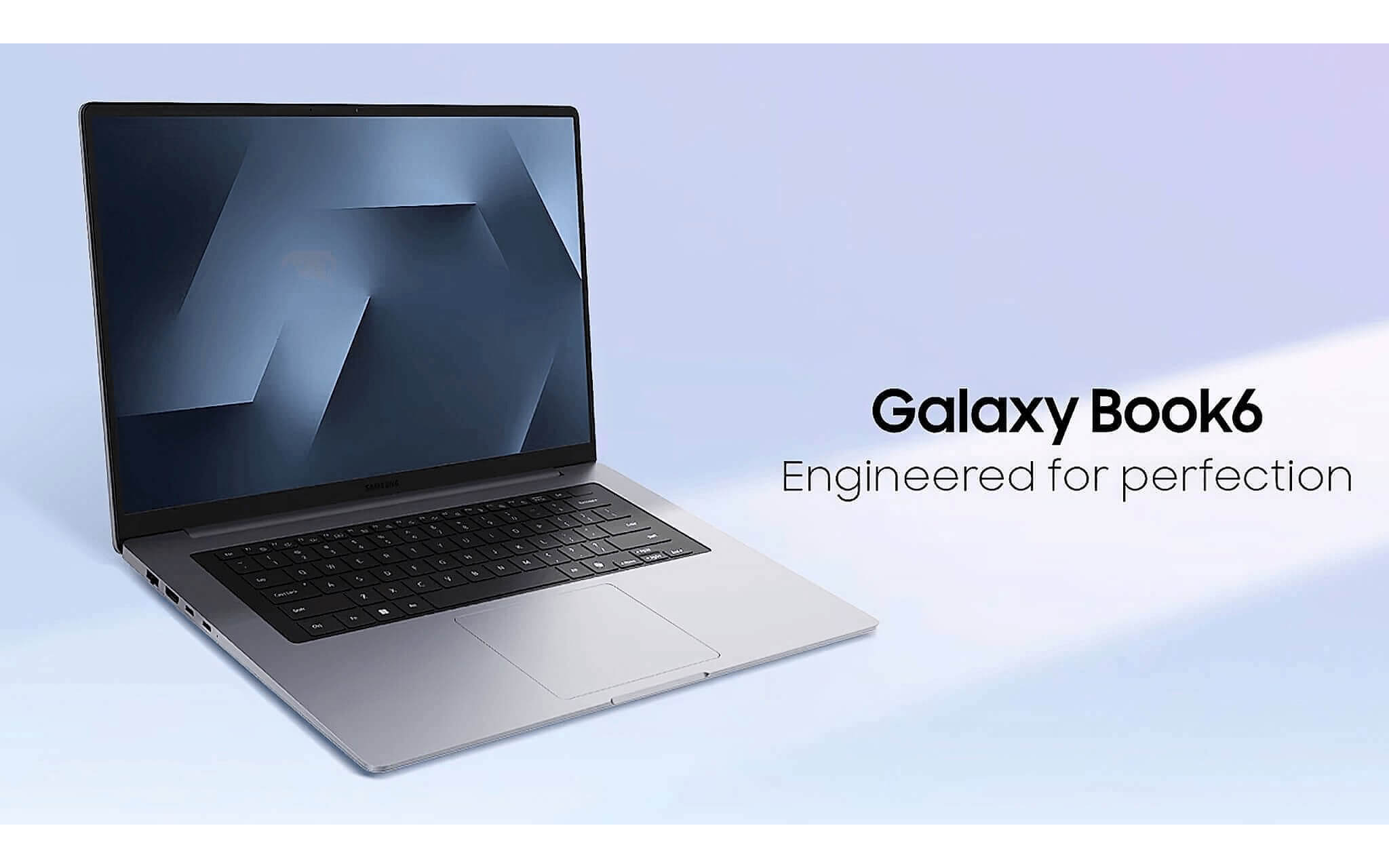
The Samsung Galaxy Book6 16-inch 2026 features a 3K Dynamic AMOLED 2X 120Hz touchscreen, 1000 nits HDR brightness, and weighs approximately 1.59 kg. The 78.07 Wh battery provides about 11-13 hours of actual usage. The Intel Core Ultra 7 355 has 8 cores, 8 threads, and an NPU that meets Copilot+ standards, making it suitable for managers, content creators, and frequent travelers. The downside is the soldered LPDDR5x RAM.
The reference price for the version currently available at Hung Phat is around 37 - 38 million, subject to stock availability at the time of update. You should still confirm the version, stock status, and warranty at the time of ordering. If you have a limited budget or need to play heavy 3D games, the Galaxy Book6 may not be the right choice. Its main advantages lie in the screen, the 11.9 mm thin chassis, and long battery life.
Three laptop upgrade options for 2026 for different users
Three options with different focuses. Alienware prioritizes gaming performance and RAM upgradability. Galaxy Book6 focuses on the screen, AI, and portability. Surface Laptop 6 is suitable for premium office work, coders, and managers needing a 3:2 display aspect ratio. The prices mentioned in the article are reference prices at the time of update; you should re-confirm based on the specific version when ordering.
The Alienware 15 uses the Core 7 240H, achieving 1,719 single-core and 15,764 multi-core points in Cinebench R23. The NVIDIA GeForce RTX 50 Series Laptop version RTX 5050 has 2,560 CUDA cores, 8GB GDDR6 VRAM, and scores 9,122 in Time Spy according to Notebookcheck benchmarks. It is a good 1080p gaming machine with two RAM upgrade slots, but the screen is not suitable for color-accurate work. Battery life is approximately 4.5 hours for office work and 1.5 hours during gaming.
The Surface Laptop 6 features an aluminum chassis, a 15-inch 3:2 screen, and a 1080p webcam. The Core Ultra 7 165H achieves 1,759 single-core and 14,551 multi-core points in Cinebench R23; the Intel Arc iGPU is sufficient for document editing, light photo editing, and presentations, but not aimed at heavy 3D gaming. Actual battery life is about 7-8 hours, with a weight of 1.68 kg. General advice: choose Alienware if you prioritize gaming, Galaxy Book6 if you need a beautiful screen and long battery life, and Surface for intensive office work.
Which trade-in location in HCMC should you choose for peace of mind
A list of laptop trade-in locations should be prioritized based on verifiability, not just advertised trade-in rates. Hung Phat Laptop is suitable if you want consultation for both your old machine and the upgraded configuration. The next group includes official service centers, retail chains with transparent terms, and specialized used laptop stores with on-site technicians. You should get at least two quotes on the same day.
1. Stores specializing in configuration consultation: suitable when you need to compare configurations, performance, the trade-in gap, and upgradeability.
2. Official centers or authorized dealers: suitable when you prioritize brand-new boxed machines and manufacturer warranties.
3. Retail chains with transparent terms: convenient when you need standardized processes and multiple payment methods.
4. Specialized used laptop stores: can accept many different models, but you must carefully check the warranty and origin.
Hung Phat's strength lies in consulting based on actual usage needs rather than just the machine model, comparing performance, screen, battery, upgradeability, and the total out-of-pocket cost. The three models mentioned above are all in stock; the store will confirm the version and price before finalizing. You will be clearly informed about the price at the time of transaction, stock status, accessories, and warranty.
If you play games or use heavy tools, you should prioritize the Alienware 15. Frequent travelers who need a vibrant screen and long battery life can choose the Galaxy Book6. Office workers, coders, or managers handling many documents should consider the Surface Laptop 6. Bring your old machine, charger, and configuration information to the store for a direct inspection before making a decision.
Frequently Asked Questions (FAQ)
What are the steps in the laptop trade-in process?
The process typically includes receiving the machine, inspecting the configuration and appearance, evaluating the battery and components, notifying each deduction, confirming the new machine price, and finalizing the total out-of-pocket amount.
Does the iPhone trade-in policy apply exactly to laptops?
Not exactly, because laptops have more configurations and components that need inspection. In addition to appearance and battery, technicians also check RAM, SSD, screen, keyboard, ports, temperature, and the graphics card. Two laptops of the same model but with different RAM or GPU can have significant price differences.
How does the iPad trade-in policy differ from laptops?
iPads are usually appraised based on storage capacity, connectivity, screen, battery, and Activation Lock status. Laptops are also affected by upgradeability, performance, and component replacement history. Therefore, laptop quotes via photos often have higher margins of error and require direct inspection.
Does the store provide clear quotes and full warranties?
Transparent quotes must separately list the new machine price, the old machine trade-in value, the out-of-pocket amount, accessories, and the warranty period directly on the document. You should request that each deduction be clearly linked to a specific defect and the condition of the machine being received. If a place only provides a total out-of-pocket amount without a breakdown, you should get a second quote.











