

Whether you are game streaming, selling on TikTok, editing short highlights, or studying while live streaming every night, your machine must handle continuous heavy workloads for many hours. A reliable livestreaming laptop in the 25 to 59.5 million VND segment needs an NVIDIA GPU with a hardware encoder, sufficient RAM, a comfortable display, and cooling that doesn't underperform. What many people overlook is that a powerful GPU doesn't guarantee stable frame rates; if the fans cannot dissipate heat in time, the machine will throttle its clock speed, causing the stream to stutter.
What does a livestreaming laptop configuration need besides a powerful GPU?
For beginners, configuration isn't just about playing games. The machine must simultaneously run OBS, a web browser, chat windows, Discord, audio plugins, a webcam, and scene transition software. If you are a student, an office worker working side gigs at night, a designer selling templates, or a shop owner running TikTok sessions, this workload lasts three to four hours per session, not just a few minutes.
Hung Phat prioritizes three things in order: an NVIDIA GPU with NVENC encoding to reduce the load on the CPU during streaming, 16GB of RAM or more, and at least a 512GB SSD. A color-accurate screen is only truly necessary if you create your own thumbnails or color-grade product shots. For machines using RTX 4050, RTX 5050, RTX 5060, or RTX 5070, the encoding platform is sufficiently good for 1080p streaming.
| Model | Price at Hung Phat | GPU and Time Spy Score | Display | Best for |
|---|---|---|---|---|
| Lenovo LOQ 15ARP9 | Around 25 million | RTX 4050 6GB, Time Spy 8,125 | 15.6 inch FHD 144Hz, 100% sRGB, 300 nits | Beginners, 1080p OBS streaming, tight budget |
| Alienware 15 Gaming | Around 36.6 million | RTX 5050 8GB GDDR7, Time Spy 9,122 | 15 inch 1920 x 1200, 165Hz, only 62.5% sRGB | Mainly eSports gaming, no color grading |
| Alienware 16 Aurora | Around 26.5 to 49.8 million depending on config | RTX 5060 8GB GDDR7, Time Spy 11,755 | 16 inch 2560 x 1600, 120Hz, 100% sRGB | Long streaming sessions, needs battery and color-accurate screen |
| Alienware 16X Aurora | Around 49.9 to 59.5 million depending on config | RTX 5070 8GB GDDR7, Time Spy 13,535.5 | 16 inch 2560 x 1600, 240Hz, 493 nits | Semi-pro, playing AAA games and editing highlights |
The CPU is still important because many background tasks run in parallel. The Ryzen 7 7435HS has 8 cores and 16 threads, with Geekbench 6 scores of 1,818 single-core and 9,679 multi-core. The Core 7 240H has 10 cores and 16 threads, with Cinebench R23 scores of 1,719 and 15,764. The Ryzen 7 260 is stronger in multi-core with 17,277 R23 points, making it suitable for those who stream while running audio editing software or background rendering.
Four models currently available at Hung Phat by budget level
At the lowest level, the Lenovo LOQ 15ARP9 priced around 25 million is an accessible starting point. The machine uses a Ryzen 7 7435HS, 16GB or 24GB DDR5-4800 RAM, 512GB or 1TB PCIe Gen4 SSD, and an RTX 4050 6GB GPU running at 105W. The 15.6-inch FHD 144Hz screen achieves 100% sRGB and 300 nits, which is enough for basic thumbnail creation without needing an external monitor.
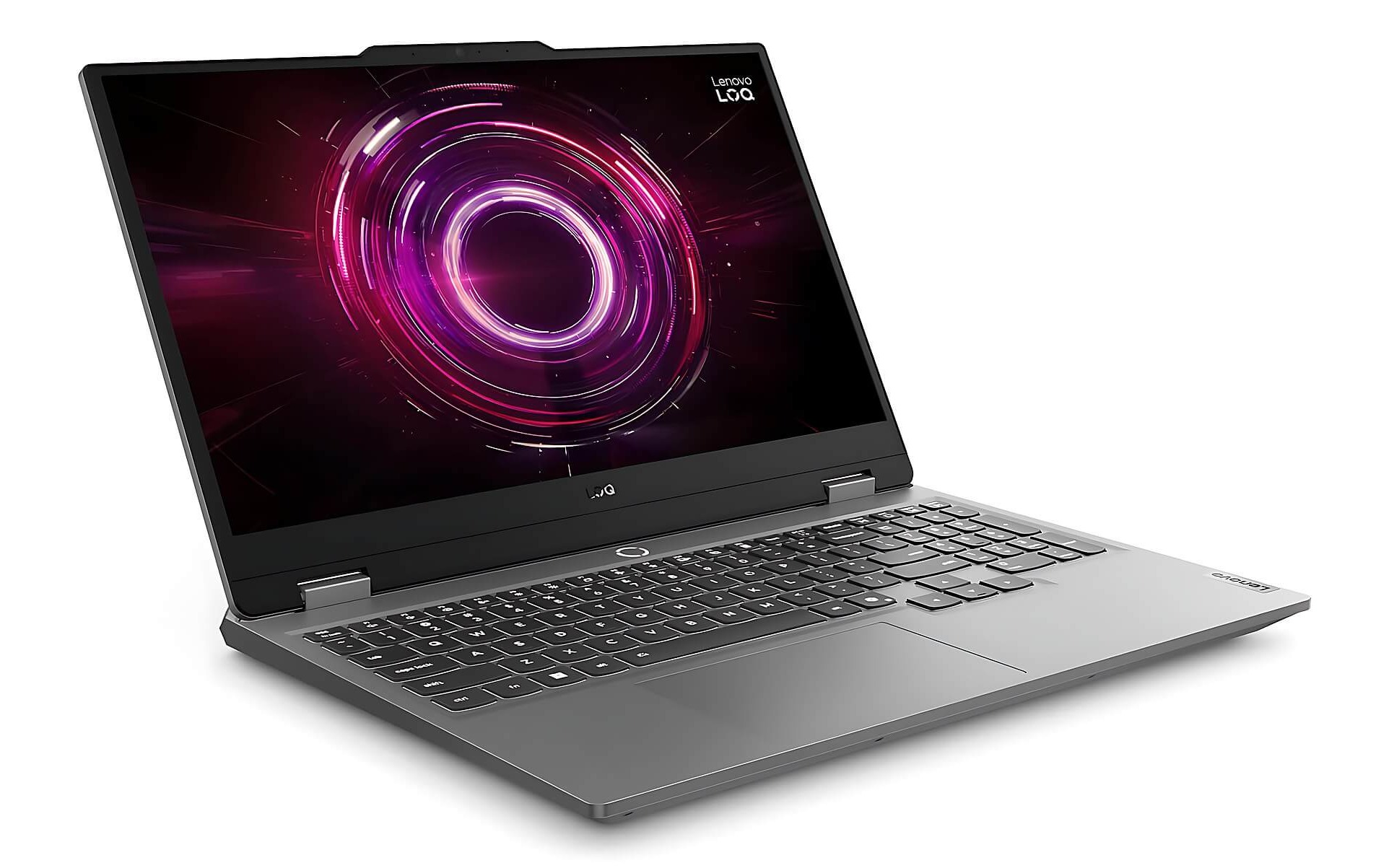
A detail few notice is that the Ryzen 7 7435HS lacks integrated graphics, meaning all display tasks go through the dedicated GPU. This causes the battery to drain faster, measuring about 3 hours and 24 minutes with a 60Wh battery. For live streaming, this is not an issue since you will always be plugged in, but if you plan to carry the machine for a full day, this is something to know beforehand.
The Alienware 15 Gaming Laptop at the 36.6 million level features a newer GPU: the RTX 5050 8GB GDDR7 with 384 GB/s bandwidth according to NVIDIA's official laptop specifications, achieving a Time Spy score of 9,122. The machine weighs 2.22 kg, the lightest in the group, and the 165Hz screen is great for eSports. However, the screen only reaches 62.5% sRGB, meaning it cannot be used for color grading, which is why Hung Phat does not recommend this model for content creators.
At the most balanced level, the Alienware 16 Aurora RTX 5060 version has a wide price range from 26.5 to 49.8 million depending on the configuration. Its strengths include a 96Wh battery providing about 7 hours and 32 minutes of web browsing time, and a 16-inch 2560 x 1600 screen with 100% sRGB. The RTX 5060 8GB GDDR7 GPU achieves a Time Spy score of 11,755 but is limited to 80W, so do not expect it to perform as high as a machine with the same GPU running at full power.
The highest tier is the Alienware 16X Aurora running an RTX 5070, priced from 49.9 to 59.5 million. It uses a Core Ultra 7 255HX or Ultra 9 275HX, 32GB or 64GB RAM, and a 2TB SSD. The RTX 5070 8GB GDDR7 GPU runs at 115W, achieving a Time Spy score of 13,535.5. The 240Hz screen is bright at 493 nits with approximately 97% to 98% DCI-P3 coverage according to independent measurements, making it up to standard for editing short videos immediately after a stream.
Is a cheap livestreaming laptop enough for OBS 1080p?
The answer is yes, if you are willing to lower your in-game graphics settings. An RTX 4050 with a Time Spy score of 8,125 can still encode 1080p well using NVENC, because the encoding uses a dedicated hardware block rather than consuming rendering power. The problem often lies not with the GPU but with the RAM: 16GB is enough for OBS plus light gaming, but when you open ten browser tabs and audio editing software, the machine will start relying on virtual memory.
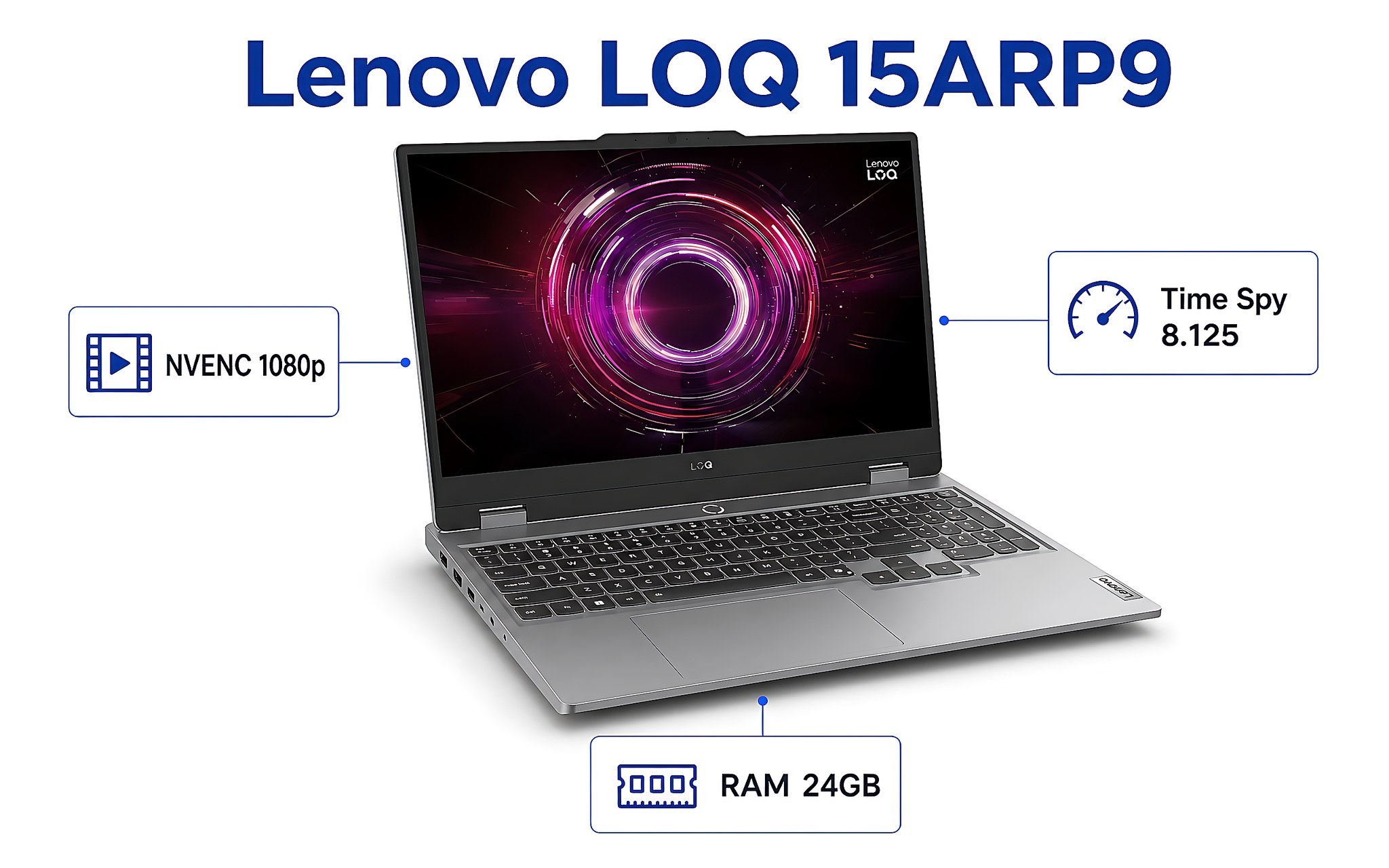
This is why Hung Phat recommends choosing the 24GB version instead of 16GB if the price difference is not large, or choosing a machine with an empty slot for future upgrades. The same applies to storage: a few hours of streaming plus highlight files and editing projects can consume dozens of GBs. A 512GB SSD fills up quickly if you record content daily, so the 1TB version is worth considering from the start.
Regarding connectivity, count your required devices beforehand: webcam, microphone, lights, capture card, a secondary monitor to read chat, and an Ethernet cable if your Wi-Fi is unstable. Having built-in HDMI and Ethernet ports is much more convenient than using a hub, as hubs split bandwidth and can sometimes cause glitches during a stream. This is something you should check in person rather than just reading about it on paper.
Weaknesses of each machine you should know before deciding
The Lenovo LOQ 15ARP9 has a beautiful screen for its price, but the 512GB SSD fills up very quickly, and the machine weighs about 2.4 kg, so it is not the best choice for frequent travel. The Alienware 15 Gaming Laptop is powerful with its newer GPU and is the lightest in the group, but the 62.5% sRGB screen is a major limitation for content creators: the colors on the machine and the colors viewers see will differ significantly.
The Alienware 16 Aurora has good battery life and a great screen, but the RTX 5060 is locked at 80W, and the 120Hz screen may show ghosting in high-speed shooters. The Alienware 16X Aurora is the most powerful in the group, but in exchange, the battery only lasts about 4 hours and 16 minutes, the chassis weighs 2.55 kg, and the high-end version can easily reach 59.5 million VND. None of these four models is a perfect choice, so you need to know what trade-offs you are willing to make.
A common factor among them is fan noise. When playing games and streaming simultaneously, the GPU and CPU both run at high loads for many hours, causing the fans to spin loudly, which a microphone can easily pick up during a stream. This is why many users use directional microphones or place the machine away from the mic, and it is also why cooling capability is often worth more than a few thousand benchmark points.
Consultation for choosing a machine in HCMC based on your content type
If you are just starting out and mainly play League of Legends, Valorant, FC Online, or Minecraft, the Lenovo LOQ 15ARP9 is the most reasonable entry point in terms of cost. If you play eSports seriously and need high frame rates without caring about color grading, the Alienware 15 Gaming Laptop meets your needs well. If you stream for many consecutive hours and want a color-accurate screen to make thumbnails, the Alienware 16 Aurora is the most balanced option.
If your channel is already established and you play AAA games while editing highlights after every session, the Alienware 16X Aurora offers the most headroom. When visiting to see the machines, you should bring the microphone and webcam you currently use to test them directly, open OBS to run a test scene with a game in the background, and then listen to the fan noise after fifteen minutes. These three tests tell you more than any spec sheet.
If you are still undecided between the mainstream gaming group and the higher-end group, our article on choosing mid-range gaming laptop configurations analyzes the trade-offs between GPU, cooling, and budget in more detail. When you visit the store, please ask for the specific configuration of the current stock, as machines with the same name can vary in GPU, RAM, and SSD capacity.
Frequently Asked Questions (FAQ)
What configuration is enough for livestreaming?
A sufficient level for 1080p streaming is an 8-core CPU or higher, 16GB RAM, a 512GB SSD, and an NVIDIA GPU with NVENC encoding from the RTX 4050 or higher. If you are streaming while playing heavy games, upgrade your RAM to 24GB or 32GB because OBS, browsers, and audio software combined consume quite a bit of memory. Regarding storage, the 1TB version is worth the investment if you save original files for highlight editing.
Is livestreaming on TikTok with a laptop different from streaming games?
It is different because the load on the machine is much lighter since you aren't running a background game. For sales livestreaming, the quality is determined by the webcam, lighting, microphone, and internet connection, not the GPU. A machine around 25 million like the Lenovo LOQ 15ARP9 is more than enough; even an office laptop with 16GB of RAM can do it if you don't open too many programs at once.
Can a laptop record video, or do I need a separate camera?
Integrated webcams on laptops usually only reach 1080p and perform poorly in low light, making them more suitable for online meetings than content creation. If you are running a serious channel, an external webcam or a camera connected via a capture card will provide a completely different look. In this case, the laptop acts as the processor and encoder, while the image quality depends on the capture device.
Why does the frame rate still stutter during long streams even with a powerful GPU?
The most common cause is heat. After about twenty to thirty minutes of high load, thin laptops reach a thermal threshold and throttle their clock speed to protect the components, causing frame drops even if the GPU is powerful on paper. This is why an RTX 5060 limited to 80W might provide a more stable experience than a higher-tier GPU machine with poor cooling. Elevating the laptop to allow airflow to the bottom and cleaning the fans periodically will significantly reduce this phenomenon.











