

Laptops that have been in use for a few years often run hotter and the fans grow louder even when just browsing the web, leading to the common advice of reapplying thermal paste. Recently, many technicians have switched to PTM7950, a phase change material developed by Honeywell. Simply put, this is a thin material that is solid when cool, but softens and fills the chip surface as the laptop heats up, so it does not dry out and harden quickly like standard paste. This article explains the operating mechanism, specifications from the manufacturer's technical documentation, comparisons with paste and liquid metal, and the risks to consider before opening your device.
What Is PTM7950 and Why Is It Called a Phase Change Material
PTM7950 belongs to the thermal interface material group, or TIM, which is the intermediate layer located between the chip surface and the copper heatsink. While metal surfaces may look flat, they still contain countless microscopic grooves containing air, and air is a very poor conductor of heat. Essentially, the TIM layer fills those gaps so that heat can travel from the processor and GPU to the copper pipes more quickly. Thermal paste, pads, and liquid metal all perform this same task, differing only in material and operating principle.
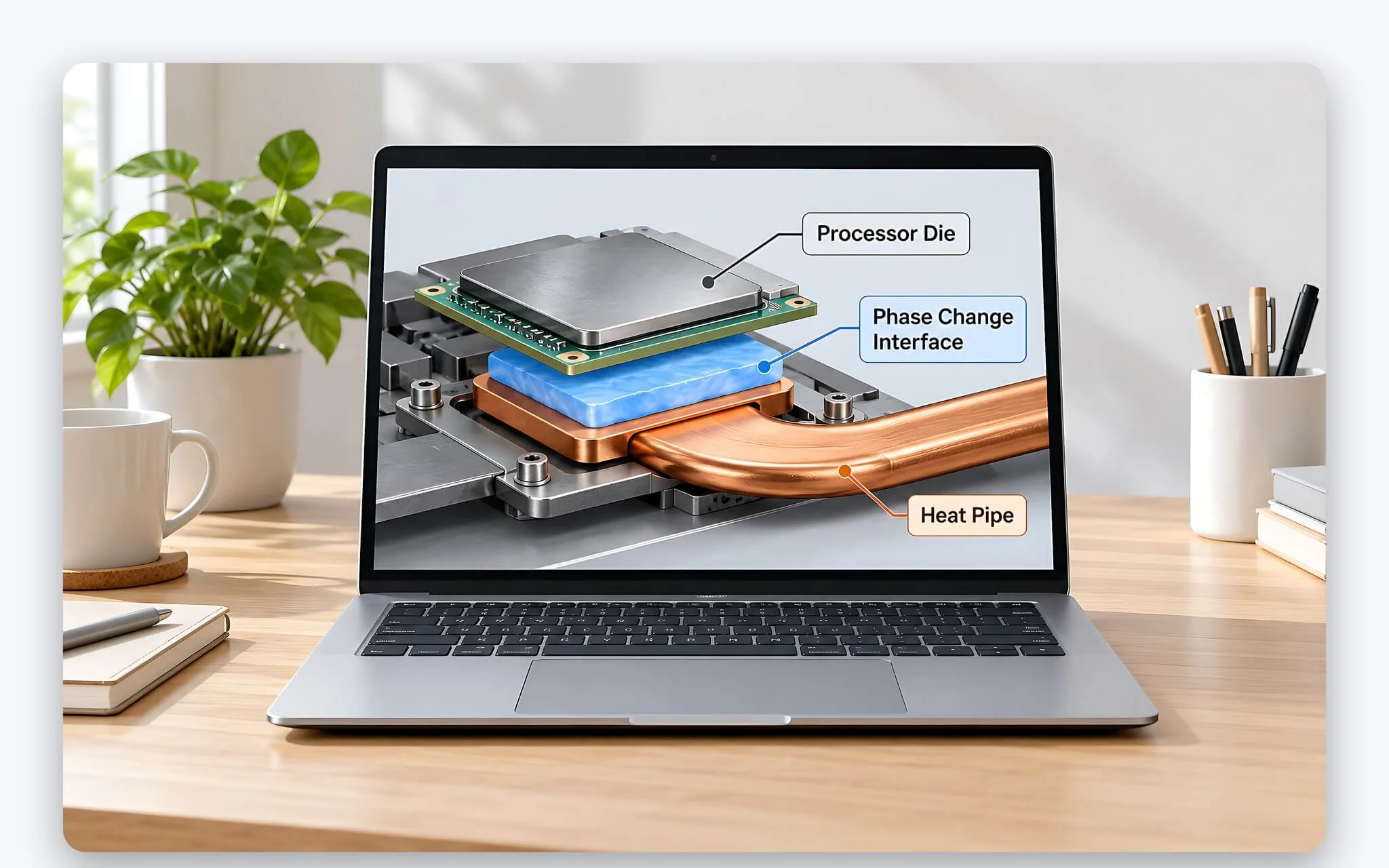
According to Solstice's official product page - a company spun off from Honeywell's materials division in 2025 - this phase change pad has a thermal conductivity of 8.5 W/m·K and a thermal impedance of 0.04 to 0.08 °C·cm²/W. The manufacturer lists applications for CPUs, GPUs, and the notebook, PC, and tablet segments. The pad is gray and is sold in thicknesses of 0.2, 0.25, 0.3, 0.4, and 0.5 mm, and comes in two versions with the SP and SPS suffixes.
It is called a phase change material because it changes state according to temperature. At room temperature, the pad is in a solid state, making it easy to cut and place on the chip without messy flow. When the chip heats up beyond the phase change threshold, the material softens, flows into the small grooves, and is compressed into a very thin layer by the pressure of the heatsink. When the laptop cools down, this layer solidifies but maintains the shape it used to fill, so the contact area does not become exposed like dried paste.
The 45°C Phase Change Mechanism and Datasheet Specifications
The Solstice phase change material selection table lists the phase change temperature for the PTM series at 45 °C, with an operating temperature range from -55 °C to 150 °C. Because this threshold is quite low, a laptop only needs to run a heavy load for a short time before the chip gets hot enough to trigger the phase change. The datasheet for this pad emphasizes that the material must pass through the phase change temperature to reach its rated performance, meaning the first few heavy workloads serve as the shaping phase for the pad.
| Material Code | Thermal Impedance (°C·cm²/W) | Thermal Conductivity (W/m·K) |
|---|---|---|
| PTM5000 | 0.086 | 4.4 |
| PTM7000 | 0.058 | 6.5 |
| PTM7900 | 0.046 | 8.0 |
| PTM7950 | 0.040 | 8.5 |
The two key specifications to note are thermal conductivity and thermal impedance. Thermal conductivity, measured in W/m·K, reflects the inherent heat transfer properties of the material. Thermal impedance, measured in °C·cm²/W, measures the heat resistance of the entire layer sandwiched between two surfaces, so it depends on the thickness of the compressed layer. According to the datasheet, this phase change pad achieves 0.04 °C·cm²/W in ASTM D5470 testing at 125 W and 40 psi, the lowest among the versions in the company's PTM family.
The compressed layer thickness, known as the bondline, is the critical factor that requires the phase change pad to have sufficient clamping force. Solstice recommends a pressure of 30 to 40 psi during use; the thinnest bondline is about 20 µm, typically under 50 µm, and performs best when under 38 µm. The datasheet also shows that as pressure increases, the bondline becomes thinner, meaning unevenly tightened or under-torqued heatsink screws will result in a thicker bondline and higher thermal impedance.
Comparing PTM7950 to Standard Thermal Paste and Liquid Metal
Standard thermal paste is a viscous paste made of a carrier medium and thermally conductive filler particles. Framework, the American repairable-laptop maker, notes that traditional paste typically offers 5 to 10 W/m·K of thermal conductivity and can pump out or dry up over time. This pump-out effect happens over repeated heating and cooling cycles as the material is gradually squeezed out of the contact area. That is why many users find themselves repasting laptops after a few years once performance drops noticeably.
| Characteristic | PTM7950 | Standard Thermal Paste | Liquid Metal |
|---|---|---|---|
| Form factor | Solid pad, softens above 45 °C | Viscous paste | Metallic alloy paste or pad |
| Thermal conductivity | 8.5 W/m·K | 5 to 10 W/m·K (typical range) | 72 W/m·K (indium, tin, and bismuth pad) |
| Electrical conductivity | Volume resistivity of 2.1×10¹⁴ Ω·cm | Varies by product; Arctic MX-6 is rated non-conductive | Electrically conductive |
| Long-term durability | Manufacturer claims no pump-out and no drying out | May pump out or gradually dry up | Some units see material migrate away from the CPU die after hundreds of thermal cycles |
| Installation notes | Requires 30 to 40 psi of mounting pressure and heating past its phase-change temperature | Easy to apply, must be spread evenly | Incompatible with aluminum heatsinks; requires barrier protection around the die |
Liquid metal sits at the opposite extreme for heat transfer. The liquid-metal pad Framework previously used contains indium, tin, and bismuth, liquefies around 58 °C, and reaches 72 W/m·K. Liquid-metal pastes such as Thermal Grizzly Conductonaut rely on gallium-based alloys, and the brand itself cautions that the material is electrically conductive and must never be paired with aluminum heatsinks. Framework had to coat the components surrounding the die with insulating conformal coating and install two foam gaskets to keep the liquid metal contained.
PTM7950 bridges those two extremes. While its 8.5 W/m·K rating falls well short of liquid metal, its datasheet lists a volume resistivity of 2.1×10¹⁴ Ω·cm, which is higher than the 1.8×10¹² Ω·cm listed for Arctic MX-6 paste, a compound marketed as non-conductive. Solstice's material selector lists that same figure with units of Ω·m. For laptops, where the heatsink is rarely removed and serviced, long-term stability typically matters far more than a few paper W/m·K.
Long-Term Durability in Bake and Thermal-Cycling Tests
What really sets PTM7950 apart is not its raw thermal conductivity figure, but the fact that its thermal impedance remains virtually unchanged throughout reliability testing. The datasheet lists an initial thermal impedance of 0.04 °C·cm²/W, which stays at 0.04 after 1,000 hours of baking at 150 °C, holds at 0.04 after 1,000 hours at 85 °C and 85% relative humidity, and edges up only slightly to 0.045 after 1,000 thermal cycles from minus 55 °C to 125 °C. The manufacturer also describes this phase change material as silicone-free, with no pump-out, oil bleed, or dry-out.
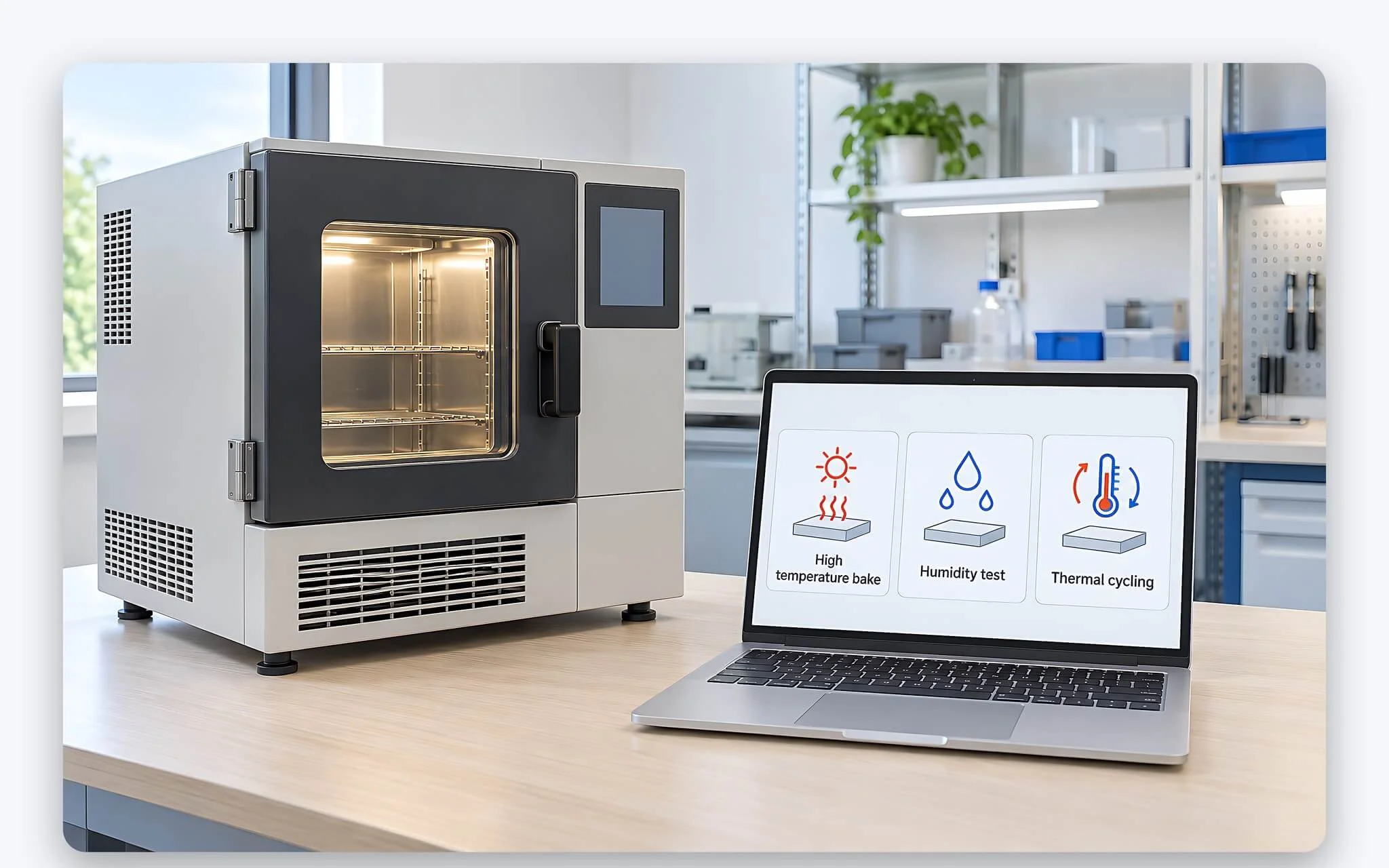
Thermal cycling closely mirrors real-world laptop use, where every session of powering on, gaming, and shutting down constitutes a complete heat-and-cool cycle. In Framework's technical deep dive on liquid metal, the company noted that extended use caused performance degradation on some laptops as the liquid metal slowly migrated away from the CPU die over hundreds of thermal cycles. According to Framework, Honeywell's phase change material remained stable through thousands of thermal cycles.
Following those findings, Framework switched production of its 16-inch laptops and replacement motherboards to PTM7958, another Honeywell phase change material, and began offering PTM7958 pads as replacement parts. For other brands, unless the technical documentation explicitly states what thermal interface material is used, you should not assume a laptop ships with a phase change material, even if retail listings claim it does. The manufacturer's own published specs remain the most reliable source of information.
When to Replace Laptop Thermal Paste With a PTM7950 Thermal Pad
A hot laptop does not always mean you need to replace its thermal interface material. High temperatures can also stem from dust trapped in heatsink fins, weak fan airflow, manufacturer performance profiles, or the chip type itself. If your laptop runs an H-series processor, high heat output may simply be an intentional design characteristic rather than dried-out paste, as explained in H-Series vs. U-Series: Which One Actually Determines Heat and Battery Life, Not Core i5 or i7.
| Symptom | Possible Cause | What to Do First |
|---|---|---|
| Fans spin loudly even during word processing or web browsing | Dust clogged in heatsink fins or degraded thermal interface material | Clean fans and heatsink fins before considering a repaste |
| Performance gradually drops compared to when new while running the same software | Thermal paste pump-out or drying out over time | Log CPU temperatures and clock speeds under sustained load |
| Laptop has been used for several years without cooling system maintenance | Traditional thermal paste degradation | Consider switching to phase change material if out of warranty |
| New laptop under warranty that runs abnormally hot | Assembly defect or hardware fault | Bring it to an authorized service center; do not open the laptop yourself |
| Laptop uses factory-applied liquid metal | Proprietary design featuring electrical insulation barriers and protective gaskets | Do not switch to another material yourself without manufacturer guidance |
The ideal time to repaste a laptop is after several years of use, when cleaning the fans and heatsink fins fails to lower elevated temperatures, and clock speeds and performance have noticeably declined compared to when the machine was new. Traditional paste can pump out or dry out over time, leaving the existing layer degraded. Thanks to the thermal cycling stability shown in its datasheet, switching to a phase change material significantly reduces the need to reopen the chassis for frequent reapplication.
When switching a laptop over to PTM7950, technicians trim the pad to cover the bare die, peel off both protective liner films, and tighten the heatsink screws according to the numbered sequence stamped on the assembly, if present. Because the material must cross its 45 °C phase change threshold to deliver rated performance, temperatures across the first few heavy load sessions may fluctuate. It is best to evaluate thermal performance after several days of regular use rather than drawing conclusions right after the initial test run.
Warranty Risks When Opening Your Laptop and How to Avoid Counterfeits
Before attempting to repaste a laptop yourself, the top priority is reading the manufacturer's warranty terms thoroughly. The Lenovo Limited Warranty, for example, explicitly states that coverage does not apply to failures caused by modifications, improper maintenance, or repairs performed by unauthorized service providers. That means if you tear a ribbon cable, snap a retention clip, or chip a silicon die while taking off the heatsink, warranty claims for those damages can be rejected. Thermal Grizzly also warns that liquid metal staining or reacting with a processor's integrated heat spreader can void manufacturer warranties.

Authorized domestic units and imported laptops operate under different warranty service policies. Before disassembling a machine for repasting, you should verify where your device is covered and how much warranty coverage remains, as compared in the article Genuine, Grey-Market, or Refurbished Laptops: Which Should You Choose When Warranty Is the Priority? For laptops still under warranty, the safest approach is to let an authorized service center or the selling retailer handle the application and record the material change on the service invoice.
Solstice notes that PTM7950 is officially supplied in rolls and large sheets, whereas retail pads are almost always cut down and repackaged by third parties, making authenticity difficult to verify. Official technical specifications provide the baseline for confirmation: genuine pads are gray, with a density of 2.8 g/cm³, a thickness between 0.2 and 0.5 mm, and a 12-month shelf life stored at 19 to 24 °C. Pads with unusual coloration, thicknesses outside the official range, or missing shelf-life details should be avoided, and monitoring post-installation operating temperatures can help catch counterfeit materials early.
Frequently Asked Questions About PTM7950
Is PTM7950 electrically conductive?
The datasheet lists a volume resistivity of 2.1×10¹⁴ Ω·cm, which is higher than the 1.8×10¹² Ω·cm of Arctic MX-6 paste, a compound marketed as non-conductive. Consequently, PTM7950 carries significantly less short-circuit risk than liquid metal if excess material touches surface-mounted components around the die.
How often does a phase change pad need to be replaced?
Solstice does not specify an operational lifespan in years. The datasheet simply indicates that thermal impedance remains virtually flat after 1,000 hours of continuous baking at 150 °C and 1,000 thermal cycles. The stated 12-month shelf life refers strictly to unapplied pads in storage, not the material's lifespan once installed in a laptop.
Do you need to heat-cycle the laptop after applying a phase change pad?
Yes. The datasheet notes that the material must exceed its phase change transition threshold, 45 °C for the PTM series, to achieve rated thermal performance. A few demanding sessions such as gaming or exporting video are sufficient for the pad to wet out and settle into place, after which you can record temperatures for an accurate evaluation.
Should a brand-new laptop be switched to a phase change pad immediately?
No, not if the machine remains under warranty and operating temperatures are normal. Removing the cooling heatsink always carries the risk of damaging ribbon cables or retention latches, and accidental damage from self-modification can void warranty coverage. Repasting should only be considered once a laptop has seen extended use and still runs hot after fans and heatsink fins have been thoroughly cleaned.