

Windows 11 25H2 has officially been brought into the Release Preview channel by Microsoft - a significant milestone in this year's operating system update roadmap. Although it does not bring major changes to the interface or features, this version still contains many noteworthy points for general users and system administrators.
Notable technical changes and update policies
The Windows 11 25H2 version is deployed as an “enablement package” - meaning most features are already integrated into the system but not yet activated, requiring only a light patch to unlock them. This allows users to update quickly, requiring only a restart instead of reinstalling the entire operating system.
This update is built on the same service branch as last year's 24H2 version, so it causes fewer software conflicts. The most obvious difference lies in the build number - the 25H2 version starts from number 26200, while 24H2 ends at the 26100 mark.
Although it does not add breakthrough features for individual users, Windows 11 25H2 plays an important role in extending the security update cycle by an additional 2 years for eligible systems. Key changes include:
- Complete removal of PowerShell 2.0 and the traditional WMI command-line tools
- Added capability to uninstall default apps via Group Policy or MDM for enterprise and education environments
Windows 11 25H2 update roadmap and approach for users
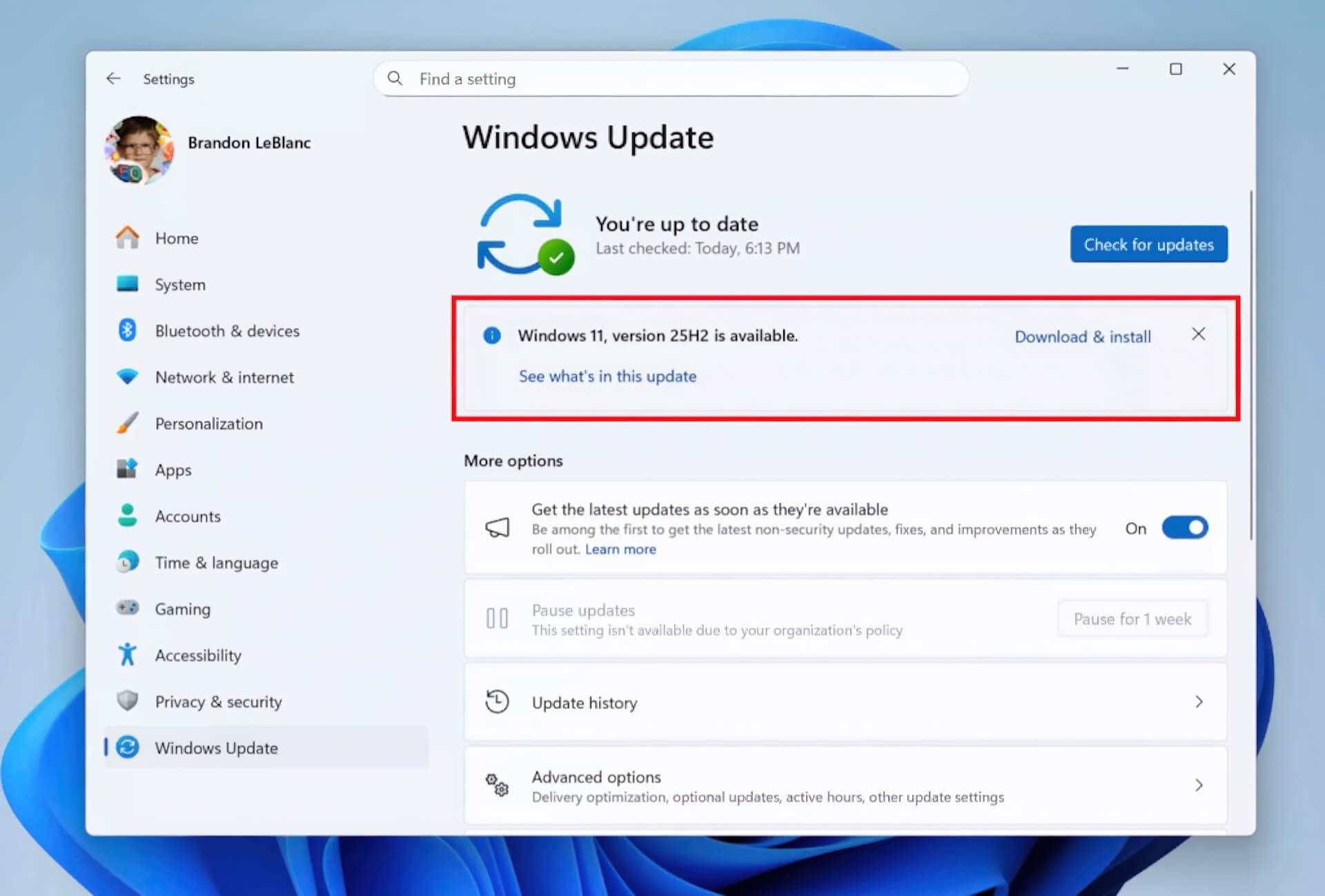
For those participating in the Windows Insider - Release Preview channel, the update is already available via Windows Update for compatible devices. The installation process is quite simple and does not require complex technical operations.
Similar to previous update waves, Microsoft will deploy in stages - starting with a limited group of devices before widespread distribution. At the same time, enterprise users can confirm the update through channels such as Windows Update for Business, WSUS, and soon via standalone ISOs or the Azure Marketplace.
This strategy of using a shared branch and gradual upgrades reflects Microsoft's new direction - minimizing downtime, making it easy to deploy for both individuals and large enterprises. While Windows 11 25H2 does not create a revolution, it is a solid step forward, ensuring stability for the long-term development cycle.











