

MSI has officially released MSI Afterburner 4.6.6 Final, bringing a series of notable improvements to the gaming community and professional users. This update expands compatibility with the NVIDIA RTX 50 GPU series, supports four-way fan control, and introduces unofficial support for AMD RDNA 4, including the Radeon RX 9000 series. Additionally, the new version features optimized skins for Windows 11, an enhanced Voltage/Frequency Curve editor, and an upgrade to RivaTuner Statistics Server (RTSS) version 7.3.7.
Comprehensive and Easy-to-Use Overclocking Tool
MSI Afterburner is completely free software that allows users to overclock, monitor, and benchmark graphics cards. Whether you own an Nvidia or AMD GPU, this software supports them all, including brands such as Asus, Gigabyte, Zotac, Sapphire, PowerColor, or MSI. Users can monitor parameters such as GPU clock speed, memory speed, temperature, voltage, and fan speed in real-time during gameplay or via the system tray. Configurations can be saved as individual profiles and quickly switched using customizable hotkeys.
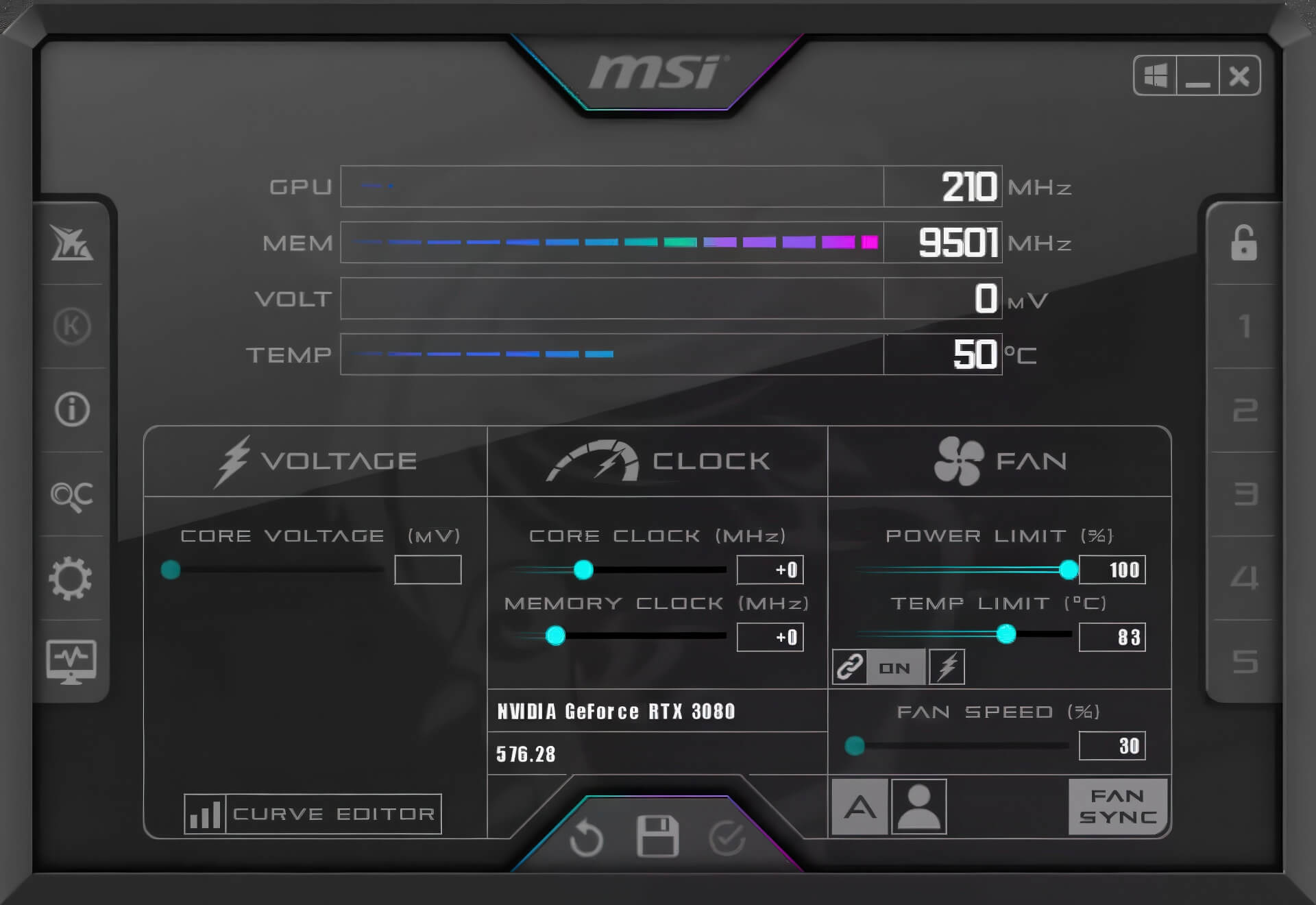
In addition to overclocking, Afterburner supports undervolting via the Curve Editor, which helps reduce temperatures, minimize noise, and optimize power consumption. Users can enable the "Apply overclocking at system startup" option to automatically apply configurations every time Windows starts. However, in some cases, it is still necessary to open the software to ensure settings remain stable.
Key Features
Afterburner comes with a suite of features to optimize your experience. OC Scanner automatically finds the most stable overclocking level, providing performance boosts without manual intervention. Users can create custom fan profiles to meet their needs, ensuring a balance between temperature and performance. Additionally, the integrated Predator video recording tool allows you to capture gameplay moments in high quality, supporting the H.264 codec and many other formats.
On mobile devices, MSI Afterburner for Android allows you to monitor and overclock your PC remotely via a connection to the MSI Afterburner Remote Server. Configuration is simple using just an IP address, allowing your phone to connect directly to your PC, providing convenience for users who prefer remote management.
What's New in Version 4.6.6
This update has been recompiled using VC++ 2022, meaning Windows XP is no longer supported. To reduce the installation size, MSI provides a separate web installer for the new runtime, which saves storage space but may extend installation time if an internet connection is unavailable.
The list of upgrades includes:
- Full support for NVIDIA GeForce RTX 50xx with four-way fan control capabilities.
- Unofficial support for AMD RDNA 4 and the Radeon RX 9000 series.
- Added a new Voltage/Frequency point locking mode in the Curve Editor.
- Support for MP2988 and MP29816A voltage controllers for high-end GPU lines.
- Expanded memory overclocking range by an additional +3000MHz for the RTX 5000 series.
- Added the ability to hide unwanted GPUs in the interface.
- Added new skins (MSI Special, MSI H2O) and set Windows 11 Dark as the default skin.
- Upgraded the translation system, adding Bulgarian and improving German and Ukrainian.
- Patched security vulnerabilities in the RTCore driver.
Additionally, the included RTSS v7.3.7 has been improved with over 150 changes, including support for NVIDIA Reflex, PresentMon, LibreHardwareMonitor, and several new conditional programming layers, enhancing the ability to display in-game statistics.
With Afterburner 4.6.6, MSI continues to assert its position in the GPU optimization tool field. From overclocking, fan management, and hardware monitoring to in-game video recording, this remains the leading software for gamers, content creators, and tech enthusiasts looking to maximize GPU performance. The new update not only expands support for next-generation hardware but also improves the overall experience, bringing reliability and utility to every detail.











