

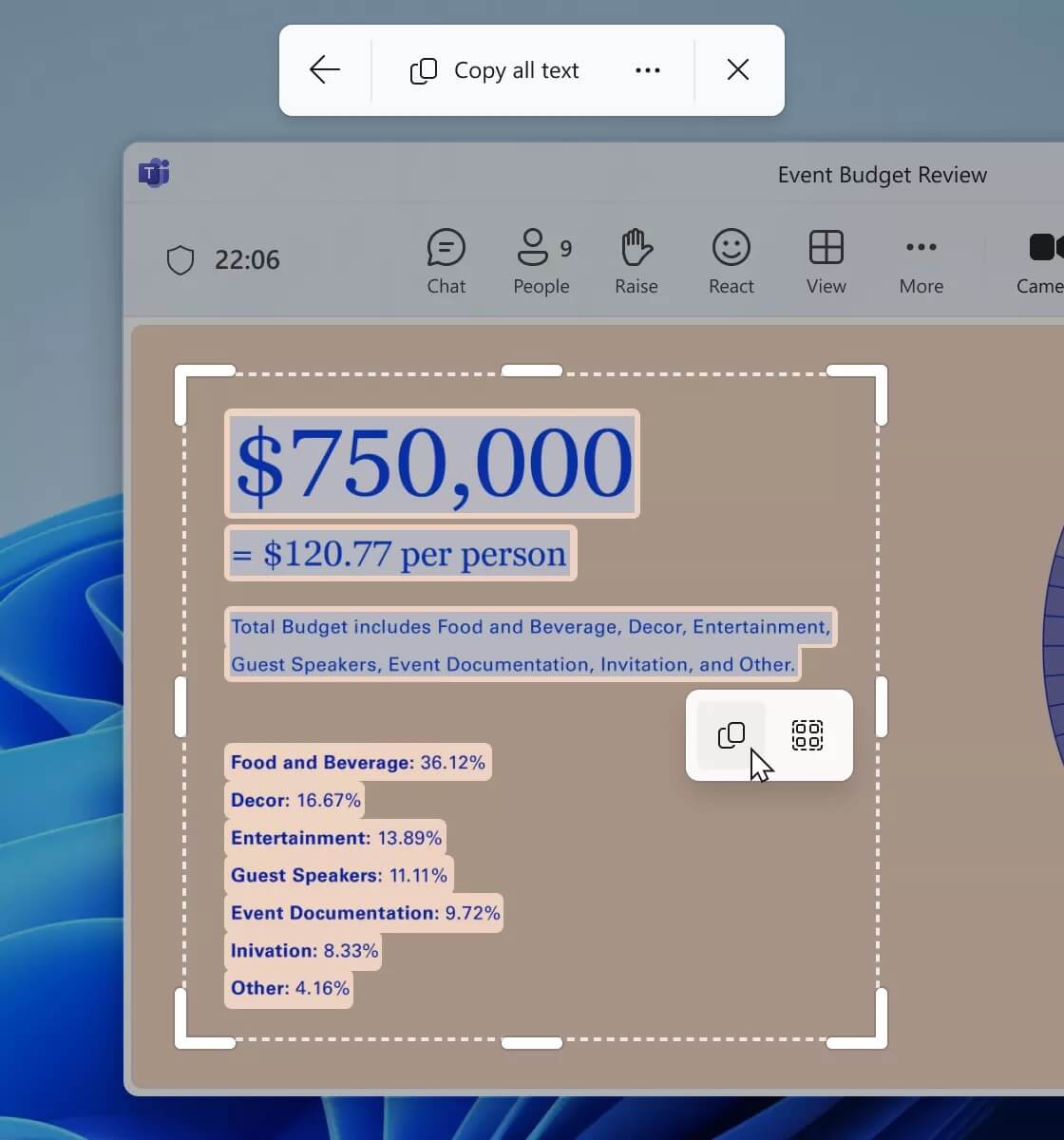
Microsoft is continuing to streamline the Windows 11 user experience by upgrading Snipping Tool, allowing users to extract text directly from images with just a few simple steps. This feature is currently available in Insider build 11.2503.27.0 for the Canary and Dev channels, paving the way for an experience similar to Live Text on macOS and iOS.
No need to take a photo first - extract text directly from the screen
Previously, users had to open a captured or existing image, then click the text extraction icon in Snipping Tool or the Photos app. But with this new update, the Text Actions icon has been added to the main toolbar of Snipping Tool, appearing immediately after pressing the Win + Shift + S shortcut to open the tool.
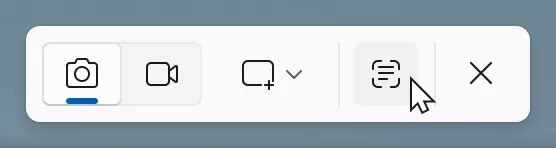
After selecting “Text Actions”, users simply need to drag a selection over the area on the screen containing the text they want to copy. The text will be automatically recognized, allowing you to highlight specific parts or copy the entire content with just one click. Additional options such as removing line breaks and automatically copying all content are also available right in the dropdown menu.
Simplifying the experience compared to PowerToys, catching up to Apple's Live Text
Microsoft previously offered similar functionality through PowerToys, but the process was quite manual. Compared to the Apple ecosystem-where users can simply tap to select text in an image since 2021-the Windows experience still involved many cumbersome steps. The new version of Snipping Tool has fixed that, aiming for greater convenience and speed.

Linked with other improvements: Recall, Android integration, and gaming optimization
Alongside Snipping Tool, Microsoft is also testing features such as:
- Recall: uses AI and NPU to remember and search user actions through a timeline of activities-which is still a subject of privacy debate.
- Android phone integration: optimizing device communication within the ecosystem.
- New gaming optimization documentation: helping users better utilize their current hardware.
How to join and provide feedback
Users who want early access can sign up for the Windows Insider program and then download the new build. To send feedback, open Feedback Hub (Win + F) and select Apps > Snipping Tool.
In summary: With this new update, Windows 11 brings a faster and smarter text extraction experience, which is particularly useful for office workers, students, and anyone who frequently works with images containing text.











