
Microsoft has officially clarified new requirements regarding the Extended Security Updates (ESU) program for Windows 10. Accordingly, all forms of program registration - whether paid or free - require users to log in with a Microsoft Microsoft account.
This information was released to address previous misunderstandings, where many believed that simply paying 30 USD would allow them to continue receiving security updates without registering an account. However, Microsoft has clearly confirmed: users must have a Microsoft account to link the ESU license and receive security patches after Windows 10 officially ends support on October 14, 2025. The ESU package will continue to provide critical updates until October 13, 2026.
What are the ways to register for ESU for Windows 10?
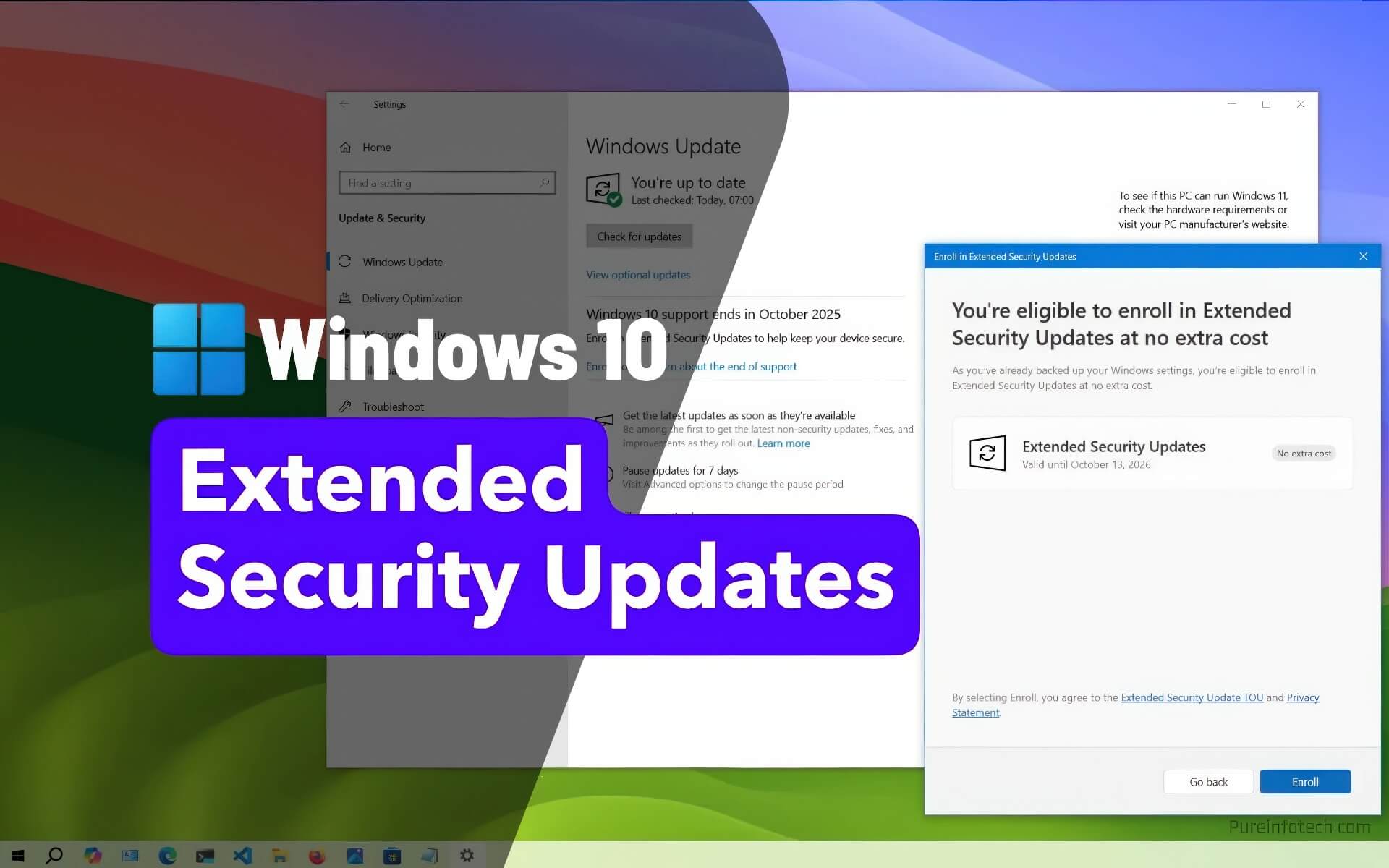
Microsoft offers three ways to register for the ESU program:
- Paid: Pay 30 USD to purchase the update license.
- Points: Redeem 1,000 Microsoft Rewards points to receive ESU for free.
- Settings Sync: Use the OneDrive settings backup feature to register for free.
Regardless of the method chosen, users must log in with a Microsoft account to activate and manage the license. Notably, instead of having to purchase a separate license for each machine as before, one account can now be used for ESU licenses on up to 10 Windows 10 devices, as long as all are linked to the same account. However, each machine still needs to be registered separately through the settings interface.
Microsoft Account: A nuisance or a convenience?
The mandatory Microsoft account requirement may cause frustration for some users who prefer privacy. However, for the majority of users who already use this account to log into Windows, Office, or OneDrive - especially those who own multiple devices - this change brings practical cost benefits and easier management.
Microsoft explained that the account requirement is necessary to synchronize license status across devices and ensure users can continue to receive updates seamlessly on their systems.
Conditions and how to join the program
To be eligible for ESU, your computer must be running Windows 10 version 22H2 and have the latest security patches installed. The registration process is being rolled out in phases via Windows Update, so the registration option may appear early or late depending on the device.
When eligible, users will see the "Enroll now" option in the Windows Update section of the Settings app. Here, you need to log in with your Microsoft account to proceed with linking and activating the ESU license. Once completed, the device will continue to receive critical security patches for one more year after Windows 10 ends support.
A temporary solution for those who do not want to upgrade to Windows 11 yet
The ESU program is an ideal choice for individual or business users who are not ready to upgrade to Windows 11. Although the additional Microsoft account requirement adds an extra registration step, the benefit of one license for multiple devices will save users time and money when maintaining system security.
In summary, if you are using Windows 10 and do not want to switch to Windows 11 immediately, participating in ESU is the best way to ensure your system's safety - as long as you accept using a Microsoft account for registration.