

If you own a laptop or PC dedicated to tackling heavy-hitting titles like PES, PUBG, or DOTA 2, and you are running an AMD CPU and discrete graphics card, then AMD Radeon Software is a tool you cannot afford to overlook. This specialized software for AMD products allows you to manage and optimize performance settings to ensure the best possible gaming experience.
Let's dive into everything you need to know about AMD Radeon Software, specifically designed for systems equipped with AMD graphics cards, right here at Hung Phat.
What is AMD Radeon Software?
AMD Radeon Software is a management and control suite for the performance and settings of AMD's Radeon product line. It allows users to monitor and adjust features related to AMD graphics cards and CPUs to ensure smooth, seamless performance while gaming.
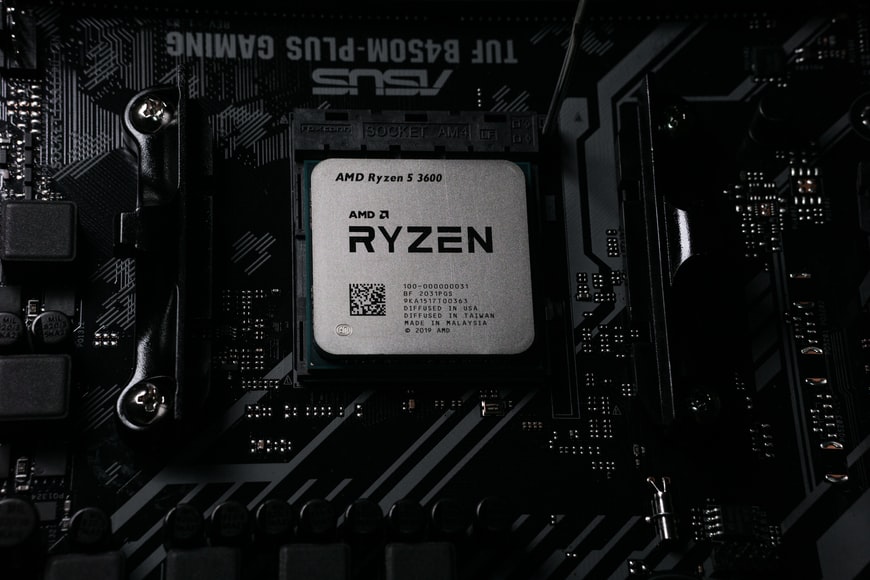
Key Features of AMD Radeon Software
When your laptop or PC features an AMD discrete graphics card, you gain access to AMD's professional-grade drivers and management tools, including standout features such as:
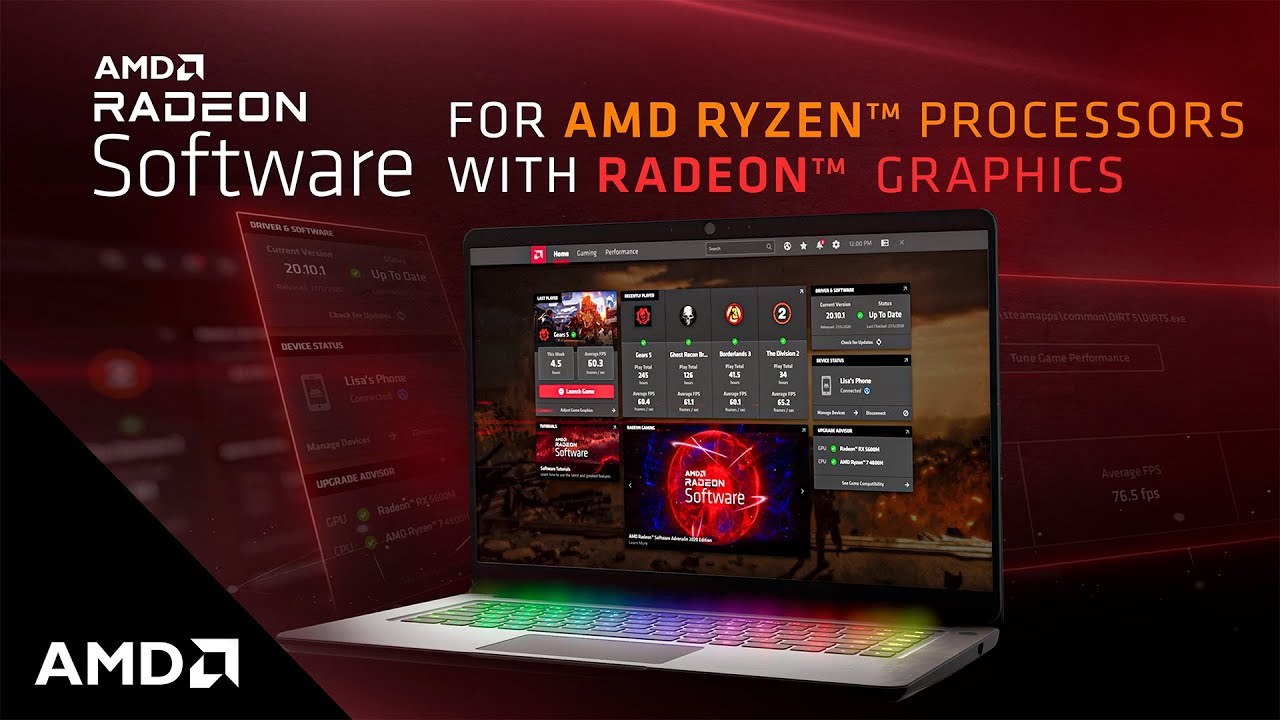
- Radeon Advisors - Provides detailed reports and assessments of your system configuration relative to the games you want to play. It suggests optimal settings for specific titles to ensure the smoothest gameplay experience.
- Recording - Allows you to record gameplay continuously and take screenshots, helping you preserve your most epic gaming moments.
- Game Streaming - Enables you to customize and stream your gameplay directly to various social media platforms.
- AMD Link - Connects your PC to your smartphone via the AMD Link app. This allows you to monitor your computer's performance directly from your phone and easily view or share screenshots and videos of your gaming highlights.
How to Easily Download and Install AMD Radeon Software on Laptop or PC
With specialized features designed to provide gamers with the ultimate experience, there is no reason to wait. Follow these steps to download AMD Radeon Software:
Step 1: Visit this link.
Step 2: Select the specific AMD discrete graphics card currently installed in your machine, then click Submit.
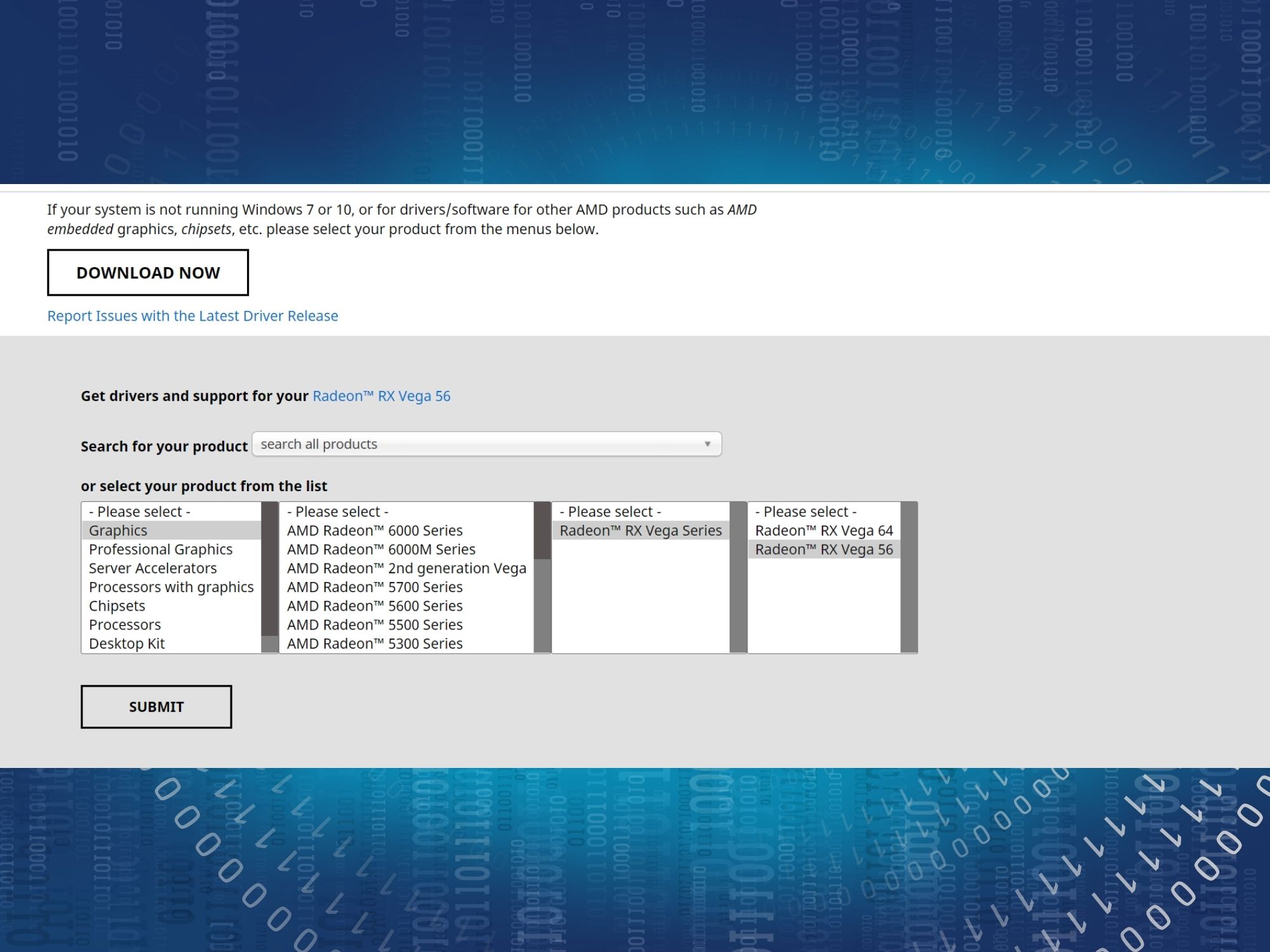
Step 3: On the next page, select your current operating system and click Download.

Step 4: Wait a few moments, then open the downloaded file to begin the Installation.
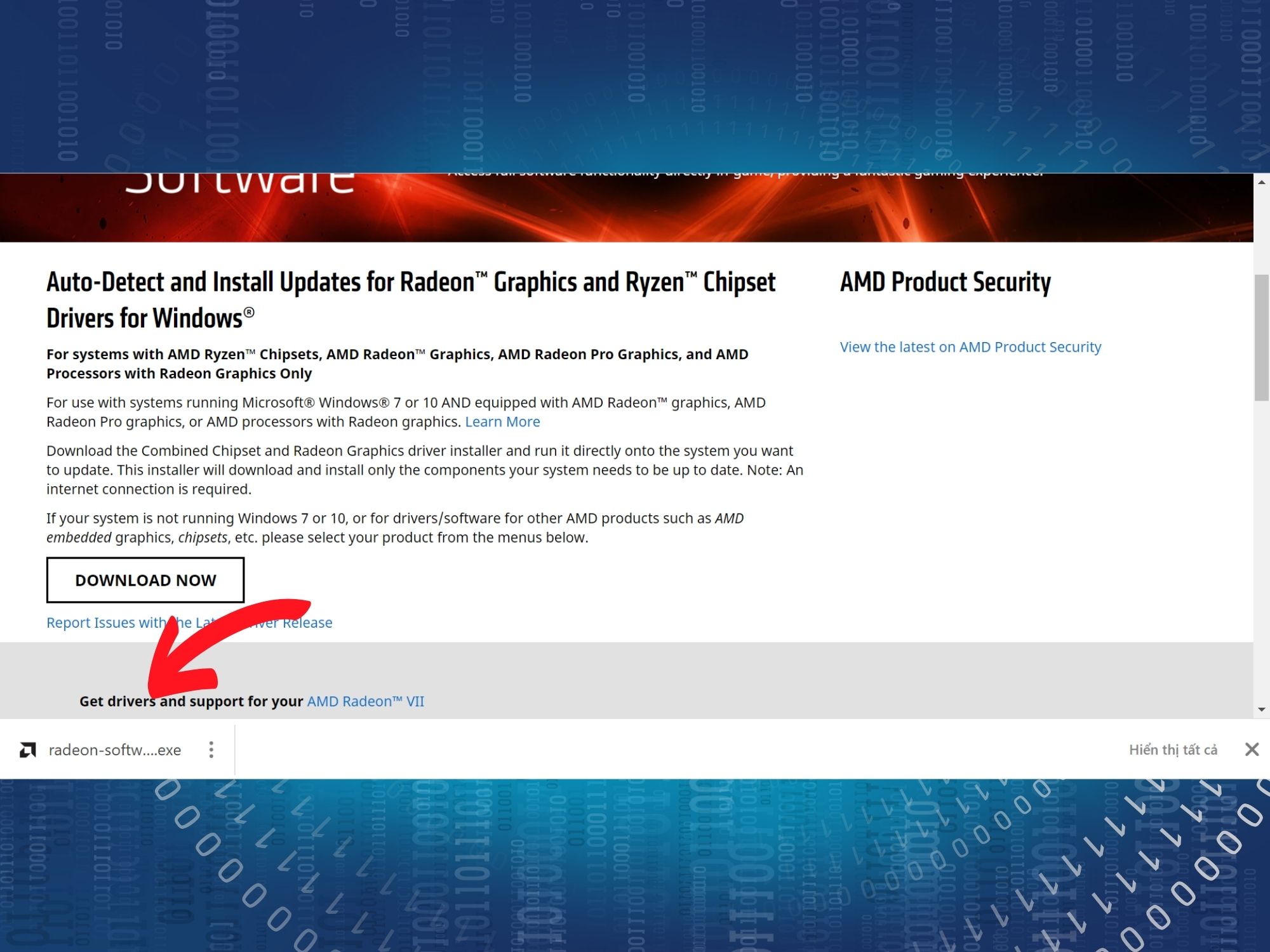
Step 5: Choose your preferred storage location and click Install.
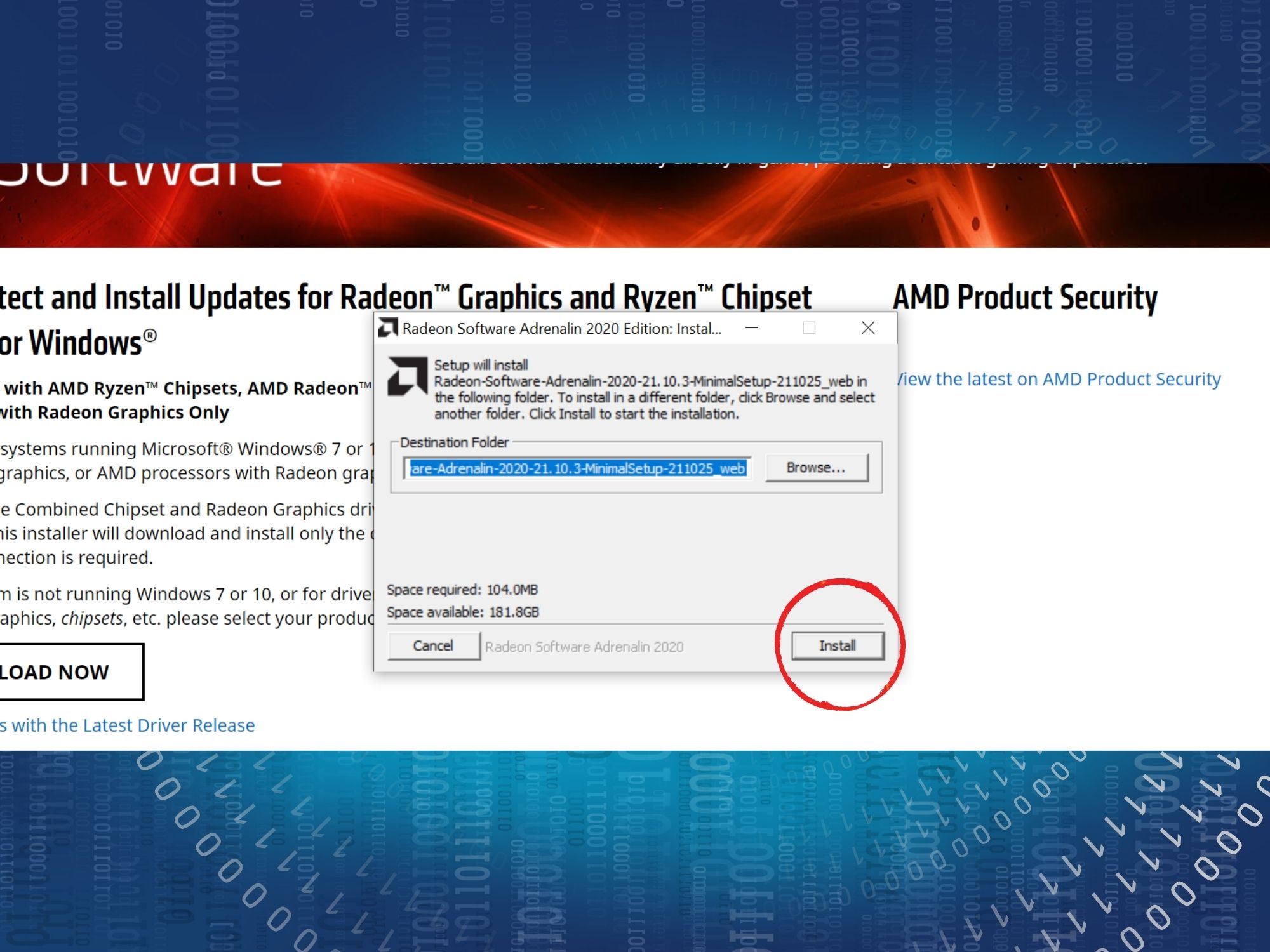
Step 6: Once the installation is complete, the application will appear on your desktop.
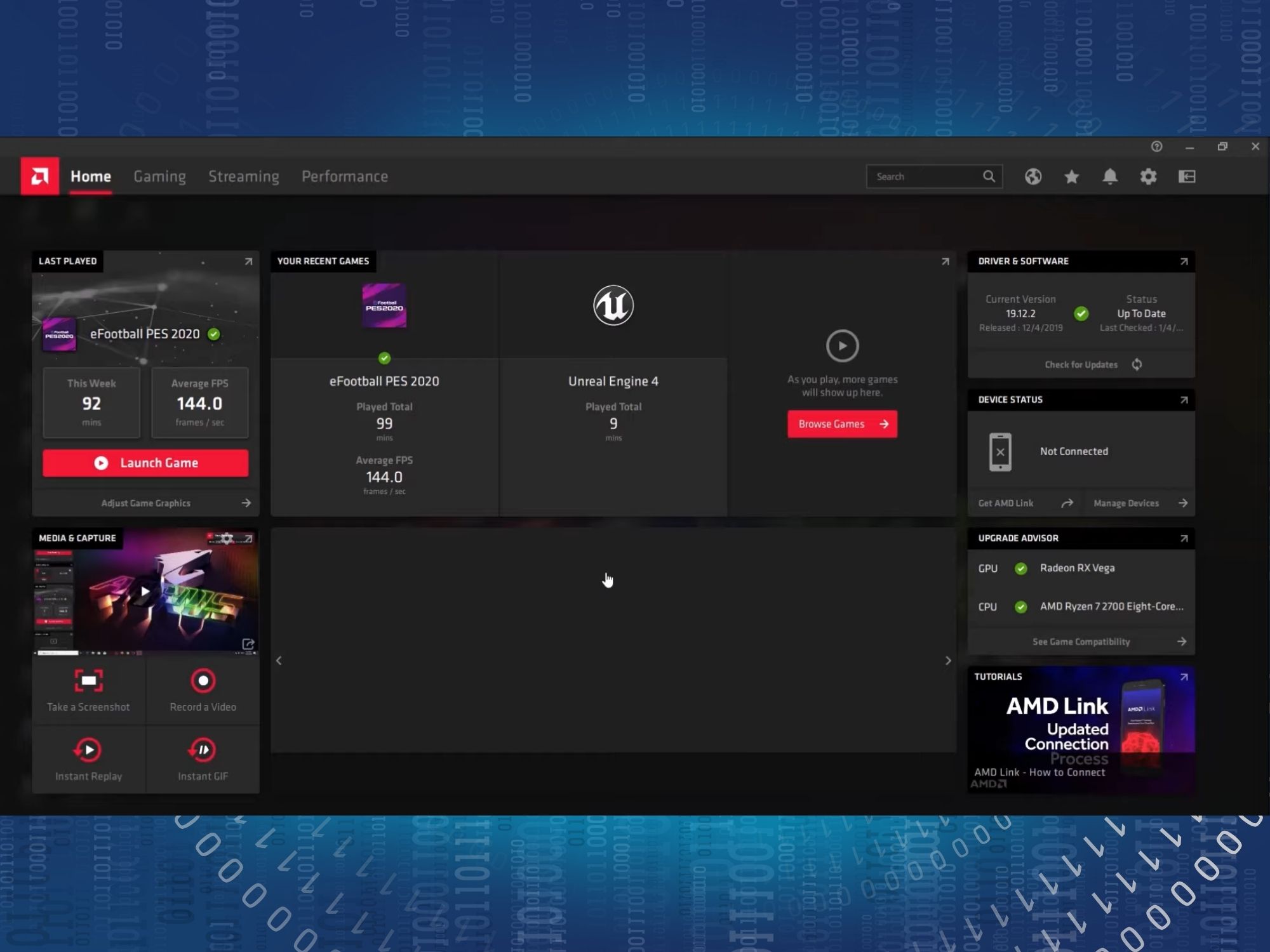
How to Use AMD Radeon Software to Optimize Laptop and PC Performance
Once you have successfully installed AMD Radeon Software, we will guide you through how to use it to optimize your gaming performance.
Step 1: On the home screen, you will see several tabs, such as: Recently played games and CPU/GPU metrics via the Upgrade Advisors tab... To launch a game, simply click the game icon and press Launch Game. This saves you the time of searching for it on your desktop.
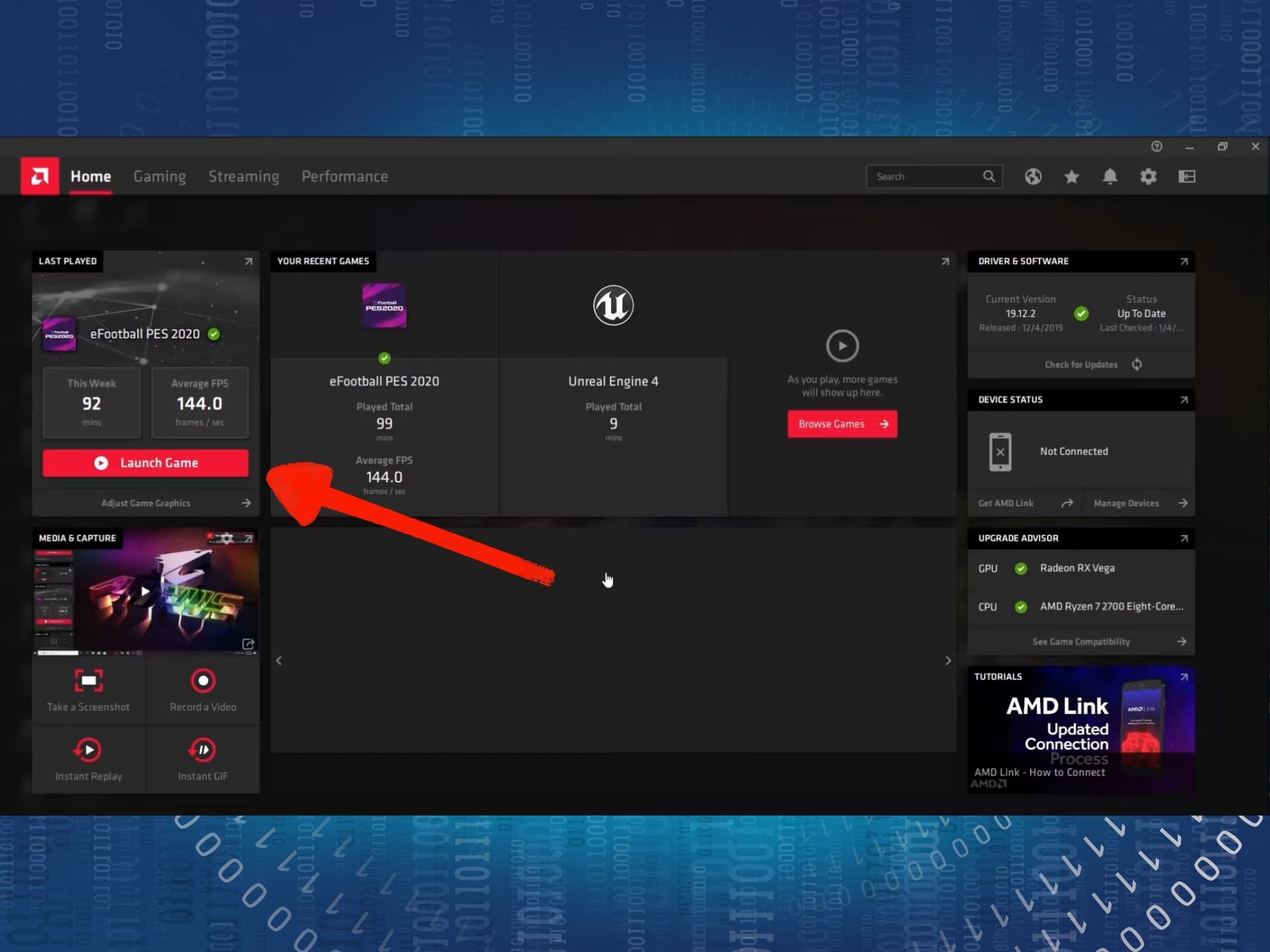
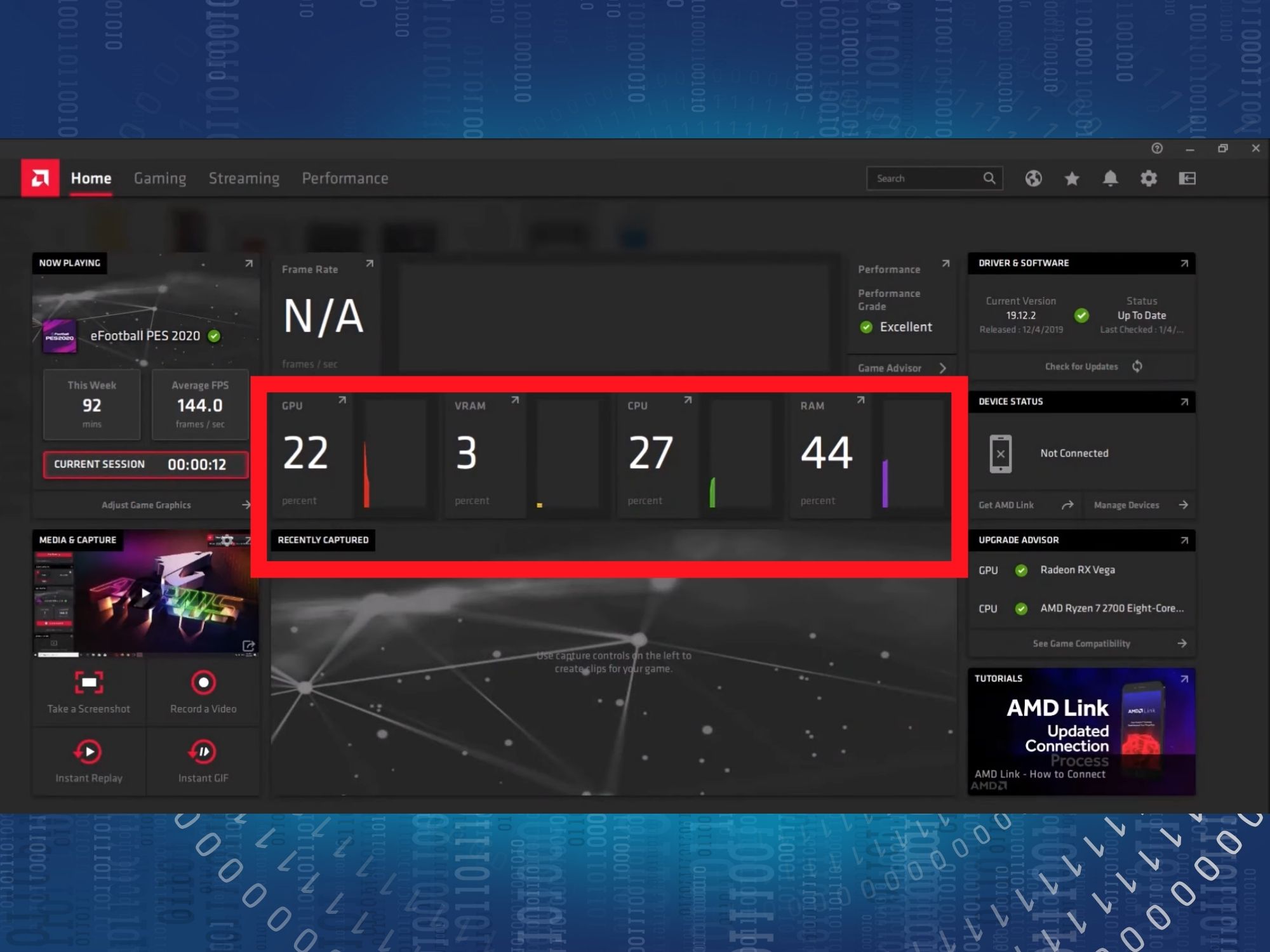
Step 2: After launching a game, you can monitor real-time performance metrics in the center frame of the screen.
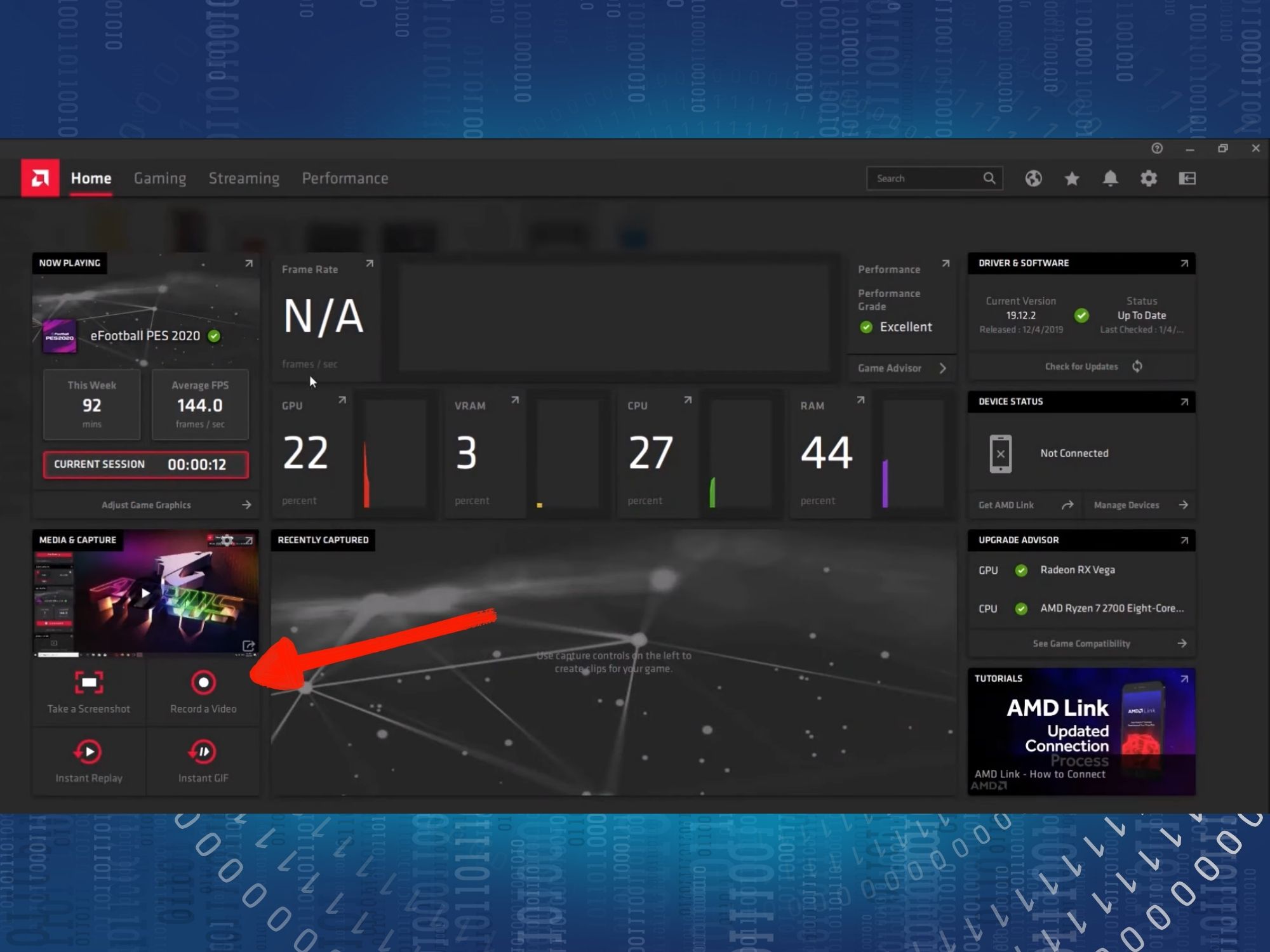
Step 3: Additionally, you can use the Record feature to capture gameplay or save winning moments as GIFs via the Media and Captures tab.
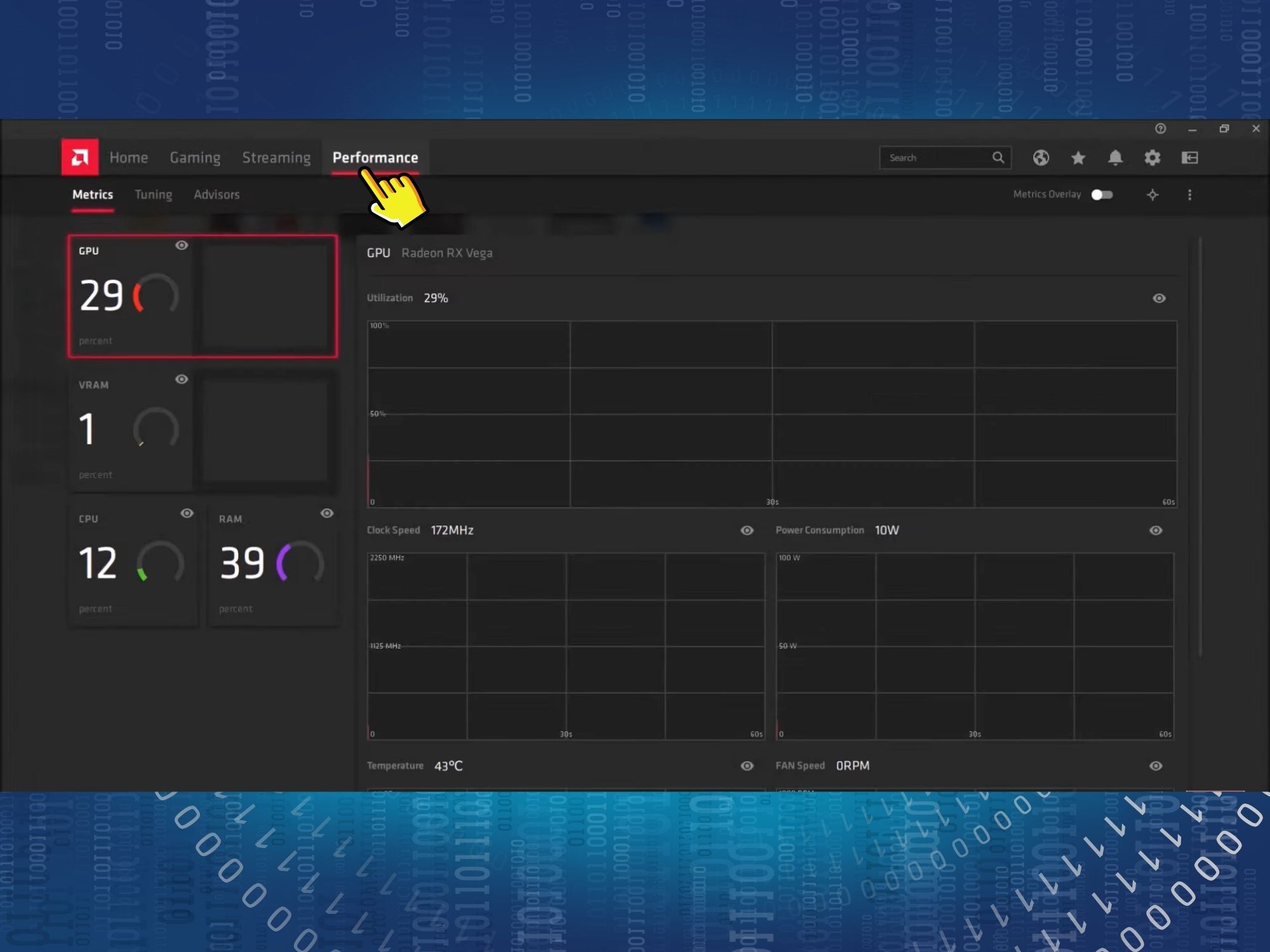
Step 4: You can also view more detailed performance metrics under the Performance section. Here, you can easily monitor CPU and GPU usage, temperatures, and more.
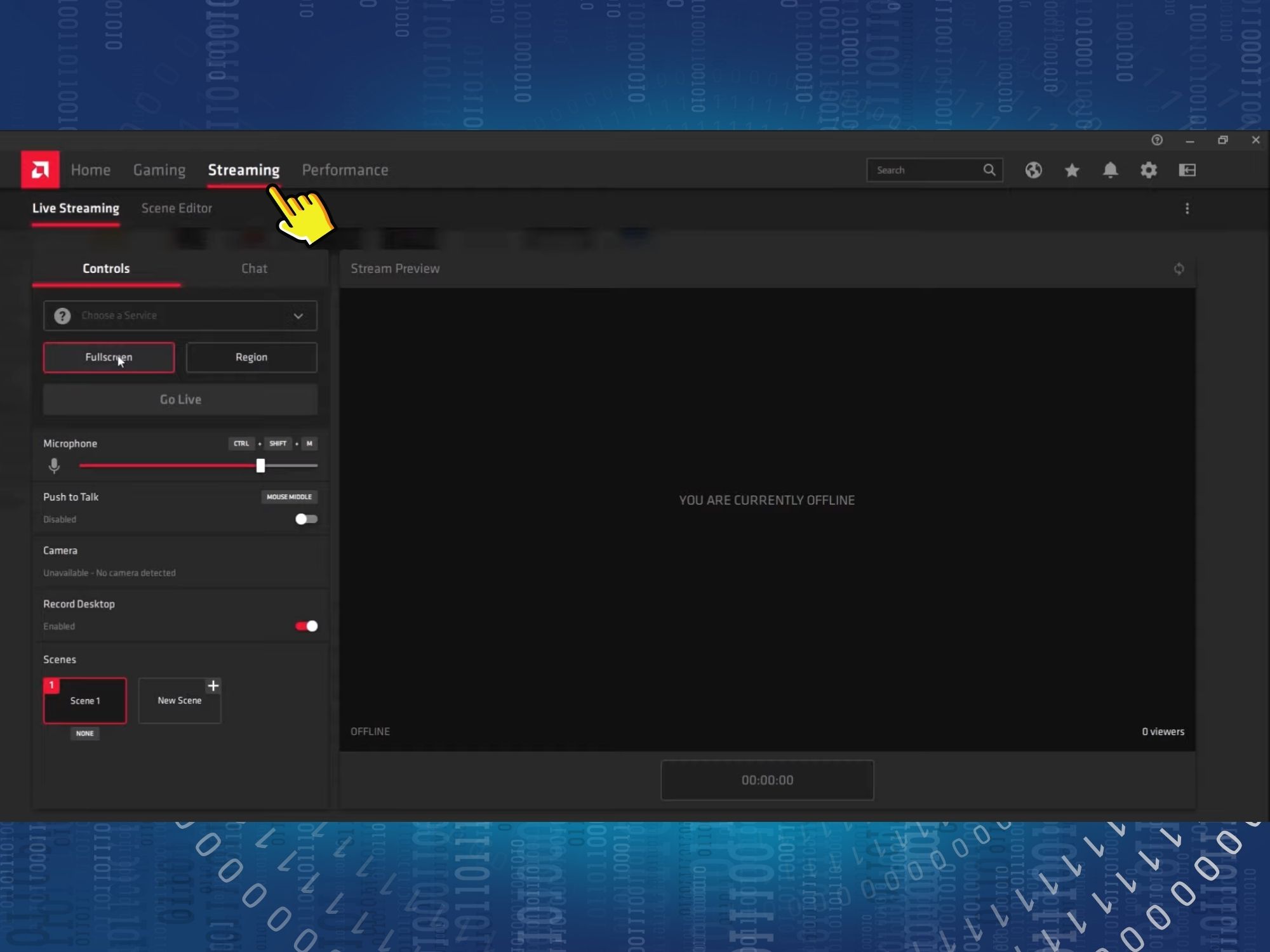
Step 5: Finally, if you want to stream your gameplay, go to the Streaming section. Here, you can customize the screen you wish to share and select the social media platforms you want to livestream to.
Conclusion
In this article, we have shared the steps to optimize the performance of your laptop or PC to ensure the smoothest experience when playing today's most demanding games. Happy gaming!











