Một laptop lập trình tốt phải gánh được lúc biên dịch mã nguồn nặng, chạy nhiều container và mở hàng chục thẻ trình duyệt cùng lúc mà không sụt hiệu năng. Chọn sai cấu hình khiến bạn trả tiền cho phần cứng thừa hoặc phải nâng cấp sớm chỉ sau một năm. Bài viết phân tích bốn tiêu chí cốt lõi của một laptop lập trình gồm bộ xử lý đa nhân, dung lượng RAM, ổ SSD và bàn phím, rồi gợi ý các mẫu có thật trong kho theo từng phân khúc ngân sách.
Cấu hình laptop lập trình khác gì so với máy văn phòng
Công việc viết mã tạo tải khác hẳn tác vụ soạn thảo. Khi bạn bấm biên dịch một dự án lớn, toàn bộ nhân của bộ xử lý chạy hết công suất trong nhiều phút, còn RAM phải giữ đồng thời trình soạn mã, trình gỡ lỗi và vài dịch vụ nền. Một laptop lập trình vì thế xoay quanh sức mạnh đa nhân bền bỉ và dung lượng bộ nhớ rộng, thay vì chỉ nhìn vào độ mỏng hay trọng lượng như máy văn phòng.
Khác biệt thứ hai nằm ở khả năng duy trì hiệu năng. Máy văn phòng thường ép xung nhịp xuống sau ít phút để giữ mát và yên tĩnh, đúng lúc bản dựng của bạn cần sức mạnh nhất. Một chiếc laptop lập trình chuẩn có hệ tản nhiệt đủ lớn để duy trì xung nhịp cao lâu hơn, nhờ đó thời gian biên dịch ổn định qua từng lần chạy. Với người viết mã, chênh lệch vài chục giây mỗi lần dựng cộng dồn thành hàng giờ mỗi tuần.
Điểm mấu chốt cuối cùng là cổng kết nối và độ bền bàn phím. Bạn cần đủ cổng cắm màn hình phụ, ổ cứng ngoài và dây mạng, cùng bàn phím chịu được cường độ gõ cao mỗi ngày. Những yếu tố này ít xuất hiện trên máy văn phòng giá rẻ nhưng lại là nền tảng cho một laptop lập trình dùng lâu dài. Nắm rõ bốn nhóm tiêu chí bên dưới giúp bạn khoanh vùng đúng phân khúc trước khi so giá. Một laptop lập trình bền bỉ còn giúp bạn tránh chi phí sửa chữa và thời gian chết ngay giữa dự án quan trọng.
Bộ xử lý đa nhân quyết định tốc độ biên dịch mã nguồn
Trung tâm của mọi laptop lập trình là bộ xử lý, và số nhân vật lý quyết định trực tiếp tốc độ biên dịch song song. Dòng Intel Core Ultra thế hệ 2 chia hai nhánh rõ rệt, bản Lunar Lake như Core Ultra 7 258V có 8 nhân tối ưu cho thời lượng pin, còn bản Arrow Lake như Core Ultra 7 255H có 16 nhân mạnh hơn hẳn khi dựng dự án lớn. Bạn nên đối chiếu thông số từng nhánh tại trang bộ xử lý Intel Core Ultra trước khi chốt.
| Bộ xử lý | Số nhân | Thế hệ | Ưu thế cho lập trình |
|---|---|---|---|
| Core Ultra 7 258V | 8 nhân | Lunar Lake | Pin lâu, gọn nhẹ |
| Core Ultra 7 255H | 16 nhân | Arrow Lake | Dựng dự án lớn nhanh |
| Core Ultra 9 185H | 16 nhân | Meteor Lake | Kèm card đồ họa rời |
Với dự án nhỏ và nhu cầu di chuyển nhiều, bản 8 nhân đã đáp ứng tốt và đổi lại thời lượng pin dài. Khi khối lượng mã lớn dần, mỗi nhân tăng thêm rút ngắn đáng kể thời gian dựng, nhất là với ngôn ngữ biên dịch nặng như Rust, C++ hay dự án Java nhiều mô đun. Đây là lý do một laptop lập trình hướng chuyên nghiệp nên ưu tiên chip dòng H mười sáu nhân thay vì bản tiết kiệm điện.
Nhân đồ họa cũng đáng cân nhắc nếu công việc chạm tới học máy. Card RTX 3000 Ada trên dòng workstation mở khóa nền tảng tính toán CUDA, giúp huấn luyện mô hình cục bộ nhanh hơn nhiều so với đồ họa tích hợp. Với lập trình web, ứng dụng di động hay dịch vụ phía máy chủ, đồ họa tích hợp Intel Arc là quá đủ cho một laptop lập trình. Xác định đúng nhánh công việc giúp bạn không trả tiền thừa cho phần cứng chưa tận dụng hết. Với phần lớn công việc thường ngày, một laptop lập trình đồ họa tích hợp vẫn duy trì hiệu năng ổn định và giá dễ chịu hơn.
Dung lượng RAM và ổ SSD cho môi trường phát triển phần mềm
Nếu chỉ được chọn một mốc nâng cấp, hãy đặt RAM lên trước. Môi trường phát triển hiện đại ngốn bộ nhớ rất nhanh, một trình soạn mã, vài container, một máy ảo và trình duyệt mở nhiều thẻ có thể chạm ngưỡng 16GB trong tích tắc. Đây là lý do một laptop lập trình nên khởi điểm từ 32GB RAM, để bạn còn biên độ chạy song song mà không phải đóng bớt ứng dụng giữa chừng. Bạn nên coi ngưỡng 32GB là mặc định cho một laptop lập trình nghiêm túc, còn 16GB chỉ hợp nhu cầu học tập bước đầu.
Ổ SSD đứng ngay sau RAM về mức ảnh hưởng. Chuẩn NVMe PCIe rút ngắn thời gian nạp dự án, đánh chỉ mục kho mã và kéo ảnh container, những thao tác lặp lại hàng trăm lần mỗi ngày. Về dung lượng, 512GB là mức tối thiểu khả dụng, còn 1TB cho bạn chỗ chứa nhiều kho mã, bộ công cụ và máy ảo cùng lúc. Nhiều mẫu ThinkPad còn chừa khe mở rộng để bạn gắn thêm ổ sau này. Khả năng mở rộng là ưu thế thực tế của một laptop lập trình so với bản hàn kín, giúp kéo dài giá trị đầu tư.
Một chi tiết dễ bỏ qua là RAM hàn chết trên các bản siêu di động. Dòng Lunar Lake hàn bộ nhớ thẳng vào bo mạch, nên bạn phải chọn đúng mốc 32GB ngay từ đầu vì không thể nâng về sau. Ngược lại, nhiều laptop lập trình thân dày hơn vẫn giữ khe RAM tháo lắp, giúp kéo dài vòng đời phần cứng. Cân nhắc điều này nếu bạn muốn giữ một laptop lập trình dùng qua nhiều đời dự án.
Màn hình bàn phím và thời lượng pin cho người viết mã
Màn hình là nơi bạn dán mắt hàng giờ nên độ phân giải và chất nền quyết định độ mỏi. Tấm nền cỡ 14 inch độ phân giải từ WUXGA trở lên cho không gian mã thoáng, còn bản OLED 3.2K cho chữ sắc nét và màu chuẩn khi bạn kiêm dựng giao diện. Nền chống chói giúp giảm phản xạ dưới đèn văn phòng, một ưu thế nhỏ nhưng bền bỉ cho mắt qua từng ngày làm việc. Với một laptop lập trình dùng nhiều giờ liền, chất lượng tấm nền tác động trực tiếp tới năng suất và thị lực.
| Tiêu chí | Mức khuyến nghị | Vì sao quan trọng |
|---|---|---|
| Màn hình | 14 inch WUXGA trở lên | Không gian mã thoáng, đỡ mỏi mắt |
| Bàn phím | Hành trình sâu, phản hồi rõ | Gõ nhiều giờ ít sai sót |
| Pin | Chip tiết kiệm điện khi di chuyển | Dùng lâu khi rời ổ cắm |
Bàn phím là công cụ tiếp xúc trực tiếp nhiều nhất với người viết mã. Dòng ThinkPad giữ danh tiếng nhờ hành trình phím sâu, phản hồi rõ và cụm điều hướng quen tay, phù hợp cường độ gõ cao. Một laptop lập trình có bàn phím tốt giúp bạn giảm sai sót và giữ nhịp làm việc lâu hơn. Hãy thử cảm giác gõ trước khi quyết định, vì đây là yếu tố rất cá nhân và khó đánh giá qua thông số.
Thời lượng pin gắn liền với cách bạn làm việc. Nếu hay ngồi quán hay di chuyển giữa các phòng họp, bản chip tiết kiệm điện cho quãng dùng dài rời sạc là ưu tiên hàng đầu của một laptop lập trình gọn nhẹ. Nếu chủ yếu cắm điện tại bàn, bạn nên dồn ngân sách cho số nhân và RAM thay vì pin. Xác định thói quen di chuyển giúp bạn cân đối giữa tính di động và sức mạnh thô.
Gợi ý laptop lập trình theo từng phân khúc ngân sách
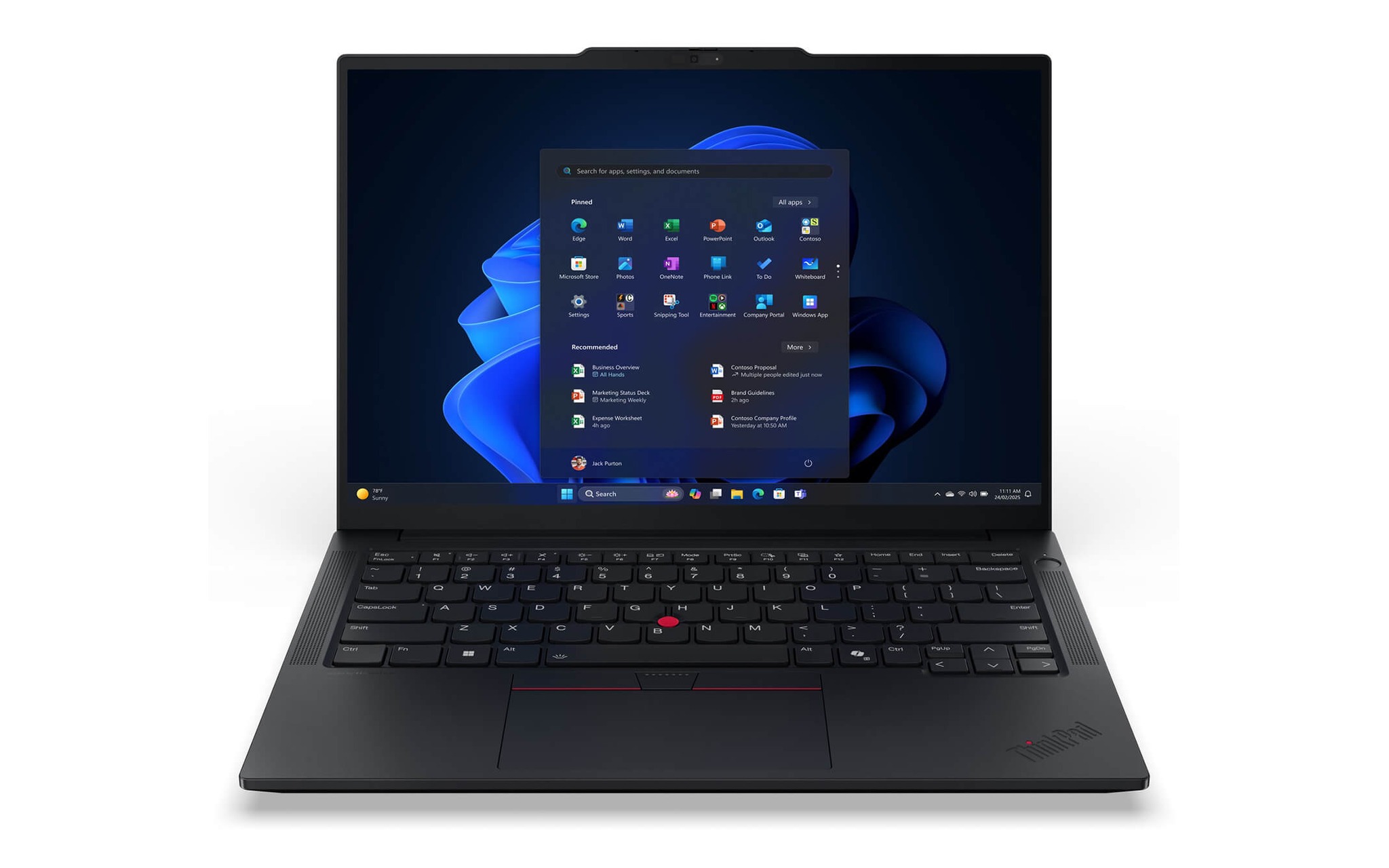
Ở phân khúc phổ thông quanh 37 triệu đồng, ThinkPad E14 Gen 7 bản Core Ultra 7 258V kèm 32GB RAM và ổ 512GB SSD là điểm khởi đầu chắc tay cho lập trình viên mới. Máy có bàn phím ThinkPad quen thuộc, khung bền và đủ cổng kết nối, hợp bạn học nghề hoặc làm dự án vừa. Bạn có thể xem cấu hình và giá bán của Lenovo ThinkPad E14 Gen 7 (2025) để đối chiếu từng tùy chọn. Đây là một laptop cho lập trình viên mới vào nghề đáng cân nhắc nhờ chi phí hợp lý.
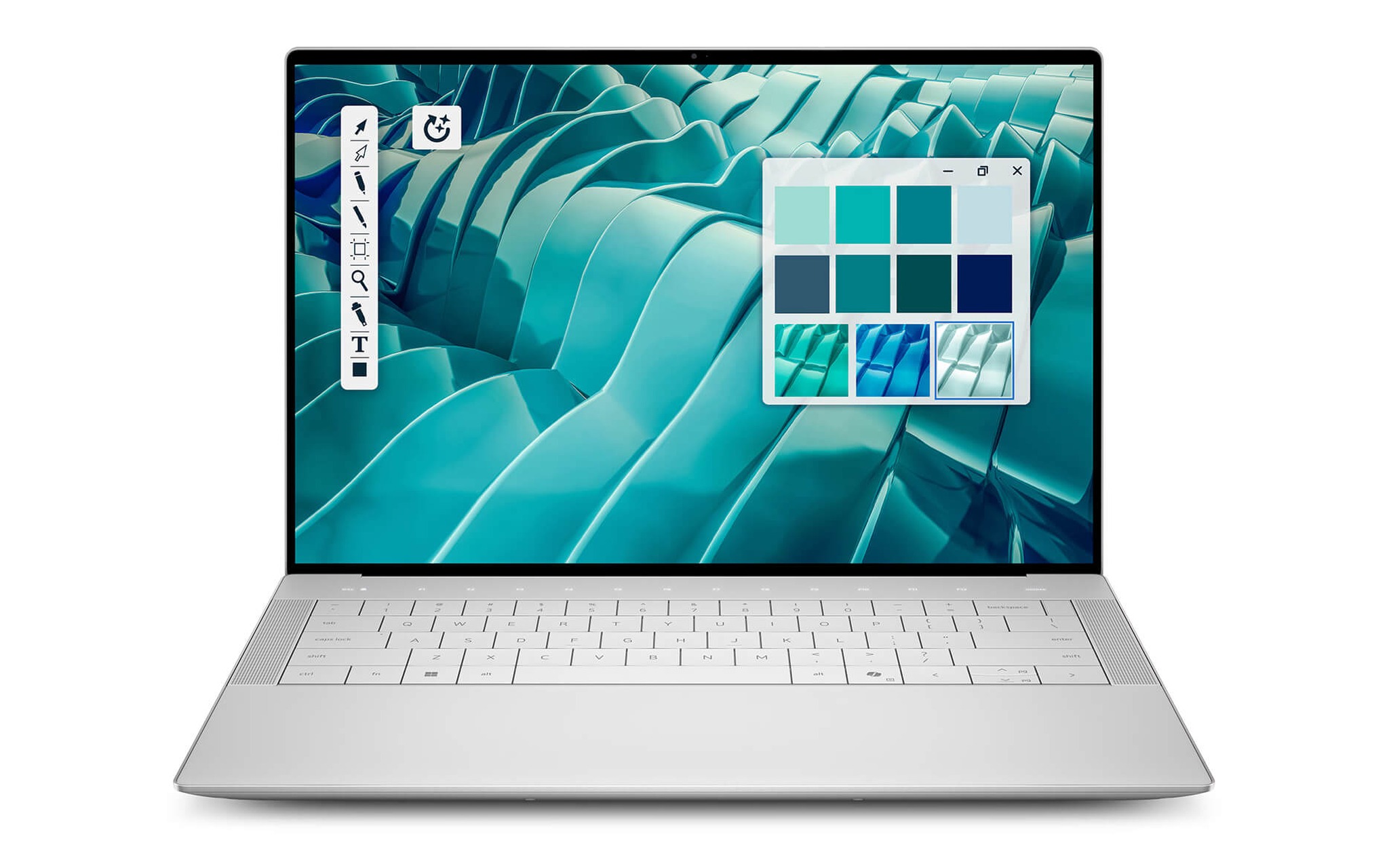
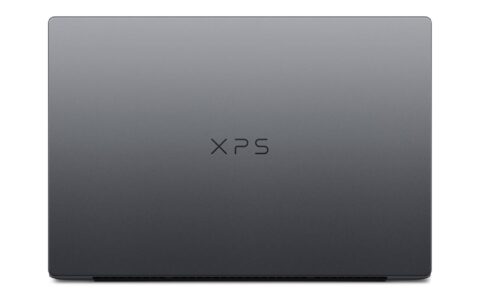
Muốn thêm chất màn hình cho công việc kiêm dựng giao diện, Dell 14 Premium DA14250 mang chip Core Ultra 7 255H mười sáu nhân, 32GB RAM, ổ 1TB SSD và tấm OLED 3.2K cảm ứng, giá tham khảo 39 triệu đồng. Sức mạnh đa nhân của bản này rút ngắn rõ thời gian dựng so với dòng 8 nhân. Đây là phương án cân bằng giữa hiệu năng biên dịch và trải nghiệm nhìn cho một laptop lập trình đa dụng.
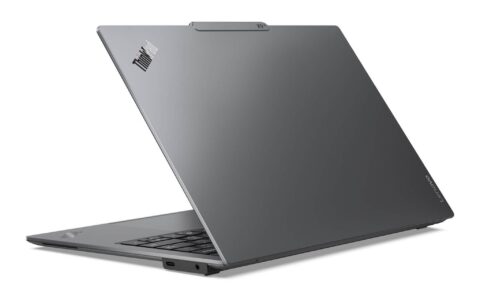
Nếu bạn ưu tiên tính di động cao cấp và bàn phím tốt nhất để gõ cả ngày, ThinkPad T14s Gen 6 là một laptop lập trình đáng cân nhắc, với bản Core Ultra 7 258V 32GB pin dài hoặc bản 255H mười sáu nhân mạnh hơn. Đây cũng là lựa chọn hợp lý cho một laptop cho lập trình viên hay di chuyển. Bạn có thể tham khảo mức giá từng tùy chọn của Lenovo ThinkPad T14s Gen 6 (2025) khi so ngân sách.
Chọn laptop lập trình cho công việc dựng ứng dụng nặng
Khi công việc chạm tới học máy, dựng dữ liệu lớn hay chạy nhiều máy ảo song song, một laptop lập trình phổ thông không còn đủ và bạn cần cấu hình workstation. Nhóm này khác biệt ở card đồ họa chuyên dụng, bộ xử lý dòng cao nhất và khả năng duy trì tải nặng liên tục mà không sụt hiệu năng. Đổi lại, thân máy dày và nặng hơn, thời lượng pin ngắn hơn bản siêu di động. Bạn nên xác định rõ khối lượng tải trước khi đầu tư một laptop lập trình cấp workstation vì mức giá chênh lệch đáng kể.
| Phân khúc | Mẫu gợi ý | Cấu hình cốt lõi | Giá tham khảo |
|---|---|---|---|
| Phổ thông | ThinkPad E14 Gen 7 | Core Ultra 7 258V / 32GB / 512GB | 36.890.000 đồng |
| Cân bằng OLED | Dell 14 Premium DA14250 | Core Ultra 7 255H / 32GB / 1TB | 39.000.000 đồng |
| Di động cao cấp | ThinkPad T14s Gen 6 | Core Ultra 7 / 32GB / 1TB | từ 44.600.000 đồng |
| Workstation | ThinkPad P16v Gen 2 | Core Ultra 9 185H / 32GB / RTX 3000 Ada | 49.500.000 đồng |
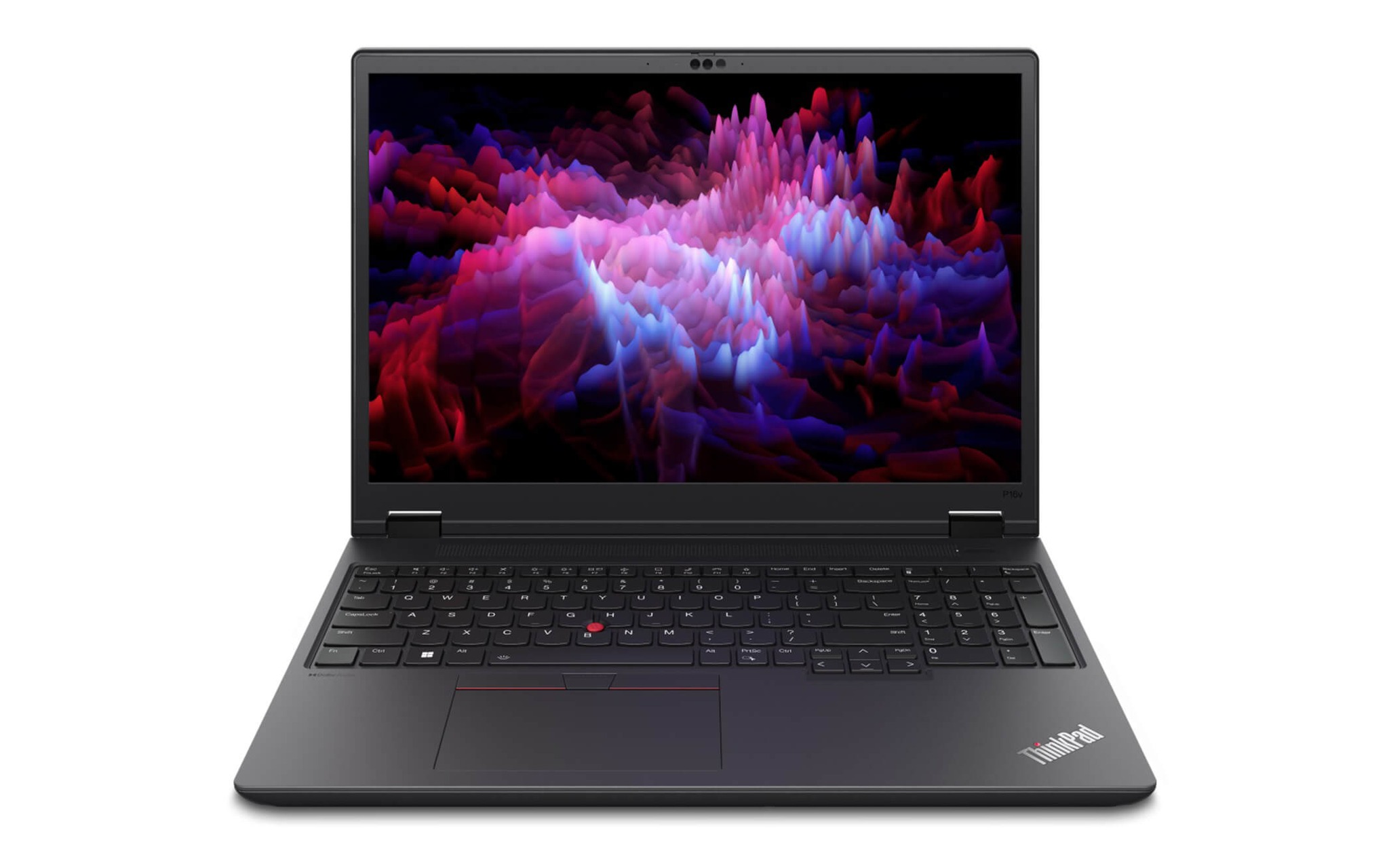
Đại diện mạnh nhất ở kho là ThinkPad P16v Gen 2 với Core Ultra 9 185H mười sáu nhân, 32GB RAM, ổ 1TB SSD và card RTX 3000 Ada 8GB, giá tham khảo 49,5 triệu đồng. Card đồ họa chuyên nghiệp giúp huấn luyện mô hình cục bộ và kết xuất nặng trơn tru. Bạn có thể mở trang Lenovo ThinkPad P16v Gen 2 Mobile WorkStation (2024) để xem chi tiết.
Trước khi chốt một laptop lập trình cấp workstation, hãy tự hỏi bạn có thật cần sức mạnh đồ họa rời hay không. Nếu công việc chủ yếu là web, ứng dụng di động và dịch vụ phía máy chủ, một laptop lập trình 16 nhân với đồ họa tích hợp đã dư sức và nhẹ hơn nhiều. Chọn đúng phân khúc theo nhu cầu thực tế giúp ngân sách của bạn sinh giá trị thực tế cao nhất. Một laptop lập trình chọn đúng nhu cầu sẽ phục vụ bạn ổn định qua nhiều đời dự án mà không phải nâng cấp sớm.
Câu hỏi thường gặp khi chọn laptop lập trình
Laptop lập trình cần bao nhiêu RAM là đủ?
Mức khởi điểm hợp lý là 32GB để bạn chạy container, máy ảo và trình soạn mã song song. Bản 16GB chỉ đủ cho dự án nhỏ và sẽ chạm ngưỡng nhanh khi khối lượng công việc tăng lên.
Chip 8 nhân hay 16 nhân tốt hơn cho việc biên dịch?
Bản 16 nhân dòng H rút ngắn rõ thời gian dựng dự án lớn. Bản 8 nhân đổi lại thời lượng pin dài, hợp người di chuyển nhiều và làm dự án vừa.
Lập trình web có cần card đồ họa rời không?
Không cần. Đồ họa tích hợp Intel Arc đáp ứng tốt lập trình web, ứng dụng di động và dịch vụ phía máy chủ. Card rời chỉ đáng đầu tư khi bạn chạm tới học máy hoặc kết xuất nặng.