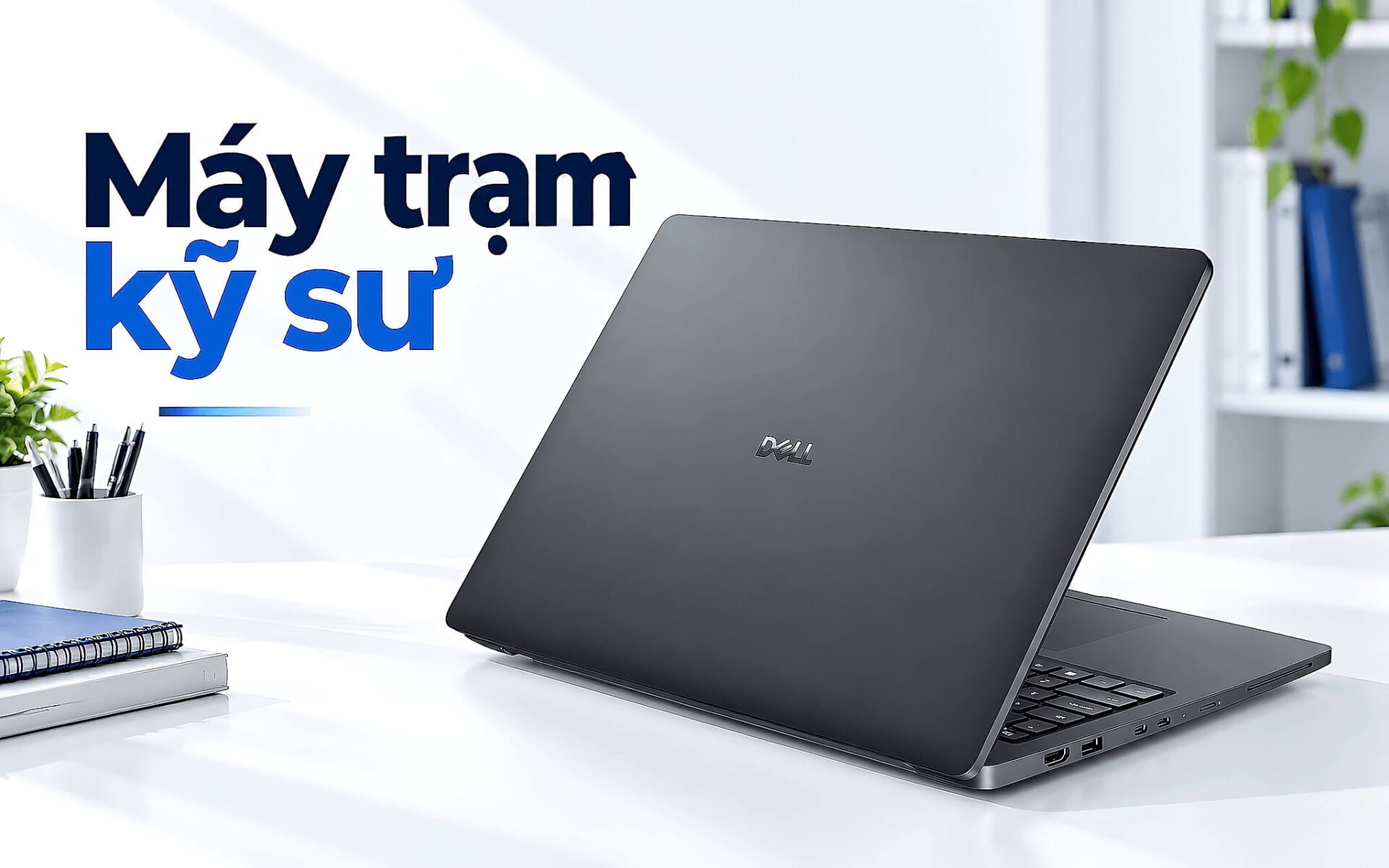
Chọn laptop cho kỹ sư làm CAD, mô phỏng kết cấu hay dựng mô hình 3D không giống việc mua một chiếc máy văn phòng. Bạn cần card đồ họa chuyên dụng được kiểm định, bộ nhớ dung lượng lớn và khung vỏ chịu được cường độ nhiều giờ. Bài viết điểm qua năm máy trạm di động đời 2025 còn hàng, sắp theo giá từ 39 triệu đến 87 triệu đồng, kèm cấu hình thật để bạn cân nhắc theo phần mềm và ngân sách của bạn.
Vì sao laptop cho kỹ sư CAD cần cấu hình máy trạm
Phần mềm kỹ thuật như SolidWorks, AutoCAD, CATIA hay ANSYS đặt tải nặng lên nhân đồ họa và bộ nhớ theo cách khác hẳn game. Một mô hình lắp ráp vài nghìn chi tiết đòi hỏi trình điều khiển ổn định trong hàng giờ xoay dựng, chứ không phải khung hình cao trong vài phút. Vì lẽ đó, một laptop cho kỹ sư đúng nghĩa phải dùng card RTX Pro được hãng tinh chỉnh trình điều khiển riêng. Ngay cả Dell Pro Max 14 Premium MA14250, chiếc laptop khổ nhỏ nhất trong danh sách, cũng mang card RTX Pro 1000 8 GB thay cho card chơi game.
Bộ nhớ là yếu tố thứ hai bạn phải để ý khi tìm một laptop kỹ thuật đúng chuẩn. Mô phỏng dòng chảy, phân tích phần tử hữu hạn hay kết xuất cảnh phức tạp có thể nuốt trọn 32 GB và tràn sang bộ nhớ ảo, khiến tiến trình chậm hẳn. Nhiều máy trạm di động vì thế hỗ trợ 64 GB trở lên, một số dòng còn dùng bộ nhớ ECC để tự dò và sửa lỗi bit, giữ kết quả tính toán chính xác qua các phiên chạy kéo dài suốt đêm.
Yếu tố cuối là độ bền và khả năng kết nối, thứ định hình một laptop cho kỹ sư gắn với hiện trường. Bạn thường mang laptop ra công trường, phòng thí nghiệm hay xưởng sản xuất, nơi bụi và va đập rình rập. Khung vỏ đạt chuẩn thử nghiệm quân đội, bản lề chắc và dải cổng Thunderbolt, HDMI giúp bạn xuất bản vẽ ra màn hình lớn hay đọc dữ liệu đo đạc ngay tại chỗ. Ba tiêu chí này là bộ lọc đầu tiên khi chọn laptop cho kỹ sư, trước khi bạn so đo giá tiền giữa các thương hiệu.
Dell Pro Max 16 Premium MA16250 cho kỹ sư mới vào nghề
Nếu bạn mới lập nghiệp hoặc cần trang bị cả nhóm thiết kế với chi phí hợp lý, Dell Pro Max 16 Premium MA16250 đời 2025 là điểm khởi đầu đáng cân nhắc. Đây là chiếc laptop cho kỹ sư dễ tiếp cận nhất danh sách, với bản cấu hình Core Ultra 7 255H, 32 GB RAM, ổ 1 TB SSD, card RTX Pro 1000 8 GB và màn FHD+, đủ sức kéo bản vẽ 2D lớn lẫn mô hình 3D tầm trung của AutoCAD hay Inventor. Mức giá tham khảo 39 triệu đồng đặt laptop này vào nhóm phổ thông của phân khúc máy trạm di động.
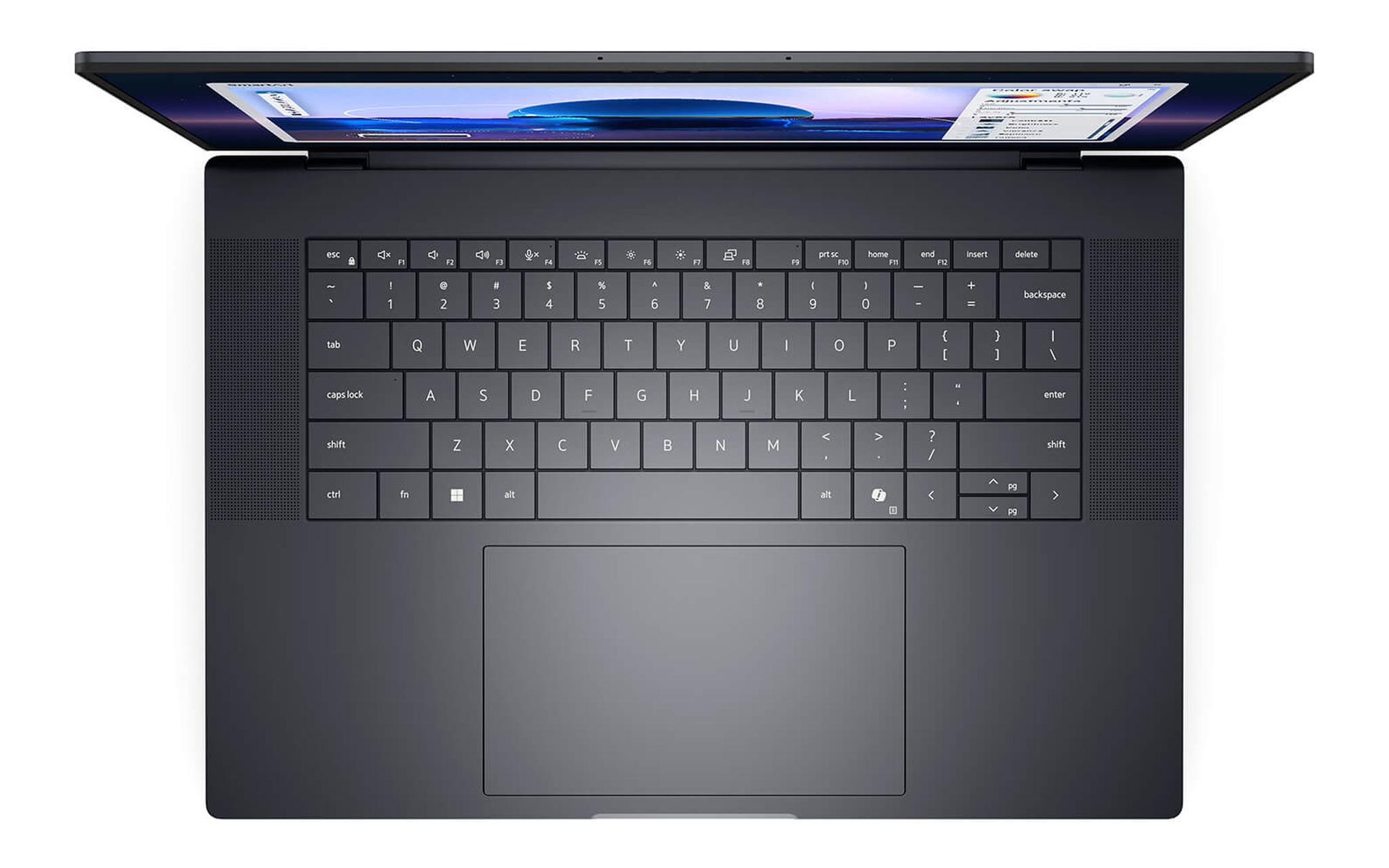
Card RTX Pro 1000 không nhắm tới mô phỏng cực nặng nhưng đã có trình điều khiển chuyên nghiệp, nên một laptop kỹ thuật như thế này xoay dựng mượt và ít lỗi hiển thị hơn hẳn laptop chơi game cùng tầm tiền. Theo bảng thông số trên trang sản phẩm, thân máy nặng khoảng 2,19 kg và đạt chuẩn thử nghiệm độ bền MIL-STD 810H. Khổ 16 inch cho không gian thao tác rộng, hợp với người phải mở song song cửa sổ mô hình và bảng thông số kỹ thuật.
Khi ngân sách của bạn khởi điểm từ 39 triệu và công việc nghiêng về CAD 2D lẫn thiết kế cơ khí vừa, trang cấu hình của Dell Pro Max 16 Premium MA16250 cho phép bạn so bản RTX Pro 1000 với các bản card mạnh hơn trên cùng khung vỏ trước khi quyết định. Dung lượng 1 TB sẵn có đủ để lưu nhiều dự án nặng mà chưa phải mua thêm ổ ngoài. Đây là mức khởi điểm hợp lý để có trình điều khiển kiểm định ngay từ chiếc laptop cho kỹ sư đầu tiên.
Dell Pro Max 14 Premium khi kỹ sư ra hiện trường
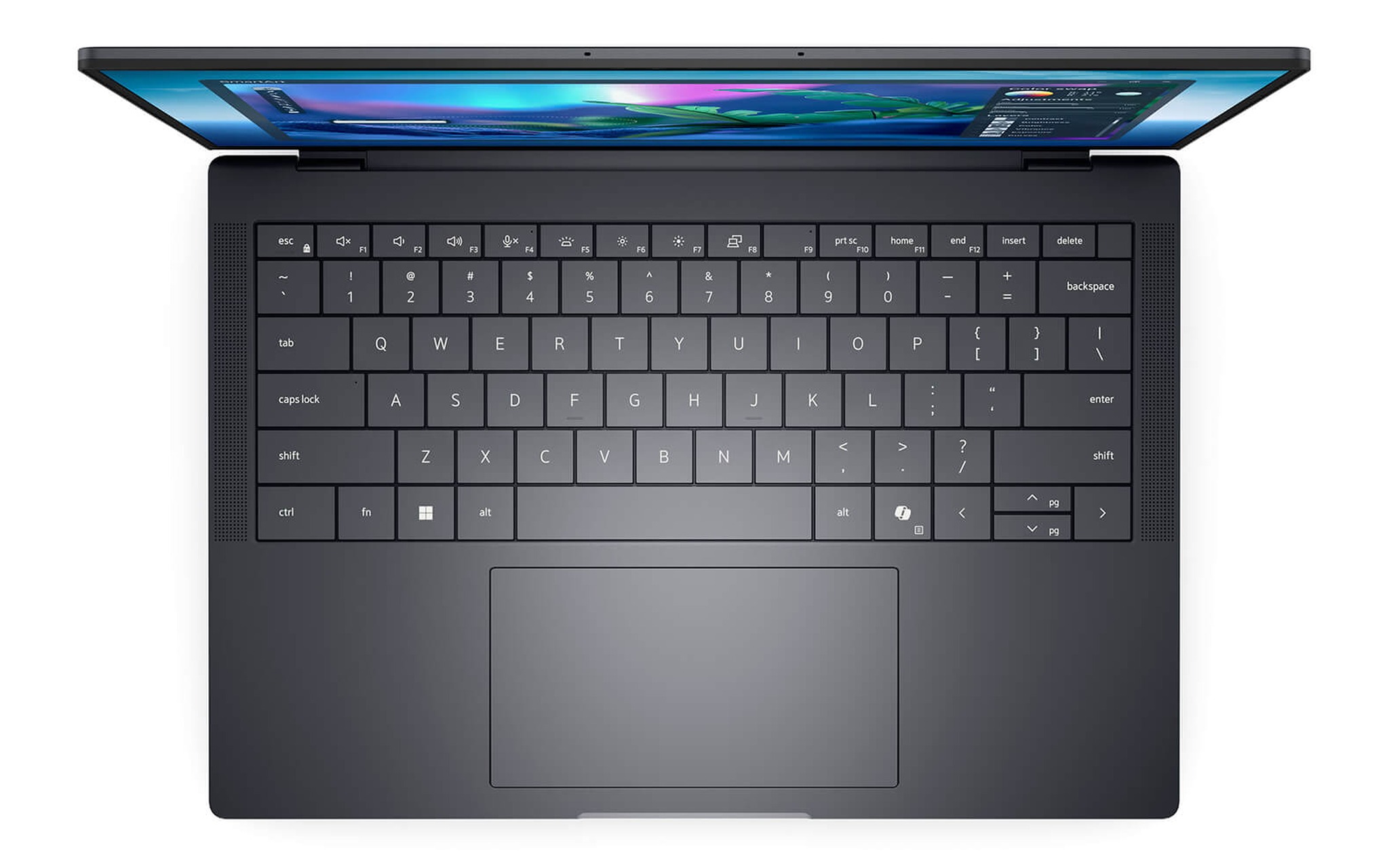
Không phải kỹ sư nào cũng ngồi cố định một chỗ, nên một laptop cho kỹ sư ngoài hiện trường cần gọn nhẹ mà vẫn đủ sức chạy phần mềm kỹ thuật. Dell Pro Max 14 Premium MA14250 đời 2025 đáp ứng nhu cầu đó với khổ 14 inch nhỏ gọn, chip Core Ultra 7 265H, 32 GB RAM, ổ 512 GB SSD và card RTX Pro 1000 8 GB, một kết hợp hiếm thấy trên thân máy nhỏ đến vậy.
| Phần mềm kỹ thuật | Đồ họa nên chọn tối thiểu | Máy gợi ý trong bài |
|---|---|---|
| AutoCAD, Inventor 2D và 3D vừa | RTX Pro 1000 8 GB | MA16250, MA14250 |
| SolidWorks, Revit, SketchUp | RTX Pro 2000 8 GB | ThinkPad P1 Gen 8 |
| ANSYS, CATIA, mô phỏng số | RTX Pro 2000, ưu tiên 64 GB RAM | Dell Pro Max 16 MC16250, ThinkPad P16 Gen 3 |
Lợi thế lớn nhất của khổ 14 inch là trọng lượng và diện tích chiếm chỗ nhỏ, giúp bạn nhét laptop vào balô đi hiện trường mà không mỏi vai. Dù thân gọn, đây vẫn là một máy trạm di động mang card RTX Pro 1000 có trình điều khiển chuyên nghiệp, đủ để mở bản vẽ và mô hình tầm trung ngay tại chỗ đo đạc. Bạn duyệt được thiết kế trước khi rời công trình thay vì chờ về văn phòng.
Ở tầm 54,99 triệu đồng, Dell Pro Max 14 Premium MA14250 đánh đổi một phần hiệu năng để lấy sự cơ động, nên hợp với kỹ sư ưu tiên tính di chuyển hơn sức mạnh tuyệt đối. Nếu công việc của bạn gắn với hiện trường nhiều hơn phòng thiết kế, chiếc laptop cho kỹ sư khổ 14 inch này giảm gánh nặng mang vác mỗi ngày. Đổi lại, dung lượng ổ 512 GB có phần khiêm tốn nên bạn nên tính đến ổ ngoài cho các dự án lớn.
Dell Pro Max 16 MC16250 mạnh cho mô phỏng nặng
Với các tác vụ mô phỏng phần tử hữu hạn, phân tích dòng chảy hay kết xuất cảnh lớn, dung lượng bộ nhớ trở thành nút thắt quan trọng nhất của một laptop cho kỹ sư. Dell Pro Max 16 MC16250 đời 2025 giải quyết điều này bằng bản cấu hình Core Ultra 7 265H, 64 GB RAM, ổ 2 TB SSD và card RTX Pro 2000 8 GB. Lượng RAM 64 GB cho phép bạn nạp trọn một mô hình lắp ráp đồ sộ vào bộ nhớ, tránh cảnh tràn sang ổ đĩa làm chậm tiến trình tính toán.
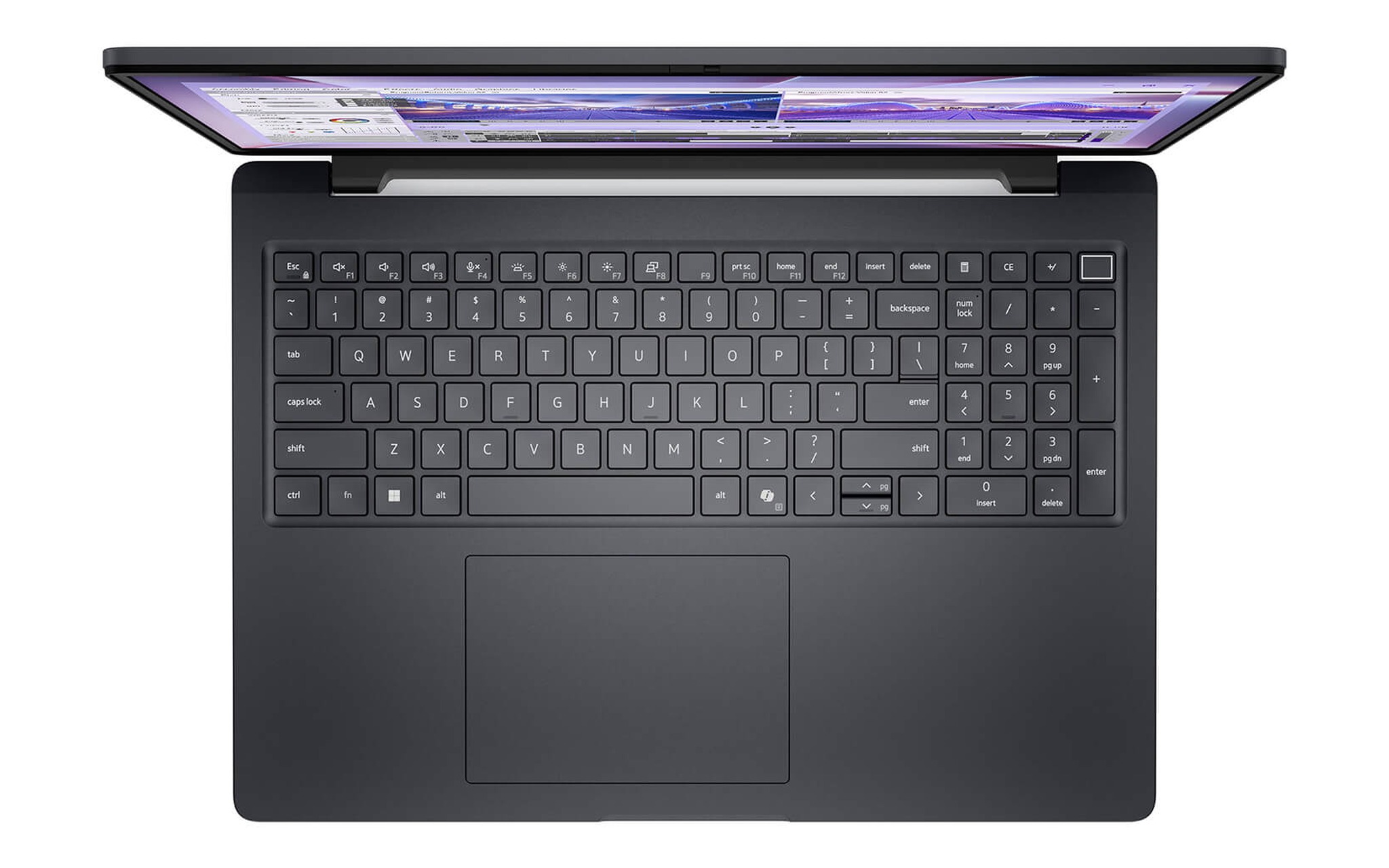
Card RTX Pro 2000 thuộc thế hệ đồ họa chuyên nghiệp mới, tối ưu cho các phần mềm được kiểm định và xử lý tốt cảnh có đổ bóng, vật liệu phức tạp. Trong năm mẫu của bài, đây là máy trạm di động duy nhất có sẵn 64 GB RAM ở bản cấu hình được chọn. Bàn phím có cụm phím số riêng cũng là chi tiết nhỏ nhưng quý giá với người nhập tọa độ và thông số kỹ thuật hằng ngày, giúp thao tác nhanh mà ít sai sót.
Bạn có thể mở trang cấu hình của Dell Pro Max 16 MC16250 để đối chiếu phiên bản 64 GB nếu công việc thiên về mô phỏng và phân tích số. Dòng này còn có các bản khởi điểm dùng đồ họa Intel Arc giá thấp hơn, song với một laptop kỹ thuật chuyên sâu bạn nên chọn đúng bản card RTX Pro để có trình điều khiển kiểm định. Mức 58,5 triệu đồng là cái giá xứng đáng cho cấu hình bộ nhớ dồi dào này.
ThinkPad P1 Gen 8 mỏng nhẹ cho kỹ sư hay di chuyển
Nhiều kỹ sư vừa cần card đồ họa mạnh vừa phải mang laptop theo suốt ngày, từ buổi họp với chủ đầu tư tới phòng thí nghiệm hay văn phòng đối tác. Lenovo ThinkPad P1 Gen 8 đời 2025 là laptop cho kỹ sư dành cho nhóm này, với bản cấu hình Core Ultra 7 255H, 32 GB RAM, ổ 1 TB SSD, card RTX Pro 2000 8 GB và màn WQUXGA. Theo bảng thông số trên trang sản phẩm, máy nặng khoảng 1,84 kg, nhẹ hơn mức 2,19 kg của Dell Pro Max 16 Premium MA16250.
| Mẫu máy | Vi xử lý | Đồ họa | RAM / SSD | Màn hình | Giá tham khảo |
|---|---|---|---|---|---|
| Dell Pro Max 16 Premium MA16250 | Core Ultra 7 255H | RTX Pro 1000 8 GB | 32 GB / 1 TB | FHD+ | 39 triệu |
| Dell Pro Max 14 Premium MA14250 | Core Ultra 7 265H | RTX Pro 1000 8 GB | 32 GB / 512 GB | FHD+ | 54,99 triệu |
| Dell Pro Max 16 MC16250 | Core Ultra 7 265H | RTX Pro 2000 8 GB | 64 GB / 2 TB | FHD+ | 58,5 triệu |
| ThinkPad P1 Gen 8 | Core Ultra 7 255H | RTX Pro 2000 8 GB | 32 GB / 1 TB | WQUXGA | 79 triệu |
| ThinkPad P16 Gen 3 | Core Ultra 7 255HX | RTX Pro 2000 8 GB | 32 GB / 1 TB | WQUXGA | 87 triệu |
Điểm khác biệt lớn nhất của P1 Gen 8 nằm ở màn hình. Trang sản phẩm ghi tấm nền 16 inch WQUXGA độ phân giải 3840 x 2400, phủ 100% dải màu DCI-P3, cho phép bạn soi chi tiết bản vẽ dày đặc đường nét và kiểm màu vật liệu khi kết xuất mà không cần màn rời. Card RTX Pro 2000 8 GB đủ sức cho mô hình SolidWorks, Revit hay SketchUp dày chi tiết, nên đây là một laptop kỹ thuật cân bằng giữa sức mạnh và sự gọn gàng.
Ở mức 79 triệu đồng, Lenovo ThinkPad P1 Gen 8 hợp với kỹ sư cần màn độ phân giải cao và thân máy nhẹ cho lịch công tác dày đặc. Bạn trả thêm khoảng 20,5 triệu so với Dell Pro Max 16 MC16250 mà chỉ nhận 32 GB RAM, nên nếu công việc thiên về mô phỏng số nặng thì bản 64 GB của Dell hợp lý hơn. Khi ưu tiên sự cơ động và chất lượng hiển thị, đây là máy trạm di động đáng cân nhắc nhất danh sách.
Bộ nhớ ECC và khung vỏ chuẩn quân đội bền bỉ
Khi đầu tư một laptop kỹ thuật phục vụ tính toán kéo dài, độ tin cậy quan trọng ngang hiệu năng thô. Bộ nhớ ECC có khả năng phát hiện và sửa lỗi bit đơn, giúp một phiên mô phỏng chạy suốt đêm không cho ra kết quả sai lệch âm thầm. Các card đồ họa chuyên nghiệp trong chương trình NVIDIA RTX chuyên nghiệp cũng đi kèm trình điều khiển được kiểm định riêng, khác biệt cốt lõi giữa một cỗ máy chuyên dụng thực thụ và máy phổ thông gắn thêm card rời.
| Cấp đồ họa | Bộ nhớ đồ họa | Tác vụ phù hợp |
|---|---|---|
| Intel Arc 140T tích hợp | Dùng chung RAM hệ thống | Xem bản vẽ, chỉnh sửa nhẹ |
| RTX Pro 1000 | 8 GB | CAD 2D, mô hình 3D vừa |
| RTX Pro 2000 | 8 GB | Lắp ráp dày chi tiết, mô phỏng số |
Độ bền cơ khí là lớp bảo vệ thứ hai cho khoản đầu tư vào laptop cho kỹ sư. Nhiều máy trạm di động vượt qua bài thử nghiệm theo chuẩn quân đội về rung lắc, nhiệt độ và bụi, kèm bản lề và khung vỏ gia cố. Chứng nhận tương thích phần mềm từ các hãng như SolidWorks hay AutoCAD cũng bảo đảm trình điều khiển đã được kiểm tra, giảm rủi ro treo cảnh giữa lúc bạn đang chạy một tác vụ dài và không kịp lưu lại.
Ở nhóm đỉnh của danh sách, Lenovo ThinkPad P16 Gen 3 mang chip Core Ultra 7 255HX cùng card RTX Pro 2000 8 GB, 32 GB RAM, ổ 1 TB SSD và màn WQUXGA với giá 87 triệu đồng, dành cho nhóm chạy mô phỏng liên tục cần khung vỏ và tản nhiệt bền bỉ nhất. Chiếc máy trạm di động dòng HX cỡ lớn này hợp với người cần độ ổn định tối đa qua nhiều năm. Còn với đa số kỹ sư, một trong bốn chiếc laptop cho kỹ sư phía trên đã cân đối tốt giữa sức mạnh, độ bền và chi phí.
Câu hỏi thường gặp khi mua laptop cho kỹ sư
Card chơi game RTX có thay được card RTX Pro không? Về sức mạnh thô thì có, nhưng card chơi game thiếu trình điều khiển kiểm định cho phần mềm kỹ thuật, nên dễ gặp lỗi hiển thị và treo cảnh khi mở tệp lớn. Với công việc CAD nghiêm túc, một laptop cho kỹ sư có card RTX Pro vẫn là lựa chọn an toàn hơn về lâu dài.
Ngân sách tối thiểu cho máy trạm có card RTX Pro là bao nhiêu? Trong năm mẫu của bài, mức khởi điểm là 39 triệu đồng với Dell Pro Max 16 Premium MA16250 bản RTX Pro 1000 8 GB. Nếu công việc cần 64 GB RAM cho mô phỏng, mức tiếp theo là 58,5 triệu đồng với Dell Pro Max 16 MC16250.
Kỹ sư nên chọn 32 GB hay 64 GB RAM? Nếu bạn làm CAD 2D và mô hình 3D vừa, 32 GB đủ dùng và tiết kiệm chi phí. Khi bước sang mô phỏng phần tử hữu hạn, phân tích dòng chảy hay kết xuất cảnh lớn, một laptop kỹ thuật cấu hình 64 GB như Dell Pro Max 16 MC16250 giúp tránh nghẽn bộ nhớ và giữ tiến trình mượt.
Có nên mua bản dùng đồ họa Intel Arc để tiết kiệm không? Với tác vụ kỹ thuật chuyên sâu thì không nên, vì đồ họa tích hợp thiếu bộ nhớ riêng và trình điều khiển kiểm định. Bản Intel Arc phù hợp hơn cho công việc nhẹ, còn một laptop cho kỹ sư CAD nên đầu tư đúng cấu hình card rời ngay từ đầu để dùng bền lâu.
Chế độ bảo hành của các máy này ra sao? Thời hạn bảo hành thay đổi theo hãng, dòng máy và diện nhập khẩu hay chính hãng, nên bạn hãy hỏi rõ nhân viên tư vấn trước khi đặt. Đội ngũ Hưng Phát sẽ nêu chi tiết điều kiện đổi trả và bảo hành của chiếc laptop kỹ thuật mà bạn quan tâm.