If you feel that your Gmail service has been unusually slow this weekend, you are not alone; it is not a problem with your internet connection. The world's default email service is experiencing one of those bad mornings, where processing speeds have suddenly become as sluggish as dial-up internet, and more seriously, the system seems to have "forgotten" how to detect obvious spam. Users are continuously reporting delays in sending and receiving emails, and warnings are appearing stating that some messages have not been scanned for spam, inadvertently allowing spam and potentially harmful content directly into your inbox.
Gmail delays in receiving OTP codes and spam warnings
On major tech forums like Reddit and the social network X, a wave of users are complaining about significant delays in sending and receiving emails, often lasting more than 10 minutes. For regular emails, this delay might only be a minor nuisance, but for security services, this is a disaster. Many users report that messages containing One-Time Passwords (OTP) or two-factor authentication (2FA) emails arrive too late, causing the codes to expire before they can be used. It is the kind of technical glitch that can turn a simple login attempt into a frustrating and disappointing waiting game.
Another major and more serious issue is the degradation of Gmail's "superpower" that usually works invisibly: the spam scanning feature. Google's Workspace Status Dashboard has been officially updated to indicate that some users may see warning banners regarding the lack of spam checking. Specifically, users may encounter notifications stating: "Be careful with this message. Gmail has not scanned this message for spam, unverified sender, or malware."
Google stated that this issue began around 5:00 AM Saturday Pacific Time and they are currently actively investigating the cause. However, based on reports from the user community, it appears these issues began appearing earlier than the time Google confirmed. The failure of the spam scanning system is not only a nuisance but also poses cybersecurity risks, as phishing emails or those containing malware can easily reach users without being blocked as usual.
Inbox classification errors and expert advice
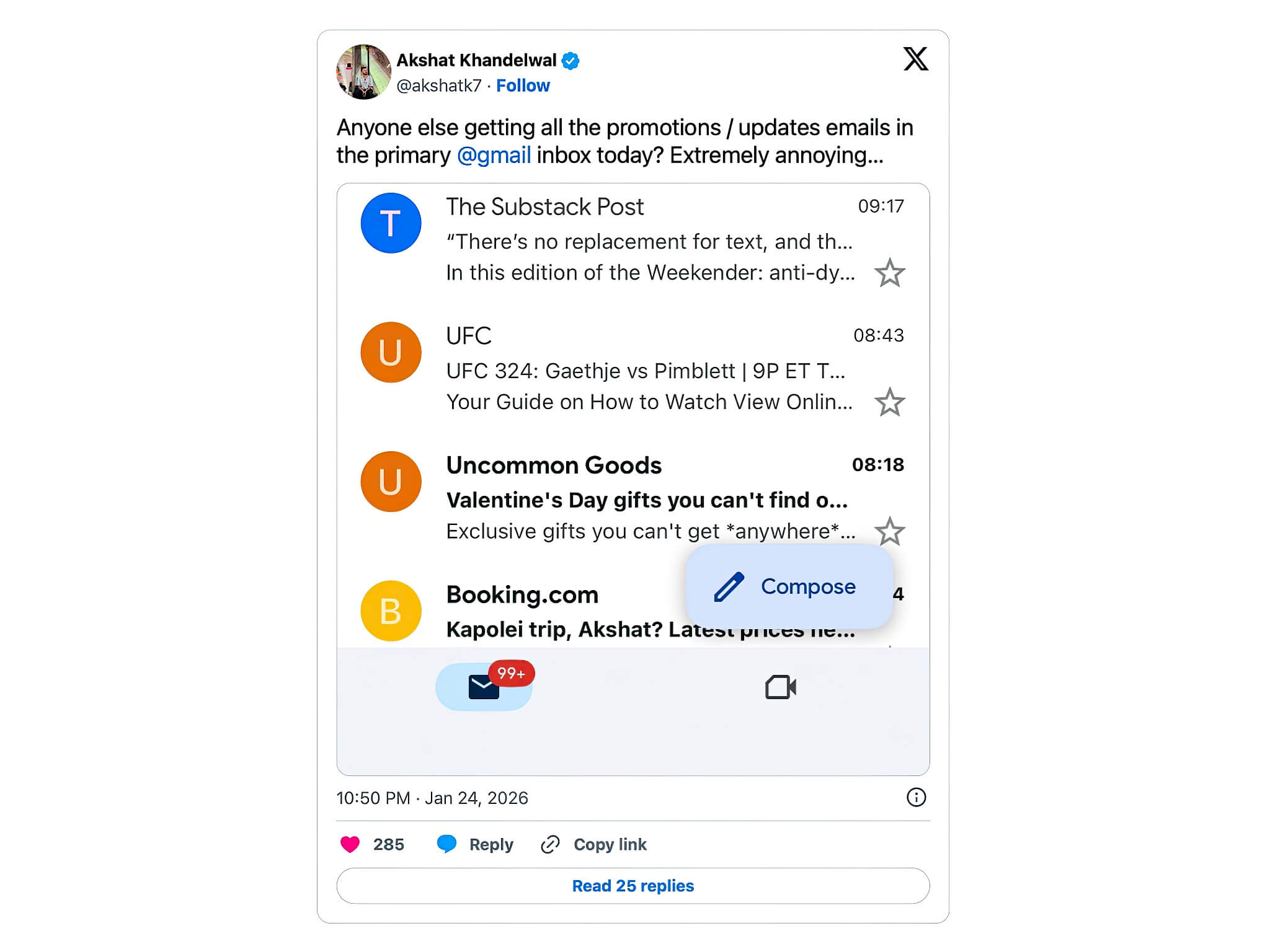
Meanwhile, the trouble does not stop at delays or spam. Users are also complaining that Gmail's tabbed sorting feature is behaving abnormally. Emails belonging to the Promotions and Social categories, which usually sit neatly in sub-tabs, are suddenly being redirected straight into the Primary inbox. For users with mobile device notifications enabled, this misclassification can lead to a storm of notifications from spam or advertisements that would normally be filtered out via sub-tabs, causing distraction and annoyance.
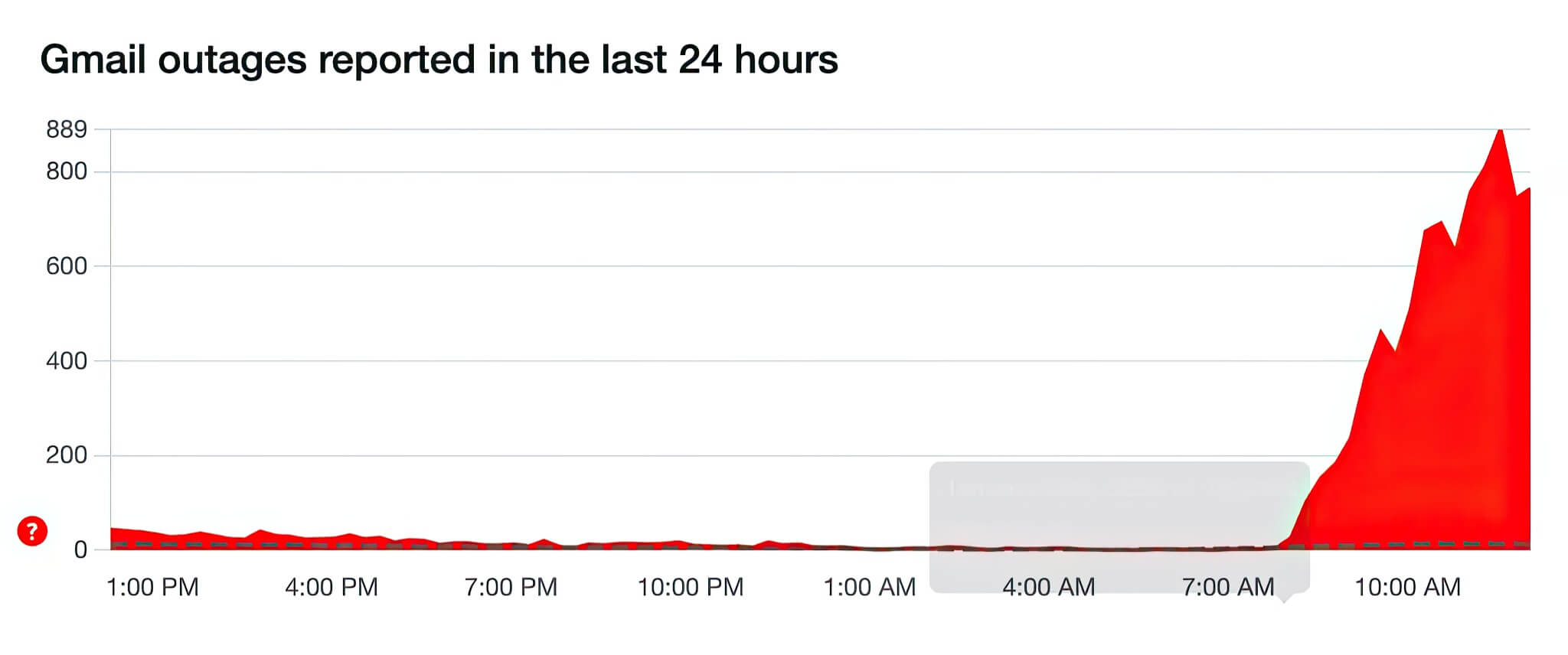
Although Gmail is not completely "down," incident monitoring data from the community shows that disruptions are occurring on a wide scale. The Downdetector website is showing a spike in error reports, with the most common issue listed as "receiving messages." This confirms that the issue is not affecting just a small group but is impacting a large number of users globally.
Until the issue is fully resolved by Google, the advice for you may sound boring but is extremely important right now: remember that your Gmail settings have not changed; this is a server-side error. Absolutely avoid clicking on any suspicious links appearing in your inbox, even if they look safe, because the spam filter is operating inefficiently. Additionally, consider temporarily switching to using an authenticator app for two-factor authentication wherever possible, instead of waiting for codes via email to avoid expiration. Google stated they will provide another update later this morning to announce the progress of the fix.