

Using VPN is an effective way to protect your privacy when accessing the internet, but it is not always safe. You may notice that some websites treat you differently when you are using a VPN.
While using a VPN does not cause any issues itself, some websites may automatically block your connection, which creates inconvenience. So why do some websites ban users from using a VPN?
Why do websites block VPN?
Streaming services often block VPNs due to issues related to contracts and licensing. For example, on a streaming website, in addition to original shows and movies, most services host content that they did not produce. Because these services do not own the content but are merely hosts, they are often restricted by distribution licenses.
For instance, if Netflix is streaming Show A but does not own it, they are only permitted to broadcast that show under US law. Therefore, if you live abroad and want to watch Show A via the US Netflix website, your access may be blocked if you are using a VPN. Netflix may not block all VPN users, but they may select the IP addresses of VPN servers and block them if those IP addresses are identified as belonging to a VPN server.
Non-streaming websites may also block VPNs for various reasons. The service provided by the website might be illegal in the country where you reside, and the website has blacklisted the IP address of the VPN server you are using. Additionally, if you use a VPN to avoid paying fees, websites will often try to prevent this by tracking your IP address to determine whether the VPN server owns it.
How websites detect and block VPNs
Are you wondering how websites can recognize that you are using a VPN? There are several ways to determine whether you are using a VPN.
1. IP Blacklisting
VPN anti-detection and blocking mechanisms primarily work by checking the IP address of visitors against a blacklist of known VPN addresses. Since VPNs often use known data centers to host their servers, it is not difficult to identify the IP ranges they own.
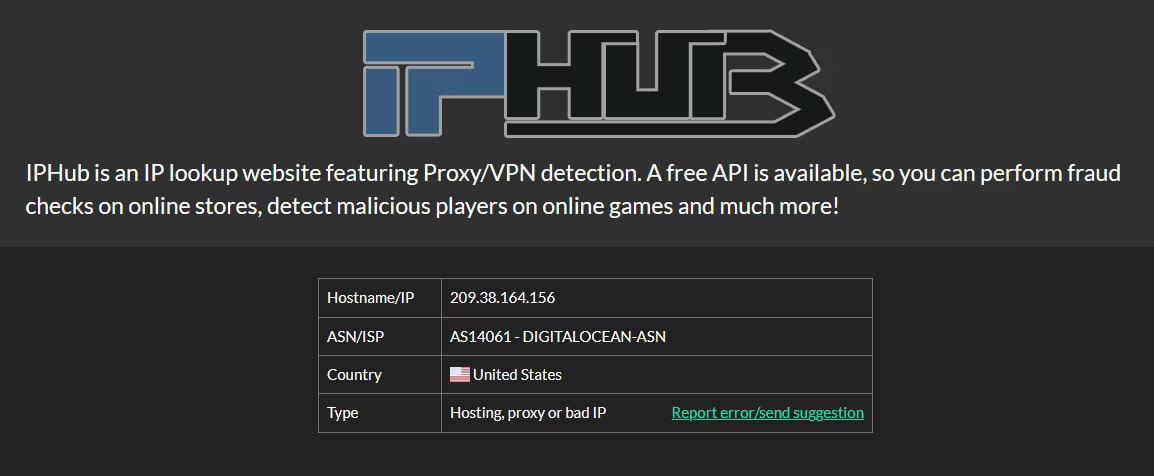
Services like IPHub and ipinfo.io collect this information and provide it to customers at an affordable price. If you use a VPN, IPHub will detect it and conclude that you are using a hosting service, a proxy, or simply a "bad" IP address.
However, when you connect without using a VPN, IPHub will likely assess that you are using a "good IP" address.
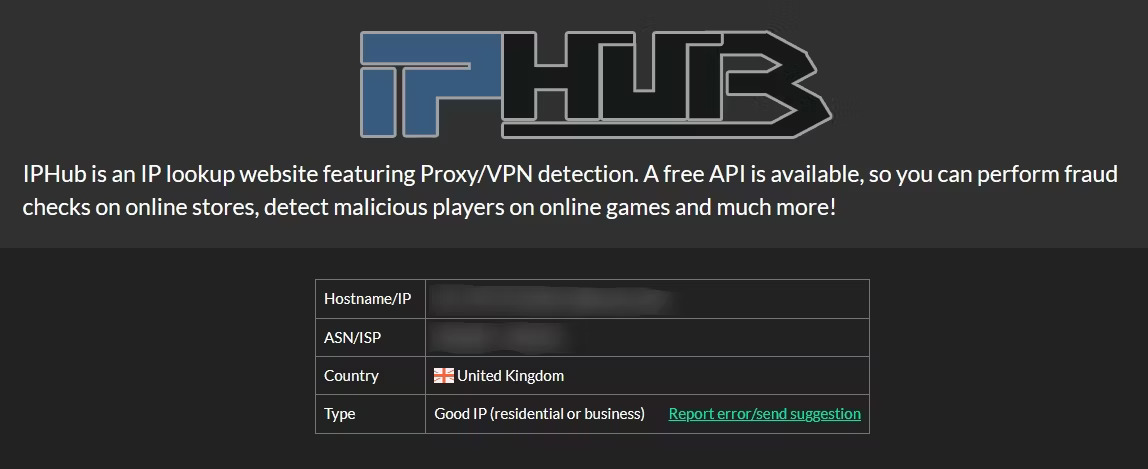
A good IP address is usually difficult to ban, while server IP addresses or "bad" IP addresses may be banned on certain websites if they are added to a blacklist.
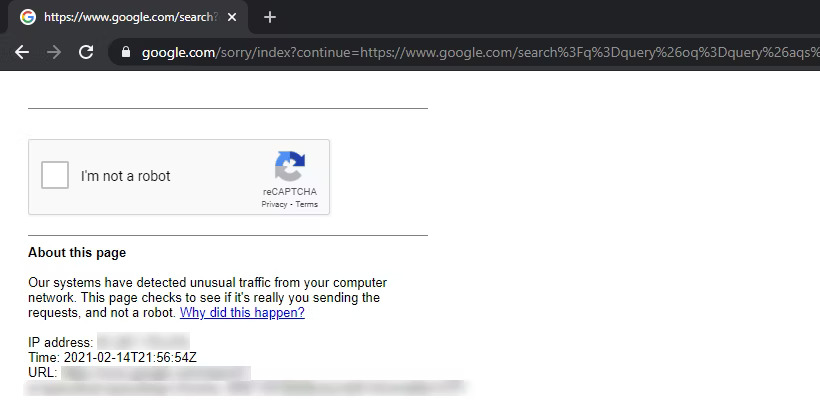
Issues related to VPN IP addresses often manifest as CAPTCHA screens, which check whether you are a real user or a robot. However, sometimes, even if you enter the CAPTCHA information correctly, the VPN can still be blocked.
2. Internal Fraud Detection
Large corporations like Google and Netflix possess vast resources, allowing them to easily detect proxies through large-scale traffic processing. Even if a VPN service provides many different IP addresses, they may still appear multiple times among their millions of users, making it easy for companies to flag suspicious IPs.
These businesses are highly technical, so their solutions often utilize advanced technologies like machine learning to analyze and classify traffic patterns.
3. Port Blocking
Port blocking occurs when the virtual network port used by your VPN is blocked by a firewall. When this happens, the VPN's tunneling method for web browsing is cut off, meaning you cannot access the websites you want.
4. Government/Authority Blocking
Sometimes, the website you want to access has been blocked by the authorities in your country, or the government has outlawed the VPN you are using. Some countries are quite liberal with their VPN laws, but there are more extreme cases, such as Iraq, China, and North Korea. If you live in a country where some or all VPNs are illegal, you may frequently encounter blocking.
5. DNS Leaks
Sometimes, your connection may experience DNS leaks, meaning your web requests are still sent directly to your Internet Service Provider despite a VPN being active. This often happens if the VPN you are using is not functioning properly and can cause you to be immediately blocked by certain websites.
Many VPNs provide DNS leak protection measures to ensure your data is not leaked to your ISP. Therefore, if you are concerned about this, check whether your VPN provider offers leak testing services.
6. Websites Completely Blocking VPN Users
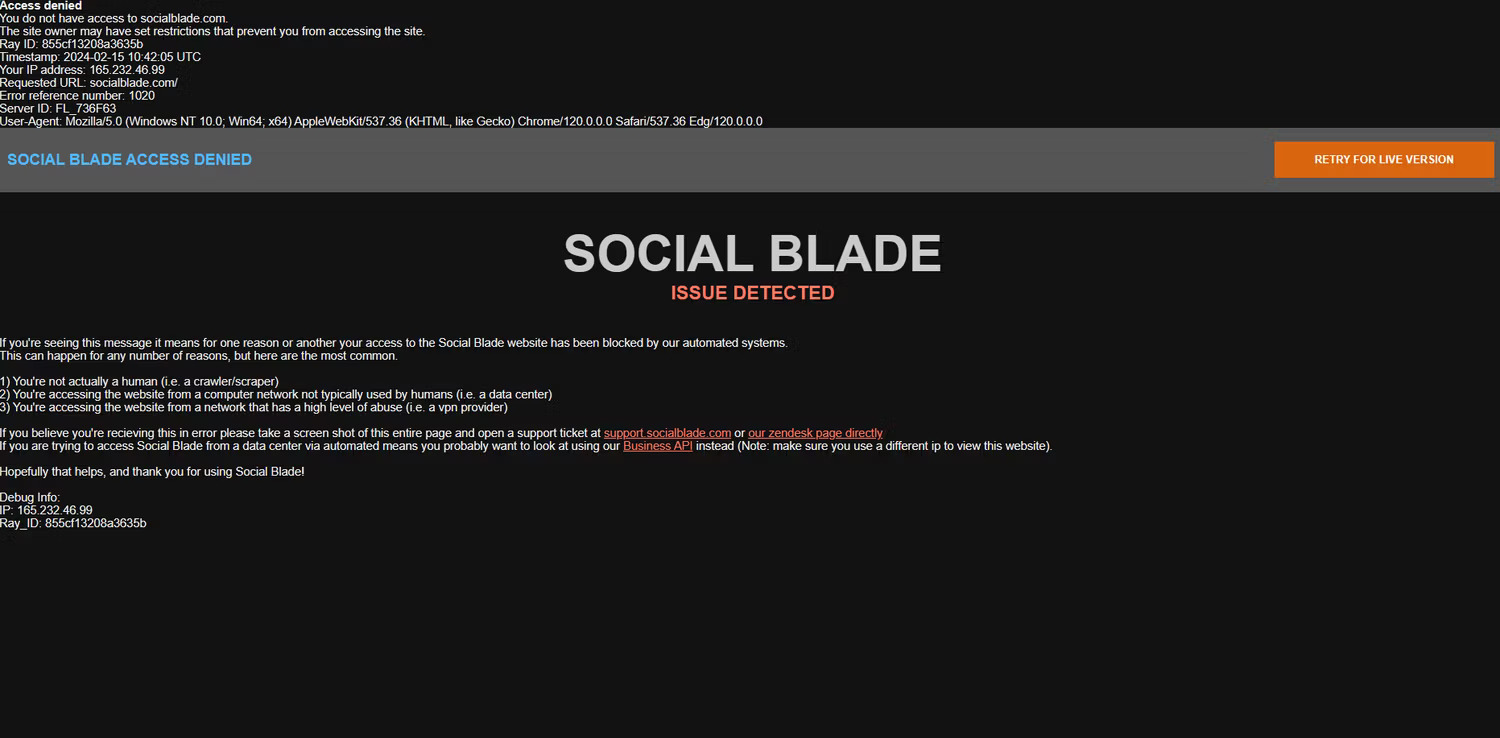
Some website owners attempt to block VPNs entirely. For example, Social Blade (shown above) uses Cloudflare to block VPN traffic, blocking access to anyone with an active VPN when they load the website.
How to bypass VPN blocking
Most popular streaming websites tend to block VPNs, including:
- Disney+
- BBC iPlayer
- Hulu
- Netflix
- Max
These may vary depending on your location and specific VPN.
While there is no guaranteed way to always bypass these mechanisms, you can take several steps to improve your chances.
1. Try different IP addresses
Many commercial VPN service providers allow you to access multiple servers located in different data centers globally. By switching to a different server, you can change your IP address for your Internet connection.
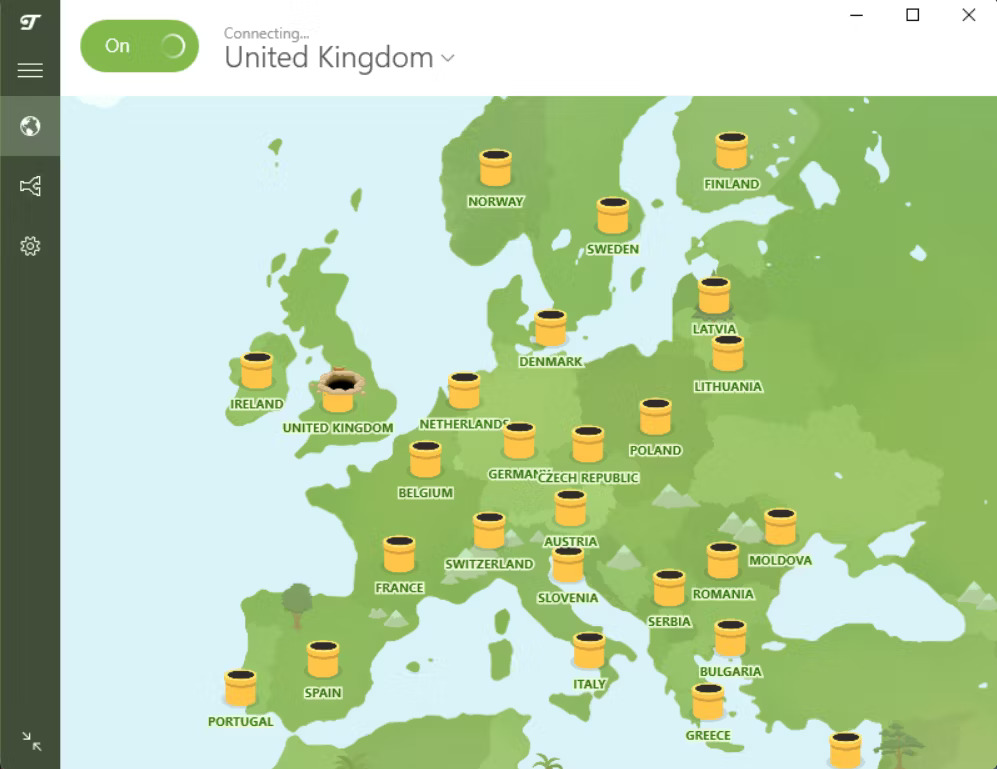
If you are blocked, browse through the available servers. If you are lucky, you might find one that is not on the website's blacklist.
2. Notify websites about your VPN usage
Notifying certain websites that you are using a VPN can be helpful. For example, if you contact a bank's customer service department, they can make a note on your account to help resolve any issues if their anti-fraud system flags your VPN usage.
This is a particularly good idea if you have previously connected to a service without a VPN but intend to start using it in the near future, perhaps while traveling. Remember that websites often restrict proxy traffic to limit bot abuse rather than because they have a specific bias against VPN users.
3. Pay for a private IP address
The more people using a specific IP, the more likely it is to be blacklisted eventually. Having a private IP address makes it much harder for your VPN to be detected.
There are many private IP providers today, but before you subscribe to a provider, ensure that your current VPN provider does not already offer this feature. The following popular VPN providers offer dedicated IPs (usually at a higher price point):
- IPVanish
- SurfShark
- PureVPN
- NordVPN
- Windscribe
- Ivacy
- Private Internet Access
- CyberGhost
If your current VPN provider does not offer private IP addresses, consider switching to another service or a dedicated private IP provider, such as IPv4 Global. Other useful VPN features may help you overcome barriers if you want to maximize your chances.
4. Use less popular VPNs
Another way to avoid crowded servers is to use a less well-known VPN provider. Since some companies tend to dominate the VPN market, you can expect them to appear prominently on blacklists. Less well-known VPNs are less likely to be blocked or trigger CAPTCHAs.
Of course, this does not mean you should use any cheap, shady provider you can find. You especially want to avoid free VPN services. These sites not only often have thousands or millions of users but are also magnets for fraudulent behavior, copyright infringement, and many other problematic activities. Websites have strong incentives to target and block them.
5. Clear cache and cookies
In some cases, specific browser features or settings can trigger protection systems or tracking features that can easily identify your browser.
Clearing your browser's cache and cookies can reset how a website or service views you as a user and can potentially unblock your VPN during this process. It is simple to clear cache and cookies on Google Chrome, and the process is similar on most other browsers.
6. Change DNS servers
Another useful way to bypass VPN blocking is to change your DNS servers. DNS translates human-readable domain names into IP addresses. Instead of having to remember long, difficult strings of numbers for each website, we can remember names instead, like Quantrimang. When you have a new Internet connection, you will use your ISP's default DNS settings, but you don't have to.
You can change your settings to use a third-party DNS, which can bypass your VPN block and allow you to access websites or services. You can change DNS settings on Windows, change DNS settings on macOS, as well as find and change DNS settings on Linux.
7. Set up your own VPN server
A better solution is to use your own VPN server, on a computer you control or on a virtual cloud server. This will give you a unique IP address and reduce the risk of being blacklisted.
However, it is important to note that cloud providers like Amazon AWS and Microsoft Azure also publicly disclose their IP ranges, so this is not a completely foolproof solution. Setting up a server on a physical computer connected to the Internet via your own ISP will be more reliable.
You may encounter difficulties when using CAPTCHAs or other barriers while browsing. However, overall, there are simple ways to bypass these mechanisms that websites use to distinguish VPN users. By taking a few steps to make your traffic less suspicious, you can use a VPN to protect your online privacy with less trouble.











