

How to set reminders for the Full Moon and New Moon via the Zalo app
The Full Moon and the first day of the Lunar month are two significant dates that many people need to remember. However, because we rely on the Gregorian calendar for daily life, it is easy to lose track of these lunar dates. In its latest update, Zalo now allows you to set reminders one day in advance for both the Full Moon and the New Moon. It's a highly convenient feature, isn't it?
In this article, I will guide you through a simple and quick way to set up these lunar month reminders using the Zalo app. Let's dive in.
Update Zalo to the latest version
First, you need to ensure you are running the latest version of Zalo. The process is nearly identical for both iPhone and Android users, so simply follow the instructions below.
How to set Full Moon/New Moon notifications via Zalo
Step 1: Open the Zalo app on your device. Once you are on the main interface, type "Weather" (Thời tiết) into the search bar.

Step 2: Once you have selected the result, Zalo will take you to the Weather official account page. Tap Follow (Quan tâm).
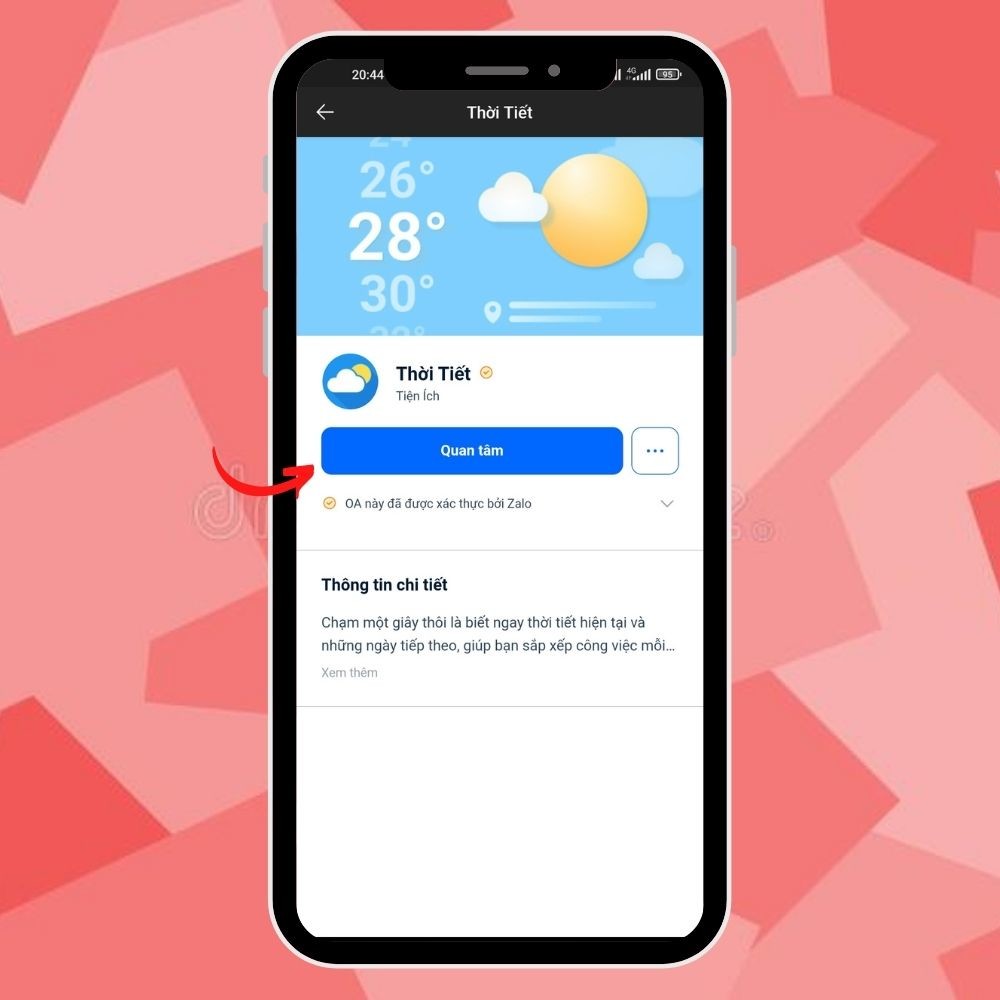
If you have already followed the page previously, you will be redirected straight to your existing chat with the Weather account.
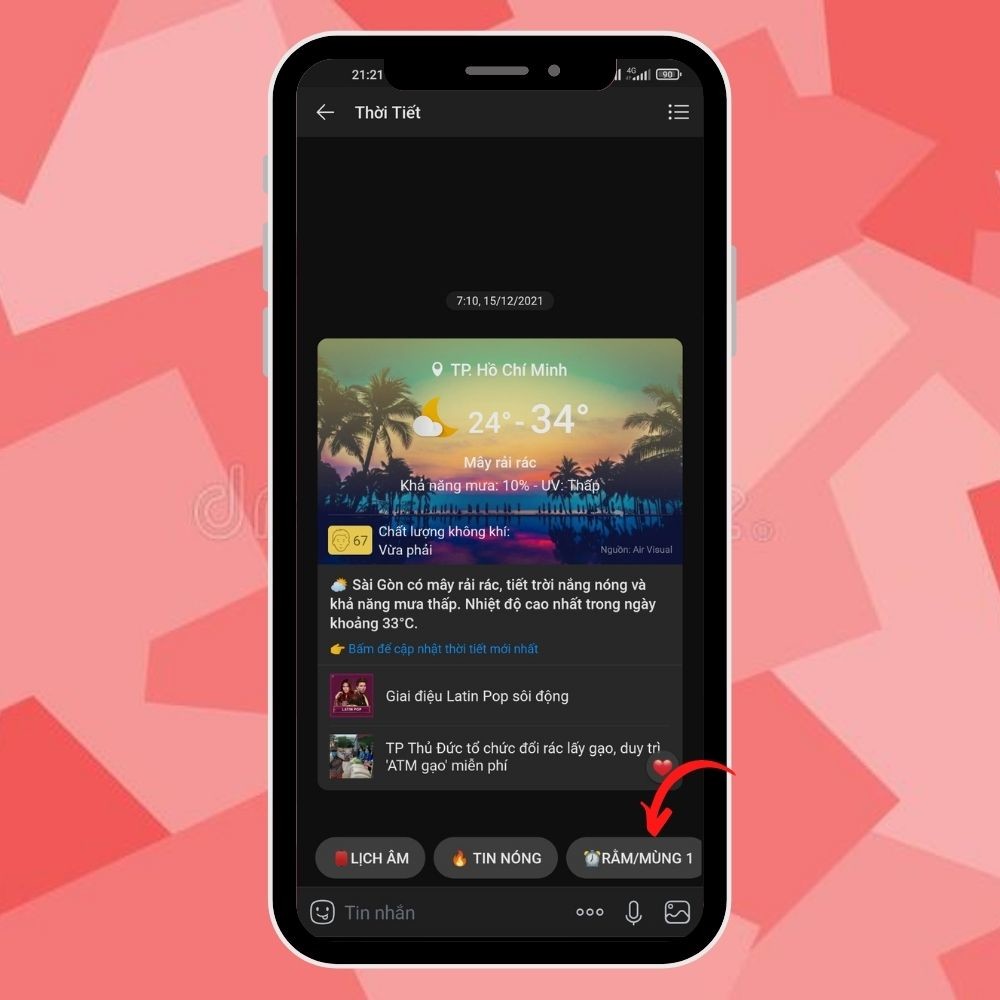
Step 3: Once in the Weather chat, look at the utility bar at the bottom. Tap the Full Moon/New Moon icon (marked with a clock symbol) to set up the lunar month reminders within the chat.
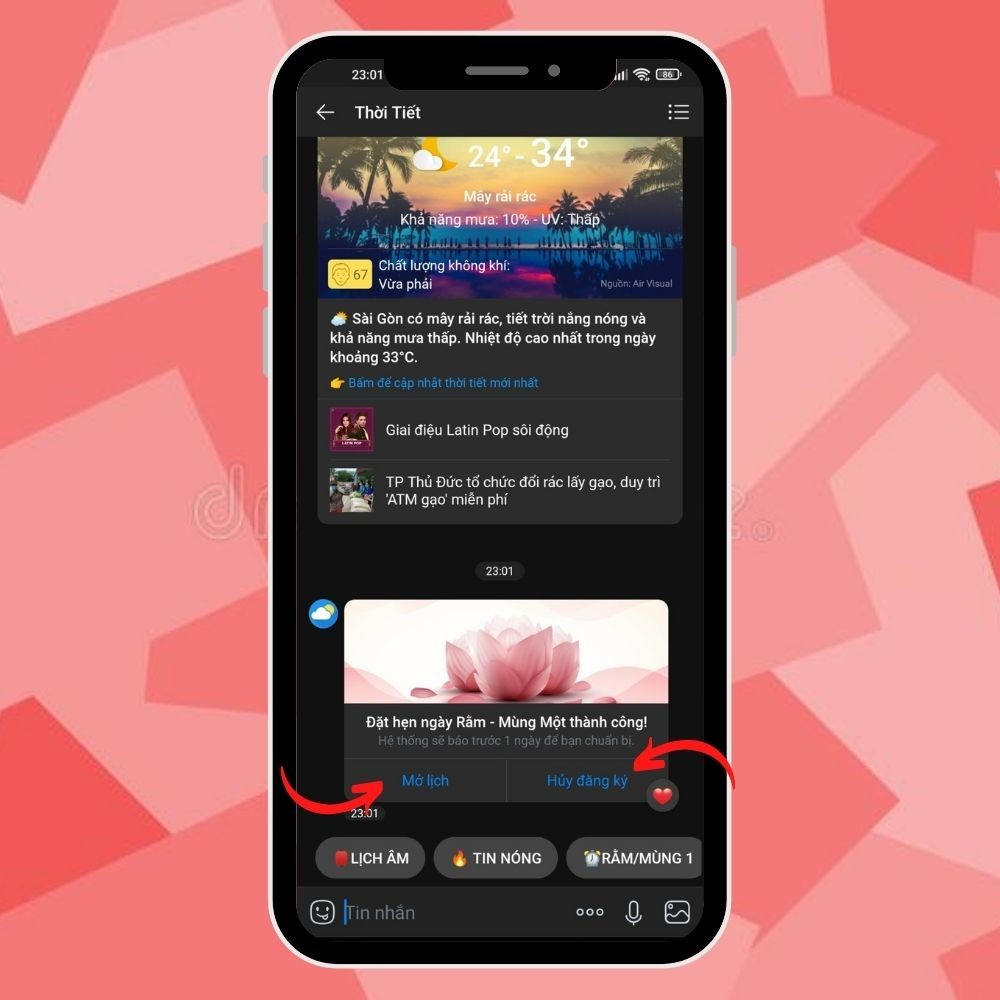
Step 4: You will immediately see a notification in the chat window stating: "Full Moon/New Moon reminder set successfully!" A reminder message will then be sent to your chat one day in advance so you can prepare.
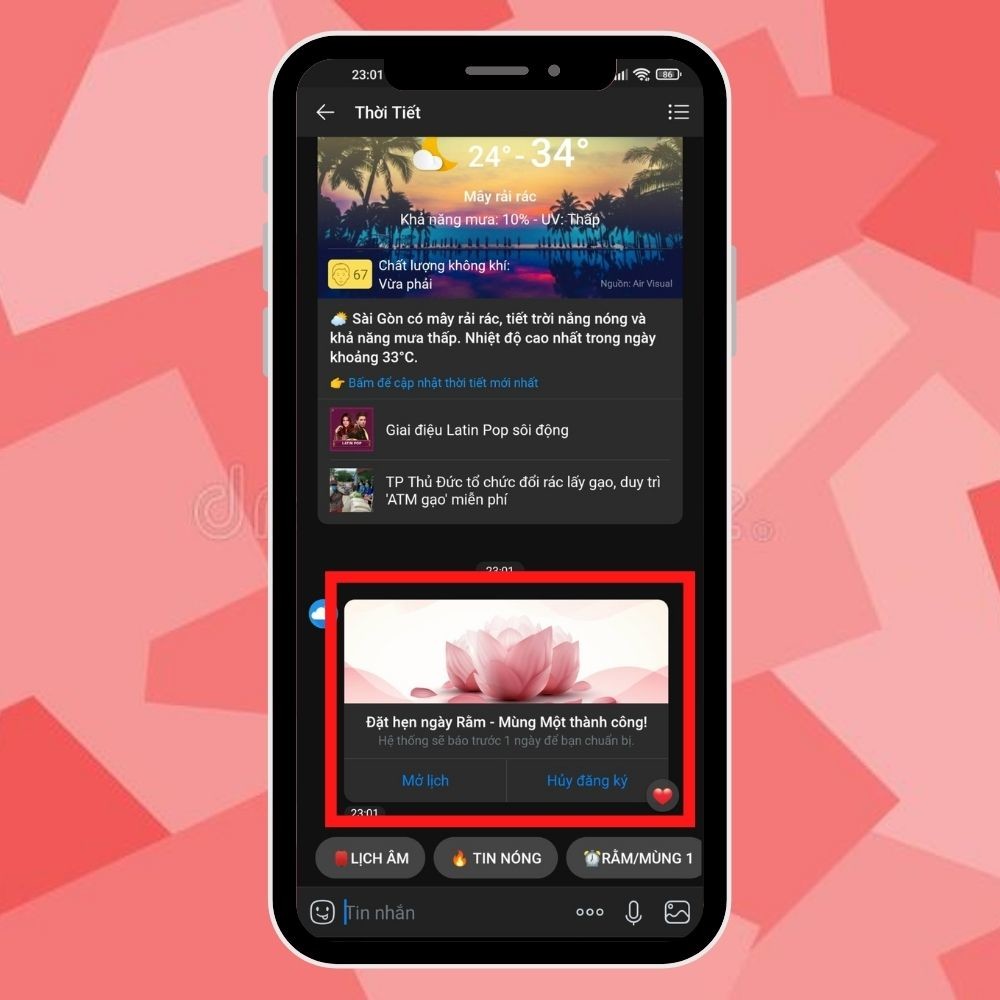
Additionally, you can view your scheduled reminders by tapping Open Calendar (Mở lịch), or you can opt out of these notifications by selecting Unsubscribe (Hủy Đăng ký).
Conclusion
With just these simple steps, you can now stay updated on lunar dates and weather information directly through Zalo. We hope this guide has been helpful. Good luck!











