

When it comes to Wi-Fi, this has been a persistent issue on several ROG & TUF gaming laptop lines.
Despite being equipped with the latest Wi-Fi 6 technology, it seems that MediaTek has encountered driver issues, causing users to experience unstable Wi-Fi or frequent disconnections. Some users even have to replace their Wi-Fi cards with those from other brands. Therefore, I have created this detailed guide to help you fix the issue, save costs, and improve your experience.
REQUIREMENTS
Download the Wi-Fi driver here and then extract the files.
HOW TO UPDATE THE DRIVER
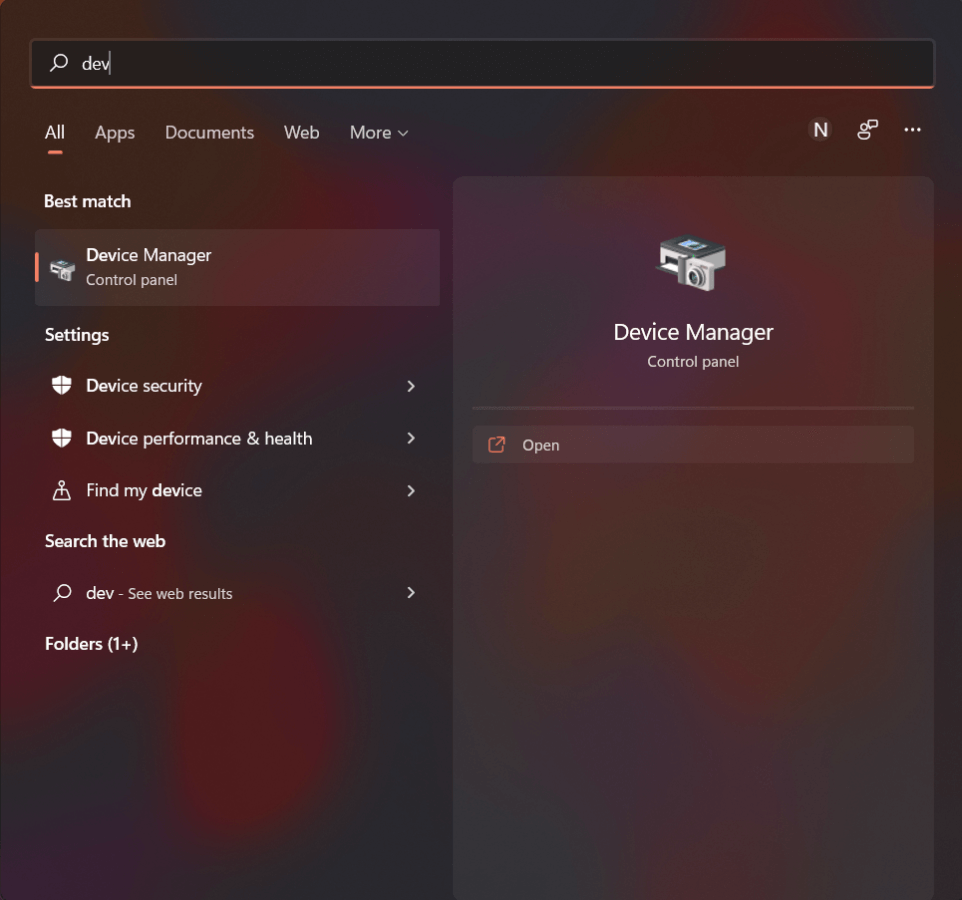
Step 1: Search for the keyword device manager and click on:
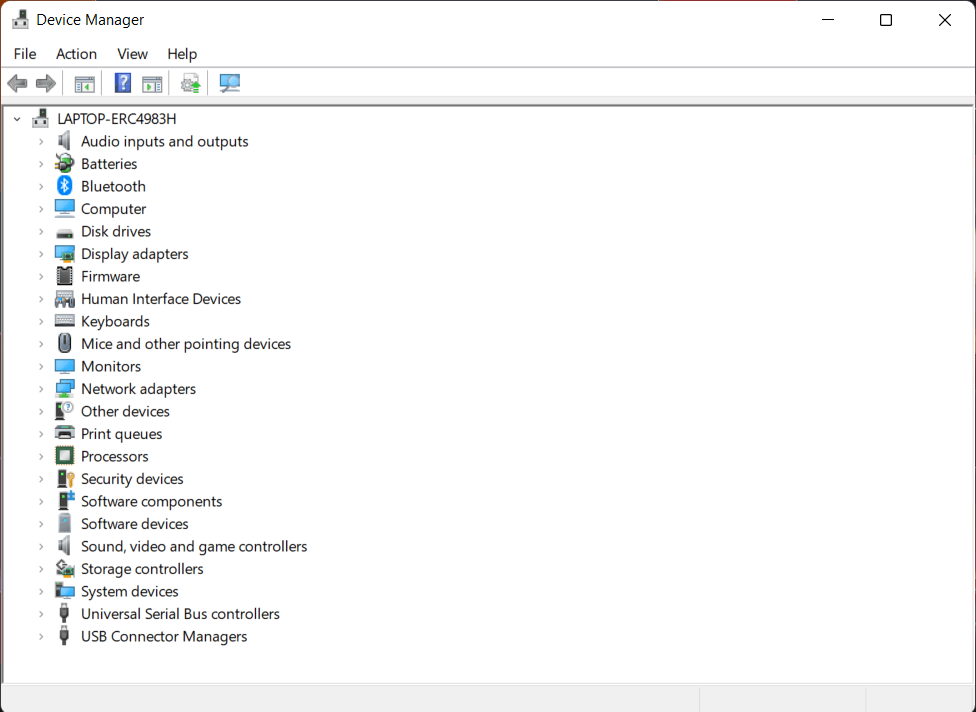
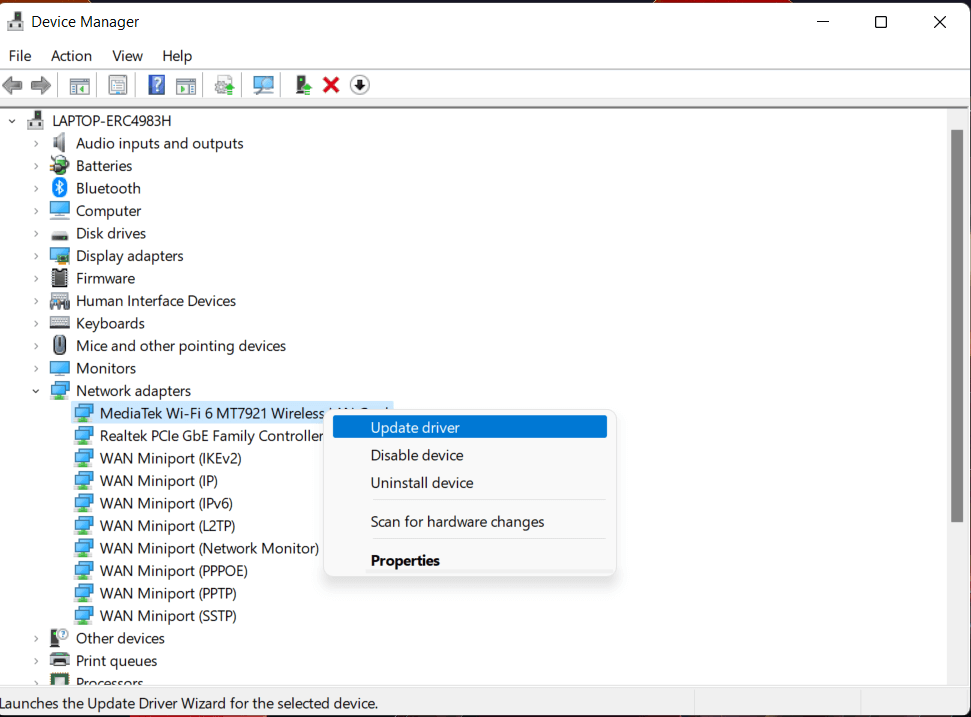
Step 2: Click on Network adapters, then click as shown in the image:
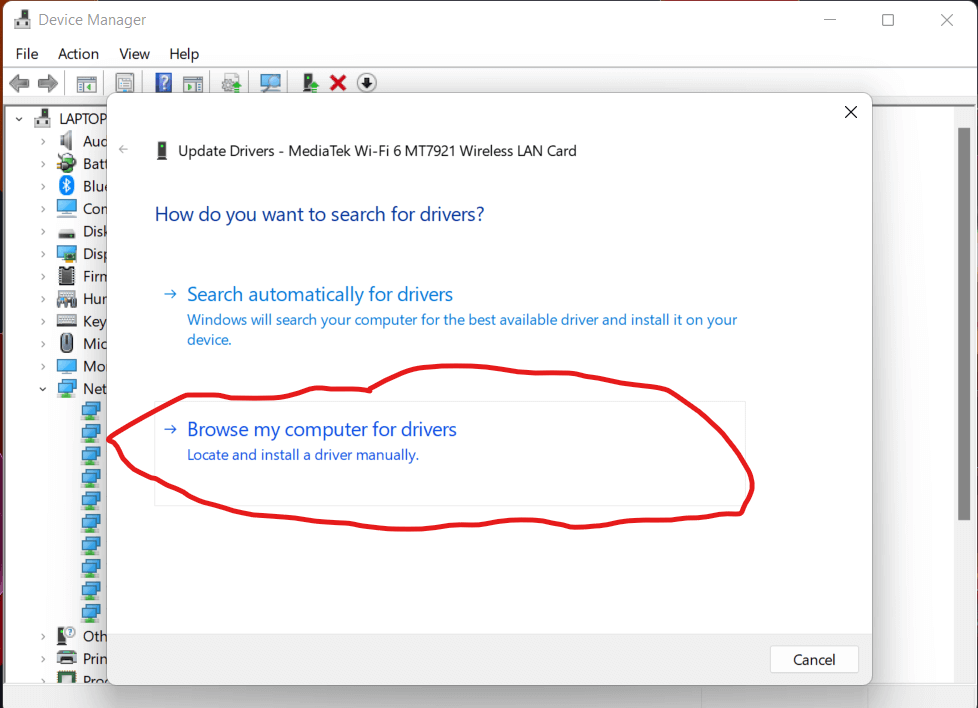
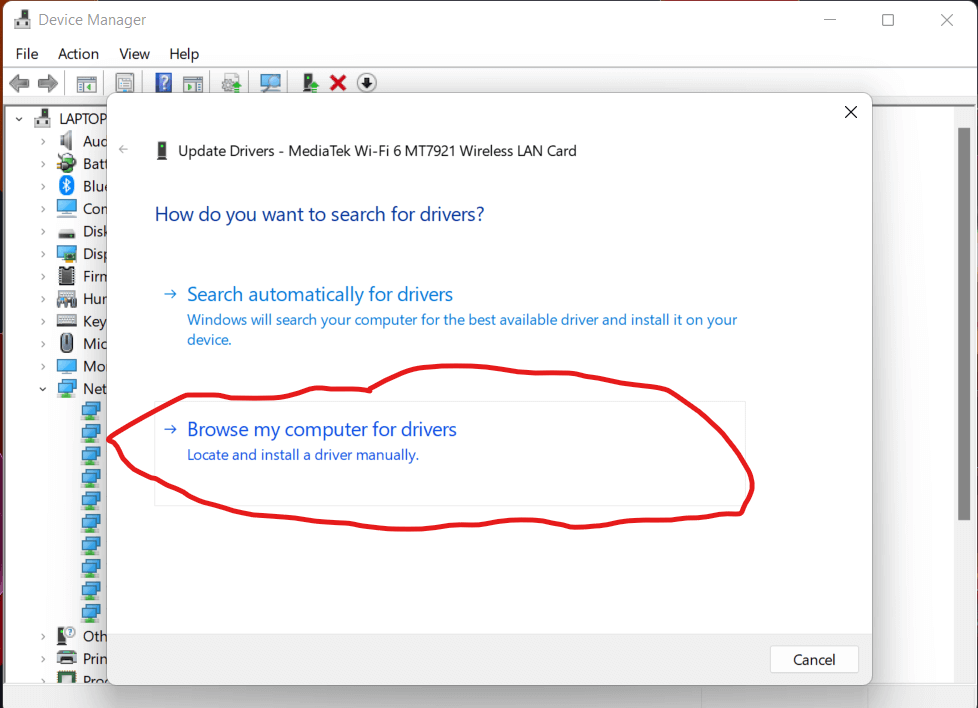
Step 3: Click as shown below:
Step 4: Select Browse, add the path to the driver file you extracted in the previous step, then select OK
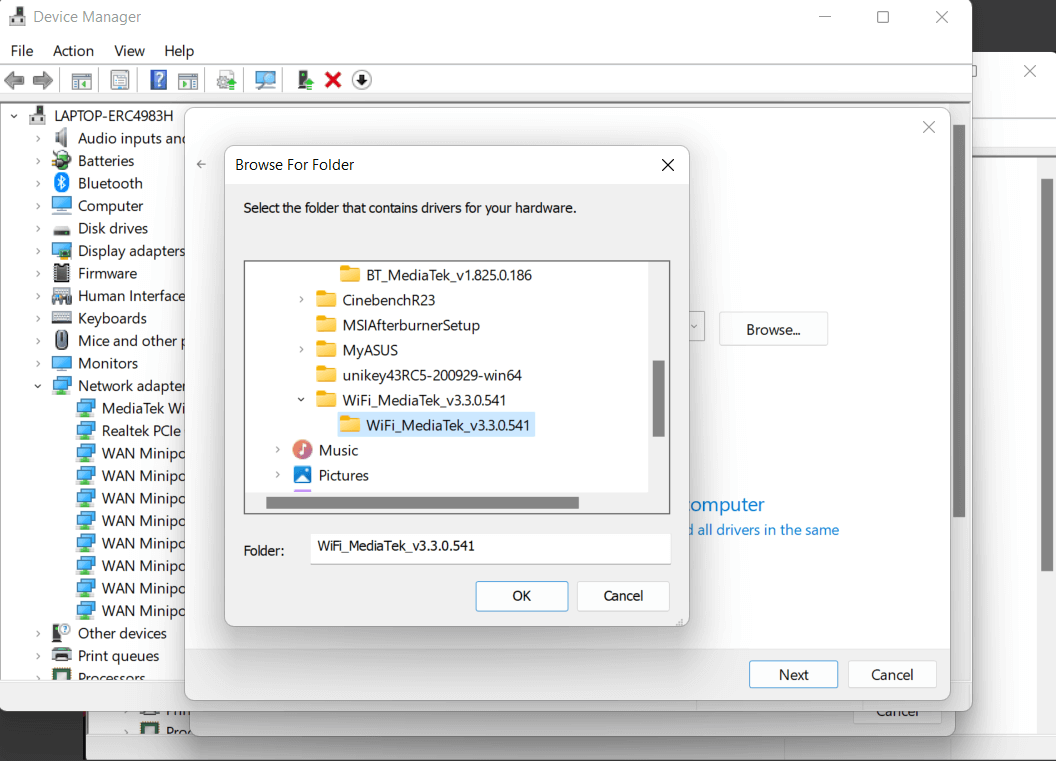
Step 5: Then press Next. Once the driver update process is complete, restart your computer.
After updating the driver, I tested it and the results were much better:

Source: ASUS

ABOUT THE AUTHOR
Phát Lâm
Tôi là Phát Lâm, CEO tại Hungphatlaptop.com, chuyên gia IT với nhiều năm kinh nghiệm trong lĩnh vực đánh giá PC, hạ tầng công nghệ và hệ thống mạng. Không chỉ am hiểu sâu về cấu hình phần cứng, hiệu suất hệ thống và xu hướng thị trường, tôi luôn tư vấn giải pháp tối ưu, giúp khách hàng lựa chọn thiết bị phù hợp với nhu cầu sử dụng, đảm bảo hiệu suất cao, tối ưu chi phí và mang lại giá trị thực sự.
View all posts by Phát Lâm →










Excuse me, I have a quick question: when I open the browser, the extracted files do not appear.
Please double-check if you have entered the correct unzipped folder and downloaded the driver in the correct format.
My Wi-Fi and Bluetooth icons have completely disappeared.