

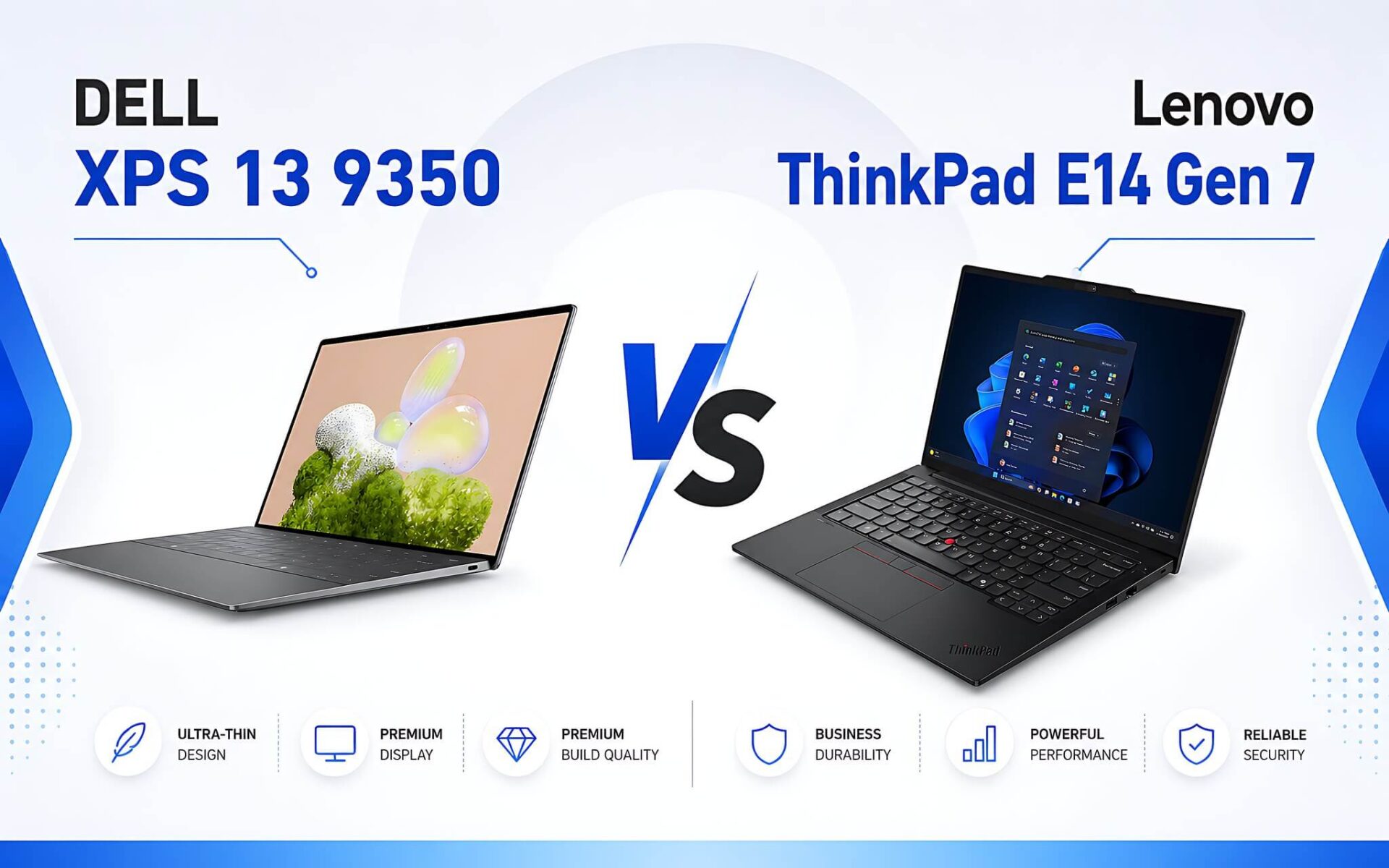
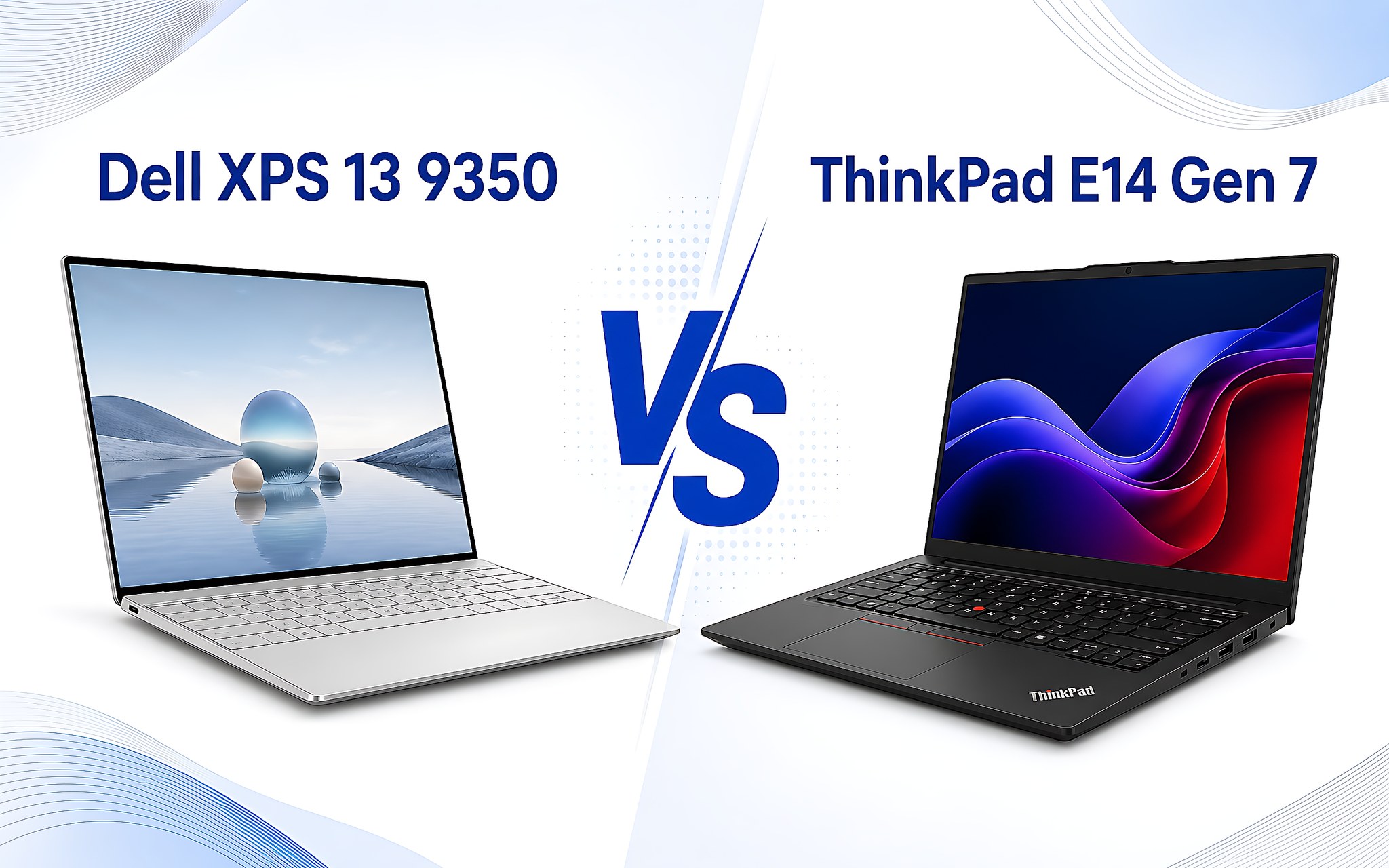
In the premium business laptop segment priced between 25-35 million VND, Dell XPS 13 and Lenovo ThinkPad E14 Gen 7 represent two completely opposite design philosophies. Many mistakenly believe that ultra-thin laptops will compromise on battery life, but in reality, new chip architectures have completely changed the experience. The core difference lies in the trade-off between absolute mobility and future upgradeability. Let's analyze in detail with Hung Phat to find the optimal choice for your needs.
Dell XPS 13 9350 vs. Lenovo ThinkPad E14 Design
Regarding external appearance, the Dell XPS 13 features a CNC-machined unibody aluminum design weighing only 1.18-1.22 kg, providing high mobility for frequent travelers. Meanwhile, the Lenovo representative, the Lenovo ThinkPad E14 Gen 7, brings a standard business style with MIL-STD-810H military-grade durability, weighing approximately 1.32-1.44 kg. The nearly 0.2 kg difference and slim profile give the XPS 13 a significant advantage when tucked into a backpack or small handbag.
| Specifications | Dell XPS 13 9350 (2025) | Lenovo ThinkPad E14 Gen 7 (2025) |
|---|---|---|
| Price Range | Around 25-35 million | Around 25-35 million |
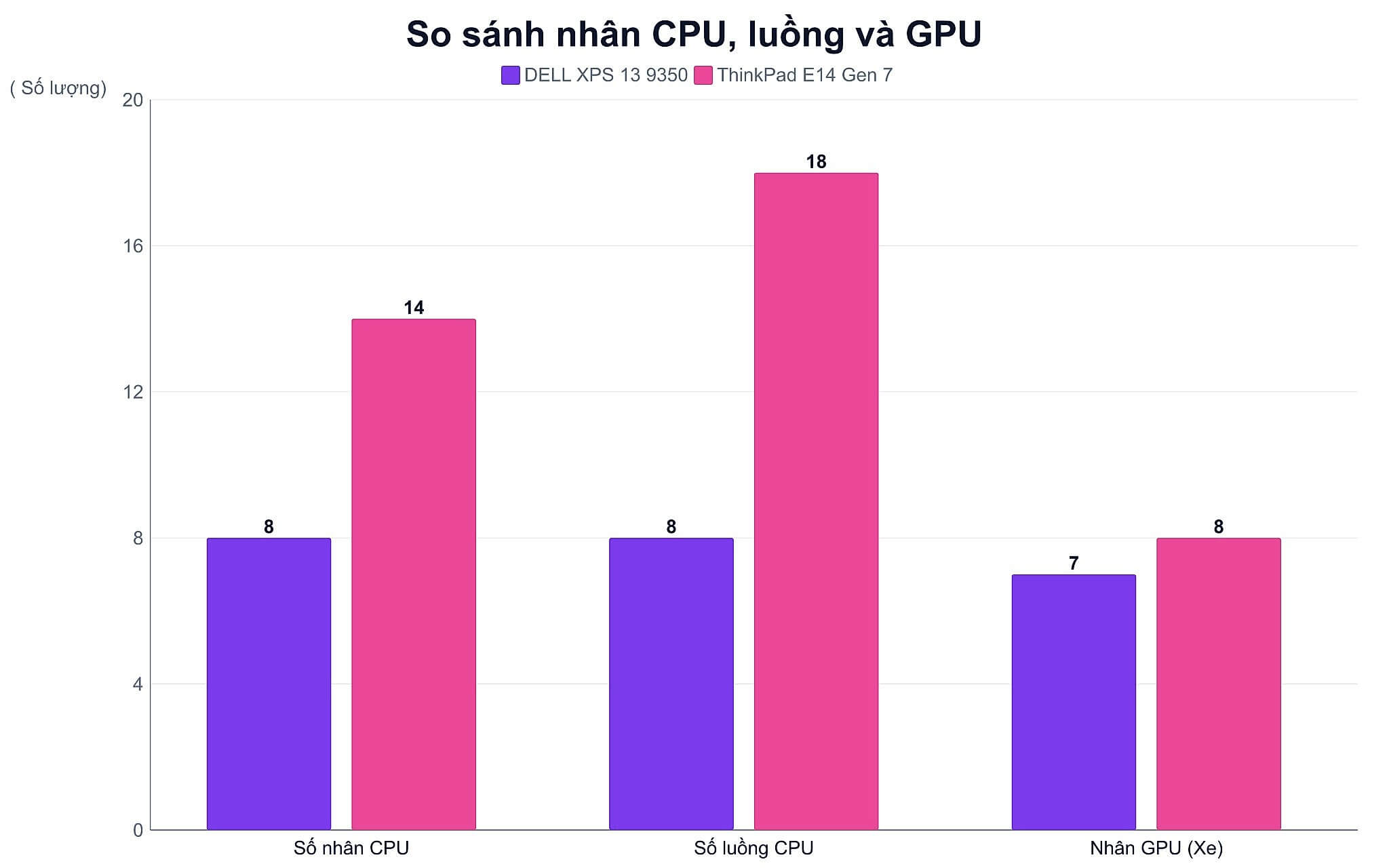
| Processor (CPU) | Intel Core Ultra (8 cores / 8 threads, NPU 40 TOPS) | Intel Core Ultra 5 135H (14 cores / 18 threads, NPU 11 TOPS) |
| Graphics (GPU) | Intel Arc Graphics 130V (7 Xe2 cores) | Intel Arc Graphics (8 Xe-cores) |
| RAM | 16GB / 32GB LPDDR5X 8533 MHz (soldered) | 16GB / 32GB DDR5 5600 MHz (2 slots, max 64GB) |
| SSD | 512GB / 1TB PCIe 4.0 NVMe (1x M.2 slot) | 512GB / 1TB PCIe 4.0 NVMe (2x M.2 slots) |
| Display | 13.4" FHD+ (1920x1200) IPS, 120Hz, 500 nits, 100% sRGB | 14" WUXGA (1920x1200) IPS, 60Hz, 300 nits, 45% NTSC |
| Battery | 55 Wh (~14-17 hours usage) | 48 Wh (~7-9 hours usage) |
| Weight | 1.18-1.22 kg | 1.32-1.44 kg |
| Ports | 2x Thunderbolt 4 | 1x Thunderbolt 4, 1x USB-C, 2x USB-A, HDMI 2.1, RJ-45, 3.5mm Jack |
However, the thinness of the XPS 13 forces the manufacturer to minimize physical ports. The machine is only equipped with 2 Thunderbolt 4 USB Type-C ports, completely removing USB-A, HDMI, and even the traditional 3.5mm headphone jack. In contrast, the ThinkPad E14 Gen 7 provides a truly convenient office working experience without the need for external hubs. This machine features a full set of ports: Thunderbolt 4, USB-C, 2x USB-A, HDMI 2.1, RJ-45 Ethernet, and an integrated 3.5mm jack.
If your work involves direct presentations via HDMI or frequent connections to a fixed LAN cable, the ThinkPad E14 Gen 7 will help save on accessory costs. Conversely, if you prioritize standard lightweight portability and a workspace that is fully synchronized via wireless connections, the XPS 13 9350 remains a highly worthy ultra-portable option.
Dell XPS 13 2025 Chip Performance in Multitasking
The processor configurations create a clear performance gap between these two laptops. The XPS 13 2025 version uses the Intel Core Ultra 5 226V chip based on the Lunar Lake architecture, built on a 3nm process with 8 cores and 8 threads, with a base power consumption of only 17W. In single-core benchmarks, the Ultra 5 226V achieved 1,732 in Cinebench R23 and 2,582 in Geekbench 6. In contrast, the ThinkPad E14 Gen 7 is equipped with the Intel Core Ultra 5 135H based on the Meteor Lake-H architecture, featuring up to 14 cores and 18 threads with a 28W TDP, achieving 1,700 in Cinebench R23 and 2,278 in Geekbench 6 single-core.
When switching to heavy multi-core tasks, the ThinkPad E14 has an edge due to its higher core count, achieving 11,875.5 in Cinebench R23 compared to 9,857.5 for the XPS 13 9350. However, the Lunar Lake chip series on the XPS 13 enhances AI processing capabilities thanks to an NPU reaching 40 TOPS, nearly 4 times higher than the 11 TOPS on the Ultra 5 135H.
Regarding integrated graphics, the Intel Arc Graphics 130V on the XPS 13 achieved 8,450 in Fire Strike, supporting eSports titles like CS2 at 1080p High with 21.4 fps and Dota 2 Reborn at 1080p High with 76.3 fps.
Real-world usage shows that the XPS 13 9350 is extremely well-optimized for office work, running large spreadsheet applications or browsing many tabs while maintaining cool temperatures. Conversely, thanks to its higher turbo power range, the ThinkPad E14 Gen 7 handles short video editing tasks or heavy source code compilation more smoothly. You can directly refer to the Lenovo ThinkPad E14 Gen 7 configuration currently on sale.
Sharp Display Experience on the New Dell XPS 13 Version
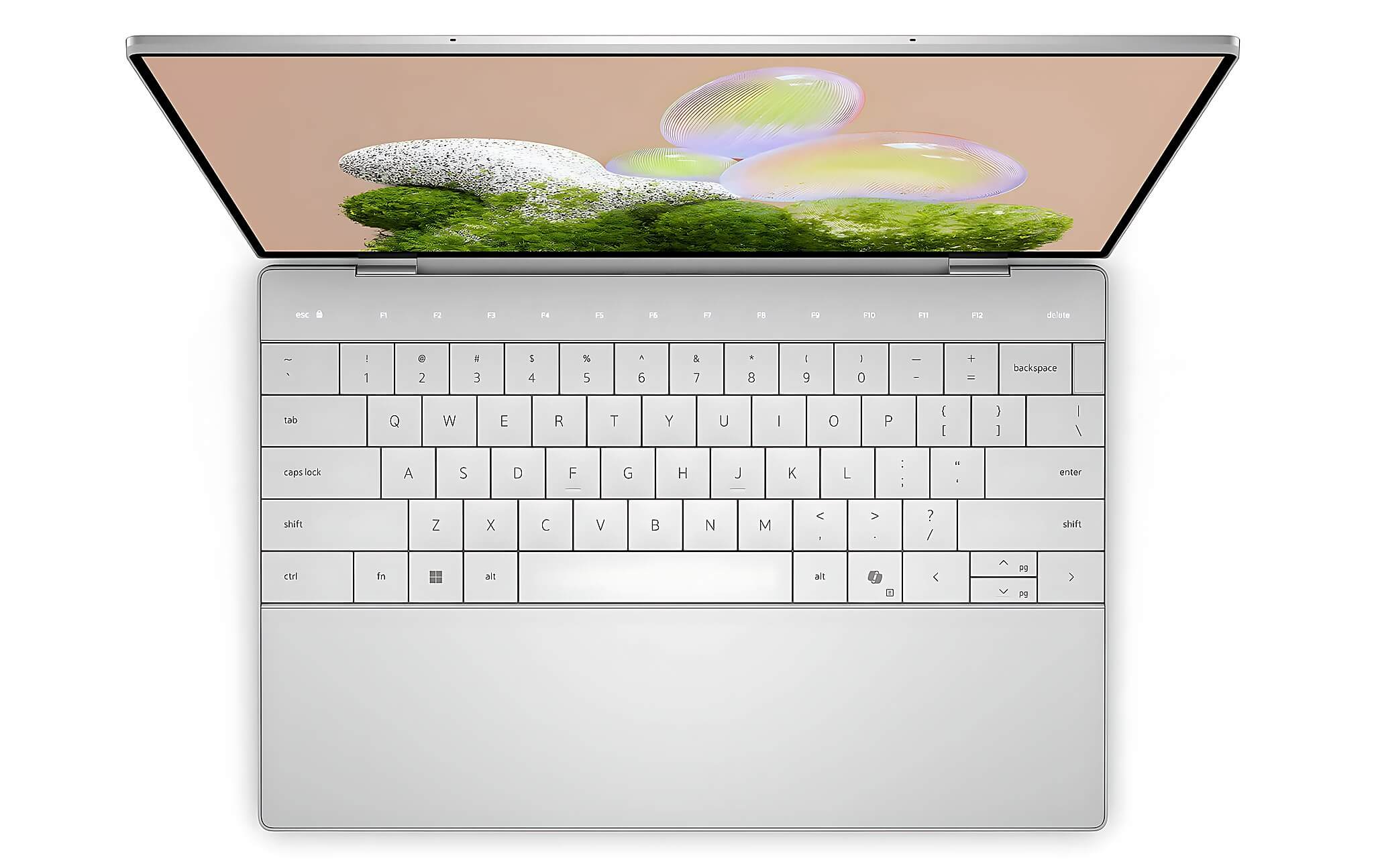
Display quality is the clearest differentiator favoring the Dell product. The new XPS 13 version is equipped with a 13.4-inch FHD+ (1920x1200) IPS panel with a 16:10 aspect ratio, brightness up to 500 nits, and 100% sRGB color gamut. Notably, this screen supports a variable refresh rate from 30-120Hz, making scrolling and window switching incredibly smooth.
In contrast, the Lenovo ThinkPad E14 Gen 7 only uses a 14-inch WUXGA (1920x1200) screen with a standard 60Hz refresh rate, brightness capped at 300 nits, and 45% NTSC color coverage (equivalent to about 62.5% sRGB). The ThinkPad's display colors appear somewhat washed out, making it more suitable for reading documents rather than professional graphic design or photo editing.
Regarding battery life, the 55 Wh battery combined with the excellent power optimization of the Lunar Lake chip allows the XPS 13 9350 to maintain 14-17 hours of actual office usage. This figure far exceeds the 7-9 hours provided by the 48 Wh battery on the ThinkPad E14 Gen 7. With the XPS 13, you can confidently work all day without needing to carry a charger.
RAM and 1TB SSD Upgradeability of Lenovo ThinkPad E14 Gen 7
An important note when choosing the XPS 13 9350 is the future hardware upgradeability. This machine uses LPDDR5X 8533 MHz RAM that is soldered directly onto the motherboard (MoP) and has only one M.2 2280 SSD slot. If you want higher capacity, you must spend a significant amount upfront to purchase the 32GB RAM or 1TB SSD version. Additionally, if you are interested in other premium business laptop lines, you can refer to the ThinkPad X1 2-in-1 Gen 11 analysis for more comparative perspectives.
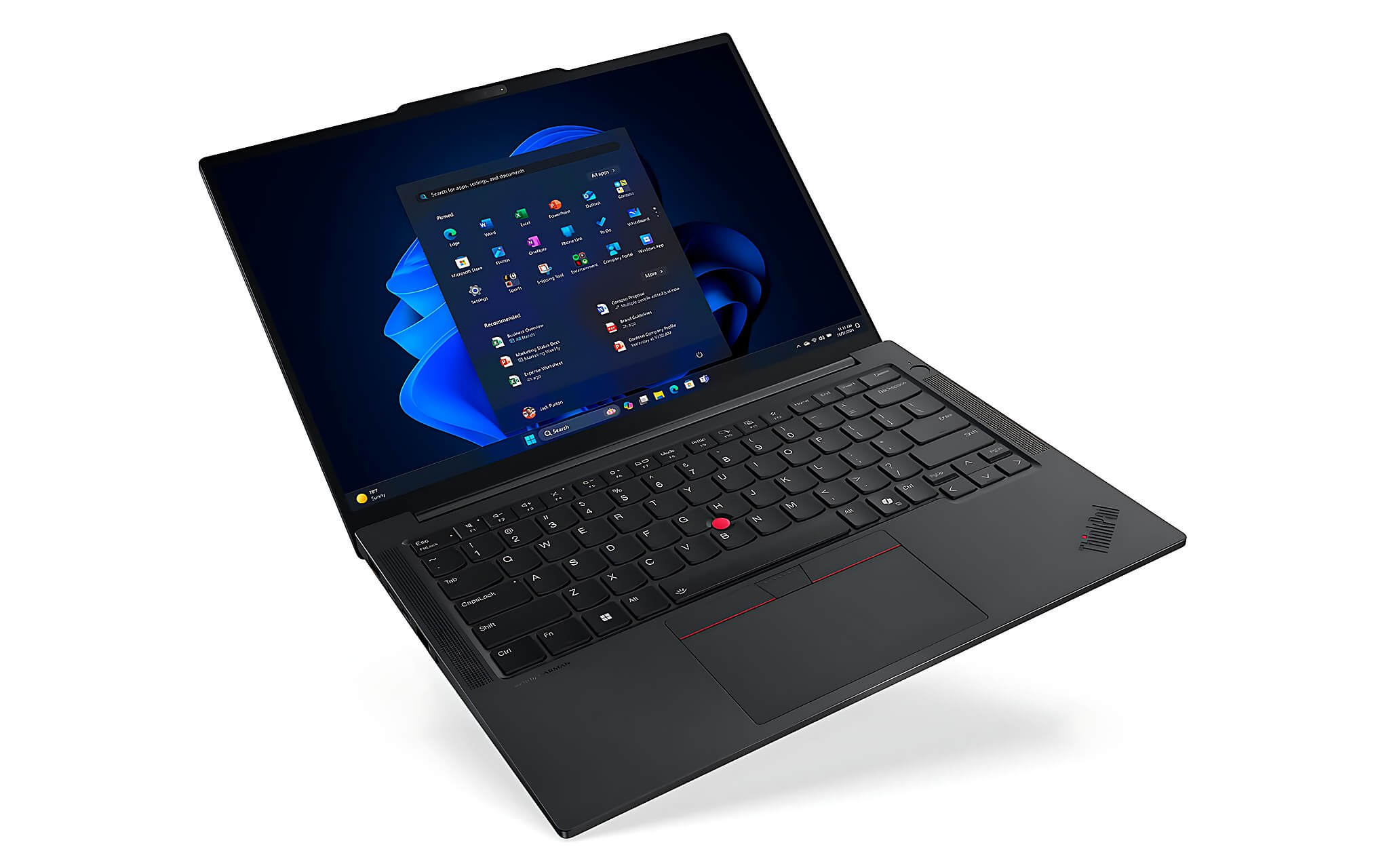
On the other hand, the Lenovo ThinkPad E14 Gen 7 scores high on flexibility with 2x removable DDR5 5600 MHz RAM slots, supporting expansion up to 64GB. Furthermore, the motherboard is equipped with 2x M.2 SSD slots (1x 2280 and 1x 2242), allowing you to freely add a second 1TB SSD at any time without removing the original OS drive.
From a long-term economic perspective, choosing the standard configuration of the ThinkPad E14 and upgrading the RAM and storage later will save significant costs compared to buying a high-end configuration from the start on a machine with soldered components.
Consultation for Best Price and Reputable Dell XPS 13 in HCMC
The decision between these two products depends entirely on your actual work priorities. You should choose the XPS 13 9350 if you are looking for a lightweight 1.18 kg machine with a vibrant 120Hz display, over 14 hours of continuous battery life, and a luxurious design for professional environments. Conversely, the Lenovo ThinkPad E14 Gen 7 is the ideal choice for pure office work requiring diverse connectivity, a comfortable keyboard, and easy 1TB SSD expansion.
If you want to find out the current price of the Dell XPS 13 along with the latest promotions, our store always has various versions available for you to experience in person. Hung Phat provides a reputable warranty policy, thorough machine inspections, and a team of deeply technical consultants.
Visit the Hung Phat showroom in HCMC directly or contact us through our online consultation channels to get support in choosing the laptop that best fits your usage needs and budget today.
Frequently Asked Questions (FAQ)
How much does the XPS 13 2025 version cost, and is there a large price difference compared to the ThinkPad E14 Gen 7?
In the 25-35 million VND segment, the XPS 13 9350 has a list price approximately 3-5 million VND higher than the Lenovo ThinkPad E14 Gen 7 at the same 16GB RAM and 512GB SSD configuration. This difference comes from the premium unibody aluminum material, the 120Hz 100% sRGB display, and the new Intel Lunar Lake chip. When buying at our showroom, you will receive a reputable warranty policy along with many attractive accessory gifts.
Compared to the predecessor Dell XPS 13 9320, what has the XPS 13 9350 upgraded?
The XPS 13 9350 offers a massive leap over the XPS 13 9320 thanks to the Intel Core Ultra 5 226V chip based on the 3nm Lunar Lake architecture. Actual battery life has increased from 8-10 hours to 14-17 hours of continuous use, while the 40 TOPS NPU processes AI tasks 4 times faster. Additionally, the display has been upgraded to a 120Hz variable refresh rate, making scrolling and swiping much smoother than the previous generation.
Does the Dell XPS 13 9315 series still meet current office work requirements?
While the Dell XPS 13 9315 can still handle basic, light office applications, its older generation chip performance is starting to become limited when handling heavy multitasking or new AI features. Compared to the new XPS 13 9350, the 9315 model is significantly inferior in both battery life and iGPU Arc 130V graphics power. Therefore, upgrading to the new series will ensure a stable user experience for the next 3-5 years.
What are the differences between the Dell XPS 13 9340 and the 9350 version?
The biggest difference between the Dell XPS 13 9340 running the Meteor Lake chip and the 9350 version lies in the Lunar Lake processor architecture which optimizes power consumption. The XPS 13 9350 runs noticeably cooler, does not suffer from performance drops when using battery, and offers about 30% longer battery life. The integrated Intel Arc Graphics 130V graphics power on the 9350 version also performs better in light graphics tests.
What is the current price for the Dell XPS 13 9345 and the Dell XPS 13 Plus 9320?
The Dell XPS 13 9345 uses the Snapdragon X Series processor for those who prefer ARM chips, while the Dell XPS 13 Plus 9320 price has dropped to the 22-26 million VND segment for imported or Like New versions. However, if you prioritize absolute compatibility with traditional enterprise Windows software, the XPS 13 9350 version running Intel Lunar Lake remains the safest and most optimal choice at our showroom.











