Chọn laptop cho luật sư khác với chọn một chiếc máy văn phòng thông thường, vì công việc pháp lý xoay quanh đọc hợp đồng dài, gõ bản luận cứ tới khuya, mang hồ sơ ra phiên toà và giữ kín thông tin thân chủ. Bài viết đi qua ba tiêu chí riêng của nghề luật là màn hình, trọng lượng cùng pin và mã hoá ổ đĩa, rồi đối chiếu năm laptop đời 2025 và 2026 còn hàng cho luật sư hành nghề lẫn sinh viên luật có ngân sách hạn chế.
Màn hình cao và nét giúp đọc hồ sơ pháp lý dài
Phần lớn thời gian của luật sư là đọc hợp đồng, bản án, biên bản lấy lời khai và văn bản quy phạm tra trên cổng thông tin pháp luật. Với khối lượng chữ như vậy, chiều cao màn hình quan trọng hơn chiều ngang. Tấm nền tỷ lệ 16:10 cao hơn khoảng 11% so với 16:9 ở cùng chiều rộng, nên mỗi trang Word hiện thêm vài dòng và bạn ít phải cuộn khi đối chiếu điều khoản. Đây là tiêu chí nên xét đầu tiên khi chọn laptop cho luật sư, trước cả bộ xử lý.
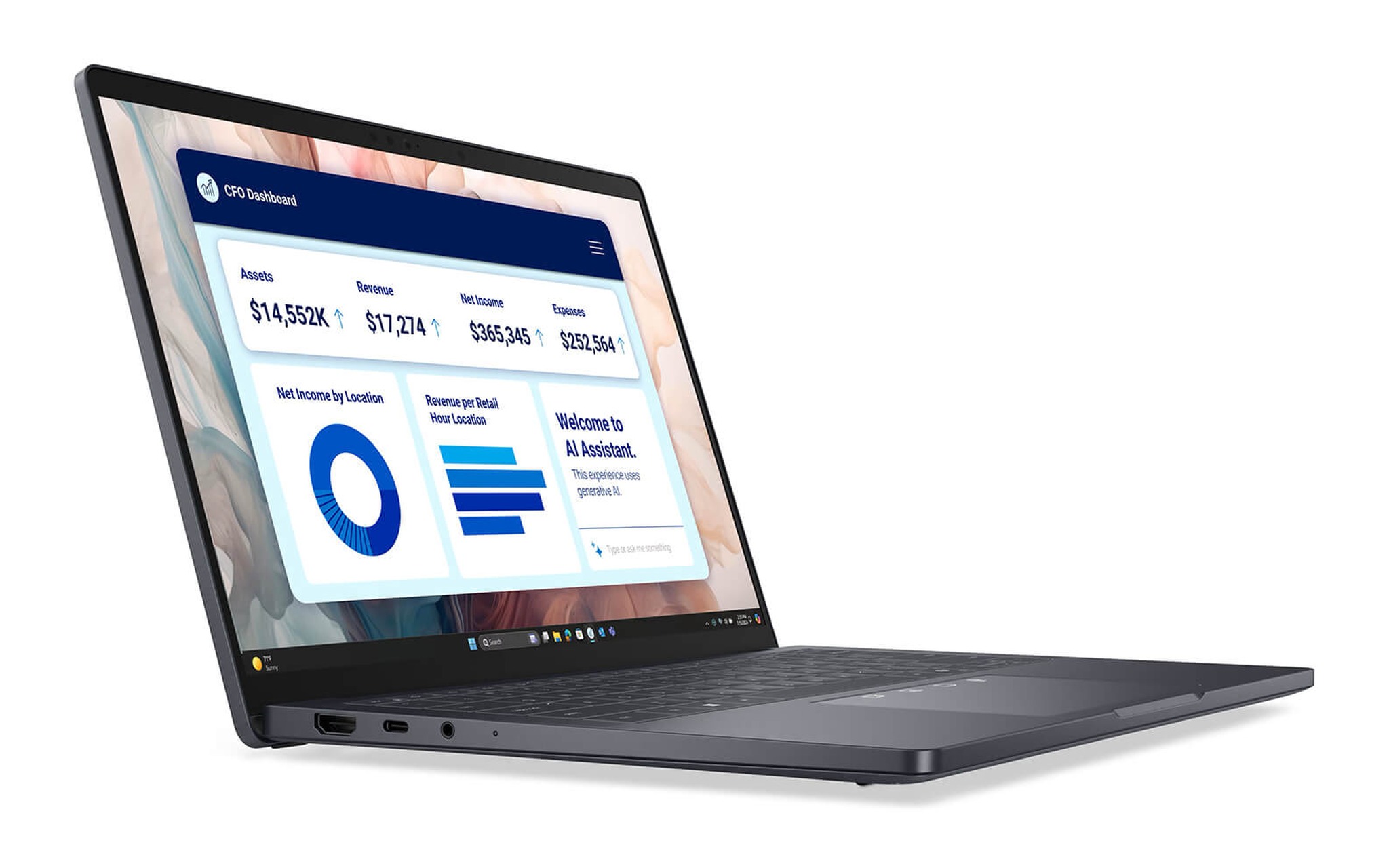
Với laptop cho luật sư, độ phân giải quyết định chữ có sắc nét hay không khi chia đôi màn hình. Ở mức 1920 x 1200, mỗi nửa màn hình rộng 960 điểm ảnh, đủ đọc văn bản cỡ chữ 12 nhưng nét chữ hơi mềm khi thu nhỏ trang. Phiên bản QHD+ 2560 x 1600 trên DELL Pro 14 Premium PA14250 cho mỗi nửa 1280 điểm ảnh, đặt bản thảo hợp đồng cạnh văn bản luật gốc mà chữ vẫn rõ. ThinkPad X1 Carbon Gen 14 đi xa hơn với tấm OLED 2880 x 1800.
Lớp phủ chống chói nên được ưu tiên hơn độ phủ màu, vì phòng xử án và phòng họp thường dùng đèn chiếu thẳng xuống mặt bàn. Cả năm laptop ngành luật trong bài đều có màn hình 14 inch chống chói, độ sáng công bố từ 300 tới 400 nit theo trang sản phẩm. Màn hình cảm ứng tiện cho thao tác ghi chú lên tệp PDF hoặc lật nhanh tài liệu khi trình bày, song không bắt buộc với một văn phòng luật chủ yếu soạn thảo bằng bàn phím.
Trọng lượng và pin khi mang laptop cho luật sư ra phiên toà
Luật sư tranh tụng thường mang theo cặp hồ sơ giấy, bộ luật in, sạc và laptop, có ngày phải di chuyển giữa hai toà án ở hai quận khác nhau. Mỗi 300 gram chênh lệch cộng dồn qua cả buổi đi bộ trong hành lang toà. Một laptop ngành luật dùng cho tranh tụng nên nằm quanh ngưỡng 1,1 tới 1,4kg, còn laptop đặt cố định tại văn phòng luật thì mức 1,5kg vẫn chấp nhận được.
| Laptop và cấu hình | Weight | Pin (Wh) | Màn hình 14 inch | Giá tham khảo |
|---|---|---|---|---|
| ThinkPad X1 Carbon Gen 14, Core Ultra 7 365 | Dưới 1kg (khởi điểm) | 58 | 2.8K OLED 2880 x 1800, 400 nit | 64.900.000₫ |
| DELL Pro 14 Premium PA14250, Core Ultra 7 268V | 1,14kg | 60 | QHD+ 2560 x 1600 cảm ứng, 400 nit | 43.500.000₫ |
| ThinkPad T14 Gen 6, Core Ultra 7 258V | 1,53kg | 52,5 | WUXGA 1920 x 1200, 400 nit | 35.490.000₫ |
| HP ProBook 4 G2i 14 AI, Core Ultra 5 325 | 1,39kg | Trang sản phẩm không ghi | WUXGA cảm ứng, 300 nit | 29.500.000₫ |
| Lenovo IdeaPad Slim 3 14 inch (2026), Core 5 320 | 1,43kg | 60 | WUXGA 1920 x 1200, 400 nit | 23.690.000₫ |
Thời lượng pin là bài toán khó hơn trọng lượng. Phiên xét xử có thể kéo dài từ sáng tới chiều, còn ổ cắm trong phòng xử án hiếm khi nằm gần bàn luật sư. Với laptop cho luật sư hay ra toà, pin 58 tới 60Wh như X1 Carbon Gen 14, Pro 14 Premium và IdeaPad Slim 3 là ngưỡng nên nhắm tới. Theo số liệu Notebookcheck, Core Ultra 7 258V và 268V có công suất cơ bản 17W, Core 5 320 ở mức 15W, còn Core Ultra 7 365 và Core Ultra 5 325 ở mức 25W.
Sạc nhanh giúp bù đắp phần dung lượng còn thiếu. Trang sản phẩm ThinkPad T14 Gen 6 và X1 Carbon Gen 14 ghi chuẩn Rapid Charge nạp 80% pin trong 60 phút với bộ sạc từ 65W, đủ nạp lại trong giờ nghỉ trưa giữa hai phiên. Tiêu chí vỏ máy và bàn phím cho người gõ bản luận cứ hàng giờ được phân tích riêng trong bài Laptop doanh nhân bền bỉ - ưu tiên bàn phím, vỏ máy và bảo mật, áp dụng trọn vẹn khi chọn laptop ngành luật.
BitLocker và TPM giữ kín hồ sơ khách hàng khi mất máy
Nghĩa vụ giữ bí mật thông tin khách hàng khiến bảo mật trở thành tiêu chí bắt buộc chứ không còn là điểm cộng. Rủi ro lớn nhất với laptop cho luật sư không phải tin tặc mà là thất lạc trên taxi hoặc tại quán cà phê gần toà. Khi ổ SSD được mã hoá, người nhặt được máy không thể tháo ổ ra đọc trên máy khác. Microsoft ghi rõ BitLocker chỉ có trên Windows Pro, Enterprise và Education, còn Device Encryption trên Windows Home là phiên bản rút gọn, cần TPM và Secure Boot để kích hoạt.
| Laptop | Hệ điều hành theo cấu hình | Đăng nhập sinh trắc | Lớp bảo vệ thêm theo trang sản phẩm |
|---|---|---|---|
| ThinkPad X1 Carbon Gen 14 | Windows 11 Pro, có BitLocker | Camera 5MP RGB + IR | Nắp che webcam, nền tảng vPro |
| DELL Pro 14 Premium PA14250 | Windows 11 Pro, có BitLocker | Camera 8MP HDR + IR, vân tay tuỳ chọn | TPM 2.0, phát hiện can thiệp BIOS, công tắc báo mở vỏ |
| ThinkPad T14 Gen 6 | Windows 11 Pro, có BitLocker | Camera 5MP IR, vân tay | dTPM 2.0, nắp che webcam, đầu đọc Smart Card tuỳ chọn |
| HP ProBook 4 G2i 14 AI | Windows 11 Pro, có BitLocker | Camera 5MP IR, vân tay | TPM 2.0, HP Wolf Security for Business |
| Lenovo IdeaPad Slim 3 14 inch (2026) | Windows 11 Home, chỉ có Device Encryption | Camera FHD IR | Nắp che webcam |
Bảng trên cho thấy bốn trong năm laptop ngành luật được chọn đã cài sẵn Windows 11 Pro ở cấu hình đang bán, nên bạn kích hoạt được BitLocker ngay khi nhận máy mà không mua thêm bản quyền. Với IdeaPad Slim 3, sinh viên vẫn bật được Device Encryption nếu thiết bị đáp ứng điều kiện, nhưng không có công cụ quản lý chi tiết như phiên bản Pro. Sau khi mã hoá, hãy cất khoá khôi phục tách biệt khỏi laptop, vì mất khoá là mất luôn hồ sơ.
Quy trình bật mã hoá, sao lưu khoá khôi phục và các tình huống khiến máy đòi khoá bất ngờ được hướng dẫn cụ thể trong bài Laptop mới có nên bật BitLocker: Lá chắn dữ liệu hay con dao hai lưỡi?, nên đọc trước khi mã hoá laptop cho luật sư chứa hồ sơ vụ việc. Camera hồng ngoại và cảm biến vân tay hỗ trợ đăng nhập nhanh, giúp bạn sẵn sàng khoá màn hình mỗi lần rời bàn mà không ngại gõ lại mật khẩu dài.
ThinkPad X1 Carbon Gen 14 cho luật sư tranh tụng di chuyển nhiều
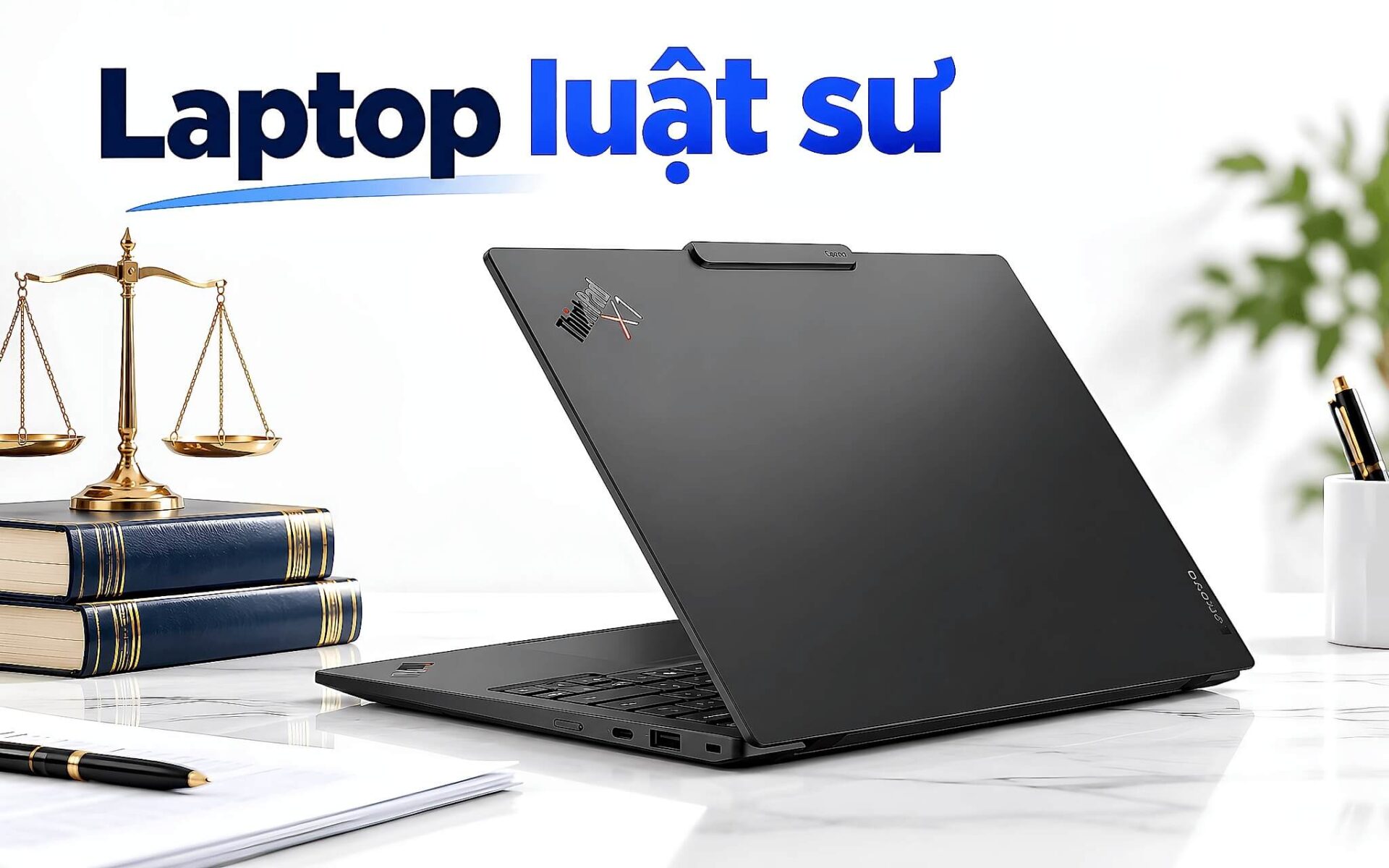
Với luật sư tranh tụng ra toà vài lần mỗi tuần, Lenovo ThinkPad X1 Carbon Gen 14 Aura Edition (2026) là laptop cho luật sư nhẹ nhất trong bài, phiên bản Core Ultra 7 365 / 32GB / 512GB SSD / 2.8K OLED có giá 64.900.000đ, tình trạng New 100% Full Box. Trang sản phẩm ghi trọng lượng khởi điểm dưới 1kg, pin 58Wh và ba cổng Thunderbolt 4, đủ cắm màn hình rời tại văn phòng luật lẫn máy chiếu trong phòng họp với thân chủ.
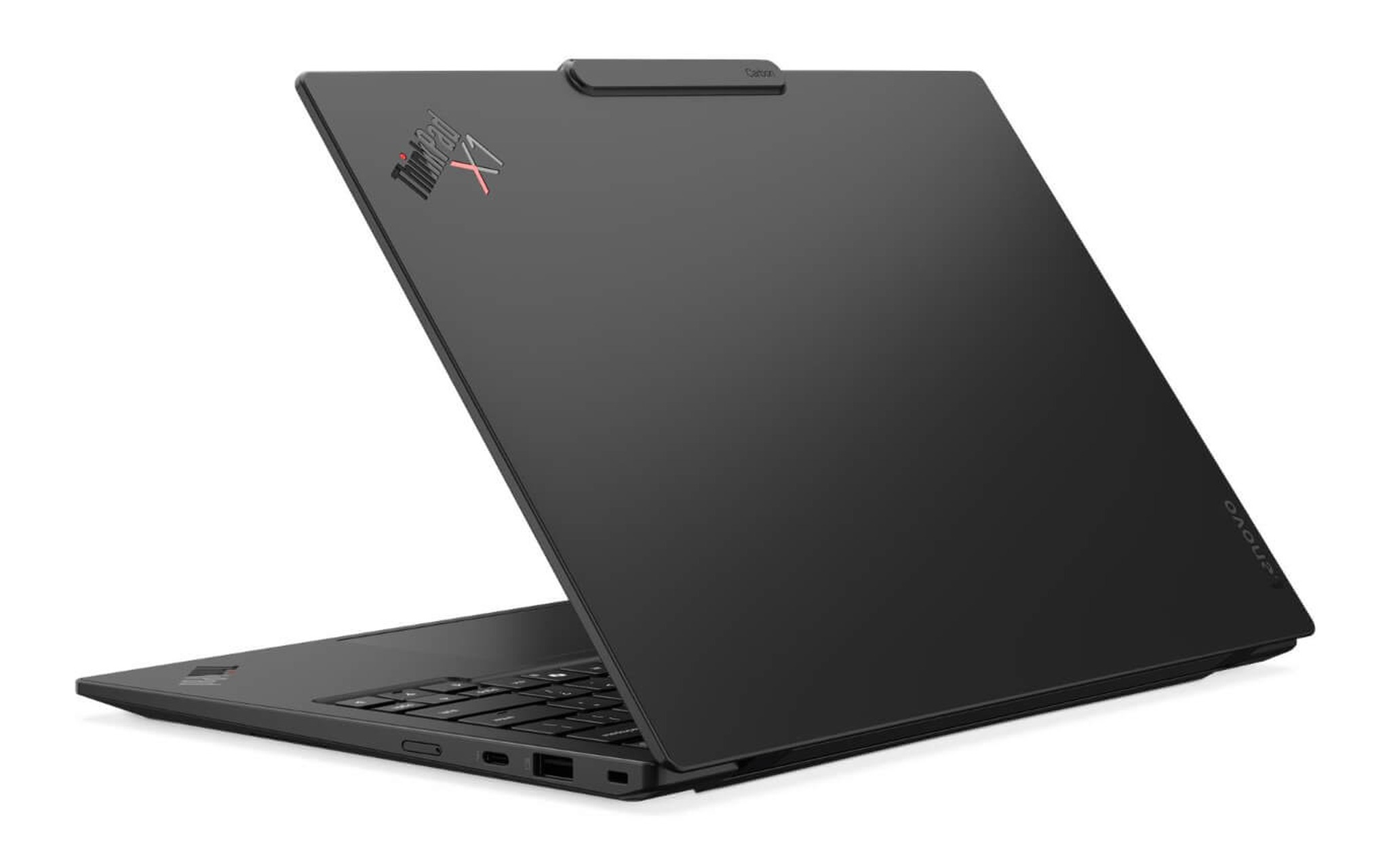
Core Ultra 7 365 thuộc thế hệ Panther Lake, 8 nhân 8 luồng, đạt 2.737 điểm đơn nhân và 10.960 điểm đa nhân Geekbench 6 theo Notebookcheck. Với laptop cho luật sư, mức hiệu năng này dư cho Word, PDF nhiều trăm trang, phần mềm tra cứu văn bản pháp luật và cuộc họp trực tuyến chạy song song. RAM 32GB LPDDR5X 8533MHz được hàn trên bo mạch, không nâng cấp về sau, nên cấu hình 32GB có sẵn là lựa chọn hợp lý cho ít nhất năm năm hành nghề.
Điểm cần cân nhắc là màn hình OLED 2880 x 1800 không có cảm ứng và giá thuộc phân khúc cao cấp. Camera 5MP RGB kèm hồng ngoại có nắp che vật lý, còn bàn phím ThinkPad được trang sản phẩm nhấn mạnh là gõ tốt cho người soạn tài liệu nhiều giờ. Trang sản phẩm ghi bảo hành 12 tháng. Laptop cho luật sư thuộc nhóm này đáng đầu tư khi bạn coi trọng trọng lượng hơn mọi thông số khác.
ThinkPad T14 Gen 6 và Dell Pro 14 Premium cho văn phòng luật
Một văn phòng luật ưu tiên laptop bền, đủ cổng và dễ bảo trì hơn là siêu nhẹ. Lenovo ThinkPad T14 Gen 6 (2025) bản Core Ultra 7 258V / 32GB / 512GB SSD / WUXGA / Windows 11 Pro có giá 35.490.000đ, New 100% Full Box, giữ cổng Ethernet RJ45, hai cổng USB-A và hai cổng Thunderbolt 4. Laptop nặng 1,53kg, pin 52,5Wh, đạt chuẩn độ bền MIL-STD-810H và có tuỳ chọn đầu đọc Smart Card cho văn phòng dùng thẻ ký số.
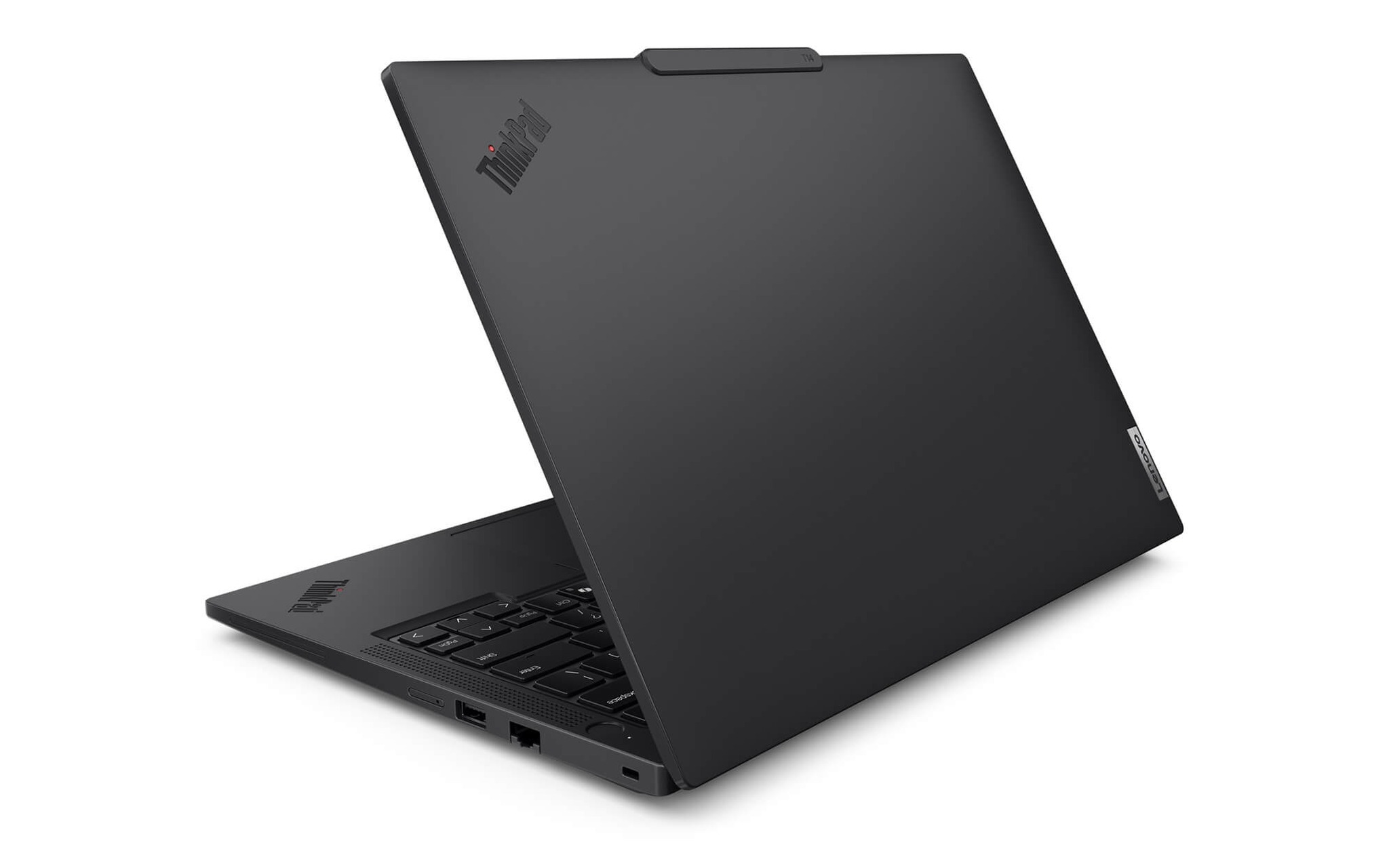
Core Ultra 7 258V đạt 2.754 điểm đơn nhân và 10.965,5 điểm đa nhân Geekbench 6, NPU 47 TOPS, đủ chạy tính năng Copilot+ ngay trên thiết bị. Với văn phòng luật xử lý hồ sơ dạng văn bản, dung lượng 32GB là mức thoải mái. Bộ nhớ 64GB chỉ tạo chênh lệch rõ khi chạy máy ảo hoặc mô hình AI cục bộ, đúng như phân tích trong bài Laptop RAM 64GB dành cho ai - 4 cấu hình đáng chọn theo từng khối việc, nên laptop cho luật sư không cần trả thêm cho mức đó.
Nếu ưu tiên màn hình sắc nét để đọc hợp đồng, DELL Pro 14 Premium PA14250 (2025) bản Core Ultra 7 268V / 32GB / 512GB SSD / QHD+ Touch giá 43.500.000đ, New 100% Full Box, là laptop cho luật sư điều hành văn phòng luật đáng cân nhắc. Laptop nặng 1,14kg, pin 60Wh, màn hình 2560 x 1600 cảm ứng 400 nit, Core Ultra 7 268V đạt 11.134 điểm đa nhân Geekbench 6. Bản màn hình FHD+ rẻ hơn hiện là hàng Like New 99%, nên nếu muốn máy mới hoàn toàn bạn chọn bản QHD+ cảm ứng.
IdeaPad Slim 3 và ProBook 4 cho sinh viên luật ngân sách thấp
Sinh viên luật chủ yếu đọc giáo trình, tra cứu án lệ, soạn bài tập tình huống và chuẩn bị cho phiên toà giả định, nên không cần hiệu năng cao. Lenovo IdeaPad Slim 3 14 inch (2026) bản Core 5 320 / 16GB / 512GB SSD / WUXGA / Windows 11 có giá 23.690.000đ, New 100% Full Box, bảo hành chính hãng 24 tháng theo trang sản phẩm. Đây là laptop ngành luật rẻ nhất trong bài mà vẫn có pin 60Wh và màn hình 400 nit.
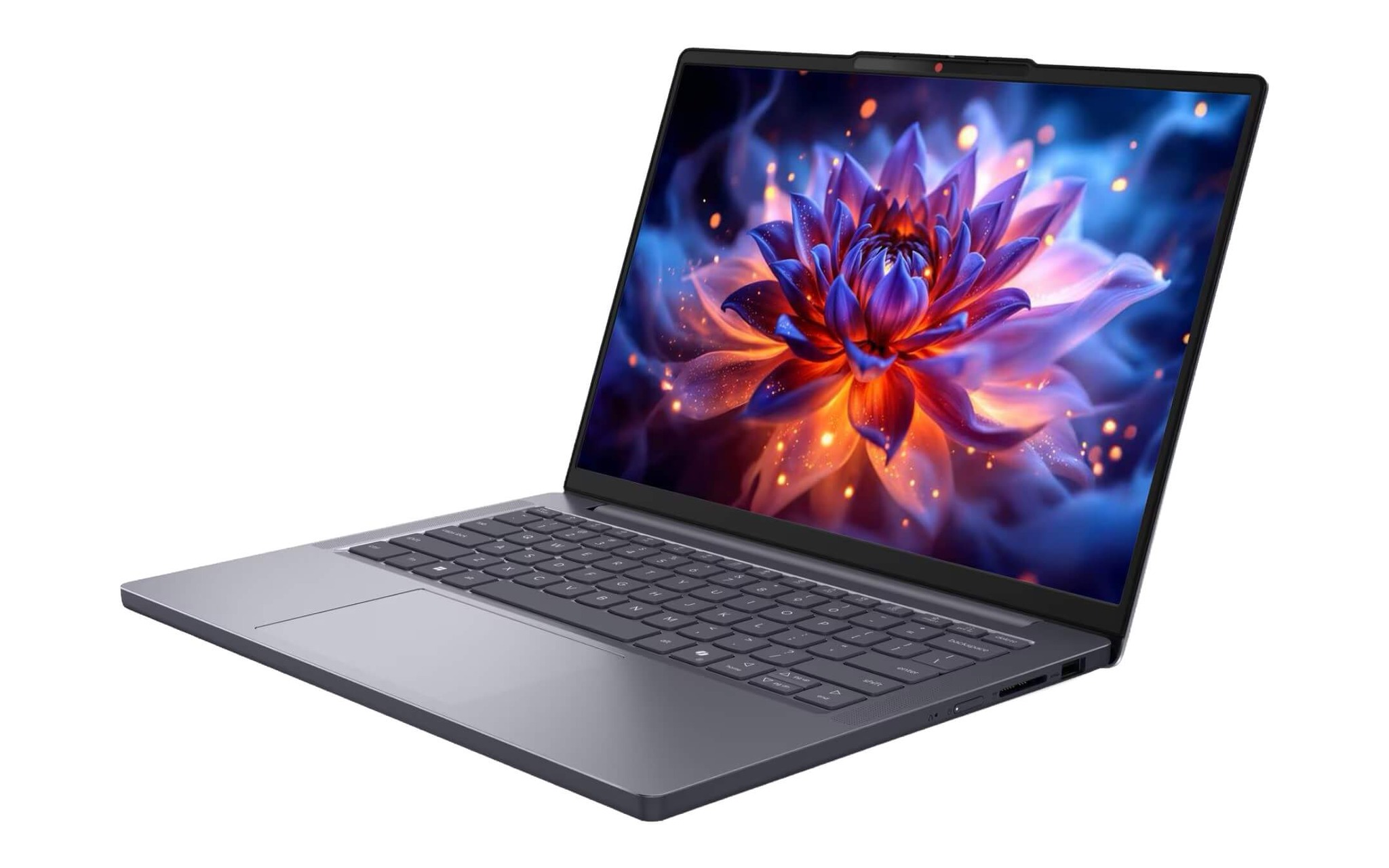
Core 5 320 thuộc dòng Wildcat Lake 6 nhân, đạt 8.017,5 điểm đa nhân Geekbench 6, thấp hơn nhóm Core Ultra nhưng thừa sức cho nhu cầu laptop ngành luật ở bậc đại học. Laptop nặng 1,43kg, có camera FHD hồng ngoại kèm nắp che, ổ SSD M.2 2242 với hai khe nên mở rộng dung lượng về sau khá dễ. Hạn chế là Windows 11 Home chỉ có Device Encryption, phù hợp sinh viên hơn là văn phòng luật đang giữ hồ sơ thật của thân chủ.
Sinh viên năm cuối đi thực tập tại văn phòng luật hoặc luật sư mới hành nghề nên nâng lên HP ProBook 4 G2i 14 AI (2026) bản Core Ultra 5 325 / 16GB / 512GB SSD / FHD+ Touch giá 29.500.000đ, New 100% Full Box. Laptop cài sẵn Windows 11 Pro có BitLocker, cảm biến vân tay, TPM 2.0 và bàn phím chống tràn nước, nặng 1,39kg. Core Ultra 5 325 đạt 11.033 điểm đa nhân Geekbench 6, ngang Core Ultra 7 258V, đủ đáp ứng công việc của một văn phòng luật nhỏ.
Câu hỏi thường gặp khi chọn laptop cho luật sư
Sinh viên luật có cần màn hình lớn 16 inch không? Không bắt buộc, kể cả với laptop cho luật sư. Màn hình 14 inch tỷ lệ 16:10 độ phân giải 1920 x 1200 đã hiển thị đủ một trang văn bản khổ A4 ở mức thu phóng dễ đọc, trong khi laptop 14 inch tối ưu hơn về trọng lượng khi mang lên giảng đường. Khi cần đối chiếu nhiều tài liệu, bạn có thể cắm thêm màn hình rời qua cổng HDMI tại nhà.
Nên chọn RAM 16GB hay 32GB cho công việc ngành luật? Với sinh viên, 16GB đáp ứng tốt việc mở Word, PDF và vài chục thẻ trình duyệt. Laptop cho luật sư hành nghề phải mở đồng thời phần mềm quản lý vụ việc, họp trực tuyến và hồ sơ dày nên chọn 32GB, nhất là trên laptop hàn RAM như X1 Carbon Gen 14 và T14 Gen 6 bản Core Ultra 7 258V vốn không nâng cấp được.
Windows 11 Home có đủ bảo mật cho hồ sơ khách hàng không? Home vẫn có Device Encryption khi máy đáp ứng điều kiện TPM và Secure Boot, nhưng thiếu BitLocker với các tuỳ chọn quản lý chi tiết. Nếu bạn lưu hồ sơ thật của thân chủ, nên chọn laptop ngành luật cài sẵn Windows 11 Pro như bốn mẫu doanh nghiệp trong bài để khỏi tốn thêm chi phí nâng cấp bản quyền.
Nên mua laptop mới hay hàng Like New để tiết kiệm? Với laptop cho luật sư chứa dữ liệu nhạy cảm, máy mới 100% giúp bạn chắc chắn ổ SSD chưa từng lưu dữ liệu của người khác và nhận đủ thời hạn bảo hành. Cả năm cấu hình trong bài đều là máy mới 100% nguyên hộp, giá tham khảo tại thời điểm viết bài ngày 01/10/2026, bạn nên hỏi lại giá và tình trạng hàng trước khi đặt mua.