

When buying a laptop to run Docker, almost everyone focuses on the CPU: how many cores, what the clock speed is, and what the benchmark scores are. However, in the 15 to 30 million VND range, modern chips are more than capable of handling several containers; the thing that truly makes a machine "freeze" while running compose is the RAM. When RAM runs out, the machine swaps, stutters, and builds take longer; it is rarely because the CPU is weak. In this article, Hưng Phát selects 3 HP models and looks directly at the RAM situation so you don't accidentally buy a configuration that looks powerful but runs out of memory after a few months.
Why RAM is more important than CPU when running Docker
Let's look at the numbers. Among the three machines below, the CPU differences are not significant: the Ryzen AI 5 340 achieves a Cinebench R23 multi-core score of 12,532, the Core Ultra 5 225U gets 11,843, and the Core Ultra 5 226V is around 9,857. This difference is almost invisible when you are building images or running Docker Compose with a few services, because those tasks depend more on I/O and memory than on raw CPU power. In other words, any chip in this group is "enough"; what determines whether the machine runs smoothly lies elsewhere.
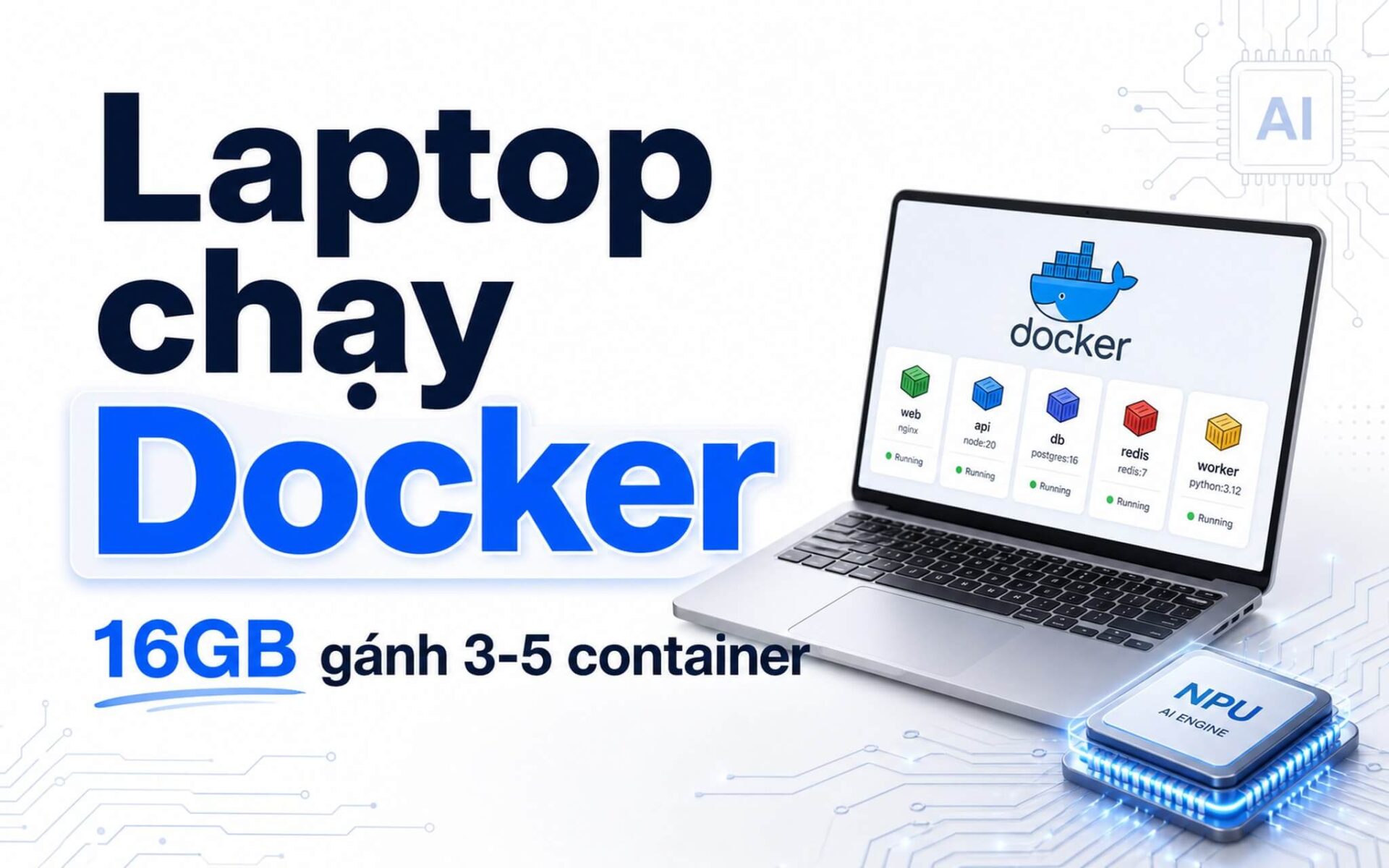
That "elsewhere" is RAM, and this is the true ceiling when running Docker. To be specific: 16GB can comfortably handle 3-5 lightweight containers (Node, Postgres, Redis, Nginx) along with an IDE and a few browser tabs. But when you scale up to 6-8 containers, add an Android emulator, or set up a learning Kubernetes cluster (minikube, kind), 16GB starts to swap, and the machine easily stutters right in the middle of a build. That is when 32GB becomes necessary to breathe. This is the boundary that makes two machines with the same CPU but different RAM capacities feel worlds apart in experience.
| Model | Price | CPU | RAM (The Key Factor) | Screen | Best For |
|---|---|---|---|---|---|
| HP EliteBook 840 G10 2023 | ≈15.8 million | Intel Core i7-1360P vPro, 12C/16T | 16GB DDR5, upgradable slot (check SKU) | 14 inch WUXGA IPS 60Hz | Backend, full-stack, wanting to upgrade RAM later |
| HP OmniBook X Flip Next Gen AI 14 2025 | 19.5-24.9 million | Ryzen AI 5 340 or Core Ultra 5 226V | 16GB LPDDR5x soldered, non-upgradable | 14 inch 1920 x 1200 IPS touch 60Hz | Mobile Dev, moderate Docker, frequent meetings |
| HP OmniBook 5 LaptopAI 16 inch 2025 | 26.4-30.6 million | Intel Core Ultra 5 225U, 12C/14T | Available in 32GB LPDDR5x (choose this from the start) | 16 inch 1920 x 1200 IPS 60Hz | Running many containers, needing a large screen |
Looking at the RAM column in the table, three different scenarios become clear. The EliteBook 840 G10 uses DDR5 in slot form; if the specific SKU has an open slot, you can upgrade to 32GB later, which is a huge plus for those planning to use it long-term. The OmniBook X Flip has 16GB of soldered RAM, meaning you use what you buy. The OmniBook 5 offers a 32GB option, but it is also soldered, so you must select the correct version at the time of purchase. The general rule Hưng Phát often emphasizes: with soldered RAM, it is better to buy one tier higher than to regret it when you run out of memory a few months later.
SSD and screen also contribute, but with lower priority. A PCIe 4.0 drive helps start projects, pull container images, and boot virtual machines faster than older drives. A 14-inch screen is compact for those on the move, while a 16-inch screen is convenient for splitting windows between an IDE and a terminal. As for battery life, don't expect too much when running Docker continuously, as actual dev time is usually several hours less than light tasks. But if you have to decide where to invest your money, RAM is still the most important priority.
Quick comparison of 3 laptop models
All three models are available, but they are not for the same type of user, and the biggest differentiator remains the RAM. Hưng Phát categorizes them clearly so you can choose quickly, avoiding a machine that looks beautiful but lacks memory or has a screen that doesn't suit your workflow.
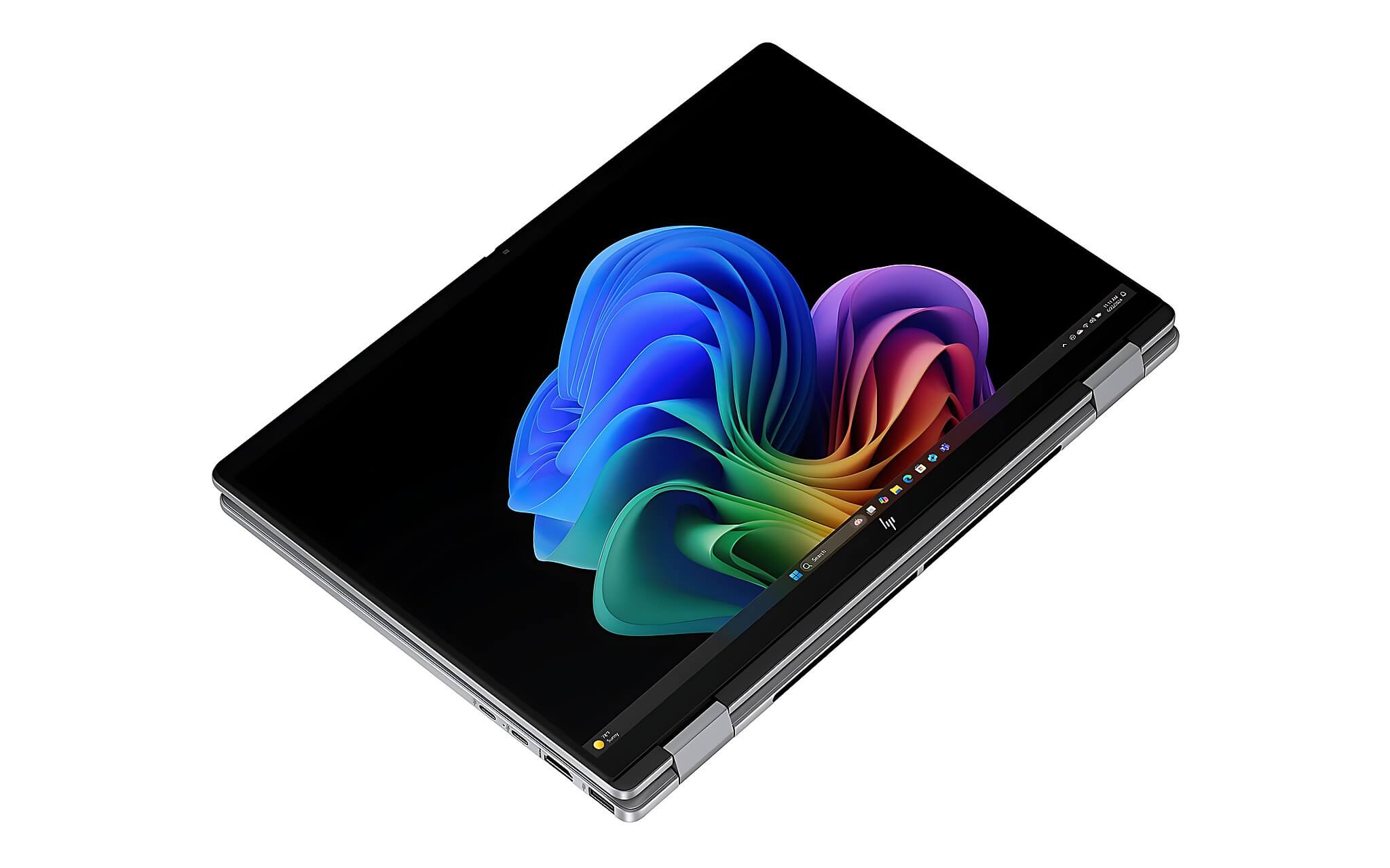
The HP EliteBook 840 G10 is suitable for those needing a durable machine, a great typing experience, good connectivity, and the ability to upgrade RAM later. The HP OmniBook X Flip Next Gen AI 14 is geared towards mobility, featuring good battery life, a touchscreen, and a 2-in-1 design, but with fixed 16GB RAM. The HP OmniBook 5 LaptopAI 16 inch is for those who prefer a large screen, running many windows, and need a 32GB RAM option from the start.
If you are torn between a business laptop and a new AI laptop, you can read our article HP OmniBook 5 or ThinkPad E16 Gen 3 to better visualize which type of machine suits your usage better.
Top 3 for developers
This list is not spread across many models. Hưng Phát only keeps 3 options that closely meet the needs of running containers in the 15 to 30 million VND range, and each model is viewed through the lens of RAM: where it hits its limit and whether you have an expansion path.
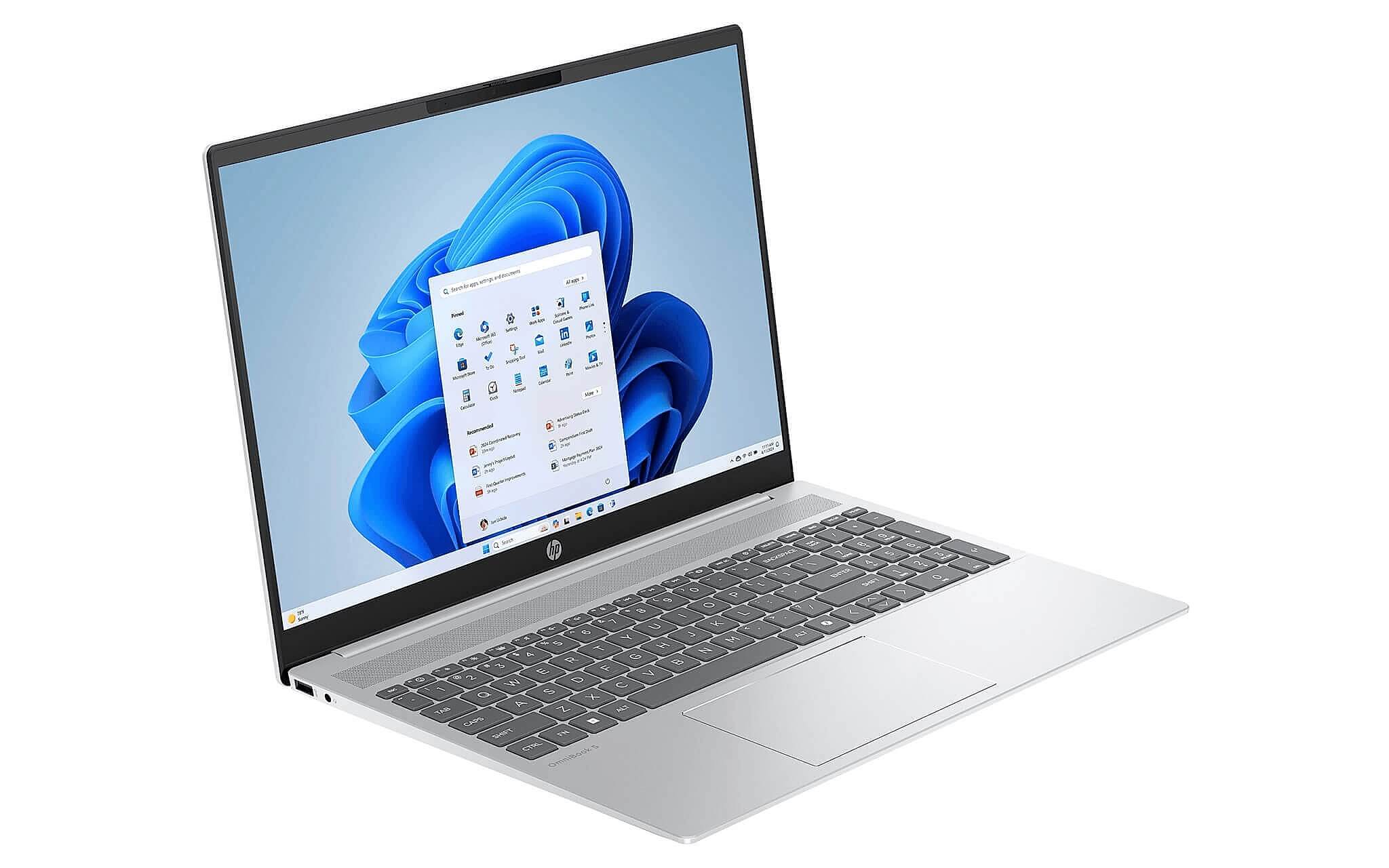
Priced at approximately 15.8 million at Hưng Phát. The configuration includes an Intel Core i7-1360P vPro, 12 cores/16 threads, 16GB DDR5 RAM, 512GB PCIe Gen4 M.2 SSD, and a 14-inch WUXGA IPS anti-glare screen. It weighs about 1.36kg, much lighter than some incorrect listings. For backend, full-stack, learning Docker Compose, and daily office work, this is a reliable choice under 20 million.
The most valuable strength regarding RAM: the EliteBook uses DDR5 in slot form; if the specific SKU has an open slot, you can upgrade to 32GB later without replacing the machine, something the two OmniBook models with soldered RAM cannot do. Combined with a durable business build, a good keyboard, and a variety of ports convenient for a fixed dev setup (external monitors, docks, legacy USB-A), this is the most worth considering for those who want a long-term solution without needing to pay for 32GB today.
The downside is that the standard retail version often only has 16GB, so you need to ask clearly if the machine has an empty SO-DIMM slot for upgrading before finalizing your purchase. The 51Wh battery provides about 5 to 7 hours of mixed usage, but actual Docker usage will be lower. The 250 nits screen is fine for indoor use but is not a strength for outdoor environments. This model is suitable for IT students wanting a durable machine, backend/full-stack devs, or light DevOps; it is not suitable if you do local AI/ML, mobile dev with many emulators, or need a high-brightness screen.
2. HP OmniBook X Flip Next Gen AI 14
Priced between 19.5 and 24.9 million, depending on the CPU version. The machine may use AMD Ryzen AI 5 340 or Intel Core Ultra 5 226V, 16GB LPDDR5x onboard RAM, 512GB or 1TB PCIe Gen4 M.2 SSD, a 14-inch 1920 x 1200 IPS touchscreen 60Hz, and 400 nits brightness. This is the model for those who travel frequently, like the 2-in-1 flip design, but still want enough configuration to code, test, and run containers at a reasonable level.
Regarding the CPU, there is no worry: the Ryzen AI 5 340 version has 6 cores/12 threads Zen 5, 28W TDP, Cinebench R23 multi-core 12,532, Geekbench 6 multi-core 10,765, PassMark 19,584, and includes Radeon 840M (Fire Strike 4,854, Time Spy 1,479). The Core Ultra 5 226V version has slightly lower multi-core scores, Cinebench R23 9,857, Geekbench 6 multi-core 10,010, PassMark 17,879, but offers better power efficiency. Both are more than enough for moderate Docker usage.
However, this is where the RAM holds the machine back: 16GB is soldered and non-upgradable. Therefore, Hưng Phát only recommends this if you run Docker at a moderate level, not the type where you run 6 to 8 heavy containers plus an IDE and emulator simultaneously. On the plus side, the 59Wh battery and flexible flip design make it very convenient for coding, reading documentation, taking notes during meetings, or quickly demoing interfaces to clients. For web devs, students, PMs, or BAs who code, this model is easy to use; you just need to accept the 16GB ceiling. The 62.5% sRGB screen is also not suitable if you do UI work requiring color accuracy.
3. HP OmniBook 5 LaptopAI 16 inch
The actual price is around 26.4 to 30.6 million. The machine uses an Intel Core Ultra 5 225U, 12 cores/14 threads, 16GB or 32GB LPDDR5x onboard RAM, 512GB PCIe Gen4 M.2 SSD, a 16-inch 1920 x 1200 IPS 60Hz screen, 300 nits brightness, with touchscreen or non-touch options depending on the SKU. For those needing a large display area to code while monitoring a terminal, this is the priority model.
The Core Ultra 5 225U delivers Cinebench R23 multi-core 11,843, Geekbench 6 multi-core 9,886, and PassMark 17,736-not significantly higher than the Ryzen AI 5 340, but good enough for most dev needs. The real selling point of this model is the 32GB RAM option, which is exactly what helps you run many containers, local databases, dozens of tabs, and heavy IDEs without hitting a ceiling. If you plan to work with Docker long-term, this is the only model among the three that gives you 32GB right from the start, so you don't have to worry about swapping.
The downside is that the RAM is onboard, so you must choose the 32GB version from the start as it cannot be upgraded later, and consequently, the 32GB version is more expensive. The 300 nits and 62.5% sRGB screen is sufficient for work but not for those requiring color accuracy. The 59Wh battery provides about 6 to 8 hours for light tasks, but during actual development with containers, it's usually around 4 to 6 hours. This model is suitable for full-stack and backend developers who want a large screen and primarily work at a desk while running many containers.
Where to buy in Ho Chi Minh City
If you need to make a quick decision in Ho Chi Minh City, choose based on the RAM you need first, then consider the chassis. For moderate Docker usage, wanting a durable machine with an upgrade path, choose the EliteBook 840 G10. For mobility, accepting a 16GB ceiling, choose the OmniBook X Flip. For running many containers, needing 32GB and a large screen, lean heavily toward the OmniBook 5 32GB version. Choosing the right RAM from the start is the cheapest way to ensure your machine doesn't "freeze" later.
If you want to see a broader overview of "what is needed to run Docker Compose" with more brands for context, you can read the article laptops for developers 2026 running Docker Compose; while this article dives deep into RAM and how to choose the right HP machine according to your budget. If you have your eye on one of these three models, simply follow your RAM needs and mobility habits to make a decision quite quickly.
Frequently Asked Questions (FAQ)
Is 16GB RAM enough to run Docker, or is 32GB mandatory?
16GB is enough for web dev and moderate backend work with 3-5 lightweight containers plus an IDE. When you open 6-8 containers, add an emulator, or learn Kubernetes locally, the machine will start to swap and stutter; that is when 32GB becomes comfortable. Therefore, if you plan to use it long-term and your workload will get heavier, prioritize a machine that is upgradable or has a 32GB version available.
<Does a more powerful CPU help run Docker much faster?
In this price range, the CPU difference between models is quite small and has little impact on daily Docker experience, as building images and running compose depends more on RAM and disk speed. A modern 6-core chip is sufficient; spending extra on a more powerful CPU while still being stuck with 16GB RAM is usually not as worthwhile as spending that money to upgrade to 32GB.
<Which model is thin and light but still enough to run Docker?
The HP OmniBook X Flip Next Gen AI 14 offers a good balance for those on the move: a 59Wh battery, a 14-inch 1920 x 1200 touchscreen, and the Ryzen AI 5 340 version is powerful enough. Just remember the 16GB RAM is soldered, so it is suitable for moderate workloads and not ideal if you frequently run many heavy containers simultaneously.
<If I decide to buy now, which model suits whom?
The HP EliteBook 840 G10 is suitable for IT students, backend, and full-stack developers who need a durable machine with an upgrade path for RAM. The HP OmniBook X Flip is suitable for those needing something compact and light with good battery life, a touchscreen flip design, and moderate Docker usage. The HP OmniBook 5 LaptopAI 16 inch is suitable for those running many containers who need a large screen; choose the 32GB version if you plan to work with Docker long-term.











